25+ AI Pixel Art Photo Prompt Ideas for Instant Retro-Game Wow
Transform your photo into a playable-looking pixel world: neon city streets, cozy cafe windows, and classic RPG backdrops with clean pixel edges and dithered shading. Grab 25+ free copy-paste AI pixel art photo prompt ideas, upload an image, and generate instantly with Media.io. Built for avatars, posts, and profile refreshes.
Stunning AI ai pixel art generated with Media.io - powered by
Nano Banana Pro.
How to Create AI Pixel Art Photo Prompt in 3 Steps
Creating pixel art from a real photo is fast on Media.io. Follow these three steps, then remix the Gemini AI Pixel Art prompts for your own vibe.
1
Open Media.io AI Generator
Go to Media.io and open the AI Photo Generator (or image-to-image) tool. Choose a creation mode that supports prompts and style control so you can steer the output toward crisp retro pixel aesthetics.
2
Upload Photo + Prompt
Upload a selfie, portrait, or couple photo, then paste one of the prompts below. For the best AI pixel art photo prompt results, keep identity details (hair, face shape, accessories) and only change style, outfit, and background.
3
Generate + Download
Click Generate and review a few variations. If the pixels feel too soft, add notes like clean pixel edges, limited palette, and dithering. When it looks right, download your favorite and share it as an avatar, post, or sticker.
Best AI Pixel Art Photo Prompt Ideas & Examples
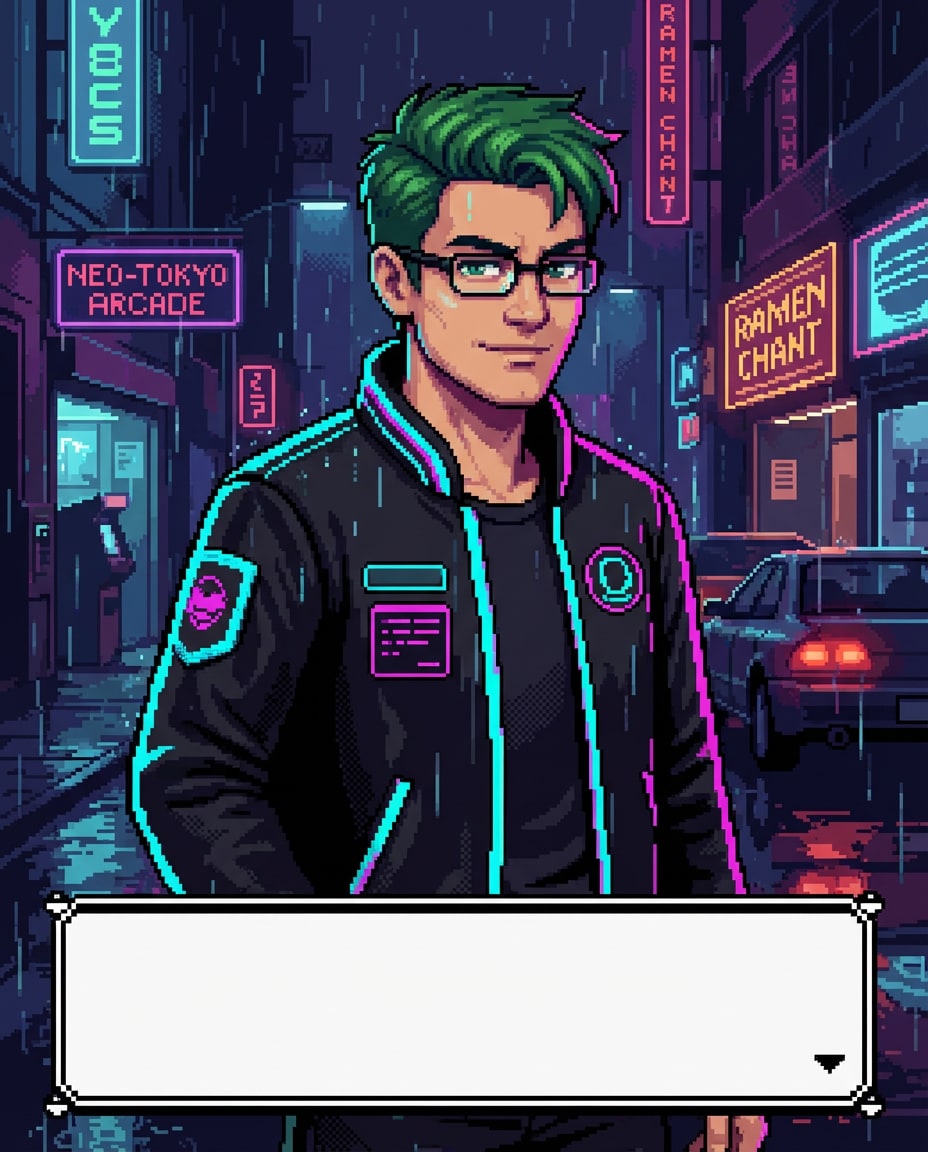
Neon City Sprite
retro 16-bit pixel art portrait of the person in the uploaded photo, preserve facial features and hairstyle, confident expression, wearing a black bomber jacket with neon trim, standing in a rainy neon cyberpunk street with glowing signs and reflections, limited 32-color palette, clean pixel edges, subtle dithering for shadows, classic JRPG dialogue box UI at the bottom (empty), highly detailed pixel shading, vibrant magenta and cyan accents, 85mm lens, shallow depth of field, soft cinematic lighting --ar 4:5
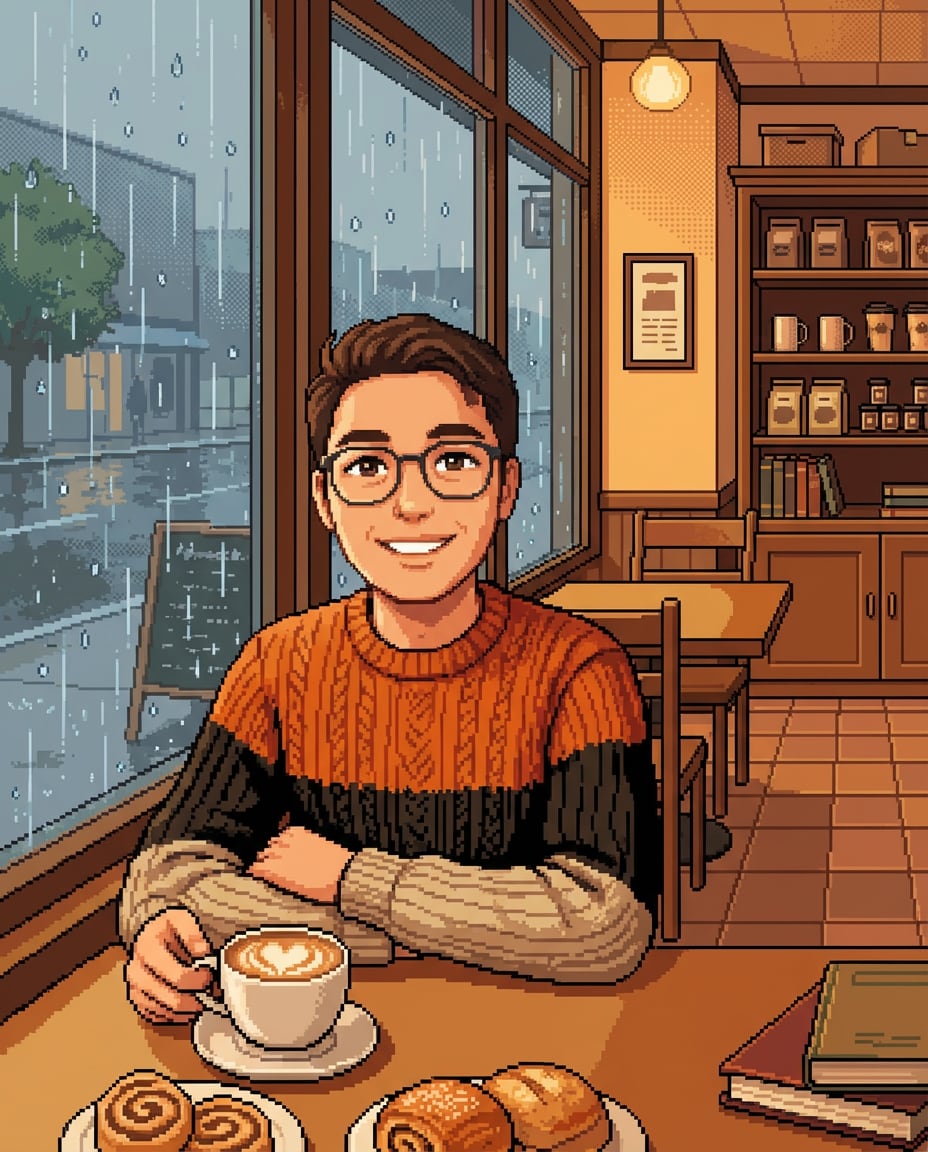
Cozy Cafe Window
retro 16-bit pixel art scene of the person in the uploaded photo sitting by a cozy coffee shop window, warm smile, oversized knit sweater, latte art on the table, rainy day outside with pixelated droplets on glass, warm amber lighting, tilemap interior details, clean pixel edges, soft dithering, gentle cozy mood, highly detailed background props like pastries and books, 85mm lens, shallow depth of field --ar 4:5
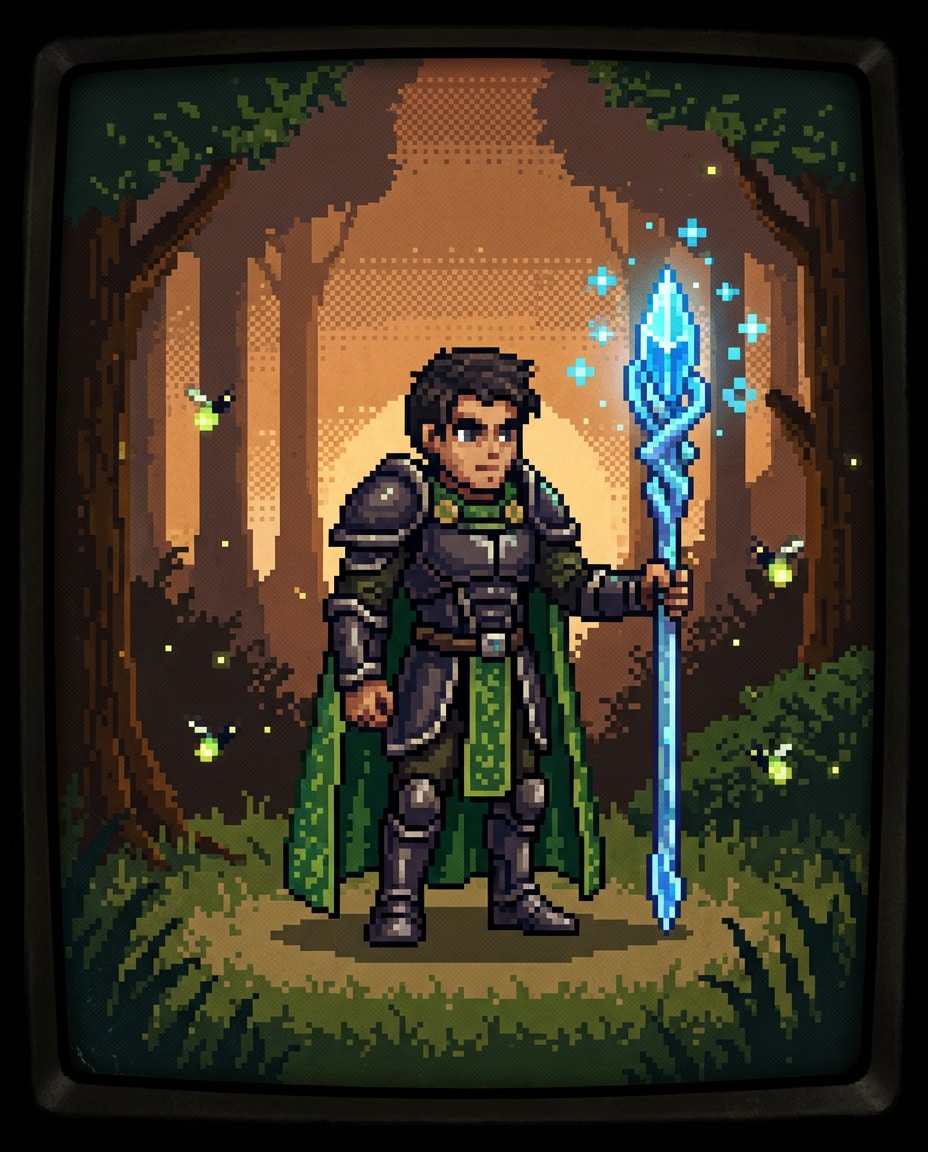
Fantasy RPG Hero
retro 16-bit pixel art character of the person in the uploaded photo as a fantasy RPG hero, preserve identity, leather armor with a green cloak, holding a glowing crystal staff, standing in a forest clearing with pixelated fireflies, SNES-era palette, crisp outlines, dithering in cloak folds, detailed sprite shading, magical particles in pixel clusters, heroic and adventurous composition, 85mm lens, shallow depth of field, soft cinematic lighting --ar 4:5
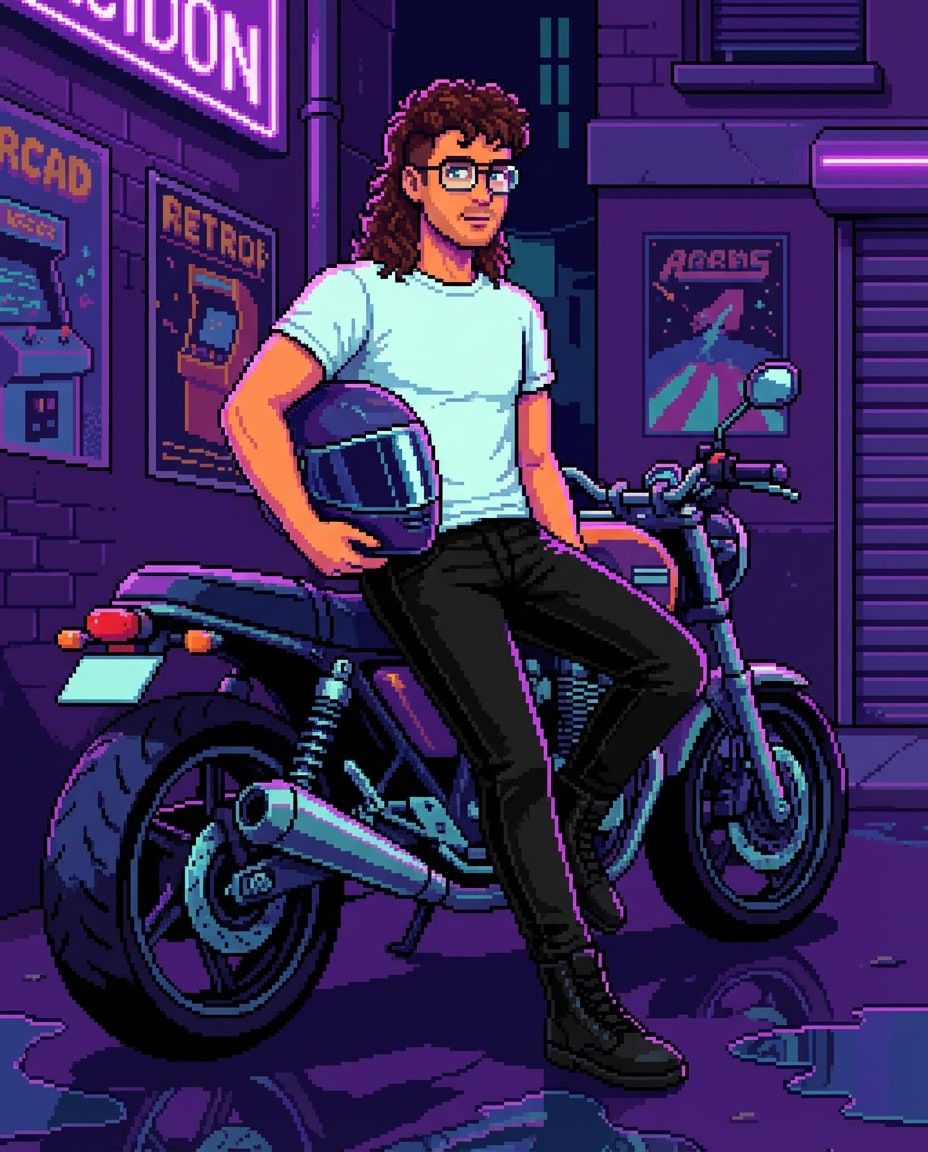
Street Biker Vibe
retro 16-bit pixel art portrait of the person in the uploaded photo leaning on a motorcycle in a neon alley, preserve facial features, reflective visor helmet held under one arm, streetwear boots, moody violet lighting, puddle reflections, limited palette with high-contrast highlights, clean pixel edges, dithering for metallic surfaces, retro arcade poster textures in the background --ar 4:5
Cottagecore Meadow
retro 16-bit pixel art full-body scene of the person in the uploaded photo walking through a wildflower meadow, preserve identity, straw hat, linen dress or shirt, basket of daisies, soft pastel palette, pixelated sunlight rays, gentle dithering for grass and clouds, clean pixel edges, peaceful nostalgic mood, detailed tilemap flowers and butterflies, 85mm lens, shallow depth of field --ar 4:5
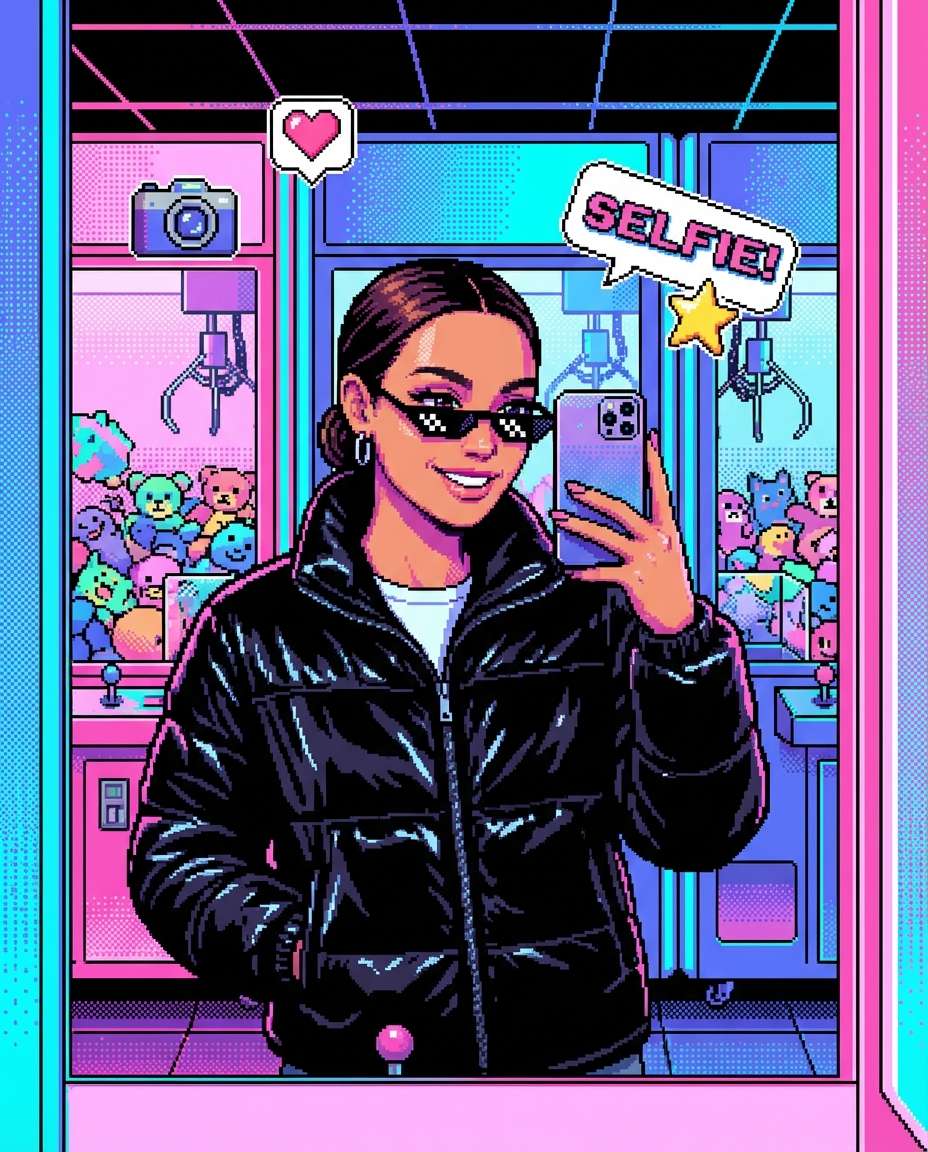
Y2K Arcade Selfie
retro 16-bit pixel art portrait of the person in the uploaded photo taking a mirror selfie inside a Y2K arcade, preserve identity, glossy puffer jacket, tiny sunglasses, colorful claw machines and pixelated prize plushies behind, bright RGB lighting, clean pixel edges, limited palette, dithered gradients on lights, playful confident vibe, retro UI sticker icons floating around, 85mm lens, shallow depth of field --ar 4:5
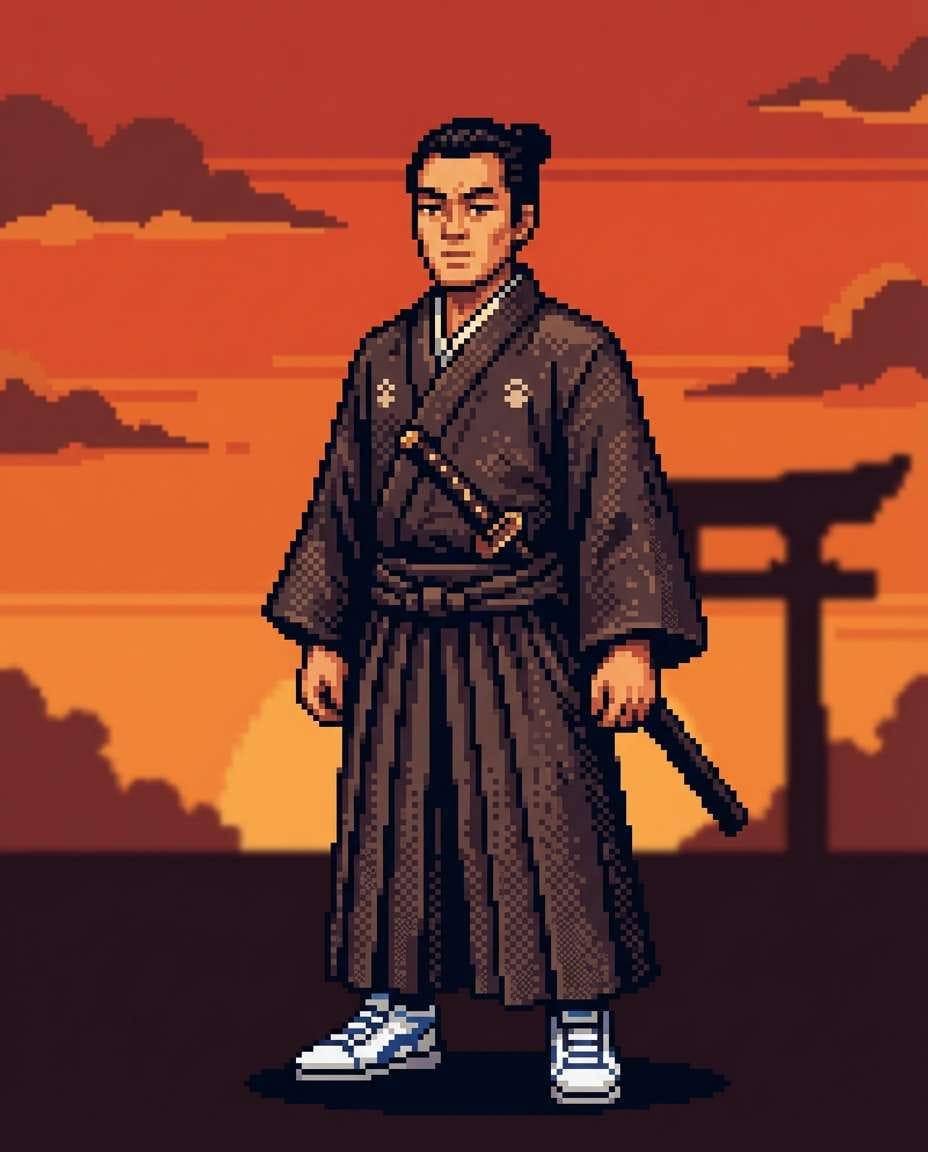
Samurai Sunset
retro 16-bit pixel art character portrait of the person in the uploaded photo as a samurai at sunset, preserve facial features, traditional kimono with modern sneakers twist, katana sheathed, orange-red sky with pixel clouds, silhouetted torii gate in distance, clean pixel edges, dithering for fabric folds, dramatic warm palette, calm focused expression, 85mm lens, shallow depth of field --ar 4:5
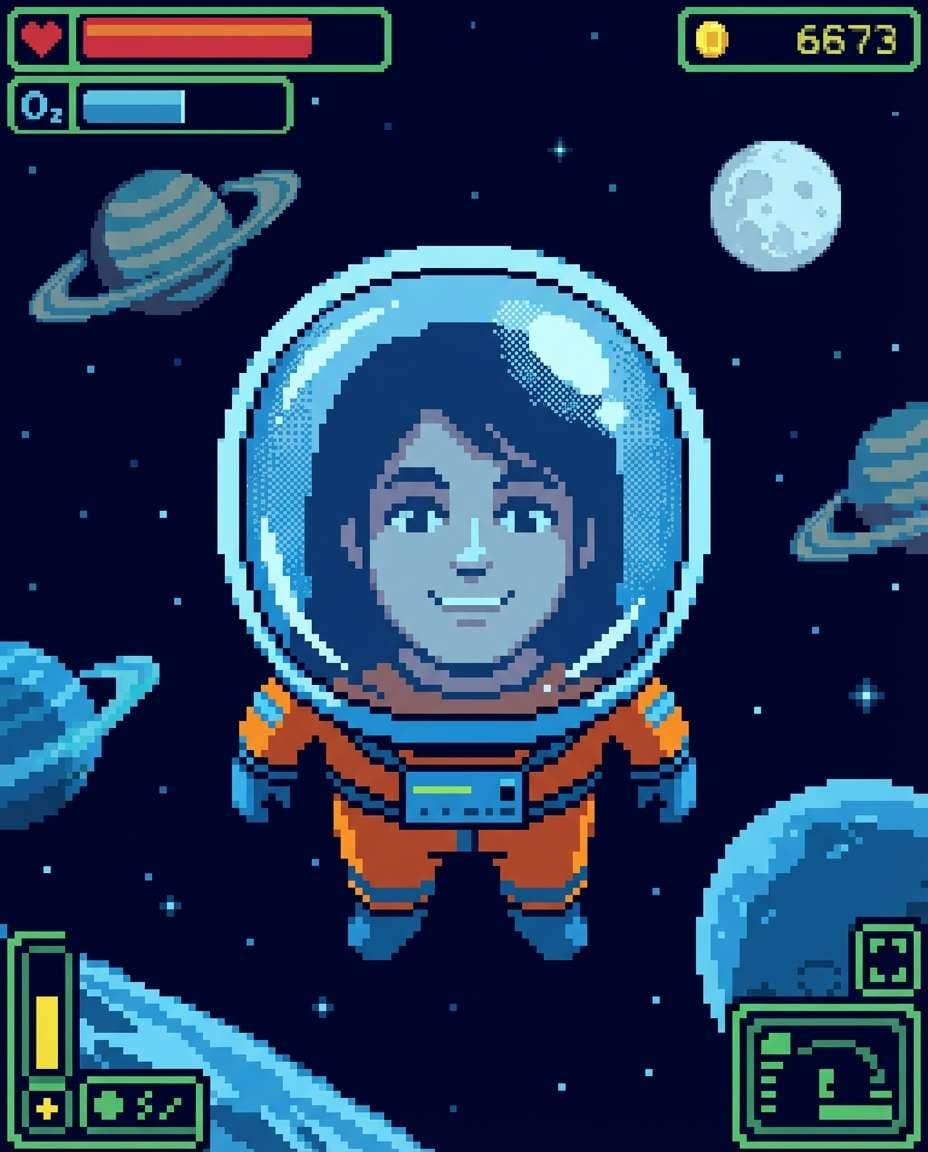
Space Explorer
retro 16-bit pixel art scene of the person in the uploaded photo wearing a space explorer suit, preserve identity visible through helmet glass, floating in a starry background with pixel planets and a ringed moon, cool blue lighting, clean pixel edges, limited palette, dithering for glass reflections, classic sci-fi game HUD elements around the frame, 85mm lens, shallow depth of field --ar 4:5
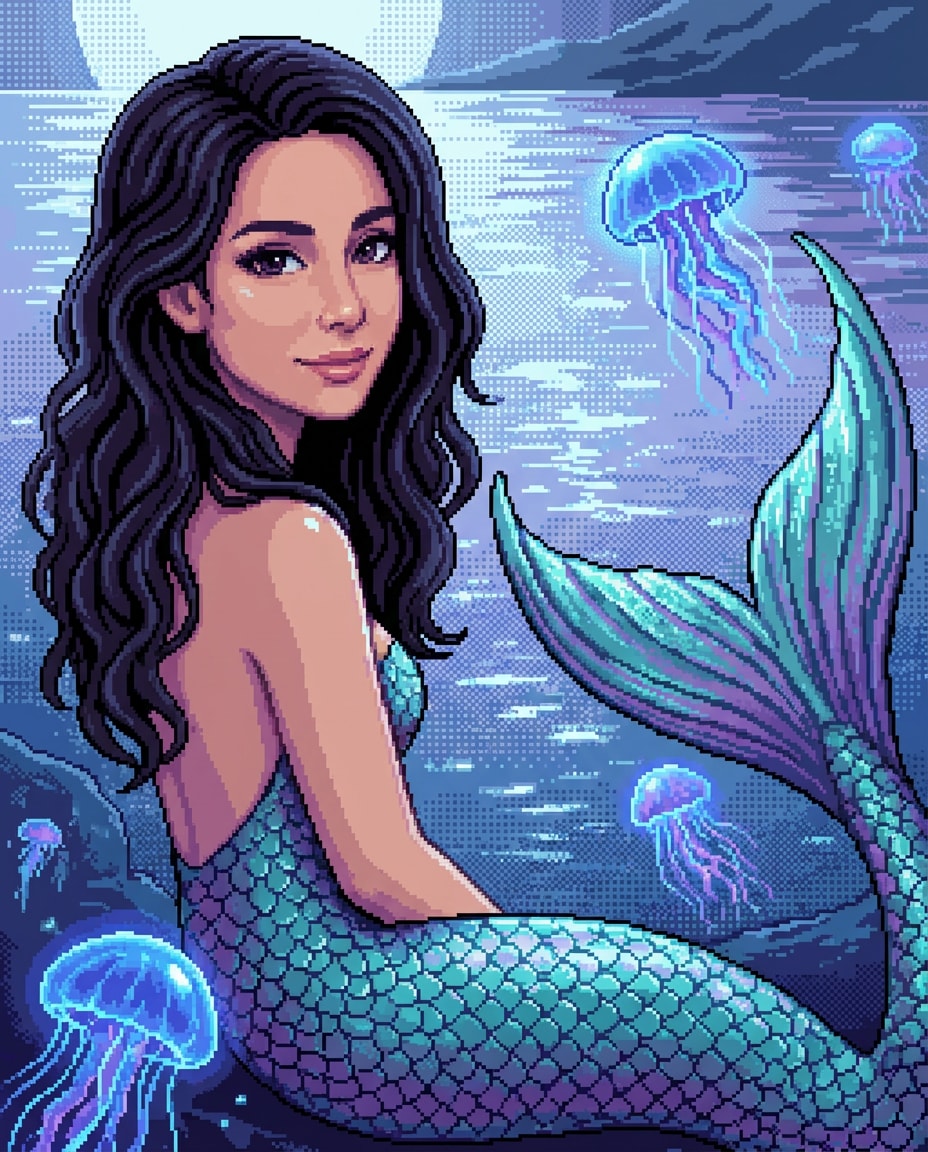
Mermaid Lagoon
retro 16-bit pixel art portrait of the person in the uploaded photo reimagined as a mermaid by a lagoon, preserve face and hair color, shimmering pixel tail with teal and purple scales, glowing jellyfish in water, moonlit palette, clean pixel edges, dithering for water shimmer, dreamy fantasy mood, highly detailed pixel shading on highlights --ar 4:5
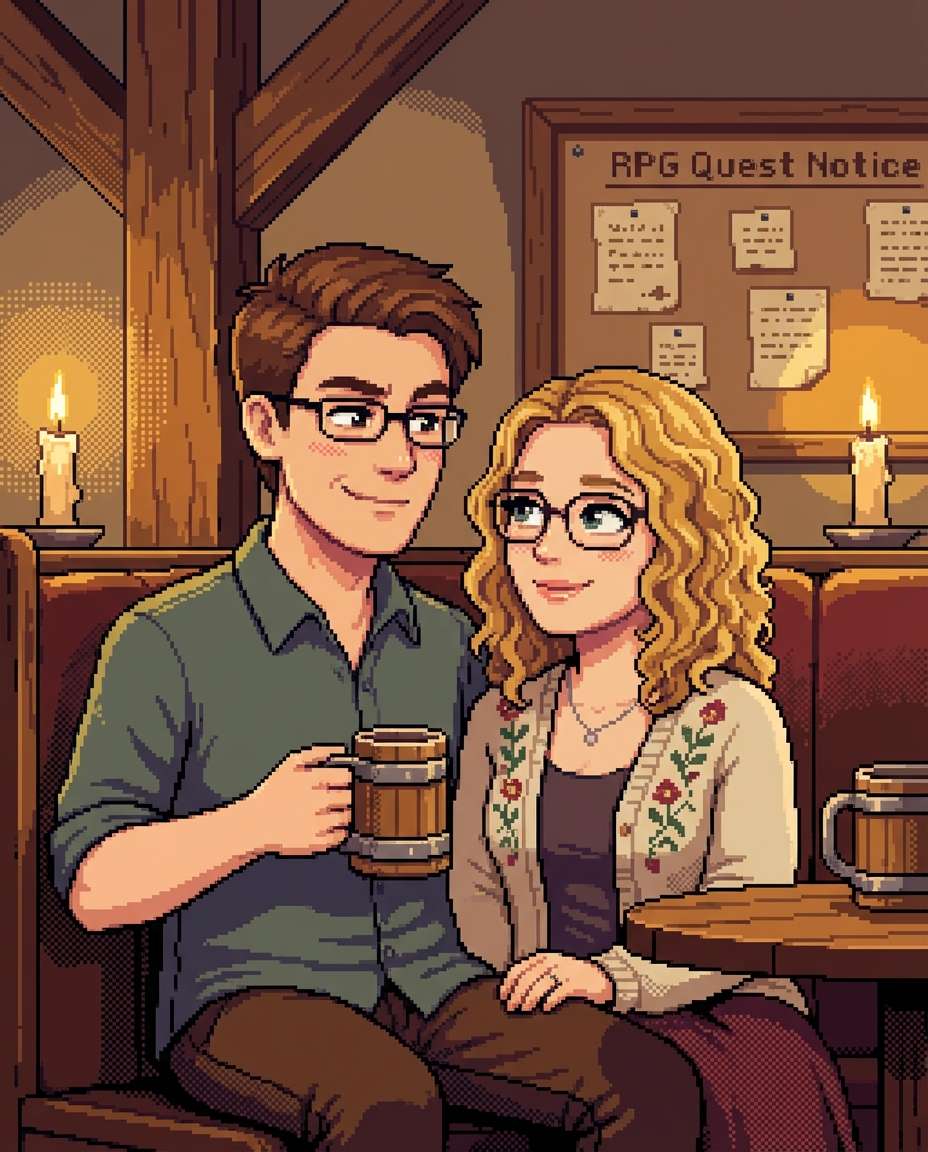
Tavern Couple Quest
retro 16-bit pixel art scene of the couple in the uploaded photo sitting in a medieval tavern booth, preserve both identities, cozy candles and wooden beams, mugs on the table, warm golden lighting, clean pixel edges, limited palette, dithering for shadows, subtle blush and affectionate smiles, RPG quest notice board in background, 85mm lens, shallow depth of field --ar 4:5
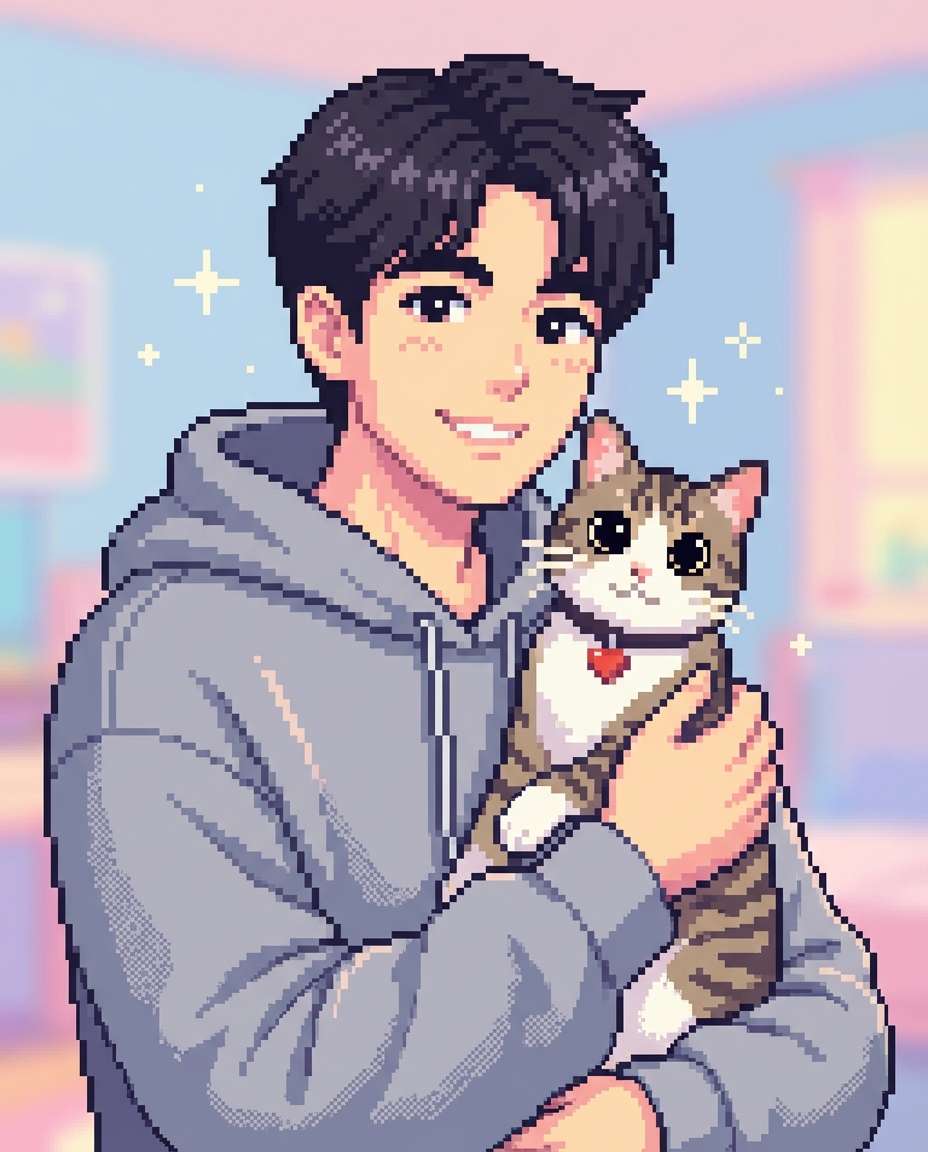
Kawaii Cat Buddy
retro 16-bit pixel art portrait of the person in the uploaded photo holding a cute cat companion, preserve identity, oversized hoodie, cat with big pixel eyes and tiny heart collar tag, pastel palette, clean pixel edges, gentle dithering, simple sparkles around them, playful wholesome mood, highly detailed sprite shading, 85mm lens, shallow depth of field, soft cinematic lighting --ar 4:5
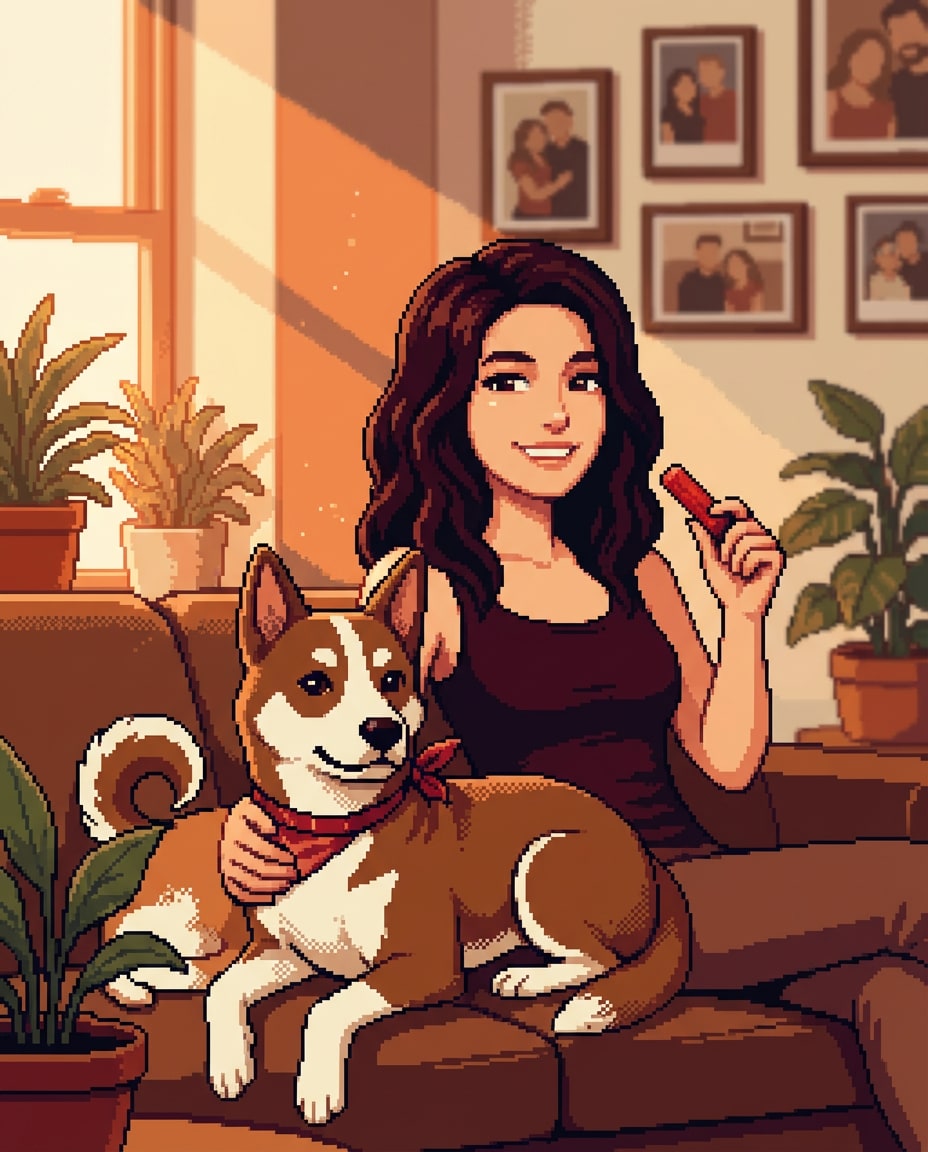
Cute Pet Avatar
retro 16-bit pixel art portrait of the person in the uploaded photo with their pet dog, preserve facial features and pet markings, sitting on a pixel couch with houseplants, warm window light, limited palette, clean pixel edges, dithering for fur shading, cozy home vibe, framed pixel photos on wall for extra detail, 85mm lens, shallow depth of field --ar 4:5
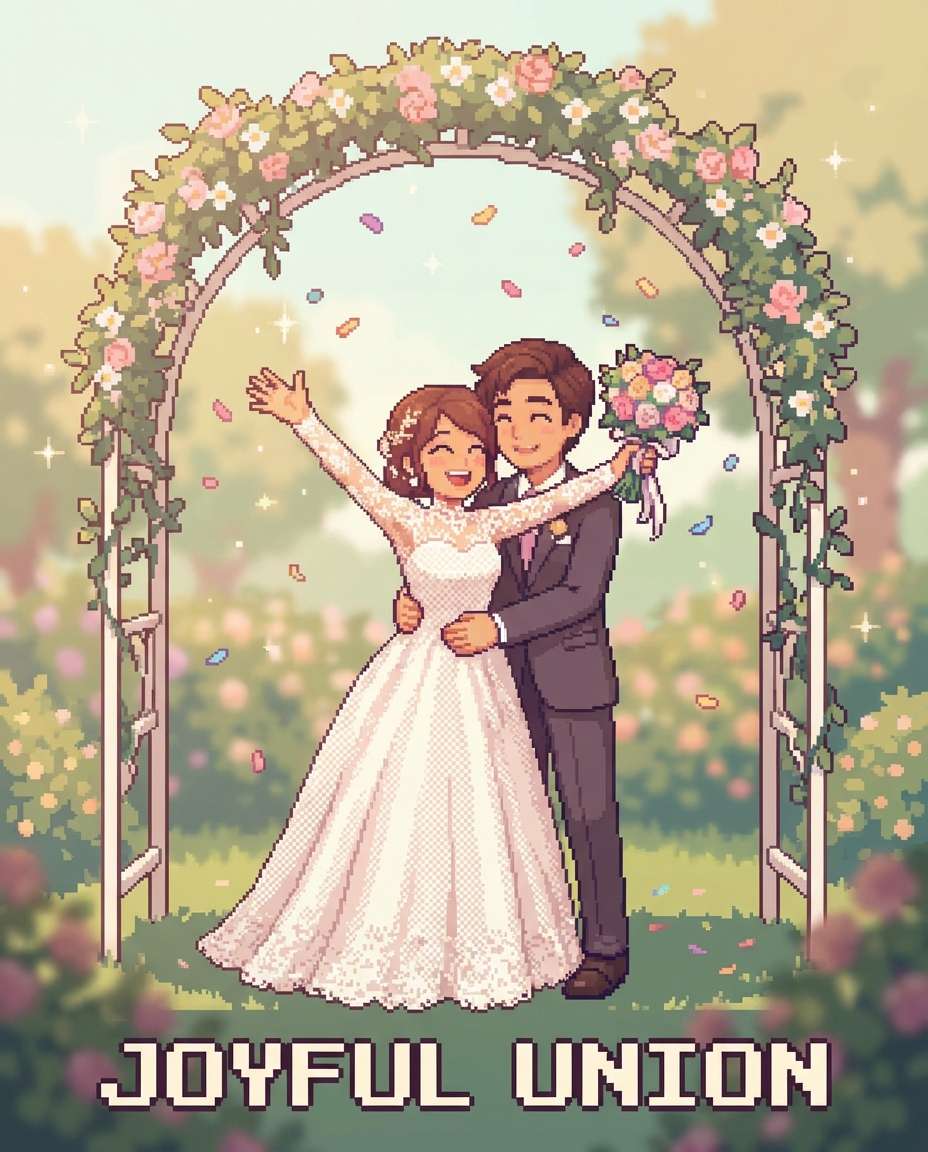
Wedding Pixel Scene
retro 16-bit pixel art scene of the person in the uploaded photo in wedding attire, preserve identity, elegant suit or dress with pixel lace details, bouquet and soft confetti, romantic garden arch with pixel flowers, warm pastel palette, clean pixel edges, dithering for fabric texture, joyful emotional mood, subtle sparkles, 85mm lens, shallow depth of field, soft cinematic lighting --ar 4:5
Graduation Victory
retro 16-bit pixel art portrait of the person in the uploaded photo wearing a graduation cap and gown, preserve identity, holding a diploma, campus building and pixel banners behind, bright celebratory palette, clean pixel edges, dithering for shadows, confetti pixels falling, proud smile, game-style achievement badge near the top, 85mm lens, shallow depth of field, soft cinematic lighting --ar 4:5
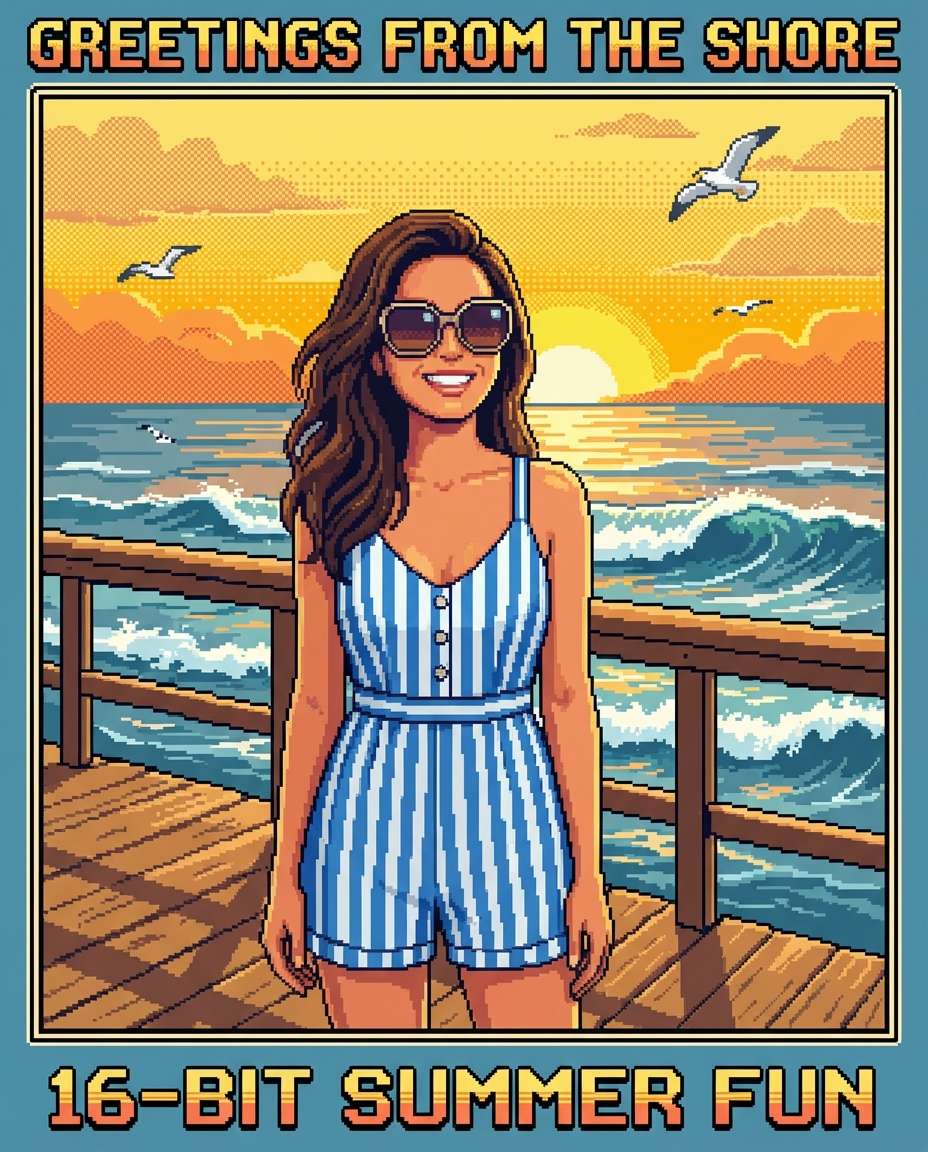
Boardwalk Vacation
retro 16-bit pixel art full-body scene of the person in the uploaded photo on a beach boardwalk, preserve identity, summer outfit with sunglasses, pixel ocean waves and seagulls, golden sunset palette, clean pixel edges, dithering for sky gradient, fun relaxed vibe, retro travel postcard border --ar 4:5
Snowy Cabin Night
retro 16-bit pixel art portrait of the person in the uploaded photo in a snowy cabin setting, preserve identity, beanie and scarf, warm fireplace glow, pixel snow falling outside window, cozy orange and deep blue palette, clean pixel edges, dithering for knit texture and shadows, calm winter mood, 85mm lens, shallow depth of field, soft cinematic lighting --ar 4:5
Halloween Pumpkin Glow
retro 16-bit pixel art scene of the person in the uploaded photo dressed for Halloween, preserve identity, playful witch or vampire outfit, glowing jack-o-lanterns and foggy graveyard path behind, limited palette with orange highlights, clean pixel edges, dithering for mist, spooky-cute mood, pixel bats in sky, 85mm lens, shallow depth of field --ar 4:5
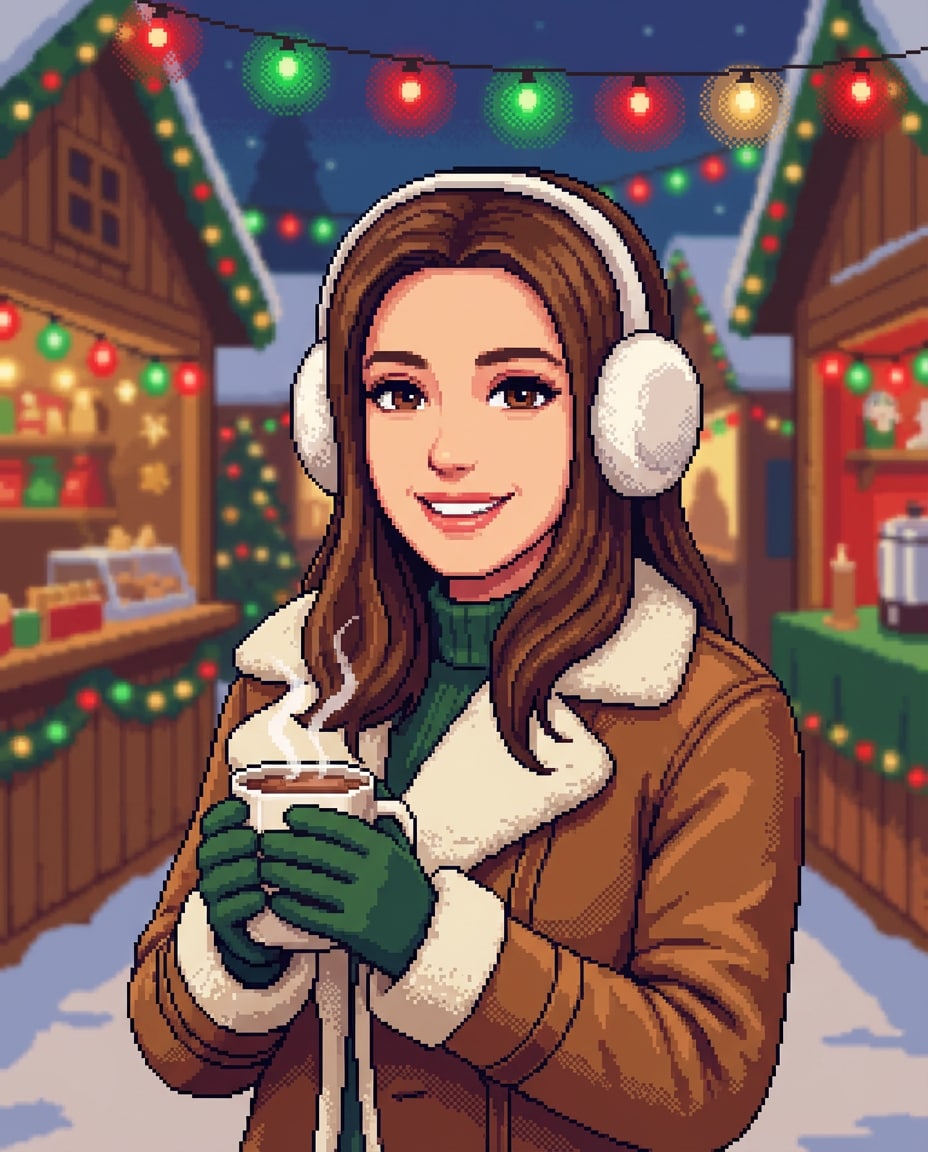
Christmas Market Stroll
retro 16-bit pixel art portrait of the person in the uploaded photo at a Christmas market, preserve identity, warm coat and earmuffs, string lights and wooden stalls behind, hot cocoa in hand, festive red and green palette, clean pixel edges, dithering for light glow, cheerful cozy mood, 85mm lens, shallow depth of field --ar 4:5
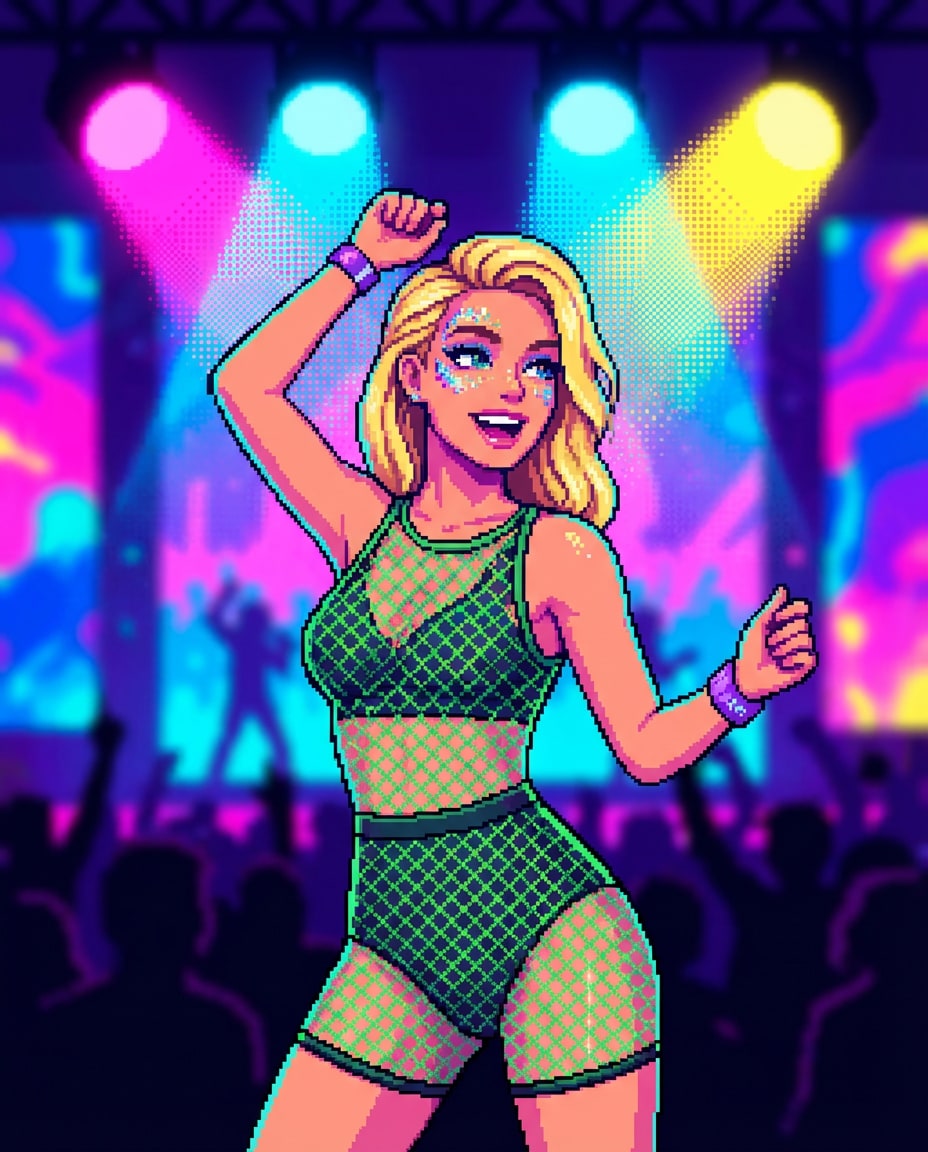
Festival Main Stage
retro 16-bit pixel art scene of the person in the uploaded photo at a music festival, preserve identity, glitter makeup and bold outfit, big pixel stage lights and crowd silhouettes behind, vibrant neon palette, clean pixel edges, dithering for spotlight gradients, energetic pose, retro concert wristband detail, 85mm lens, shallow depth of field --ar 4:5
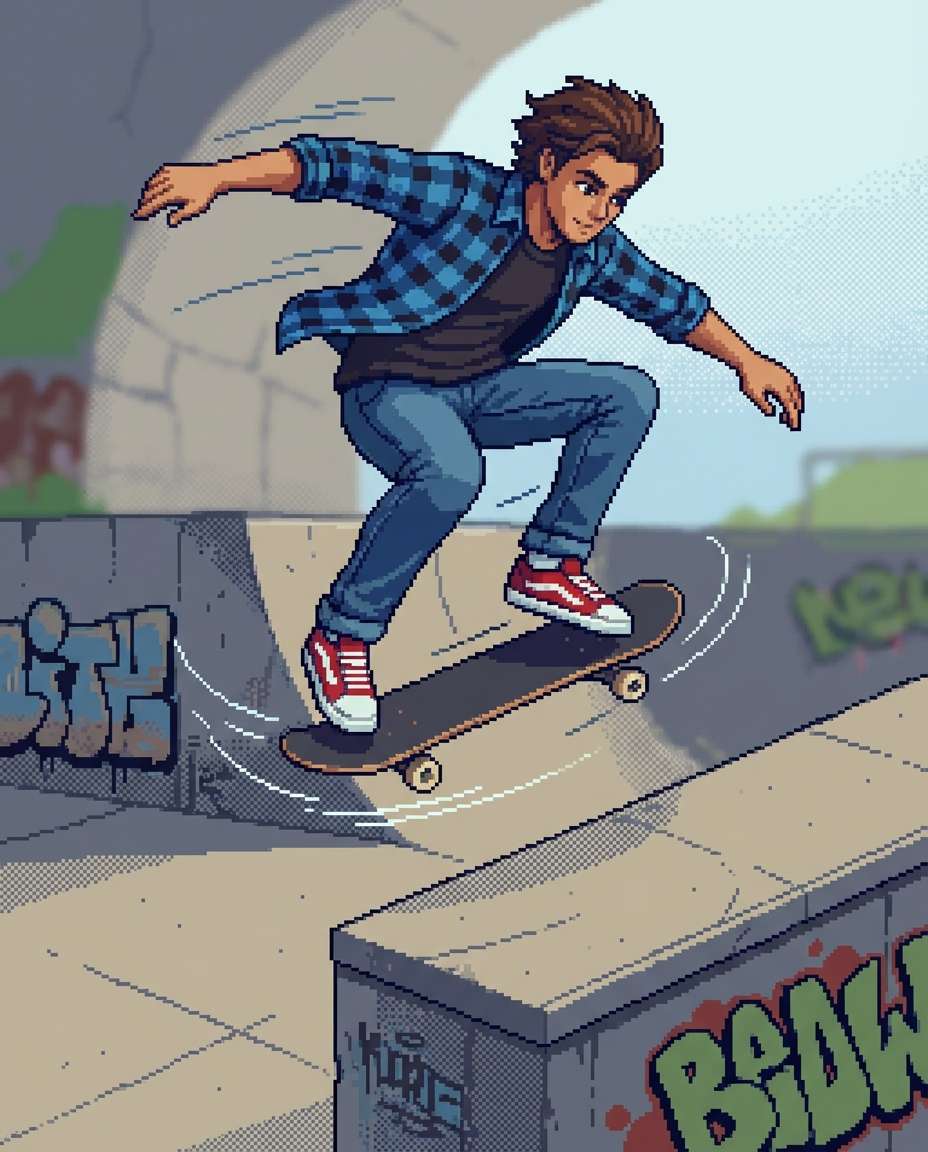
Skatepark Trick
retro 16-bit pixel art full-body action scene of the person in the uploaded photo doing a skateboard trick at a skatepark, preserve identity, streetwear outfit, dynamic motion lines in pixels, concrete ramps with graffiti tile textures, clean pixel edges, limited palette, dithering for shadows, bold confident vibe, 85mm lens, shallow depth of field, soft cinematic lighting --ar 4:5
Chef Kitchen Sprite
retro 16-bit pixel art portrait of the person in the uploaded photo as a chef in a kitchen, preserve identity, chef coat and apron, holding a pan with pixel steam, colorful ingredients on counter, warm indoor palette, clean pixel edges, dithering for stainless shine, friendly professional mood, detailed props, 85mm lens, shallow depth of field, soft cinematic lighting --ar 4:5
Office Power Mode
retro 16-bit pixel art portrait of the person in the uploaded photo in a modern office, preserve identity, smart casual outfit, coffee cup and laptop, pixel sticky notes and plants, soft neutral palette, clean pixel edges, subtle dithering for depth, calm focused expression, retro productivity app icons on screen, 85mm lens, shallow depth of field, soft cinematic lighting --ar 4:5
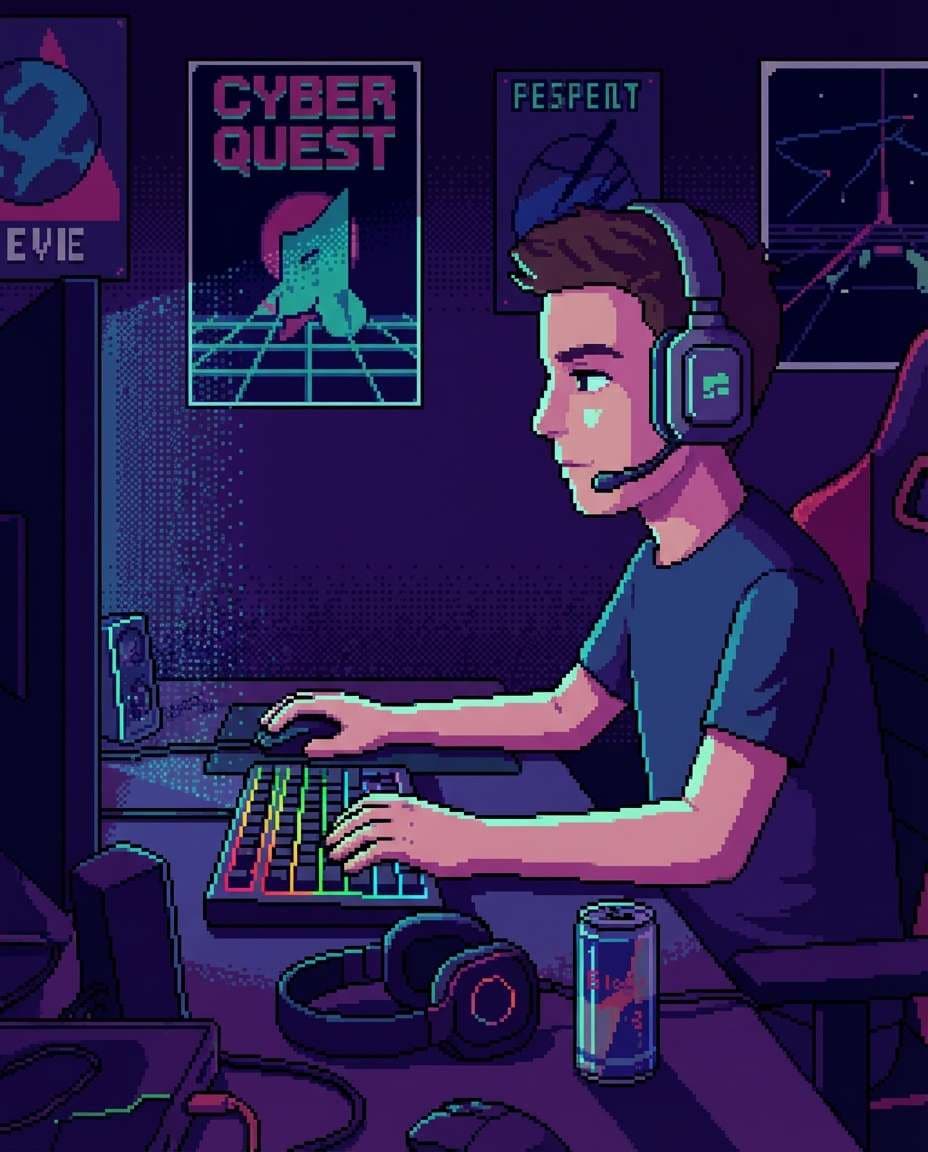
Gamer Desk Detail
retro 16-bit pixel art scene focused on the person in the uploaded photo sitting at a gamer desk, preserve identity in a side-profile pose, RGB keyboard glow, headset, posters on wall, clean pixel edges, limited palette with neon accents, dithering for light falloff, cozy late-night vibe, detailed desk clutter, 85mm lens, shallow depth of field --ar 4:5
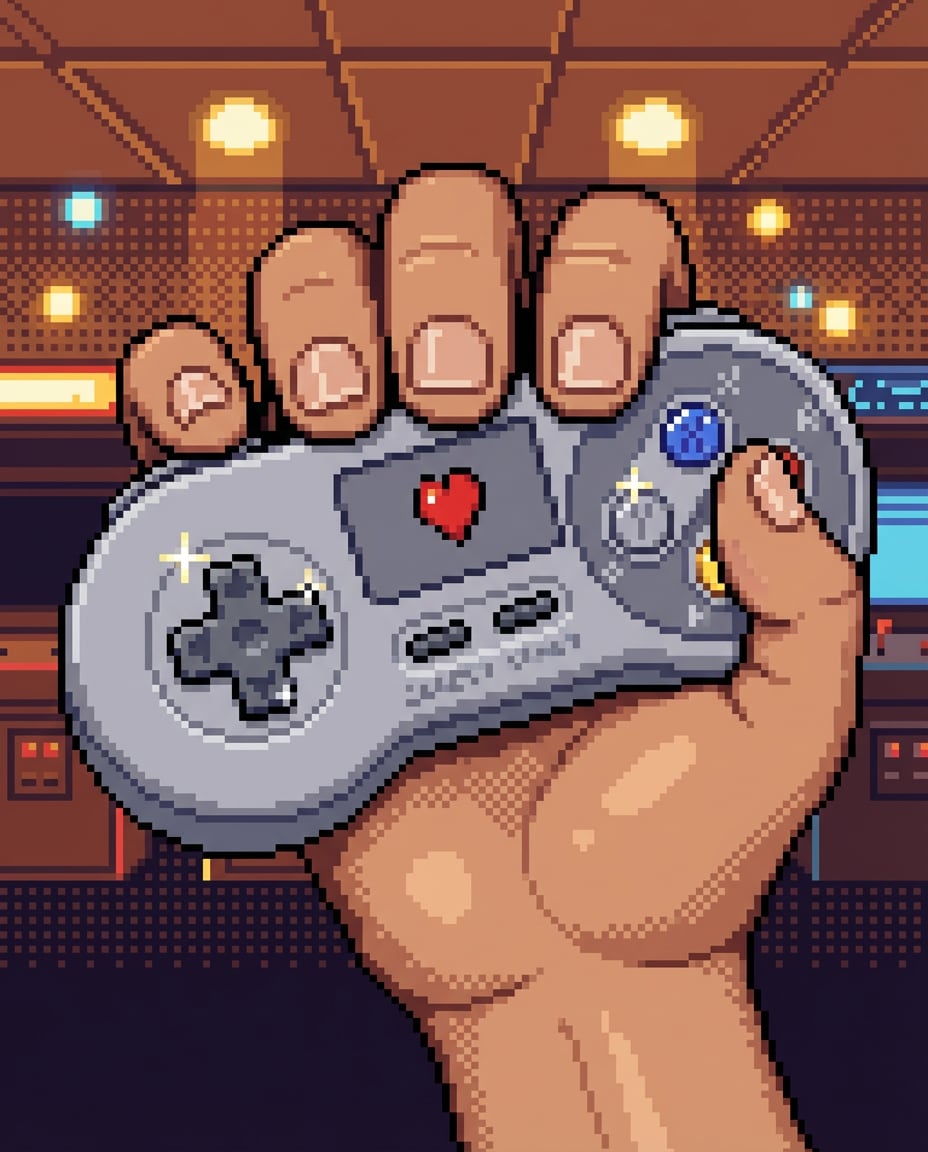
Controller Close-Up
retro 16-bit pixel art close-up of the person in the uploaded photo holding a classic game controller, preserve skin tone and hand details, glossy buttons with pixel highlights, subtle dithering for shadows, limited palette, clean pixel edges, nostalgic arcade mood, small pixel heart icon on the controller screen area, 85mm lens, shallow depth of field --ar 4:5
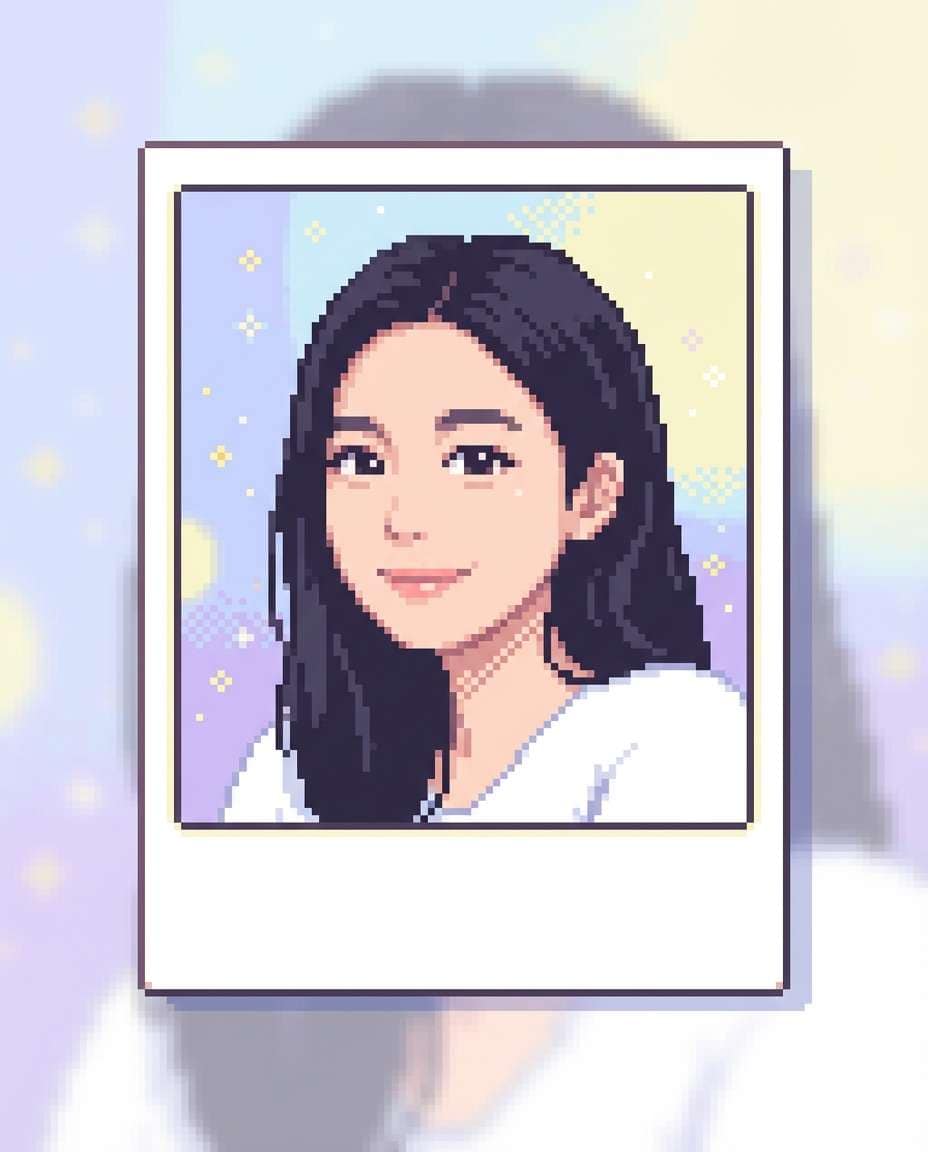
Pixel Polaroid Frame
retro 16-bit pixel art portrait of the person in the uploaded photo inside a vintage pixel Polaroid frame, preserve identity, soft pastel background with sparkles, clean pixel edges, limited palette, gentle dithering for shading, handwritten-style pixel caption area left blank, cute nostalgic mood, highly detailed sprite shading, 85mm lens, shallow depth of field, soft cinematic lighting --ar 4:5
Great pixel art starts with clarity: who the subject is, what vibe you want, and how retro you want it to feel. If you are searching for how to turn a photo into pixel art with AI prompt, lock identity first, then describe the game world and palette. Small prompt tweaks can make the pixels sharper and more stylized.
Recommended Prompt Formula
Identity lock: reference the uploaded photo, preserve facial features, hairstyle, and defining accessories
Outfit details: name clothing, textures (knit, leather, denim), and 1-2 standout props
Pick one era: 8-bit looks simpler; 16-bit supports richer shading and backgrounds.
Add constraints like limited palette and clean pixel edges to avoid blurry, painterly results.
Use game language: JRPG UI, dialogue box, HUD, tilemap background, sprite sheet feel.
For avatars, request centered portrait framing and readable silhouette. Use specific camera and lighting keywords for best results.
If you want a profile icon, try a retro game avatar pixel art prompt with a simple background and bold outline.
When converting selfies, specify 16-bit pixel art conversion prompt for selfies and keep only one dramatic lighting style (neon, sunset, or fireplace).
Why Choose Media.io for AI Pixel Art Photo
Generate realistic AI images faster with powerful tools and flexible prompt control.
Copy-Paste Prompts
Skip blank-page syndrome. Choose a pixel style, paste a ready-made prompt, and get consistent 8-bit or 16-bit results fast. Each prompt is built for shareable portraits, avatars, and creator edits with strong composition and clear subject focus.
Photo-to-Style Control
Upload a real image and keep the identity while changing the world: outfits, backgrounds, moods, and UI elements. Media.io helps you steer your AI pixel art photo prompt outcomes so the face stays recognizable and the pixels stay crisp.
Trend-Ready Aesthetics
Generate looks that match what is popping on TikTok and Instagram: neon cyberpunk, cozy cafe cores, fantasy RPG vibes, and Y2K arcade energy. It is an easy way to create an 8-bit pixel art prompt for AI photo generator experiments without complex setup.
Fast Downloads, Easy Sharing
Create multiple variations quickly, pick the sharpest render, then download and post. Perfect for profile refreshes, stream overlays, couple icons, or sticker-like edits. No design software required, just your photo and a strong prompt.
FAQs About
AI Pixel Art Photo Prompt
1. How do I turn my selfie into pixel art with an AI pixel art photo prompt?
Upload your selfie to Media.io, then paste a prompt that clearly says retro 8-bit or 16-bit pixel art, preserve identity, clean pixel edges, and limited palette. Add a simple setting (arcade, neon street, cozy room) and a mood. Generate a few versions and keep the one with the sharpest silhouette and face.
2. What makes a good AI pixel art photo prompt for portraits?
A strong AI pixel art photo prompt for portraits locks identity (face, hair, key accessories), then specifies the exact pixel era (8-bit or 16-bit), palette limits, and shading method (dithering, sprite shading). Finish with a clear composition like centered head-and-shoulders and a simple background so the portrait reads cleanly.
3. Do I need to upload a photo, or can I generate from text only?
You can do either, but uploading a photo is best when you want the person to stay recognizable. If your goal is an AI pixel art photo prompt for portraits that matches your face, use image-to-image and say preserve facial features. Text-only is great for inventing characters or avatars from scratch.
4. How do I keep the face recognizable when converting to 16-bit pixel art?
Use a 16-bit pixel art conversion prompt for selfies that explicitly says preserve identity, keep facial proportions, and maintain hairstyle and key features. Avoid piling on too many changes at once. Use one core style, one outfit, and one background, then iterate by adjusting palette limits and dithering until the face reads well.
5. Can I use these prompts to make a matching couple or friend avatar set?
Yes. Upload a couple photo or generate two portraits with consistent style instructions: same pixel era, same palette, same outline thickness, and the same background theme. A retro game avatar pixel art prompt works especially well for matching sets because it emphasizes readable silhouettes and consistent UI elements.
Why Creators Love Media.io's AI Pixel Art Photo Generator?
Alex M.
Photographer
Ultra Realistic Results.
I used these ai pixel art prompts to create visuals that looked like real photography. The lighting, textures, and colors felt incredibly natural.
Maya J.
Designer
Perfect Lighting & Detail.
The prompts produced cinematic compositions and soft lighting, making every image feel like a professional shoot.
Jordan P.
Creator
Perfect for Social Media.
I used these prompts to create viral content. It's fast, easy, and consistently produces stunning visuals.