Home>Comparison>Pixelcut AI

Pixelcut AI Review: Product Photos, Editing and Pricing

Create clean hero backgrounds for a high-SKU product catalog. If that brief sounds familiar, Pixelcut AI supports fast catalog cleanup, consistent product backgrounds and batch exports. In this review, Remove distracting photo backgrounds, retain a reusable cutout, and compare edge quality on transparent packaging, hair and glossy materials. However, The Free plan lists limited background removal and upscaling; test the actual allowance before assuming unlimited catalog work. If you instead need creative product scenes, image-to-video transformations and advertising concepts, consider the relevant Media.io image workflow.

Primary Features of Pixelcut AI Photo Editor

Pixelcut AI Photo Editor is an ecommerce-centered image and video workspace with background removal, batch editing, product showcases, generative retouching, image expansion, upscaling, and creator-style ad tools.

Core Feature Overview

  • Background Removal for Catalogs: Remove distracting photo backgrounds, retain a reusable cutout, and compare edge quality on transparent packaging, hair and glossy materials.
  • Batch Editing and Exports: Apply repetitive catalog operations to many SKUs; validate naming, crop and export limits before rebuilding an entire seasonal collection.
  • Product Showcase Generation: Generate studio-style settings around an uploaded product image; verify logos, object geometry and packaging copy before using the result in commerce.
  • Generative Fill and Object Retouch: Erase props or revise a product scene without a full reshoot; keep brand-defining details and legally required copy accurate.
  • Image Upscaling and Expansion: Upscale smaller photos and extend wide or square compositions; evaluate reconstructed texture before promoting a close-up product claim.
  • AI UGC and Persona Workflows: Explore speaking ad formats and recurring personas beyond still images; confirm whether a given model or export consumes the same credits as ordinary photo editing.


Background Removal for Catalogs

Remove distracting photo backgrounds, retain a reusable cutout, and compare edge quality on transparent packaging, hair and glossy materials. In a marketplace hero photos project, create clean hero backgrounds for a high-SKU product catalog. When preparing the output, batch export limits vary by subscription; estimate how a large inventory launch fits the selected tier. The Pixelcut background remover is particularly relevant for sellers preparing transparent catalog cutouts.

Illustrative Media.io workflow graphic, not a Pixelcut AI interface screenshot

Batch Editing and Exports

Apply repetitive catalog operations to many SKUs; validate naming, crop and export limits before rebuilding an entire seasonal collection. In a social product carousels project, reuse one approved product photo in several seasonal compositions. Pro and Business plans list monthly AI credits; model-driven photo and video generation can have different usage costs.

Illustrative Media.io workflow graphic, not a Pixelcut AI interface screenshot

Product Showcase Generation

Generate studio-style settings around an uploaded product image; verify logos, object geometry and packaging copy before using the result in commerce. In a batch listing refresh project, standardize old product crops and background treatments at scale. When preparing the output, the pricing page shows commercial usage on paid tiers; confirm the exact usage rights for your intended campaign. Pixelcut product photography workflows are designed to create multiple sales-ready scene variations from source assets.

Illustrative Media.io workflow graphic, not a Pixelcut AI interface screenshot

Generative Fill and Object Retouch

Erase props or revise a product scene without a full reshoot; keep brand-defining details and legally required copy accurate. In a ad creative variants project, test different scenes around a truthful product offer. Generative backgrounds or fill can change labels, fine edges and packaging proportions; compare against source photographs.

Illustrative Media.io workflow graphic, not a Pixelcut AI interface screenshot

Image Upscaling and Expansion

Upscale smaller photos and extend wide or square compositions; evaluate reconstructed texture before promoting a close-up product claim. In a resizing for channels project, expand one landscape product photograph into vertical and square layouts. When preparing the output, the Free plan lists limited background removal and upscaling; test the actual allowance before assuming unlimited catalog work. A Pixelcut image upscaler can be useful when the original product crop needs more usable pixels.

Illustrative Media.io workflow graphic, not a Pixelcut AI interface screenshot

AI UGC and Persona Workflows

Explore speaking ad formats and recurring personas beyond still images; confirm whether a given model or export consumes the same credits as ordinary photo editing. In a team asset preparation project, prepare branded catalog assets for multiple teammates without losing file versions. Team seats and shared production volume depend on the package; a solo creative plan may not cover a retail agency.

Illustrative Media.io workflow graphic, not a Pixelcut AI interface screenshot

How to Edit a Photo Online With Media.io

1
2
3
1
Start from your ad brief

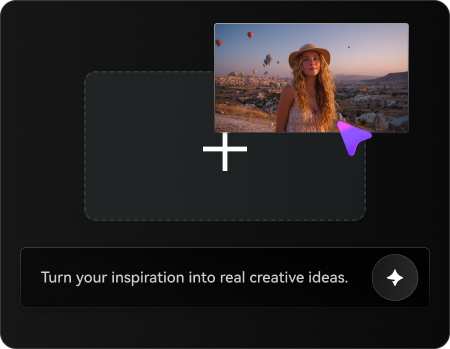
Upload a rights-cleared image relevant to high-volume product visuals and online store listings, or start with a clear brief.

2
Choose the ad workflow

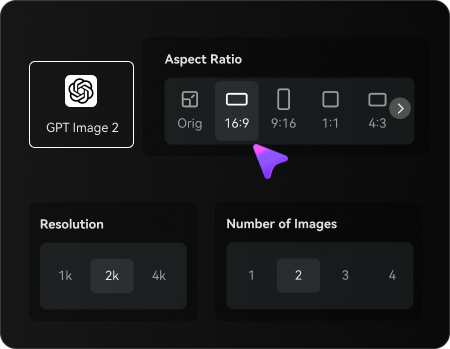
Choose an available Media.io image editing mode and describe the changes to keep or avoid.

3
Generate and review the result

Generate the result, inspect subject fidelity and export only after a rights and quality check.

Illustrative Media.io workflow graphic, not a Pixelcut AI interface screenshot

When to Use Pixelcut AI for High-Volume Product Visuals And Online Store Listings

From marketplace hero photos to team asset preparation, these are practical situations to evaluate Pixelcut AI rather than treating every visual tool as interchangeable.

Social Product Carousels

Reuse one approved product photo in several seasonal compositions.

Batch Listing Refresh

Standardize old product crops and background treatments at scale.

Resizing for Channels

Expand one landscape product photograph into vertical and square layouts.

Team Asset Preparation

Prepare branded catalog assets for multiple teammates without losing file versions.

Pixelcut AI Pricing, Workflow Limits and What to Verify

Pixelcut AI can be a good fit for fast catalog cleanup, consistent product backgrounds and batch exports, but these six tradeoffs affect the real result and total workload.

Free Editing Is Metered

The Free plan lists limited background removal and upscaling; test the actual allowance before assuming unlimited catalog work.

Credit-Based Advanced Models

Pro and Business plans list monthly AI credits; model-driven photo and video generation can have different usage costs.

Batch Export Caps

Batch export limits vary by subscription; estimate how a large inventory launch fits the selected tier.

Product Fidelity Is Not Automatic

Generative backgrounds or fill can change labels, fine edges and packaging proportions; compare against source photographs.

Commercial License Depends on Plan

The pricing page shows commercial usage on paid tiers; confirm the exact usage rights for your intended campaign.

Team and Workflow Tiers Differ

Team seats and shared production volume depend on the package; a solo creative plan may not cover a retail agency.

Pixelcut AI vs Media.io: Features, Pricing and Best Fit

Choose Pixelcut AI if your priority is fast catalog cleanup, consistent product backgrounds and batch exports. Compare Media.io when the task instead centers on creative product scenes, image-to-video transformations and advertising concepts; these are related tools, not identical products.

Decision Factor Pixelcut AI Media.io
Primary creation task fast catalog cleanup, consistent product backgrounds and batch exports creative product scenes, image-to-video transformations and advertising concepts
Distinctive feature Batch Editing and Exports. Apply repetitive catalog operations to many SKUs; validate naming, crop and export limits before rebuilding an entire seasonal collection. For marketplace hero photos, Media.io can attempt a source-image restyling instead of using background removal for catalogs.
Source and reference Generate studio-style settings around an uploaded product image; verify logos, object geometry and packaging copy before using the result in commerce. For batch listing refresh, compare Media.io image editing with product showcase generation.
Typical production result Test different scenes around a truthful product offer. For ad creative variants, an image-to-image editor offers a simpler approach than generative fill and object retouch.
Limits to examine The pricing page shows commercial usage on paid tiers; confirm the exact usage rights for your intended campaign. For resizing for channels, compare the available Media.io output format with commercial license depends on plan.
Iteration or credits Team seats and shared production volume depend on the package; a solo creative plan may not cover a retail agency. When doing team asset preparation, measure actual image editing attempts rather than comparing nominal credits.
Workflow complexityErase props or revise a product scene without a full reshoot; keep brand-defining details and legally required copy accurate.For social product carousels, image-to-image workflows may be simpler than batch editing and exports.
Rights and quality Team seats and shared production volume depend on the package; a solo creative plan may not cover a retail agency. When working with resizing for channels, inspect generated details and check permission for source images.
Best-fit audience fast catalog cleanup, consistent product backgrounds and batch exports creative product scenes, image-to-video transformations and advertising concepts
Best for Pixelcut AI

Choose Pixelcut AI If You Need:

Consider Pixelcut AI for marketplace hero photos and batch listing refresh. The strongest differentiator is background removal for catalogs; a buying risk is free editing is metered.

  • Marketplace Hero Photos: Create clean hero backgrounds for a high-SKU product catalog.
  • Social Product Carousels: Reuse one approved product photo in several seasonal compositions.
  • Batch Listing Refresh: Standardize old product crops and background treatments at scale.
  • Ad Creative Variants: Test different scenes around a truthful product offer.
  • Resizing for Channels: Expand one landscape product photograph into vertical and square layouts.
Visit Pixelcut AI
Best for Media.io

Choose Media.io If You Need:

For ad creative variants, a Media.io editing workflow may better suit creative product scenes, image-to-video transformations and advertising concepts. It is not a substitute for every ecommerce photography and image editing capability.

  • Create an image edit for marketplace hero photos using an authorized source.
  • Try a different composition for batch listing refresh before exporting.
    • Use the image editing console for ad creative variants where a simple workflow suffices.
  • Review an image-based approach to team asset preparation without promising the specialized competitor feature.
  • Create an image edit for marketplace hero photos using an authorized source.
Edit an Image With Media.io

Is Pixelcut AI Worth It? Final Verdict

Our Take

Create clean hero backgrounds for a high-SKU product catalog. Pixelcut AI offers background removal for catalogs alongside batch editing and exports, which makes it an option for teams focused on high-volume product visuals and online store listings. The key proof is whether the workflow achieves an approved result for team asset preparation.

The Free plan lists limited background removal and upscaling; test the actual allowance before assuming unlimited catalog work. Also, the pricing page shows commercial usage on paid tiers; confirm the exact usage rights for your intended campaign. These conditions matter when planning resizing for channels rather than a one-off test.

Choose Pixelcut AI for fast catalog cleanup, consistent product backgrounds and batch exports, particularly batch listing refresh. Consider Media.io for creative product scenes, image-to-video transformations and advertising concepts, such as ad creative variants. Verify both the license and final output with a small representative project.

Pixelcut AI FAQ: Features, Free Access and Alternatives

What is Pixelcut AI used for?
faq faq

Pixelcut AI Photo Editor is an ecommerce-centered image and video workspace with background removal, batch editing, product showcases, generative retouching, image expansion, upscaling, and creator-style ad tools.

Remove distracting photo backgrounds, retain a reusable cutout, and compare edge quality on transparent packaging, hair and glossy materials.

Generate studio-style settings around an uploaded product image; verify logos, object geometry and packaging copy before using the result in commerce.

Erase props or revise a product scene without a full reshoot; keep brand-defining details and legally required copy accurate.

Pro and Business plans list monthly AI credits; model-driven photo and video generation can have different usage costs. Check the current allowance for marketplace hero photos.

The Free plan lists limited background removal and upscaling; test the actual allowance before assuming unlimited catalog work. Before paying for resizing for channels, check the published tier limits.

The pricing page shows commercial usage on paid tiers; confirm the exact usage rights for your intended campaign. Team seats and shared production volume depend on the package; a solo creative plan may not cover a retail agency.

Pixelcut AI is particularly suited to fast catalog cleanup, consistent product backgrounds and batch exports. Media.io provides a different route for creative product scenes, image-to-video transformations and advertising concepts; compare your real input files and export needs.

Choose Pixelcut AI when fast catalog cleanup, consistent product backgrounds and batch exports is essential. Consider Media.io when creative product scenes, image-to-video transformations and advertising concepts is the priority, and review both products' current usage policies.

What Media.io Creators Say About Their Workflow

Media.io AI video generator user
Sarah L.

Content Creator

star star star star half star

Media.io makes it much easier to test different AI video styles without jumping between several platforms. I can start with a text prompt or image, compare model results, and then resize or polish the clip for social media in the same workspace.

Media.io AI video creator
John D.

Social Media Marketer

star star star star half star

I use Media.io to create quick product clips, ad concepts, and short-form videos from images. The biggest advantage is that generation does not feel like the final step - I can continue with music, captions, enhancement, and format conversion before publishing.

Media.io AI video editing user
Emily T.

Freelance Designer

star star star star half star

The workflow is approachable even when I am experimenting with unfamiliar AI models. I can animate artwork, try different motion prompts, preview the output, and prepare a cleaner final version without needing advanced video-editing experience.

Media.io Online Tools Quality Rating:
vote 4.7 (162,357 Votes)
media.io

AI Video Generator star

Easily generate videos from text or images

Generate