Home>Comparison>Anijam AI

Anijam AI: Script-to-Animation, Pricing and Limits

Animating one striking scene is different from delivering a complete cartoon episode with dialogue and recurring characters. Anijam AI positions itself as a script-to-animation director: it turns an outline into shots, keeps project character references and places animated dialogue on a timeline. The useful questions are how much can be revised scene by scene, what export and commercial rights come with each plan, and how quickly credits disappear when a long story needs more than one pass.

Primary Features of Anijam AI Animation Generator

Anijam AI is a script-to-animation platform that breaks stories into scenes, stores reusable character designs, creates anime and cartoon-style video shots, synchronizes dialogue and voiceovers, and assembles the results in an editable timeline.

Core Feature Overview

  • AI Script to Animation Director: Paste a script or describe a story and the agent divides it into scene descriptions with camera direction. This reduces manual shot planning but the outline still needs creative review.
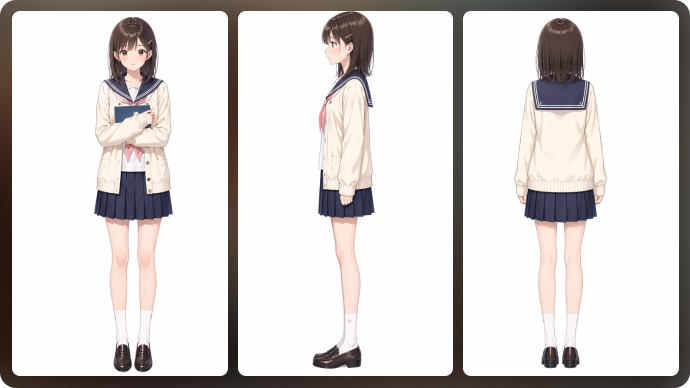
  • Consistent Character Project Assets: Characters are saved inside a project and referenced in later scenes, allowing a repeated design to guide multiple shots. Generated identity can still drift and should be checked.
  • Animation Styles for Anime and Cartoons: The product lists anime, 3D, cinematic, cartoon and other visual styles. Style availability and custom style options depend on the plan and currently enabled models.
  • Dialogue Lip Sync and Voiceovers: Anijam maps spoken dialogue to animated mouths and supports voice selection or user audio. Pronunciation, timing and synchronization need a final playback check.
  • Editable Scene Timeline: Individual clips can be reordered or regenerated instead of recreating the entire story. Confirm whether the changed scene preserves the surrounding lighting and costume continuity.
  • Export Controls and Credit Plans: The pricing page distinguishes 720p Beginner outputs from 1080p higher plans and varying model/credit permissions. Top-up credits have separate conditions.
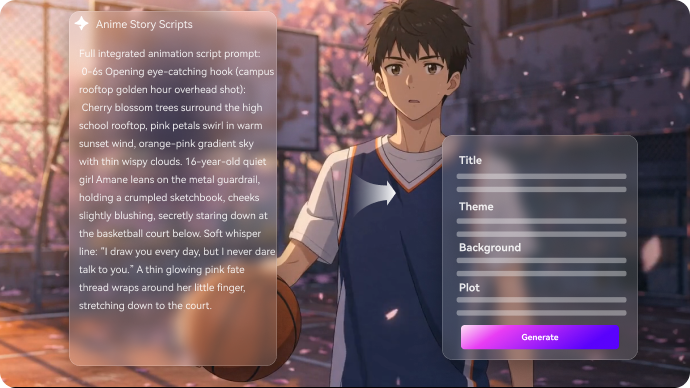
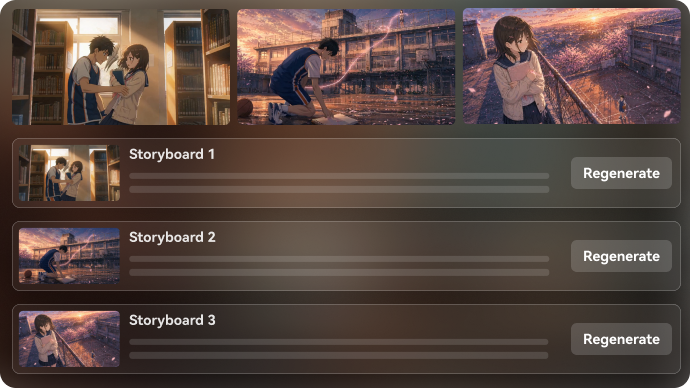
AI Script to Animation Director

Paste a script or describe a story and the agent divides it into scene descriptions with camera direction. This reduces manual shot planning but the outline still needs creative review. For Anijam AI, a useful first project is serialized anime episode; Turn a chapter outline into scenes with named recurring characters, then review transitions and lip sync.

Illustrative Media.io workflow graphic; not a screenshot of Anijam AI

Consistent Character Project Assets

Characters are saved inside a project and referenced in later scenes, allowing a repeated design to guide multiple shots. Generated identity can still drift and should be checked. Before relying on consistent character project assets, check the tradeoff named free work has licensing limits: The pricing terms identify free outputs as non-commercial; paid plans carry separate usage rights. Do not publish a client campaign assuming trial rights.

Illustrative Media.io workflow graphic; not a screenshot of Anijam AI

Animation Styles for Anime and Cartoons

The product lists anime, 3D, cinematic, cartoon and other visual styles. Style availability and custom style options depend on the plan and currently enabled models. For Anijam AI work on long-form animated scenes and character consistency, Create a character-led explanation from approved product claims and clear narration.

Illustrative Media.io workflow graphic; not a screenshot of Anijam AI

Dialogue Lip Sync and Voiceovers

Anijam maps spoken dialogue to animated mouths and supports voice selection or user audio. Pronunciation, timing and synchronization need a final playback check. To assess whether this is repeatable, build a dialogue-first comedy sketch whose punch line depends on timing and readable expressions.

Illustrative Media.io workflow graphic; not a screenshot of Anijam AI

Editable Scene Timeline

Individual clips can be reordered or regenerated instead of recreating the entire story. Confirm whether the changed scene preserves the surrounding lighting and costume continuity. For a concrete example, transform a teacher's original example into a short cartoon with visual labels checked for accuracy.

Illustrative Media.io workflow graphic; not a screenshot of Anijam AI

Export Controls and Credit Plans

The pricing page distinguishes 720p Beginner outputs from 1080p higher plans and varying model/credit permissions. Top-up credits have separate conditions. The final check is no-refund terms need attention: Its pricing page states that subscription payments are non-refundable, including unused periods. Read current terms before funding a longer project.

Illustrative Media.io workflow graphic; not a screenshot of Anijam AI

How to Make an Animated Story Video Online

1
2
3
1
Write the animation script

Describe the characters, setting and scene-by-scene action.

2
Plan the storyboard

Review the scene directions using a suitable script video workflow.

3
Create and inspect

Generate the visuals, then check timing and character consistency.

Illustrative Media.io workflow graphic; not a screenshot of Anijam AI

Anijam AI Use Cases for Scripted Animated Stories

From serialized anime episode to lesson animation, these are distinct projects where Anijam AI could be useful, with checks that match each task.

Serialized Anime Episode

Turn a chapter outline into scenes with named recurring characters, then review transitions and lip sync. A related Media.io workflow to explore is AI Animation Generator.

Children's Bedtime Animation

Adapt an original bedtime story into stylized scenes while checking pacing and age-appropriate dialogue.

Animated Product Explainer

Create a character-led explanation from approved product claims and clear narration.

Short Cartoon Comedy

Build a dialogue-first comedy sketch whose punch line depends on timing and readable expressions. A related Media.io workflow to explore is AI Cartoon Story Video Generator.

Lesson Animation

Transform a teacher's original example into a short cartoon with visual labels checked for accuracy.

Pitch Animatic

Generate a rough visual sequence to discuss shot order before committing to polished animation.

Anijam AI Limitations for Animation Production

Before planning long-form animated scenes and character consistency, evaluate video credits are consumed per model and second and free work has licensing limits as carefully as the headline features.

Video Credits Are Consumed Per Model and Second

The official plan table lists different per-second credit rates for different video models and resolutions. A longer episode can use an allowance quickly.

Free Work Has Licensing Limits

The pricing terms identify free outputs as non-commercial; paid plans carry separate usage rights. Do not publish a client campaign assuming trial rights.

Character Consistency Still Needs Review

Project references guide appearance, but complex motion, angle changes or scene swaps may require rerenders to fix visible drift.

Higher Export Tiers Cost More

The Beginner plan lists 720p exports while higher paid plans list 1080p. Check upscale benefits separately from native output resolution.

Plan Credits Do Not Roll Over

The service says monthly allocations expire at the end of the billing cycle, while subscriber-only top-ups have different expiration rules.

No-Refund Terms Need Attention

Its pricing page states that subscription payments are non-refundable, including unused periods. Read current terms before funding a longer project.

Anijam AI vs Media.io: Which Workflow Fits?

The deciding difference for Anijam AI is its ai script to animation director and dialogue lip sync and voiceovers; by comparison, the Media.io Script to Video option focuses on serialized anime episode; compare supported inputs and output rights.

Decision Factor Anijam AI Media.io
Starting workflow Paste a script or describe a story and the agent divides it into scene descriptions with camera direction. For serialized anime episode, Media.io Script to Video starts with a targeted tool; Anijam AI instead emphasizes ai script to animation director.
Primary capability Consistent Character Project Assets: Characters are saved inside a project and referenced in later scenes, allowing a repeated design to guide multiple shots. Choose a relevant creation feature for serialized anime episode, subject to the tool's current options.
Reference handling The product lists anime, 3D, cinematic, cartoon and other visual styles. Use supported reference input where helpful for children's bedtime animation.
Editing and revision Anijam maps spoken dialogue to animated mouths and supports voice selection or user audio. For animated product explainer, use the available editing and finishing controls as needed.
Output workflow Individual clips can be reordered or regenerated instead of recreating the entire story. Check whether short cartoon comedy needs captions, enhancement or editing after generation.
Cost model Anijam's pricing lists Beginner, Creator, Master and Master Pro tiers with monthly allocations. Check current charges for the Script to Video route, not Anijam AI subscription pricing.
Key buying constraintThe official plan table lists different per-second credit rates for different video models and resolutions.Confirm supported input and export conditions for long-form animated scenes and character consistency alternatives.
Specialized strength Export Controls and Credit Plans. A focused option for lesson animation and the corresponding downstream edits.
Best fit Long-form animated scenes and character consistency. For a project like serialized anime episode, choose the Media.io Script to Video workflow over the broader Anijam AI offering.
Best for Anijam AI Projects

Choose Anijam AI If You Need:

Choose Anijam AI when ai script to animation director and consistent character project assets are needed in your real work. For lesson animation, check cost and revision permissions before committing to production.

  • Serialized Anime Episode: Turn a chapter outline into scenes with named recurring characters, then review transitions and lip sync.
  • Children's Bedtime Animation: Adapt an original bedtime story into stylized scenes while checking pacing and age-appropriate dialogue.
  • Animated Product Explainer: Create a character-led explanation from approved product claims and clear narration.
  • Short Cartoon Comedy: Build a dialogue-first comedy sketch whose punch line depends on timing and readable expressions.
  • Lesson Animation: Transform a teacher's original example into a short cartoon with visual labels checked for accuracy.
Visit Anijam AI
Best for Media.io Children's Bedtime Animation Projects

Choose Media.io for Serialized Anime Episode If You Need:

For Anijam AI readers pursuing serialized anime episode, the Media.io Script to Video route is one option for animated product explainer. It differs from Anijam AI consistent character project assets.

  • Create an AI Animation workflow: Begin from a permitted input related to serialized anime episode.
  • Children's Bedtime Animation review: Assess whether Media.io output supports children's bedtime animation without special manual corrections.
    • Finishing for Animated Product Explainer: Explore relevant Media.io editing tools for animated product explainer.
  • Focused generation scope: Choose only the tools required for short cartoon comedy.
  • Rights for Lesson Animation: Use authorized source media and double-check outputs intended for lesson animation.
Create an AI Animation

Is Anijam AI Worth It? Our Verdict

Our Take

Anijam AI deserves consideration when serialized anime episode or children's bedtime animation is the core job. The combination of ai script to animation director and editable scene timeline distinguishes its proposition.

Anijam's pricing lists Beginner, Creator, Master and Master Pro tiers with monthly allocations. The published table separates 720p and 1080p export permissions, subscriber-only top-ups and non-rolling monthly credits. The purchase risk centers on video credits are consumed per model and second and character consistency still needs review. Budget a complete project with corrections and final export.

Choose Anijam AI for long-form animated scenes and character consistency, especially when animation styles for anime and cartoons is required. Consider Media.io Script to Video when lesson animation matters more than the specialist animation styles for anime and cartoons capability; verify output and export terms.

Anijam AI FAQ: Features, Pricing and Alternatives

What does Anijam do with a written animation script?
faq faq

Anijam AI is a script-to-animation platform that breaks stories into scenes, stores reusable character designs, creates anime and cartoon-style video shots, synchronizes dialogue and voiceovers, and assembles the results in an editable timeline.

Paste a script or describe a story and the agent divides it into scene descriptions with camera direction. This reduces manual shot planning but the outline still needs creative review.

Characters are saved inside a project and referenced in later scenes, allowing a repeated design to guide multiple shots. Generated identity can still drift and should be checked.

Anijam's pricing lists Beginner, Creator, Master and Master Pro tiers with monthly allocations. The published table separates 720p and 1080p export permissions, subscriber-only top-ups and non-rolling monthly credits.

The official plan table lists different per-second credit rates for different video models and resolutions. A longer episode can use an allowance quickly. The pricing terms identify free outputs as non-commercial; paid plans carry separate usage rights. Do not publish a client campaign assuming trial rights.

Turn a chapter outline into scenes with named recurring characters, then review transitions and lip sync. Project references guide appearance, but complex motion, angle changes or scene swaps may require rerenders to fix visible drift.

Anijam maps spoken dialogue to animated mouths and supports voice selection or user audio. Pronunciation, timing and synchronization need a final playback check.

For serialized anime episode, compare the Media.io Script to Video path against Anijam AI results. It can handle a distinct video step; Anijam AI remains more specific to consistent character project assets, so compare current plan costs and usage rights.

If your recurring task is lesson animation, the main question is whether the advantages of ai script to animation director outweigh the limitations. The service says monthly allocations expire at the end of the billing cycle, while subscriber-only top-ups have different expiration rules.

What Media.io Creators Say About Their Workflow

Media.io AI video generator user
Sarah L.

Content Creator

star star star star half star

Media.io makes it much easier to test different AI video styles without jumping between several platforms. I can start with a text prompt or image, compare model results, and then resize or polish the clip for social media in the same workspace.

Media.io AI video creator
John D.

Social Media Marketer

star star star star half star

I use Media.io to create quick product clips, ad concepts, and short-form videos from images. The biggest advantage is that generation does not feel like the final step - I can continue with music, captions, enhancement, and format conversion before publishing.

Media.io AI video editing user
Emily T.

Freelance Designer

star star star star half star

The workflow is approachable even when I am experimenting with unfamiliar AI models. I can animate artwork, try different motion prompts, preview the output, and prepare a cleaner final version without needing advanced video-editing experience.

Media.io Online Tools Quality Rating:
vote 4.7 (162,357 Votes)
media.io

AI Video Generator star

Easily generate videos from text or images

Generate