25+ Gemini AI PS2 Prompt Ideas for Instant 2000s Nostalgia
Gemini Ai Ps2 Prompt searches usually mean one thing: you miss that slightly crunchy, strangely cozy PS2-era vibe. The bloom is a little too bright, the textures wobble, and somehow it feels more real than perfect HD. If your photo looks too modern, a small shift in style words can pull it right into that 2000s game-world mood. Below are 25 prompts you can paste, tweak, and use to generate portraits, scenes, and "game screenshots" that actually feel period-correct.
Stunning AI ps2 generated with Media.io - powered by
Nano Banana Pro.
How to Use Gemini AI Ps2 Prompt in 3 Steps
Media.io makes the PS2 aesthetic surprisingly easy to dial in, even if you're not sure what words to use yet. Start simple, then iterate once you see what the model responds to.
1
Open Media.io AI Generator
Go to Media.io and navigate to the AI Photo Generator. Pick an image-to-image workflow if you want to keep your face and pose consistent, or start from scratch if you want a fully new "PS2 game screenshot" scene.
2
Upload and add a prompt
Upload your photo, then choose one of the prompts below and paste it into the prompt box. If you're aiming for a specific vibe, treat it like a ps2 aesthetic prompt for gemini ai: describe the character, the setting, plus the PS2-era rendering details.
3
Generate, compare, download
Click Generate and review a few results before deciding. Small edits like "stronger bloom," "lower texture resolution," or "add HUD overlay" can dramatically change the feel. When it matches your mental snapshot of PS2 graphics, download the one you like.
Best Gemini AI Ps2 Prompt Ideas & Examples
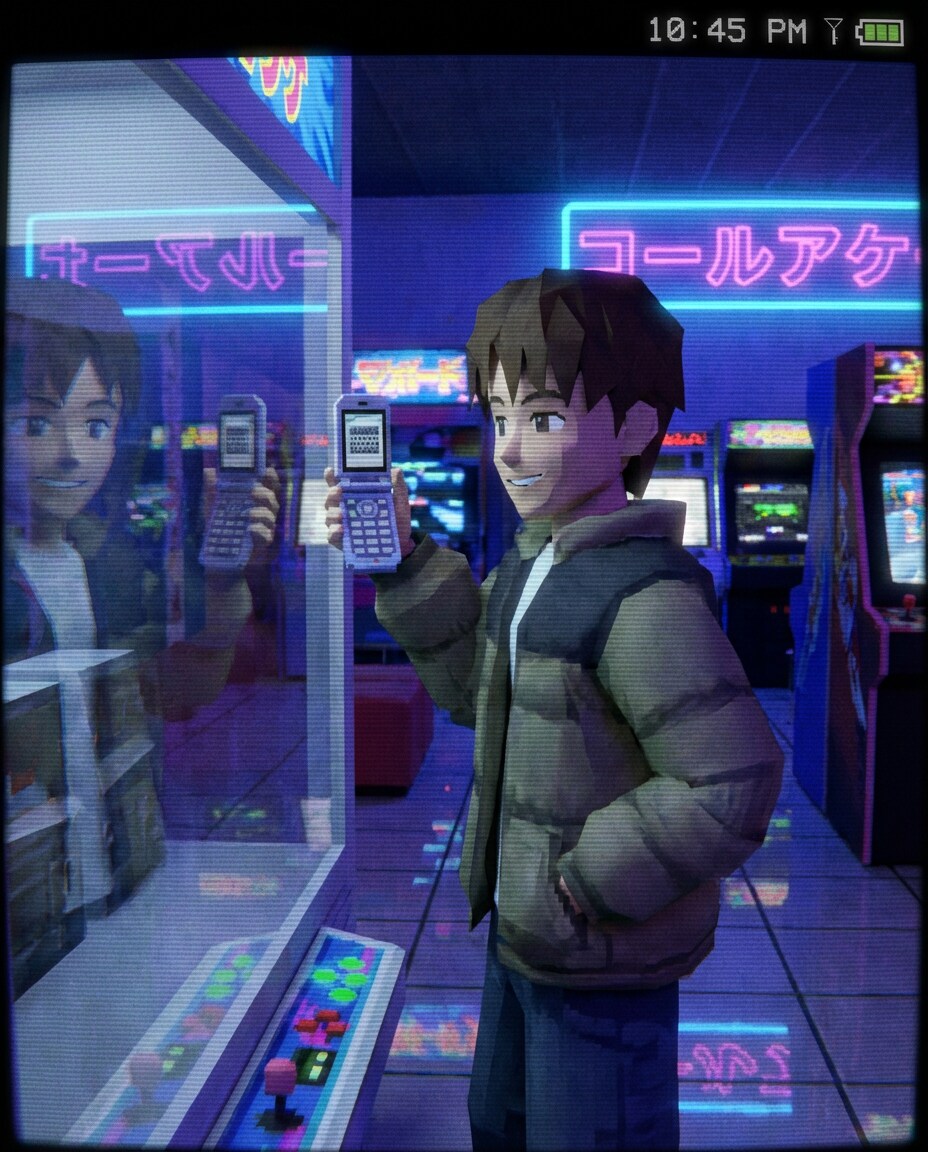
Mall Arcade Selfie
PS2-era 3D game screenshot style of a smiling teen taking a mirror selfie in a neon-lit mall arcade, low-poly character model, slightly warped low-res textures, glossy highlights, soft bloom lighting, subtle jagged edges, CRT scanline glow, ambient neon reflections on tiled floor, early 2000s fashion, over-the-shoulder framing, nostalgic upbeat mood, small HUD corner icons and timestamp overlay, 85mm lens, shallow depth of field --ar 4:5
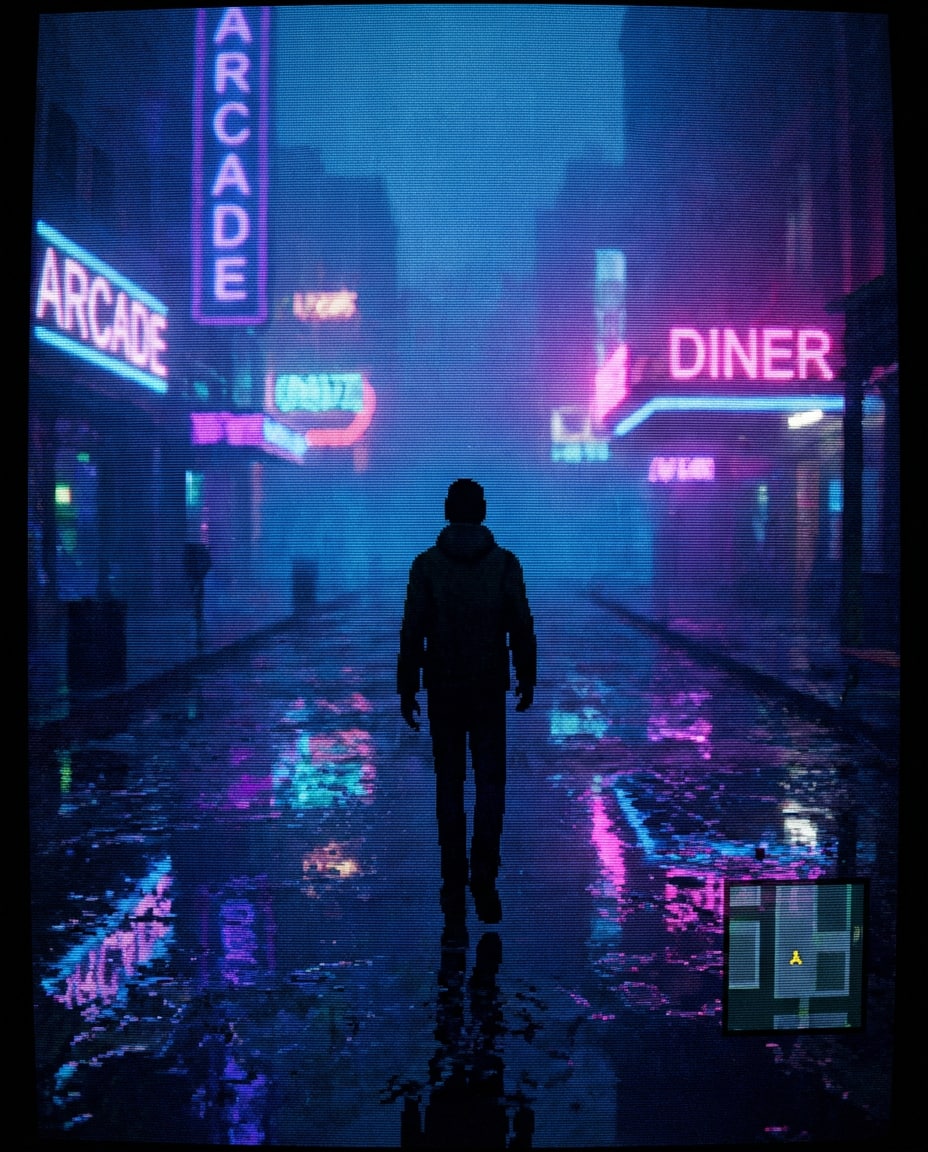
Rainy City Street
PS2-era 3D game screenshot style of a young adult walking alone on a rainy downtown street at night, low-poly silhouette, wet asphalt with exaggerated specular shine, blurred neon signs, soft bloom and fog, texture shimmering and slight aliasing, CRT scanlines, cinematic third-person game camera angle, moody blue-magenta color grading, minimal HUD map in corner --ar 4:5
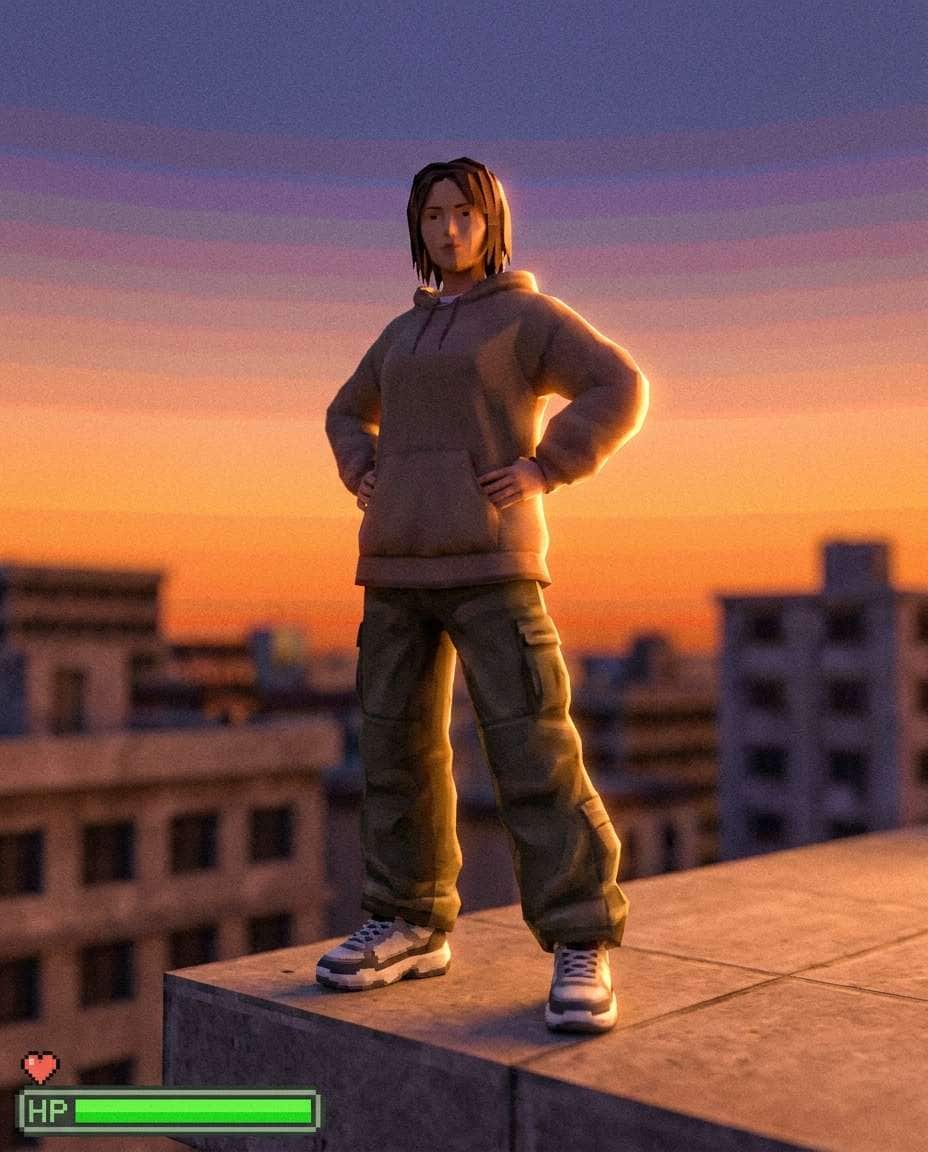
Rooftop Sunset Pose
PS2-era 3D game screenshot style of a confident woman posing on an apartment rooftop at sunset, low-poly face and hair cards, warm orange bloom, compressed sky gradient, low-res concrete textures, subtle banding, dreamy rim light, early 2000s streetwear, gentle wind animation feel, portrait framing with a simple health bar UI at the bottom, 85mm lens, shallow depth of field --ar 4:5
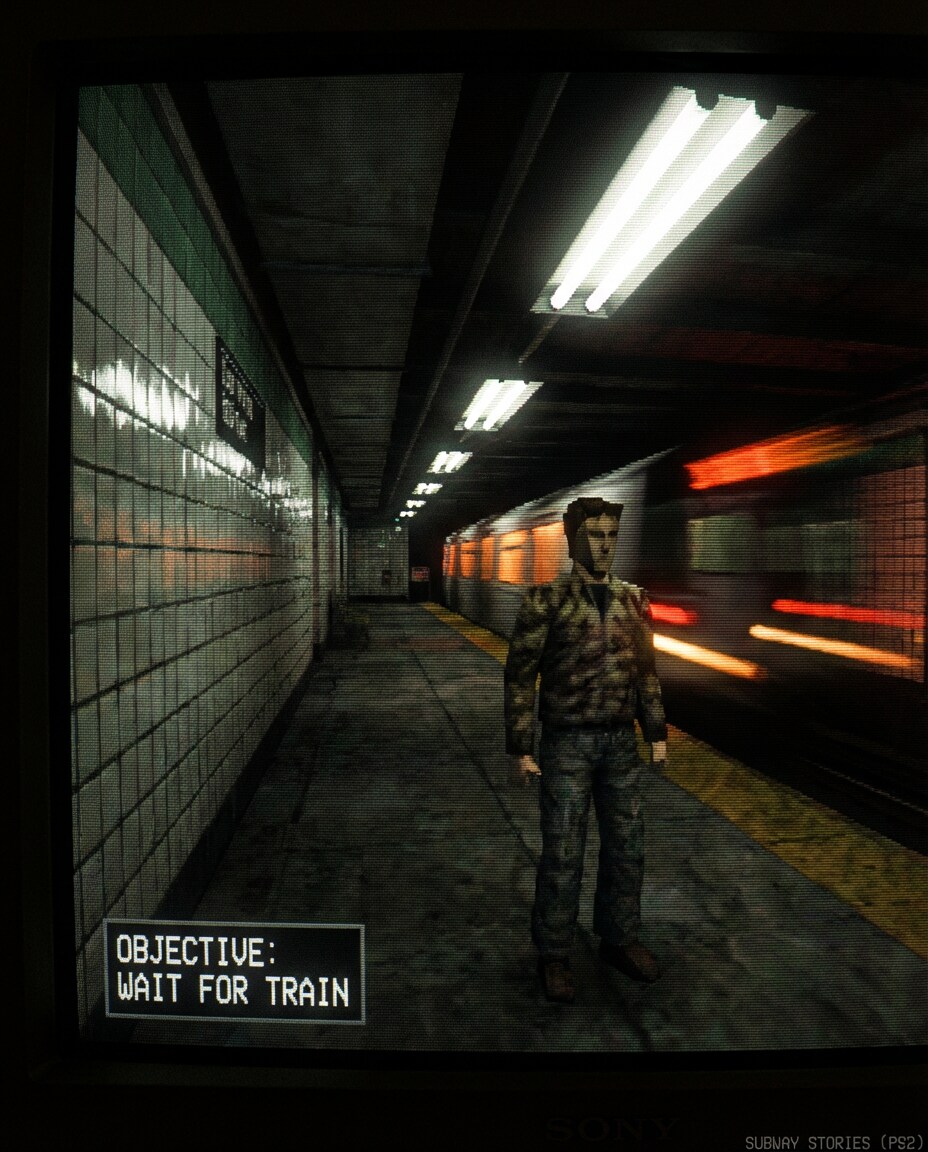
Subway Platform Stare
PS2-era 3D game screenshot style of a person waiting on an underground subway platform, low-poly body proportions, fluorescent lighting with harsh bloom, tiled walls with repeating low-res textures, slight texture warping, jagged edges, CRT scanlines, dramatic close-up composition, faint motion blur from passing train lights, small objective text overlay, 85mm lens, shallow depth of field --ar 4:5
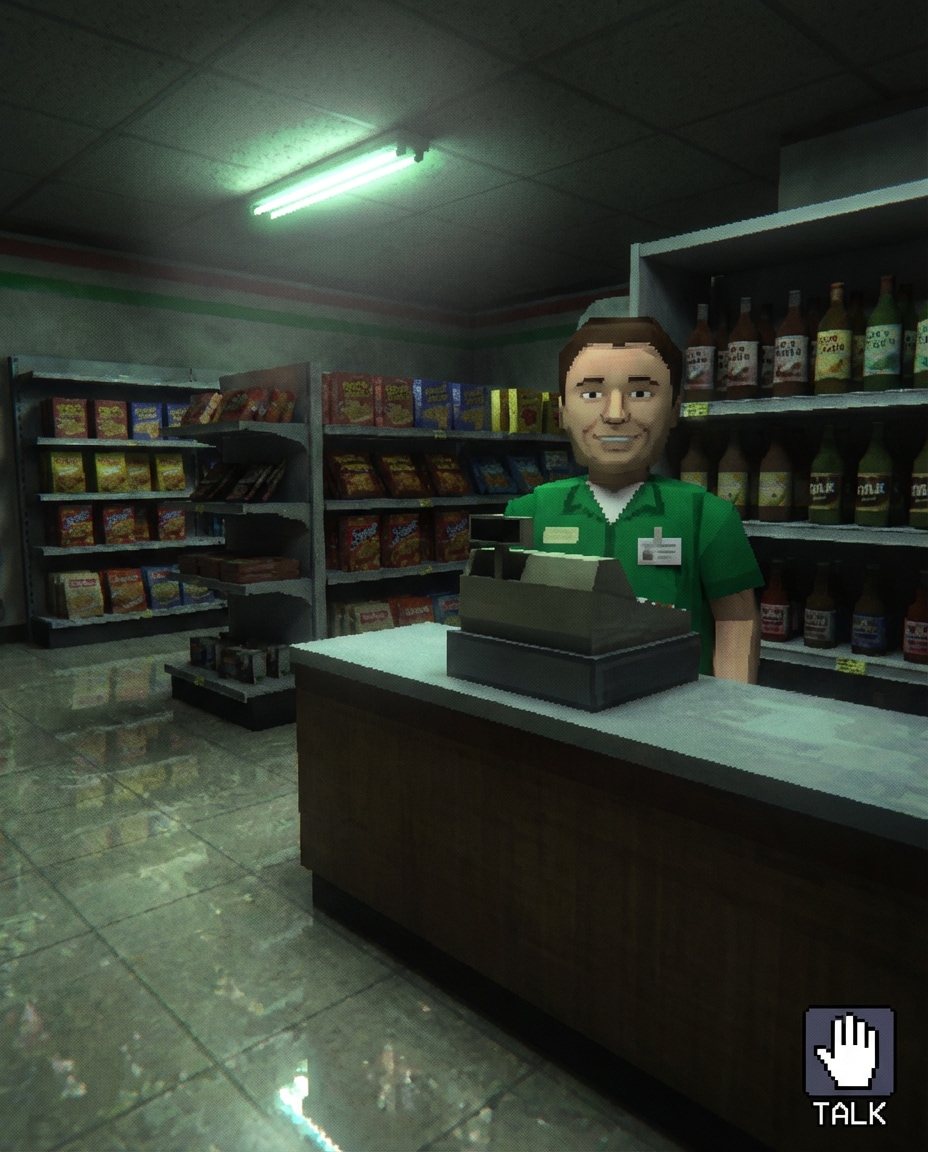
Late Night Convenience
PS2-era 3D game screenshot style of a cashier behind a convenience store counter at 2 a.m., low-poly character model, snack shelves with blurry labels, greenish fluorescent tint, soft bloom, subtle dithering, reflective linoleum floor, cozy liminal mood, first-person game viewpoint with a small interaction prompt icon, 85mm lens, shallow depth of field, soft cinematic lighting --ar 4:5
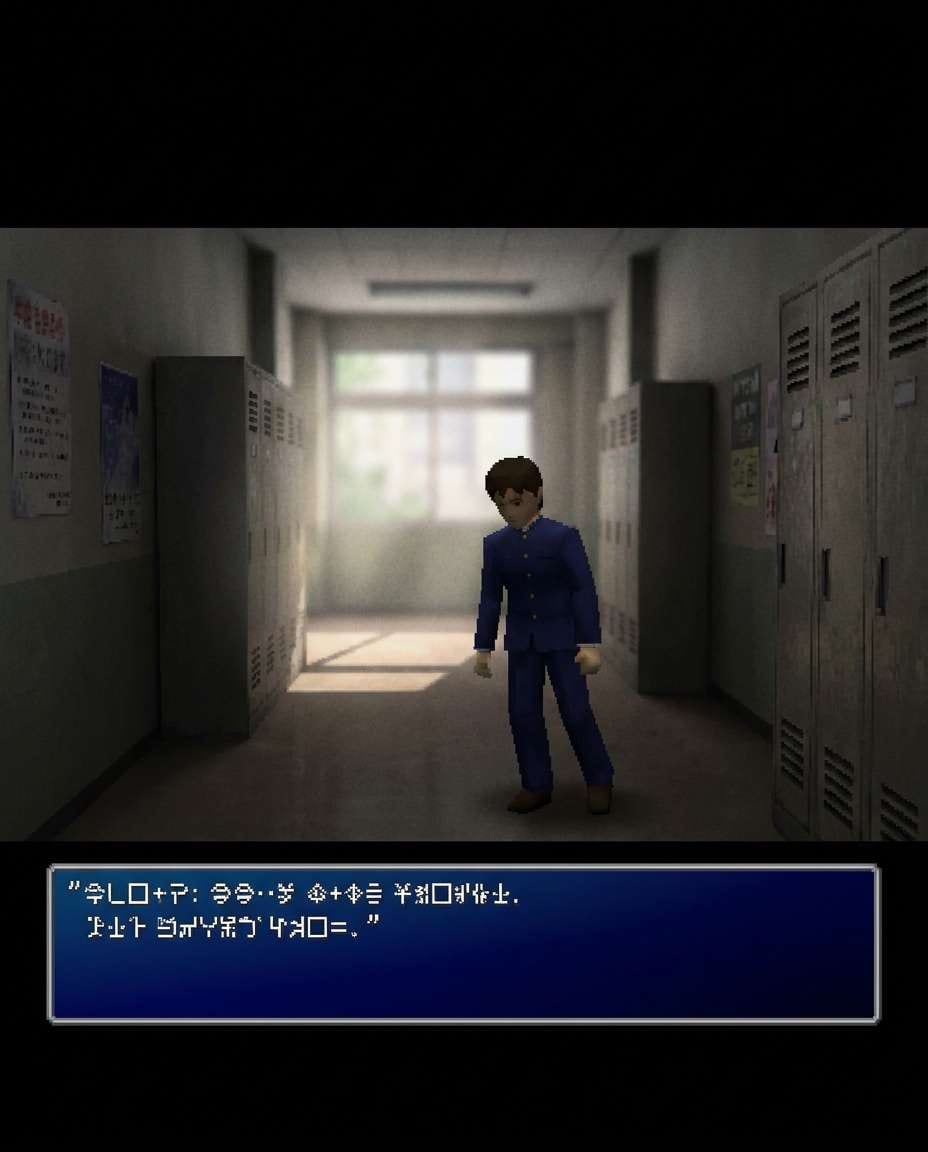
School Hallway Cutscene
PS2-era 3D game cutscene style of a student standing in a long empty school hallway, low-poly uniform, baked lighting, low-res lockers and posters, slight aliasing on edges, gentle bloom from window light, nostalgic quiet mood, cinematic black bars, dialogue box UI at bottom with unreadable glyph text, 85mm lens, shallow depth of field --ar 4:5
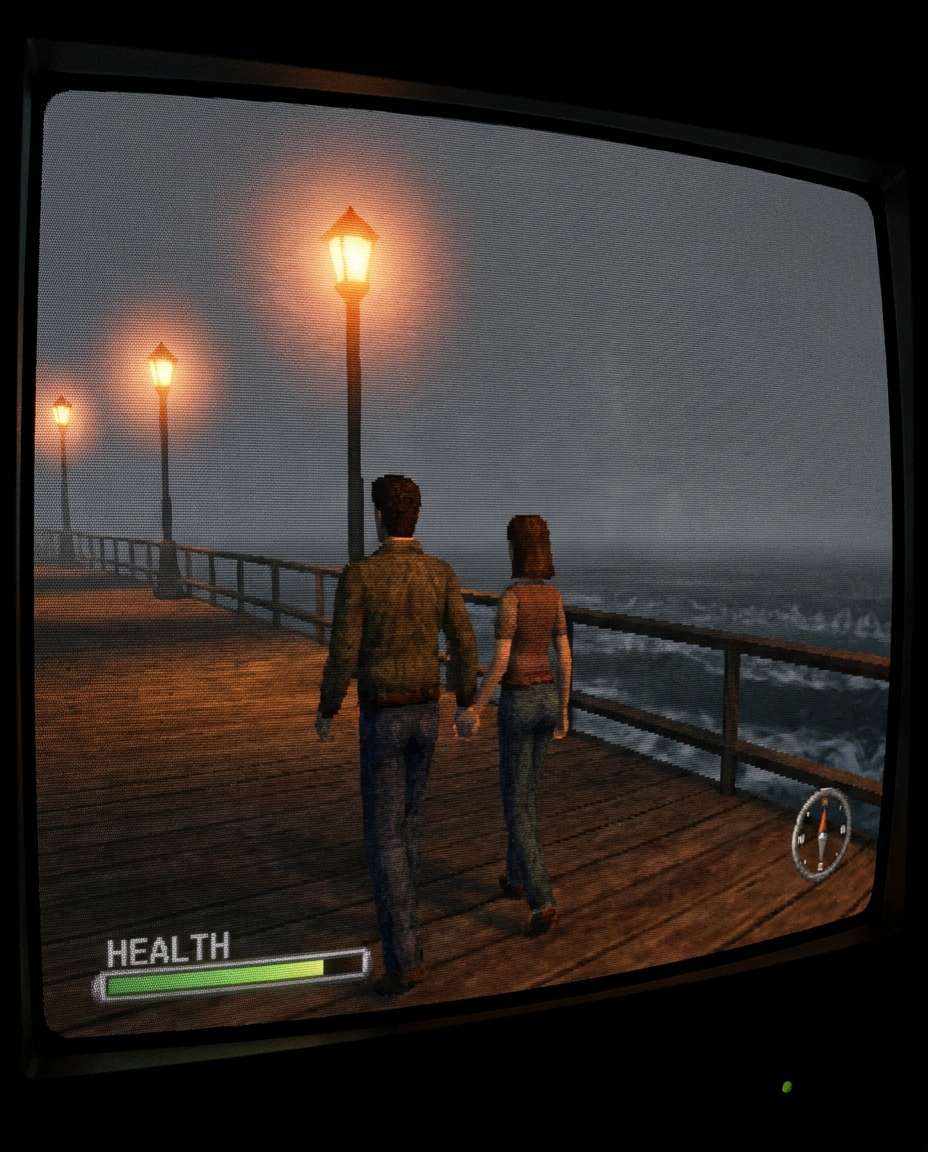
Beach Boardwalk Night
PS2-era 3D game screenshot style of a couple walking along a beach boardwalk at night, low-poly figures holding hands, warm streetlamp bloom, ocean horizon with simple wave shader, texture wobble, mild fog, CRT scanlines, romantic calm mood, third-person camera with minimal HUD, 85mm lens, shallow depth of field, soft cinematic lighting --ar 4:5
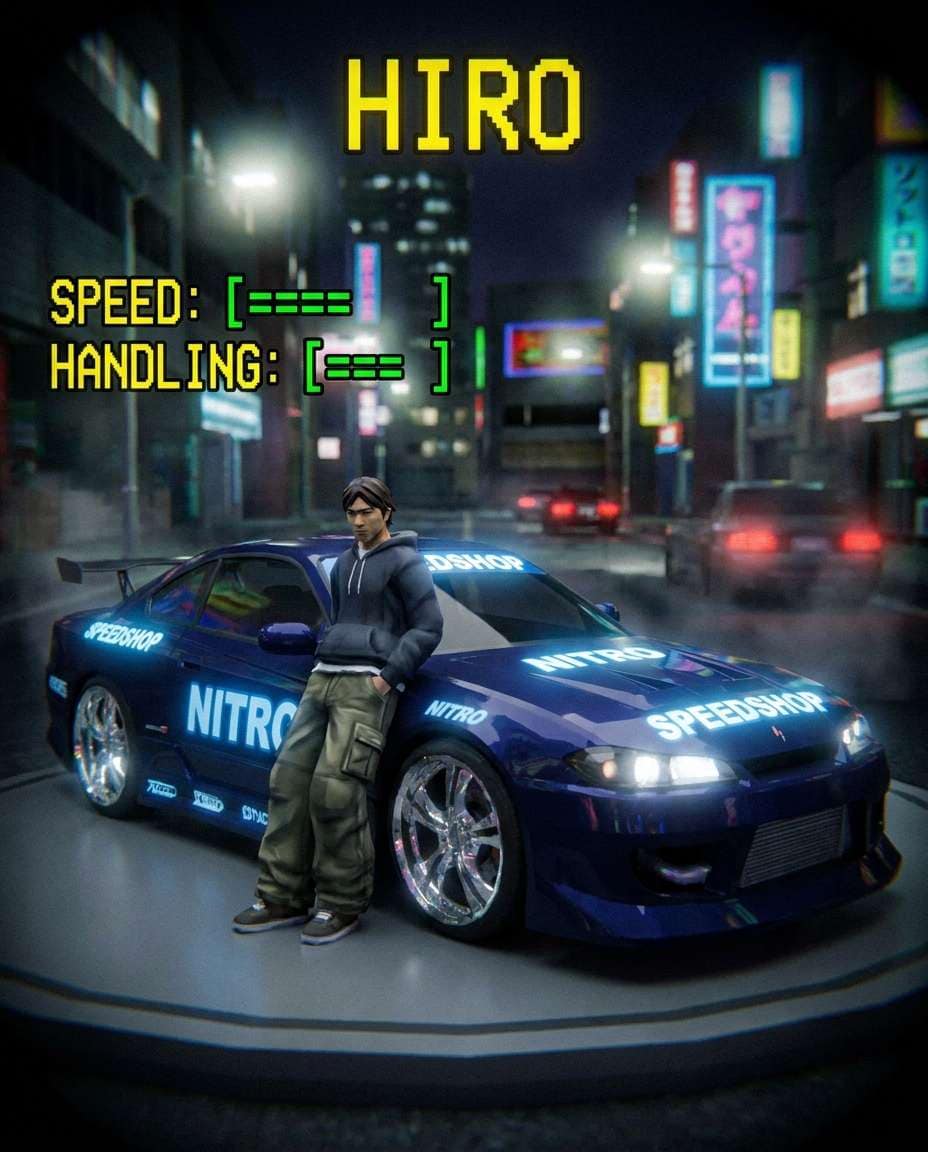
Street Racer Portrait
PS2-era 3D game character select screen style of a street racer leaning on a tuned coupe, low-poly model, glossy car paint with exaggerated reflections, low-res decals, night city backdrop, heavy bloom, vignette, menu UI with stat bars and a rotating character pose feel, 85mm lens, shallow depth of field, soft cinematic lighting --ar 4:5
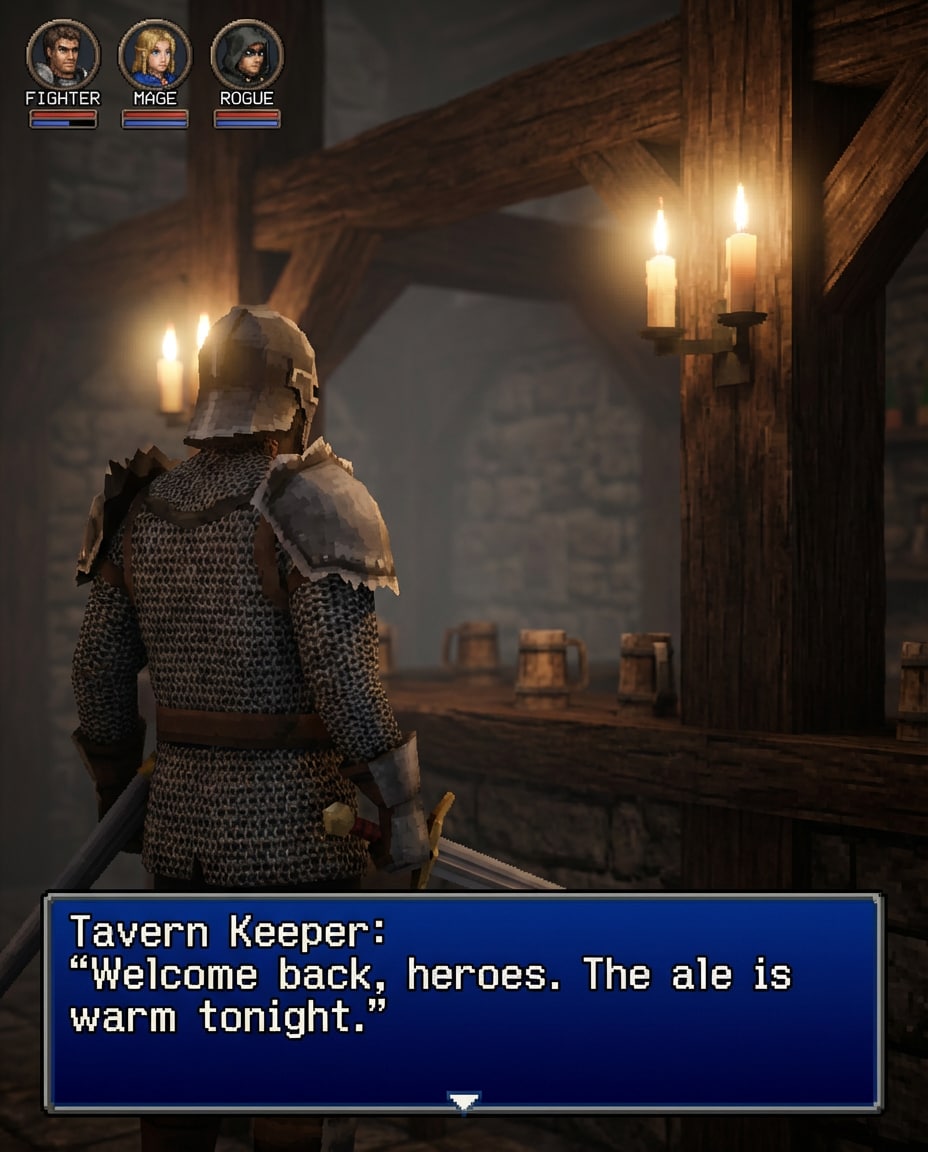
Fantasy Tavern Scene
PS2-era 3D RPG screenshot style of an adventurer in a medieval tavern, low-poly armor, candlelight bloom, wooden textures repeating, soft foggy ambience, slight aliasing on sword edges, warm cozy atmosphere, over-the-shoulder camera, classic JRPG dialogue window and small party icons, 85mm lens, shallow depth of field --ar 4:5
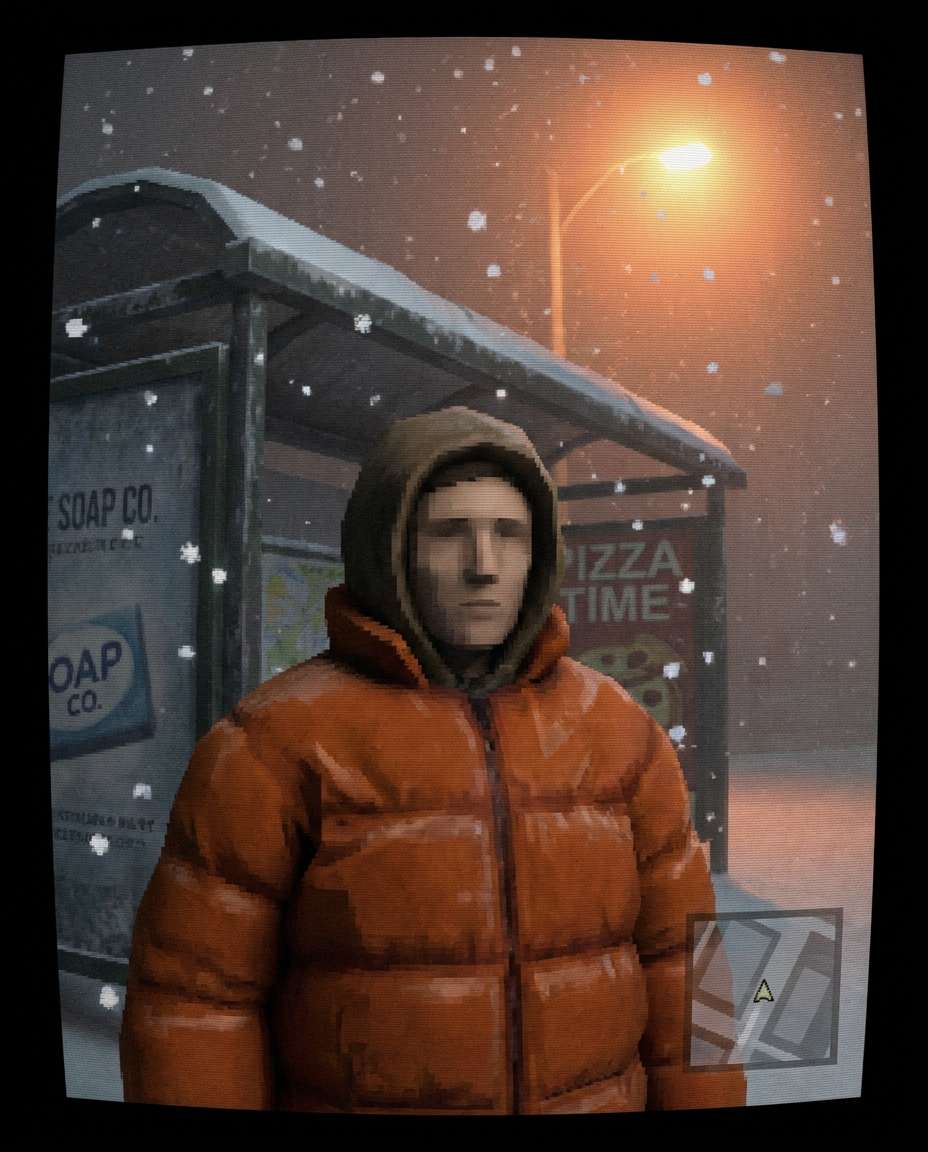
Snowy Bus Stop
PS2-era 3D game screenshot style of a person bundled in a puffer jacket waiting at a snowy bus stop, low-poly face, falling snow particle effect, orange sodium lamp bloom, low-res ads on the shelter, CRT scanlines, melancholic winter mood, close portrait framing with tiny minimap overlay, 85mm lens, shallow depth of field, soft cinematic lighting --ar 4:5
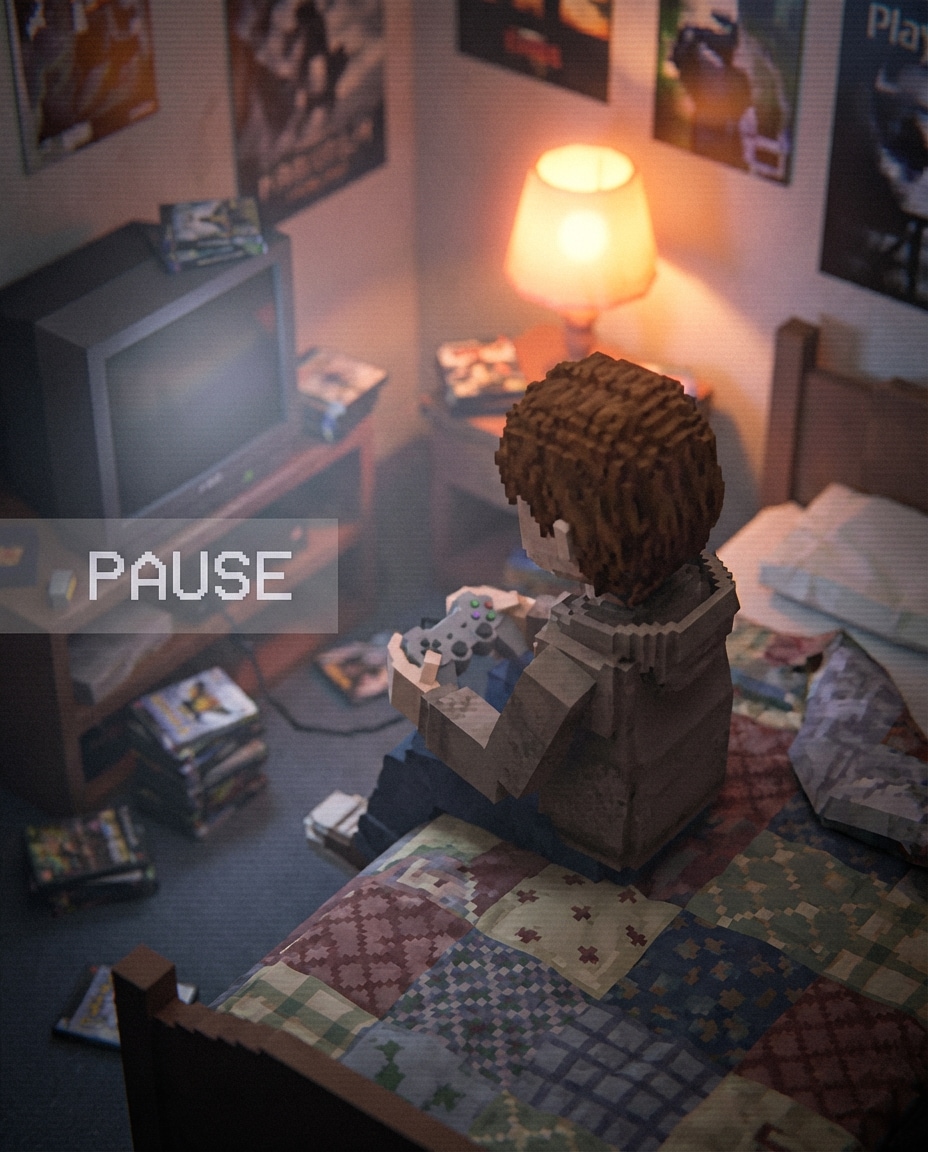
Bedroom Poster Wall
PS2-era 3D game screenshot style of a young adult sitting on a bed in a cluttered bedroom, low-poly hands holding a game controller, posters with blurred print, warm lamp bloom, low-res fabric textures, subtle dithering, nostalgic cozy vibe, top-down slightly angled camera, pause menu overlay faintly visible, 85mm lens, shallow depth of field --ar 4:5
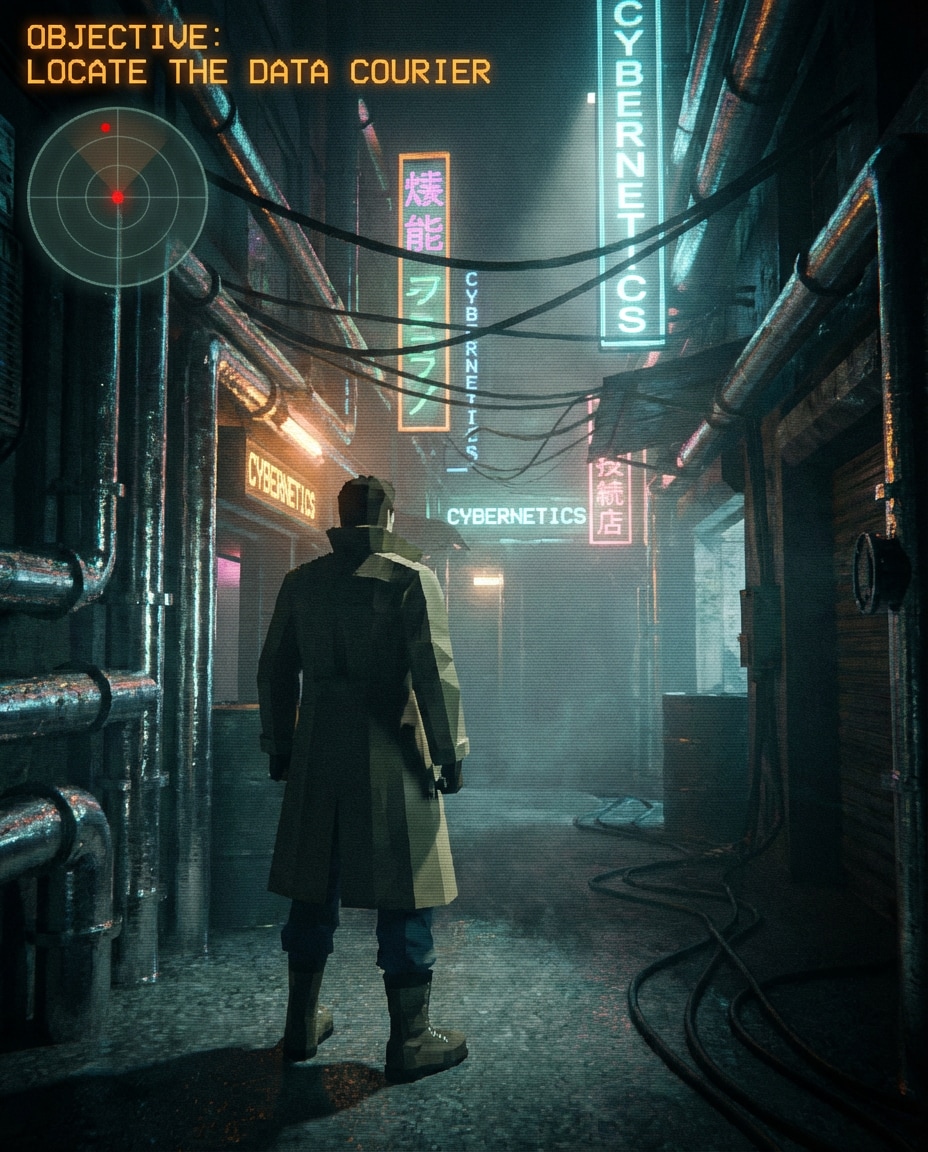
Cyber Alley Mission
PS2-era 3D action game screenshot style of a protagonist in a gritty cyber alley, low-poly coat and boots, neon bloom, fog volume, texture shimmering, chrome pipes and cables, dramatic shadows, third-person camera, mission objective text at top with a simple radar UI, soft cinematic lighting --ar 4:5
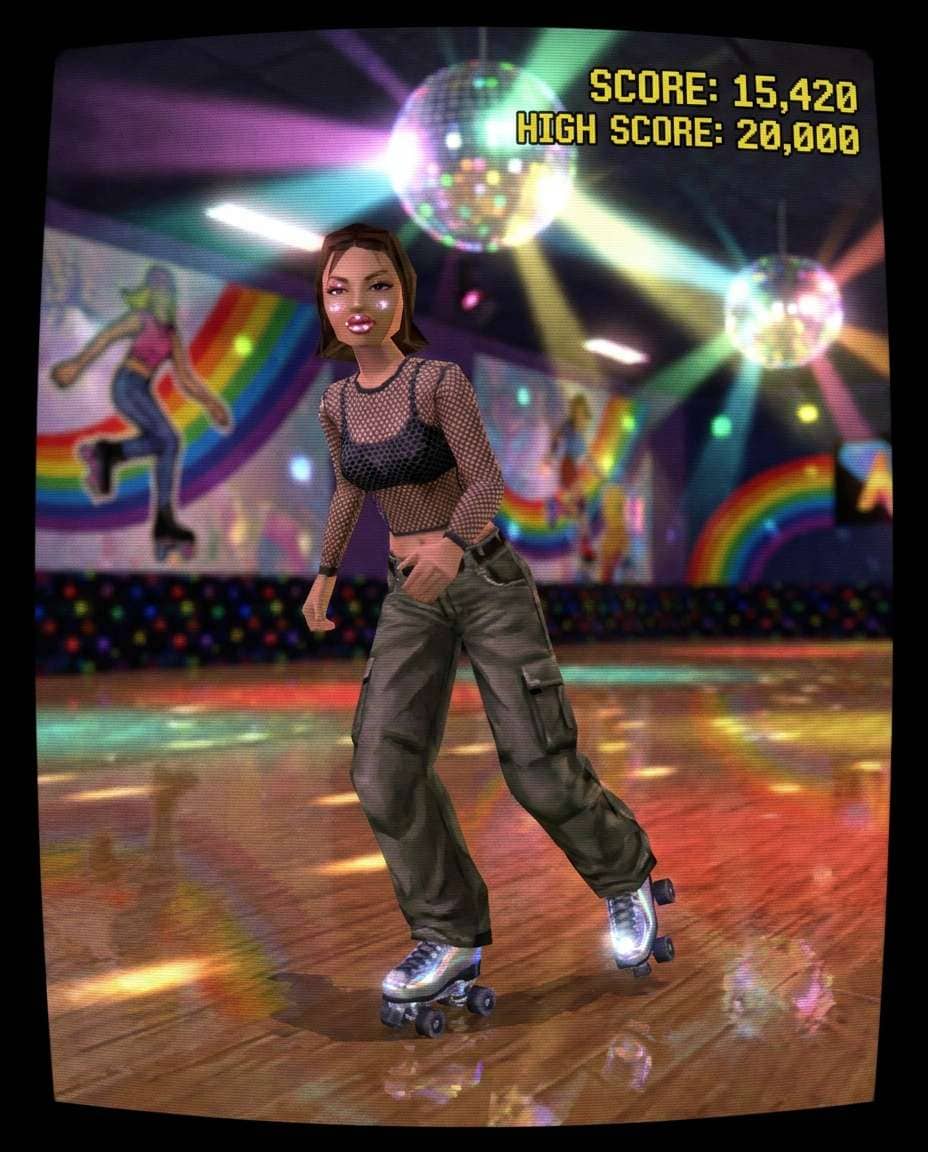
Roller Rink Glam
PS2-era 3D game screenshot style of a skater posing at a roller rink, early 2000s outfit, low-poly model with shiny lip gloss look, disco lights with heavy bloom, reflective floor, low-res wall murals, CRT scanlines, energetic fun mood, portrait framing with score counter UI, 85mm lens, shallow depth of field --ar 4:5
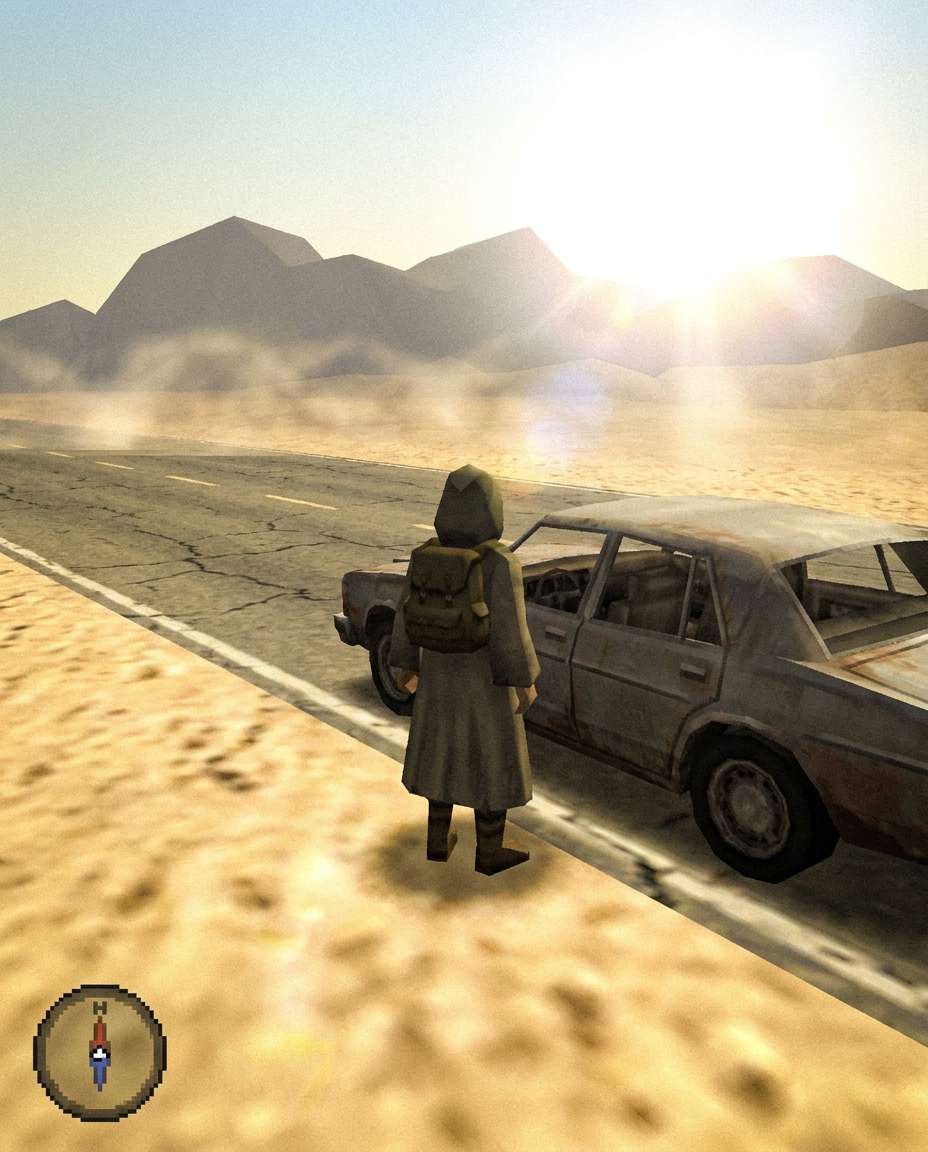
Desert Highway Stop
PS2-era 3D open-world screenshot style of a traveler standing beside a dusty car on a desert highway, low-poly character, heat haze effect, low-res sand textures, bright sun bloom, distant mountains with simple geometry, cinematic vibe, third-person camera, minimal HUD compass, 85mm lens, shallow depth of field --ar 4:5
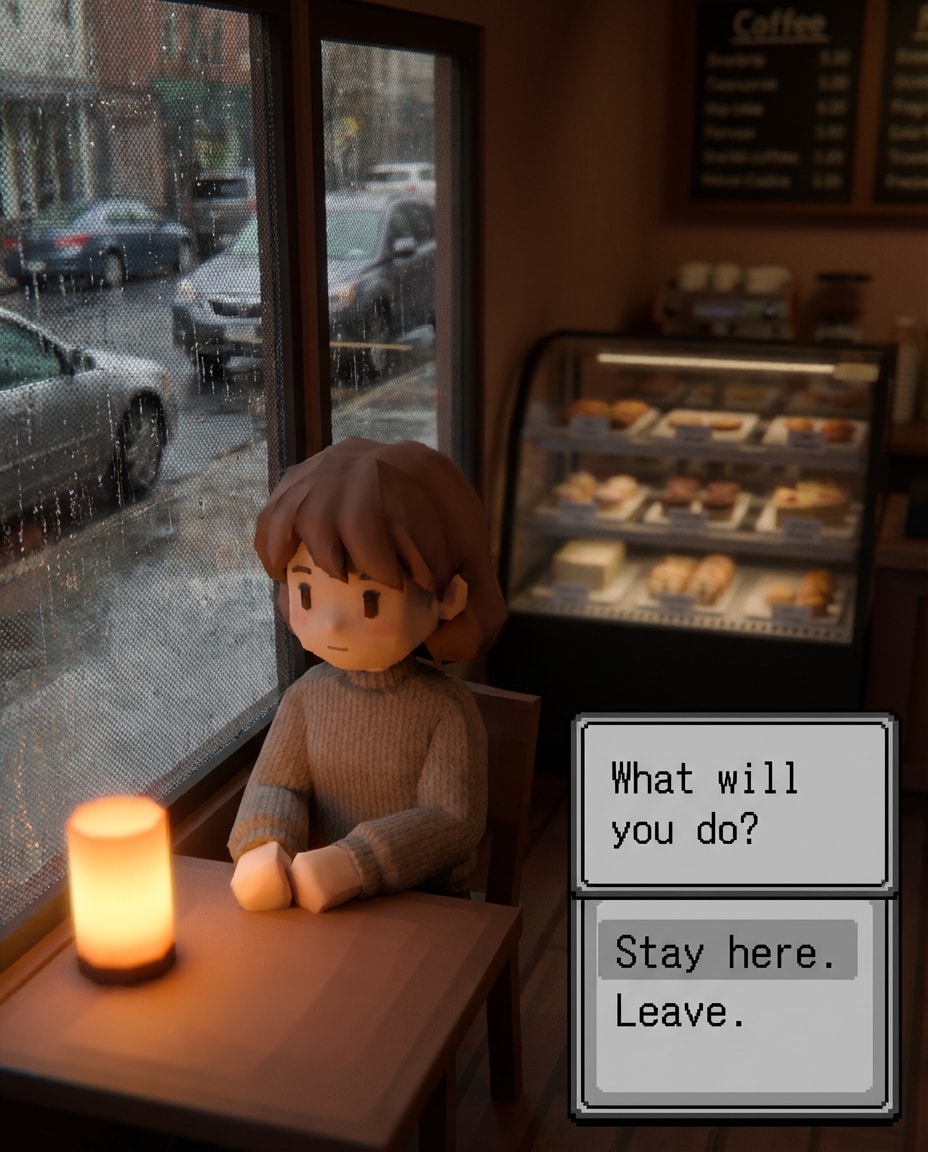
City Cafe Window
PS2-era 3D life-sim screenshot style of a person sitting by a cafe window, low-poly face with soft features, rainy window shader, warm interior bloom, blurry pastry display textures, cozy afternoon mood, slight aliasing, dialogue choice UI on the side, 85mm lens, shallow depth of field --ar 4:5
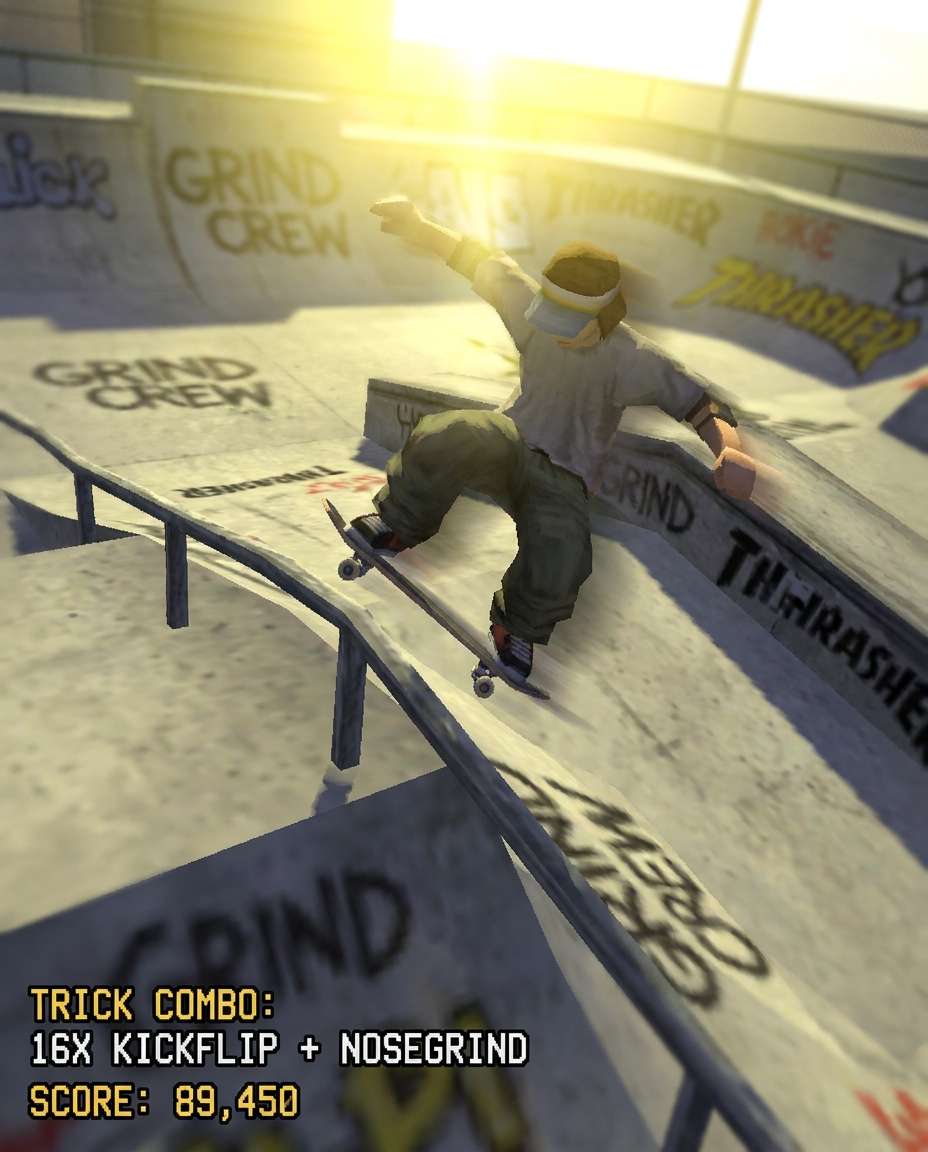
Skate Park Trick
PS2-era 3D extreme sports game screenshot style of a skater mid-trick at a concrete skate park, low-poly model, motion blur streaks, harsh sunlight bloom, low-res graffiti textures, jagged edges on rails, dynamic tilted camera angle, trick combo HUD and score numbers, 85mm lens, shallow depth of field --ar 4:5
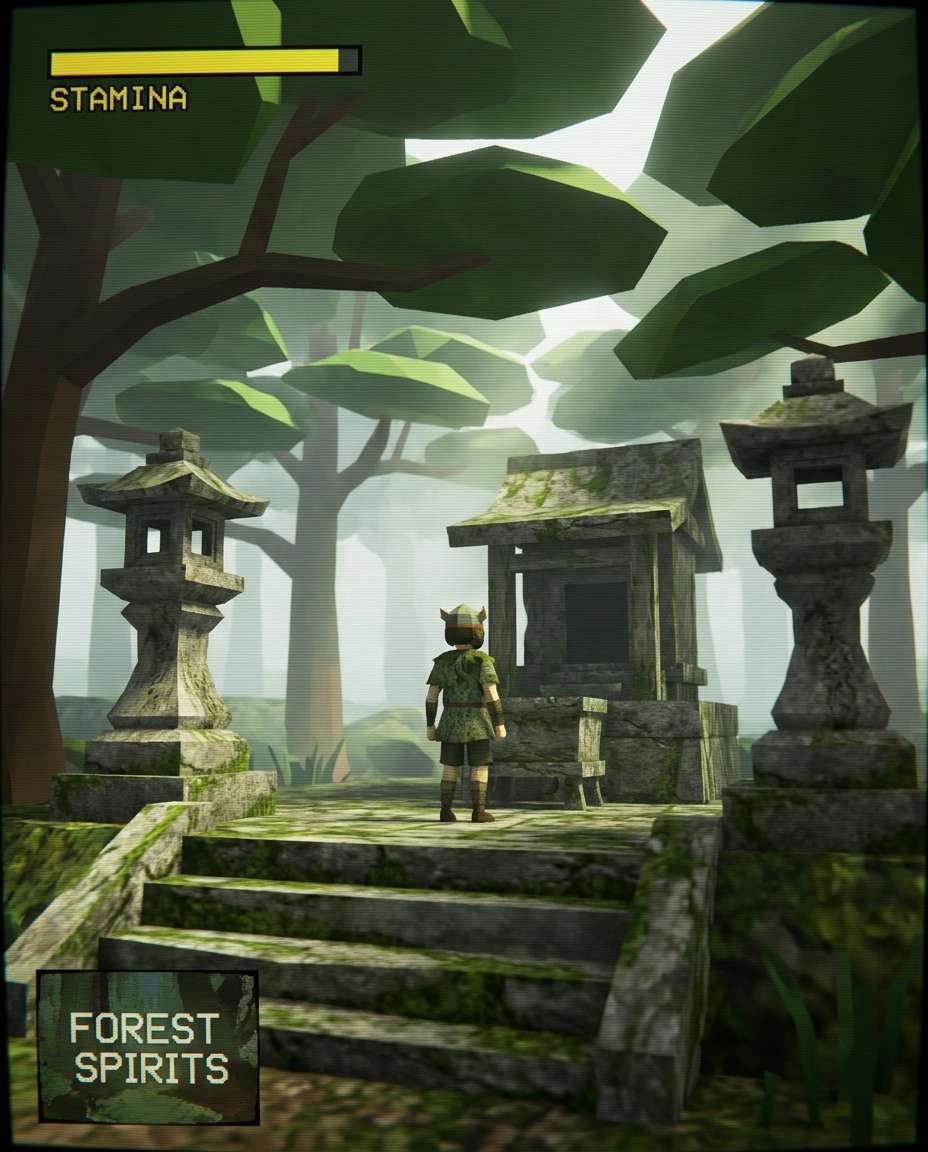
Forest Shrine Calm
PS2-era 3D adventure game screenshot style of a character standing at a quiet forest shrine, low-poly trees with flat leaf clusters, dappled light bloom, misty atmosphere, texture warping on stone steps, serene mood, cinematic framing with a simple stamina bar UI, 85mm lens, shallow depth of field --ar 4:5
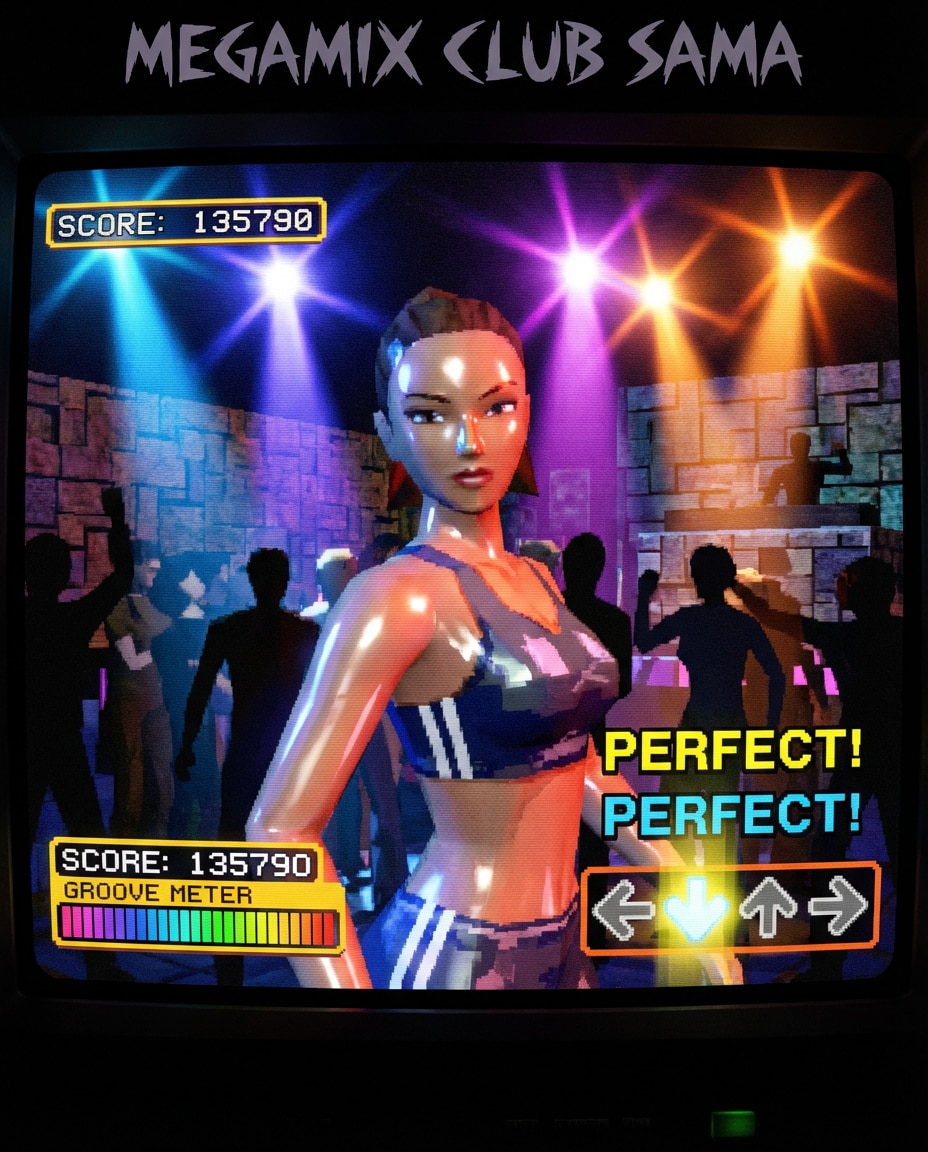
Nightclub Spotlight
PS2-era 3D game screenshot style of a dancer in a crowded nightclub, low-poly crowd silhouettes, colored spotlights with intense bloom, glossy skin shader look, low-res wall textures, CRT scanlines, energetic vibe, close portrait framing with rhythm game UI elements, 85mm lens, shallow depth of field --ar 4:5
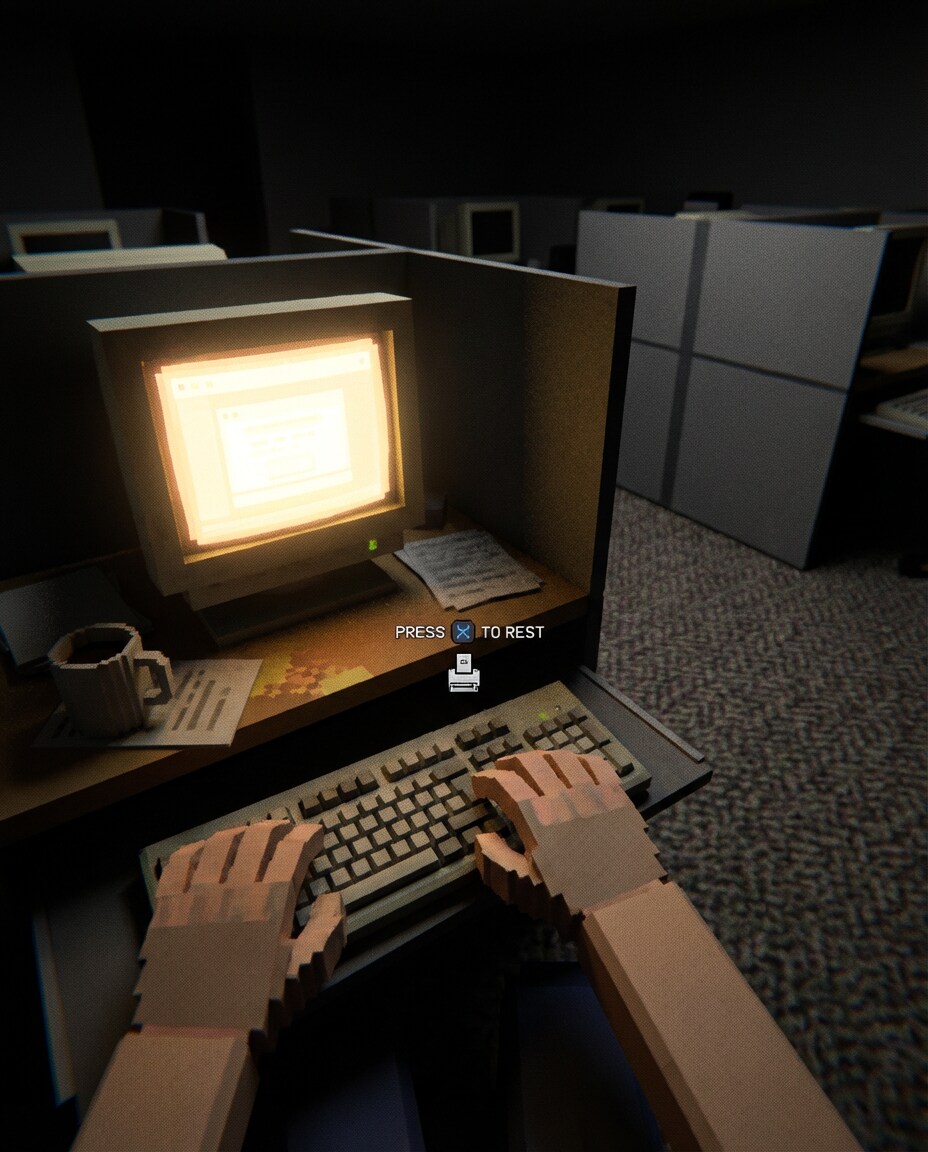
Office Late Shift
PS2-era 3D game screenshot style of a tired worker at an office desk late at night, low-poly hands near a keyboard, monitor glow bloom, repeating carpet texture, dim background cubicles, subtle dithering, quiet moody atmosphere, first-person viewpoint with a small interaction icon, 85mm lens, shallow depth of field, soft cinematic lighting --ar 4:5
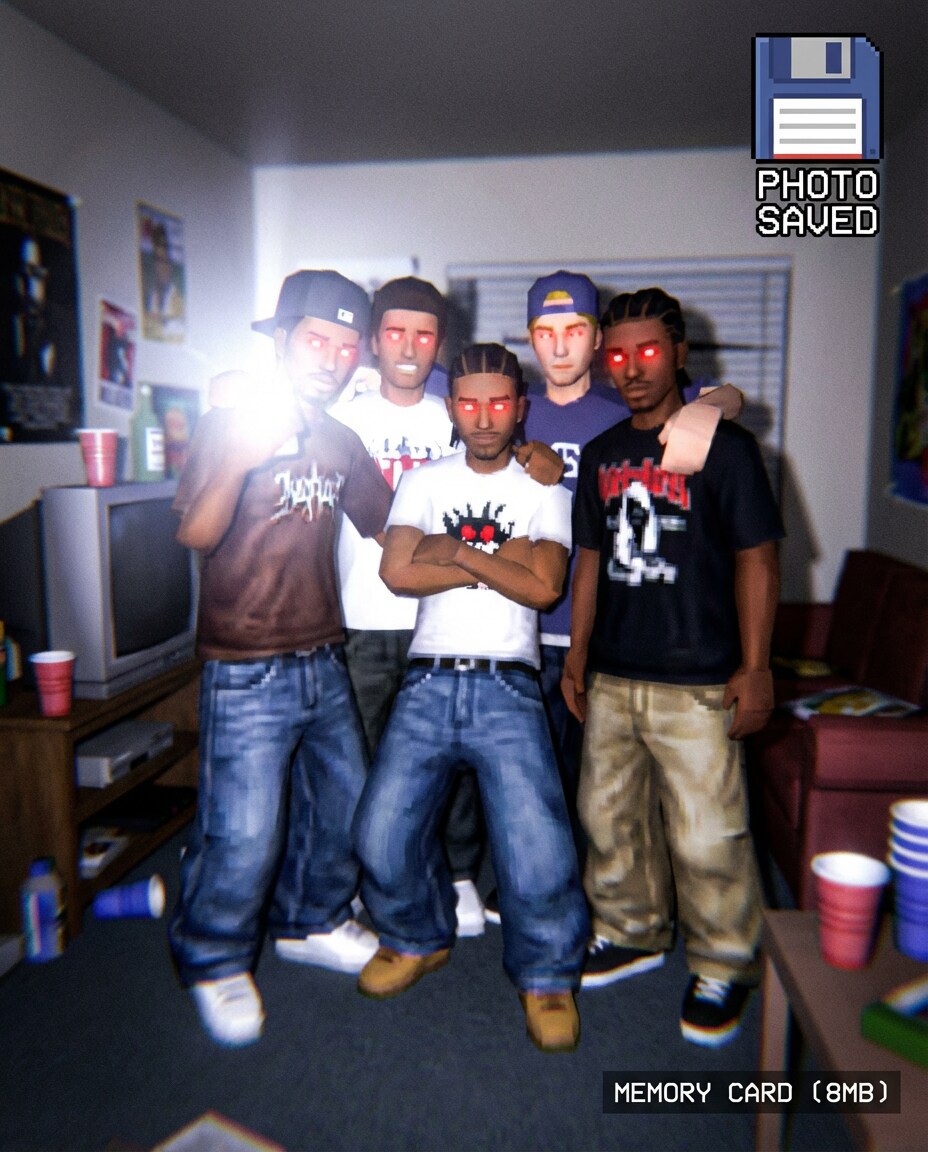
Old Camera Flash
PS2-era 3D game screenshot style of a flash-lit party photo pose, low-poly friends grouped together, harsh flash bloom, red-eye effect, low-res clothing textures, slight blur and aliasing, early 2000s party setting, on-screen "photo saved" icon and memory card symbol, 85mm lens, shallow depth of field --ar 4:5
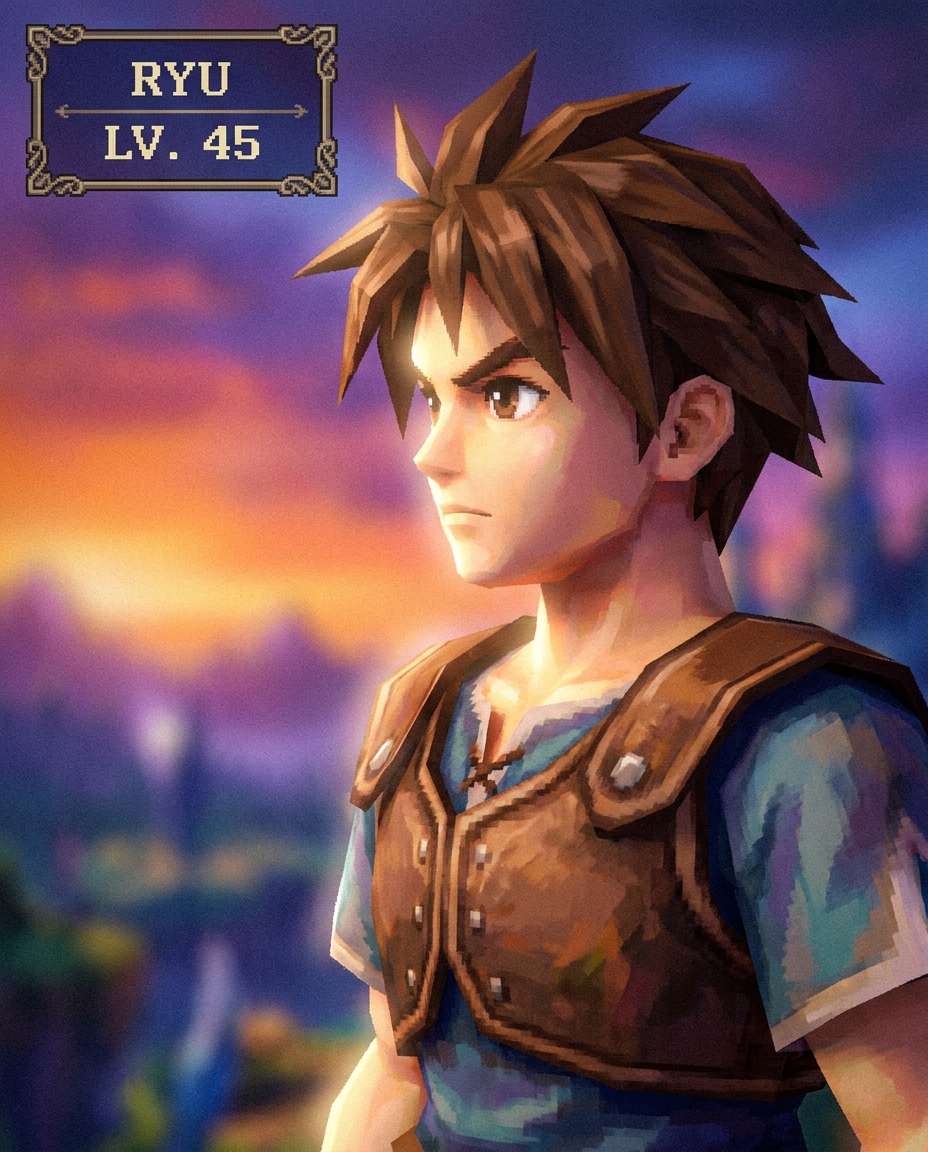
JRPG Hero Closeup
PS2-era 3D JRPG portrait style of a determined hero looking into the distance, low-poly hair strands, soft bloom around highlights, painterly low-res texture on clothing, subtle dithering, dramatic gradient background, character profile UI with nameplate and level indicator, 85mm lens, shallow depth of field --ar 4:5
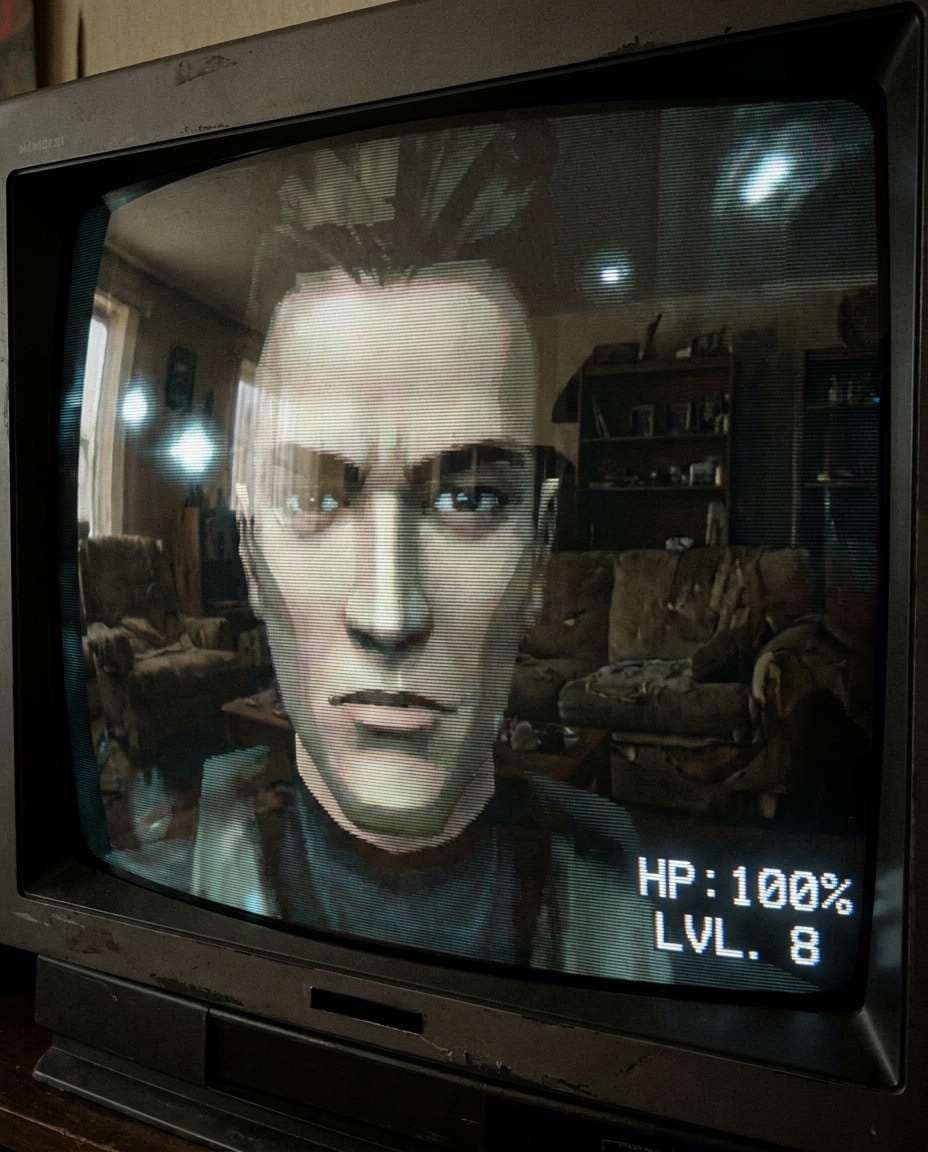
CRT Screenshot Texture
PS2-era 3D game screenshot style focusing on a character's face on a CRT television, heavy scanlines, slight barrel distortion, glow and bloom, compression artifacts, low-poly facial features, muted colors, nostalgic living room reflection in the glass, minimal HUD corner text, 85mm lens, shallow depth of field --ar 4:5
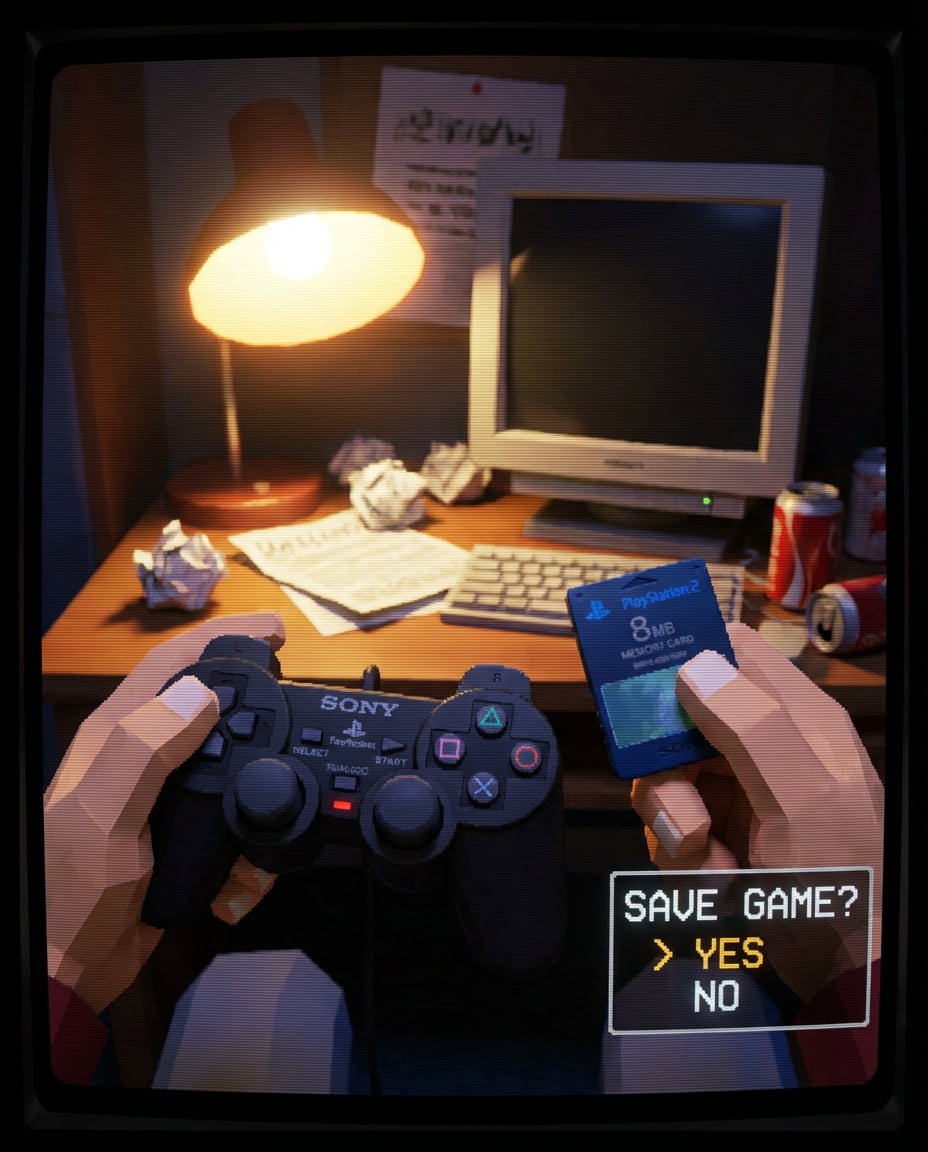
Hands Holding Memory
PS2-era 3D still-life screenshot style of hands holding a PS2 memory card and controller, low-poly fingers, plastic texture with low-res label, warm lamp bloom, slight aliasing, CRT scanlines overlay, cozy desk clutter background, on-screen save menu UI, 85mm lens, shallow depth of field --ar 4:5
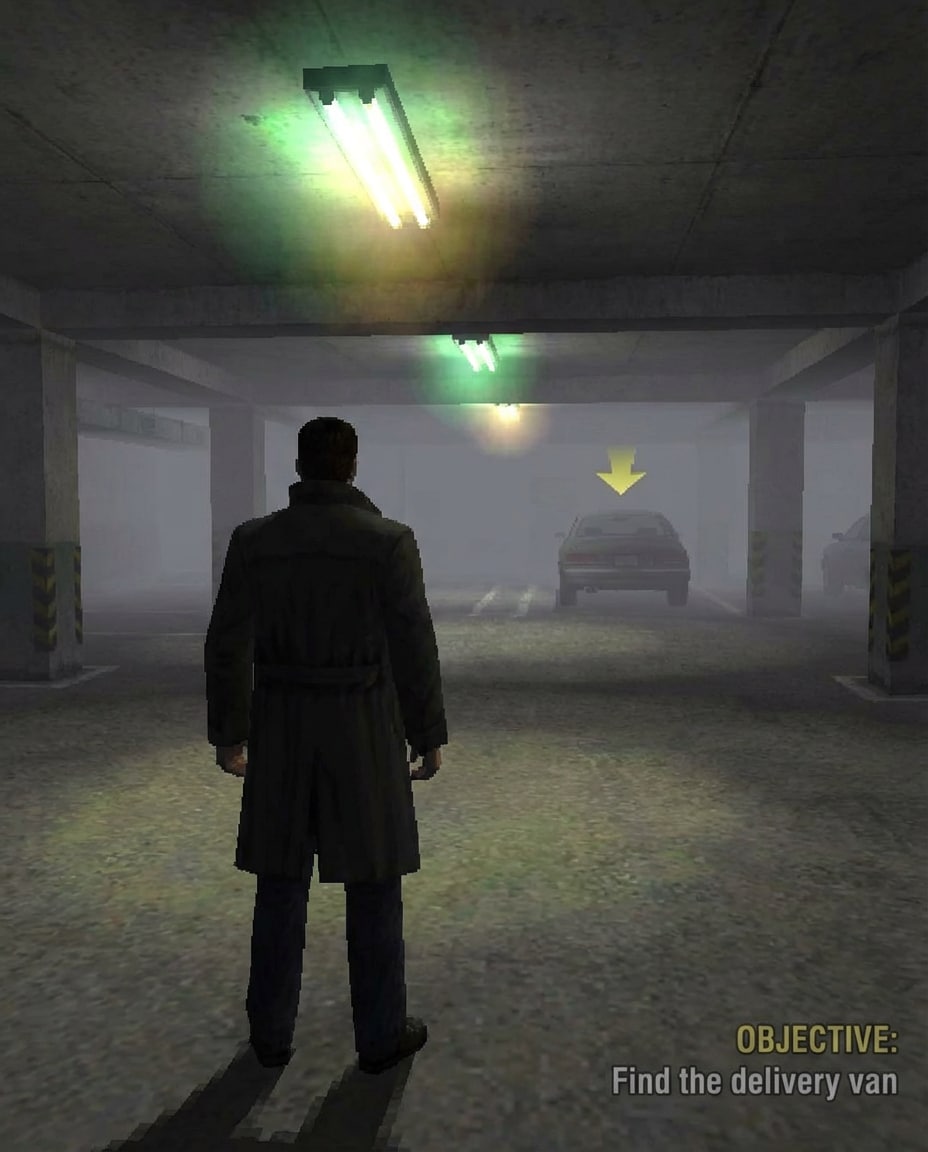
Parking Garage Scene
PS2-era 3D crime drama screenshot style of a character standing in a dim parking garage, low-poly coat, fluorescent light bloom, concrete textures repeating, moody fog, subtle texture wobble, dramatic shadows, third-person camera angle, objective marker hovering in the distance, 85mm lens, shallow depth of field --ar 4:5
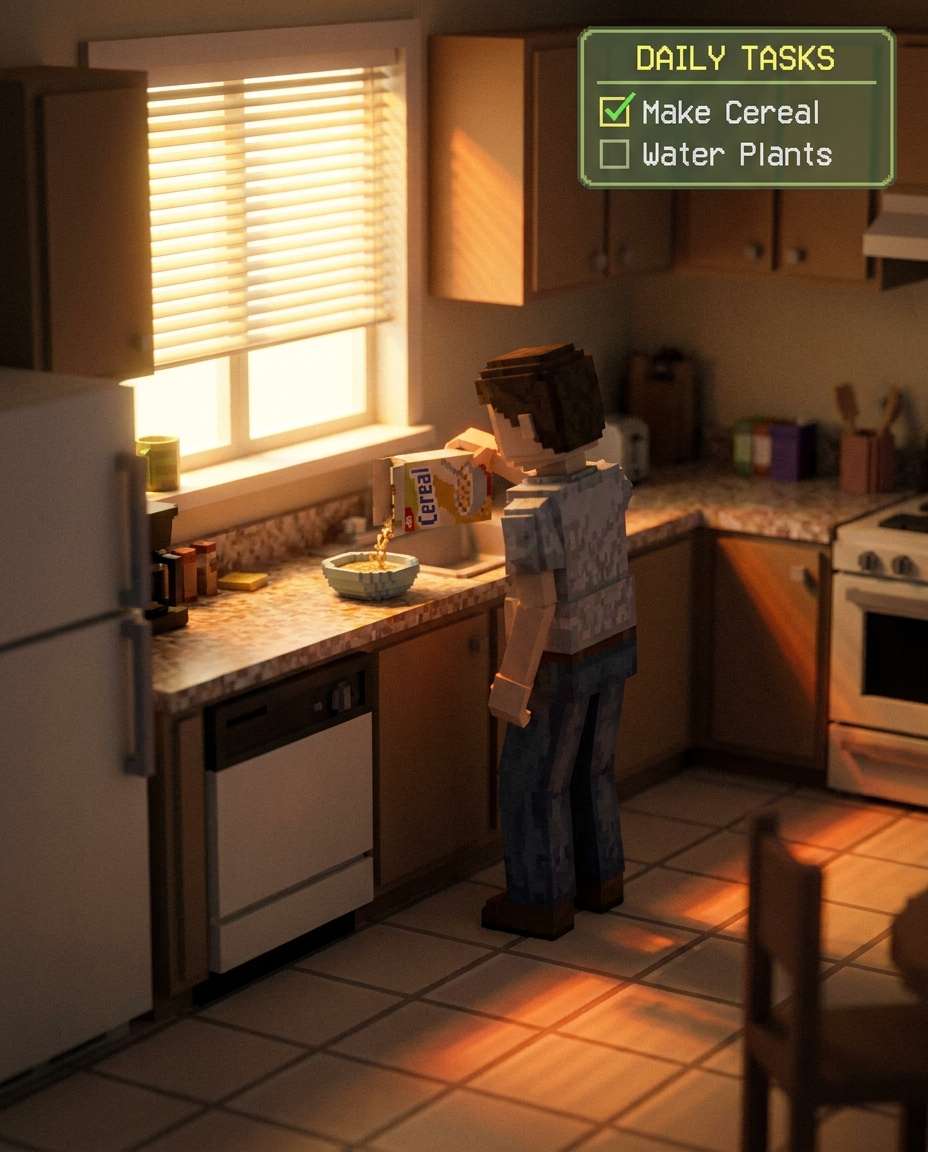
Morning Kitchen Quiet
PS2-era 3D life-sim screenshot style of a person making cereal in a small kitchen, low-poly model, warm morning light bloom through blinds, low-res tile and countertop textures, soft ambient occlusion, calm everyday mood, simple task checklist UI in corner, 85mm lens, shallow depth of field --ar 4:5
The PS2 look is mostly about controlled "imperfections": bloom, texture wobble, and that slightly softened edge. If you're wondering how to make PS2-style images with Gemini AI prompts, focus on describing the era's rendering quirks more than the camera.
Recommend Prompts Formula
Subject identity: age range, vibe, expression, and a key defining detail.
Outfit and era cues: early-2000s styling, accessories, hair, makeup.
Environment: one specific location with 2-3 recognizable props.
Lighting mood: heavy bloom, fluorescent tint, sunset glow, fog volume.
UI flavor: subtle HUD, dialogue box, minimap, save icon, or timestamp overlay.
Prompt Tips That Sell the Illusion
Ask for "PS2-era 3D game screenshot" or "PS2 cutscene" first, then add your scene details.
If it looks too clean, add: "slight jagged edges, low-res textures, CRT scanlines, compression artifacts."
If faces drift, lock it down with: "same person, consistent facial features, consistent hairstyle."
For stronger nostalgia, add a UI element like "pause menu overlay" or "objective text at top."
If the image becomes messy, reduce: fewer props, simpler background geometry, calmer color palette.
Try one change at a time (bloom, scanlines, HUD), otherwise it's hard to tell what fixed it.
Why Choose Media.io for Gemini AI Ps2 Prompt
Dial in PS2-era bloom, low-poly charm, and game-UI overlays on Media.io without wrestling with complex settings.
Fast style iterations
Tweak a single phrase and immediately see how the "game engine" vibe changes, from clean cutscene lighting to crunchy gameplay frames. Media.io makes it easy to compare versions until the textures, bloom, and HUD details feel properly PS2-era.
Photo identity control
Keep your face recognizable while shifting the entire world around it into retro 3D. This matters when you're refining an AI PS2 filter prompt for Gemini and you want consistent character features across multiple scenes or "screenshots."
One-click polish
Retro doesn't have to mean ugly. Media.io helps you keep the intentional PS2 artifacts while still delivering a clean, shareable image with balanced color, readable details, and fewer weird distortions that break the illusion.
Download-friendly outputs
When you land on a look you love, you can export it quickly for profile pics, thumbnails, or a whole carousel of "found footage from 2004." It's a simple workflow that encourages experimenting without losing your best version.
FAQs About
Gemini AI Ps2 Prompt
1. What should I include in a Gemini Ai Ps2 Prompt to make it look authentic?
A strong Gemini Ai Ps2 Prompt calls out the era's technical quirks: low-poly geometry, low-resolution textures, slight texture warping, jagged edges, and heavy bloom. Add one UI detail (minimap, dialogue box, save icon) and a clear setting like "subway platform" or "mall arcade" to anchor the scene.
2. Can I turn a selfie into a PS2 character without losing my face?
Yes. With a Gemini Ai Ps2 Prompt, describe the person first (hair, expression, defining features), then ask for "PS2-era 3D game screenshot style" and add the artifacts. In Media.io, use an image-based workflow so the model has a reference, and iterate with small changes instead of rewriting everything.
3. How do I write a prompt that feels like a real PS2 game screenshot?
Use gameplay language in your Gemini Ai Ps2 Prompt: third-person camera, objective text, minimap, health bar, and a slightly tilted action framing. For inspiration, Gemini PS2 game screenshot prompt ideas often lean on specific locations (parking garage, school hallway) plus obvious UI overlays that scream "gameplay," not modern photography.
4. Why does my PS2-style result look too modern or too realistic?
Your Gemini Ai Ps2 Prompt is probably missing the deliberate limitations. Add "low-res textures," "aliasing," "dithering," and "CRT scanlines," and remove modern cues like ultra-detailed skin or cinematic lens jargon. Also simplify the background; PS2 scenes usually read as bold shapes and lighting, not tiny texture detail.
5. What prompt works best for vertical social posts like Reels or Stories?
Keep the subject large in frame and use portrait composition terms in your Gemini Ai Ps2 Prompt: "waist-up framing," "centered character," and "simple background geometry." If you're testing a Gemini AI PS2 photo prompt for Instagram, add a subtle HUD corner icon rather than a full menu so it stays readable on a phone screen.
Why Creators Love Media.io's Gemini AI Ps2 Prompt?
Alex M.
Photographer
Ultra Realistic Results.
I used these ps2 prompts to create visuals that looked like real photography. The lighting, textures, and colors felt incredibly natural.
Maya J.
Designer
Perfect Lighting & Detail.
The prompts produced cinematic compositions and soft lighting, making every image feel like a professional shoot.
Jordan P.
Creator
Perfect for Social Media.
I used these prompts to create viral content. It's fast, easy, and consistently produces stunning visuals.