Home>Comparison>PopVid AI

PopVid AI: Interactive Video, Roleplay and Credits

Most video generators stop after a clip is rendered. PopVid AI makes the response itself part of the experience: users can talk or type to a character on a simulated live call, explore community roleplay stories or change a video's ending. That difference matters when the goal is interactive entertainment rather than a conventional downloadable marketing film. The review focuses on what the user controls, where credits apply and what can be reused outside the platform.

Key Features of PopVid AI Interactive Video and Roleplay

PopVid AI is an interactive AI video and roleplay platform offering real-time character calls, text-and-gesture responses, customizable characters, community roleplay stories, video twists, and separate image-to-video creation tools.

Core Feature Overview

  • Live AI Character Video Calls: PopVid promotes a real-time video-call experience where a character responds to speech or text. This is ongoing interaction rather than a pre-scripted video exported from a static prompt.
  • Custom Roleplay Characters: Users can configure characters for interactive stories and ongoing conversations. The quality of the experience depends on the character setup and the nature of each response.
  • Community Story Discovery: Genre categories include anime, fantasy, romance, drama and science fiction. Community material is for discovery, not automatically material the user has permission to republish.
  • Twist Video Endings: A user can select a twist template or write a new ending for a video and build on previous twists. This is a remix format with different expectations from linear film production.
  • Text and Gesture Interaction: The product describes multimodal control of interactive video with text and gestures. The available controls and response quality should be evaluated in an actual account.
  • Image, Video and Roleplay Creation: Alongside interactive calls, PopVid offers prompt-based image generation, image-led video creation and roleplay-story starts. These creation modes may have different credit charges.
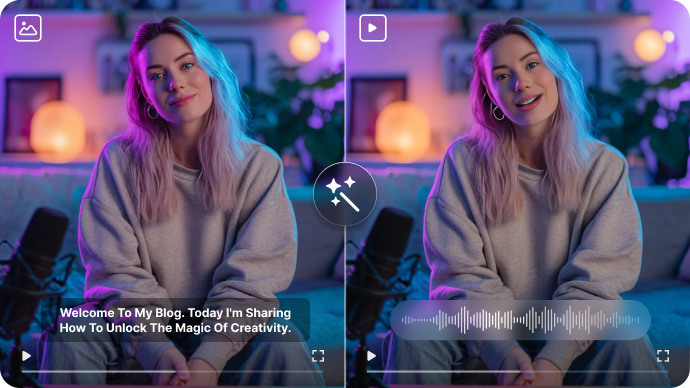

Live AI Character Video Calls

PopVid promotes a real-time video-call experience where a character responds to speech or text. This is ongoing interaction rather than a pre-scripted video exported from a static prompt. For PopVid AI, a useful first project is interactive character story; Create a conversational fantasy character and direct the story as responses arrive, not as one prerecorded scene.

Illustrative Media.io workflow graphic; not a screenshot of PopVid AI

Custom Roleplay Characters

Users can configure characters for interactive stories and ongoing conversations. The quality of the experience depends on the character setup and the nature of each response. Before relying on custom roleplay characters, check the tradeoff named roleplay turns consume credits: The credit page explicitly discusses a two-credit roleplay turn. Frequent experimentation can cost more than an occasional still-image or short-video task.

Illustrative Media.io workflow graphic; not a screenshot of PopVid AI

Community Story Discovery

Genre categories include anime, fantasy, romance, drama and science fiction. Community material is for discovery, not automatically material the user has permission to republish. For PopVid AI work on interactive character calls and twist videos, Try a sci-fi or mystery roleplay starter and inspect whether the tone stays consistent.

Illustrative Media.io workflow graphic; not a screenshot of PopVid AI

Twist Video Endings

A user can select a twist template or write a new ending for a video and build on previous twists. This is a remix format with different expectations from linear film production. To assess whether this is repeatable, compare responses to spoken versus typed prompts while checking whether context is retained.

Illustrative Media.io workflow graphic; not a screenshot of PopVid AI

Text and Gesture Interaction

The product describes multimodal control of interactive video with text and gestures. The available controls and response quality should be evaluated in an actual account. For a concrete example, animate an authorized character illustration to test the separate creation tool.

Illustrative Media.io workflow graphic; not a screenshot of PopVid AI

Image, Video and Roleplay Creation

Alongside interactive calls, PopVid offers prompt-based image generation, image-led video creation and roleplay-story starts. These creation modes may have different credit charges. The final check is availability of export and commercial rights: Current public pages emphasize interaction more than standardized production exports. Verify download options and permitted commercial use before planning campaigns.

Illustrative Media.io workflow graphic; not a screenshot of PopVid AI

How to Turn an Interactive Story Idea Into Video

1
2
3
1
Write the story direction

Turn the roleplay premise into an original script with defined character actions.

2
Plan distinct scenes

Use the script-to-video workflow to review the narrative before generation.

3
Generate a linear video

Inspect dialogue, pacing and character details before export.

Illustrative Media.io workflow graphic; not a screenshot of PopVid AI

Where PopVid AI Roleplay Videos Fit Best

From interactive character story to image-led short video, these are distinct projects where PopVid AI could be useful, with checks that match each task.

Interactive Character Story

Create a conversational fantasy character and direct the story as responses arrive, not as one prerecorded scene. A related Media.io workflow to explore is AI Story Video Generator.

Choose-a-Twist Comedy

Explore a surprising alternative ending to an original short video using a scripted twist.

Community Genre Discovery

Try a sci-fi or mystery roleplay starter and inspect whether the tone stays consistent.

Character Dialogue Experiment

Compare responses to spoken versus typed prompts while checking whether context is retained. A related Media.io workflow to explore is AI Story Video For Social Media.

Image-Led Short Video

Animate an authorized character illustration to test the separate creation tool.

Shareable Story Concept

Use an interactive session to discover plot ideas, then create a separate original script for publishing elsewhere.

PopVid AI Limits Beyond the Live Character Experience

Before planning interactive character calls and twist videos, evaluate interactive sessions are not finished films and roleplay turns consume credits as carefully as the headline features.

Interactive Sessions Are Not Finished Films

A responsive character call is designed for participation. Do not assume the whole conversation is exportable as a polished short video or editable timeline.

Roleplay Turns Consume Credits

The credit page explicitly discusses a two-credit roleplay turn. Frequent experimentation can cost more than an occasional still-image or short-video task.

Free and Purchased Credits Differ

PopVid says additional purchased credits do not expire and are spent after daily credits. Confirm the current daily allowance and charges in your account.

Character Memory Is Not a Guarantee

The site pitches continuing conversations, but story continuity, factual accuracy and character behavior can vary from turn to turn.

Community Stories Require Attribution Checks

A public roleplay setting does not necessarily grant reuse rights for another creator's dialogue, images or characters.

Availability of Export and Commercial Rights

Current public pages emphasize interaction more than standardized production exports. Verify download options and permitted commercial use before planning campaigns.

PopVid AI vs Media.io: Which Workflow Fits?

The deciding difference for PopVid AI is its live ai character video calls and twist video endings; by comparison, the Media.io Script to Video option focuses on interactive character story; compare supported inputs and output rights.

Decision Factor PopVid AI Media.io
Starting workflow PopVid promotes a real-time video-call experience where a character responds to speech or text. For interactive character story, Media.io Script to Video starts with a targeted tool; PopVid AI instead emphasizes live ai character video calls.
Primary capability Custom Roleplay Characters: Users can configure characters for interactive stories and ongoing conversations. Choose a relevant creation feature for interactive character story, subject to the tool's current options.
Reference handling Genre categories include anime, fantasy, romance, drama and science fiction. Use supported reference input where helpful for choose-a-twist comedy.
Editing and revision A user can select a twist template or write a new ending for a video and build on previous twists. For community genre discovery, use the available editing and finishing controls as needed.
Output workflow The product describes multimodal control of interactive video with text and gestures. Check whether character dialogue experiment needs captions, enhancement or editing after generation.
Cost model PopVid's public credit page describes free-plan access, purchased credits that do not expire and two-credit roleplay turns. Check current charges for the Script to Video route, not PopVid AI subscription pricing.
Key buying constraintA responsive character call is designed for participation.Confirm supported input and export conditions for interactive character calls and twist videos alternatives.
Specialized strength Image, Video and Roleplay Creation. A focused option for image-led short video and the corresponding downstream edits.
Best fit Interactive character calls and twist videos. For a project like interactive character story, choose the Media.io Script to Video workflow over the broader PopVid AI offering.
Best for PopVid AI Projects

Choose PopVid AI If You Need:

Choose PopVid AI when live ai character video calls and custom roleplay characters are needed in your real work. For image-led short video, check cost and revision permissions before committing to production.

  • Interactive Character Story: Create a conversational fantasy character and direct the story as responses arrive, not as one prerecorded scene.
  • Choose-a-Twist Comedy: Explore a surprising alternative ending to an original short video using a scripted twist.
  • Community Genre Discovery: Try a sci-fi or mystery roleplay starter and inspect whether the tone stays consistent.
  • Character Dialogue Experiment: Compare responses to spoken versus typed prompts while checking whether context is retained.
  • Image-Led Short Video: Animate an authorized character illustration to test the separate creation tool.
Visit PopVid AI
Best for Media.io Choose-a-Twist Comedy Projects

Choose Media.io for Interactive Character Story If You Need:

For PopVid AI readers pursuing interactive character story, the Media.io Script to Video route is one option for community genre discovery. It differs from PopVid AI custom roleplay characters.

  • Create an AI Story Video workflow: Begin from a permitted input related to interactive character story.
  • Choose-a-Twist Comedy review: Assess whether Media.io output supports choose-a-twist comedy without special manual corrections.
    • Finishing for Community Genre Discovery: Explore relevant Media.io editing tools for community genre discovery.
  • Focused generation scope: Choose only the tools required for character dialogue experiment.
  • Rights for Image-Led Short Video: Use authorized source media and double-check outputs intended for image-led short video.
Create an AI Story Video

Is PopVid AI Worth It? Our Verdict

Our Take

PopVid AI deserves consideration when interactive character story or choose-a-twist comedy is the core job. The combination of live ai character video calls and text and gesture interaction distinguishes its proposition.

PopVid's public credit page describes free-plan access, purchased credits that do not expire and two-credit roleplay turns. A stable full subscription tier table was not verified; do not infer an all-inclusive monthly allowance. The purchase risk centers on interactive sessions are not finished films and free and purchased credits differ. Budget a complete project with corrections and final export.

Choose PopVid AI for interactive character calls and twist videos, especially when community story discovery is required. Consider Media.io Script to Video when image-led short video matters more than the specialist community story discovery capability; verify output and export terms.

PopVid AI FAQ: Features, Pricing and Alternatives

Is PopVid AI an interactive roleplay app or video editor?
faq faq

PopVid AI is an interactive AI video and roleplay platform offering real-time character calls, text-and-gesture responses, customizable characters, community roleplay stories, video twists, and separate image-to-video creation tools.

PopVid promotes a real-time video-call experience where a character responds to speech or text. This is ongoing interaction rather than a pre-scripted video exported from a static prompt.

Users can configure characters for interactive stories and ongoing conversations. The quality of the experience depends on the character setup and the nature of each response.

PopVid's public credit page describes free-plan access, purchased credits that do not expire and two-credit roleplay turns. A stable full subscription tier table was not verified; do not infer an all-inclusive monthly allowance.

A responsive character call is designed for participation. Do not assume the whole conversation is exportable as a polished short video or editable timeline. The credit page explicitly discusses a two-credit roleplay turn. Frequent experimentation can cost more than an occasional still-image or short-video task.

Create a conversational fantasy character and direct the story as responses arrive, not as one prerecorded scene. PopVid says additional purchased credits do not expire and are spent after daily credits. Confirm the current daily allowance and charges in your account.

A user can select a twist template or write a new ending for a video and build on previous twists. This is a remix format with different expectations from linear film production.

For interactive character story, compare the Media.io Script to Video path against PopVid AI results. It can handle a distinct video step; PopVid AI remains more specific to custom roleplay characters, so compare current plan costs and usage rights.

If your recurring task is image-led short video, the main question is whether the advantages of live ai character video calls outweigh the limitations. A public roleplay setting does not necessarily grant reuse rights for another creator's dialogue, images or characters.

What Media.io Creators Say About Their Workflow

Media.io AI video generator user
Sarah L.

Content Creator

star star star star half star

Media.io makes it much easier to test different AI video styles without jumping between several platforms. I can start with a text prompt or image, compare model results, and then resize or polish the clip for social media in the same workspace.

Media.io AI video creator
John D.

Social Media Marketer

star star star star half star

I use Media.io to create quick product clips, ad concepts, and short-form videos from images. The biggest advantage is that generation does not feel like the final step - I can continue with music, captions, enhancement, and format conversion before publishing.

Media.io AI video editing user
Emily T.

Freelance Designer

star star star star half star

The workflow is approachable even when I am experimenting with unfamiliar AI models. I can animate artwork, try different motion prompts, preview the output, and prepare a cleaner final version without needing advanced video-editing experience.

Media.io Online Tools Quality Rating:
vote 4.7 (162,357 Votes)
media.io

AI Video Generator star

Easily generate videos from text or images

Generate