Home>Comparison>Neural Frames

Neural Frames Review: Music-First Video, Credits and 4K

A song deserves more than a looping stock clip, but building a music video shot by shot can consume a release budget. Neural Frames approaches that problem with Autopilot, which maps audio and lyrics to a storyboard and generated scenes. Its frame-by-frame editor, audio-reactive effects and premium 4K output address different kinds of production. Before subscribing, the key questions are how many credits an entire track will take, what rerenders cost and whether a music-first workflow is more valuable than a general AI video editor.

Core Feature Overview: What Makes Neural Frames Different

Neural Frames is designed around music rather than generic short video prompts. Autopilot builds scenes from a song, the manual tools offer more control, and subscription tiers differ in monthly credits and 4K access. Evaluate a full song budget, not just the first generated clip.

Core Feature Overview

Autopilot Plans the Entire Song

Autopilot uses a track to propose a storyboard and render clips that follow musical structure and lyrical themes. The company recommends the Neural Ninja tier for serious Autopilot work because full-song renders can consume substantially more credits than one preview.

Illustrative Media.io creative workflow graphic; not a neural-frames interface screenshot

Audio-Reactive Music Visuals

Audio-reactive treatments pulse imagery to changes in rhythm or intensity. They are useful for electronic releases and teaser loops where motion should respond to the music instead of merely playing over it. Check how each effect handles transitions and quiet passages.

Illustrative Media.io creative workflow graphic; not a neural-frames interface screenshot

Lyrics and Vocal Presentation

Lyric and lipsync options help communicate verses and vocal moments. A release video still needs editorial checks for lyric spelling, timing, legibility and likeness rather than assuming automatic alignment is error-free.

Illustrative Media.io creative workflow graphic; not a neural-frames interface screenshot

Short-Form Studio for Reels

Short-Form Studio targets vertical promotional clips for TikTok, Instagram and YouTube Shorts. It is a different production task from a complete music video: choose the hook section deliberately and keep typography safe for each platform.

Illustrative Media.io creative workflow graphic; not a neural-frames interface screenshot

Frame-by-Frame and Scene-Level Editing

The manual editor offers clip-by-clip visual control. Official documentation lists frame-by-frame generation at one credit per rendered second; a four-minute track costs 240 credits before rerenders, images or alternate scenes. Manual text-to-video costs vary by model.

Illustrative Media.io creative workflow graphic; not a neural-frames interface screenshot

HD and 4K Upscaling by Tier

Neural Knight includes 1080p upscaling but not 4K, while Neural Ninja and Neural Nirvana include 4K. Nirvana adds priority upscaling. Check your final delivery size before purchasing the cheapest tier, and account for any billed upscaling options.

Illustrative Media.io creative workflow graphic; not a neural-frames interface screenshot

How to Create a Script-Led Music Promo with Media.io

1
2
3
1
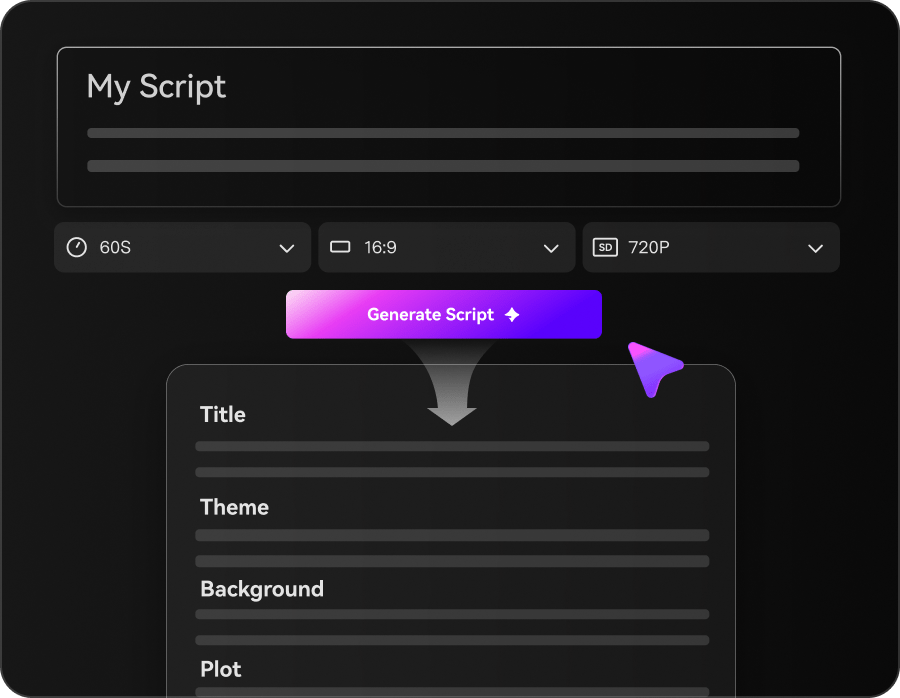
Step 1: Enter Your Music Promo Script

Write a short script inspired by your song's hook, then choose Agent Mode for automatic creation or Structured Mode to plan your scenes.

2
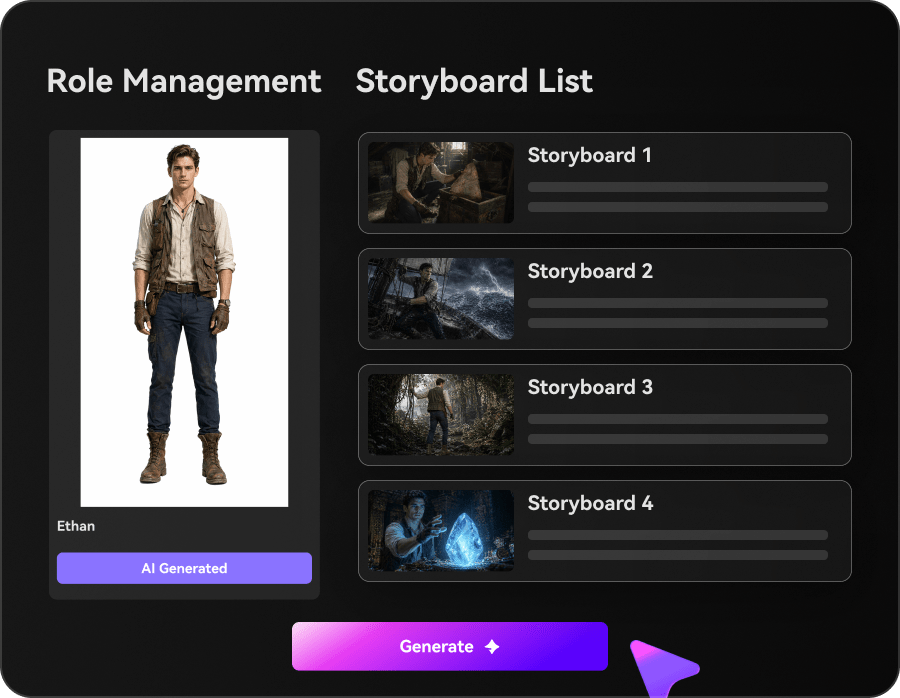
Step 2: Customize Scenes, Style, and Music

Review the storyboard, set characters and visual styles, and choose background music and subtitle options.

3
Step 3: Generate and Review Your Music Promo

Generate your video, review the visuals and audio, then download it for final music and timing adjustments.

Illustrative Media.io creative workflow graphic; not a neural-frames interface screenshot

Six Practical Uses for Neural Frames

A music-first tool can serve a finished single, a teaser and a live-show loop in very different ways. Choose a workflow based on the role of the audio and expected export.

Full visual narrative for a single release

Upload a finished track, use Autopilot to create a storyboard that follows the chorus and verses, then review each scene transition. Reserve credits for replacing weak shots rather than spending the entire allocation on the first render.

Audioreactive electronic-music loop

Use beats or musical transitions to drive effects for a live-set backdrop. Test a quiet intro and a dense drop so visual intensity responds appropriately instead of flickering constantly.

Lyric video for a singer-songwriter

Prepare a final approved lyric sheet, choose legible typography and check line timing against the performance. Autopilot may speed scene creation, but accuracy remains an editorial task.

Vertical teaser for a new album

Create a 15-30 second chorus cut using Short-Form Studio or manual editing. Check the hook, crop and on-screen title in a 9:16 preview before posting.

Frame-by-frame animation experiment

Try hand-shaped transitions and an intentionally flickering visual look. The platform documents one credit per rendered second for frame-by-frame, making revised sections an important part of the total.

High-resolution festival screen visuals

Build a proof-of-concept at smaller scale first, then confirm Neural Ninja or Nirvana eligibility for 4K upscaling and check the total credit budget for a full-resolution export.

What to Check Before Buying Neural Frames

The main tradeoffs concern per-second credit spending, the number of scenes rerendered, music rights and which plan provides 4K output.

Autopilot Can Consume a Full Track Budget

Model cost depends on music duration and selected generator. Use the official calculator and storyboard estimate; a minute of video is not priced like one eight-second clip.

Frame-by-Frame Rerenders Add Credits

The official manual credits guide lists one credit per rendered second; discarded rerenders also consume credit. A four-minute piece rerendered by 25% is 300 seconds of billed footage rather than 240.

4K Is Not Included with Neural Knight

The entry Knight plan supports 1080p upscaling, while 4K requires Ninja or Nirvana. Check delivery format before locking in a low-cost subscription.

Plan Credits and Models Differ

Knight lists 2,400 monthly credits and seven models; Ninja lists 7,200 and ten; Nirvana lists 24,000 and ten. A particular Autopilot model can change the cost of a complete song substantially.

Unused Credits Have Conditions

Subscription credits roll over only while the subscription remains active, capped at 300% of the monthly allocation. They expire when the paid subscription ends; this matters to musicians with sporadic release schedules.

Music Rights Still Belong to the Creator

The vendor says creators retain rights in generated videos, but users must obtain rights to uploaded songs, images and footage. A distribution-ready video requires both music clearance and usable visuals.

Neural Frames vs Media.io: Which Workflow Fits?

Neural Frames begins with a song and offers Autopilot plus music-aware editing; Media.io provides wider script, image and video workflows. Compare the music timing requirement before comparing credits.

Decision Factor Neural Frames Media.io
Starting input Music-first: upload a track to Autopilot, or create scenes manually. Prompt and image-based creation, with audio tools alongside video generation.
Song-aware storyboard Autopilot analyzes track structure and lyrics for scene planning. Script/story tools are useful for narrative planning but are not a verified beat-aware Autopilot equivalent.
Music-reactive visuals Dedicated audio-reactive visual modes. Use music-video and editing tools; specific beat-reactive parity must be checked.
Manual animation Frame-by-frame at one credit per rendered second; model-priced text-to-video options. Generate clips via selected AI tools, then refine using video editing/enhancement.
Entry plan Knight: 2,400 monthly credits, 1080p upscaling, no 4K; $26/mo equivalent billed yearly as listed. Check live pricing for the specific tool or model before committing.
4K eligibility Ninja and Nirvana offer 4K upscaling; Nirvana priority. Video enhancement options vary; do not equate a tool label with the same plan rights.
RerendersAutopilot clip rerenders and other edited seconds may draw more credits.The selected Media.io generation tool determines iteration charges and capabilities.
Export and rights Commercial use claimed for creator-owned outputs, subject to source-media rights. Check licensing terms for each uploaded track and generated media asset.
Best fit Musicians building audio-led clips or complete visual stories for songs. Creators seeking general purpose AI video generation, post-production or mixed content.
Best for Neural Frames Projects

Choose Neural Frames If You Need:

Choose Neural Frames when a song is the core creative brief, audio-reactive visuals and full-track Autopilot are central, and you can budget for rerenders or a 4K-capable tier.

  • Autopilot Builds Videos from Songs: Upload a finished track and let Autopilot plan moving scenes across its duration.
  • Audio-Reactive Visual Effects: Neural Frames can synchronize motion and effects to sound.
  • Lyric Video and Lipsync Options: Lyrics and vocal synchronization support storytelling built around a song.
  • Short-Form Studio for Music Promotion: Short-Form Studio targets vertical music clips rather than full-length visuals.
  • Plan selection: Neural Frames lists Neural Knight at $39 monthly or $26/month with annual billing and 2,400 credits, and Neural Ninja at $99 or $66 annually with 7,200 credits. Knight lacks 4K upscaling; calculate a full track with the official model calculator.
Visit Neural Frames
Best for Connected Creation

Choose Media.io If You Need:

Choose Media.io when you need to move between scripted scenes, image-to-video and editing tools, or when the deliverable is a social story or campaign rather than a music-synchronized full-length video.

  • Media.io can make visuals from scripts; it is not represented as a song-to-video Autopilot.
  • Use audio-related tools around video creation, without claiming beat-reactive modulation parity.
    • A talking or lyric presentation may need separate editorial assembly.
  • Make vertical scene content and edit the result for social platforms.
  • Final production: for general scripted videos, visuals and broader media editing rather than a beat-synchronized music studio; neither substitutes for proper music licensing.
Explore Media.io AI Tools

Final Verdict: Who Should Use Neural Frames?

Our Take

Neural Frames is an especially relevant candidate for musicians and labels because its Autopilot starts with the song, not a generic camera prompt. That distinction is meaningful for lyric structure, beats, full-track scenes and coordinated teaser cuts.

Budget with the real release plan. The official pricing page lists 2,400/7,200/24,000 monthly credits across Knight/Ninja/Nirvana, while the 4K option starts above Knight. Frame-by-frame editing can be cheaper than full Autopilot generation for some aesthetics, but every rerender increases the total.

Choose Neural Frames for audio-led storytelling and automatic music-video structure. Choose Media.io when the job is broader image/video creation and finishing, and you do not need the dedicated song-analysis workflow.

Neural Frames Frequently Asked Questions

What is Neural Frames Autopilot?
faq faq

Autopilot turns an uploaded song into a storyboard and generated music-video clips. It is specifically designed to follow music structure and lyrics; creators can review and replace scenes.

The official pricing page lists yearly-billed effective monthly prices of $26 for Knight, $66 for Ninja and $199 for Nirvana, with 2,400, 7,200 and 24,000 credits respectively. Compare the month-to-month toggle and the cost of your actual track before subscribing.

The pricing page emphasizes paid Knight, Ninja and Nirvana plans. Do not assume the availability or capacity of a recurring free tier without confirming it at signup.

The official comparison says Knight has 1080p upscaling but not 4K; Ninja and Nirvana have 4K. Nirvana also lists priority upscaling, which matters for high-volume release schedules.

Official help documentation lists one credit per rendered second for frame-by-frame animation. Generating a four-minute video is 240 credits before optional edits or rerenders.

The pricing FAQ states unused subscription credits roll over while your plan remains active, up to 300% of its monthly allowance. Unused subscription credits expire when the subscription ends.

Credits depend on the chosen model and generated duration. The company provides one free rerender per minute of Autopilot video, with further rerenders charged; consult the storyboard estimate.

Neural Frames says you own your generated videos and may use them commercially, but you are responsible for clearing rights to uploaded songs, images and other third-party material.

For complete music-led Autopilot storyboards, Neural Frames has a distinct workflow. Media.io is one alternative for script-led promo scenes or clip editing, but a comparable beat-aware feature should not be assumed without verification.

What Media.io Creators Say About Their Workflow

Media.io AI video generator user
Sarah L.

Content Creator

star star star star half star

Media.io makes it much easier to test different AI video styles without jumping between several platforms. I can start with a text prompt or image, compare model results, and then resize or polish the clip for social media in the same workspace.

Media.io AI video creator
John D.

Social Media Marketer

star star star star half star

I use Media.io to create quick product clips, ad concepts, and short-form videos from images. The biggest advantage is that generation does not feel like the final step - I can continue with music, captions, enhancement, and format conversion before publishing.

Media.io AI video editing user
Emily T.

Freelance Designer

star star star star half star

The workflow is approachable even when I am experimenting with unfamiliar AI models. I can animate artwork, try different motion prompts, preview the output, and prepare a cleaner final version without needing advanced video-editing experience.

Media.io Online Tools Quality Rating:
vote 4.7 (162,357 Votes)
media.io

AI Video Generator star

Easily generate videos from text or images

Generate