Home>Comparison>Argil AI

Argil AI Review: From Avatar Clones to an AI Director Studio

Making a recurring video series means remembering the same cast, locations and visual style across every episode, not just generating one impressive clip. Argil AI now describes itself as a video production studio for teams and agents, with a Director that helps shape briefs, storyboards and shots while keeping creative references on record. That is a significant shift from the creator-clone positioning found in older Argil reviews. This guide explains what the current studio promises, how its newer prices differ from legacy documentation, and where a script-first Media.io workflow fits.

Core Feature Overview: What Makes Argil AI Different

Argil's current website centers on a persistent production system: a character cast, reference worlds, art direction, storyboards and generated shots can belong to one session. Older avatar-focused descriptions are relevant background, not proof of current plan entitlements.

Core Feature Overview

Persistent Characters and Casting

Argil's current studio site says characters can be cast once and reused with their face, body and voice on record. For a serialized brand mascot or fictional presenter, that addresses the problem of rebuilding identity from scratch for each new clip. The claim should be evaluated across multiple scenes and camera angles; a documented studio workflow is not a guarantee that every model output preserves a character perfectly.

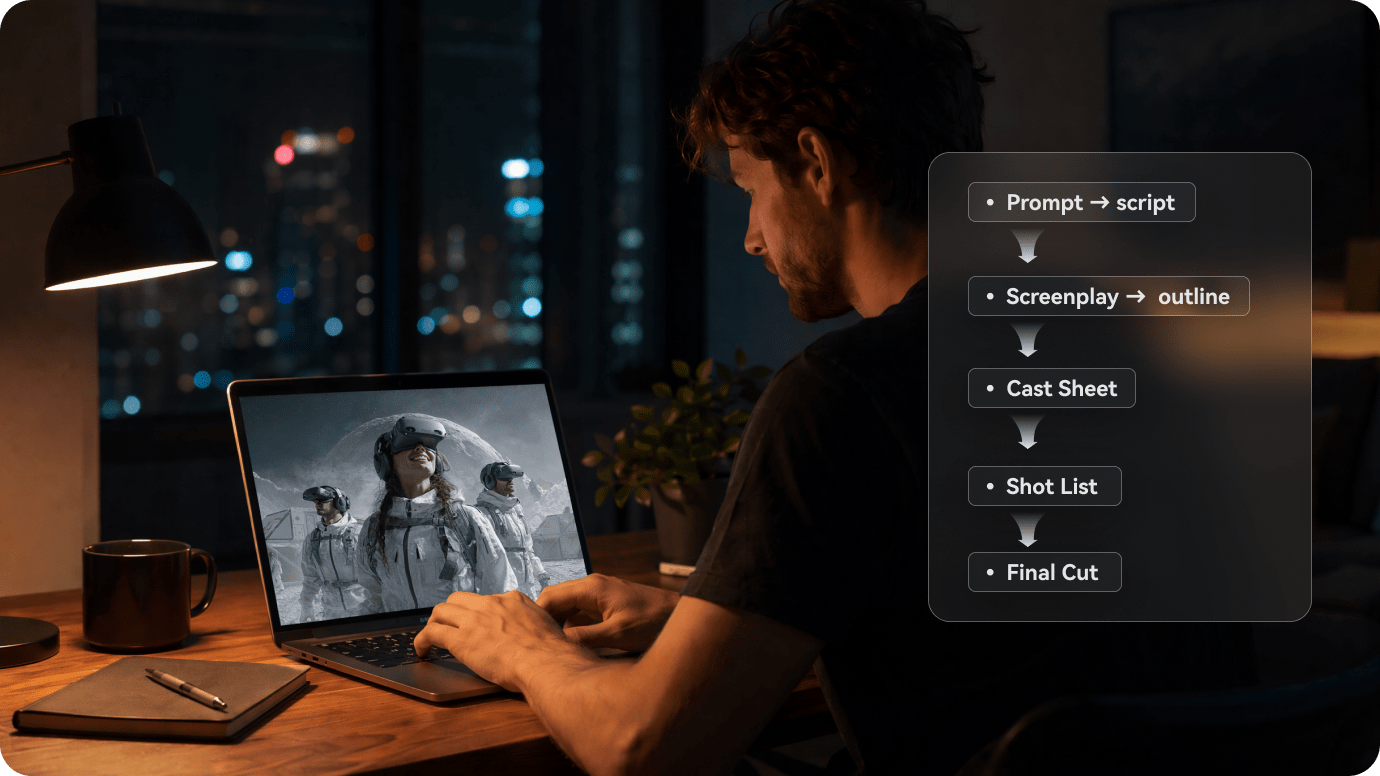
Illustrative Media.io creation workflow graphic, not a Argil AI product screenshot

Worlds, Locations and Art Direction

Reusing a convincing character is only part of episode consistency. Argil also highlights libraries of sets, props and house styles that different models and agents can reference. A product series might preserve the same home office, lighting palette and prop arrangement across chapters. Teams still need an approved visual bible so the system does not repeatedly reproduce an old or incorrect branding detail.

Illustrative Media.io creation workflow graphic, not a Argil AI product screenshot

Director from Brief to Storyboard

The current Argil Director is presented as a production planner that reads a creative brief, asks clarifying questions, organizes actions and dialogue into shots, and prepares a storyboard. This is more structured than simply prompting for one video scene. It is especially useful when the order of events matters, although human approval remains necessary for narrative logic, claims and continuity before rendering.

Illustrative Media.io creation workflow graphic, not a Argil AI product screenshot

Multiple Models in a Shared Playground

Argil promotes access to a playground covering major image and video model families, with the studio keeping creative assets and context together. Its selling point is a common production record rather than one permanent model list. Model availability and credit usage can change; verify which renderer makes a particular shot and how the selected output format is billed.

Illustrative Media.io creation workflow graphic, not a Argil AI product screenshot

Editing, Captions and Finished Video Assembly

The current studio description includes editing, cuts, motion and captions on a timeline. A project can therefore move from planned scenes into a deliverable rather than ending with isolated renders. Check that transitions, captions and dialogue timing stay consistent with the approved storyboard. Do not assume a full nonlinear video editor or every export format without checking the current account.

Illustrative Media.io creation workflow graphic, not a Argil AI product screenshot

New Pro, Studio and Enterprise Economics

Argil's current public homepage lists Pro from $50/month, Studio at $1,250/month and Enterprise from $2,500/month. The pricing FAQ says monthly plan credits refresh rather than roll over, while extra pay-as-you-go credits do not expire. Older help pages still describe Classic, Pro and Scale at different prices. Use the live checkout as the source for the current selected plan, not older avatar-era tables.

Illustrative Media.io creation workflow graphic, not a Argil AI product screenshot

How to Turn a Story Script into a Video with Media.io

1
2
3
1
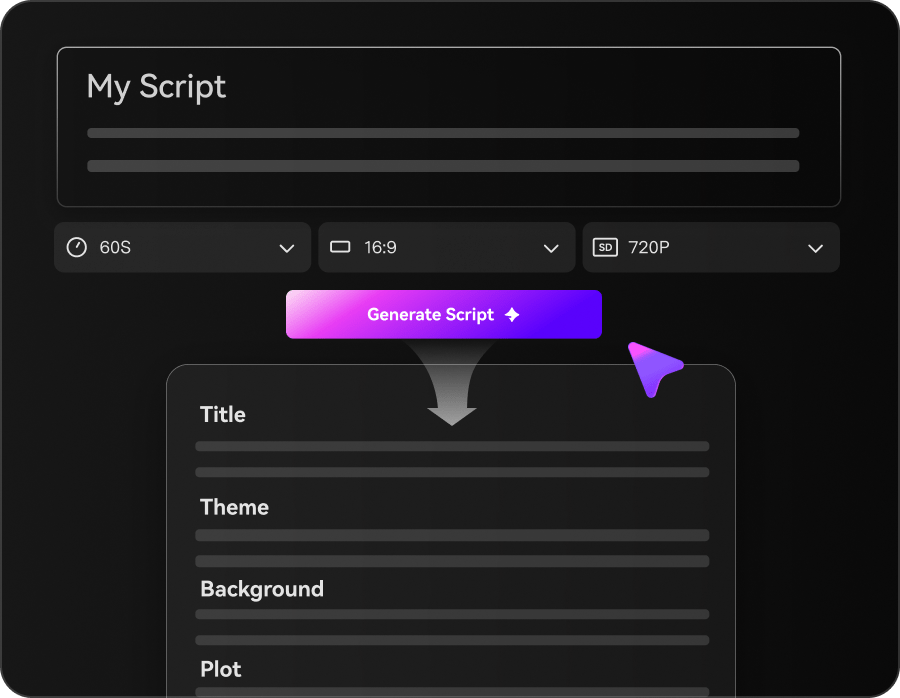
Step 1: Enter Your Story Script and Choose a Mode

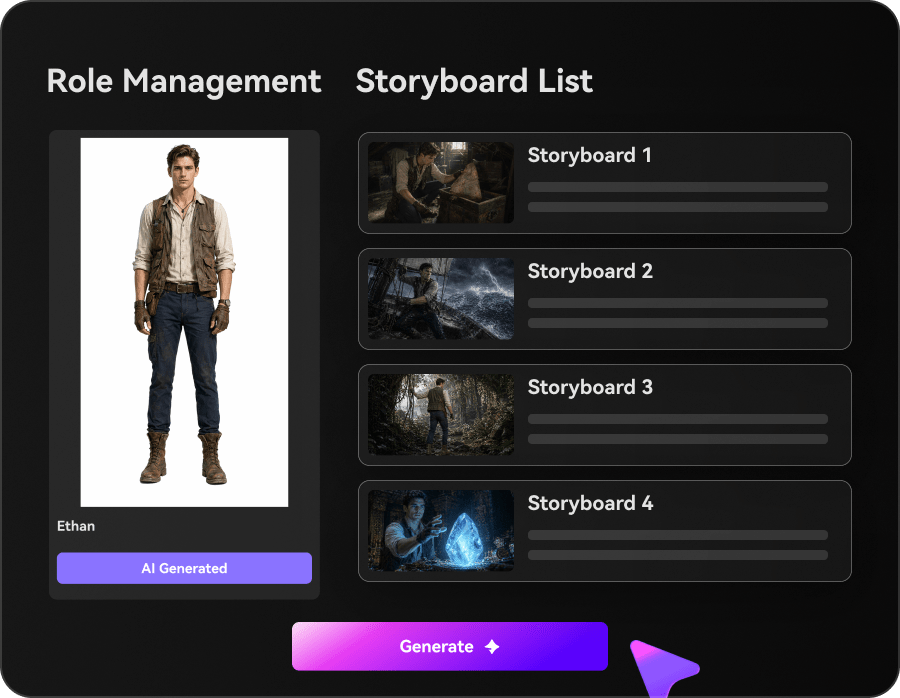
Enter your story idea or script, then choose Agent Mode for automatic creation or Structured Mode to plan your scenes.

2
Step 2: Review Scenes and Customize Settings

Review the storyboard, set characters and visual styles, and adjust music or subtitles as needed.

3
Step 3: Generate, Review, and Download

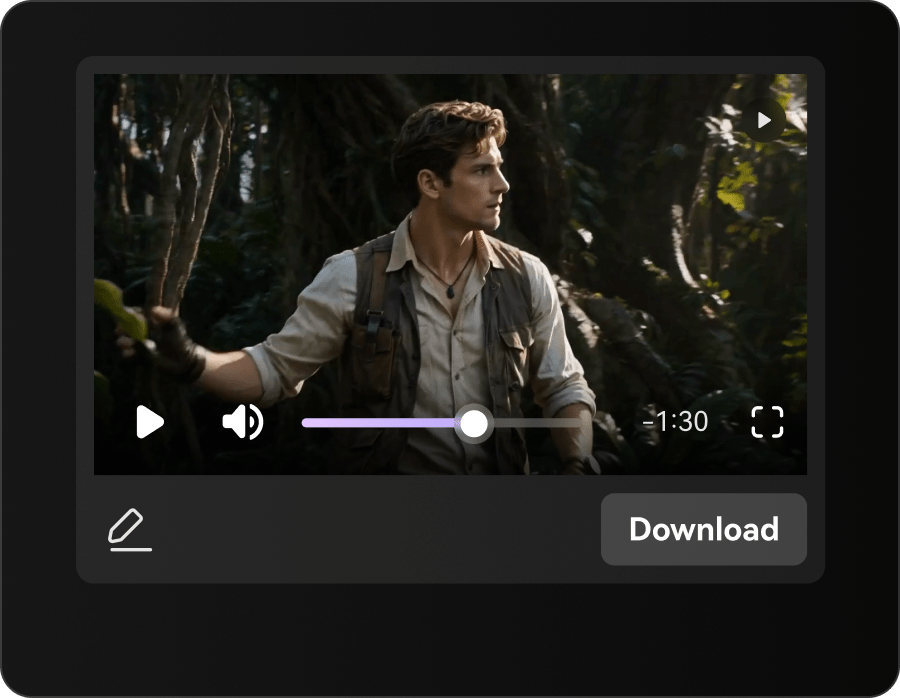
Generate your story video, check scene continuity, dialogue and pacing, then download the final result.

Illustrative Media.io creation workflow graphic, not a Argil AI product screenshot

Six Practical Uses for Argil AI

Argil now targets recurring production rather than one-off avatar clips. The following scenarios show where cast, world and storyboard memory could be useful.

An Episodic Mascot Series

A startup wants the same animated mascot, shop interior and color scheme in six weekly videos. The studio's cast and world library can reduce re-briefing; compare every generated shot with the character sheet.

A Storyboard Before Rendering

A creative director needs approval on a seven-shot narrative before spending video credits. Build the sequence, confirm dialogue and camera intent, then approve the boards separately from the finished renders.

A Fictional Brand Universe

An agency works across recurring characters and places for a product storyline. Keeping sets, props and art direction in the same session can help future episodes stay recognizable.

An Educational Mini-Series

A learning team uses repeat presenters and visual conventions across five lessons. Verify voice, terminology and captions on each lesson, especially where an AI agent summarizes a source document.

Agent-Assisted Studio Operations

A team coordinates repeated creative briefs with assistants and production agents. The current site discusses agent integration, but future capabilities and actual connectors should be checked before automating approvals.

An Older Creator-Clone Workflow

A creator comparing an older Argil avatar tutorial with the current product should identify which clone, caption and voice controls are still offered in the active workspace before migrating a production process.

What to Check Before Buying Argil AI

Argil has a new studio-oriented product direction. Separate current public pricing and capabilities from older avatar-era instructions before budgeting a production system.

Legacy Pricing Information Conflicts

Older Argil documentation still lists Classic, Pro and Scale plans, whereas the current homepage advertises Pro, Studio and Enterprise. Do not combine pricing, clone allowances or API claims from the old model with new plan names.

Recurring Cast Still Requires Inspection

A persistent character library can improve continuity, but model-generated shots may still alter eyes, clothing or body proportions. Review keyframes from more than one scene and episode.

Unused Monthly Credits Do Not Roll Over

Argil's current pricing FAQ says plan credits refresh each month and do not accumulate. Extra purchased credits are described separately as non-expiring, so forecast recurring and burst production costs independently.

Studio Services Are a Different Purchase

The Studio tier is presented as a higher-touch production setup at a materially higher monthly starting price. An individual creator should not assume those services are included in the standard Pro tier.

Agents Should Not Approve Their Own Claims

Automated boards and scenes can depict a real company or product inaccurately. Keep human review of scripts, likeness consent and brand claims between generation and public release.

Model Costs Can Change by Shot

Argil says credit consumption depends on the selected model and generated content. A high-resolution multi-scene story may spend differently from a short draft; approve board and budget before rendering the final cut.

Argil AI vs Media.io: Features, Costs and Workflow Fit

Argil has shifted toward a persistent studio with recurring characters and storyboards. Media.io is better compared on a defined story or script task, not as though both products sell the same production-system subscription.

Decision Factor Argil AI Media.io
Recurring character library Stores characters and voices as studio production assets Script-led stories; validate consistency within the chosen workflow
Shared sets and art direction Keeps locations, props and house style across sessions Scene prompts and image references; no assumed same studio record
Brief-to-storyboard planning Director asks questions and prepares shot-level boards Story or script workflow; planning depth differs
Multi-model access Connected playground and creative record Multiple creation models; verify current availability
Timeline finishing Current studio describes editing, cuts and captions Video creation plus specialized editing and enhancement
Agent orchestration Teams-and-agents direction; confirm live connectors Workflow-specific tools, not identical agent governance
Current public starting pricePro advertised from $50 per monthCosts depend on selected Media.io model or tool
Studio/team services Studio $1,250/month; enterprise starts $2,500 Compare professional services separately, not as a feature match
Best project fit Serialized creative production with cast and worlds Individual script-led stories or selected video scenes
Best for Argil AI Projects

Choose Argil AI If You Need:

Choose Argil when a studio is making recurring episodes with the same cast, locations and art direction, and the production record matters more than any single render. Confirm the current plan and actual agent connectors, particularly if migrating from the legacy avatar product.

  • Train a Recurring Creator Avatar: Argil has described a workflow that learns a creator from a short authorized video recording.
  • Brand Context Across Sessions: The current site emphasizes persistent brand and project context.
  • AI B-Roll and Scene Assembly: Founder-led videos need supporting footage when the presenter mentions a product or concept.
  • Director-Oriented Production: Argil positions its workspace as connected creative production rather than a basic one-click avatar.
  • Plan selection: Argil has published an approximately $39 creator entry and differing higher-volume options in its own materials. Its product packaging has evolved; check the current balance between clone access, production credits and exported minutes rather than relying on an older review.
Visit Argil AI
Best for Connected Creation

Choose Media.io If You Need:

Choose Media.io for a script-driven story, explainer or individual video project when you prefer task-focused creation and supporting tools rather than a higher-touch production operating system. A shared shot list is a fair comparison point, not headline model counts.

  • Use Media.io script-led videos for presenters that do not require training a real-person clone.
  • Maintain scene and script references manually; no Argil-style persistent brand memory is assumed.
    • Create or refine supporting visual shots around the narration.
  • Organize scripted story scenes rather than rely on Argil's Director and agent stack.
  • Final production: when the brief is built around stories, visual shots or ads rather than training a presenter; do not assume Media.io substitutes for Argil avatar training.
Explore Media.io AI Tools

Final Verdict: Who Should Use Argil AI?

Our Take

Argil is now best understood through its current studio proposition: a Director working from a brief through storyboards and shots, supported by reusable characters, worlds and styles. Its previous AI creator-clone positioning still appears in older documentation and third-party reviews but is not the full current product story.

The price shift matters. Current public entry starts at $50/month for Pro, with higher-touch Studio and Enterprise tiers much higher; monthly credits do not roll over. The older Classic/Pro/Scale documentation should not be treated as a current checkout quote.

Choose Argil for repeatable narrative production with a recorded cast and visual world. Consider Media.io for a focused script-to-video or scene-creation job that does not require a persistent studio system. Whichever route you take, confirm live capabilities and pilot the same multi-shot brief before budgeting a series.

Argil AI Frequently Asked Questions

What does Argil AI do in 2026?
faq faq

The current Argil site positions it as a video studio for teams and agents. It emphasizes casting reusable characters, saving worlds and styles, directing shots, storyboarding and editing in one system.

Earlier Argil product and help pages emphasized clone-based presenter videos. Its current homepage is broader and studio-oriented. Check the live workspace for any legacy clone feature rather than assuming it is bundled with the new plan.

According to the current site, Director reads a brief, asks clarifying questions, organizes shots and produces storyboard material before the video is rendered and edited. Human approval of the story and claims remains important.

Argil markets reusable character casting, including face, body and voice records. That is intended to support consistency across scenes. Test a repeated character under different lighting and camera angles to judge the output for your project.

The current homepage advertises Pro from $50 per month, Studio at $1,250 per month and Enterprise from $2,500 per month. The plan selector can change exact credits and billing; confirm checkout before subscribing.

Legacy help documentation lists Classic, Pro and Scale with different prices. Those descriptions appear to refer to an earlier product structure and should not be mixed with the current studio-tier marketing page.

Its current pricing FAQ states that included plan credits refresh monthly without stacking. Additional pay-as-you-go credits are described as non-expiring. Review the exact plan and purchase terms.

Its reusable cast, worlds, art direction and session-based production are relevant to episodic work. Check storyboard approval, credit spend and actual character continuity before promising a weekly schedule.

Media.io may be more suitable for task-oriented script videos, individual scenes, ad generation and finishing without a persistent studio stack. Argil is more aligned with production systems for recurring characters and series.

What Media.io Creators Say About Their Workflow

Media.io AI video generator user
Sarah L.

Content Creator

star star star star half star

Media.io makes it much easier to test different AI video styles without jumping between several platforms. I can start with a text prompt or image, compare model results, and then resize or polish the clip for social media in the same workspace.

Media.io AI video creator
John D.

Social Media Marketer

star star star star half star

I use Media.io to create quick product clips, ad concepts, and short-form videos from images. The biggest advantage is that generation does not feel like the final step - I can continue with music, captions, enhancement, and format conversion before publishing.

Media.io AI video editing user
Emily T.

Freelance Designer

star star star star half star

The workflow is approachable even when I am experimenting with unfamiliar AI models. I can animate artwork, try different motion prompts, preview the output, and prepare a cleaner final version without needing advanced video-editing experience.

Media.io Online Tools Quality Rating:
vote 4.7 (162,357 Votes)
media.io

AI Video Generator star

Easily generate videos from text or images

Generate