25+ Gemini AI Puffer Jacket Prompt Ideas to Nail Your Winter Look
A puffer jacket can shift your entire look depending on how it sits on your frame. With Gemini AI puffer jacket prompts, you can explore try-on styles that adjust volume, collar shape, and overall proportion to see what feels balanced and natural. Compare different directions and find the version that actually works on you, not just in theory.
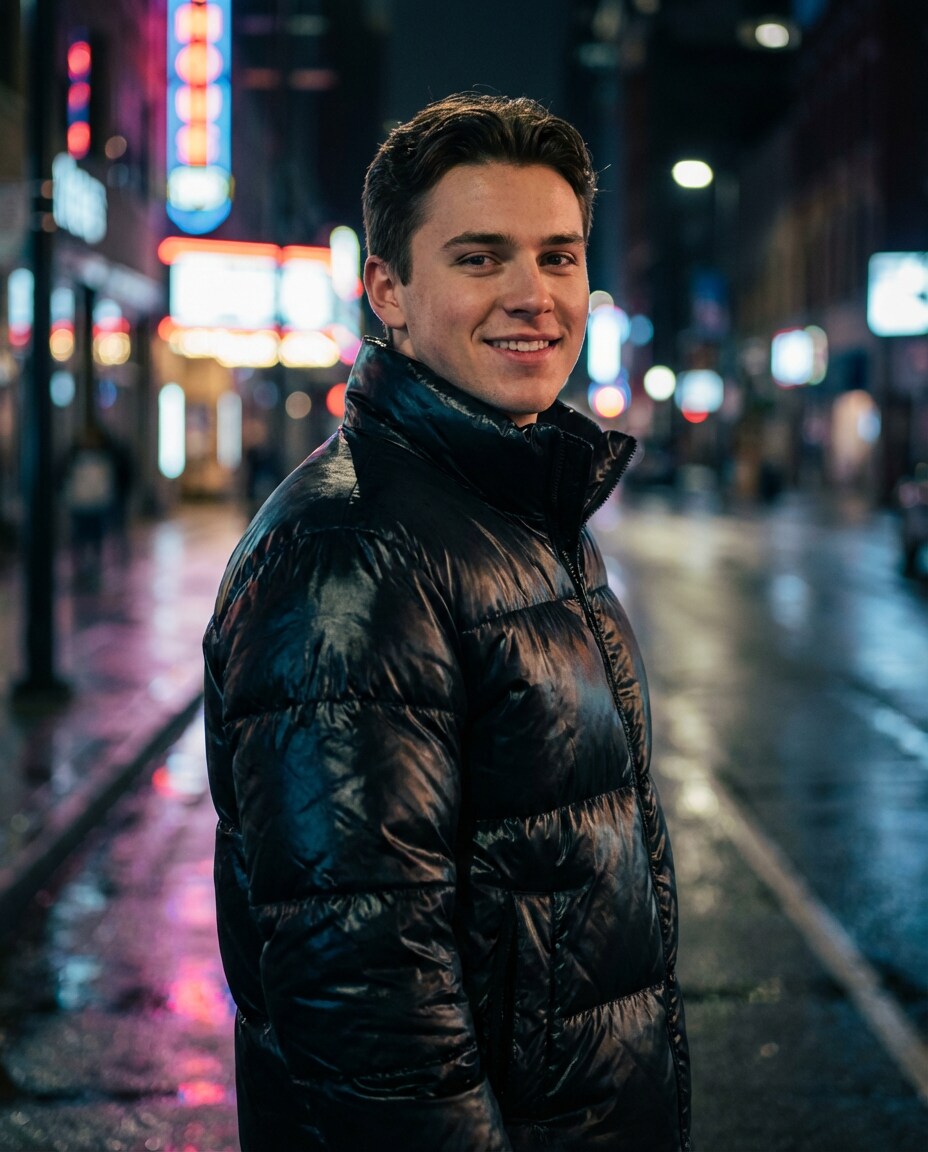
Stunning AI puffer jacket generated with Media.io - powered by
Nano Banana Pro.
How to Use Gemini AI Puffer Jacket Prompt in 3 Steps
Media.io makes puffer-jacket style testing feel simple, even if you are not into editing. Use the steps below to turn one photo into a whole winter lookbook.
1
Open Media.io AI generator
Go to Media.io and navigate to the AI Photo Generator. Choose an image-to-image option if you want to keep your face, pose, and background consistent while changing only the jacket styling and overall winter mood.
2
Upload and add your prompt
Upload a clear photo (front-facing works best), then pick one prompt from the list and paste it into the prompt box. If you are refining fit, start with an AI puffer jacket try on prompt that calls out length, puff size, and collar shape.
3
Generate, compare, download
Click Generate and review 2 to 4 variations. Compare silhouette, shine, and how the jacket frames your face, then tweak one detail at a time (like gloss level or crop length). Download your favorite result once it feels right.
Best Gemini AI Puffer Jacket Prompt Ideas & Examples
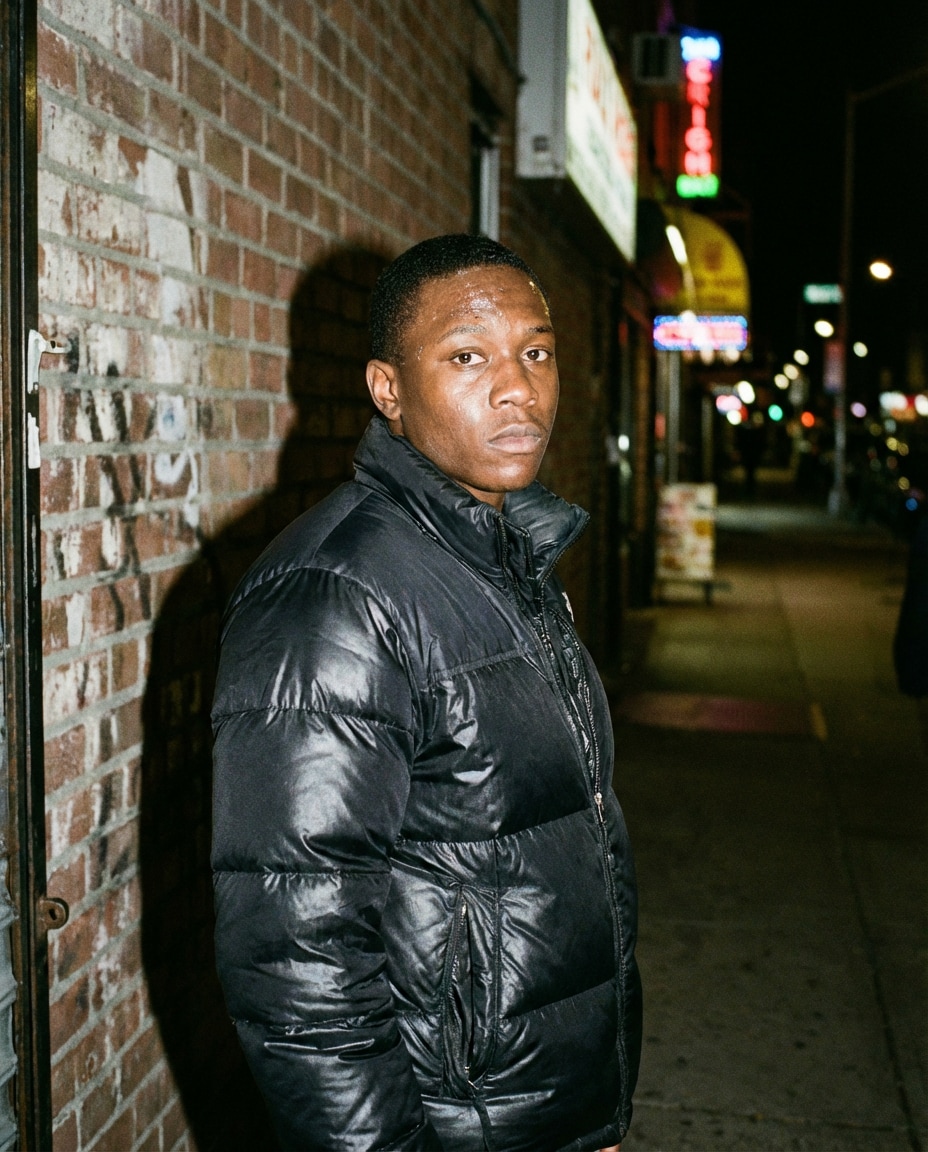
Glossy City Night
Using the same person from the uploaded photo, dress them in a black glossy puffer jacket with a high stand collar and subtle logo-free design, wet neon city street at night, reflections on pavement, cinematic rim light, shallow depth of field, shot on Sony A7IV 85mm f/1.4, half-body portrait, confident expression, photorealistic skin texture, editorial street photography color grade --ar 4:5
Cropped Streetwear Fit
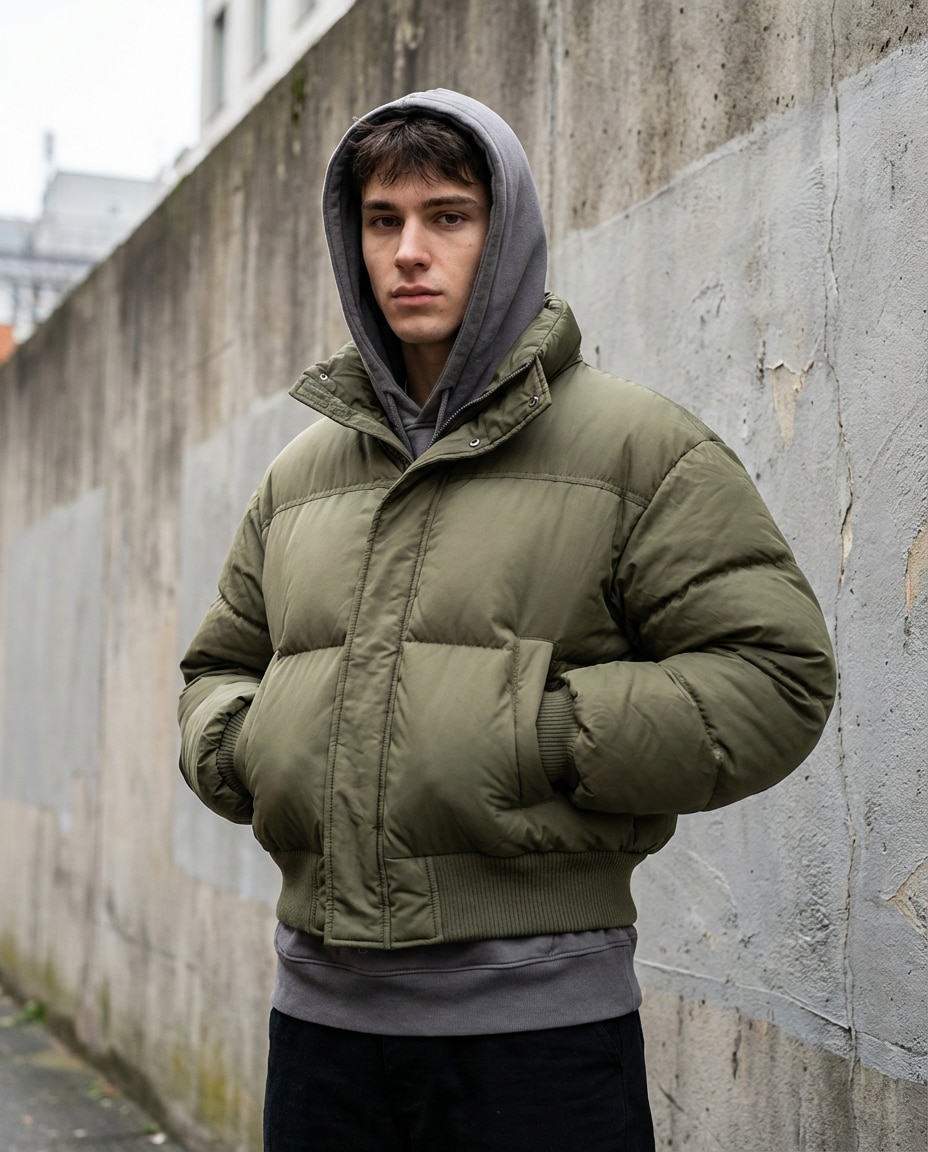
Same subject as the uploaded photo wearing a cropped olive puffer jacket with exaggerated volume and ribbed hem, layered over a gray hoodie, urban concrete backdrop, overcast daylight, crisp contrast, shot on Canon R5 50mm, full-body framing, hands in pockets, natural shadows, ultra-realistic fabric texture and stitching --ar 4:5
Matte Minimal Studio
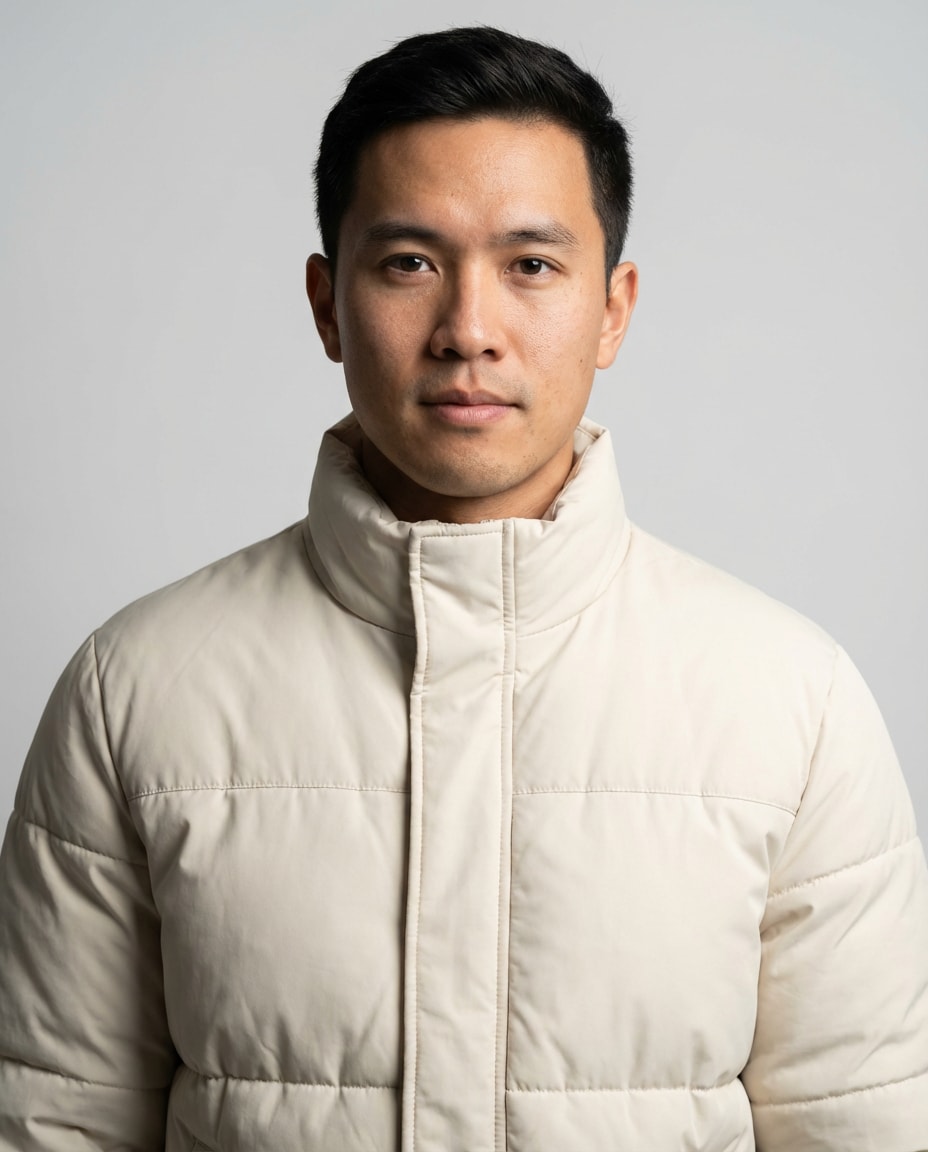
Keep the uploaded person identical, put them in a matte cream puffer jacket with clean panel lines and no branding, seamless light-gray studio background, softbox lighting with gentle falloff, shot on Nikon Z8 85mm, chest-up framing, calm neutral mood, photorealistic pores, sharp focus, high-end fashion catalog look --ar 4:5
Alpine Ski Lodge
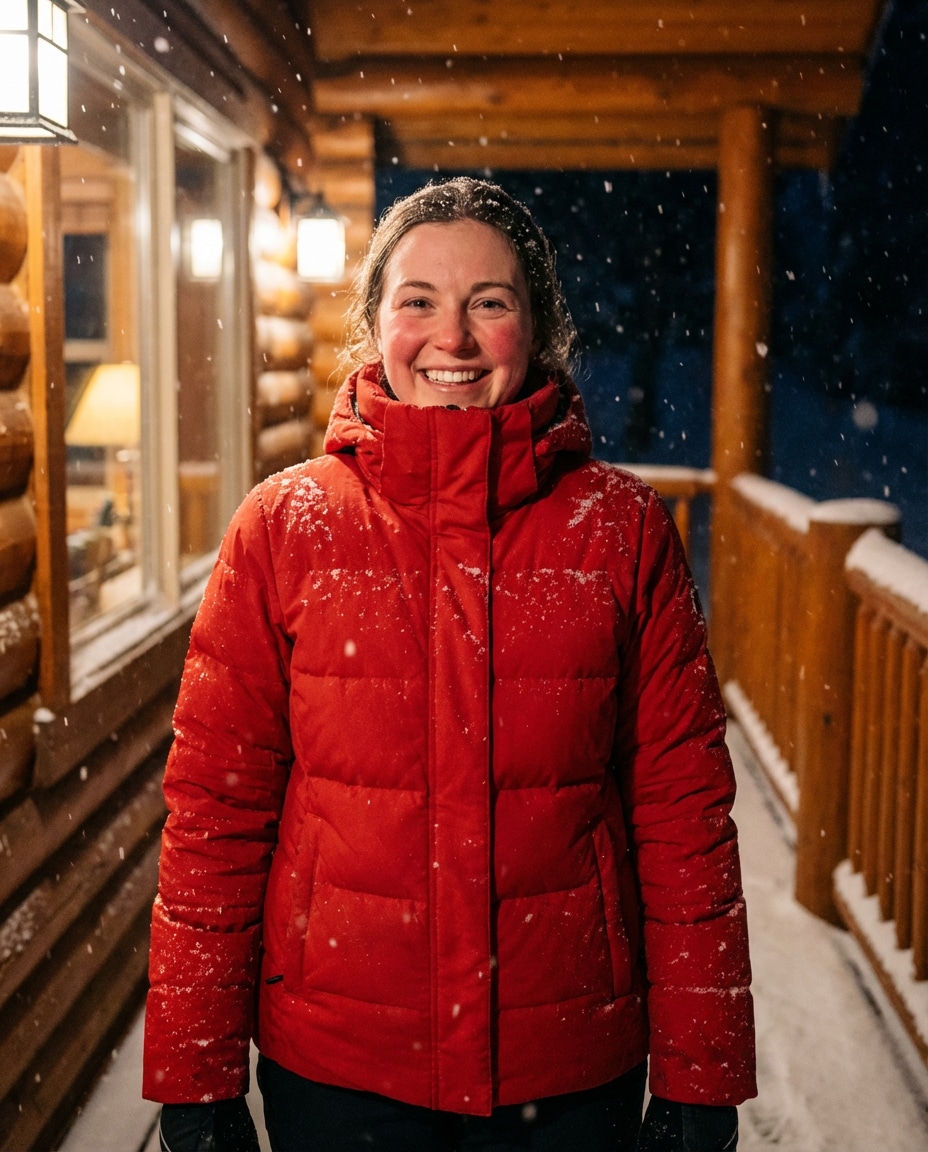
Same person from the uploaded photo in a bright red insulated puffer jacket with snow skirt and high collar, cozy wooden ski lodge porch, fresh snow falling, warm tungsten light from inside windows, shot on Fuji GFX 110mm, three-quarter portrait, rosy cheeks, realistic snow detail, cinematic winter warmth --ar 4:5
Monochrome All Black
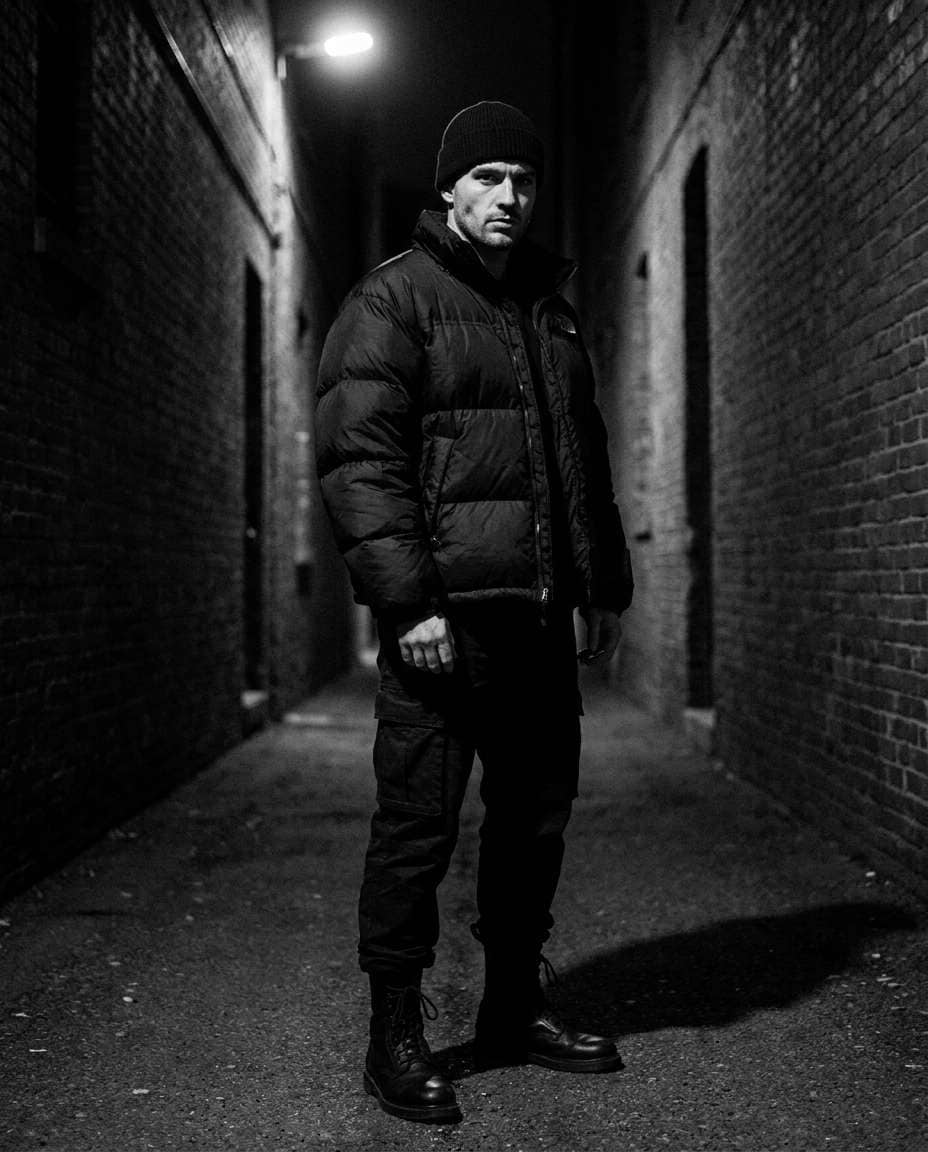
Use the uploaded subject, style an all-black outfit with an oversized black puffer jacket, black beanie, black pants, black boots, dark alley background with a single overhead light, dramatic shadows, shot on Sony A7R V 35mm, full-body centered composition, high contrast black-and-white grade, photorealistic texture --ar 4:5
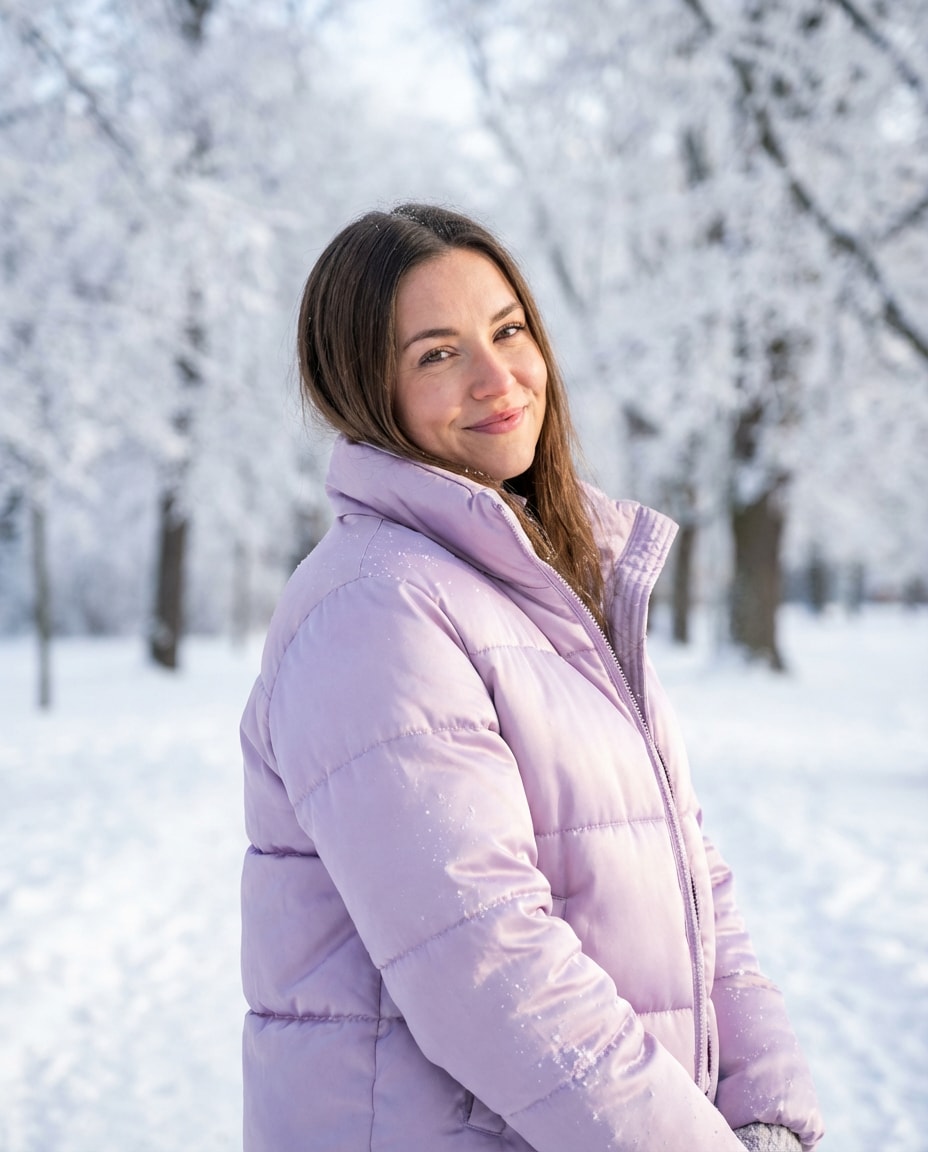
Pastel Snow Day
Same person as the uploaded photo wearing a pastel lavender puffer jacket with a soft satin sheen, snowy park with frosted trees, bright but diffused daylight, shot on Canon R6 85mm, half-body portrait, playful smile, crisp snow sparkle, realistic satin highlights, clean airy color grading --ar 4:5
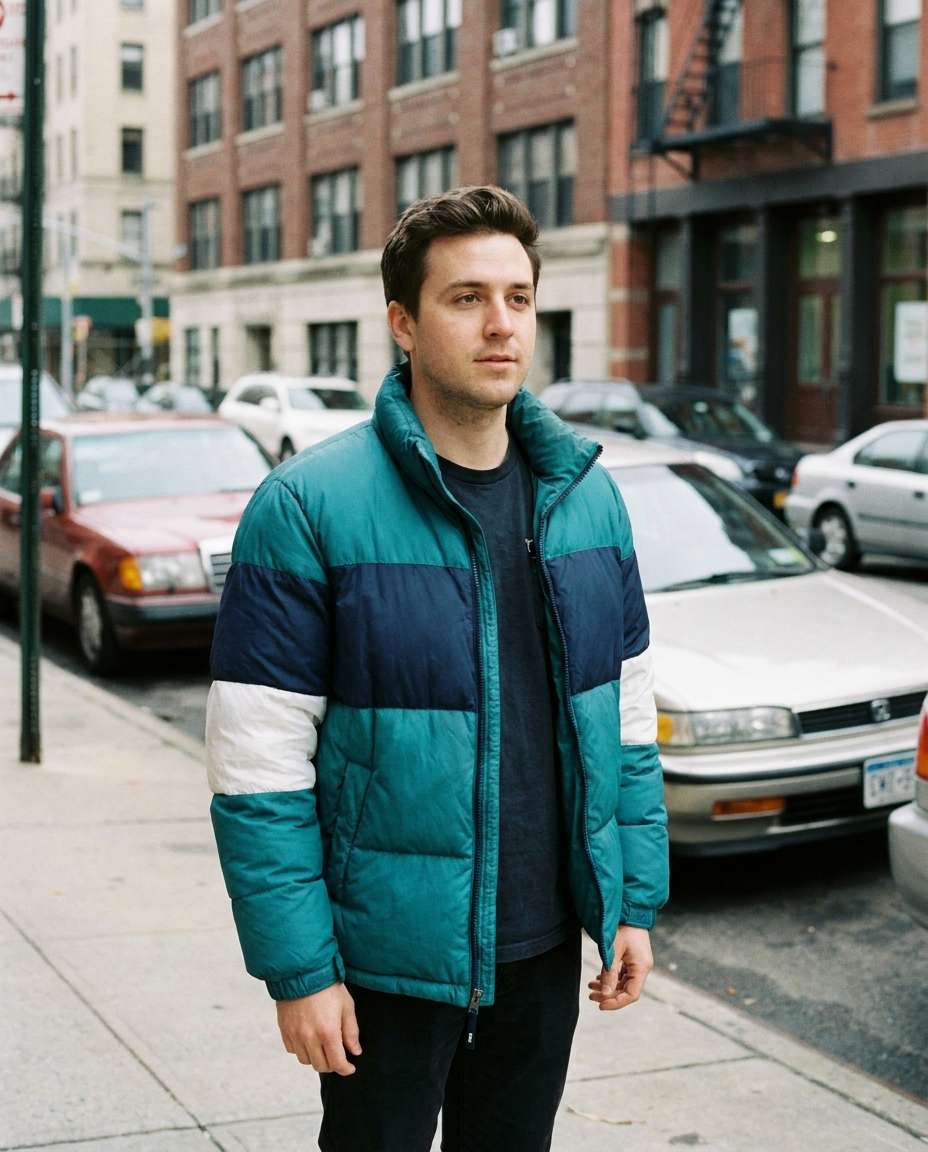
Vintage 90s Puff
Keep the uploaded subject, dress them in a 1990s-inspired color-block puffer jacket (teal, navy, and white), retro city block background, slightly faded film color, mild grain, shot on 35mm film look, 50mm perspective, three-quarter body framing, casual stance, photorealistic but nostalgic analog vibe --ar 4:5
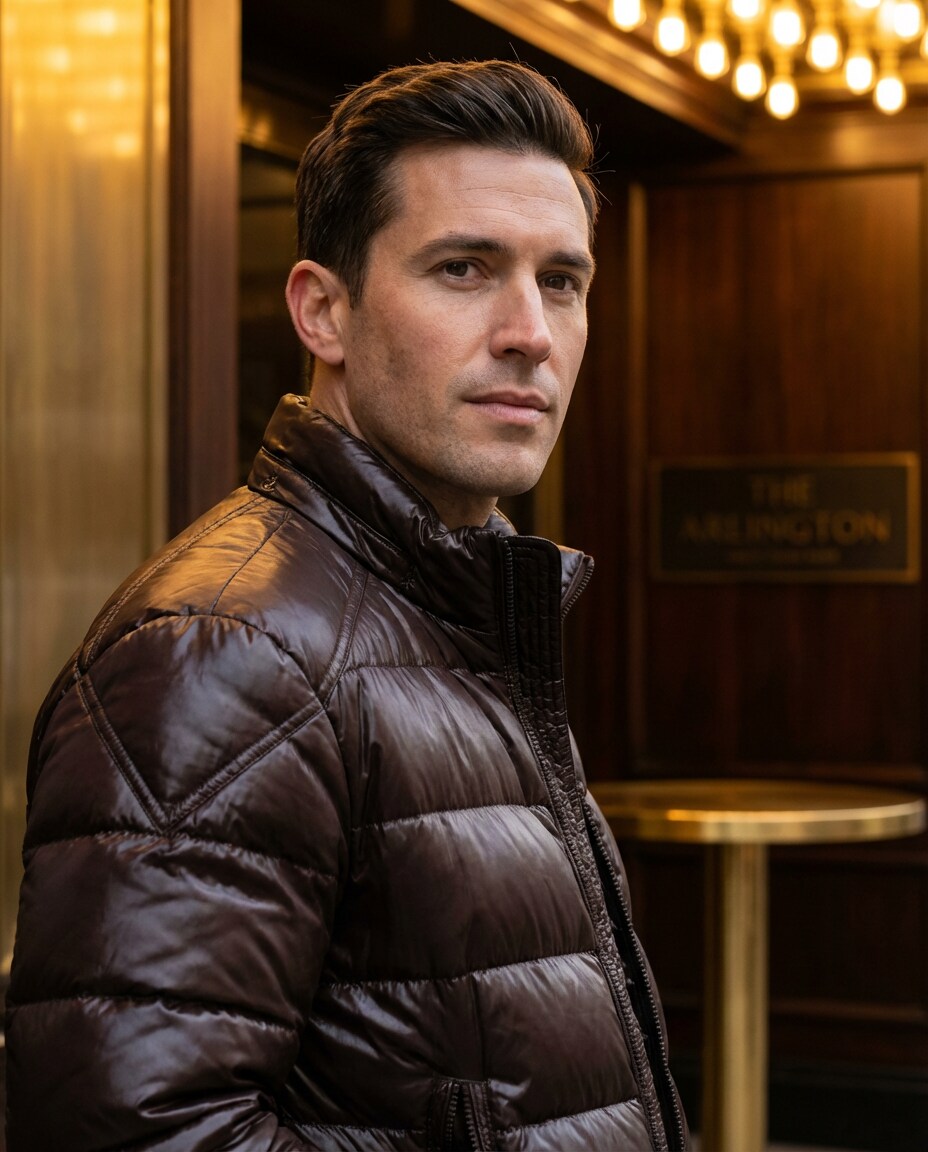
Luxury Quilted Shine
Same person from the uploaded photo in a dark chocolate quilted puffer jacket with glossy finish and structured shoulders, upscale hotel entrance, warm golden lighting, shot on Leica SL2 90mm, tight portrait, elegant expression, premium fabric sheen, ultra-realistic stitching, high-fashion editorial grade --ar 4:5
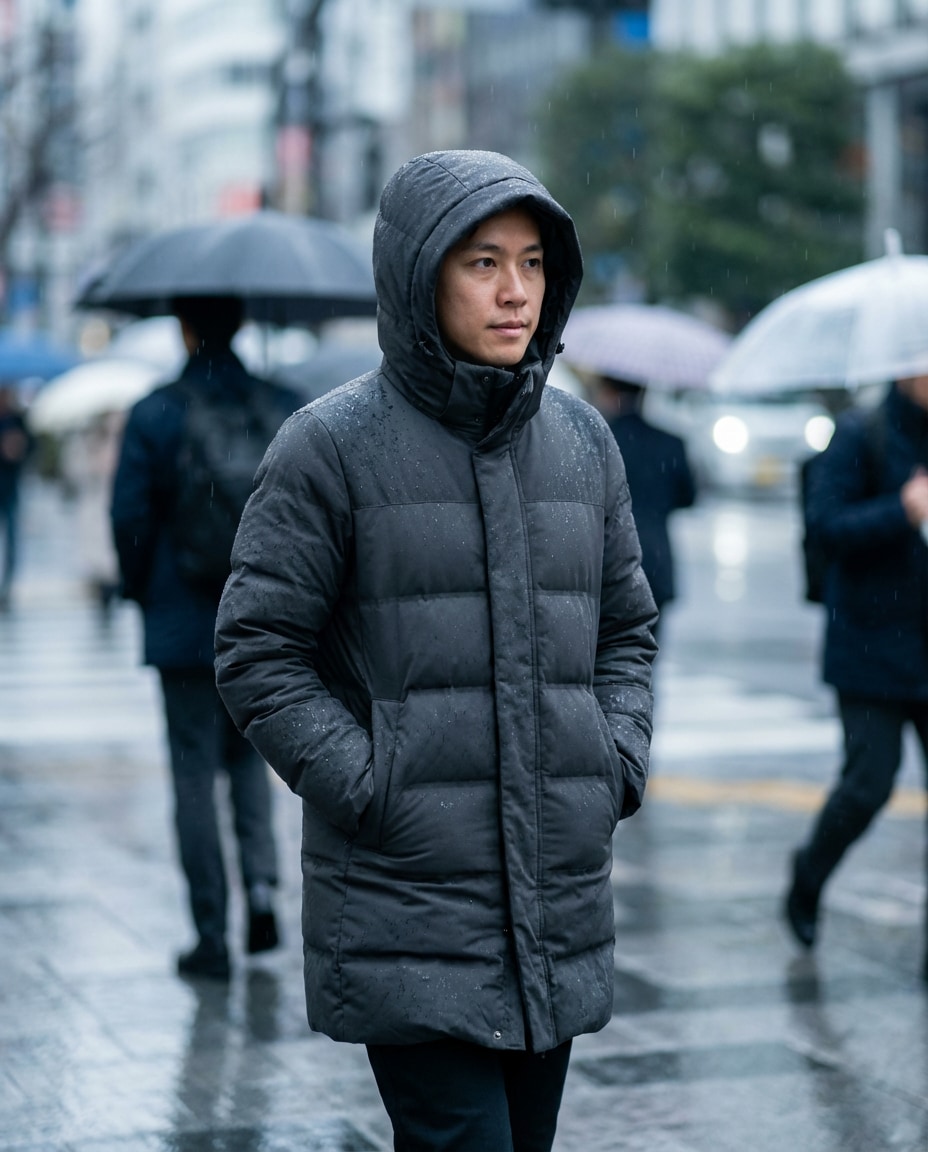
Rainy Commute Look
Use the uploaded subject, style a mid-length charcoal puffer jacket with a hood, light rain and umbrellas in the background, soft cool city daylight, raindrops visible on jacket surface, shot on Sony A7IV 55mm, candid walking pose, natural motion blur in background, photorealistic waterproof fabric texture --ar 4:5
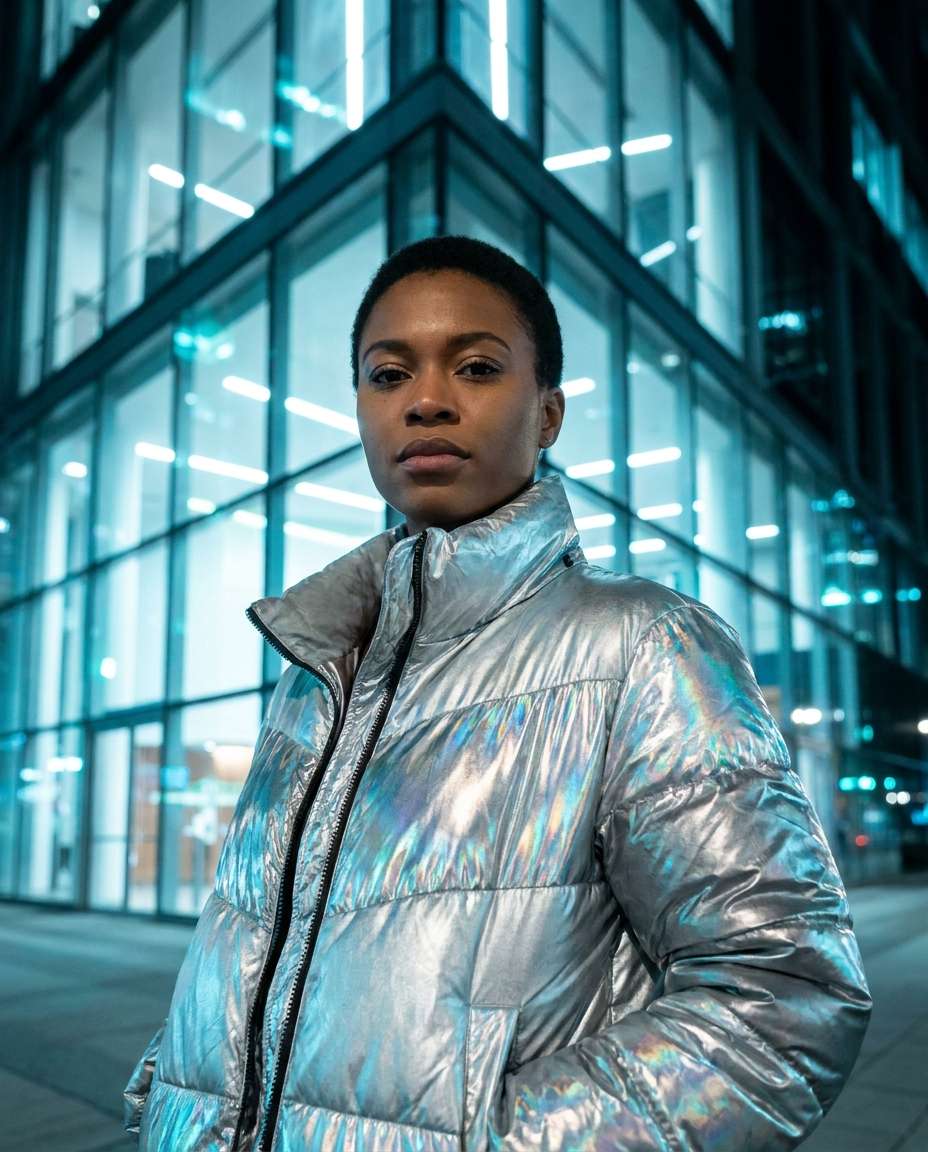
Chrome Futurist Puff
Same uploaded person wearing a silver metallic puffer jacket with reflective panels, modern glass architecture background, cool cyan lighting, shot on Canon R5 85mm, half-body portrait, strong confident gaze, crisp highlights and reflections, ultra-realistic metallic fabric, clean sci-fi editorial styling --ar 4:5
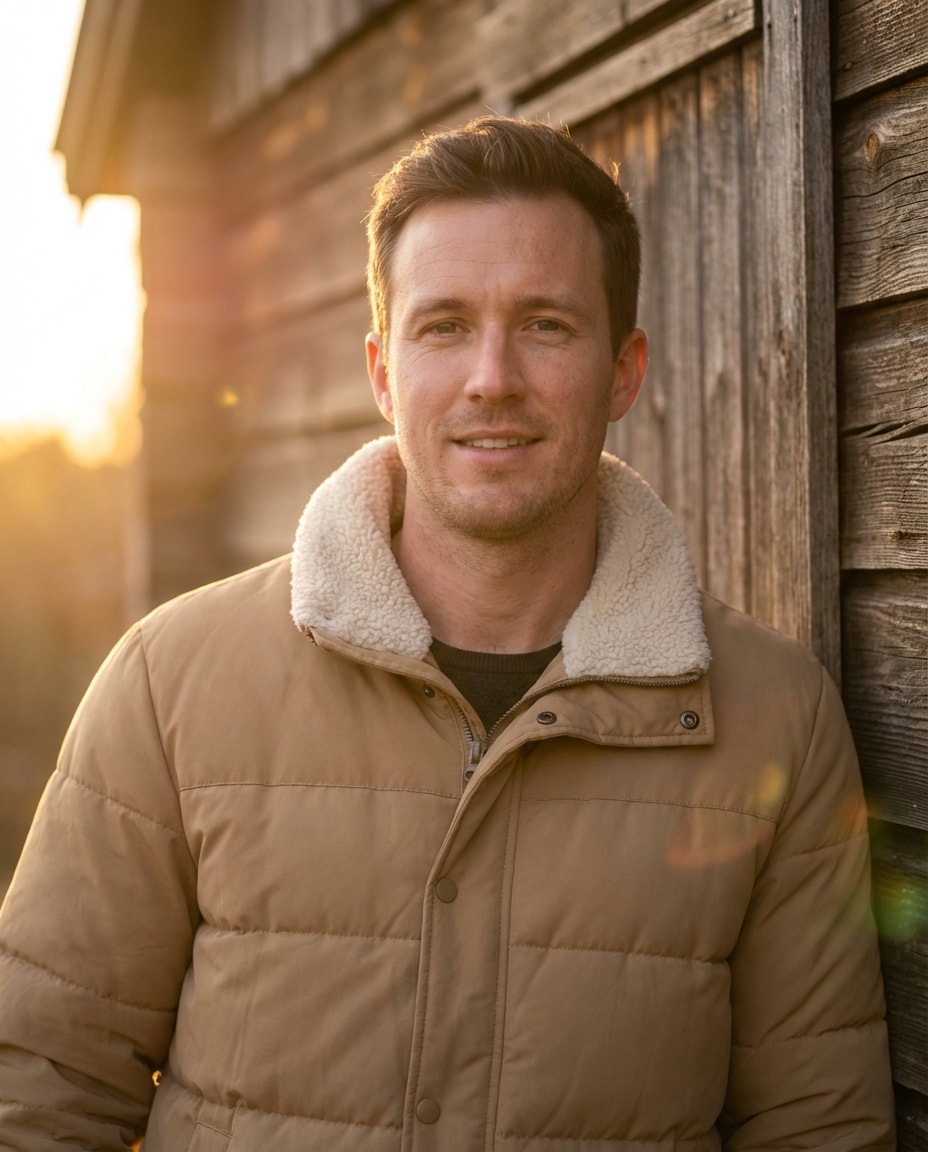
Cozy Cabin Portrait
Keep the uploaded subject identical, dress them in a tan matte puffer jacket with a fuzzy sherpa collar, standing near a rustic cabin wall, warm sunset light with soft flare, shot on Nikon Z6II 85mm, chest-up framing, relaxed cozy mood, photorealistic skin and fabric fibers --ar 4:5
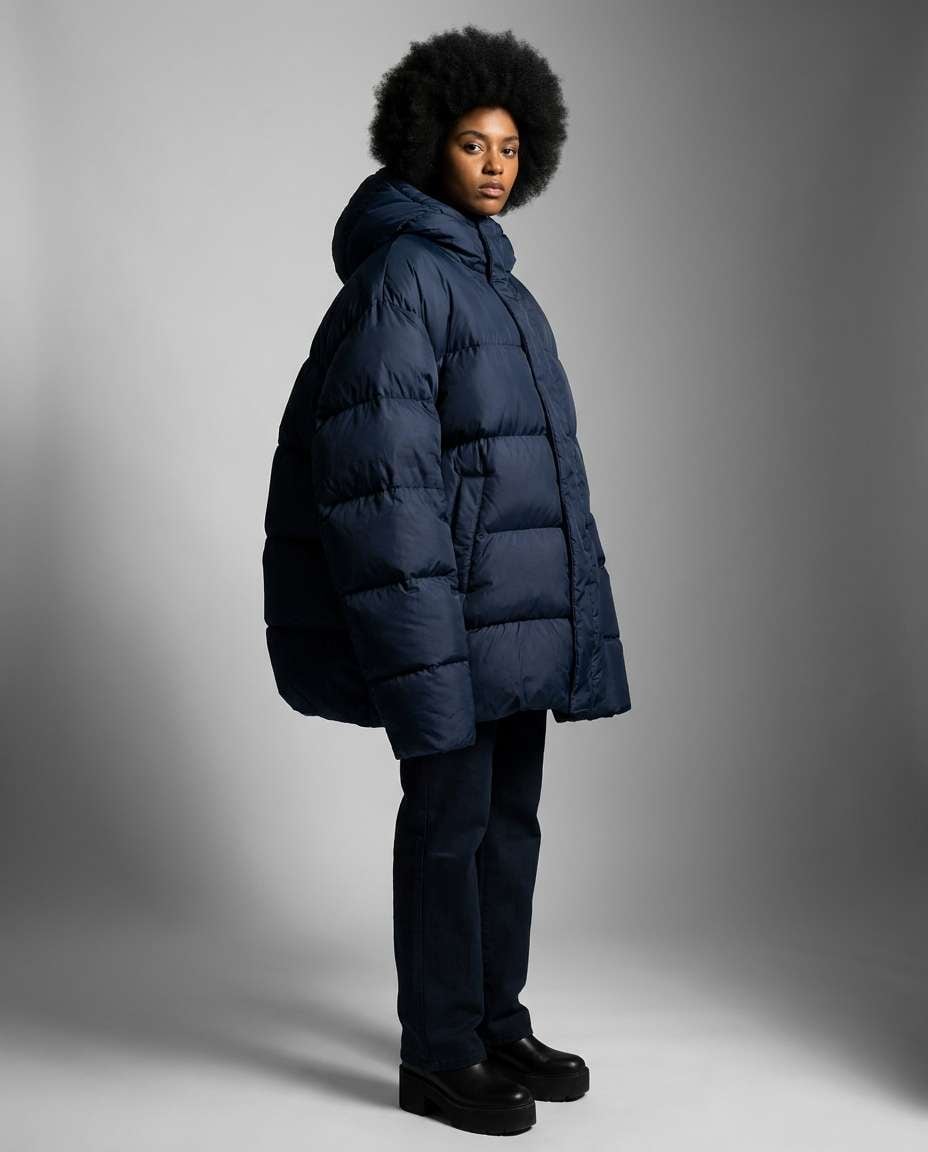
Oversized Balloon Puff
Same person from the uploaded photo in an exaggerated oversized balloon puffer jacket in deep navy, minimal background with soft shadows, studio strobe lighting, shot on Phase One 80mm, full-body fashion pose, dramatic proportions, sharp focus, hyper-detailed baffles and seams, editorial runway vibe --ar 4:5
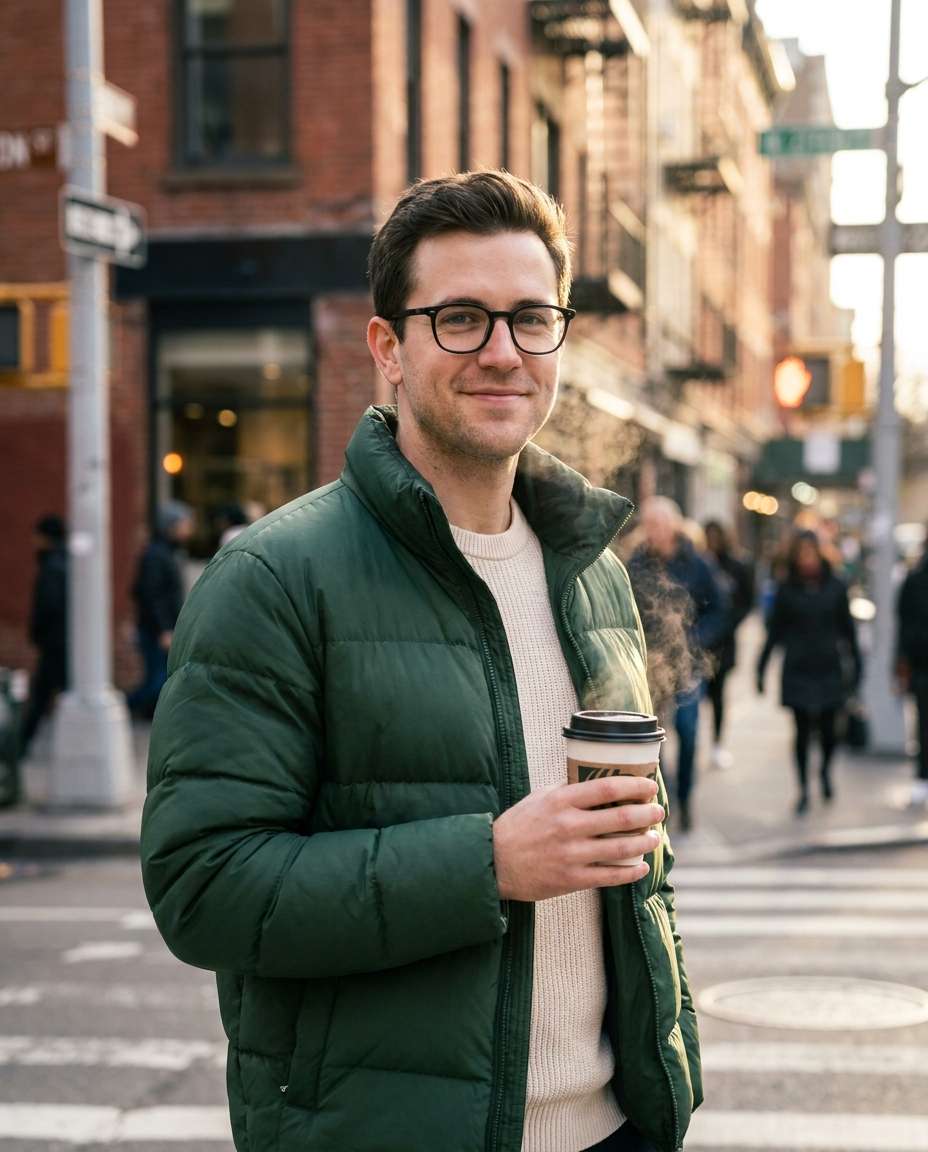
Street Corner Coffee
Use the uploaded subject, style a forest-green puffer jacket over a cream knit sweater, holding a takeaway coffee cup, city street corner morning light, shot on Sony A7C II 50mm, candid half-body, warm highlights, photorealistic steam from cup, lifestyle street photography look --ar 4:5
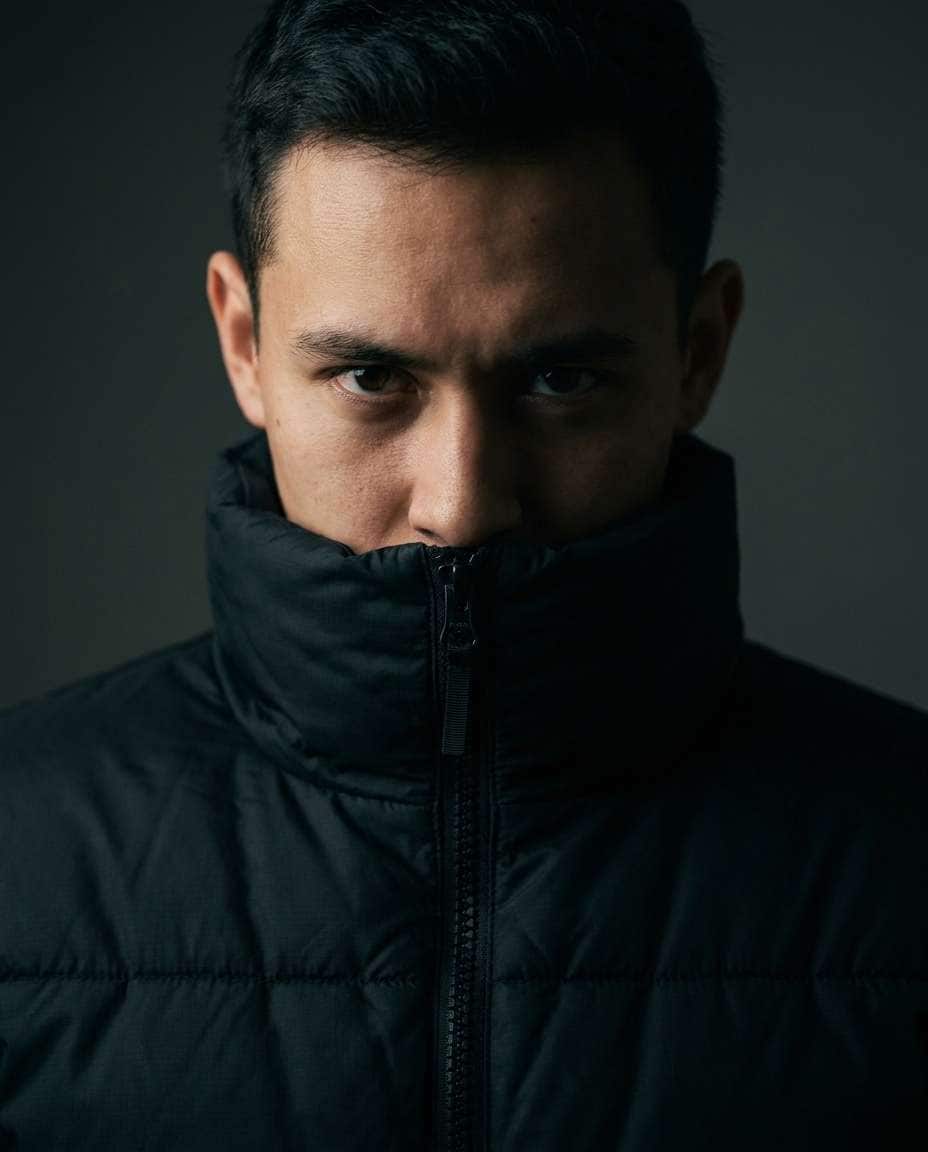
High Collar Closeup
Same uploaded person wearing a black puffer jacket zipped up with an ultra-high collar framing the jawline, simple dark background, moody split lighting, shot on Canon R5 135mm, close-up portrait, intense eyes, ultra-realistic fabric weave, crisp edge detail, dramatic editorial portrait --ar 4:5
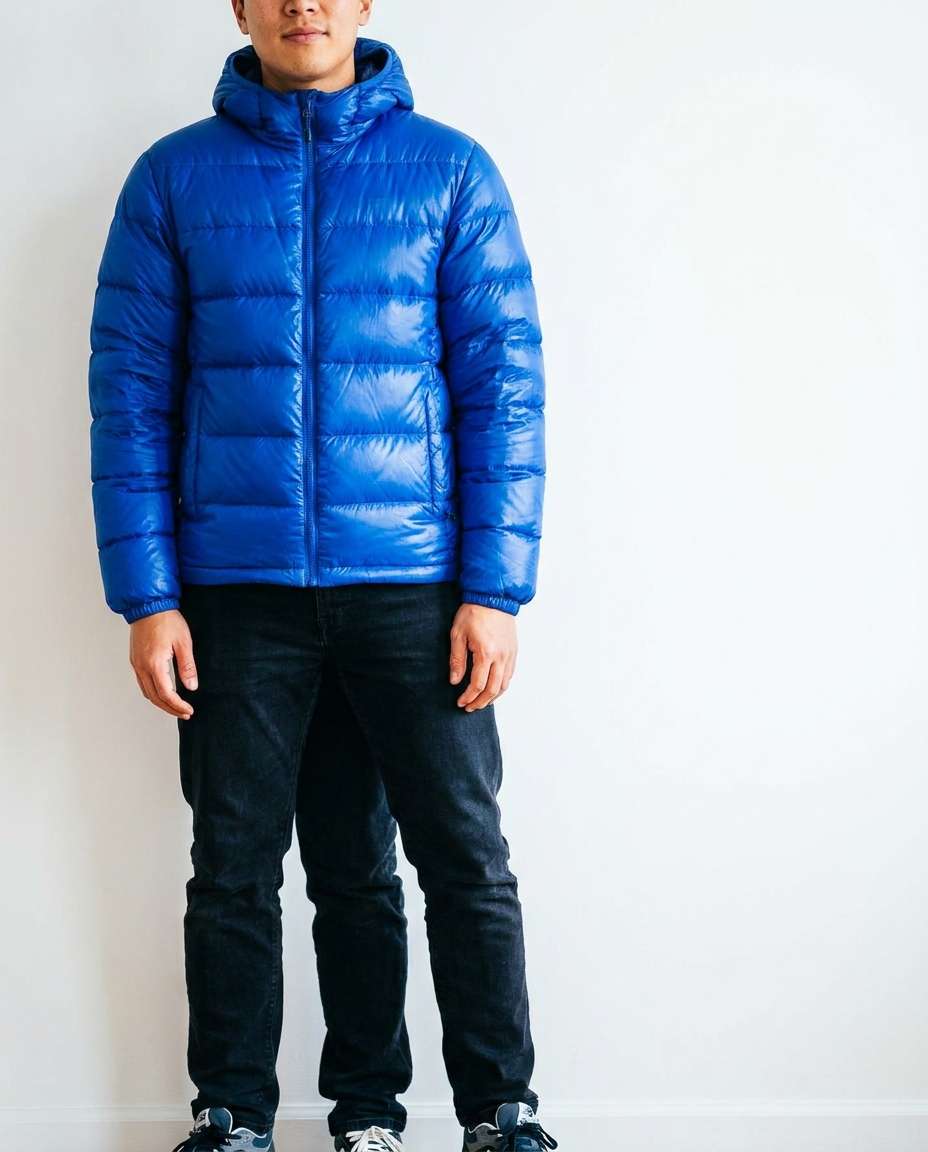
Bright Blue Pop
Keep the uploaded subject, dress them in a vivid cobalt blue puffer jacket with clean horizontal baffles, minimal white wall background, bright soft daylight, shot on Nikon Z8 50mm, full-body framing, casual stance, punchy color grade, photorealistic skin texture and jacket sheen --ar 4:5
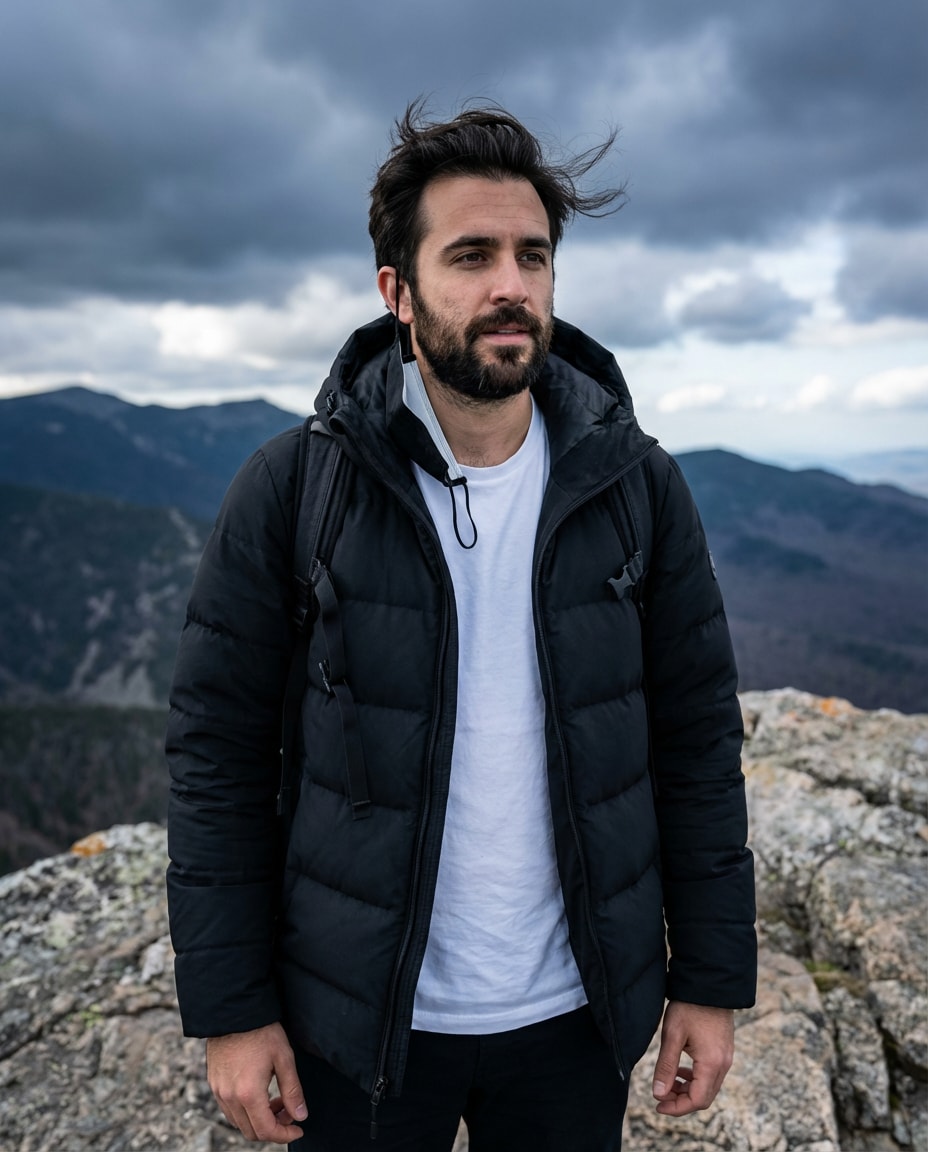
Mountain Wind Scene
Same person from the uploaded photo in a matte black technical puffer jacket, windy mountain overlook, hair slightly blown by wind, dramatic cloudy sky, cool natural light, shot on Sony A1 35mm, three-quarter body, epic outdoor mood, realistic atmosphere haze, sharp detail --ar 4:5
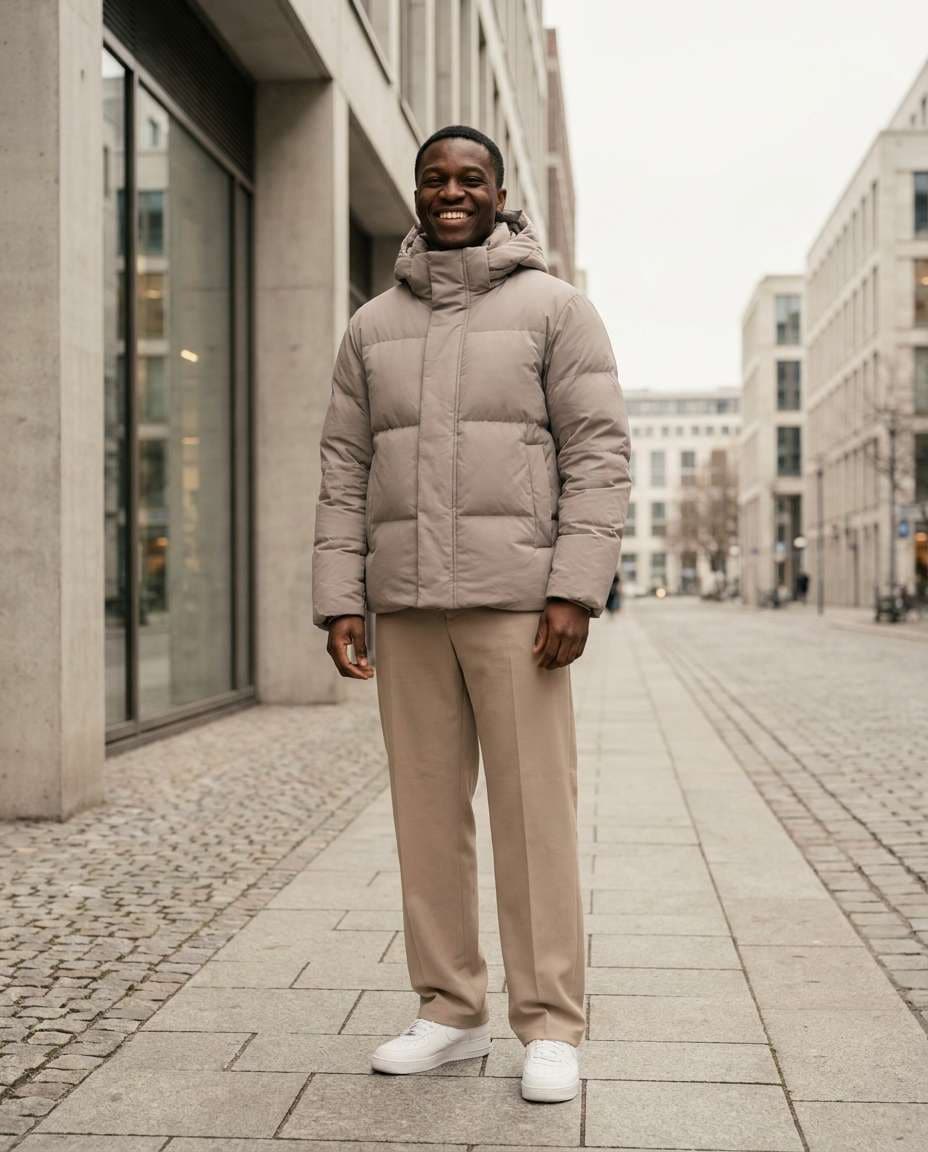
Neutral Capsule Outfit
Use the uploaded subject, style a light taupe puffer jacket with minimal seams, matching beige trousers and white sneakers, clean urban background, soft overcast light, shot on Canon R6 50mm, full-body centered composition, calm modern mood, photorealistic textures, subtle warm grade --ar 4:5
Night Flash Street
Same uploaded person wearing a black puffer jacket with subtle gloss, nighttime street with direct on-camera flash look, harsh shadows behind subject, shot on 35mm flash photography style, 28mm perspective, half-body framing, bold gritty vibe, photorealistic skin highlights and fabric shine --ar 4:5
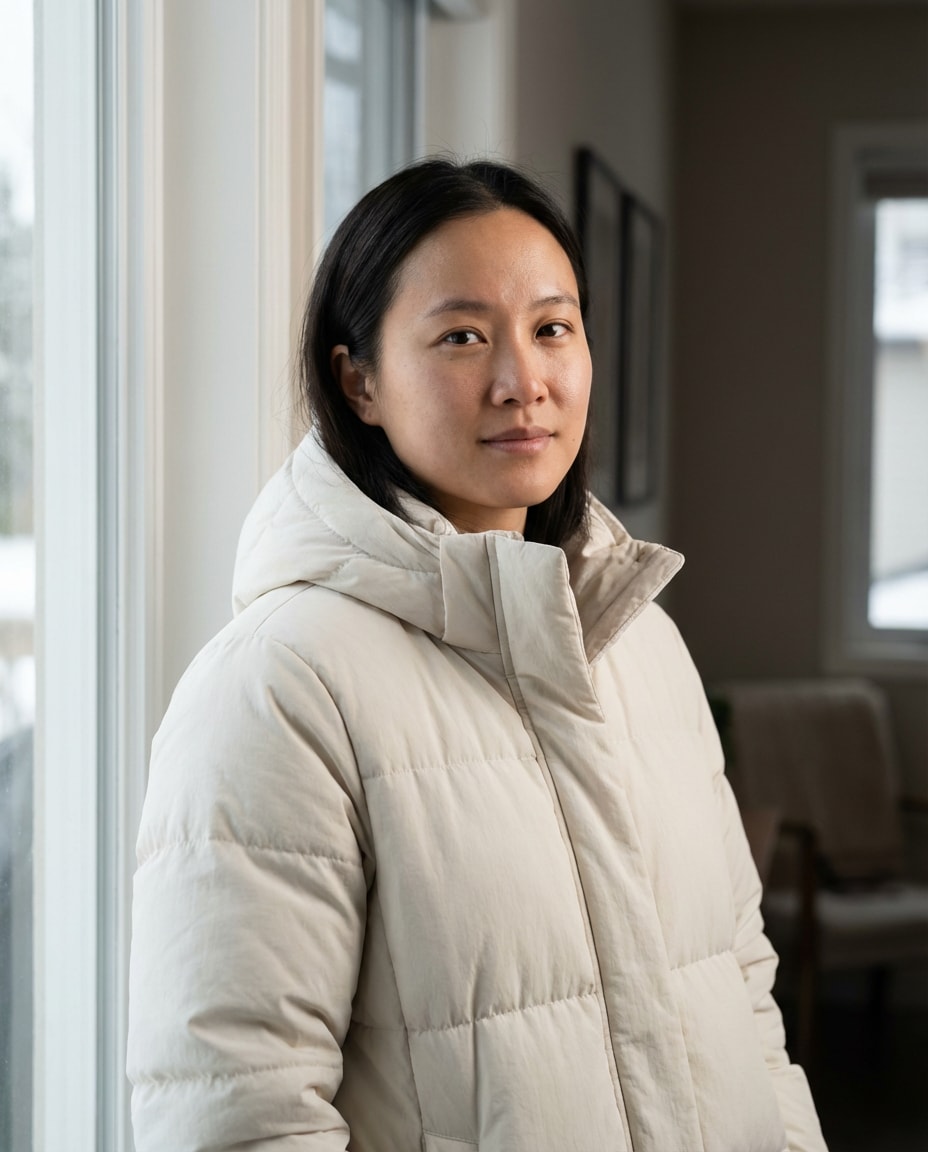
Soft Window Light
Keep the uploaded subject, dress them in an off-white puffer jacket with matte finish, indoor scene by a large window, soft natural window light, gentle shadows, shot on Sony A7R IV 85mm, chest-up portrait, serene expression, photorealistic pores, high detail jacket quilting --ar 4:5
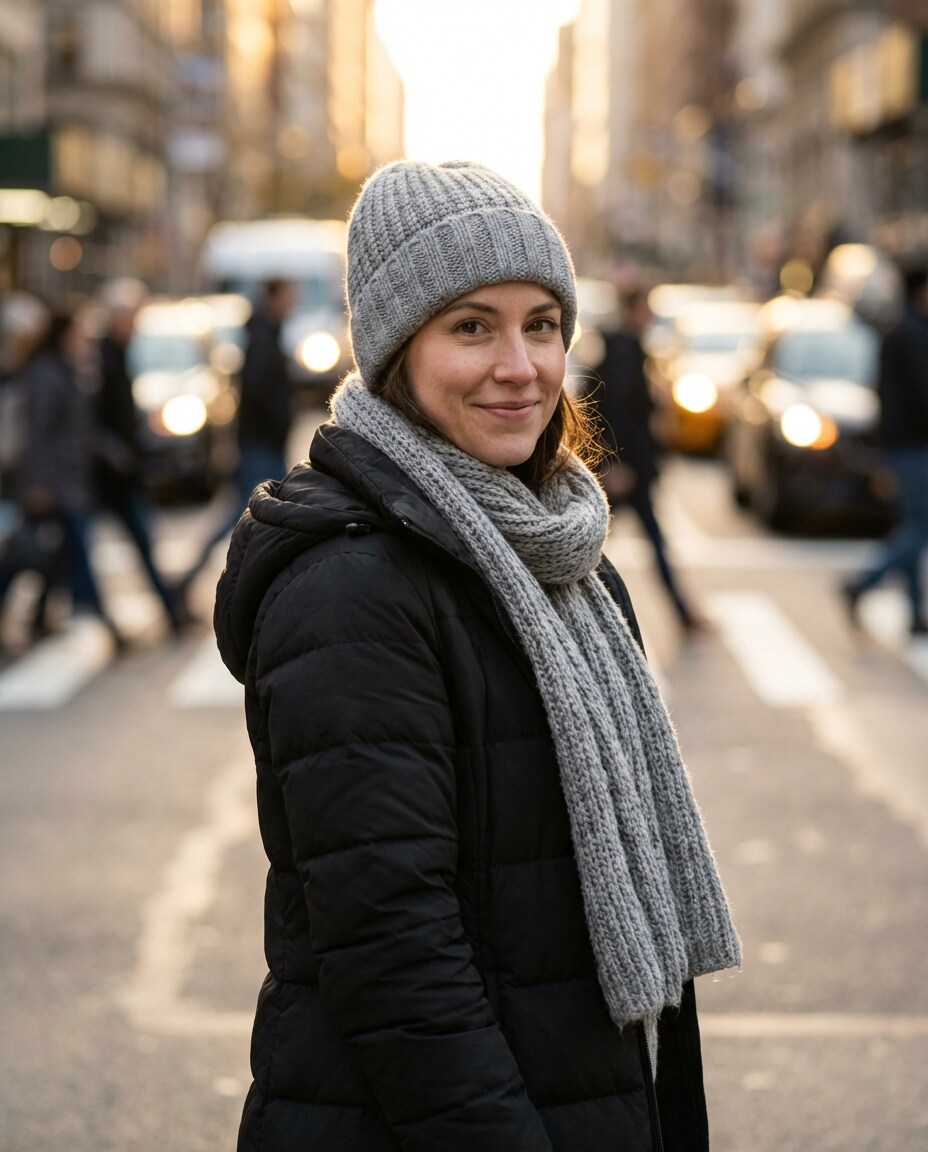
Streetwear Layered Scarf
Same person as the uploaded photo wearing a black puffer jacket layered with a chunky gray scarf and knit beanie, busy crosswalk background softly blurred, late afternoon golden light, shot on Canon R5 85mm f/1.4, half-body, cozy confident mood, realistic knit fibers and fabric detail --ar 4:5
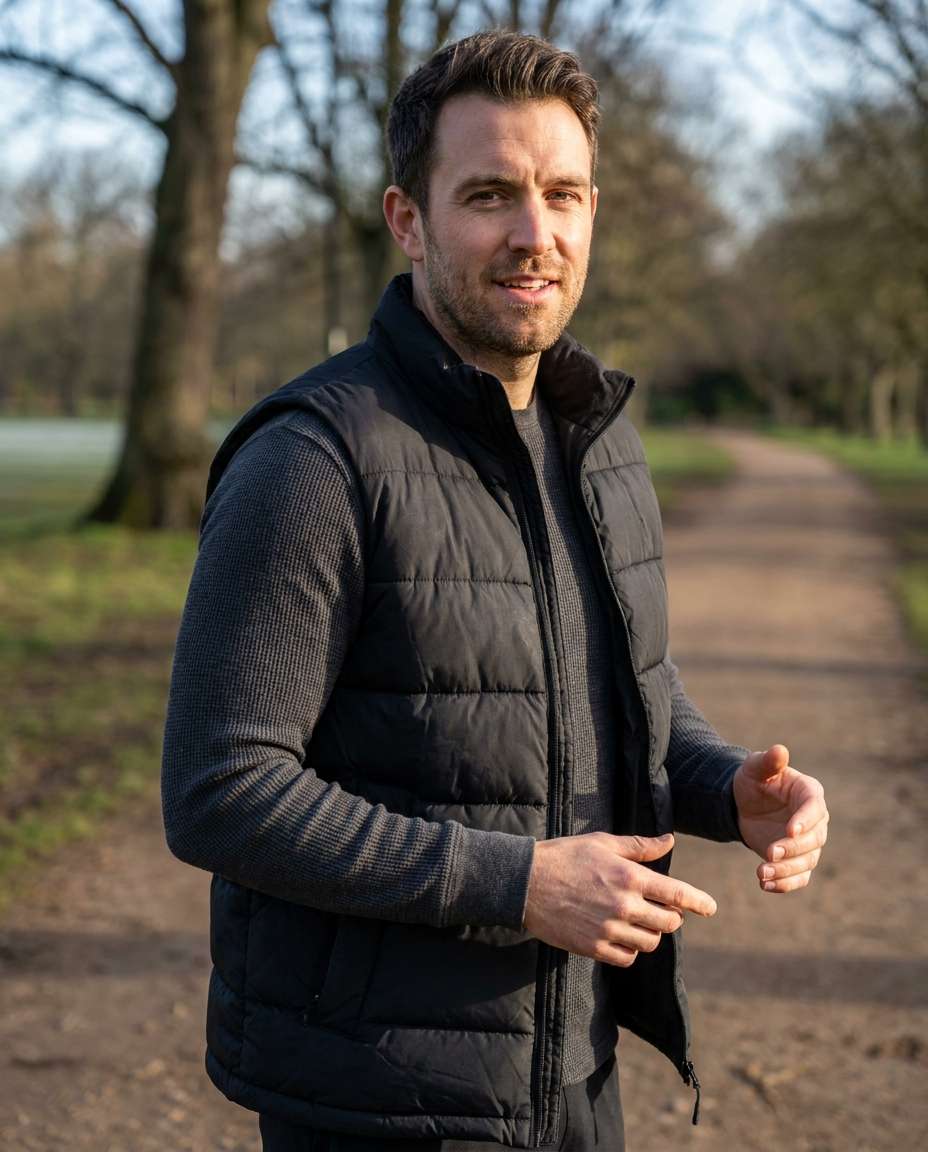
Sporty Down Vest
Use the uploaded subject, swap the jacket to a black down puffer vest over a long-sleeve thermal top, outdoor track or park path background, crisp cool morning light, shot on Sony A7IV 50mm, three-quarter body, energetic stance, photorealistic fabric texture and natural skin detail --ar 4:5
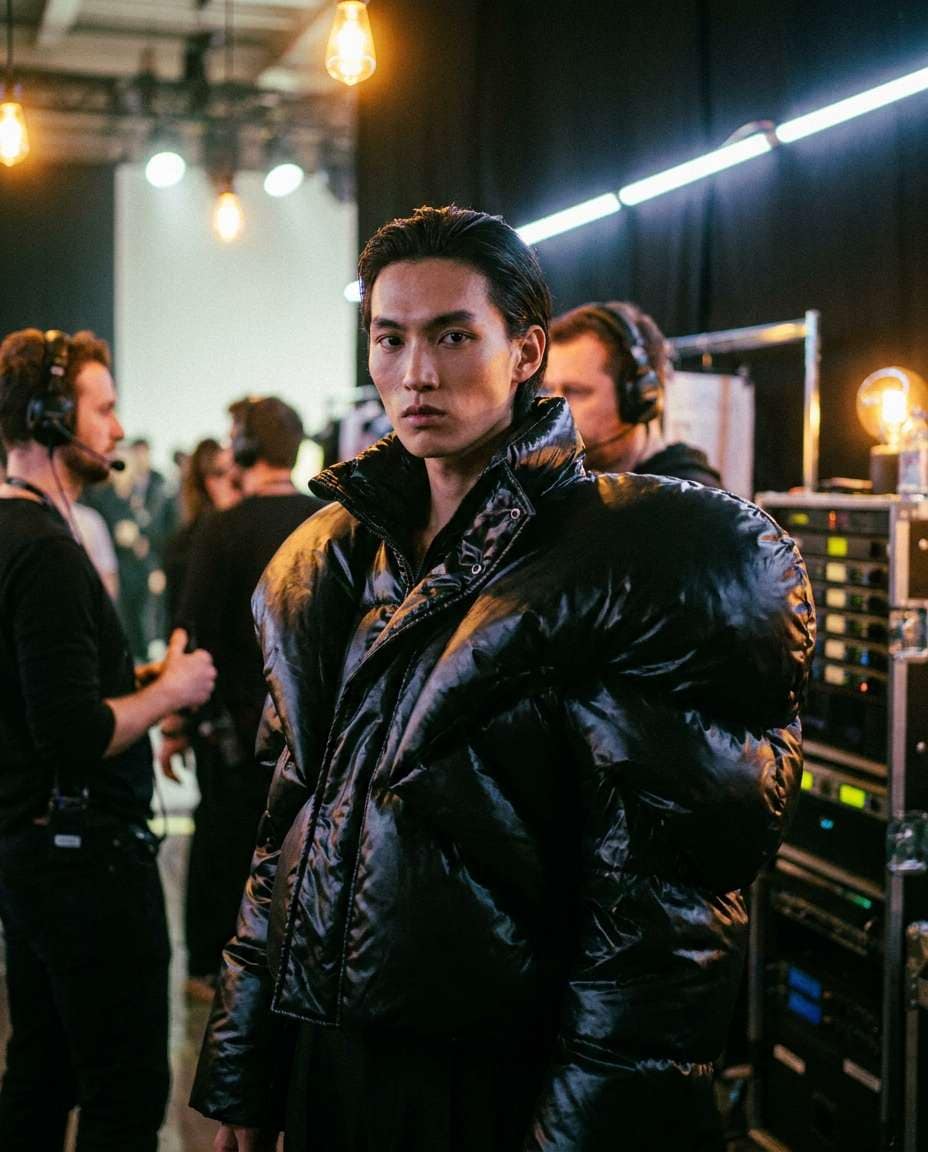
Runway Backstage
Same uploaded person in a dramatic avant-garde puffer jacket with oversized shoulders in glossy black, backstage runway setting with blurred lights and crew, mixed tungsten and LED lighting, shot on Nikon Z9 85mm, half-body portrait, intense fashion mood, editorial color grading, ultra-realistic details --ar 4:5
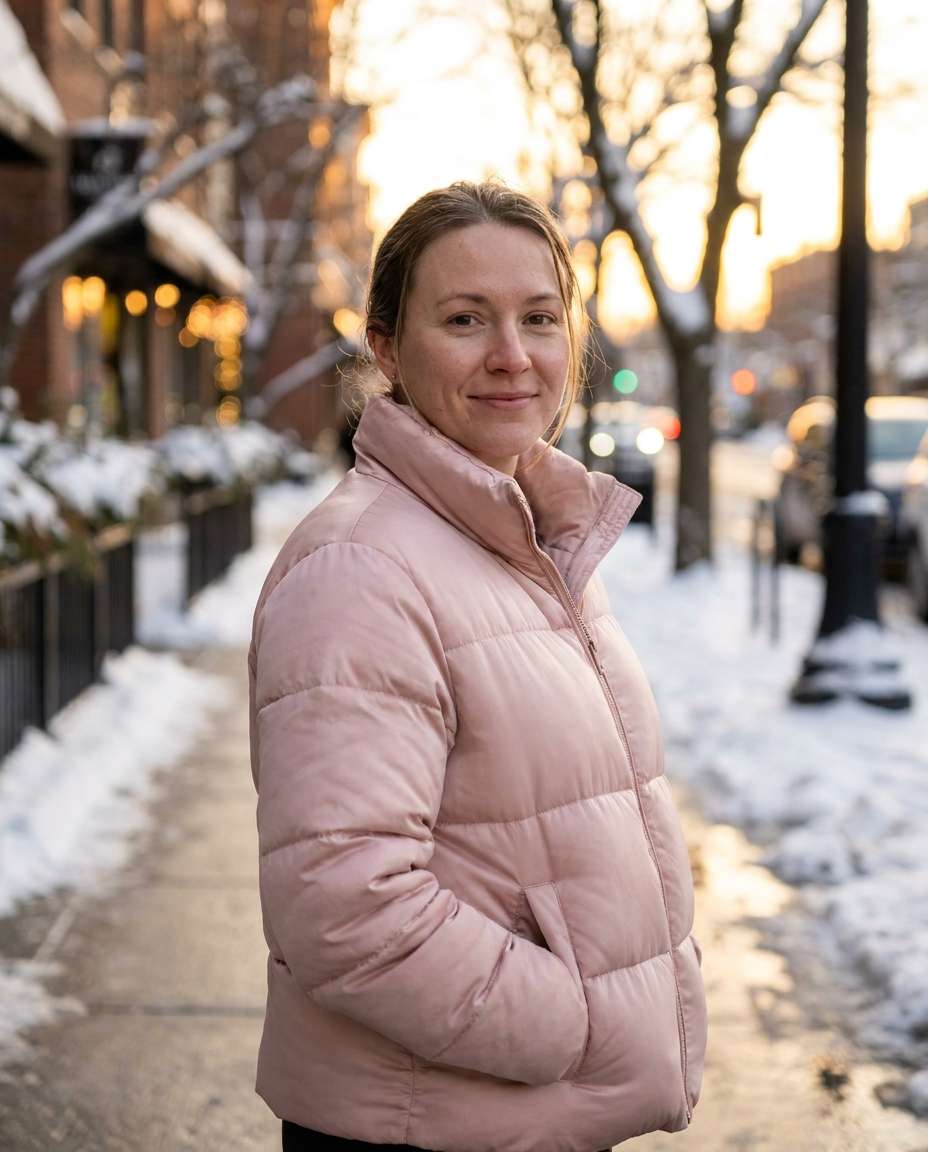
Soft Pink Winter Glow
Keep the uploaded subject, dress them in a soft blush-pink puffer jacket with subtle satin sheen, snowy sidewalk during golden hour, warm sunlight reflecting off snow, shot on Canon R6 85mm, half-body portrait, gentle smile, photorealistic skin texture, dreamy warm winter color grade --ar 4:5
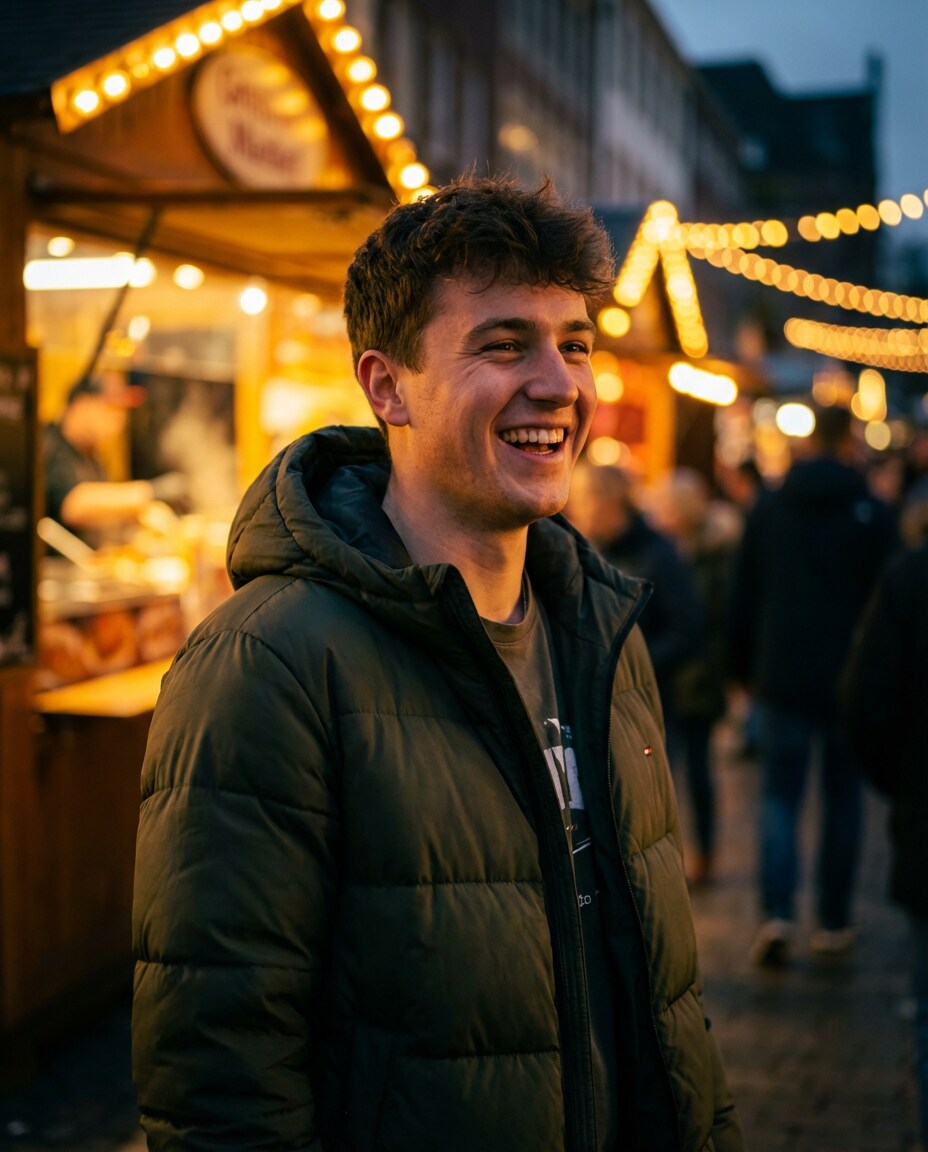
Street Market Evening
Same person from the uploaded photo wearing a dark green puffer jacket with a hood, evening street market lights in background, warm bokeh, shot on Sony A7S III 50mm f/1.4, three-quarter portrait, candid laugh, photorealistic lighting, rich contrast, cozy nightlife vibe --ar 4:5
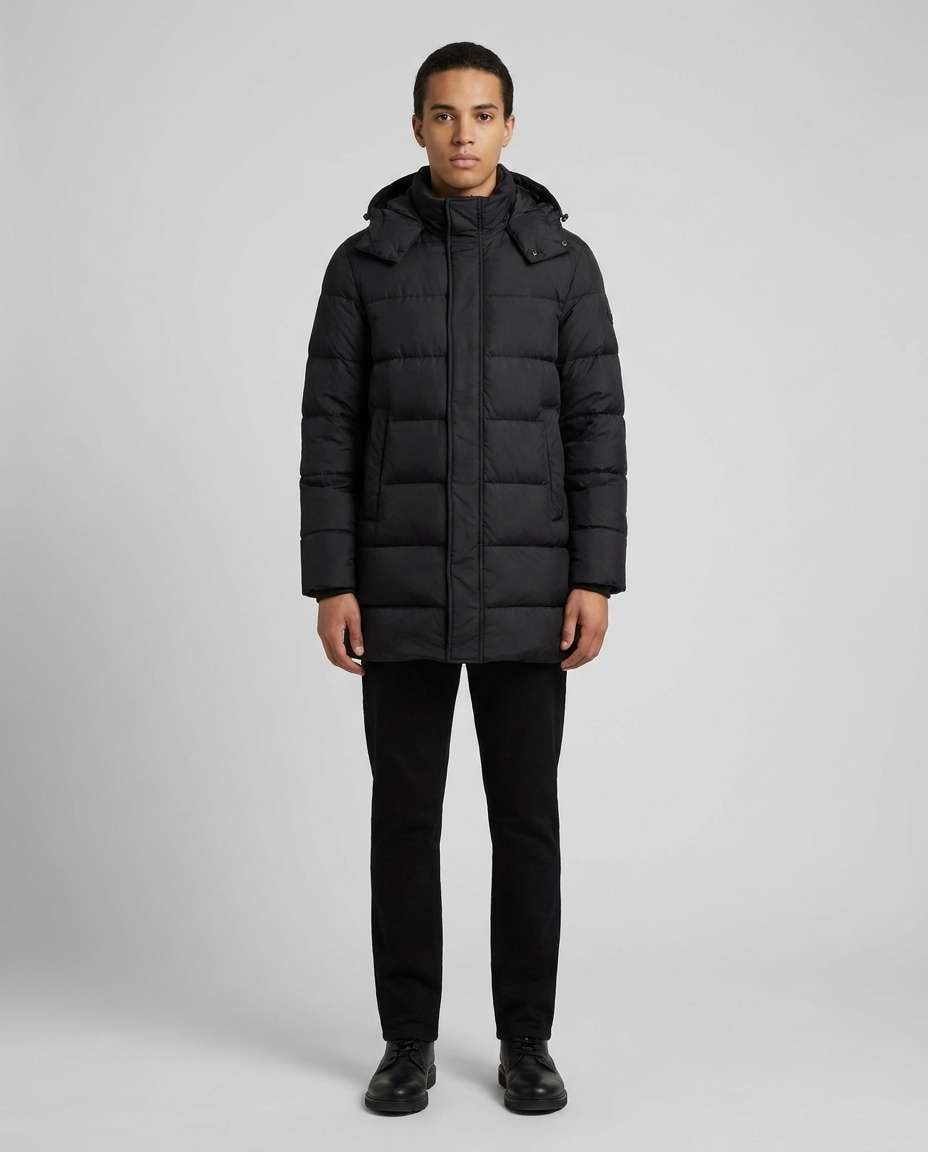
Clean Ecom Look
Use the uploaded subject, style a classic black puffer jacket with mid-length fit, neutral seamless background, even studio lighting, shot on Canon R5 70mm, full-body straight-on pose, accurate color and fabric representation, photorealistic high-resolution, minimal shadows, product-catalog clarity --ar 4:5
How to Write Better Gemini AI Puffer Jacket Prompt
Small wording changes can make a puffer look cropped instead of boxy, or sleek instead of shiny. If you are wondering how to make a puffer jacket photo in Gemini AI, focus on fit language first, then lighting, then background. Keep one variable per iteration so you can tell what actually fixed it.
Recommend Prompts Formula
Identity lock: same face, same hairstyle, same body proportions as the reference
Jacket specifics: length, baffle size, collar height, gloss level, color
Layering: hoodie vs knit vs turtleneck, plus accessories (beanie, scarf)
Framing and realism: full-body vs portrait, lens choice, sharp focus, natural skin texture
Prompt Tweaks That Work
Call out the silhouette you want: cropped, boxy, slim, oversized, or longline.
If the jacket looks inflatable, reduce volume by specifying "moderate fill" and "natural drape."
For a cleaner look, add "no visible logo, minimal seams, premium stitching."
If colors look off, specify "accurate color, neutral white balance, true-to-life fabric."
To keep your face stable, add "do not change facial features, keep identity consistent."
When results feel flat, specify a single light source (softbox, window, sunset rim light) instead of "nice lighting."
Why Choose Media.io for Gemini AI Puffer Jacket Prompt
Try multiple puffer jacket silhouettes on one photo, so you can compare fit, shine, and vibe before choosing a favorite.
Fast style comparisons
Run several jacket variations from the same photo and judge them side by side: cropped vs longline, glossy vs matte, minimal vs street. It is a practical way to choose a silhouette that matches your proportions without reshooting new angles.
Identity stays consistent
Media.io helps keep your face and overall vibe stable while you change the outerwear details. When you want the jacket to change, not the person, this consistency makes your comparisons feel trustworthy and easier to refine.
Prompt-friendly controls
Dial in the details that make puffers look expensive: baffle spacing, collar height, fabric sheen, and layering pieces. If you already have an AI puffer jacket try on prompt, Media.io is a comfortable place to test it and iterate quickly.
Clean downloads for sharing
Export sharp, high-resolution results that work for profile pics, outfit boards, or winter lookbooks. You can keep the framing consistent across styles, so your final set looks intentional instead of like random one-off edits.
FAQs About
Gemini AI Puffer Jacket Prompt
1. What should I include in a gemini ai puffer jacket prompt for realistic results?
A strong gemini ai puffer jacket prompt names the jacket length (cropped, mid, longline), fill volume (light, medium, oversized), surface (matte nylon, glossy satin, metallic), and collar style. Add the setting and lighting too, because puffers read very differently in flash, overcast daylight, or warm indoor light.
2. How do I stop the jacket from looking too bulky or misshapen?
In your gemini ai puffer jacket prompt, describe structure and drape: "moderate fill, natural folds, realistic weight, sleeves not ballooning." Ask for "accurate proportions" and keep the pose simple (arms relaxed). If it still looks huge, reduce baffle size and specify a slimmer fit through the torso.
3. Can I create streetwear looks with a puffer, not just basic winter coats?
Yes. A gemini ai puffer jacket prompt can push into street styling by specifying layers (hoodie, beanie, scarf), color grading (moody, high contrast), and locations (neon street, subway entrance, parking garage). If you want that specific vibe, try phrasing it like a Gemini AI winter streetwear puffer jacket prompt and name the silhouette and lighting.
4. Do I need to upload a photo, or can I generate from scratch?
You can do either, but uploading a photo is best when you want consistent identity and a true try-on feel. With a gemini ai puffer jacket prompt plus a reference image, you are mainly changing the outerwear details. If you generate from scratch, describe the person clearly (age range, hair, expression) to avoid random faces.
5. What puffer jacket details make the biggest difference in the final image?
The biggest levers in a gemini ai puffer jacket prompt are jacket length, collar height, gloss level, and baffle spacing. Those four change the whole silhouette fast. For a modern street look, mention "cropped hem, high collar, subtle sheen" and treat it like a Gemini AI winter streetwear puffer jacket prompt with a gritty night setting or direct flash.
Why Creators Love Media.io's Gemini AI Puffer Jacket Prompt?
Alex M.
Photographer
Ultra Realistic Results.
I used these puffer jacket prompts to create visuals that looked like real photography. The lighting, textures, and colors felt incredibly natural.
Maya J.
Designer
Perfect Lighting & Detail.
The prompts produced cinematic compositions and soft lighting, making every image feel like a professional shoot.
Jordan P.
Creator
Perfect for Social Media.
I used these prompts to create viral content. It's fast, easy, and consistently produces stunning visuals.