Home>AI Prompts>25 Red Carpet Photo Prompts to Try with ChatGPT
25 Red Carpet Photo Prompts to Try with ChatGPT
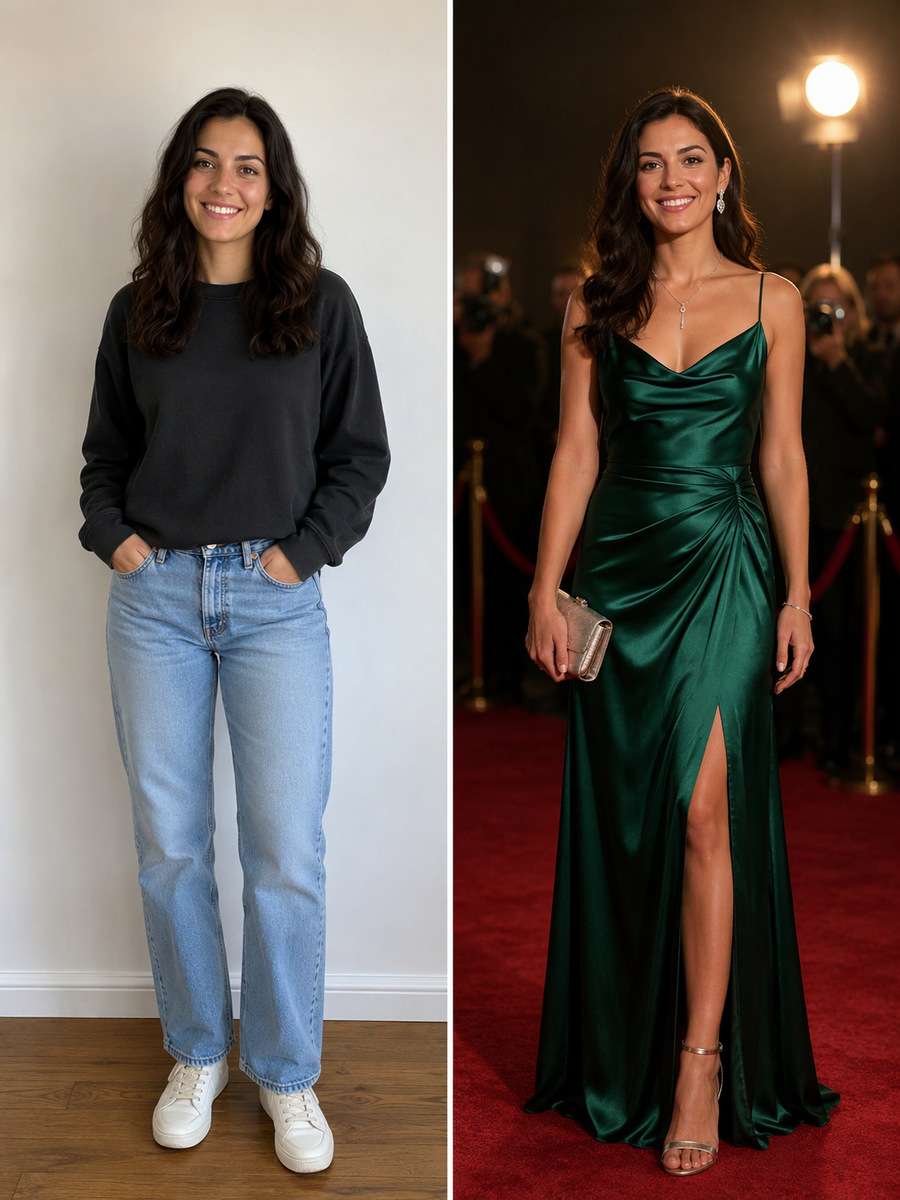
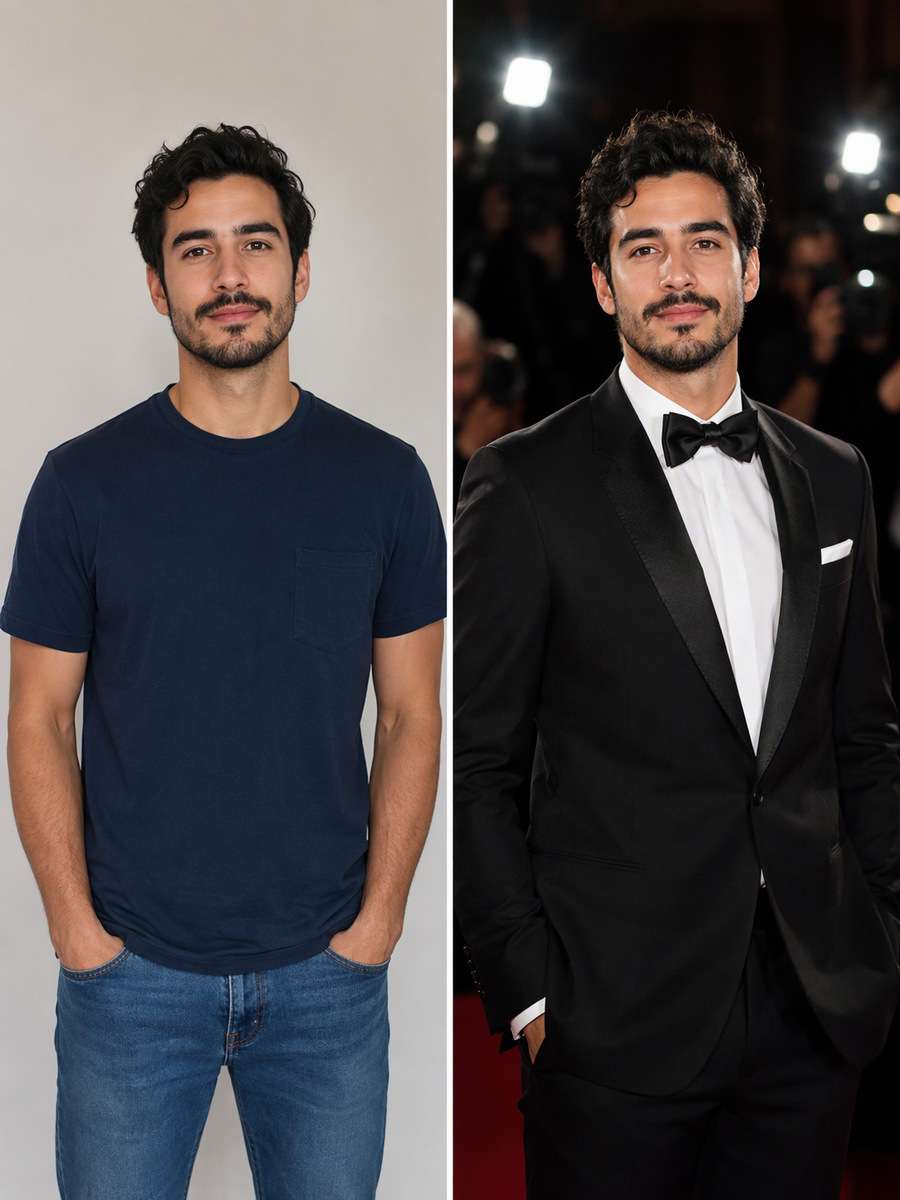
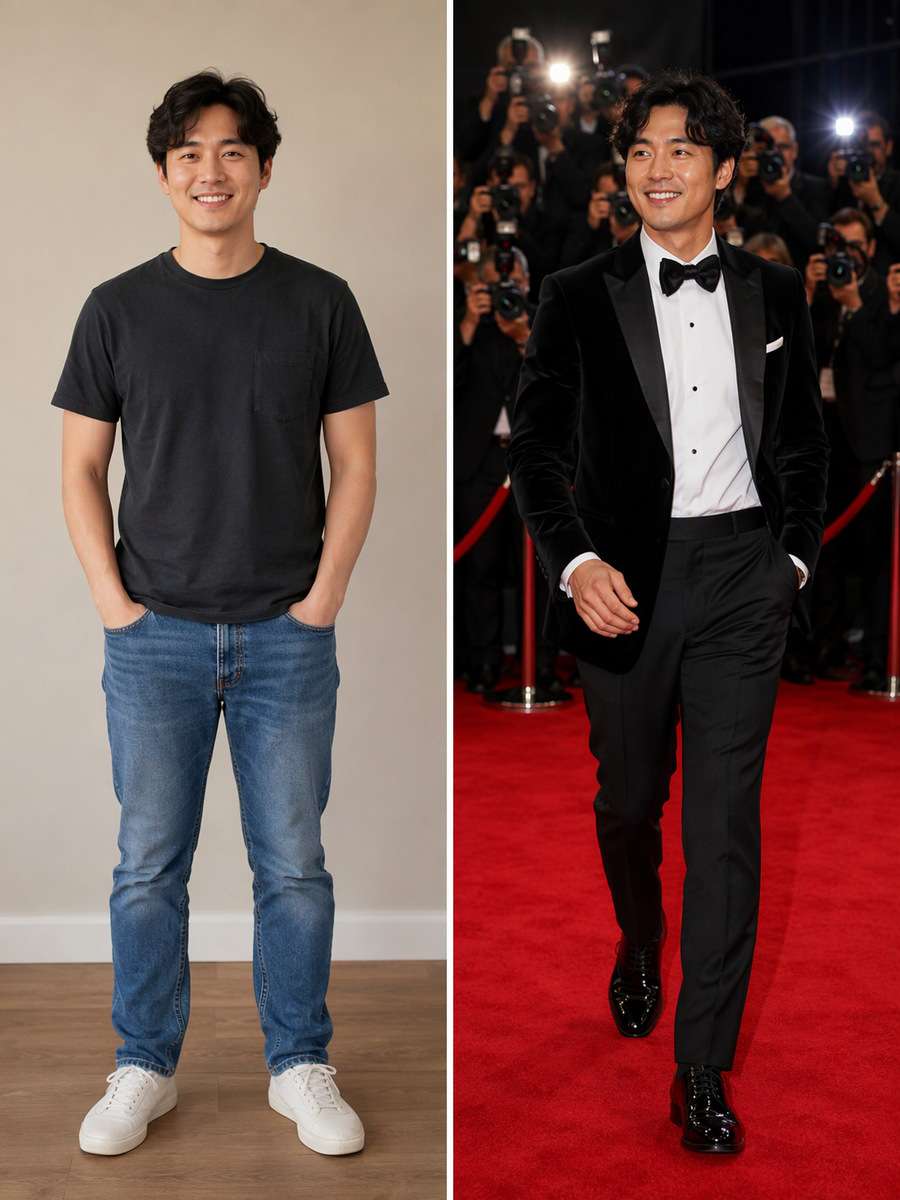
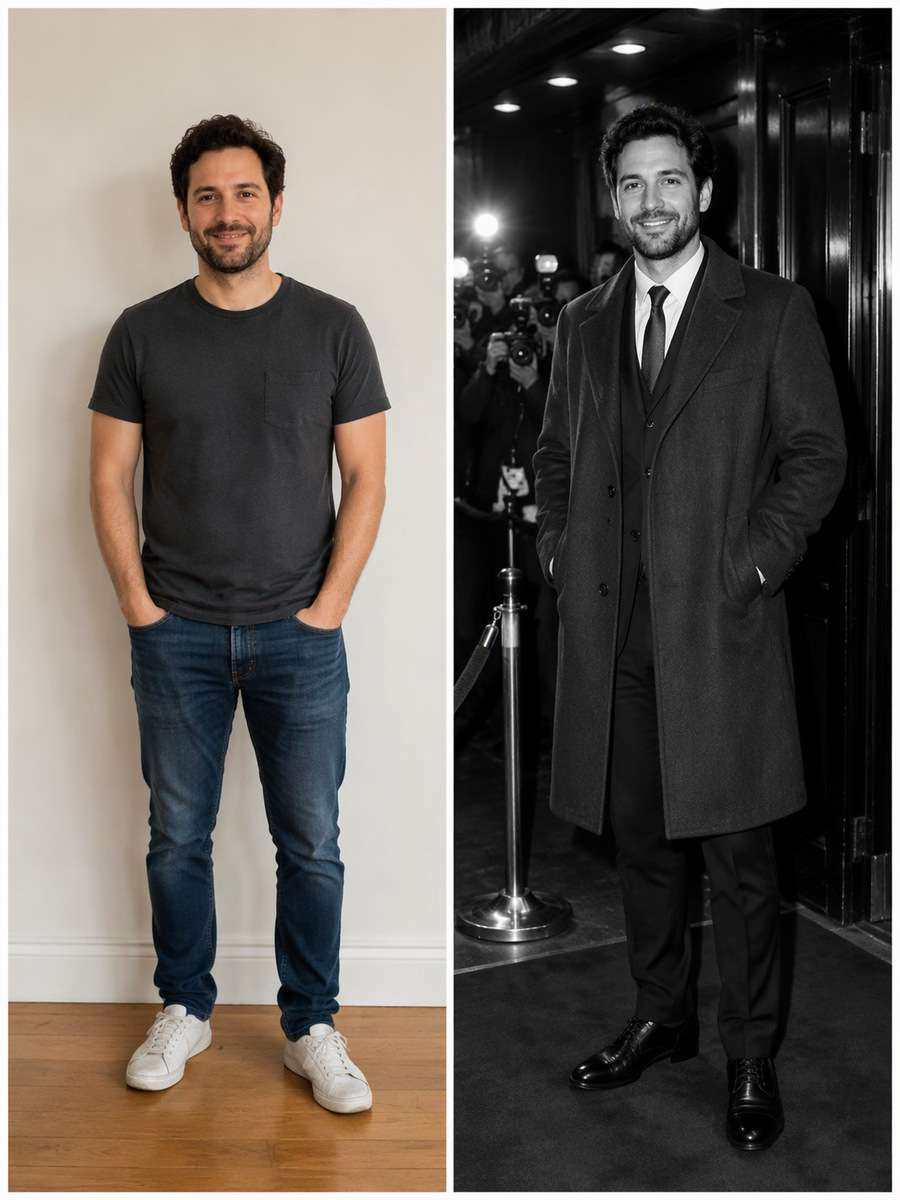
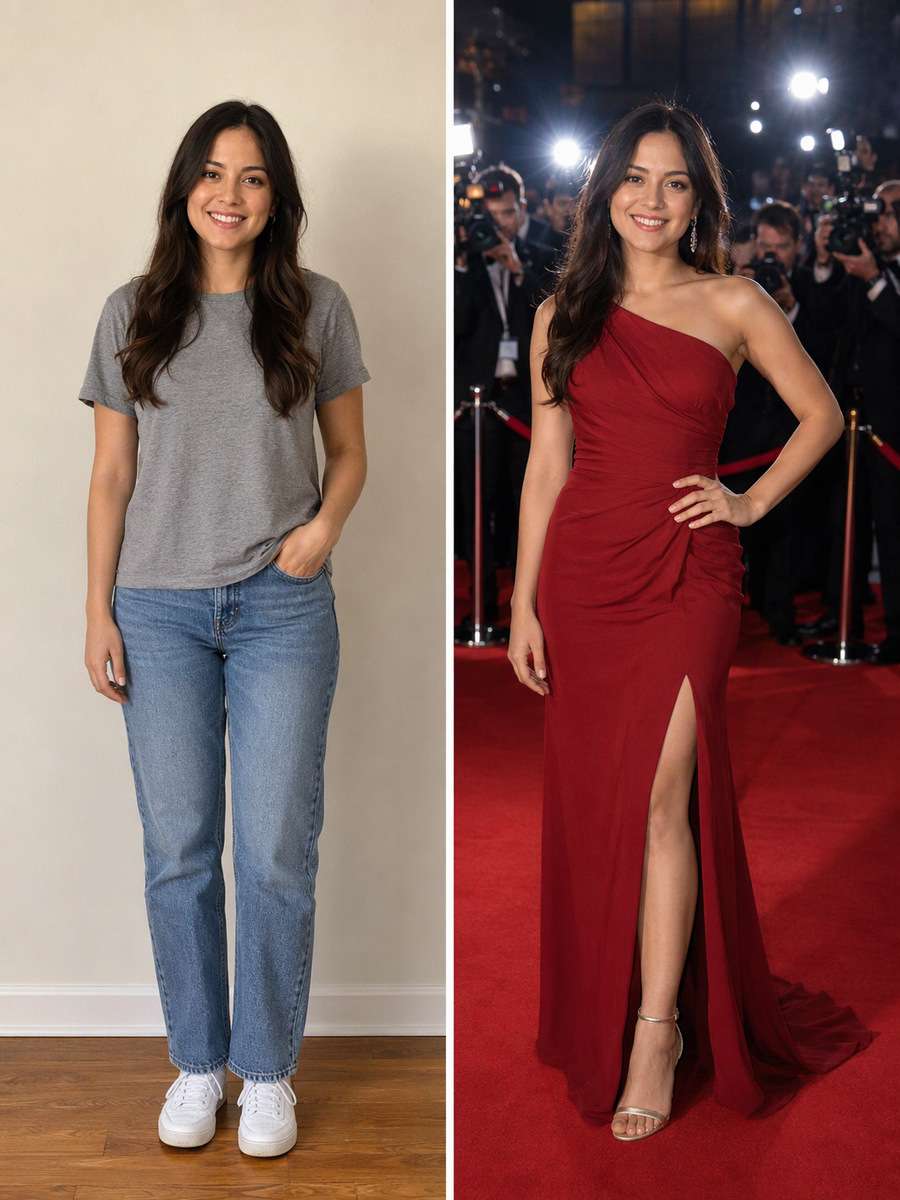
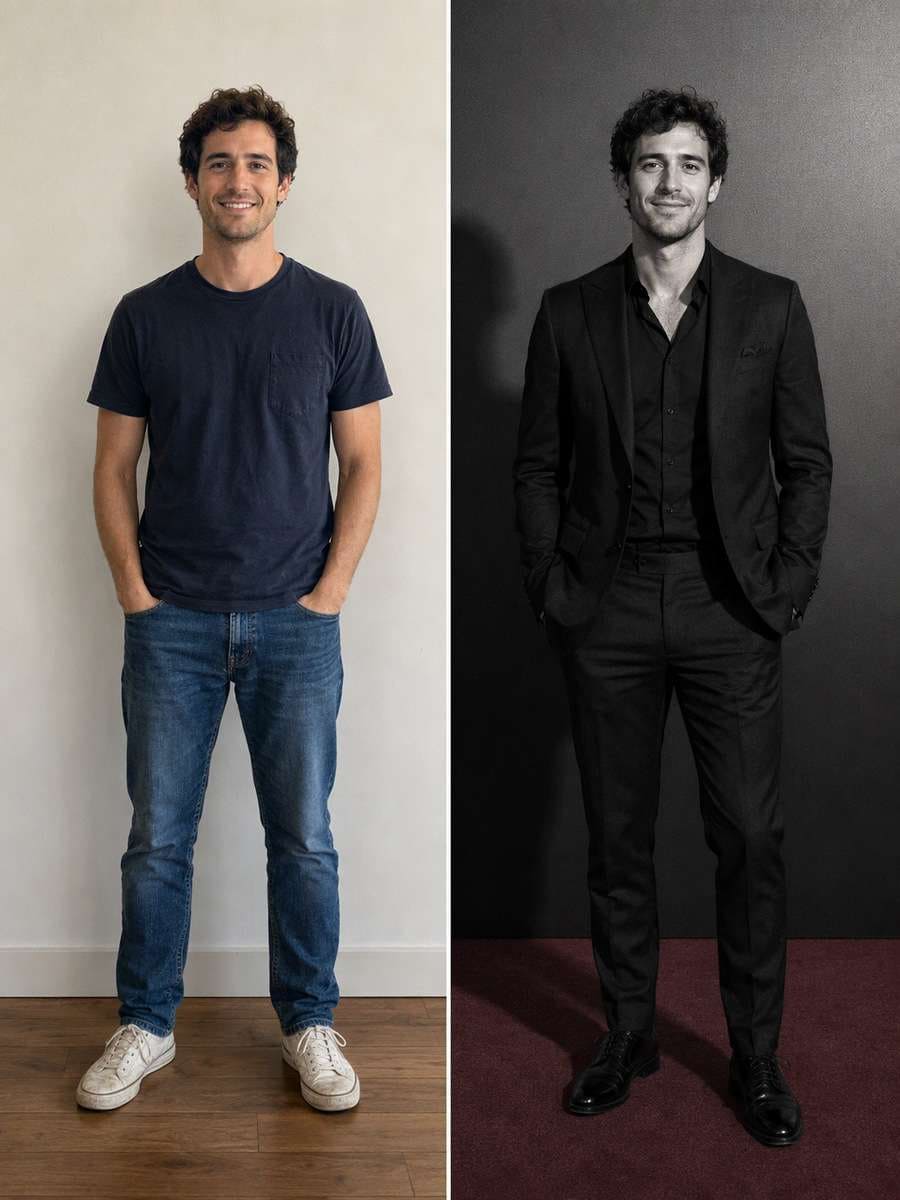
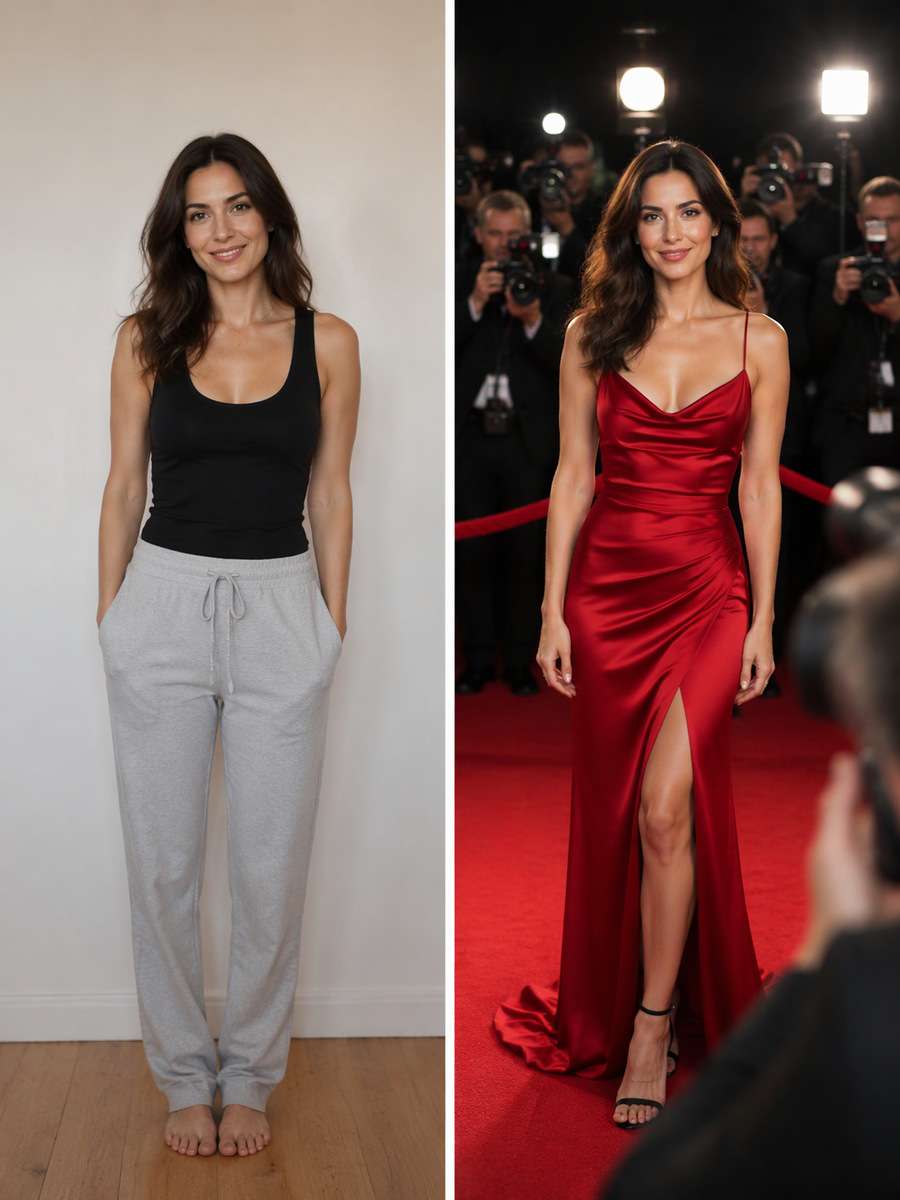
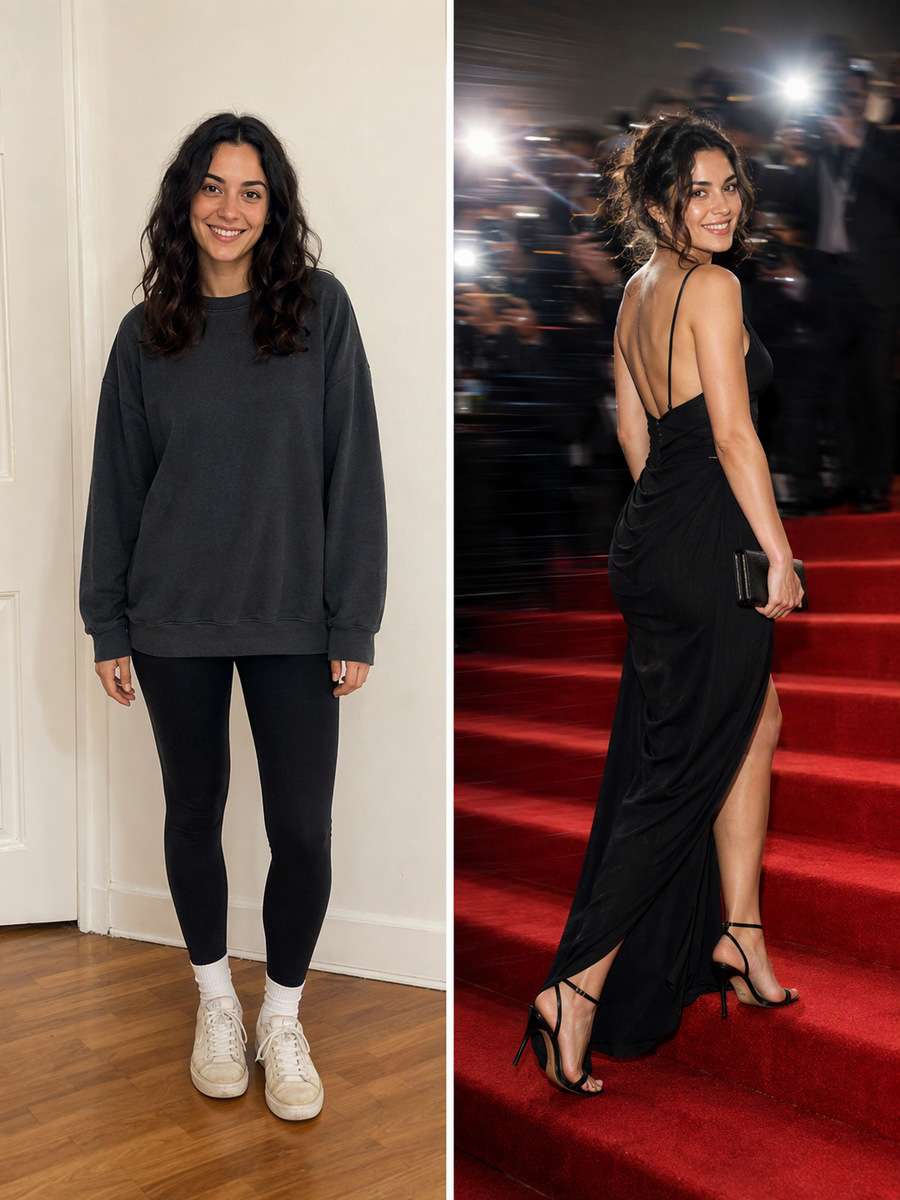
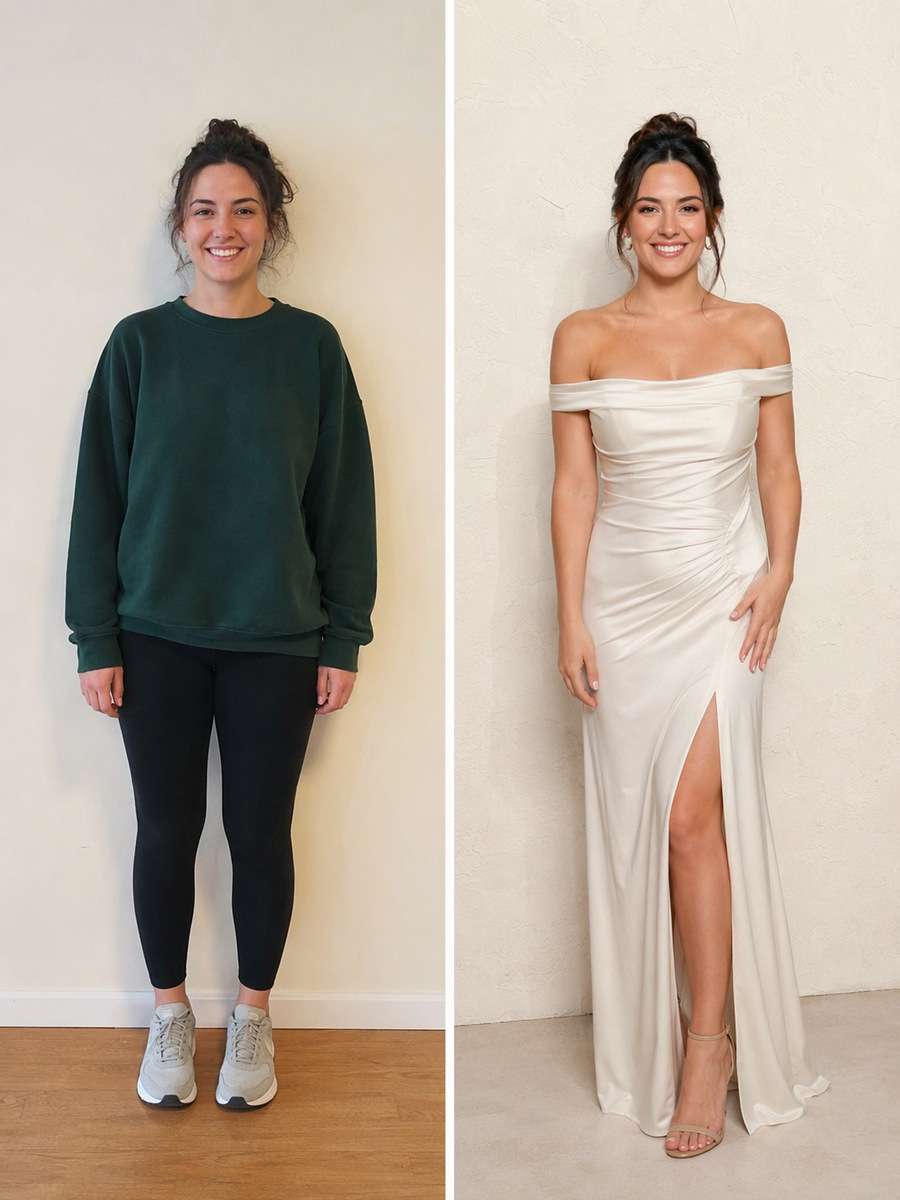
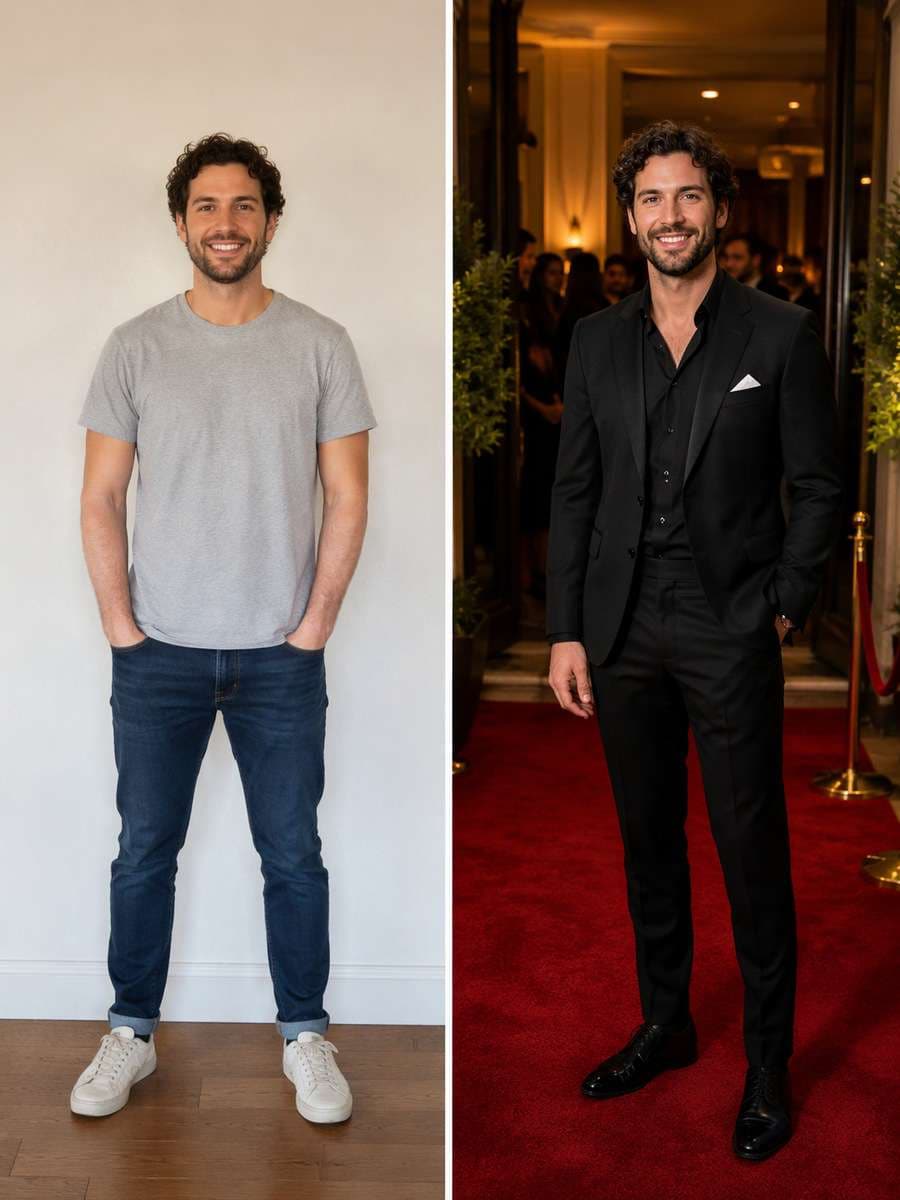
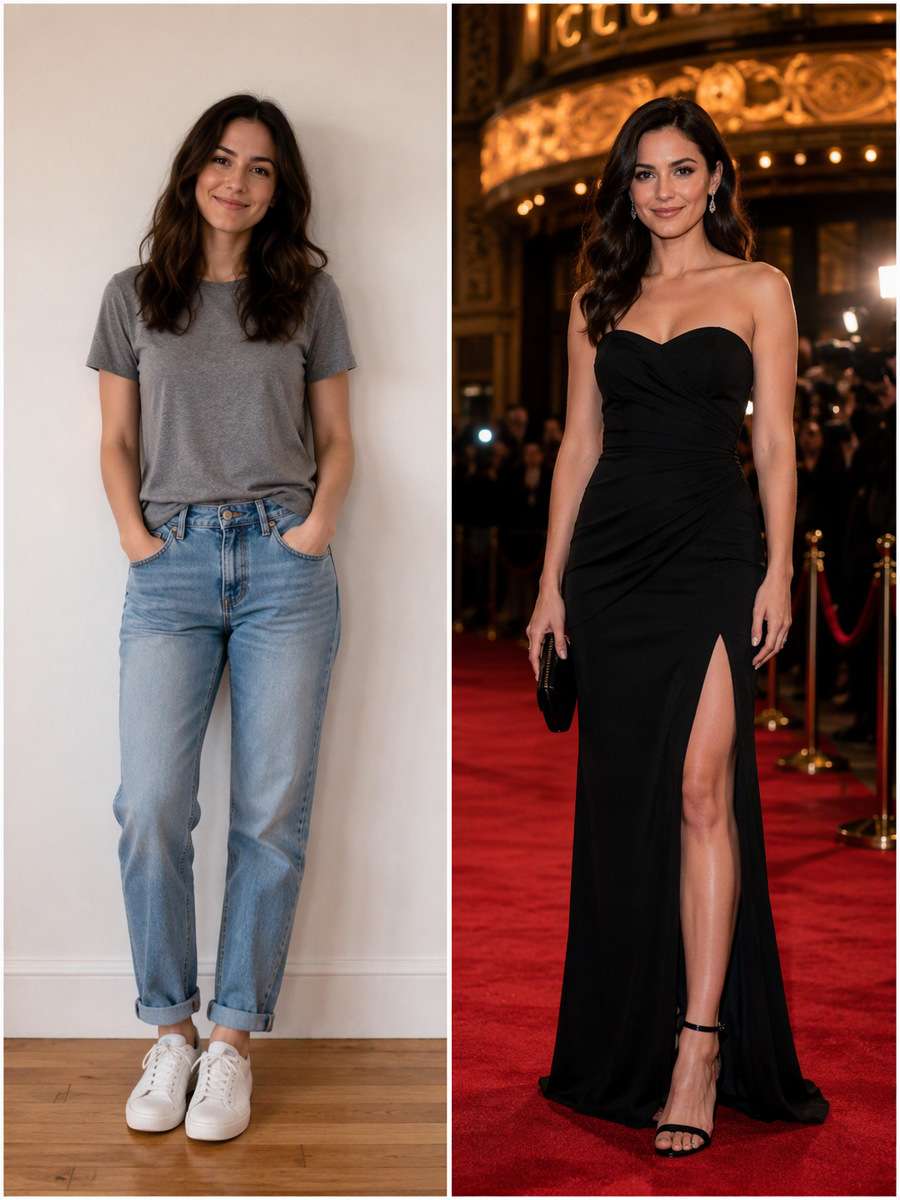
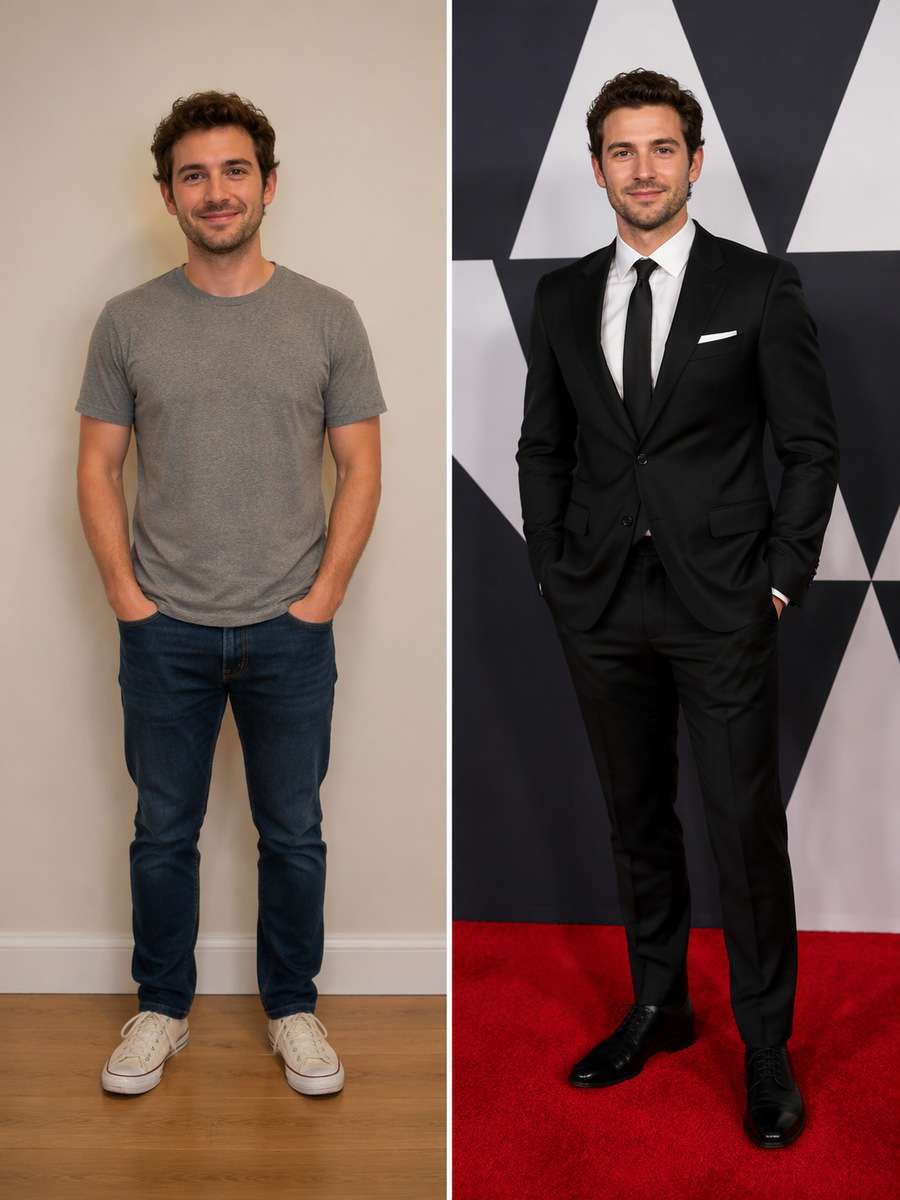
A convincing premiere image needs more than a red floor and a fancy outfit. These ChatGPT Red Carpet Photo Prompts turn an uploaded adult portrait into fictional photocalls, velvet-rope arrivals, film-festival steps and flash-lit candid shots. Each idea specifies where the camera sits, where the flash falls and how the formal clothing reads, without implying an actual award or celebrity appearance.
Explore fictional red-carpet arrival photos, press-wall portraits and paparazzi-style edits with Media.io - powered by ChatGPT.
How to Create a Red Carpet Photo from Your Portrait
Use one clear adult reference and design a fictional event scene with realistic flash and background details.
1
Upload Your Portrait
A waist-up or full-body adult photo gives the editor facial landmarks and room for formal styling.
2
Choose a Premiere or Photocall Prompt
Select a press wall, flash close-up, theater steps, event arrival or couple portrait using only real source people.
3
Check the Event Details
Review identity, shoe contact, garment folds and flash shadows. Avoid invented real event logos, awards or endorsements.
25 ChatGPT Red Carpet Photo Prompts Ideas to Copy and Try
Premiere Step-and-Repeat
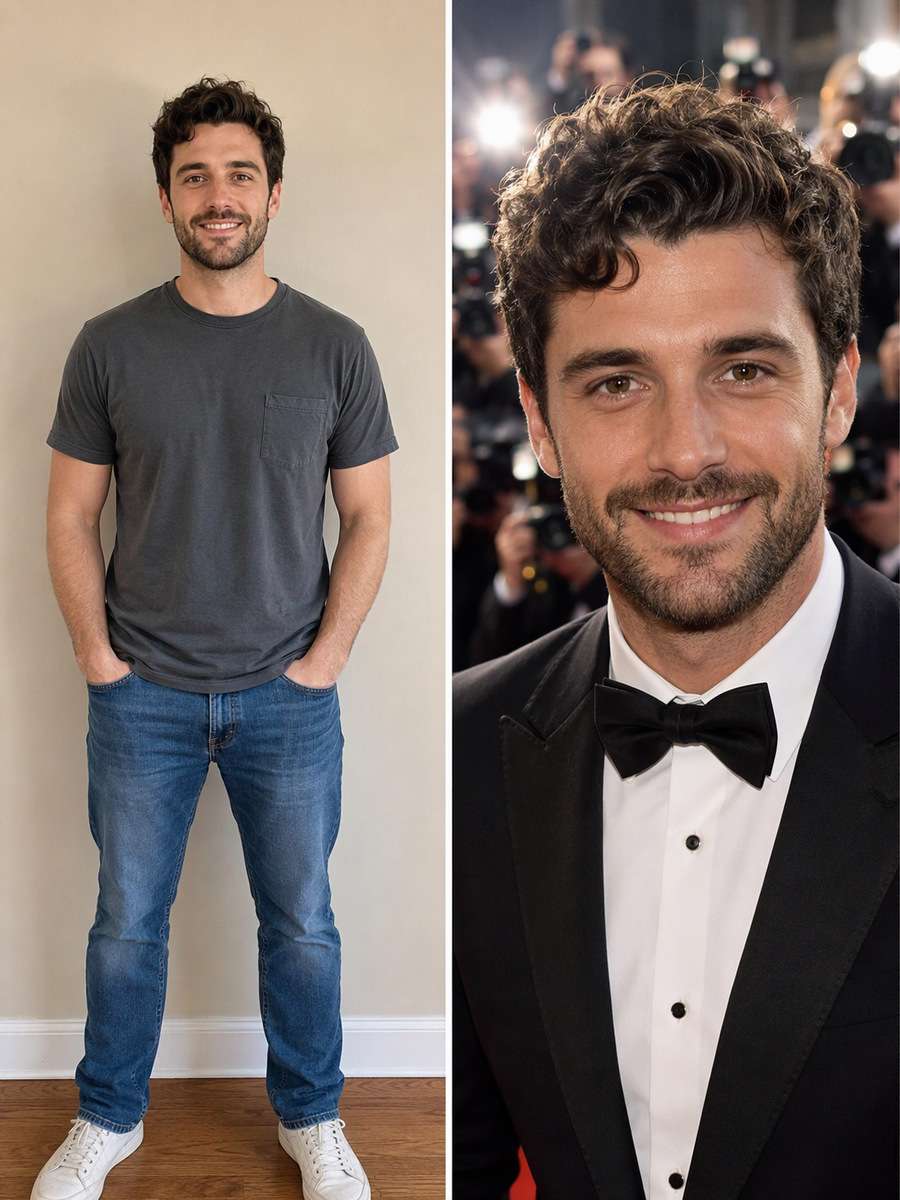
Use my uploaded photo as the identity reference. Turn the uploaded adult portrait into a red-carpet photocall with a generic black-and-white geometric sponsor-style backdrop that contains no actual logos or text. Show the adult in formal attire under multiple camera flashes, confident posture and natural expression. Keep the source adult face, build, age and expressions recognizable; the premiere setting is fictional and must not imply real awards, sponsors or celebrity endorsement. Treat the premiere as fictional, use generic backdrops and no recognizable real sponsor logos, titles or award claims.
Night Arrival Black Car
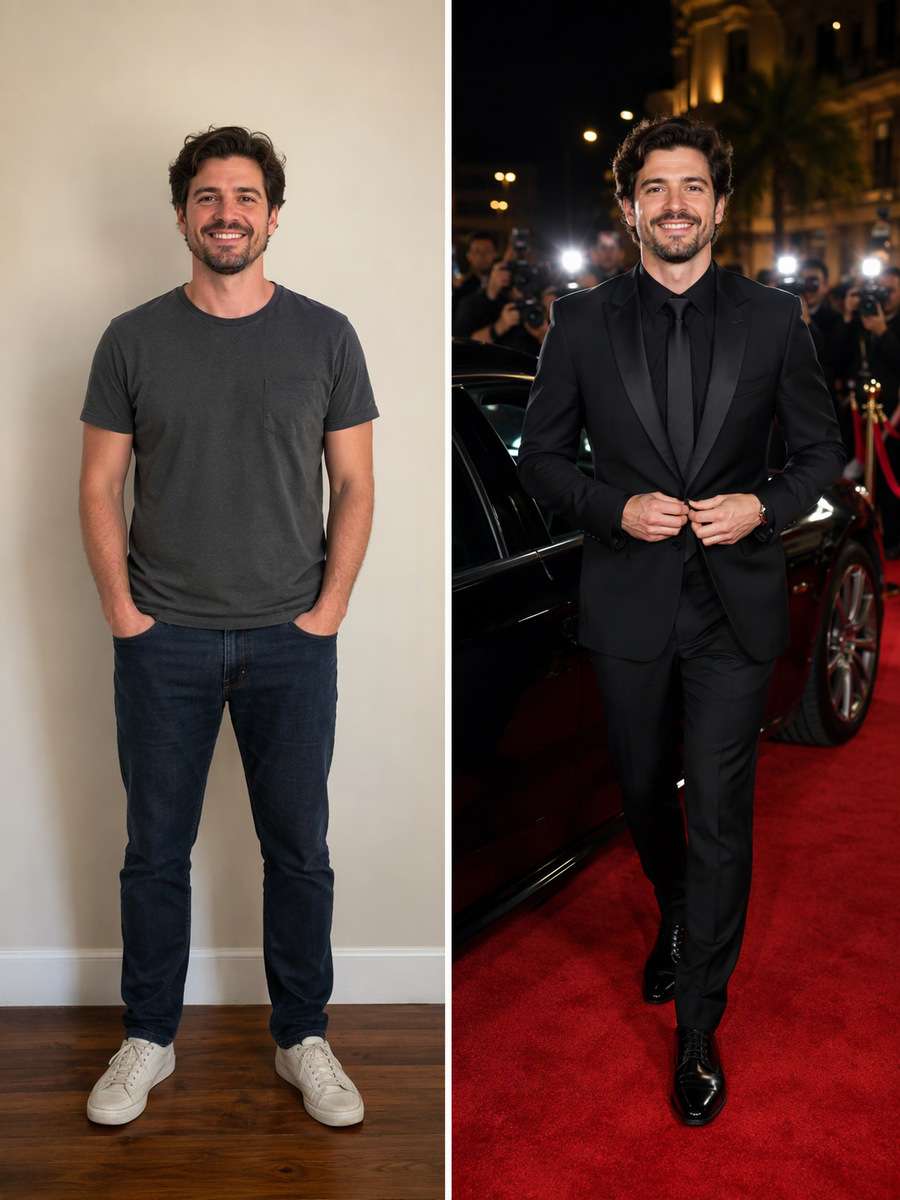
Edit my uploaded photo rather than inventing a new person or pet. Place the adult arriving at a fictional film premiere beside an unbranded dark car, red carpet and photographers behind velvet ropes. Use hard frontal flash against warm nighttime venue lights; keep realistic hands and fabric. Keep the source adult face, build, age and expressions recognizable; the premiere setting is fictional and must not imply real awards, sponsors or celebrity endorsement. Treat the premiere as fictional, use generic backdrops and no recognizable real sponsor logos, titles or award claims.
Velvet Rope Candid
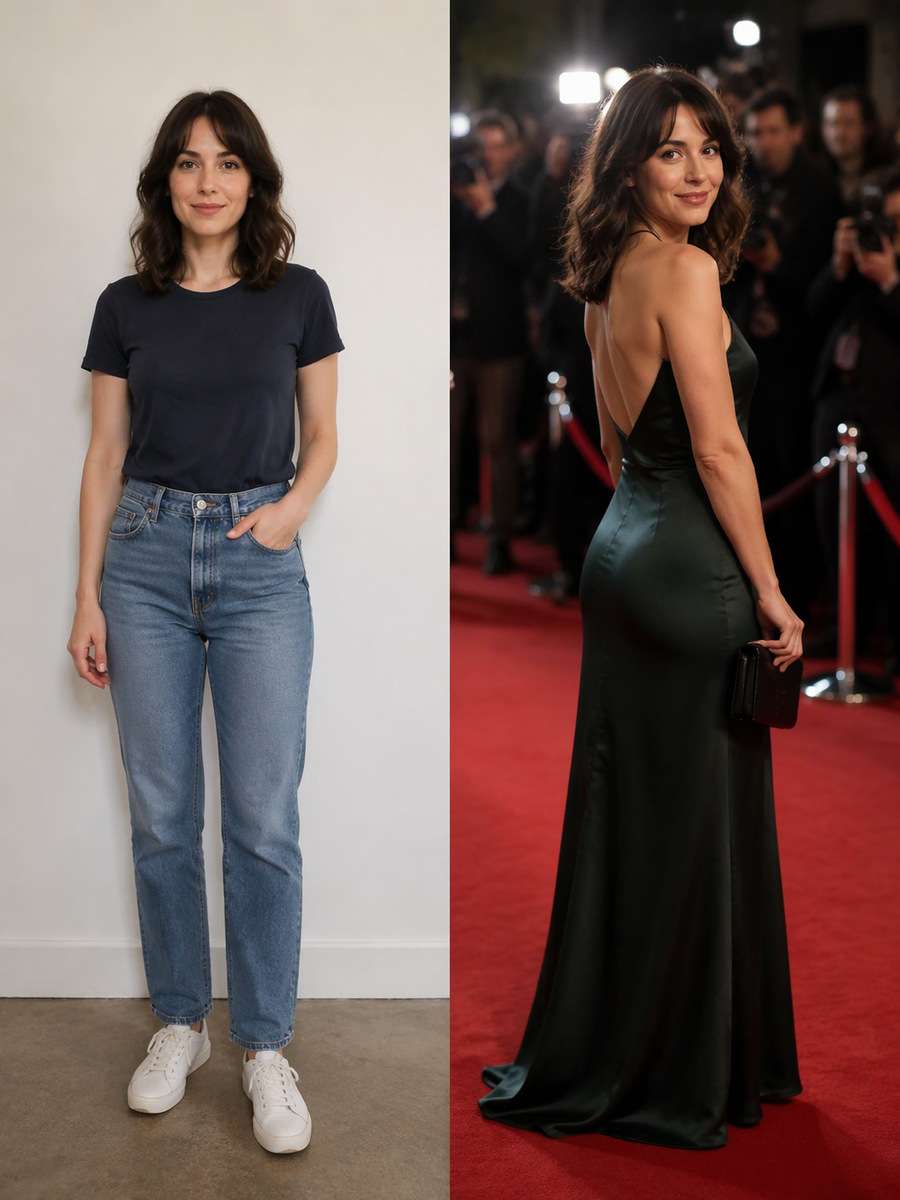
Start with my uploaded photo; build the finished image around this actual reference. Create an off-guard red-carpet candid of the source adult turning toward a photographer beyond a velvet rope, wearing a tailored suit or modest evening gown. Preserve facial identity and let slight motion blur affect only the background. Keep the source adult face, build, age and expressions recognizable; the premiere setting is fictional and must not imply real awards, sponsors or celebrity endorsement. Treat the premiere as fictional, use generic backdrops and no recognizable real sponsor logos, titles or award claims.
Studio Fashion Photocall
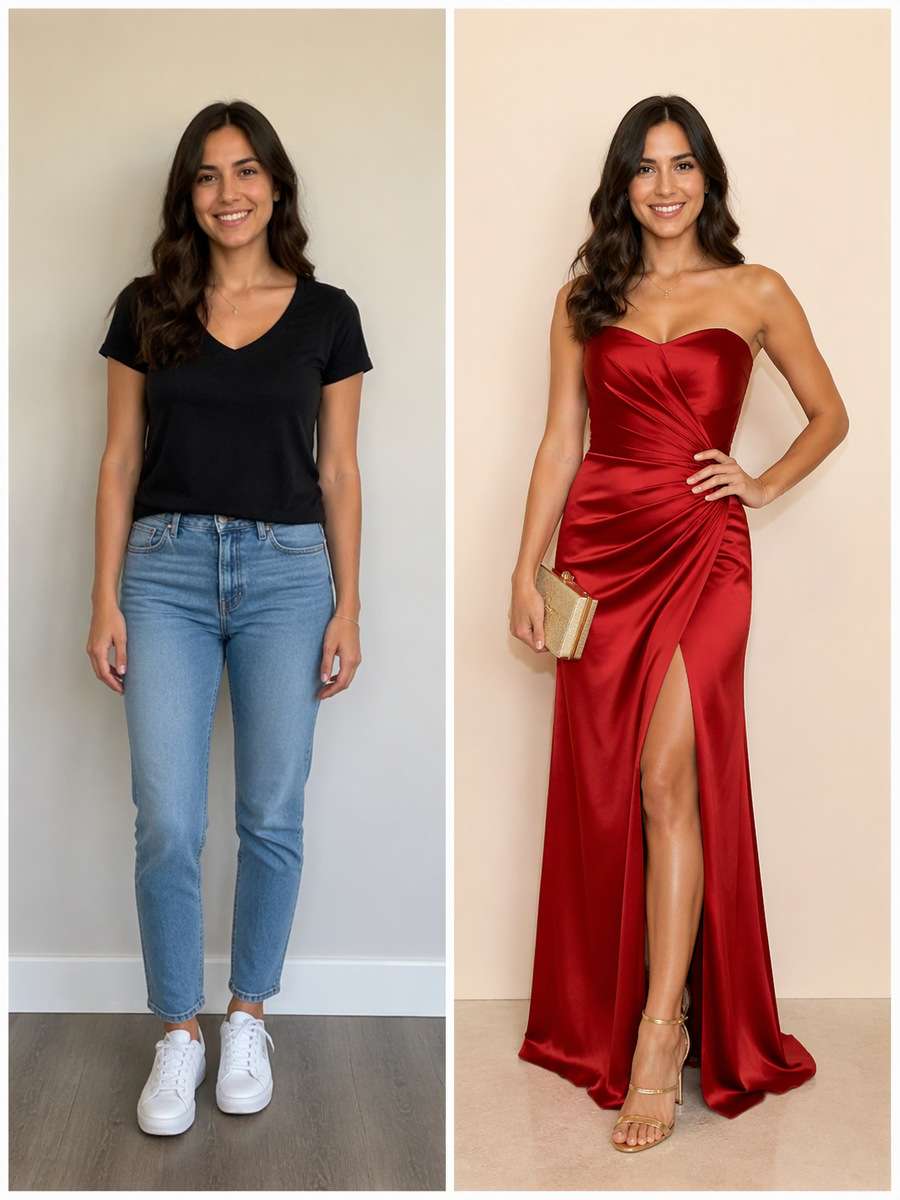
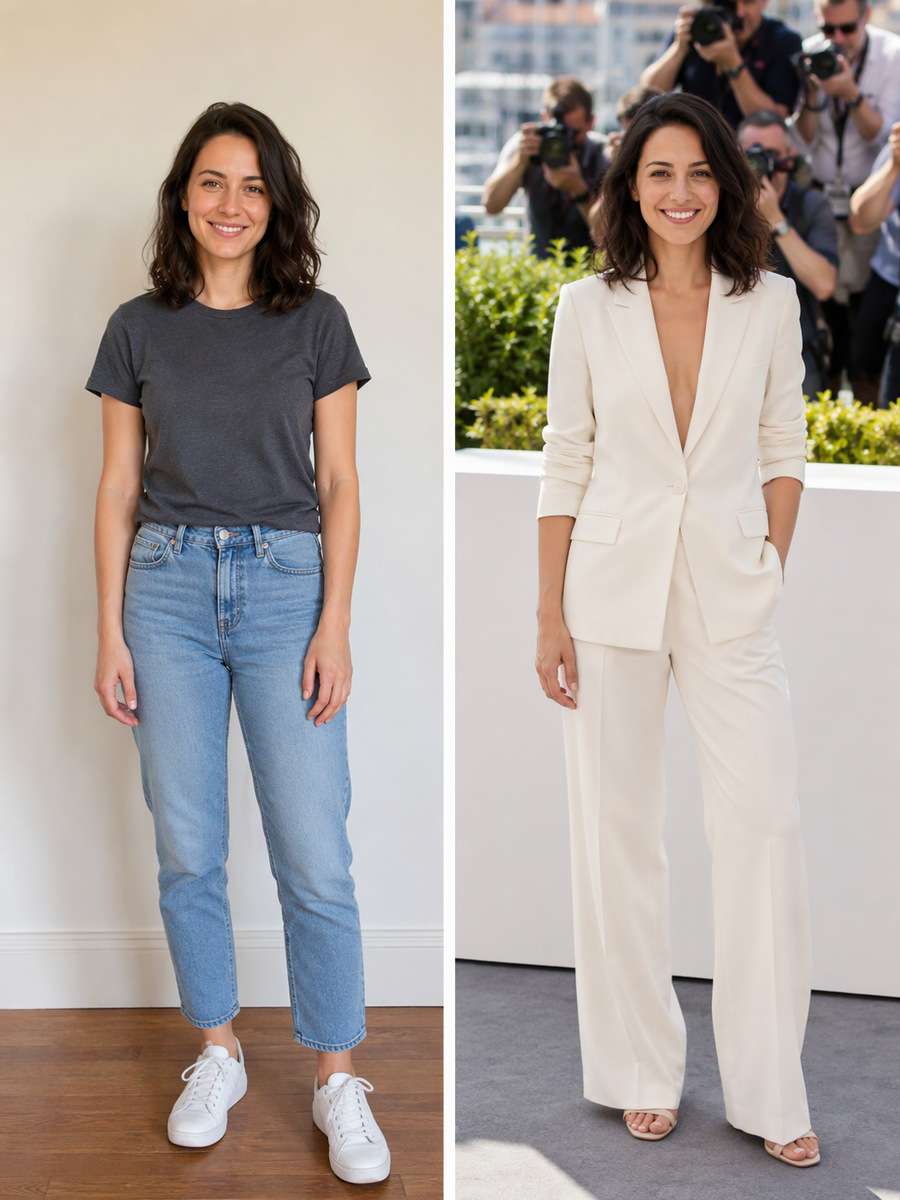
Keep the recognizable subject from my uploaded photo. Edit into an indoor fashion-event photo wall with pale cream background, clean direct flash and full-length outfit visibility. Avoid extra fingers or fabricated real brand endorsements. Keep the source adult face, build, age and expressions recognizable; the premiere setting is fictional and must not imply real awards, sponsors or celebrity endorsement. Treat the premiere as fictional, use generic backdrops and no recognizable real sponsor logos, titles or award claims.
Award-Night Staircase
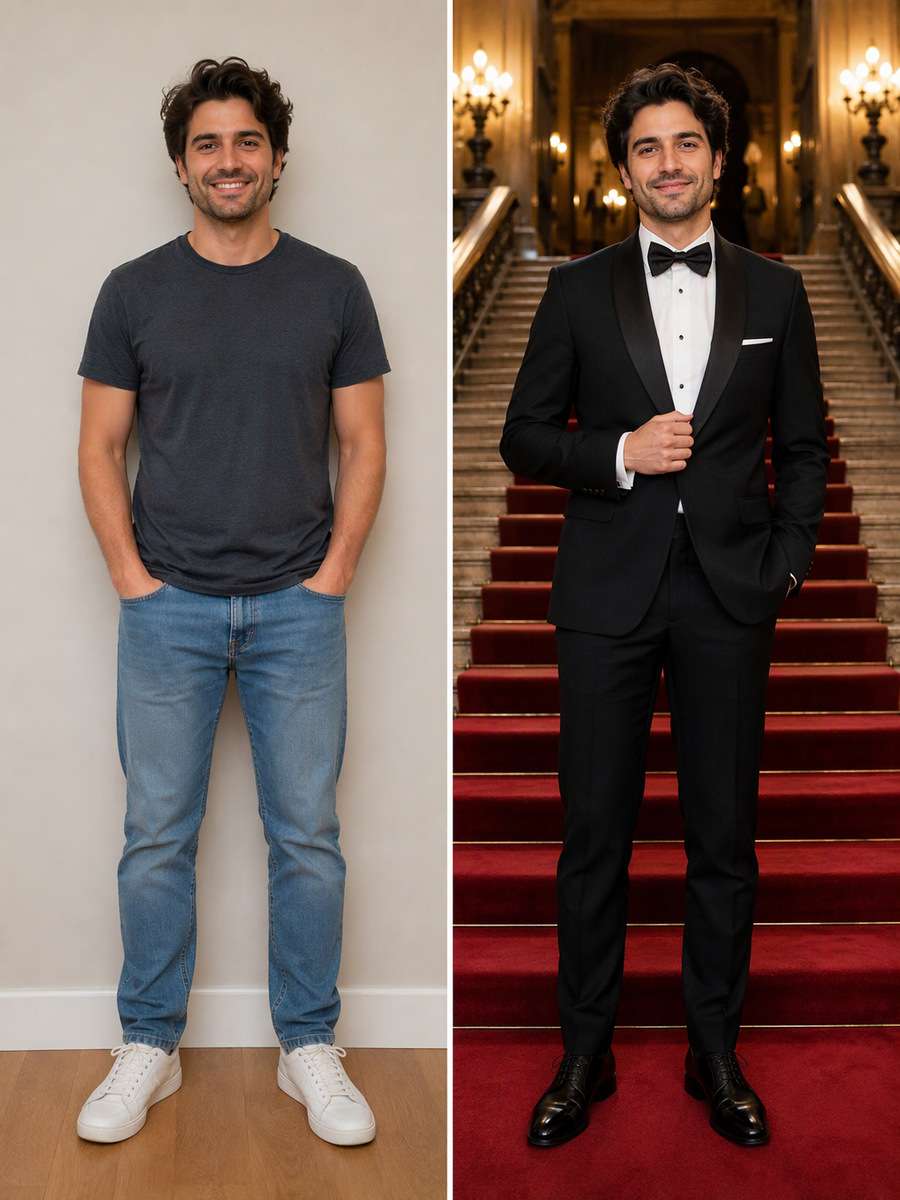
Using my uploaded photo, create the following specific photo edit. Show the same adult on a grand theater staircase under symmetrical warm lights and a carpet runner, holding a clutch or adjusting a lapel. Keep feet grounded and exclude actual award trophies or event names. Keep the source adult face, build, age and expressions recognizable; the premiere setting is fictional and must not imply real awards, sponsors or celebrity endorsement. Treat the premiere as fictional, use generic backdrops and no recognizable real sponsor logos, titles or award claims.
Paparazzi Flash Close-Up
Use my uploaded photo as the identity reference. Frame a tight, recognizable facial close-up at a movie premiere with sharp flash reflections in the eyes, a hint of red carpet in the foreground and blurred camera lenses behind. Avoid face distortion or beauty-filter smoothing. Keep the source adult face, build, age and expressions recognizable; the premiere setting is fictional and must not imply real awards, sponsors or celebrity endorsement. Treat the premiere as fictional, use generic backdrops and no recognizable real sponsor logos, titles or award claims.
Black-Tie Couple Arrival
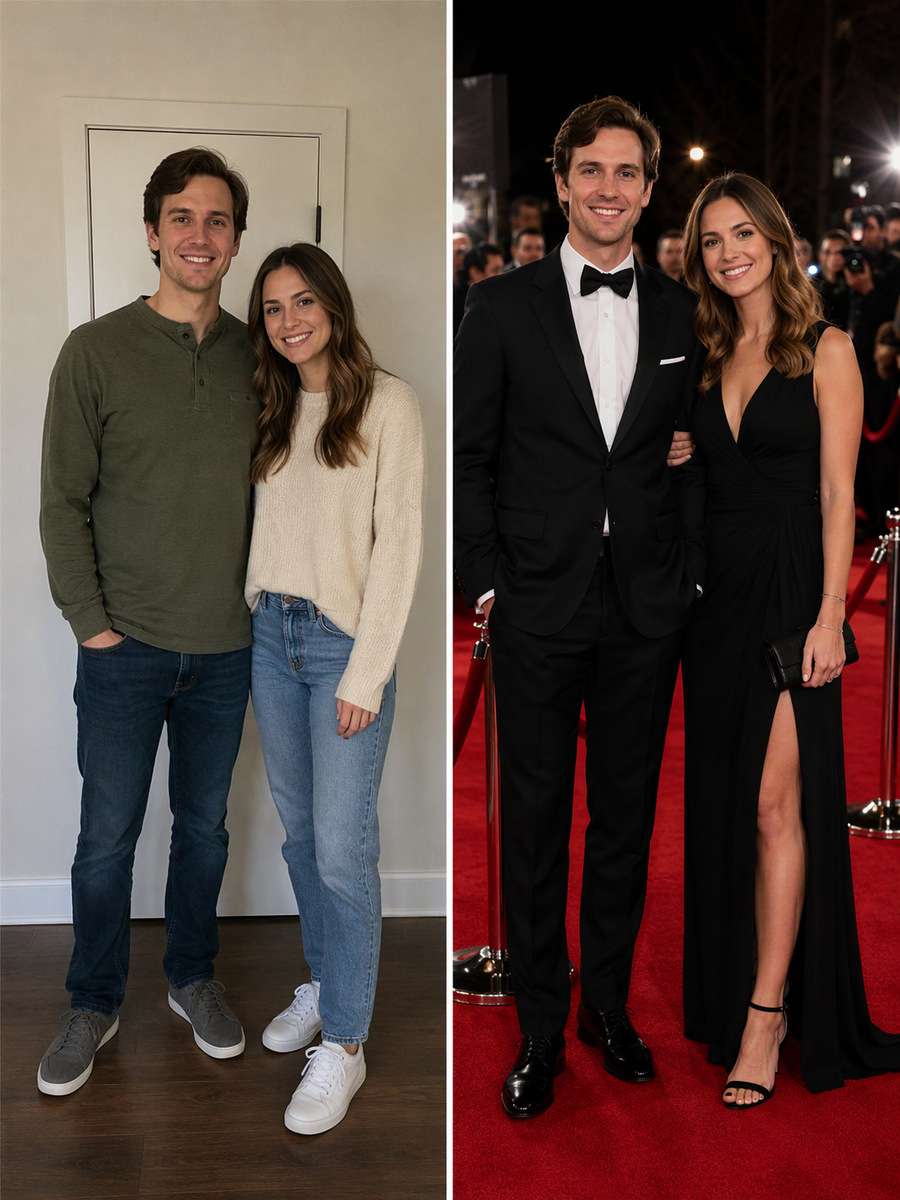
Edit my uploaded photo rather than inventing a new person or pet. From a real adult couple photo, build a red-carpet arrival with matching formal outfits, one gentle arm-linked pose and simple venue lighting. Keep both source faces distinct and do not invent a celebrity partner. Keep the source adult face, build, age and expressions recognizable; the premiere setting is fictional and must not imply real awards, sponsors or celebrity endorsement. Treat the premiere as fictional, use generic backdrops and no recognizable real sponsor logos, titles or award claims.
Outdoor Festival Photocall
Start with my uploaded photo; build the finished image around this actual reference. Stage the adult at a fictional outdoor film-festival photocall in daylight, crisp suit or gown, unbranded white step-and-repeat and photographers positioned in the distance. Maintain natural shadows and skin texture. Keep the source adult face, build, age and expressions recognizable; the premiere setting is fictional and must not imply real awards, sponsors or celebrity endorsement. Treat the premiere as fictional, use generic backdrops and no recognizable real sponsor logos, titles or award claims.
Cannes-Inspired Evening
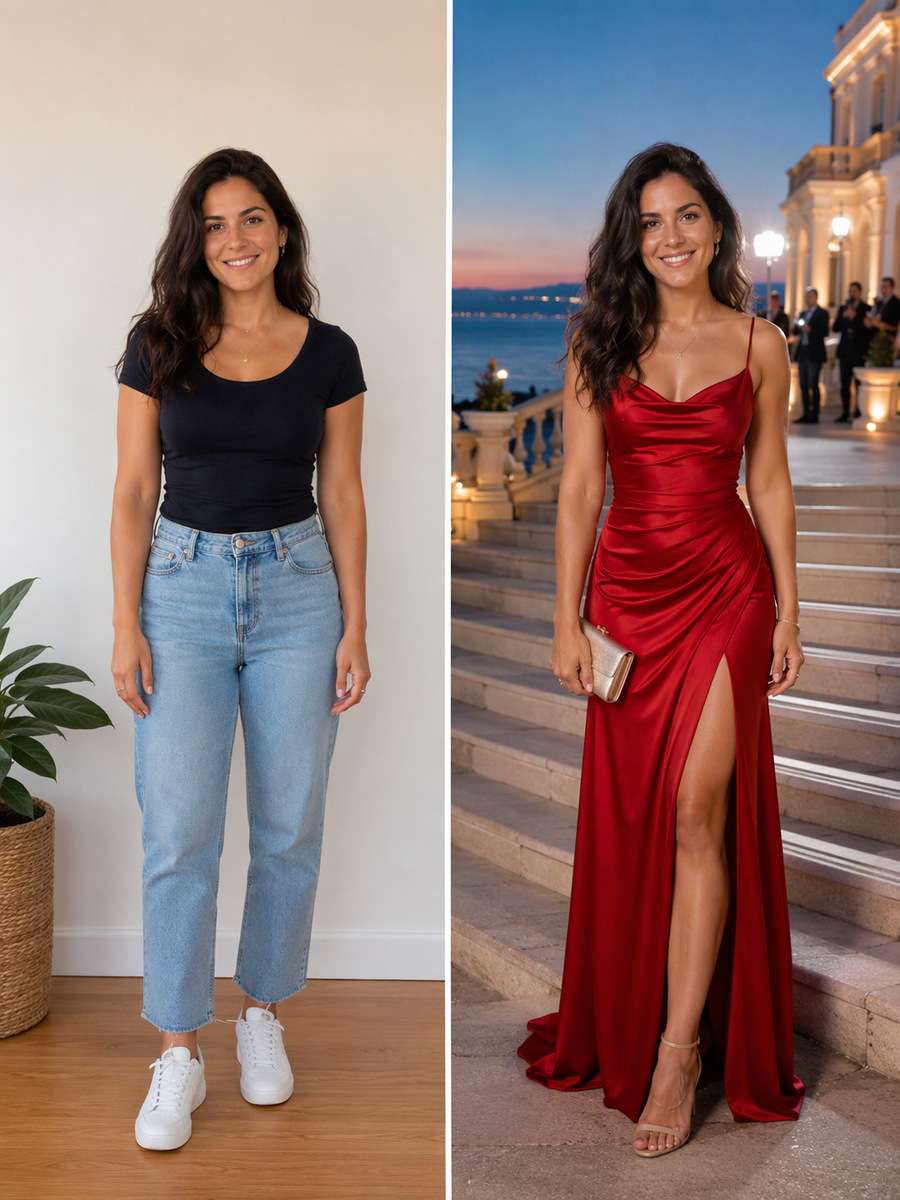
Keep the recognizable subject from my uploaded photo. Create a Mediterranean festival-inspired carpet portrait at dusk on elegant wide steps with cream stone architecture and sea-blue ambient light, without falsely claiming a real festival appearance or using its logos. Keep the source adult face, build, age and expressions recognizable; the premiere setting is fictional and must not imply real awards, sponsors or celebrity endorsement. Treat the premiere as fictional, use generic backdrops and no recognizable real sponsor logos, titles or award claims.
Emerald Satin Spotlight
Using my uploaded photo, create the following specific photo edit. Style the adult in an emerald satin evening outfit under a tight warm spotlight, with deep charcoal background and blurred publicist silhouettes far behind. Show realistic textile highlights, no dramatic body reshaping. Keep the source adult face, build, age and expressions recognizable; the premiere setting is fictional and must not imply real awards, sponsors or celebrity endorsement. Treat the premiere as fictional, use generic backdrops and no recognizable real sponsor logos, titles or award claims.
Tuxedo Lapel Detail
Use my uploaded photo as the identity reference. Make an editorial red-carpet three-quarter portrait focusing on tailored tux lapels, clean bow tie and a calm direct gaze against soft flash-lit backdrop. Keep natural facial hair and skin tone from the uploaded photo. Keep the source adult face, build, age and expressions recognizable; the premiere setting is fictional and must not imply real awards, sponsors or celebrity endorsement. Treat the premiere as fictional, use generic backdrops and no recognizable real sponsor logos, titles or award claims.
Runway-to-Red-Carpet Walk
Edit my uploaded photo rather than inventing a new person or pet. Capture the adult mid-stride on the red carpet in a fashion-forward formal outfit, photographers visible behind the rope and crisp shoe contact. Avoid runway fashion catwalk cues and unrealistic billowing fabric. Keep the source adult face, build, age and expressions recognizable; the premiere setting is fictional and must not imply real awards, sponsors or celebrity endorsement. Treat the premiere as fictional, use generic backdrops and no recognizable real sponsor logos, titles or award claims.
Vintage Film Premiere Flash
Start with my uploaded photo; build the finished image around this actual reference. Reimagine a 1960s-inspired black-and-white movie premiere snapshot: direct bulb flash, wool overcoat, velvet carpet barrier and dark theater doors. Keep the same adult age and face, not a famous actor lookalike. Keep the source adult face, build, age and expressions recognizable; the premiere setting is fictional and must not imply real awards, sponsors or celebrity endorsement. Treat the premiere as fictional, use generic backdrops and no recognizable real sponsor logos, titles or award claims.
Rainy Premiere Umbrella
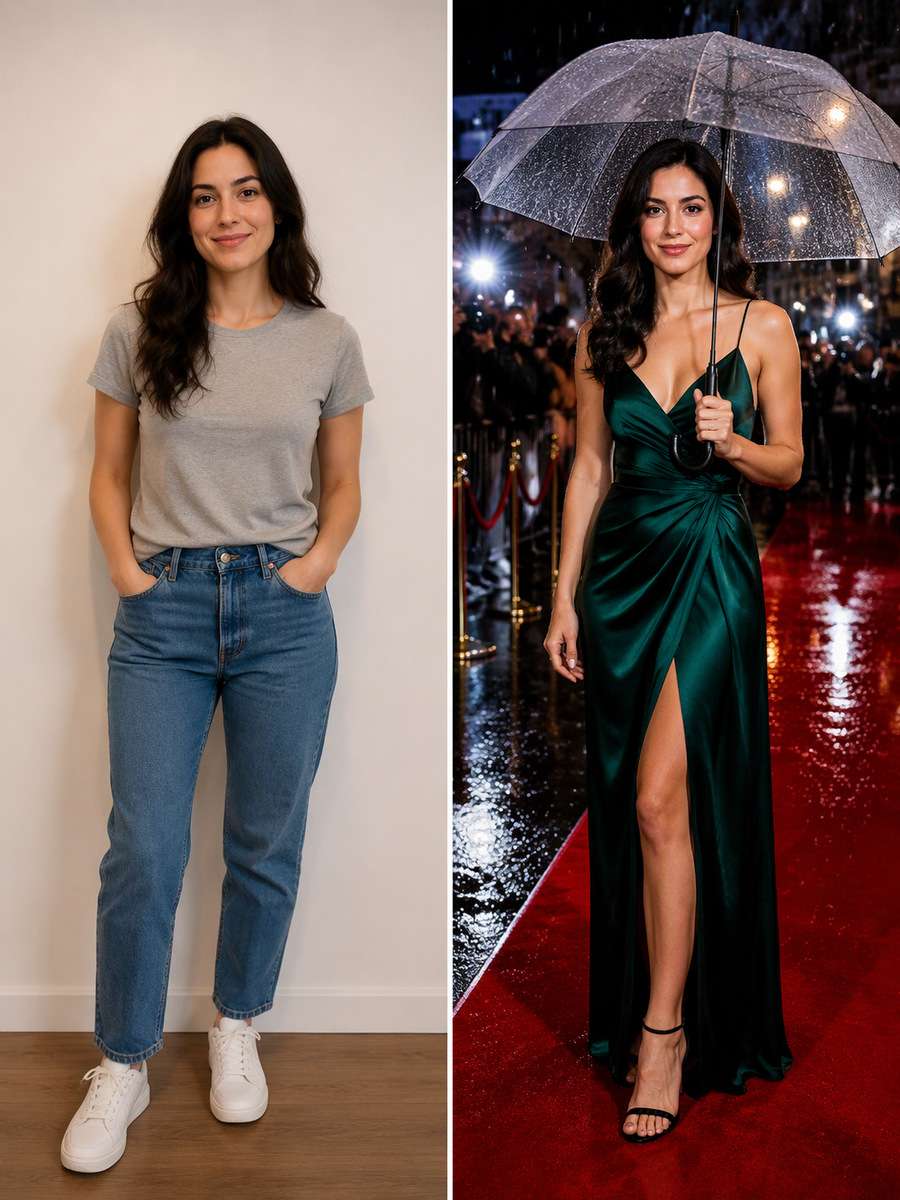
Keep the recognizable subject from my uploaded photo. Show the adult on a sheltered red carpet under a clear umbrella during a mild rain, wet pavement reflections and camera flash highlights. Keep the outfit dry and umbrella hand realistic. Keep the source adult face, build, age and expressions recognizable; the premiere setting is fictional and must not imply real awards, sponsors or celebrity endorsement. Treat the premiere as fictional, use generic backdrops and no recognizable real sponsor logos, titles or award claims.
Press Line Side Profile
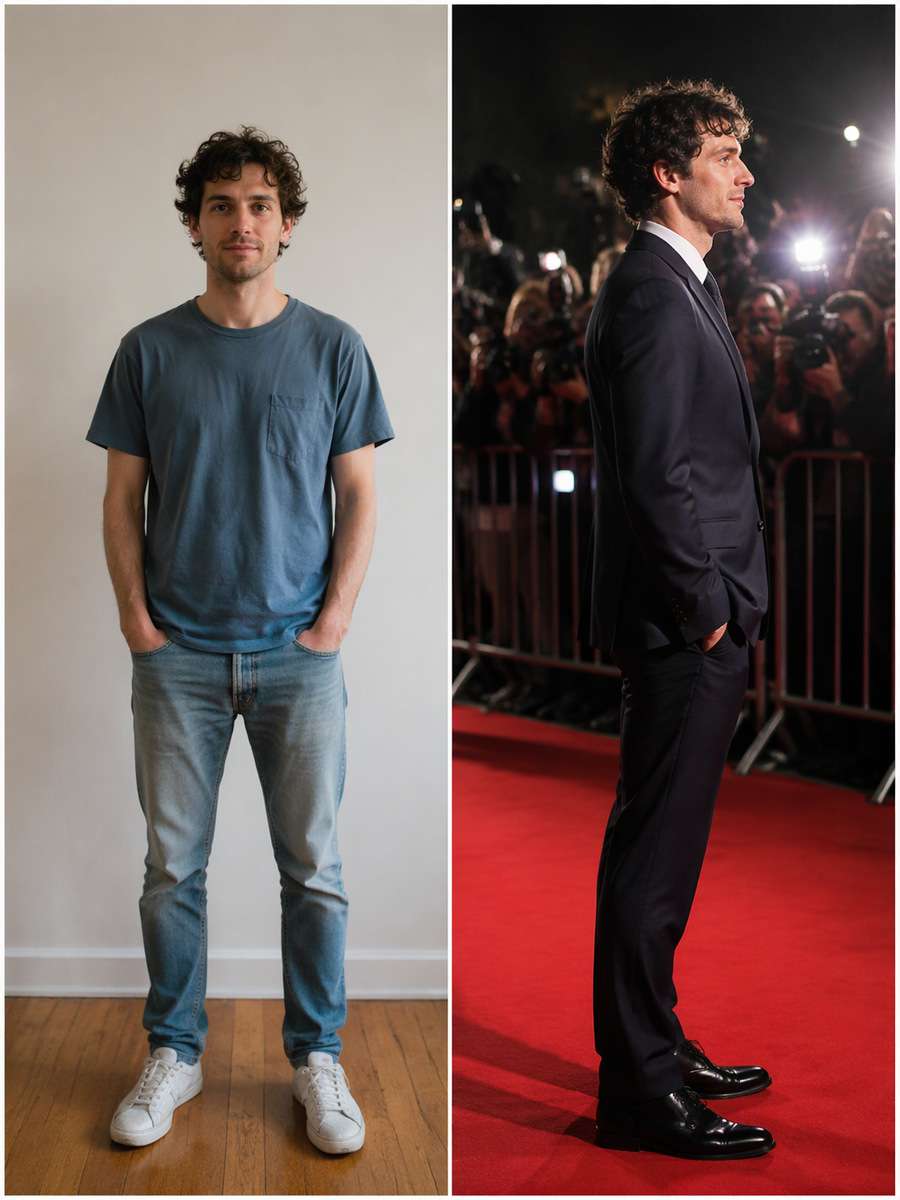
Using my uploaded photo, create the following specific photo edit. Create a strong side-profile red-carpet frame, flash from several directions and out-of-focus press cameras lining the edge. Preserve the exact nose/chin contour rather than glamorizing into a new face. Keep the source adult face, build, age and expressions recognizable; the premiere setting is fictional and must not imply real awards, sponsors or celebrity endorsement. Treat the premiere as fictional, use generic backdrops and no recognizable real sponsor logos, titles or award claims.
Champagne-Gold Event Lobby
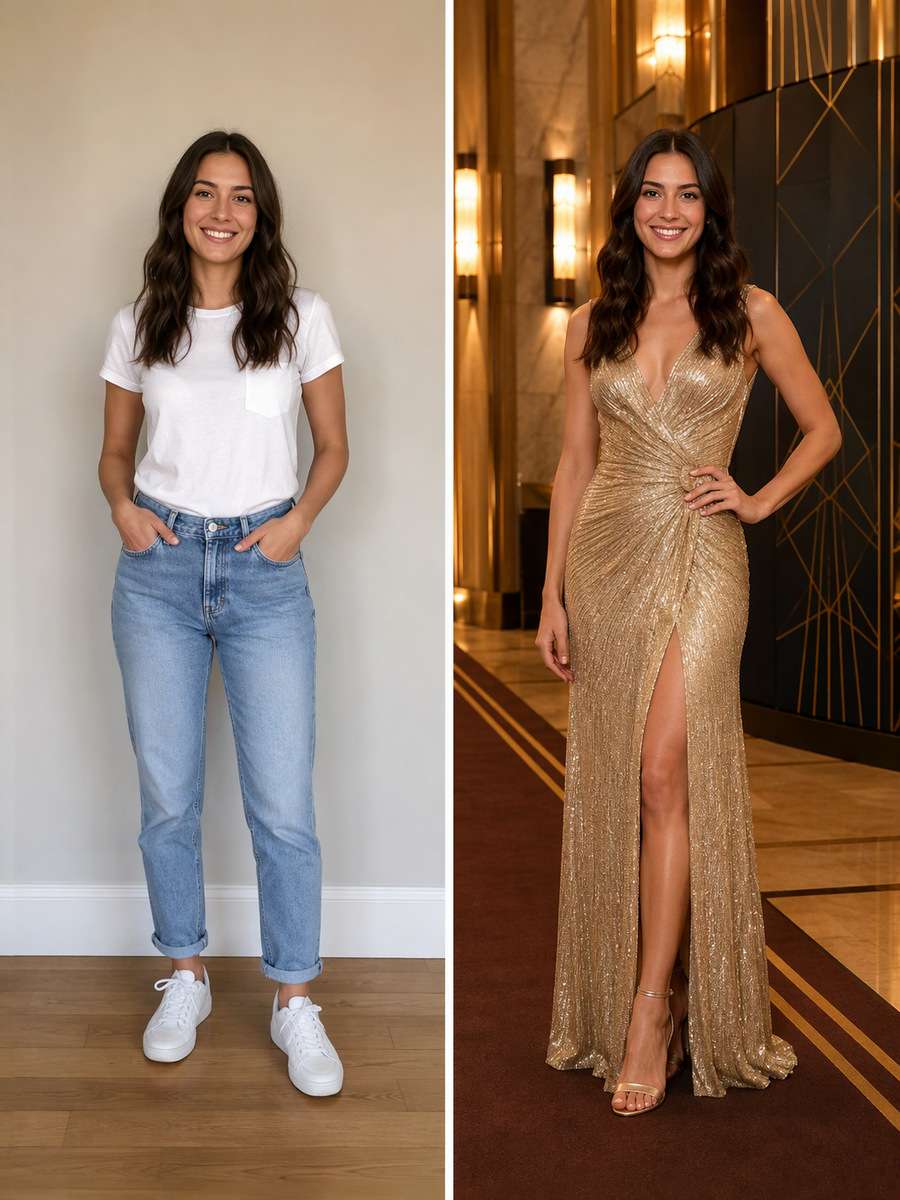
Use my uploaded photo as the identity reference. Put the adult in a golden art-deco theater lobby with subtle carpet runner, warm wall sconces and an unobtrusive press backdrop. No alcohol props needed and no named event text. Keep the source adult face, build, age and expressions recognizable; the premiere setting is fictional and must not imply real awards, sponsors or celebrity endorsement. Treat the premiere as fictional, use generic backdrops and no recognizable real sponsor logos, titles or award claims.
Leather Jacket Indie Premiere
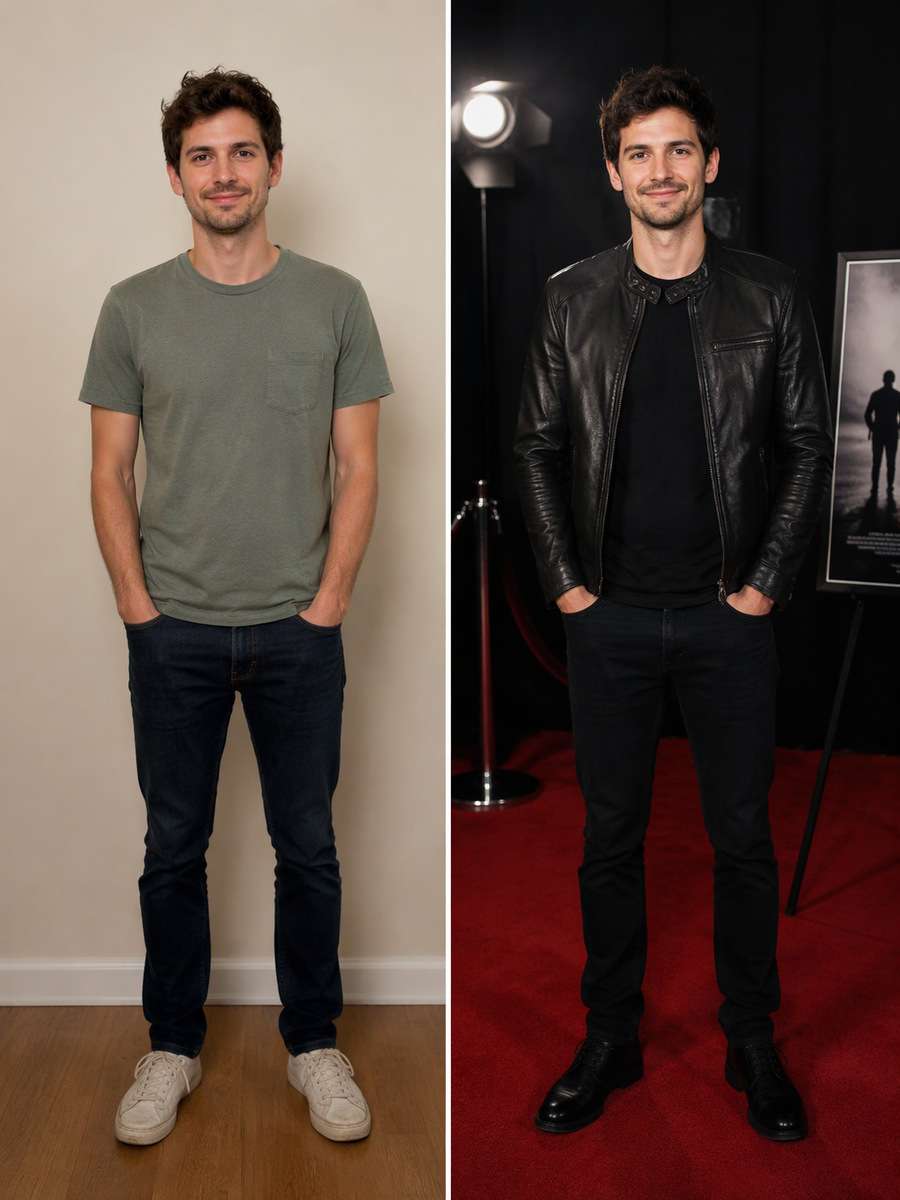
Edit my uploaded photo rather than inventing a new person or pet. Edit the portrait into a small independent-film premiere with a simple leather jacket, minimalist black backdrop and candid smile, contrasting blockbuster glamour with accessible real-world style. Keep the source adult face, build, age and expressions recognizable; the premiere setting is fictional and must not imply real awards, sponsors or celebrity endorsement. Treat the premiere as fictional, use generic backdrops and no recognizable real sponsor logos, titles or award claims.
One-Shoulder Gown Portrait
Start with my uploaded photo; build the finished image around this actual reference. For an adult source subject choosing evening wear, show an elegant one-shoulder gown in a tasteful full-length red-carpet pose with soft flash and natural shoulders. Avoid unrealistic anatomy and excessive skin retouching. Keep the source adult face, build, age and expressions recognizable; the premiere setting is fictional and must not imply real awards, sponsors or celebrity endorsement. Treat the premiere as fictional, use generic backdrops and no recognizable real sponsor logos, titles or award claims.
Monochrome Press Portrait
Keep the recognizable subject from my uploaded photo. Create a striking monochrome photograph of the adult at a fictional press wall, side lighting and silver-grain texture, with red carpet retained only as a subtle darker tone. Keep the face exactly recognizable. Keep the source adult face, build, age and expressions recognizable; the premiere setting is fictional and must not imply real awards, sponsors or celebrity endorsement. Treat the premiere as fictional, use generic backdrops and no recognizable real sponsor logos, titles or award claims.
Press Photographers POV
Using my uploaded photo, create the following specific photo edit. Frame a photographer's eye-level perspective of the adult standing at the rope line, a blurred shoulder of a camera operator in foreground and direct eye contact. Do not depict a real celebrity endorsement. Keep the source adult face, build, age and expressions recognizable; the premiere setting is fictional and must not imply real awards, sponsors or celebrity endorsement. Treat the premiere as fictional, use generic backdrops and no recognizable real sponsor logos, titles or award claims.
Premiering With Friends
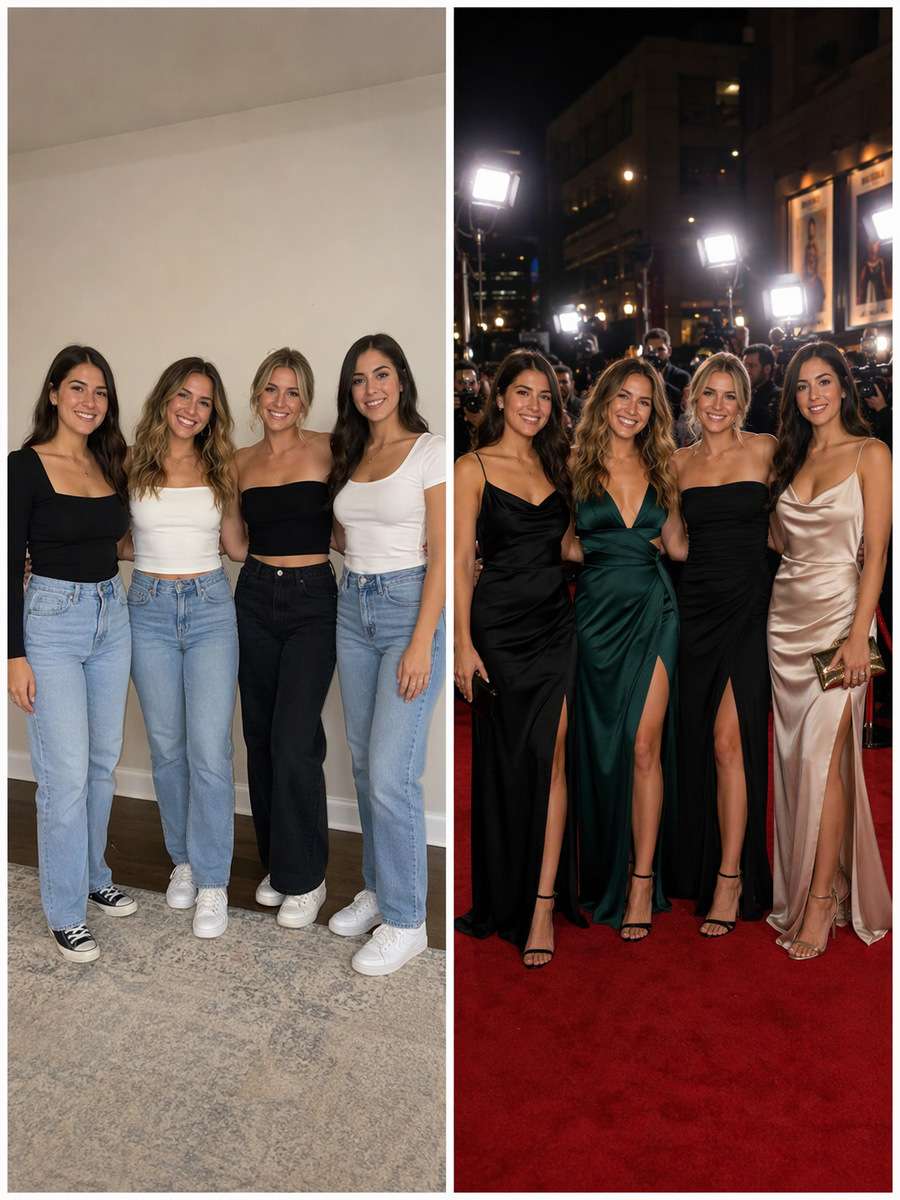
Use my uploaded photo as the identity reference. Use only people already present in the uploaded photo, reimagine them as friends arriving together at a fictional premiere, with natural arm positions and coordinated but distinct formal outfits. Keep exact subject count. Keep the source adult face, build, age and expressions recognizable; the premiere setting is fictional and must not imply real awards, sponsors or celebrity endorsement. Treat the premiere as fictional, use generic backdrops and no recognizable real sponsor logos, titles or award claims.
Moving Camera Flash
Edit my uploaded photo rather than inventing a new person or pet. Show a dynamic candid on red-carpet steps as the same adult looks over the shoulder toward a new flash, slight streaks behind while face and outfit remain crisp. Maintain correct stairs and shoe contact. Keep the source adult face, build, age and expressions recognizable; the premiere setting is fictional and must not imply real awards, sponsors or celebrity endorsement. Treat the premiere as fictional, use generic backdrops and no recognizable real sponsor logos, titles or award claims.
Minimal Ivory Photo Wall
Start with my uploaded photo; build the finished image around this actual reference. Make a clean editorial photocall in front of an ivory textured wall, soft direct flash and elegant neutral styling, with deliberate negative space and no made-up sponsor badges. Keep the source adult face, build, age and expressions recognizable; the premiere setting is fictional and must not imply real awards, sponsors or celebrity endorsement. Treat the premiere as fictional, use generic backdrops and no recognizable real sponsor logos, titles or award claims.
Afterparty Entrance Portrait
Keep the recognizable subject from my uploaded photo. Place the adult at the entrance of a tasteful fictional premiere afterparty with softly glowing interior and a red carpet strip; capture a relaxed smile after the formal photocall. Avoid nightclub cues and false VIP passes. Keep the source adult face, build, age and expressions recognizable; the premiere setting is fictional and must not imply real awards, sponsors or celebrity endorsement. Treat the premiere as fictional, use generic backdrops and no recognizable real sponsor logos, titles or award claims.
Dramatic Final Carpet Frame
Using my uploaded photo, create the following specific photo edit. Create a cinematic full-length final red-carpet portrait with warm theater facade, distant audience bokeh and a single controlled front flash. Maintain authentic individual identity, crisp garment details and no readable event signage. Keep the source adult face, build, age and expressions recognizable; the premiere setting is fictional and must not imply real awards, sponsors or celebrity endorsement. Treat the premiere as fictional, use generic backdrops and no recognizable real sponsor logos, titles or award claims.
Red Carpet Photography: Flash, Press Walls and Arrival Moments
Real carpet atmosphere is built from photographic cues, not from adding unreadable badges everywhere.
Choose a Specific Press-Side View
A step-and-repeat photo uses fairly direct flash and a flat geometric wall.
Arrival scenes need depth, a rope line and photographers farther from the face.
Paparazzi close-ups use hard light on the eyes but not plastic skin smoothing.
For a pair, supply both adult identities instead of adding an unknown celebrity.
Avoid False Event Signals
Use generic photo walls and fictional venues, not recognizable brand sponsorship logos.
Do not imply that the subject attended a real premiere or received a real award.
Check flash reflections, legs, car doors and distant camera equipment for physical consistency.
Keep evening outfits suitable for the source person and their preferred styling.
Red Carpet Photo Edits for Creative Sharing
Build a memorable event-style portrait without presenting the fictional scene as real reporting.
Movie-Themed Profile Photo
Choose a flash-lit tight portrait with a recognizable face.
Premiere Party Invitation
Use an unbranded venue entrance with space for correct text added later.
Formal Outfit Preview
Compare an event suit or gown against different realistic lighting.
Couple or Friend Photocall
Use a real source group to create a coordinated fictional red-carpet photo.
Frequently Asked Questions About ChatGPT Red Carpet Photo Prompts
1. How do I make a red carpet photo in ChatGPT?
Upload an adult portrait and describe a fictional premiere scene, formal clothing, flash direction, red carpet and background camera line.
2. Can I make a paparazzi-style photo without changing my face?
Ask the model to preserve face shape, skin tone and expression while adjusting lighting and the background. Inspect the result; likeness is not guaranteed.
3. What is a step-and-repeat red carpet background?
It is a repeat-pattern photo backdrop behind event guests. For AI edits, use an original generic geometric wall instead of made-up real brand sponsorships.
4. Can I generate a red carpet couple portrait?
Yes, if the uploaded source includes both people. Keep both adult faces distinguishable and ask for plausible arm-linked poses.
5. Will the image make it look like I attended a real premiere?
Treat it as a fictional creative image. Do not add real award claims, venue names or sponsor endorsements that imply an event happened.
What if someone else starred in your video? Swap any on-screen character with your favorite character using AI and bring a whole new twist to your scenes!
Swap Characters Now
Bikini Looks, Made with AI
Upload a photo and let AI transform the outfits. No editing skills needed!
Create Now
Today's Hottest AI Trends
All the hottest AI video trends in one place. Find your favorite and make it yours.