Home>AI Prompts>25 Old Hollywood Portrait Prompts to Copy into ChatGPT
25 Old Hollywood Portrait Prompts to Copy into ChatGPT
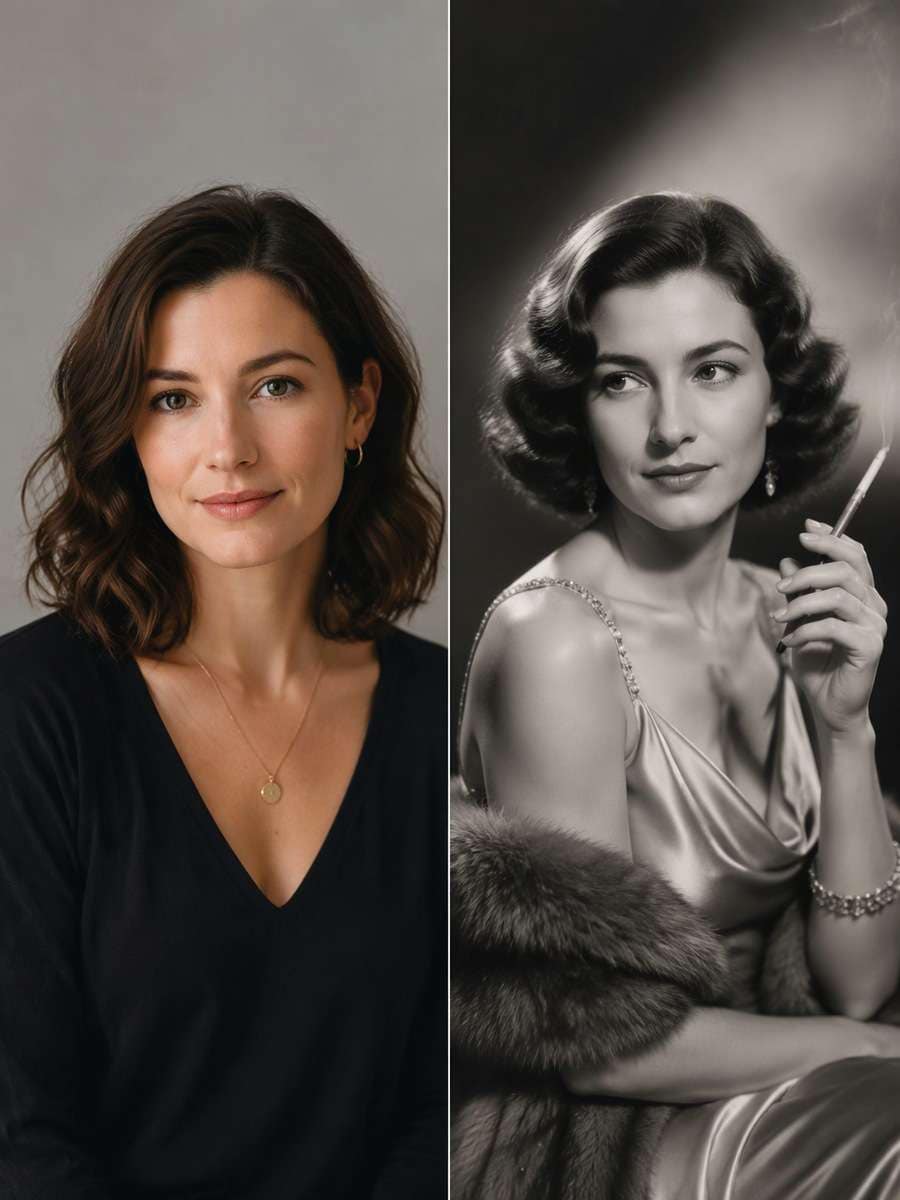
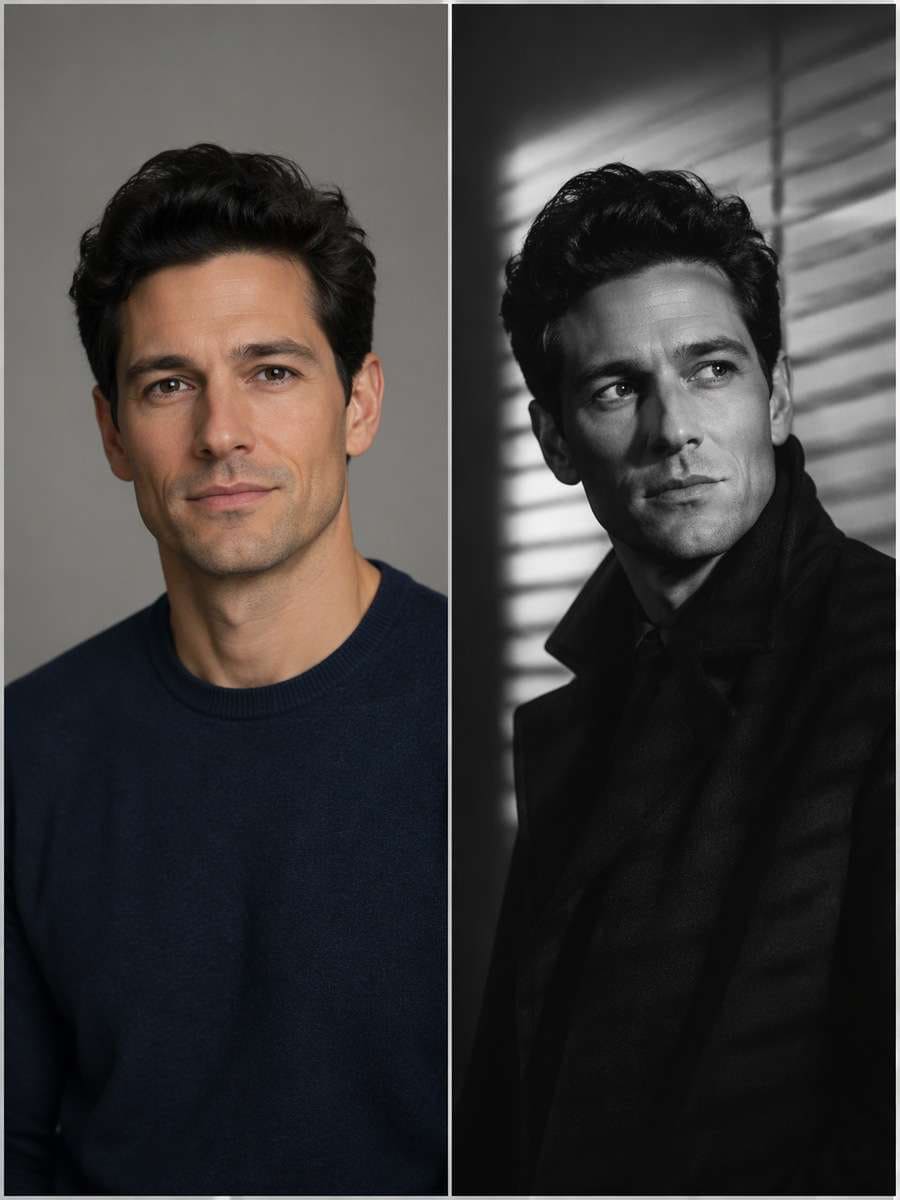
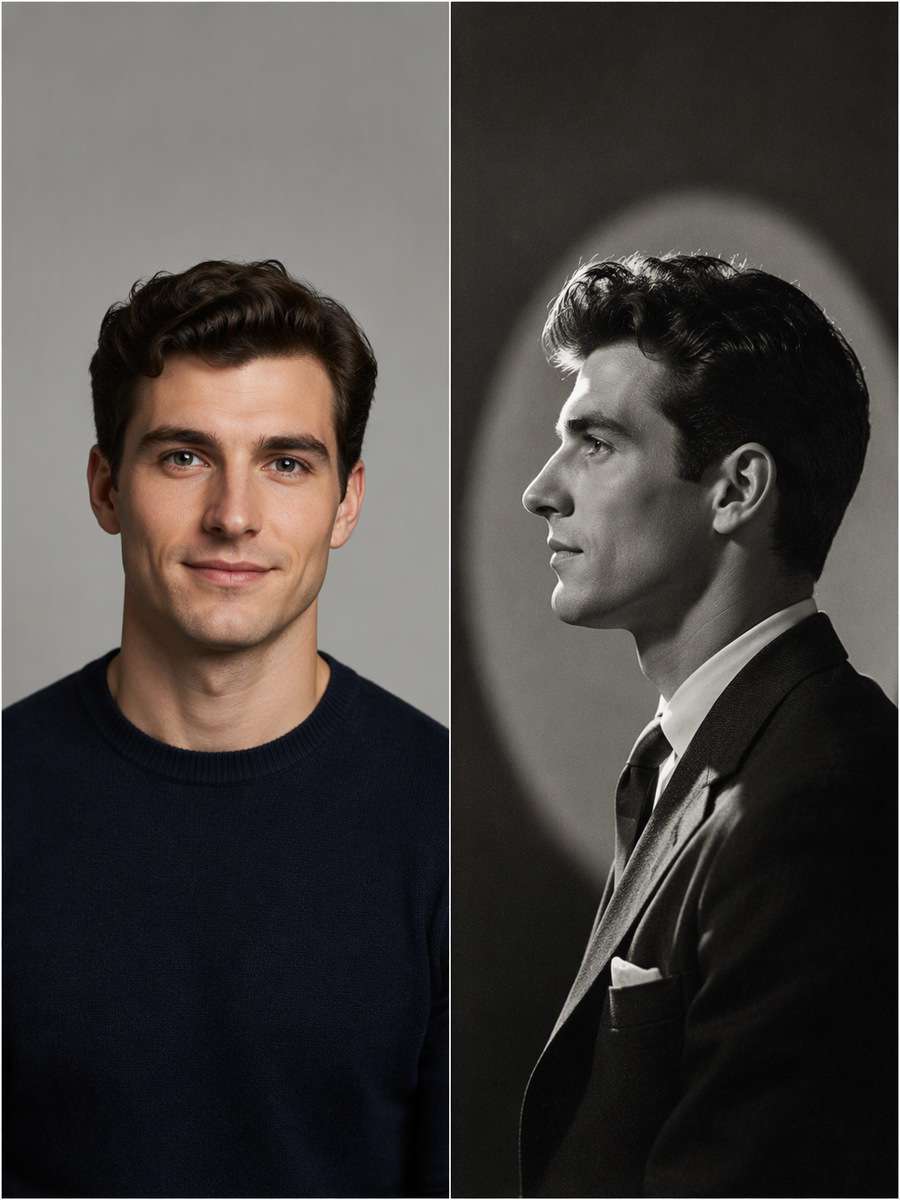
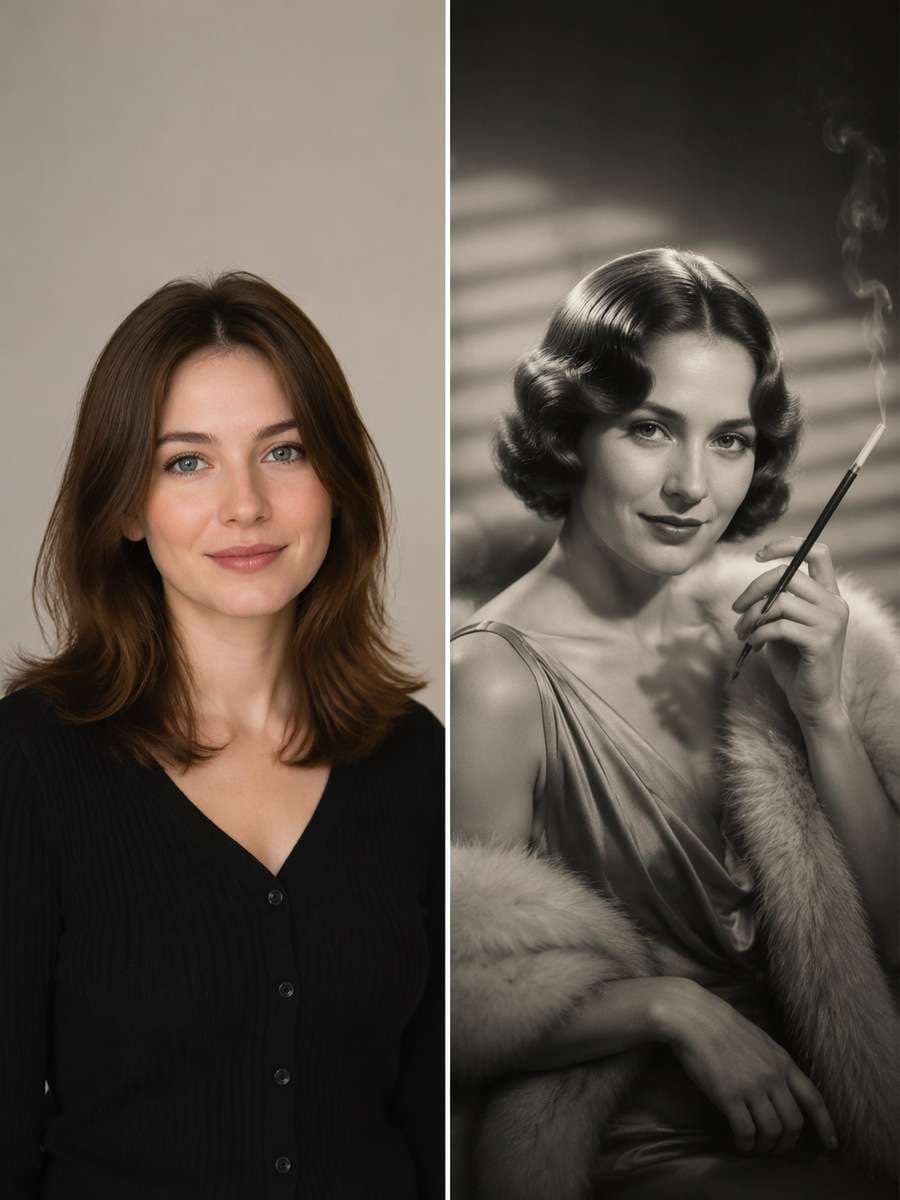
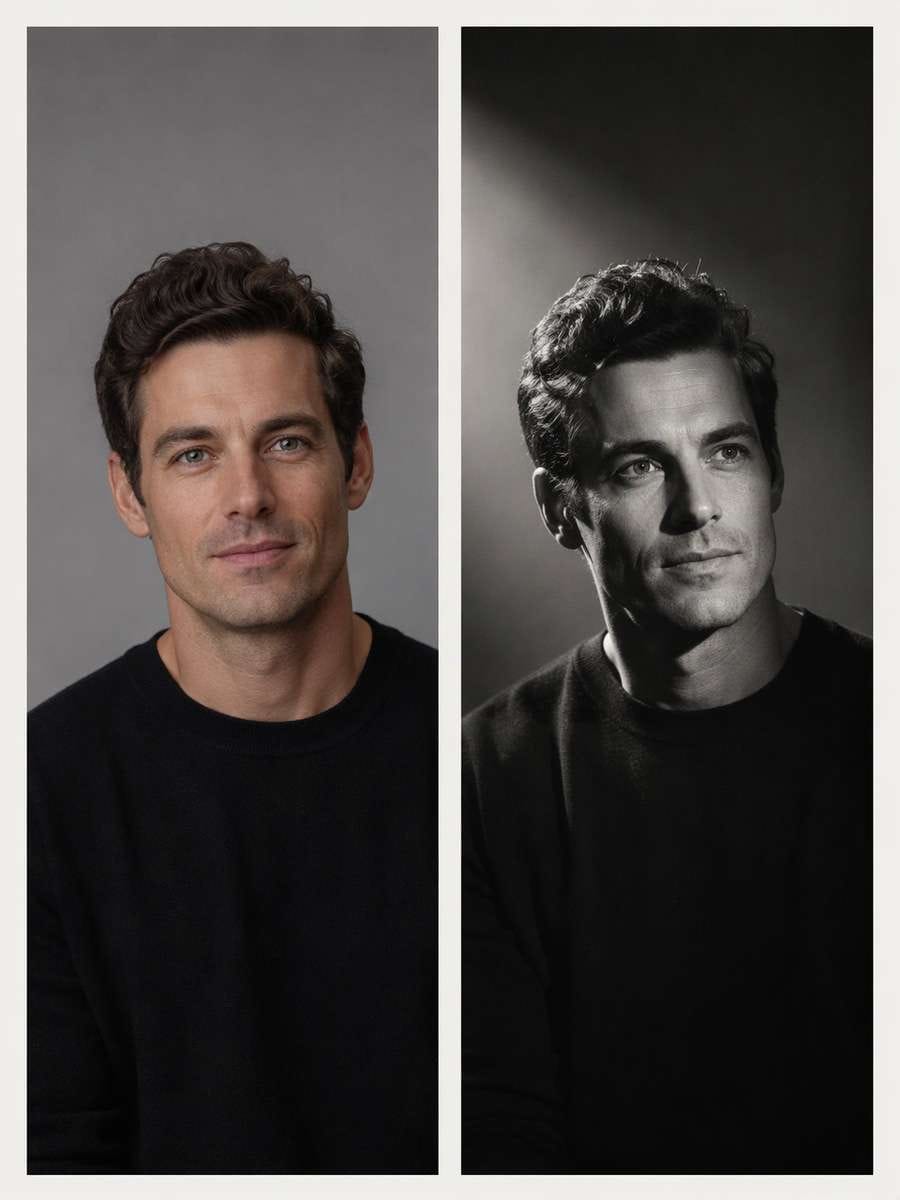
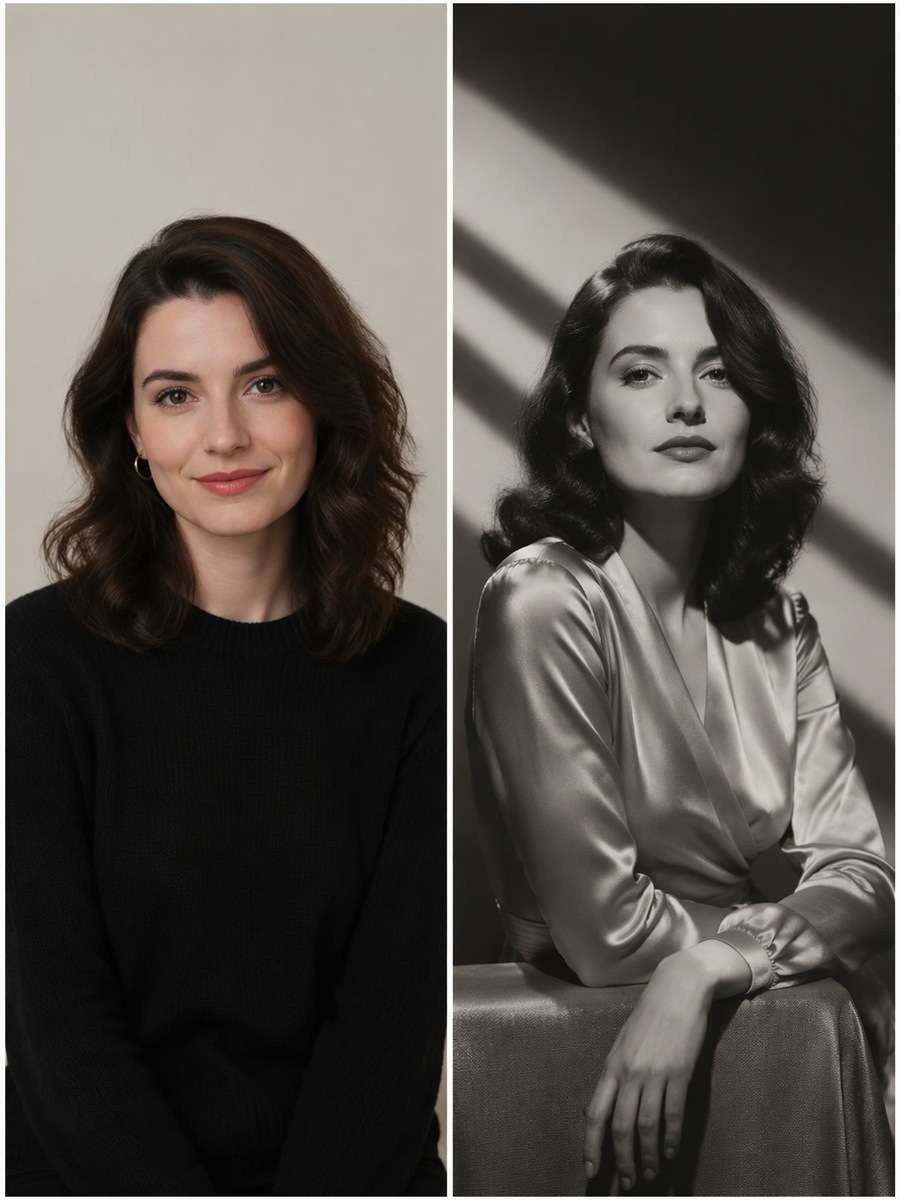
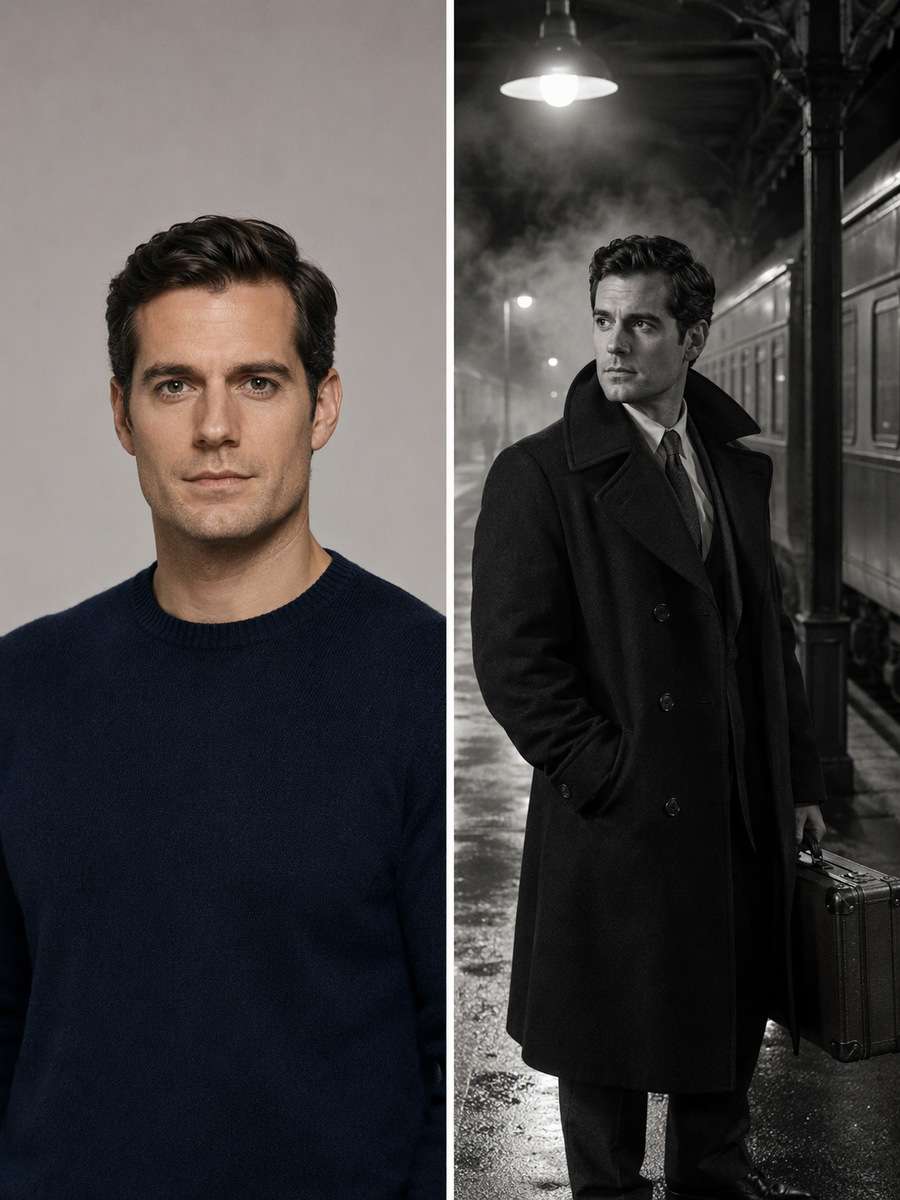
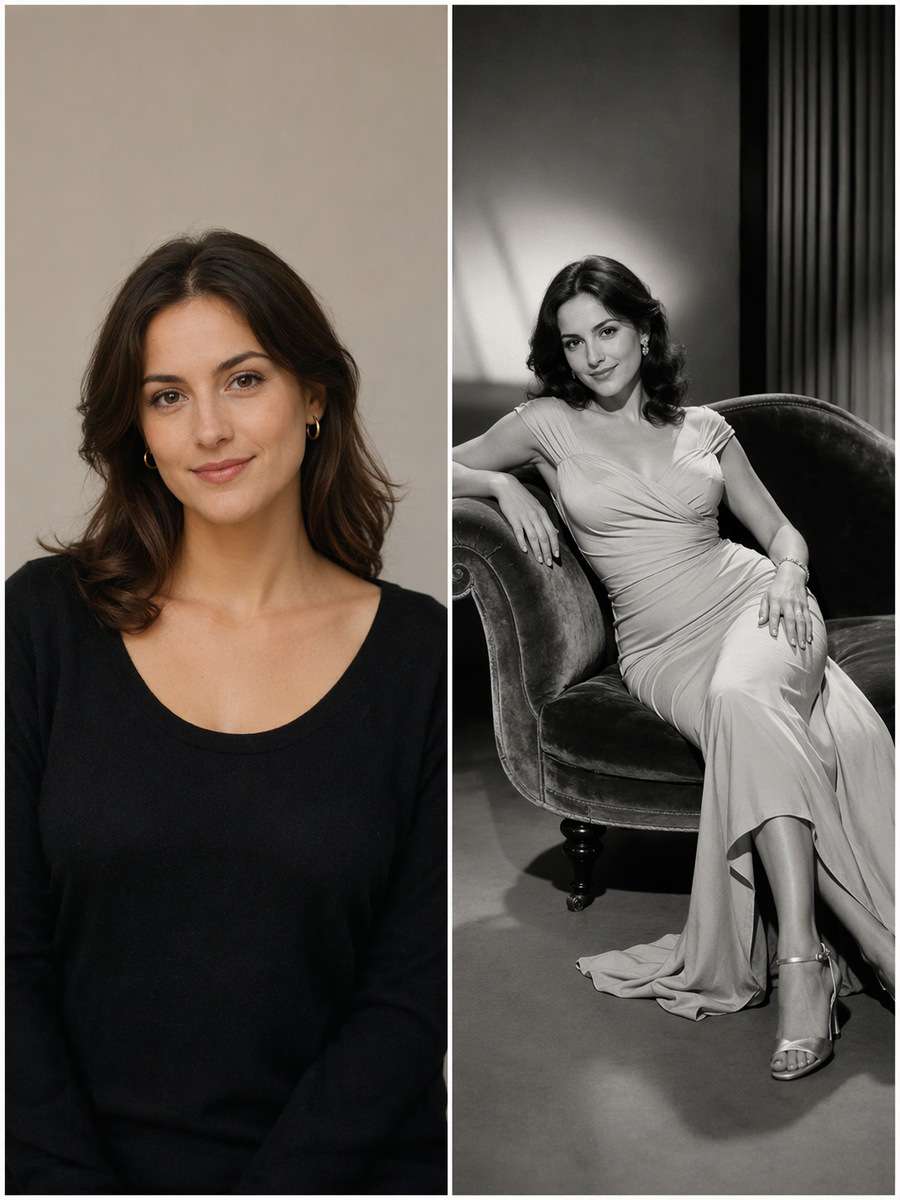
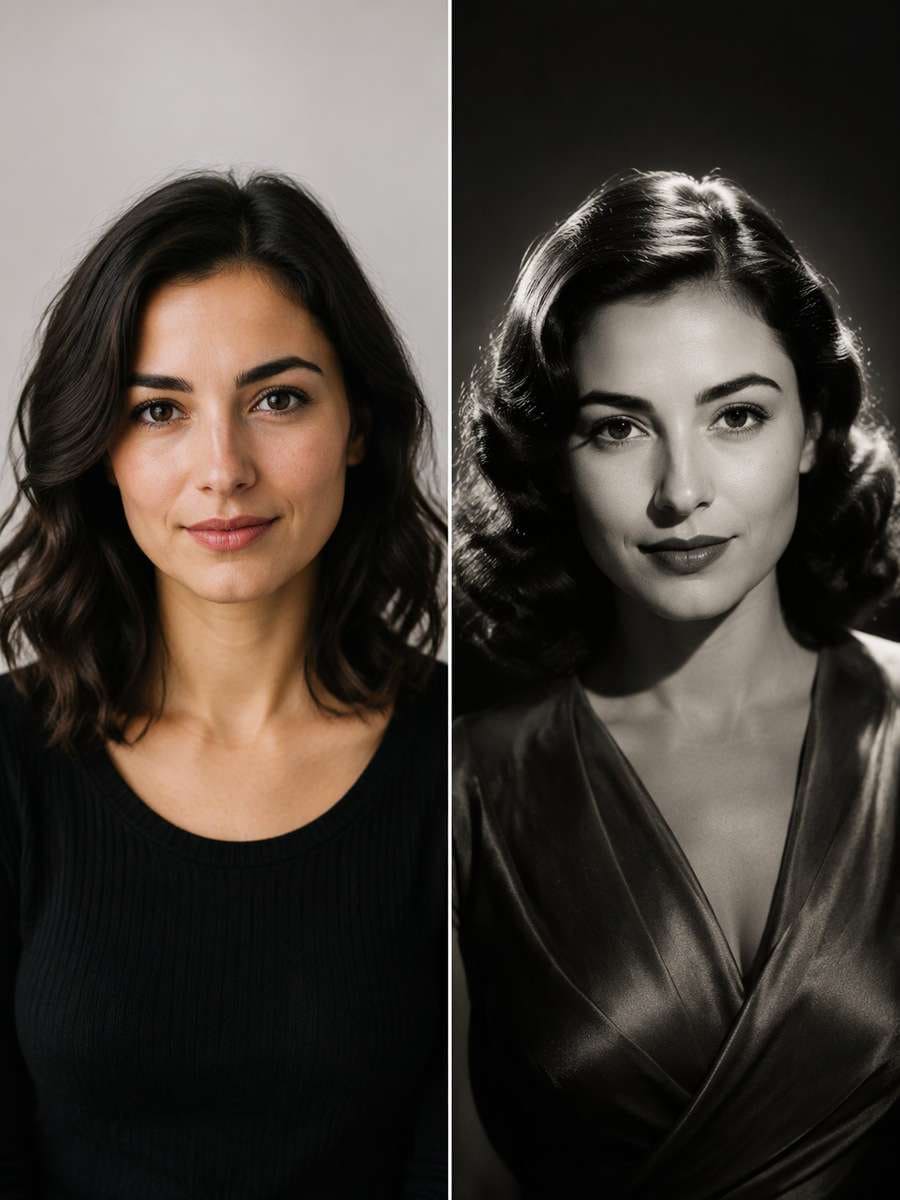
Old Hollywood portraits get their drama from light, not just black-and-white color. These ChatGPT Old Hollywood Portrait Prompts transform an uploaded adult photo using high butterfly lighting, background halos, silver print grain, satin highlights and sharply modeled shadows. Each look references a photographic technique or period set while keeping your own facial features rather than turning you into a famous actor.
Explore classic 1930s and 1940s Hollywood-inspired studio portraits and silver-screen lighting with Media.io - powered by ChatGPT.
How to Make an Old Hollywood Glamour Portrait Online
Start with a face-visible adult photo, then choose a specific studio lighting pattern and era rather than a vague vintage preset.
1
Upload a Clear Adult Photo
Choose a portrait with visible facial details and natural skin texture to hold through high-contrast light.
2
Choose a Classic Lighting Setup
Copy a prompt for butterfly light, silver-screen profile, hard side light, backstage portrait or noir street.
3
Inspect Shadows and Features
Check that shadow direction makes sense and your face remains recognizable. Avoid loss of eye detail or excessive plastic skin smoothing.
25 ChatGPT Old Hollywood Portrait Prompts Ideas to Copy and Try
Hurrell-Inspired Butterfly Light
Use my uploaded photo as the identity reference. Transform the uploaded adult portrait into a classic 1930s glamour headshot with a high frontal hard key light creating a neat butterfly-shaped nose shadow, bright hair edge and deep charcoal backdrop. Keep realistic skin texture, not plastic smoothing. Keep the original adult face, age, skin texture and facial silhouette recognizable; imitate period photographic lighting and styling without reproducing a specific celebrity. Build the period effect through believable key, rim and background light; do not replace the person with a real classic actor or smooth away their real features.
1930s Satin Studio
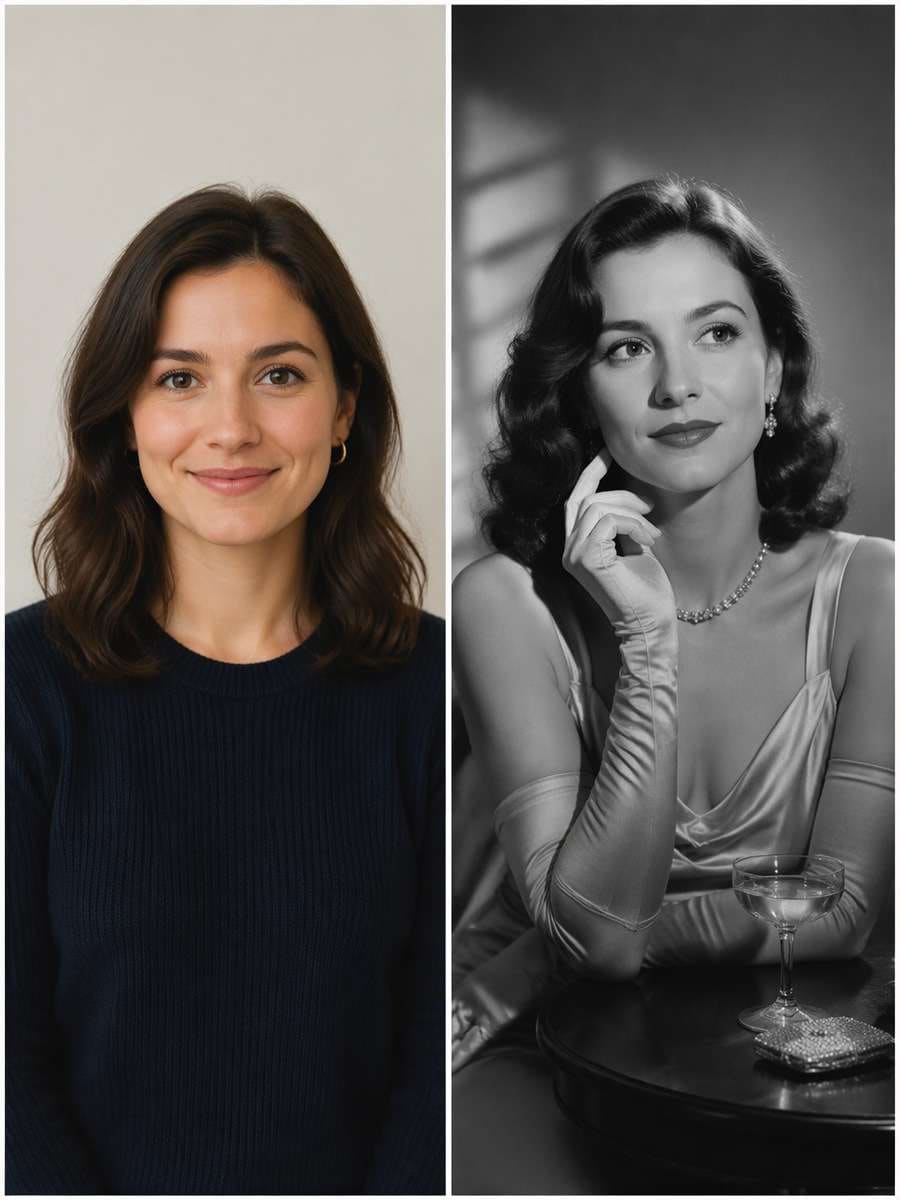
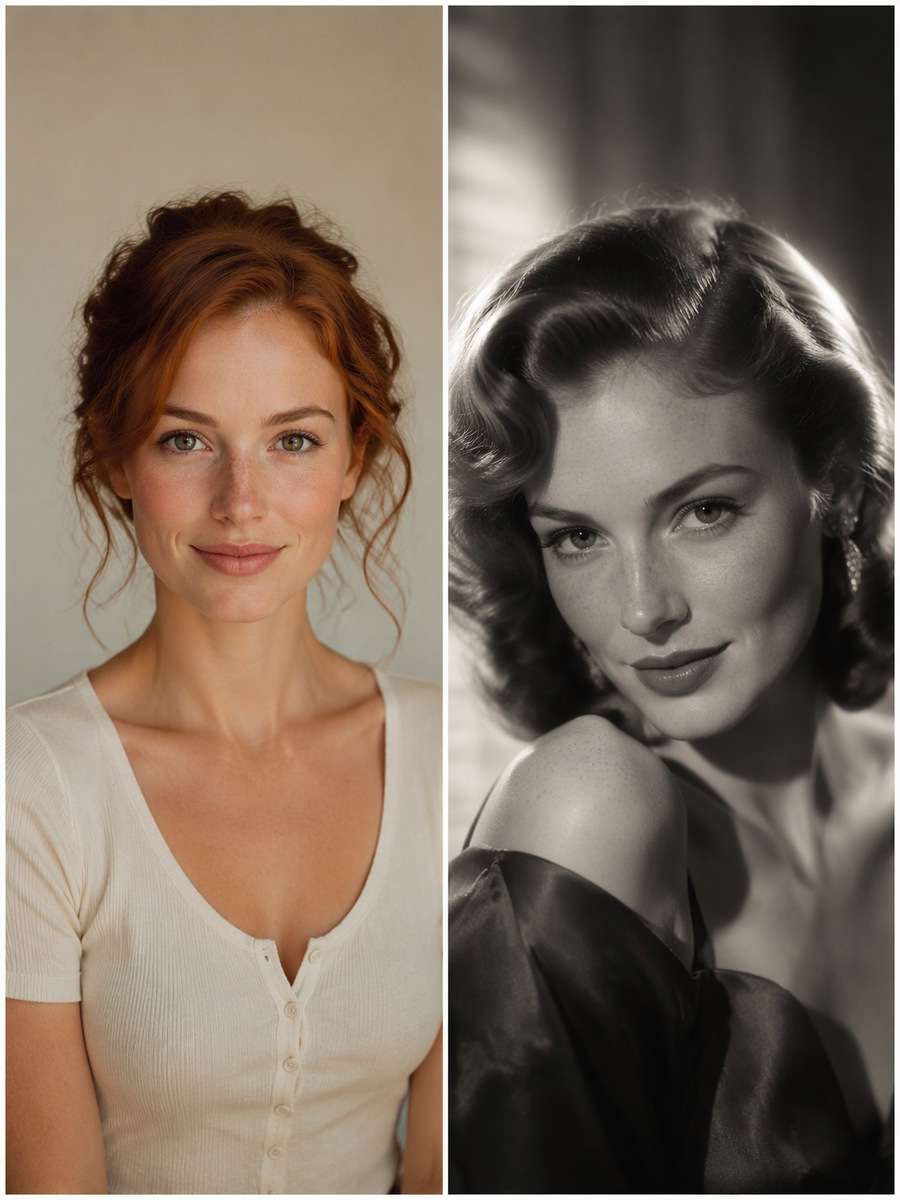
Edit my uploaded photo rather than inventing a new person or pet. Give the source adult an elegant satin evening outfit in a 1930s studio portrait, silver-toned black-and-white treatment, high side light and subtle cloth sheen. No copied celebrity face or trademarked movie title. Keep the original adult face, age, skin texture and facial silhouette recognizable; imitate period photographic lighting and styling without reproducing a specific celebrity. Build the period effect through believable key, rim and background light; do not replace the person with a real classic actor or smooth away their real features.
1940s Noir Window Blinds
Start with my uploaded photo; build the finished image around this actual reference. Create a 1940s film-noir portrait with narrow window-blind shadows crossing a neutral wall, the adult looking toward off-camera light and a simple dark coat. Keep eyes visible within the high-contrast lighting. Keep the original adult face, age, skin texture and facial silhouette recognizable; imitate period photographic lighting and styling without reproducing a specific celebrity. Build the period effect through believable key, rim and background light; do not replace the person with a real classic actor or smooth away their real features.
Silver-Screen Profile
Keep the recognizable subject from my uploaded photo. Frame a strong side profile against a faint oval halo on the backdrop, soft rim light tracing the hair and nose, with fine-grain black-and-white negative texture. Preserve actual chin and nose contour. Keep the original adult face, age, skin texture and facial silhouette recognizable; imitate period photographic lighting and styling without reproducing a specific celebrity. Build the period effect through believable key, rim and background light; do not replace the person with a real classic actor or smooth away their real features.
Feathered 1930s Hair
Using my uploaded photo, create the following specific photo edit. Restyle the portrait with era-appropriate sculpted waves or neatly groomed hair adapted to the person's actual style, deep-shadow studio light and a soft film diffusion. No age shift and no generic famous-film-star resemblance. Keep the original adult face, age, skin texture and facial silhouette recognizable; imitate period photographic lighting and styling without reproducing a specific celebrity. Build the period effect through believable key, rim and background light; do not replace the person with a real classic actor or smooth away their real features.
Art-Deco Dressing Room
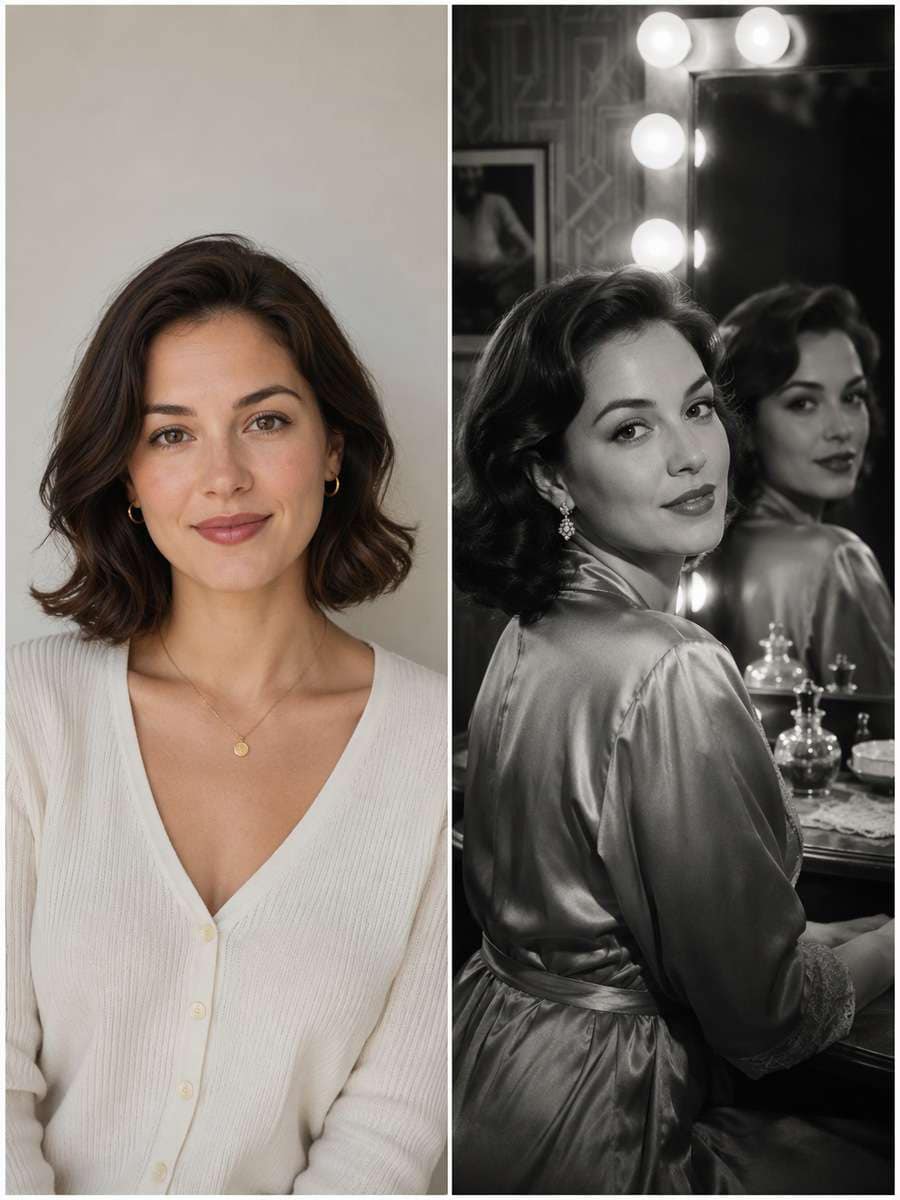
Use my uploaded photo as the identity reference. Place the adult in an art-deco dressing room beside an unbranded vanity mirror with round light bulbs, captured like a publicity still. Keep true reflection geometry and original facial proportions. Keep the original adult face, age, skin texture and facial silhouette recognizable; imitate period photographic lighting and styling without reproducing a specific celebrity. Build the period effect through believable key, rim and background light; do not replace the person with a real classic actor or smooth away their real features.
1930s Evening Gloves
Edit my uploaded photo rather than inventing a new person or pet. Create an elegant monochrome half-body portrait with long evening gloves and simple jewelry, side hard light defining fabric and fingers. Keep the hands natural and avoid vintage stereotypes or age changes. Keep the original adult face, age, skin texture and facial silhouette recognizable; imitate period photographic lighting and styling without reproducing a specific celebrity. Build the period effect through believable key, rim and background light; do not replace the person with a real classic actor or smooth away their real features.
1940s Tailored Suit Portrait
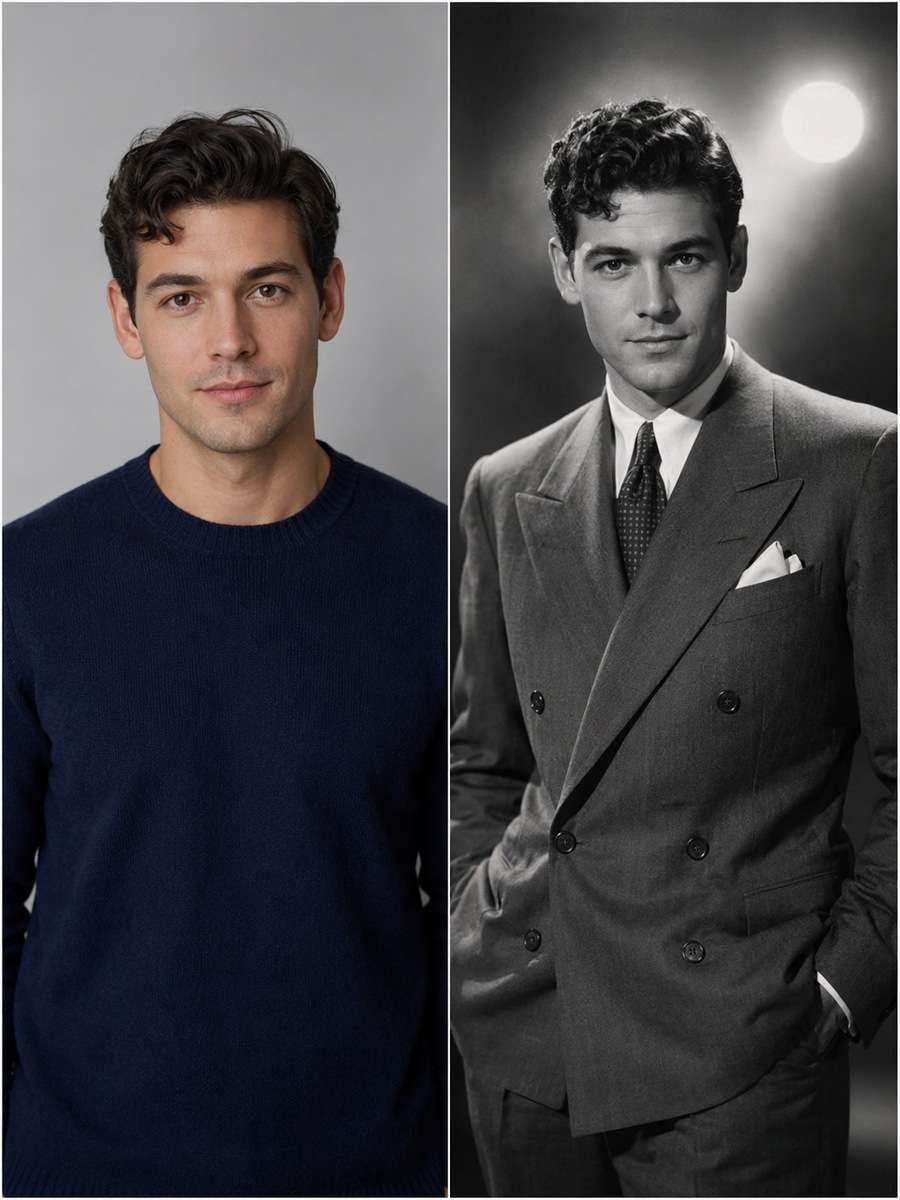
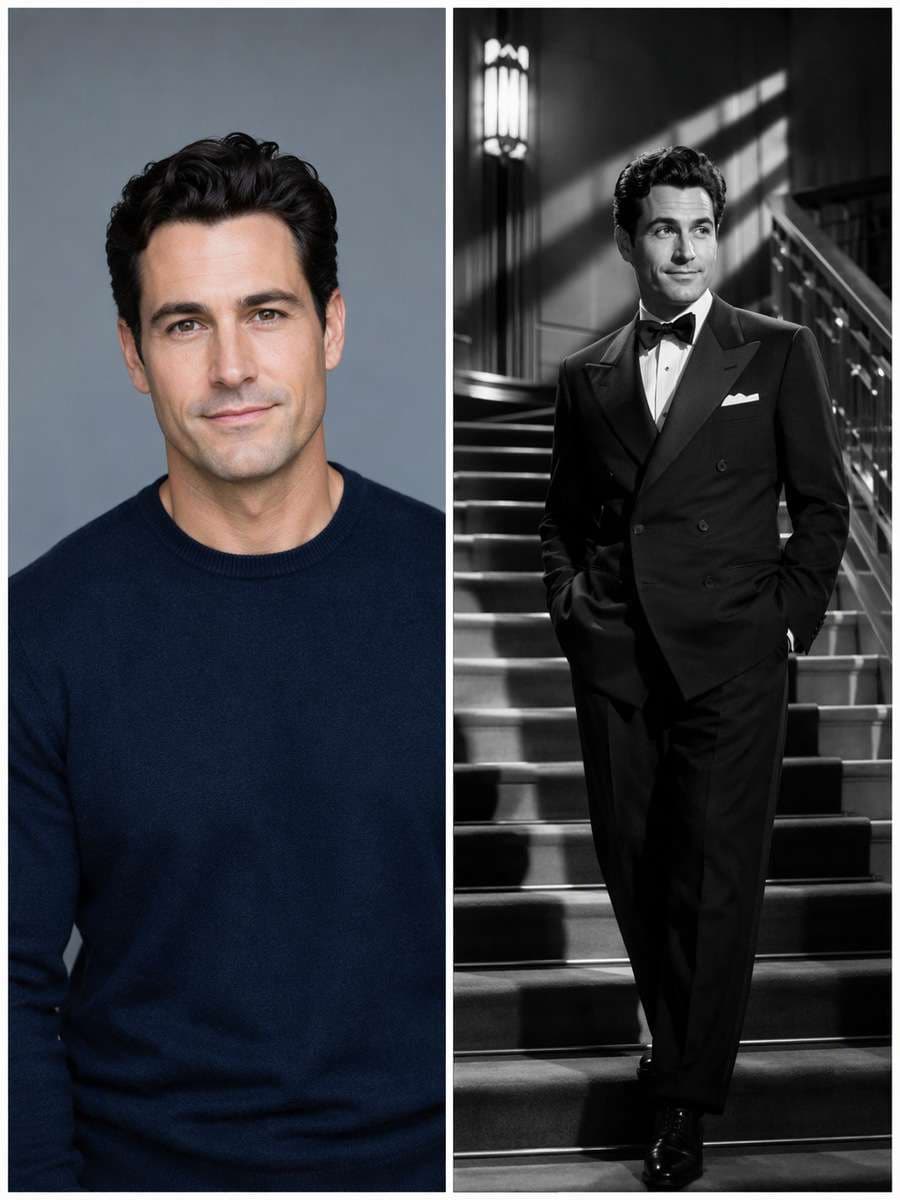
Start with my uploaded photo; build the finished image around this actual reference. Turn the source adult into a clean 1940s studio publicity image with a sharply tailored double-breasted suit, softly curled hair where appropriate and one bright background spot. Retain natural face geometry and skin texture. Keep the original adult face, age, skin texture and facial silhouette recognizable; imitate period photographic lighting and styling without reproducing a specific celebrity. Build the period effect through believable key, rim and background light; do not replace the person with a real classic actor or smooth away their real features.
Classic White Fur-Collar Look
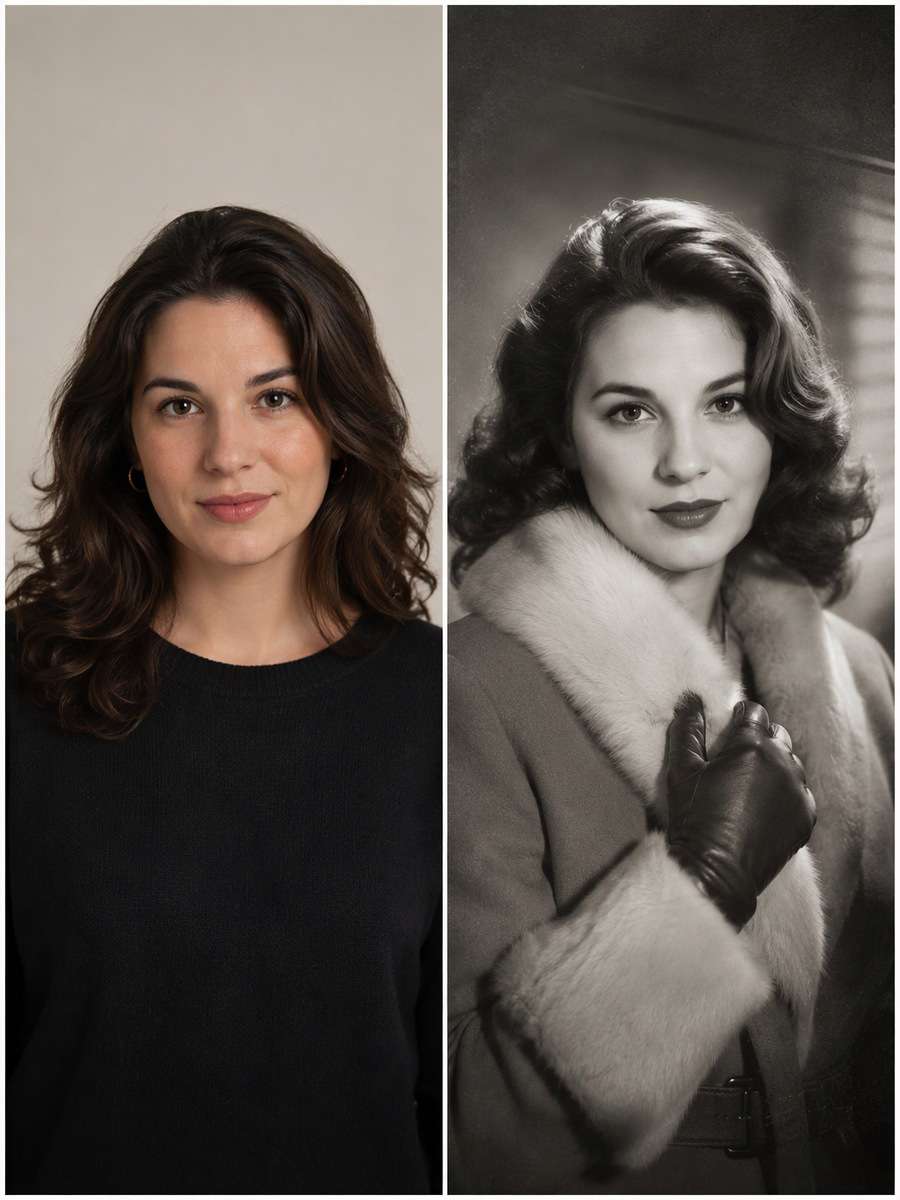
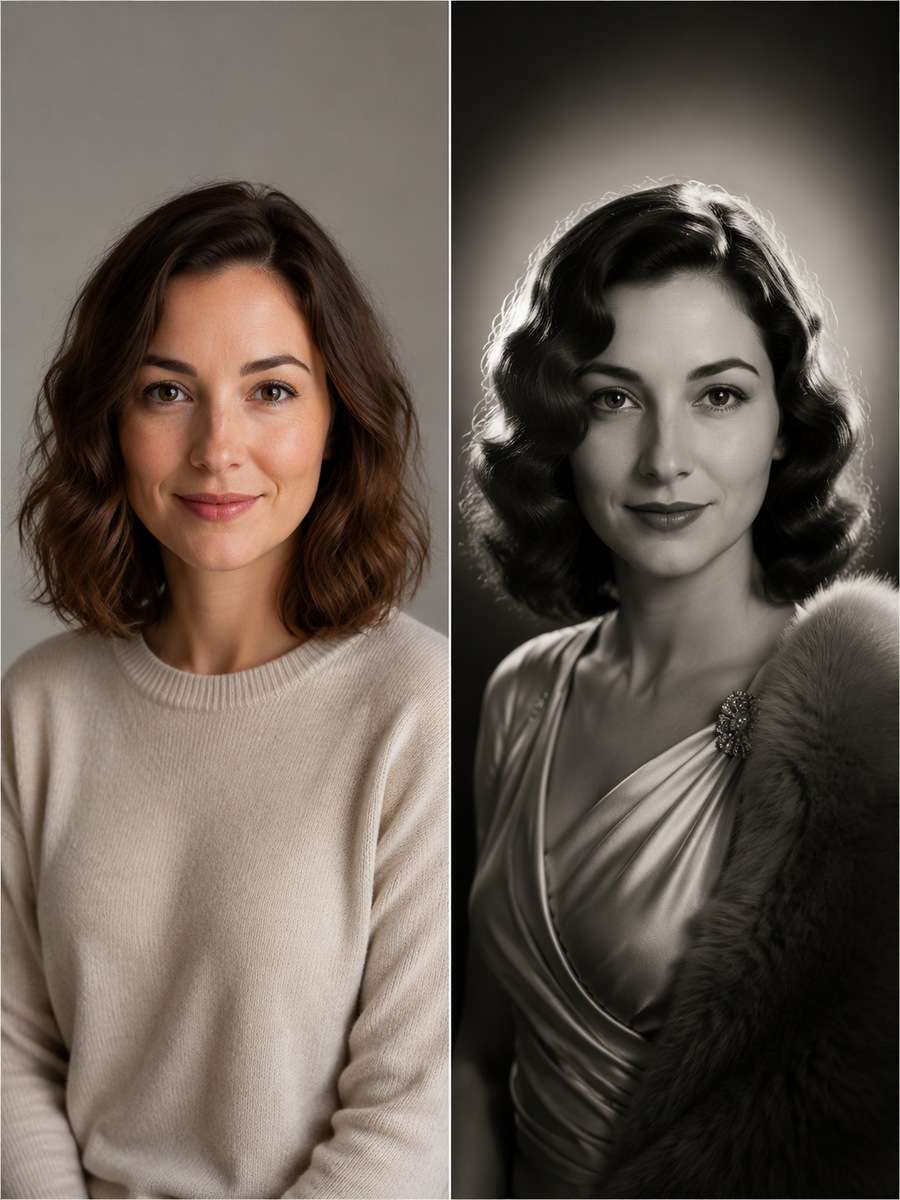
Keep the recognizable subject from my uploaded photo. Photograph the adult in a vintage-inspired faux-fur collar coat, white-on-gray tonal contrast and gentle silver print grain, avoiding real animal fur or excessive glamour smoothing. Keep the original adult face, age, skin texture and facial silhouette recognizable; imitate period photographic lighting and styling without reproducing a specific celebrity. Build the period effect through believable key, rim and background light; do not replace the person with a real classic actor or smooth away their real features.
Single Fresnel Spotlight
Using my uploaded photo, create the following specific photo edit. Set a single precise hard studio beam from high camera-left, dramatic shadow under cheekbones and a soft gray backdrop. Let the light design carry the effect; wardrobe stays simple and the real face remains unchanged. Keep the original adult face, age, skin texture and facial silhouette recognizable; imitate period photographic lighting and styling without reproducing a specific celebrity. Build the period effect through believable key, rim and background light; do not replace the person with a real classic actor or smooth away their real features.
Marlene-Era Abstract Shadows
Use my uploaded photo as the identity reference. Create an original silver-screen glamour portrait using bold diagonal shadow shapes and a long-sleeve satin outfit, without copying any particular actress's appearance. Keep a confident calm gaze and distinct jawline. Keep the original adult face, age, skin texture and facial silhouette recognizable; imitate period photographic lighting and styling without reproducing a specific celebrity. Build the period effect through believable key, rim and background light; do not replace the person with a real classic actor or smooth away their real features.
Film-Noir Train Station
Edit my uploaded photo rather than inventing a new person or pet. Place the adult as a fictional 1940s traveler at an empty train-station platform, coat collar and vintage suitcase, with overhead hard light and foggy background. Preserve eye detail and period-correct geometry. Keep the original adult face, age, skin texture and facial silhouette recognizable; imitate period photographic lighting and styling without reproducing a specific celebrity. Build the period effect through believable key, rim and background light; do not replace the person with a real classic actor or smooth away their real features.
Velvet Chaise Publicity Portrait
Start with my uploaded photo; build the finished image around this actual reference. Reimagine a full-body studio publicity still on a velvet chaise lounge with controlled hard key light and soft fill, tasteful fully clothed formal styling and believable pose. Keep the lounge and body proportions physically coherent. Keep the original adult face, age, skin texture and facial silhouette recognizable; imitate period photographic lighting and styling without reproducing a specific celebrity. Build the period effect through believable key, rim and background light; do not replace the person with a real classic actor or smooth away their real features.
Spotlit Theater Curtain
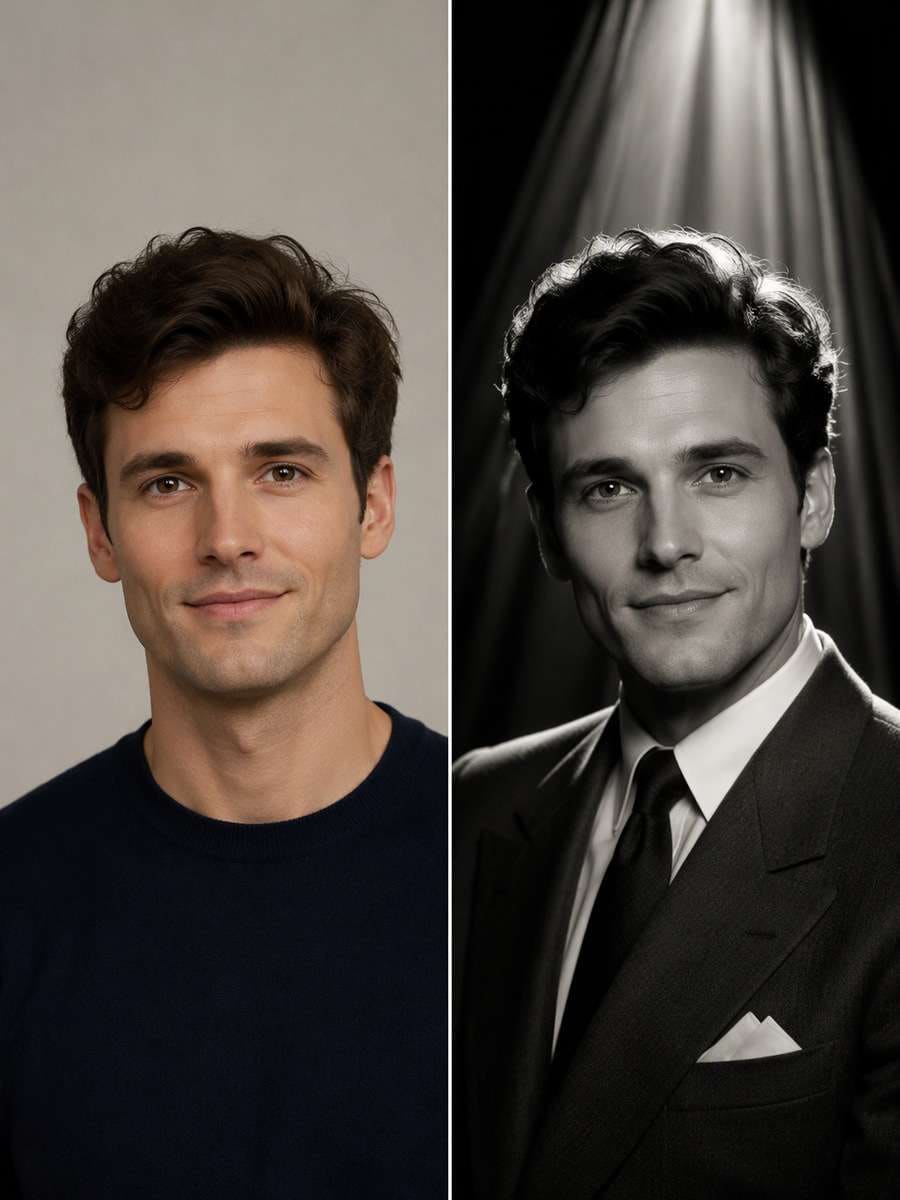
Keep the recognizable subject from my uploaded photo. Use rich monochrome drapery, narrow theatrical light and a subtle rim around the original adult's hair, in a classic actor headshot composition. Avoid imaginary text and logos. Keep the original adult face, age, skin texture and facial silhouette recognizable; imitate period photographic lighting and styling without reproducing a specific celebrity. Build the period effect through believable key, rim and background light; do not replace the person with a real classic actor or smooth away their real features.
1940s Jazz Club Portrait
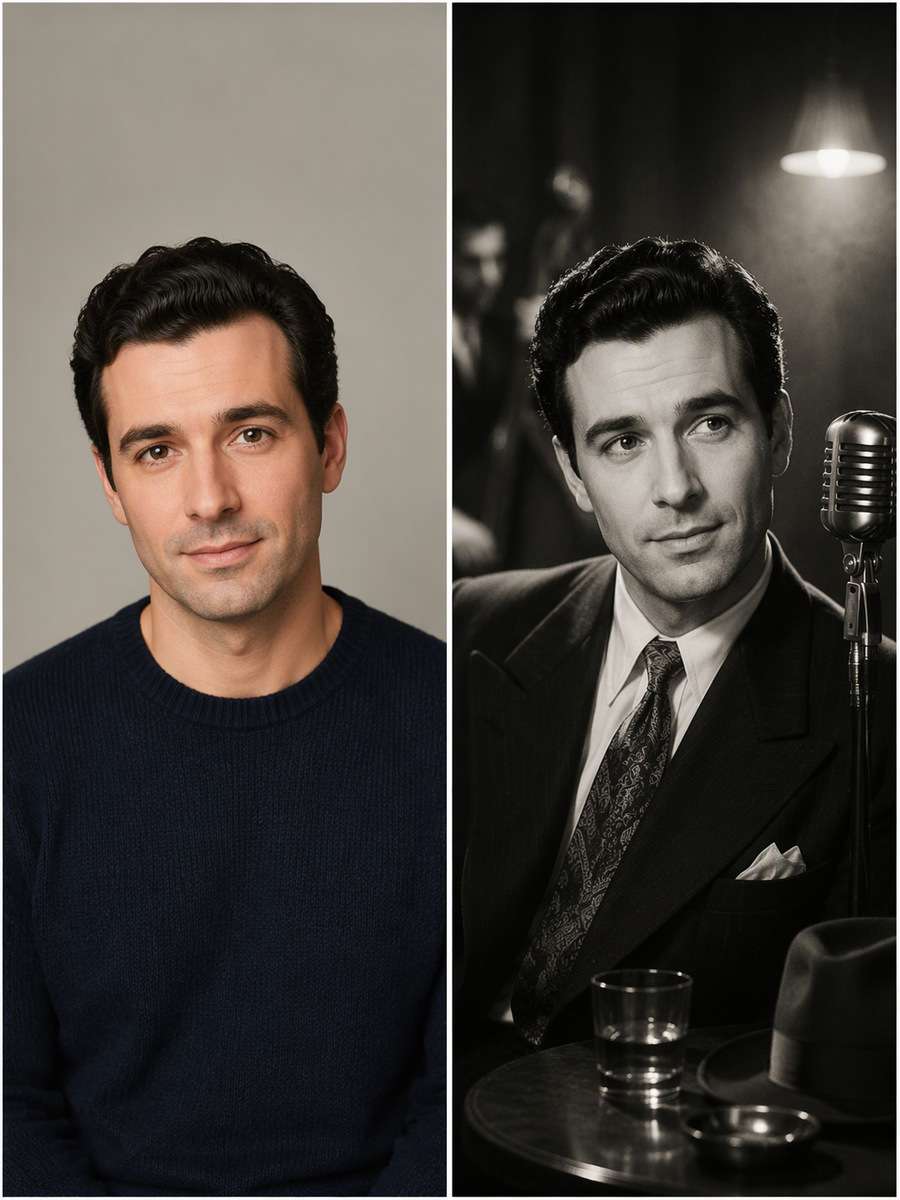
Using my uploaded photo, create the following specific photo edit. Set the source adult in an atmospheric 1940s jazz-club publicity photo with a discreet microphone in the background, patterned shadow and film grain, no claims of being a real musician or star. Keep the original adult face, age, skin texture and facial silhouette recognizable; imitate period photographic lighting and styling without reproducing a specific celebrity. Build the period effect through believable key, rim and background light; do not replace the person with a real classic actor or smooth away their real features.
Old Hollywood Male Portrait
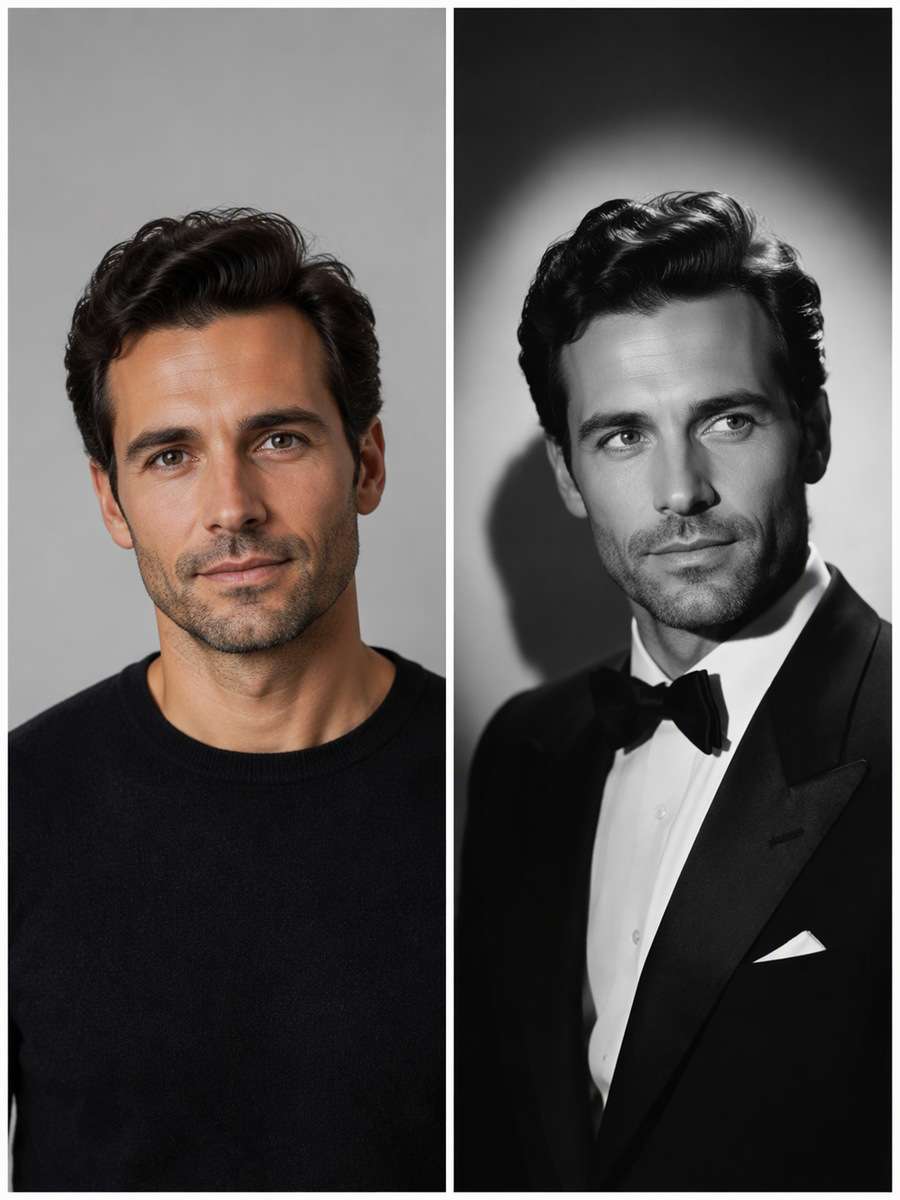
Use my uploaded photo as the identity reference. Restyle the adult into a classic silver-screen male publicity portrait with crisp tuxedo lapels, top-side hard lighting, slightly angled shoulders and precise catchlights. Keep real facial hair and age unchanged. Keep the original adult face, age, skin texture and facial silhouette recognizable; imitate period photographic lighting and styling without reproducing a specific celebrity. Build the period effect through believable key, rim and background light; do not replace the person with a real classic actor or smooth away their real features.
Old Hollywood Female Portrait
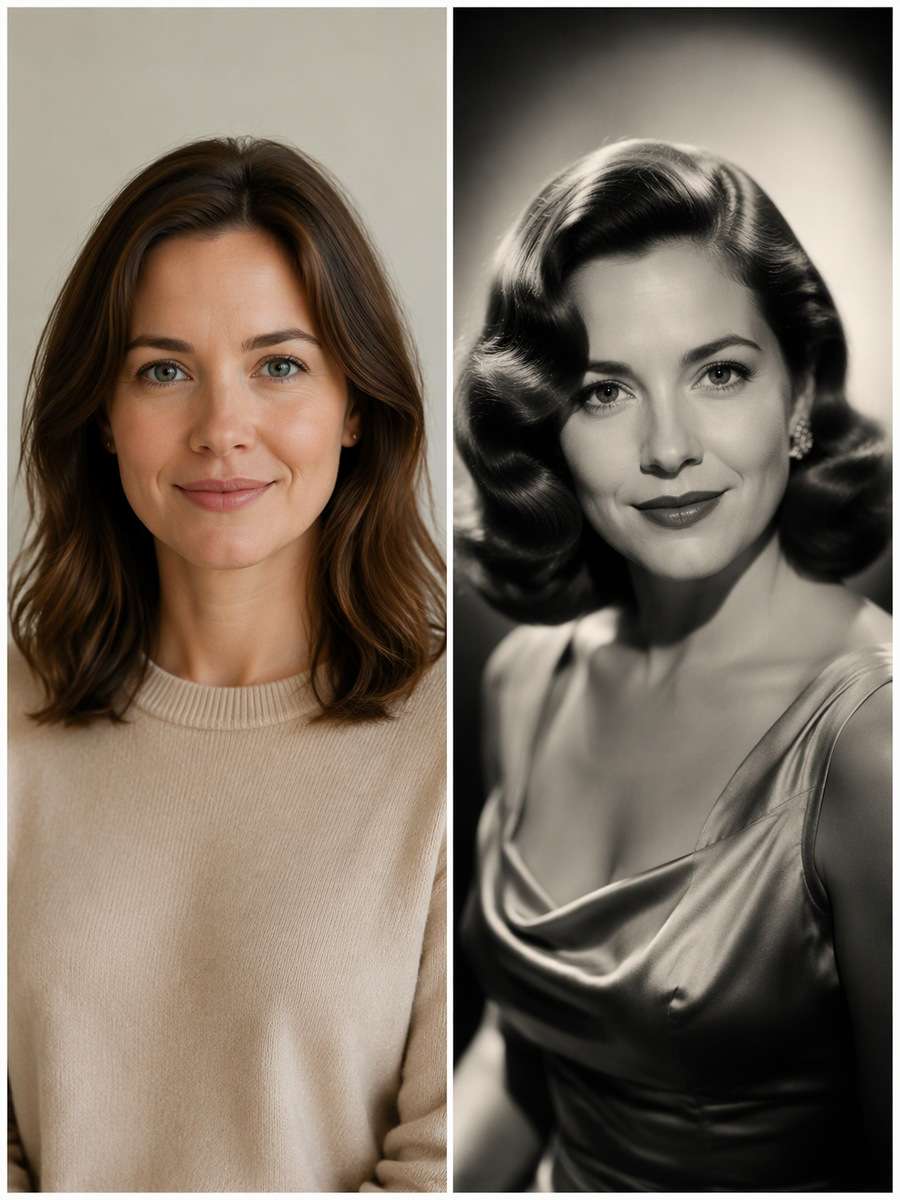
Edit my uploaded photo rather than inventing a new person or pet. Create an elegant original old-Hollywood-inspired portrait with tastefully styled waved hair, satin neckline, refined makeup and butterfly lighting, without turning the adult into an existing screen star. Keep the original adult face, age, skin texture and facial silhouette recognizable; imitate period photographic lighting and styling without reproducing a specific celebrity. Build the period effect through believable key, rim and background light; do not replace the person with a real classic actor or smooth away their real features.
Soft Diffusion Beauty Close-Up
Start with my uploaded photo; build the finished image around this actual reference. Create a closer 1940s studio portrait with delicate optical diffusion only around bright highlights, sharp eyes, carefully sculpted side light and subtle photographic grain. Preserve pores and freckles. Keep the original adult face, age, skin texture and facial silhouette recognizable; imitate period photographic lighting and styling without reproducing a specific celebrity. Build the period effect through believable key, rim and background light; do not replace the person with a real classic actor or smooth away their real features.
Hollywood Staircase Still
Keep the recognizable subject from my uploaded photo. Place the adult on a wide art-deco interior staircase as if in a fictional vintage publicity still, elegant period clothing and dramatic diagonal shadows. Keep realistic feet and no theatrical fake marquee. Keep the original adult face, age, skin texture and facial silhouette recognizable; imitate period photographic lighting and styling without reproducing a specific celebrity. Build the period effect through believable key, rim and background light; do not replace the person with a real classic actor or smooth away their real features.
Rainy Noir Street
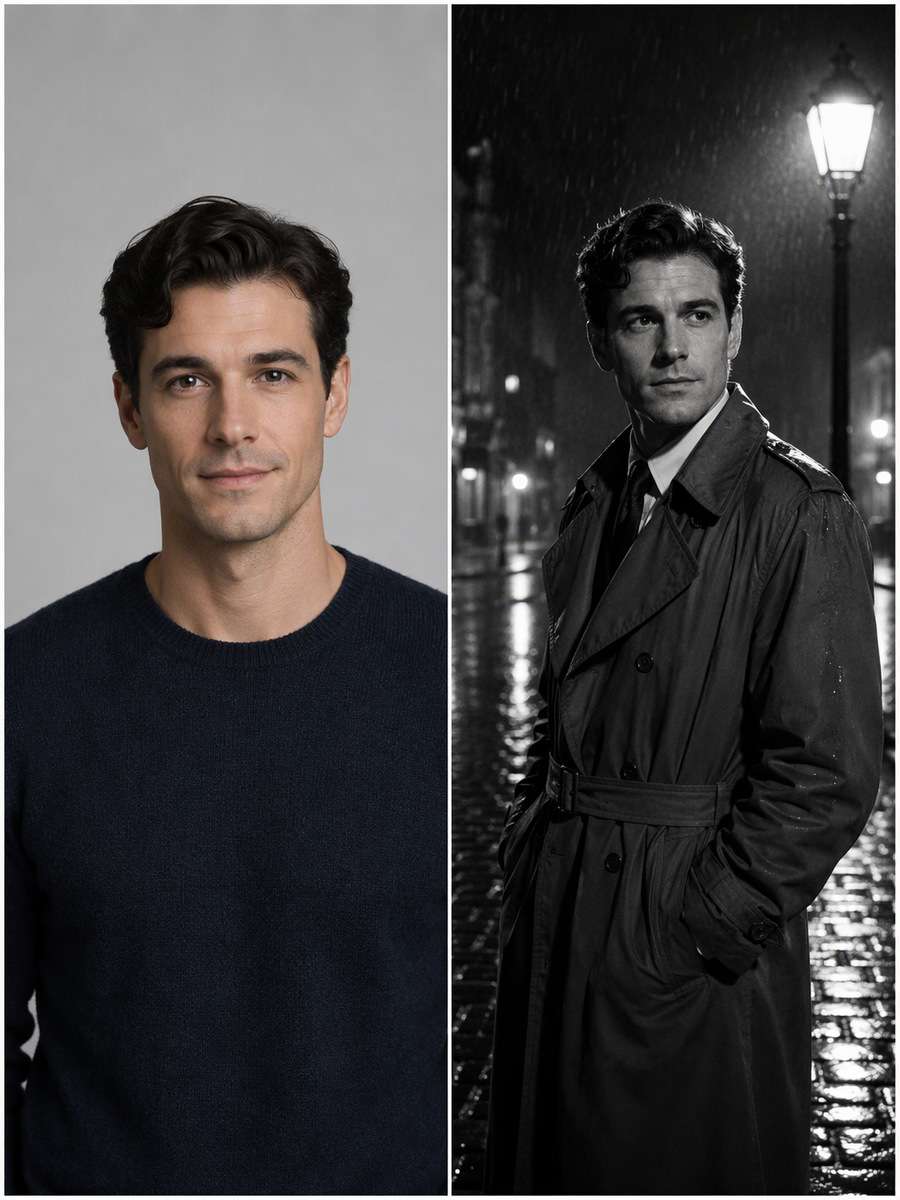
Using my uploaded photo, create the following specific photo edit. Reimagine a 1940s urban night portrait with wet cobblestone reflections, a distant lamppost and trench coat, using hard rim light and deep black tones. Keep the face clear, not silhouetted. Keep the original adult face, age, skin texture and facial silhouette recognizable; imitate period photographic lighting and styling without reproducing a specific celebrity. Build the period effect through believable key, rim and background light; do not replace the person with a real classic actor or smooth away their real features.
1930s Glamour Double Light
Use my uploaded photo as the identity reference. Use a high front key plus a narrow rear hair light to create a sculpted monochrome head-and-shoulders portrait, with a subtle oval background glow. Keep highlights controlled and avoid extreme skin retouching. Keep the original adult face, age, skin texture and facial silhouette recognizable; imitate period photographic lighting and styling without reproducing a specific celebrity. Build the period effect through believable key, rim and background light; do not replace the person with a real classic actor or smooth away their real features.
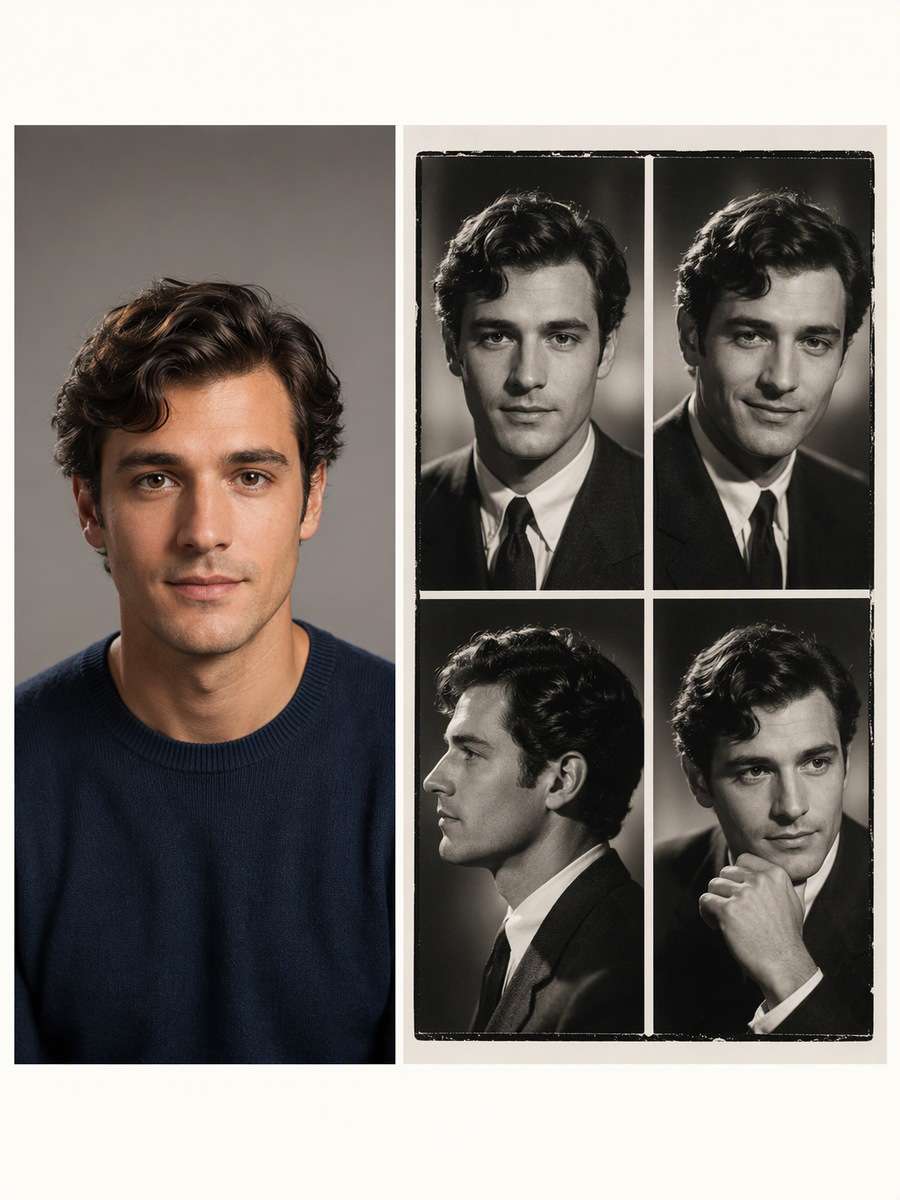
Vintage Contact Proof
Edit my uploaded photo rather than inventing a new person or pet. Create a four-cell contact print of the same adult with neutral, half-smile, profile and thoughtful expressions, each lit by the same classic studio setup. Consistent styling and unobtrusive white gutters, no random numbering. Keep the original adult face, age, skin texture and facial silhouette recognizable; imitate period photographic lighting and styling without reproducing a specific celebrity. Build the period effect through believable key, rim and background light; do not replace the person with a real classic actor or smooth away their real features.
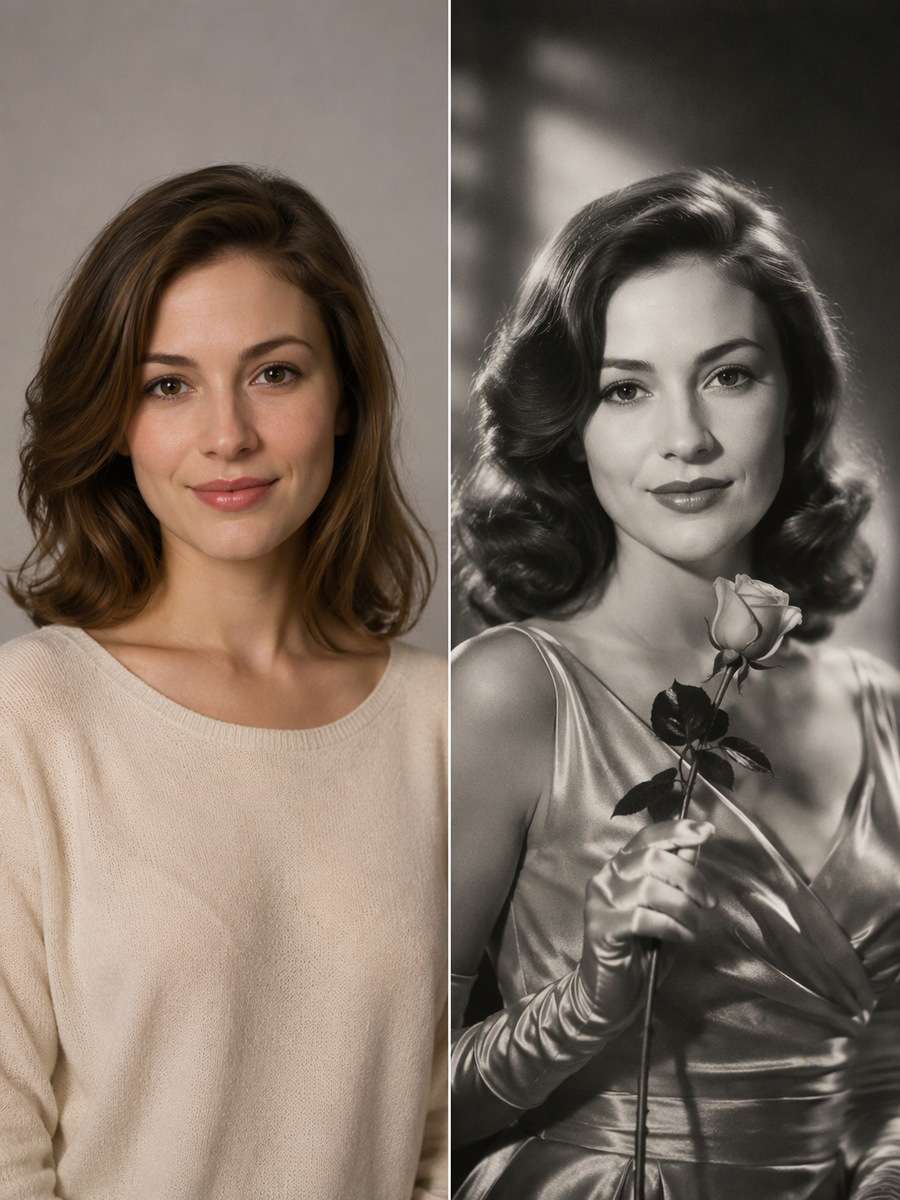
Rose-and-Satin Studio
Start with my uploaded photo; build the finished image around this actual reference. Add one long-stem rose held naturally in a gloved hand beside a satin formal outfit, with high directional light and polished vintage silver print texture. No romantic partner absent from the source. Keep the original adult face, age, skin texture and facial silhouette recognizable; imitate period photographic lighting and styling without reproducing a specific celebrity. Build the period effect through believable key, rim and background light; do not replace the person with a real classic actor or smooth away their real features.
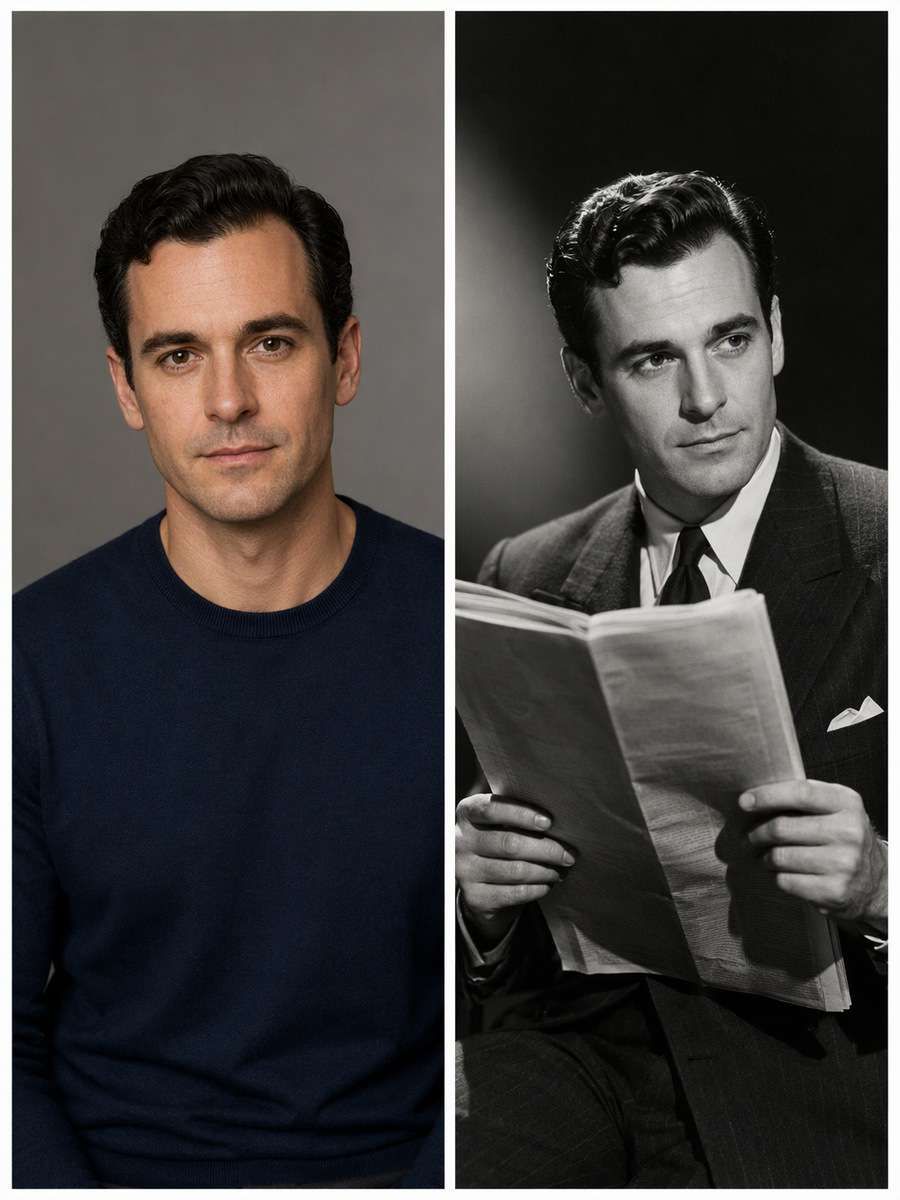
1940s Newspaper Publicity Still
Keep the recognizable subject from my uploaded photo. Make a fictional studio photo of the adult reading a plain folded newspaper with no readable headline, one side spotlight and deep black background. Keep hand position plausible and face fully visible. Keep the original adult face, age, skin texture and facial silhouette recognizable; imitate period photographic lighting and styling without reproducing a specific celebrity. Build the period effect through believable key, rim and background light; do not replace the person with a real classic actor or smooth away their real features.
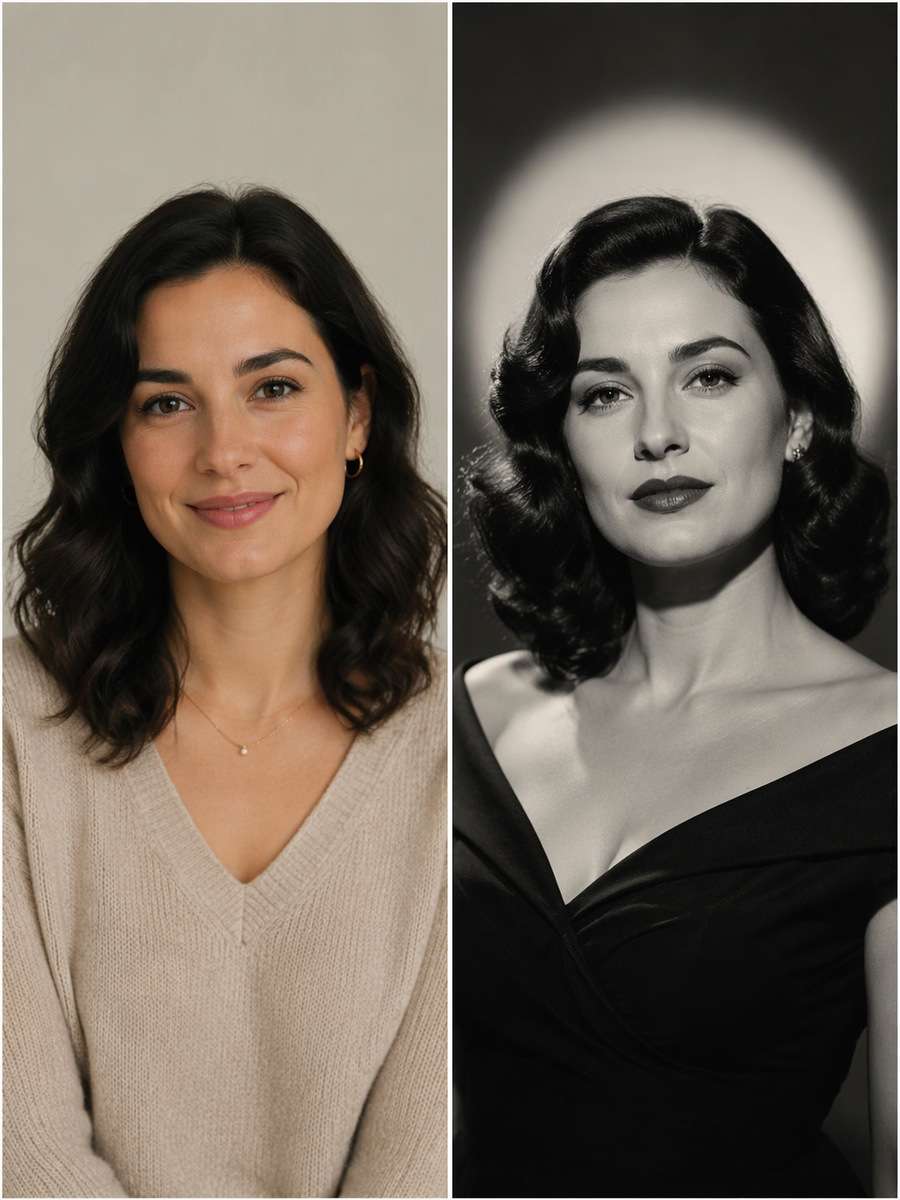
Signature Hollywood Halo
Using my uploaded photo, create the following specific photo edit. Finish with a timeless black-and-white headshot against a precisely lit halo backdrop, sculpted cheekbones from hard key light, subtle fill and minimal jewelry. Retain the exact person's recognizable facial structure and age. Keep the original adult face, age, skin texture and facial silhouette recognizable; imitate period photographic lighting and styling without reproducing a specific celebrity. Build the period effect through believable key, rim and background light; do not replace the person with a real classic actor or smooth away their real features.
The Lighting Techniques Behind an Old Hollywood Look
Hard directional light, halo backgrounds and selective diffusion are more faithful visual cues than random vintage filters.
Describe the Light Before the Costume
Use a high hard frontal key to create a butterfly-shaped nose shadow in glamorous headshots.
Add a narrow hair rim to lift the silhouette from a charcoal background.
Use restrained diffusion for bright highlights while keeping eyes and skin texture in focus.
Keep silver-tone prints, fabric sheen and backdrop gradients period-appropriate.
Make a Personal Glamour Portrait, Not an Imitation
Preserve your own eyes, jawline, apparent age and facial hair rather than copying a celebrity.
Choose period-appropriate silhouettes and original studio backgrounds.
Keep fingers and jewelry believable when using gloves, roses or a vanity mirror.
If the face disappears in shadow, add subtle front fill rather than removing the dramatic key light.
Where to Use Classic Hollywood Portrait Edits
These portraits combine period craft with a recognizably personal identity.
Black-and-White Profile Photo
Use a clean headshot with elegant shadows and bright eyes.
Vintage-Themed Invitation
Create a classic studio portrait with blank margin for accurate names later.
Retro Photo Album
Compare a few lighting setups in a cohesive silver-tone collection.
Character Moodboard
Test a fictional film-noir visual identity without borrowing a movie star's appearance.
Frequently Asked Questions About ChatGPT Old Hollywood Portrait Prompts
1. What lighting makes a photo look like Old Hollywood?
A high directional key, controlled shadow edges, an optional hair rim and a soft halo on the background create many classic studio looks.
2. How is an Old Hollywood portrait different from a modern beauty photo?
Classic studio portraits often emphasize hard modeled light, silver-tone contrast, carefully positioned shadows and optical diffusion instead of flat high-key retouching.
3. Can ChatGPT create a vintage Hollywood portrait from my selfie?
Use an adult selfie with visible face details and describe an original period studio setup. Review the result for a recognizable face and realistic shadow direction.
4. How do I keep an Old Hollywood edit from changing my identity?
State that the reference face, apparent age, eye shape, nose and jawline must remain. Avoid copying the appearance of a known screen actor.
5. Should I ask for black-and-white or sepia?
Choose black-and-white for classic silver-screen studio work. Sepia can suit some antique prints, but is not necessary for 1930s and 1940s Hollywood glamour.
What if someone else starred in your video? Swap any on-screen character with your favorite character using AI and bring a whole new twist to your scenes!
Swap Characters Now
Bikini Looks, Made with AI
Upload a photo and let AI transform the outfits. No editing skills needed!
Create Now
Today's Hottest AI Trends
All the hottest AI video trends in one place. Find your favorite and make it yours.