Home>AI Prompts>25 Christmas Cat Photo Prompts to Try in ChatGPT
25 Christmas Cat Photo Prompts to Try in ChatGPT
A holiday photo looks more personal when it still looks like your cat. These ChatGPT Christmas Cat Prompts turn an uploaded pet picture into fireplace portraits, playful gift-box scenes, snowy postcards and quiet winter memories. Each idea preserves recognizable fur markings and cat-like behavior while changing the setting, lighting or illustration style. Choose a well-lit original where the eyes and muzzle are visible.
Explore original holiday cat portrait edits, cozy winter scenes and festive card looks with Media.io - powered by ChatGPT.
How to Make Christmas Cat Photos from Your Pet Picture
Use a real photograph of your own cat; edit the surroundings rather than replacing the animal with a generic festive cat.
1
Upload the Cat Photo
Choose a sharp image showing the face and distinctive coat patches. A sitting, resting or curious pose is easier to preserve than a blurred leap.
2
Choose a Christmas Scene
Copy a prompt for a window, gift box, tree, studio, postcard or illustrated scene. Keep pet-safe props in the imagined background.
3
Check Fur and Body Details
Compare eyes, tabby stripes, paws, ear shape and whiskers with the original. If they drift, reduce accessories and state the exact marking that must remain.
25 ChatGPT Christmas Cat Prompts Ideas to Copy and Try
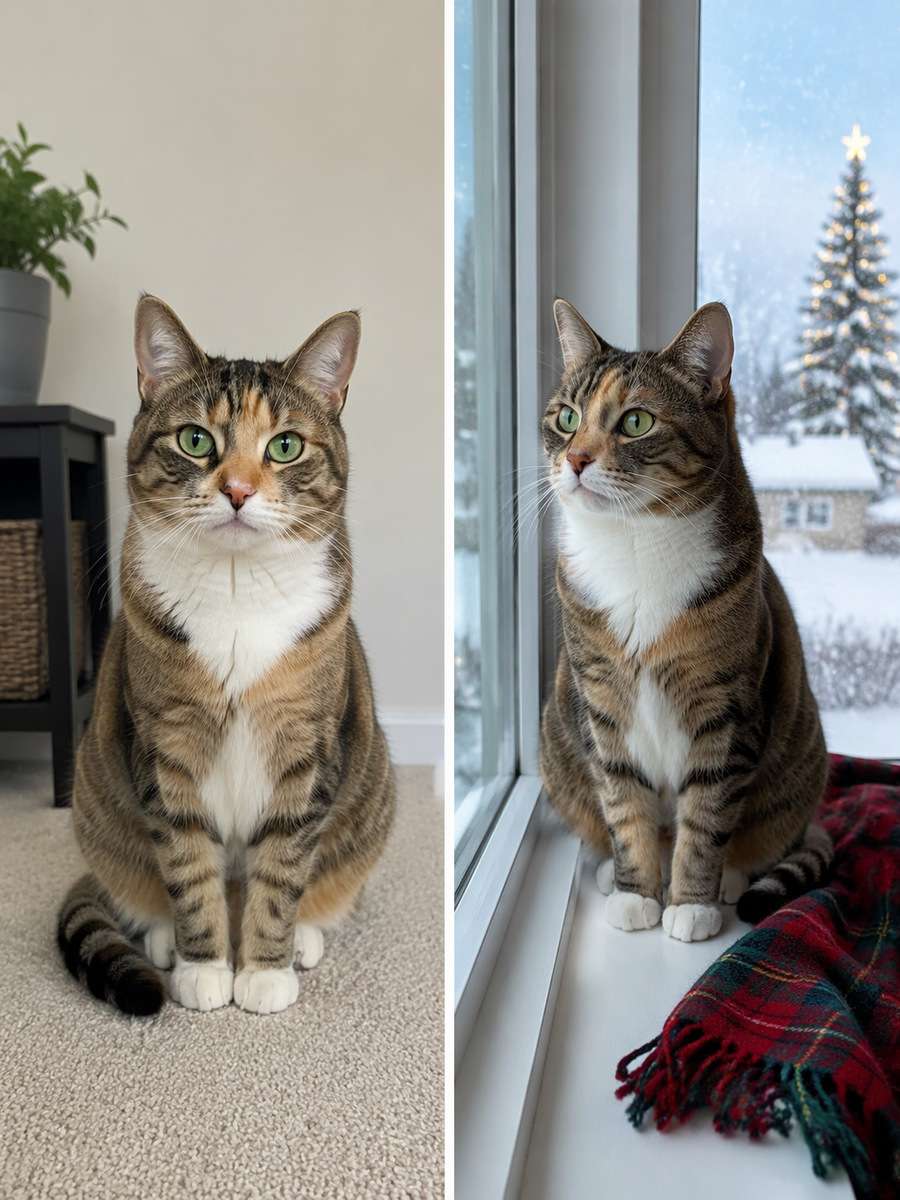
Window-Sill Snow Watch
Use my uploaded cat photo as the identity reference. Put the reference cat on a broad indoor windowsill watching gentle snow beyond the glass, with a distant warm tree reflection, a folded tartan blanket and cool winter daylight on its whiskers. Keep snow outside and the paws securely on the sill. Keep the same cat breed appearance, distinctive fur pattern, face, ear shape, eye color, body size and natural feline anatomy. Do not invent extra animals. Keep every visible whisker and paw believable. Render the set as an original pet portrait and omit watermarks, random greetings and unsafe-looking decorations.
The Gift-Box Inspector
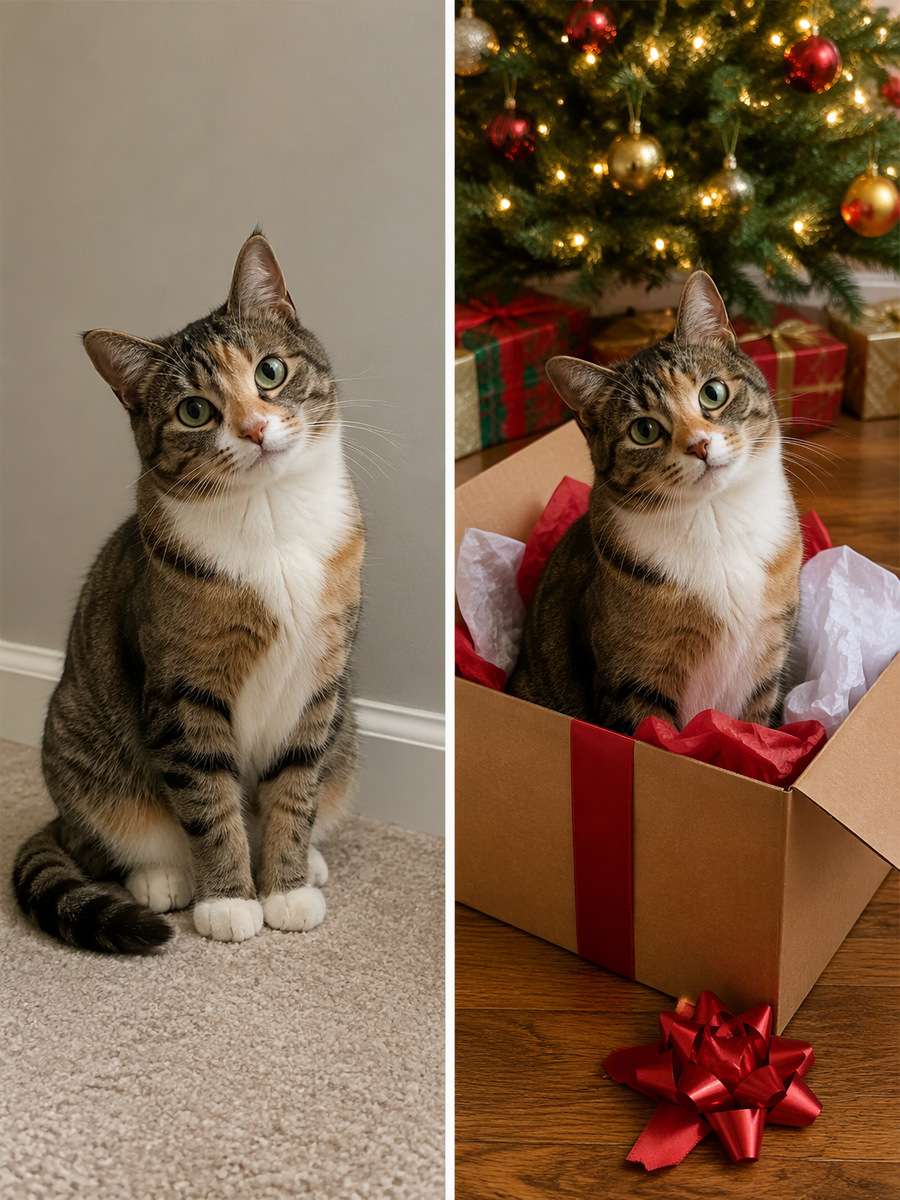
Edit my uploaded cat photo rather than inventing a new person or pet. Show the same cat sitting confidently inside an open, large cardboard gift box under a Christmas tree, crinkled tissue beside it and a single loose satin bow lying on the floor. Preserve the cat's markings and make the curious head tilt the focal point. Keep the same cat breed appearance, distinctive fur pattern, face, ear shape, eye color, body size and natural feline anatomy. Do not invent extra animals. Keep every visible whisker and paw believable. Render the set as an original pet portrait and omit watermarks, random greetings and unsafe-looking decorations.
Fireplace Velvet Throne
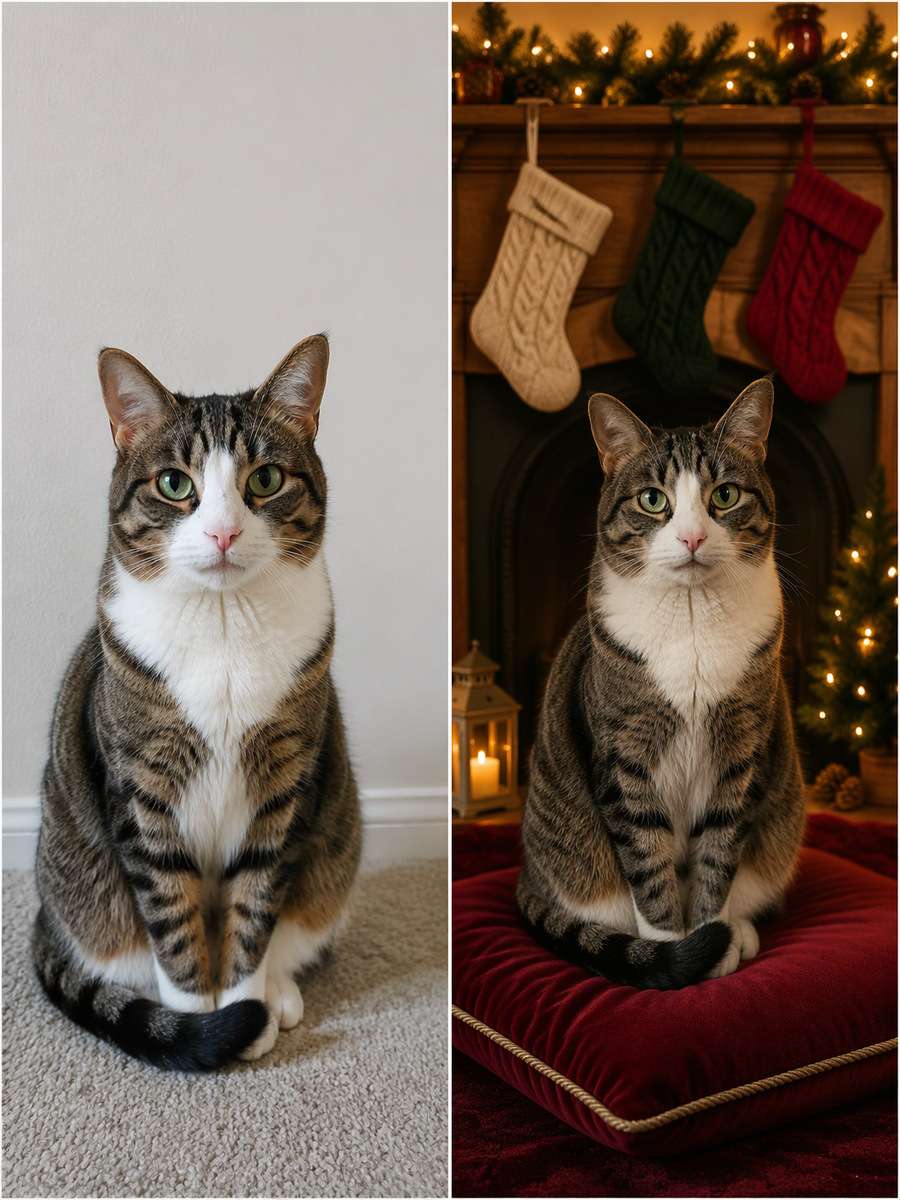
Start with my uploaded cat photo; build the finished image around this actual reference. Place the cat on a burgundy velvet cushion near an unlit decorative fireplace, three knitted stockings above the mantel and warm amber fairy-light bokeh behind. Frame at cat-eye level; keep fur texture real and decorations out of the animal's reach. Keep the same cat breed appearance, distinctive fur pattern, face, ear shape, eye color, body size and natural feline anatomy. Do not invent extra animals. Keep every visible whisker and paw believable. Render the set as an original pet portrait and omit watermarks, random greetings and unsafe-looking decorations.
Tiny Santa Portrait
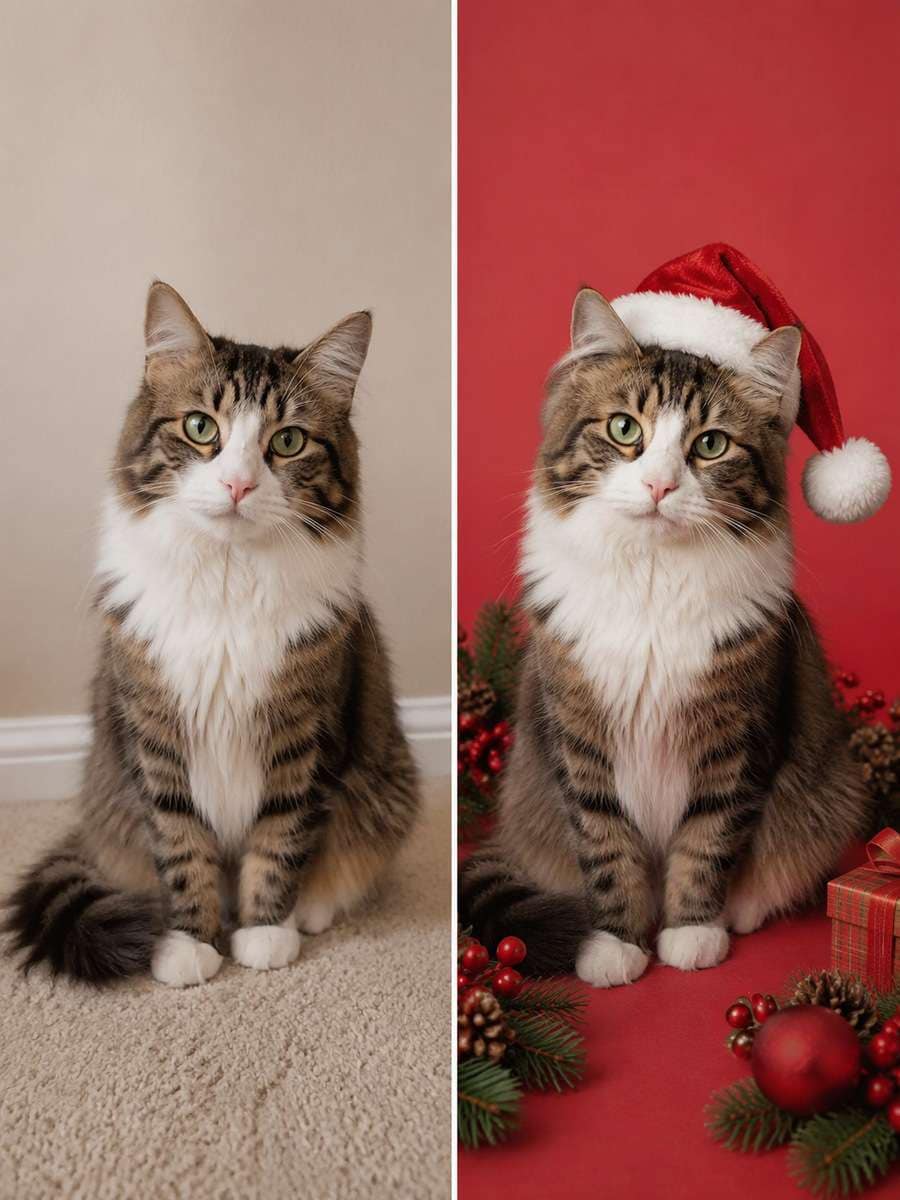
Keep the recognizable subject from my uploaded cat photo. Create a studio-style Christmas cat portrait with a loosely illustrated Santa hat in the edited scene, a pale red seamless background and a softbox catchlight. Keep both ears and the entire cat face unobstructed, with no unrealistic human facial expression. Keep the same cat breed appearance, distinctive fur pattern, face, ear shape, eye color, body size and natural feline anatomy. Do not invent extra animals. Keep every visible whisker and paw believable. Render the set as an original pet portrait and omit watermarks, random greetings and unsafe-looking decorations.
Cozy Knit Christmas Card
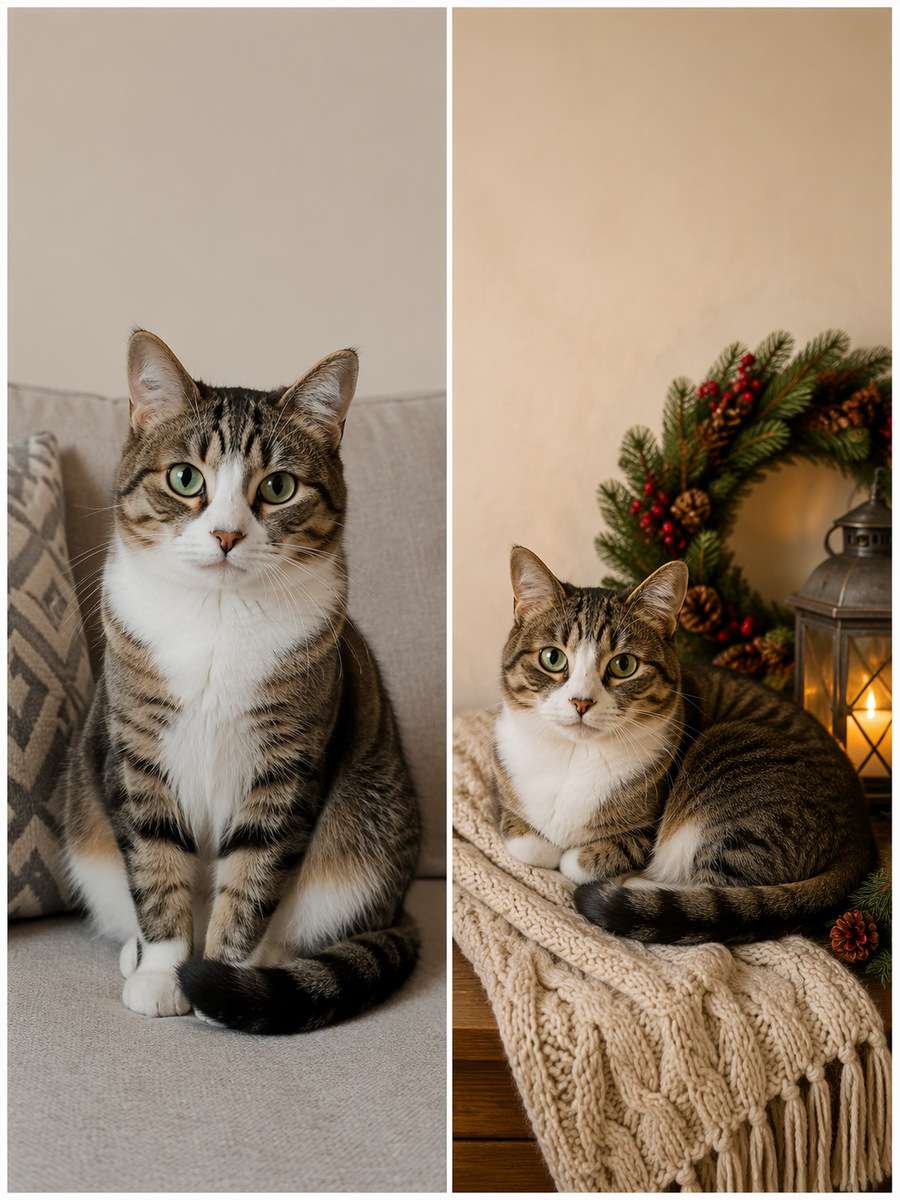
Using my uploaded cat photo, create the following specific photo edit. Arrange the cat curled on a cream knitted throw beside a safely enclosed lantern and a pine wreath in the distant background. Leave an uncluttered upper margin for adding a holiday greeting later, not random generated lettering. Keep the same cat breed appearance, distinctive fur pattern, face, ear shape, eye color, body size and natural feline anatomy. Do not invent extra animals. Keep every visible whisker and paw believable. Render the set as an original pet portrait and omit watermarks, random greetings and unsafe-looking decorations.
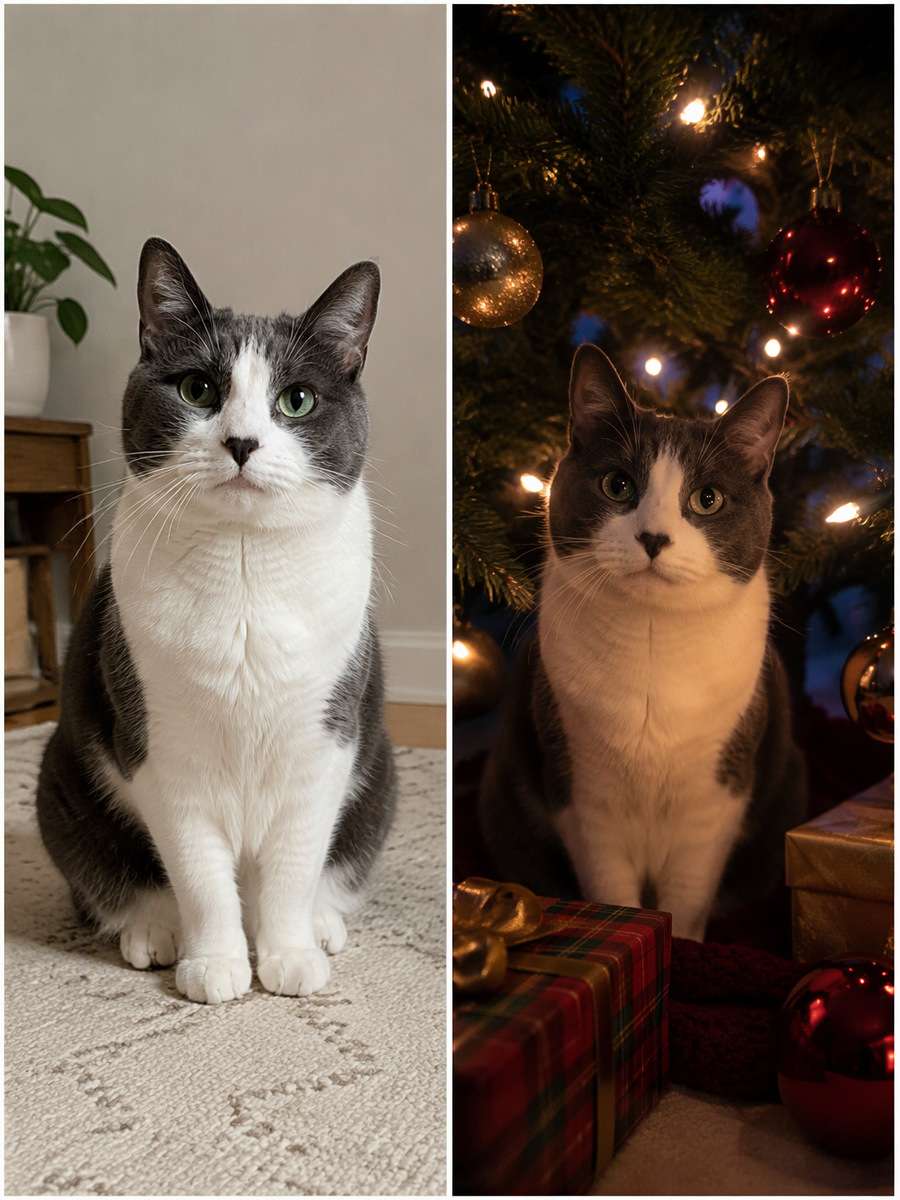
Midnight Tree Lights
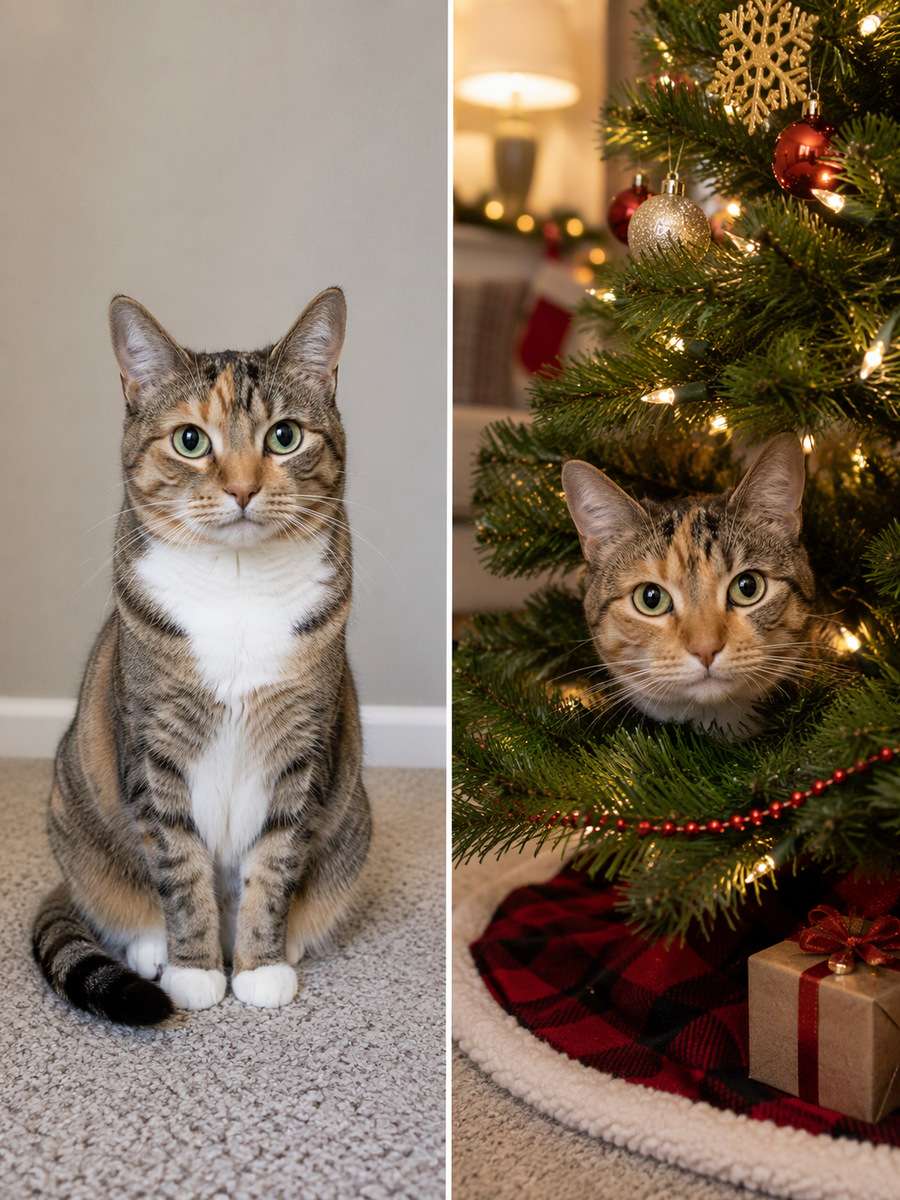
Use my uploaded cat photo as the identity reference. Make an intimate nighttime scene of the cat peering from under an ornamented tree, tiny warm bulbs creating circular bokeh and deep indigo shadows beyond. Maintain clear eyes, no extra paws and a recognizable coat pattern. Keep the same cat breed appearance, distinctive fur pattern, face, ear shape, eye color, body size and natural feline anatomy. Do not invent extra animals. Keep every visible whisker and paw believable. Render the set as an original pet portrait and omit watermarks, random greetings and unsafe-looking decorations.
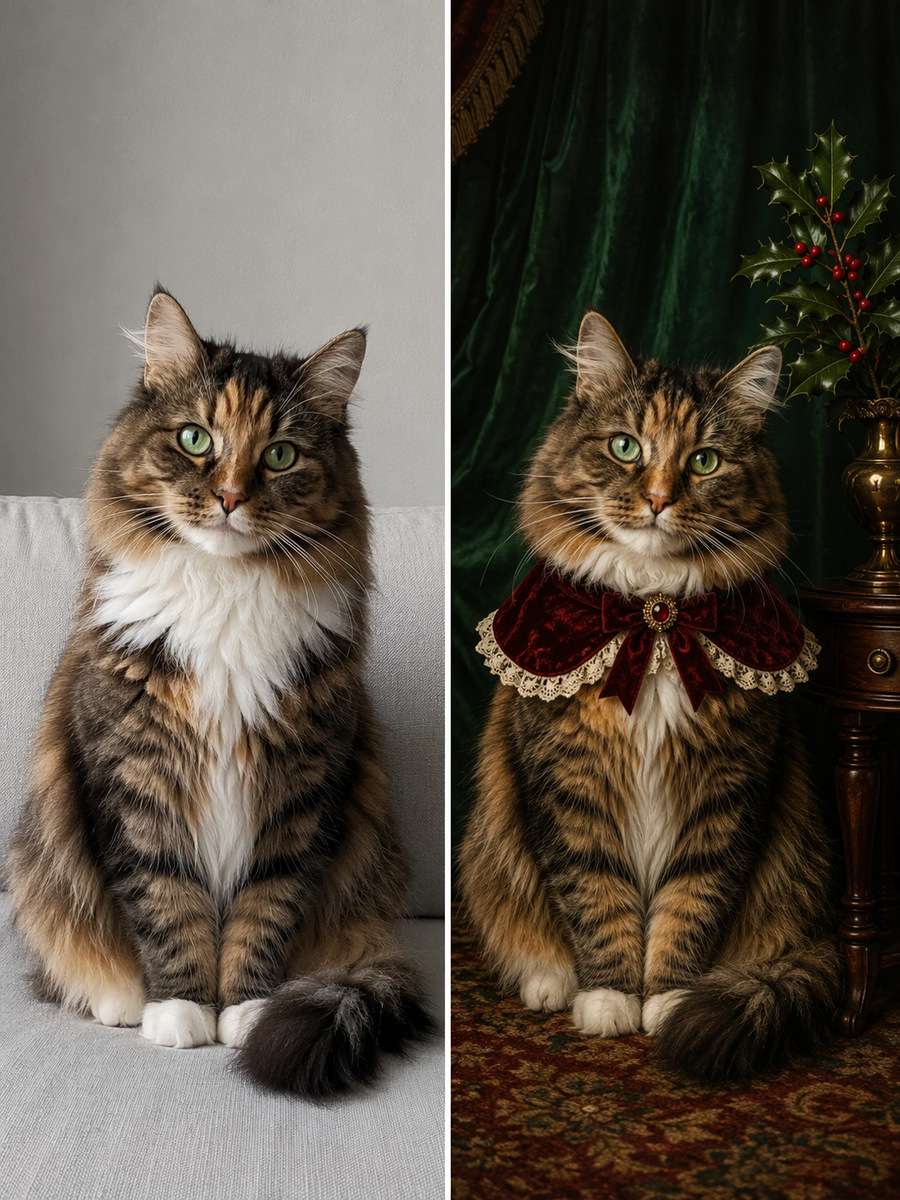
Victorian Holiday Pet Portrait
Edit my uploaded cat photo rather than inventing a new person or pet. Restyle the cat into a vintage painted-portrait look in front of a dark green draped interior, with a mahogany side table and one holly arrangement. Preserve its actual fur colors rather than turning the animal into a different breed. Keep the same cat breed appearance, distinctive fur pattern, face, ear shape, eye color, body size and natural feline anatomy. Do not invent extra animals. Keep every visible whisker and paw believable. Render the set as an original pet portrait and omit watermarks, random greetings and unsafe-looking decorations.
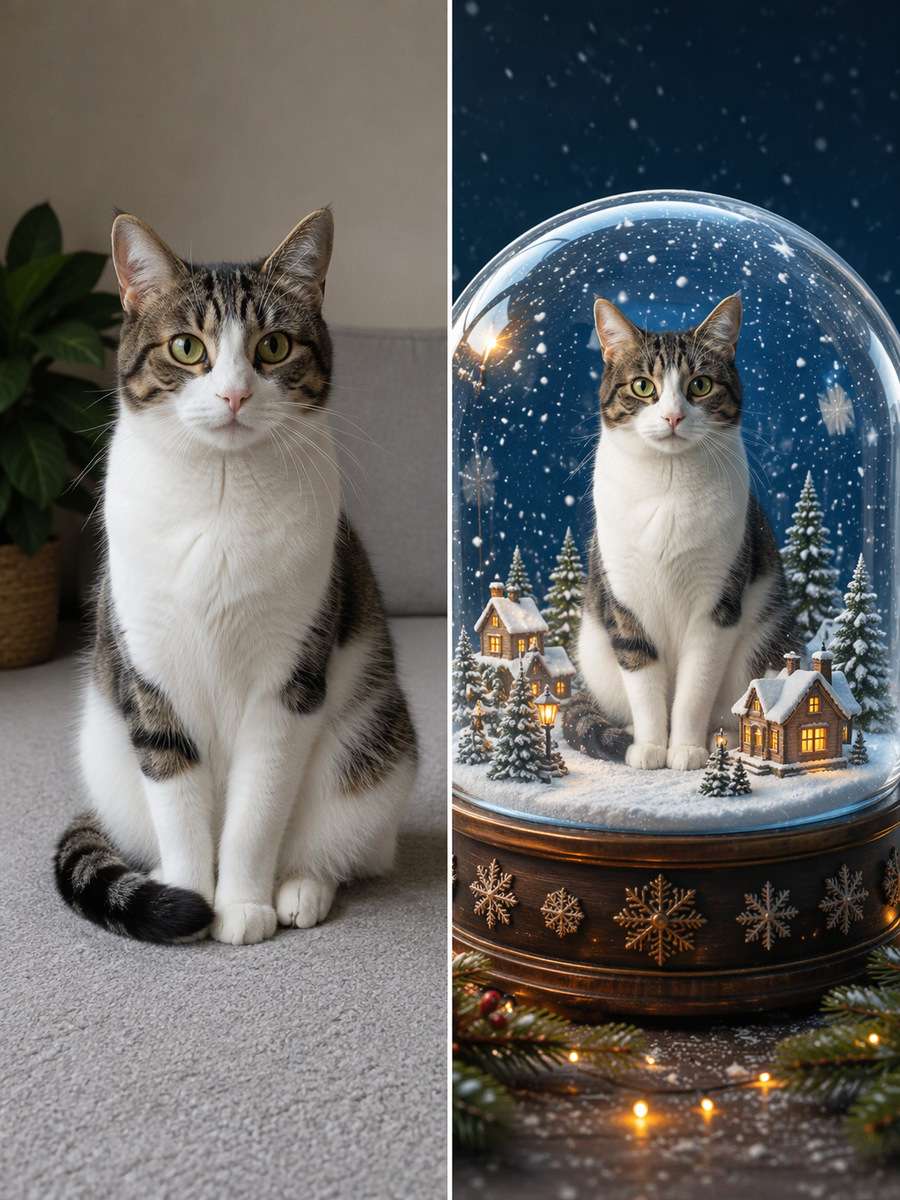
Snow-Globe Cat Keepsake
Start with my uploaded cat photo; build the finished image around this actual reference. Show the cat sitting safely in a fictional glass snow-globe illustration surrounded by miniature winter cottages and floating paper snowflakes. Make the globe a clearly imaginative artwork, not a photograph of a cat trapped in glass. Keep the same cat breed appearance, distinctive fur pattern, face, ear shape, eye color, body size and natural feline anatomy. Do not invent extra animals. Keep every visible whisker and paw believable. Render the set as an original pet portrait and omit watermarks, random greetings and unsafe-looking decorations.
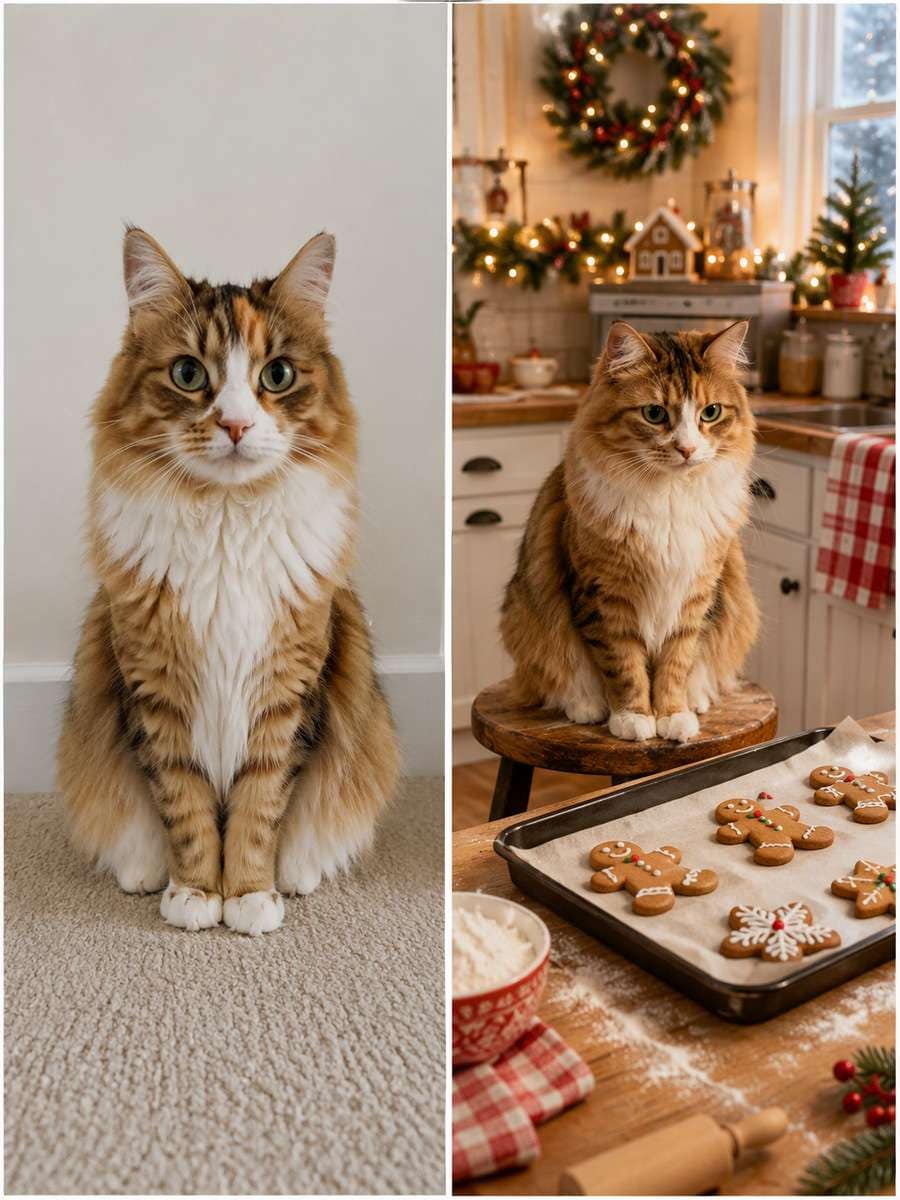
Gingerbread Kitchen Observer
Keep the recognizable subject from my uploaded cat photo. Place the cat on a safe clean stool in a Christmas kitchen watching a baking tray at a distance, with gingerbread shapes and flour-dusted counters in the background. No chocolate, raw dough or unsafe food within reach of the animal. Keep the same cat breed appearance, distinctive fur pattern, face, ear shape, eye color, body size and natural feline anatomy. Do not invent extra animals. Keep every visible whisker and paw believable. Render the set as an original pet portrait and omit watermarks, random greetings and unsafe-looking decorations.
Plaid Bow-Tie Studio
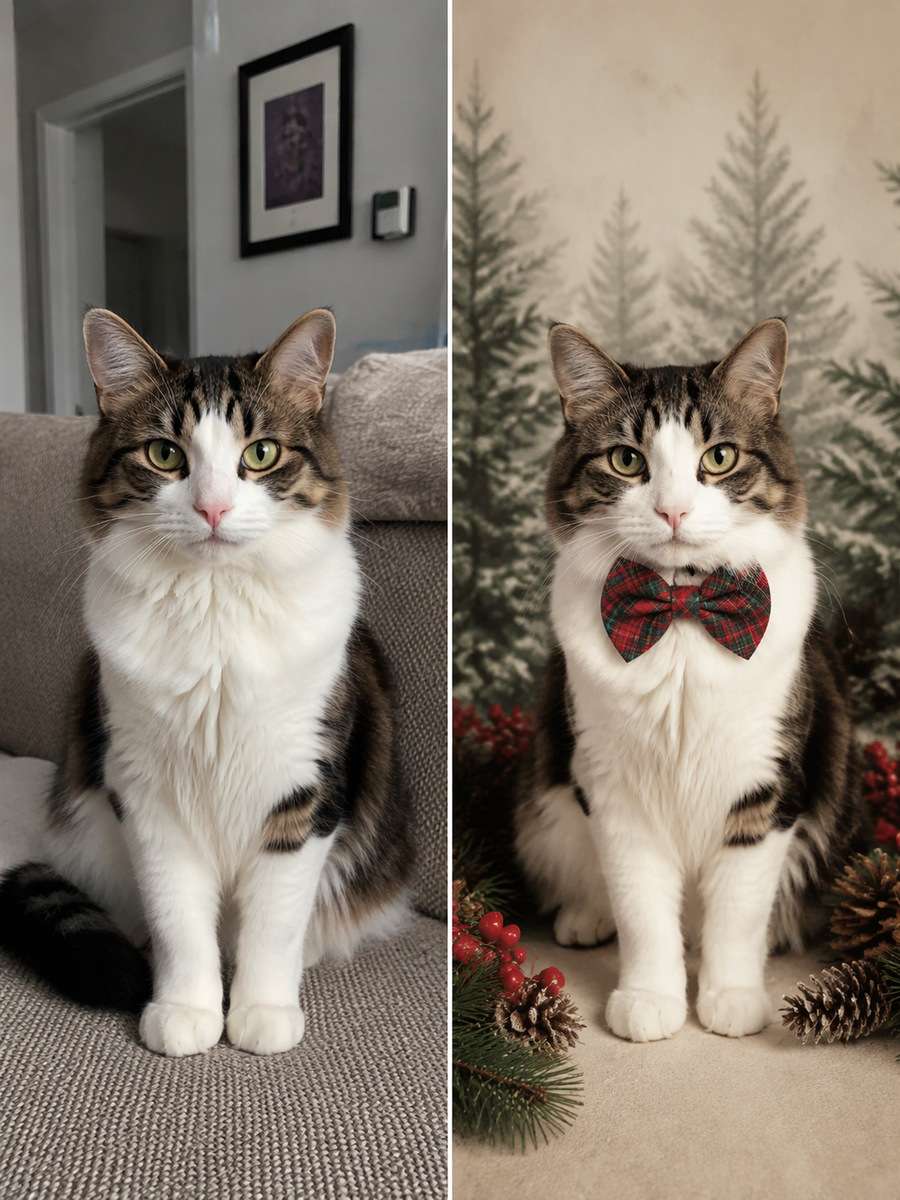
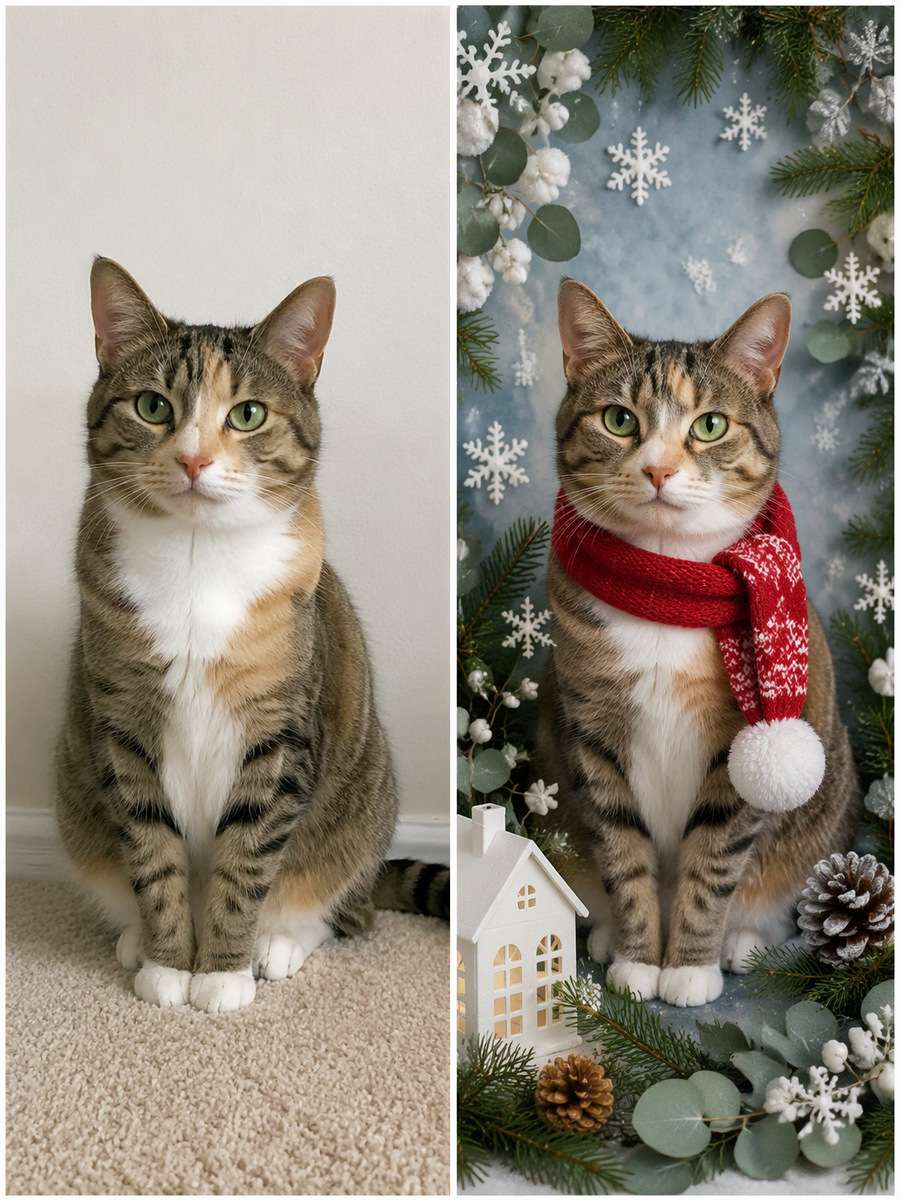
Using my uploaded cat photo, create the following specific photo edit. Give the cat a subtle plaid collar bow as part of an imagined studio holiday portrait, with soft pine silhouettes and cream paper backdrop. The bow must sit naturally without compressing its neck or changing its real eye color. Keep the same cat breed appearance, distinctive fur pattern, face, ear shape, eye color, body size and natural feline anatomy. Do not invent extra animals. Keep every visible whisker and paw believable. Render the set as an original pet portrait and omit watermarks, random greetings and unsafe-looking decorations.
Frosted Cabin Window
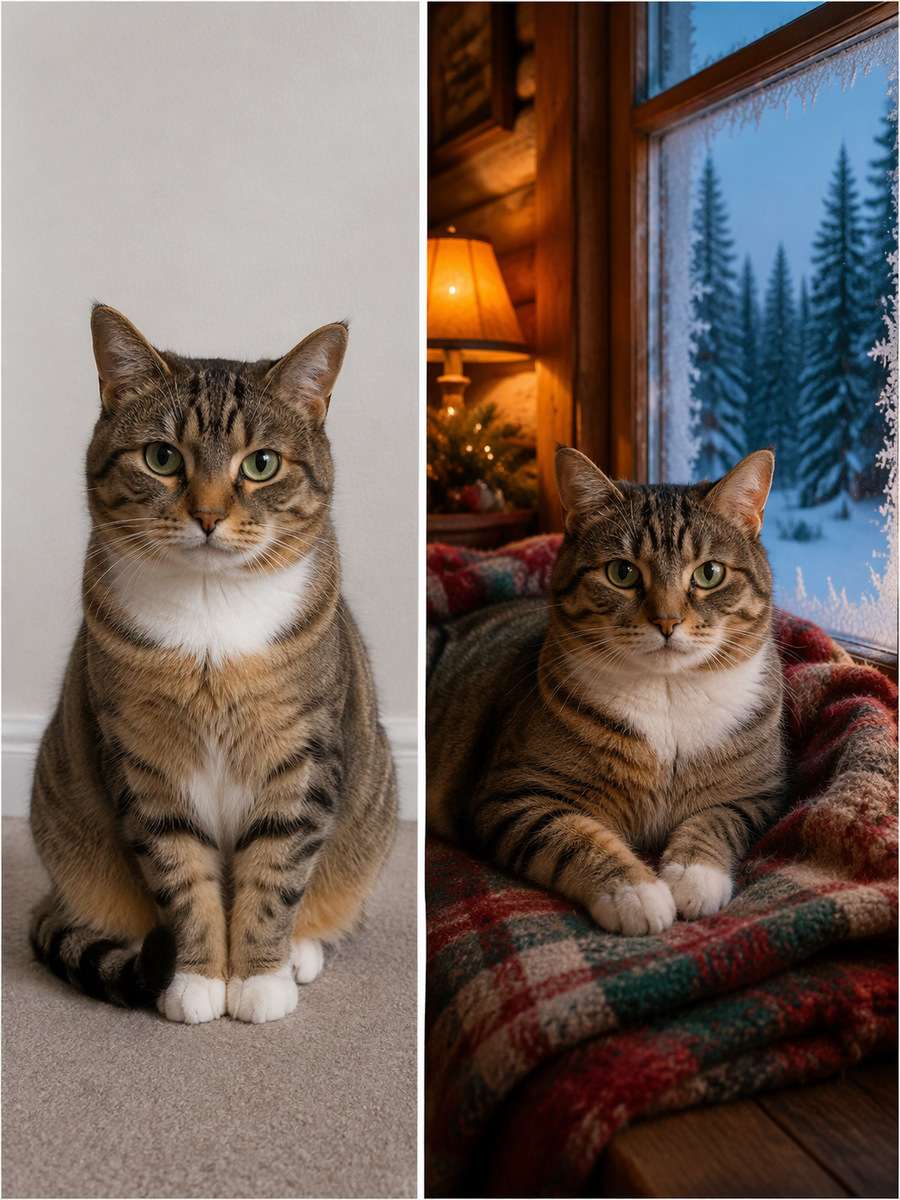
Use my uploaded cat photo as the identity reference. Position the cat lying on a wool blanket beside a frost-edged cabin window, amber interior lamp light and forest silhouettes outside. Emphasize the contrast between cool glass and warm fur without adding human-like hands. Keep the same cat breed appearance, distinctive fur pattern, face, ear shape, eye color, body size and natural feline anatomy. Do not invent extra animals. Keep every visible whisker and paw believable. Render the set as an original pet portrait and omit watermarks, random greetings and unsafe-looking decorations.
Christmas Morning Polaroid
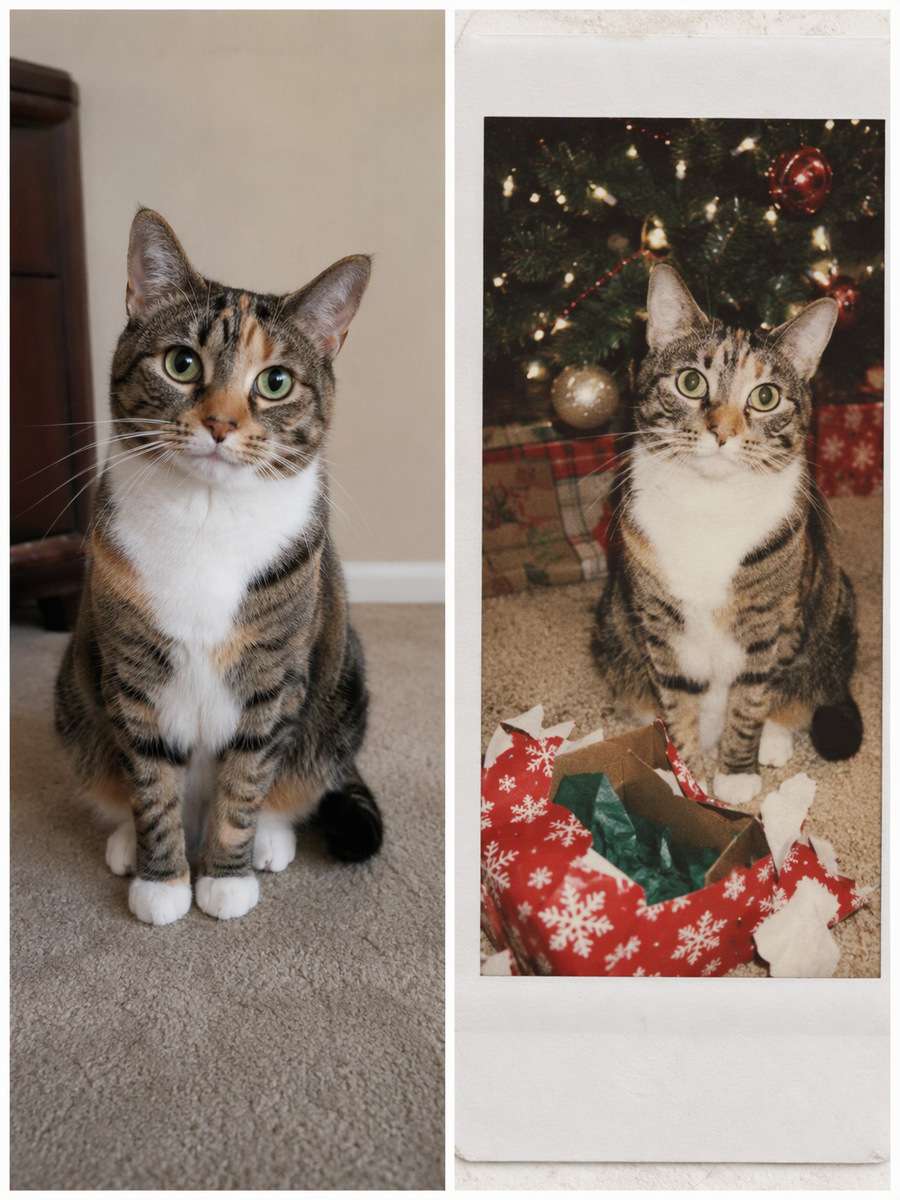
Edit my uploaded cat photo rather than inventing a new person or pet. Turn the original cat photo into a slightly faded instant-film Christmas snapshot: an open present, soft flash, imperfect white border and warm carpet tones. Keep the cat's recognizable expression, not a heavily cartooned pet. Keep the same cat breed appearance, distinctive fur pattern, face, ear shape, eye color, body size and natural feline anatomy. Do not invent extra animals. Keep every visible whisker and paw believable. Render the set as an original pet portrait and omit watermarks, random greetings and unsafe-looking decorations.
Ornament Reflection Close-Up
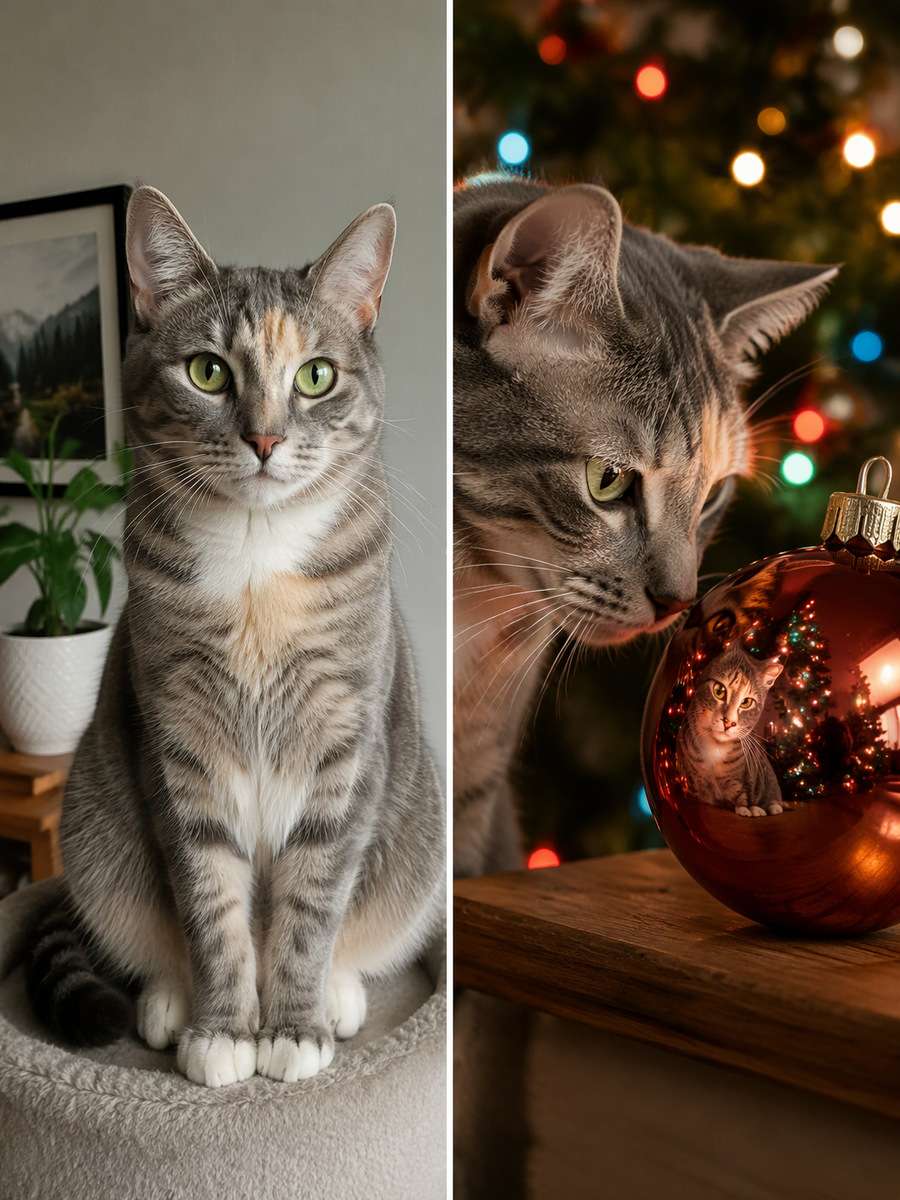
Start with my uploaded cat photo; build the finished image around this actual reference. Capture a close-up of the cat gazing at a large shatterproof decorative bauble sitting securely on a shelf, its reflection showing soft colored tree lights. Make the reflection plausible and keep the cat's nose and whiskers crisp. Keep the same cat breed appearance, distinctive fur pattern, face, ear shape, eye color, body size and natural feline anatomy. Do not invent extra animals. Keep every visible whisker and paw believable. Render the set as an original pet portrait and omit watermarks, random greetings and unsafe-looking decorations.
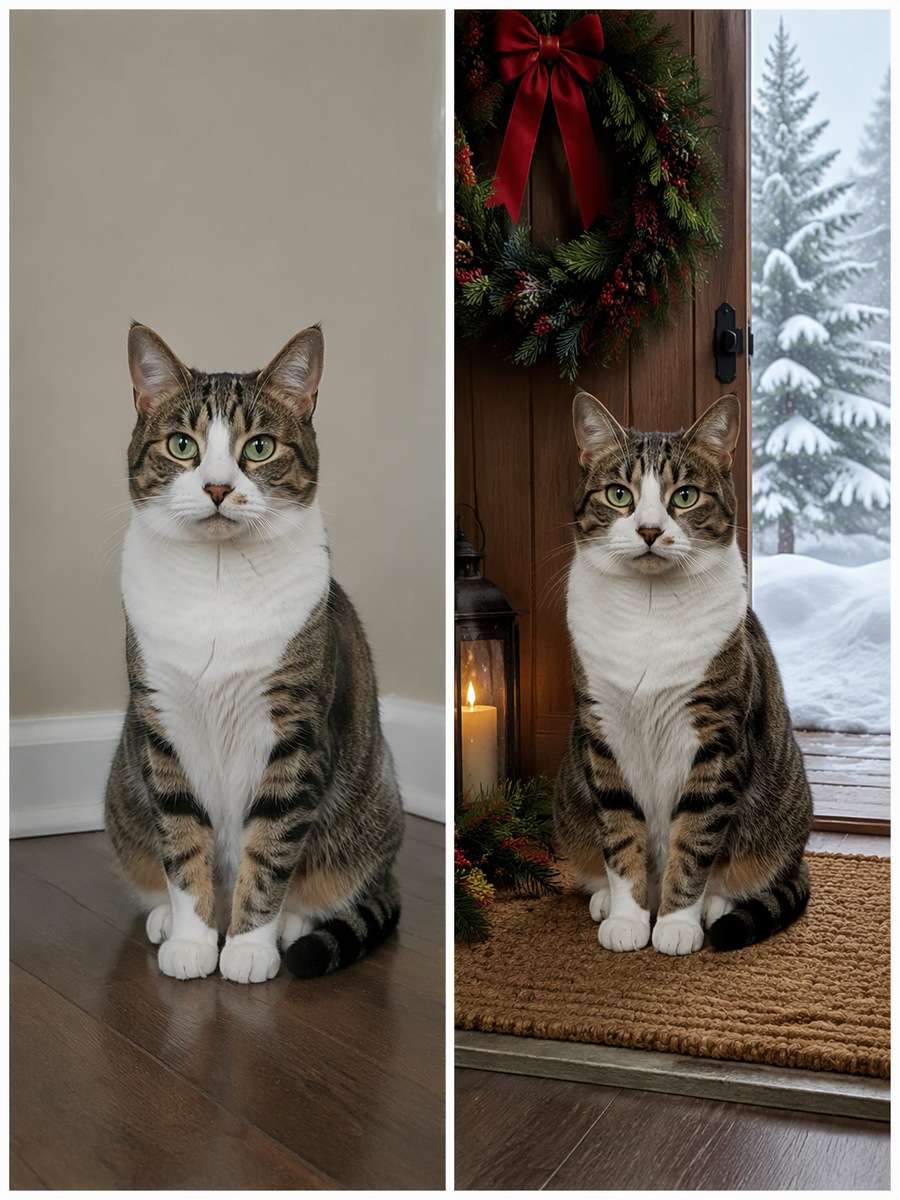
Snowy Doorstep Portrait
Keep the recognizable subject from my uploaded cat photo. Edit the background into a sheltered holiday doorstep with a green wreath, a thick doormat and distant snowdrifts. The same cat stays dry, safely indoors at the open doorway, with realistic coat density and all four paws correct. Keep the same cat breed appearance, distinctive fur pattern, face, ear shape, eye color, body size and natural feline anatomy. Do not invent extra animals. Keep every visible whisker and paw believable. Render the set as an original pet portrait and omit watermarks, random greetings and unsafe-looking decorations.
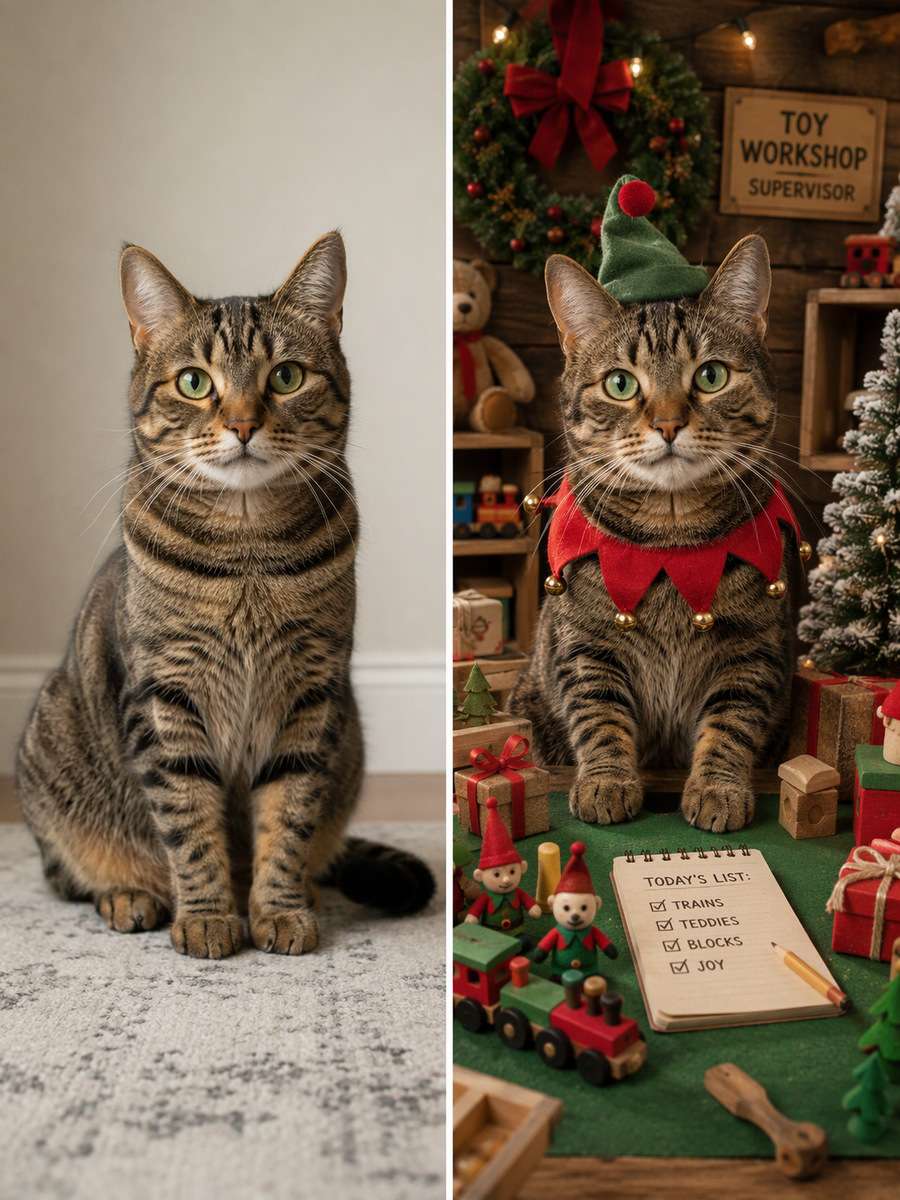
Whimsical Toy Workshop
Using my uploaded cat photo, create the following specific photo edit. Illustrate the cat as the serious supervisor of a miniature festive toy workshop with wooden blocks, wrapped packages and green felt scenery. This is a playful picture-book treatment while its unique face and tabby pattern remain recognizable. Keep the same cat breed appearance, distinctive fur pattern, face, ear shape, eye color, body size and natural feline anatomy. Do not invent extra animals. Keep every visible whisker and paw believable. Render the set as an original pet portrait and omit watermarks, random greetings and unsafe-looking decorations.
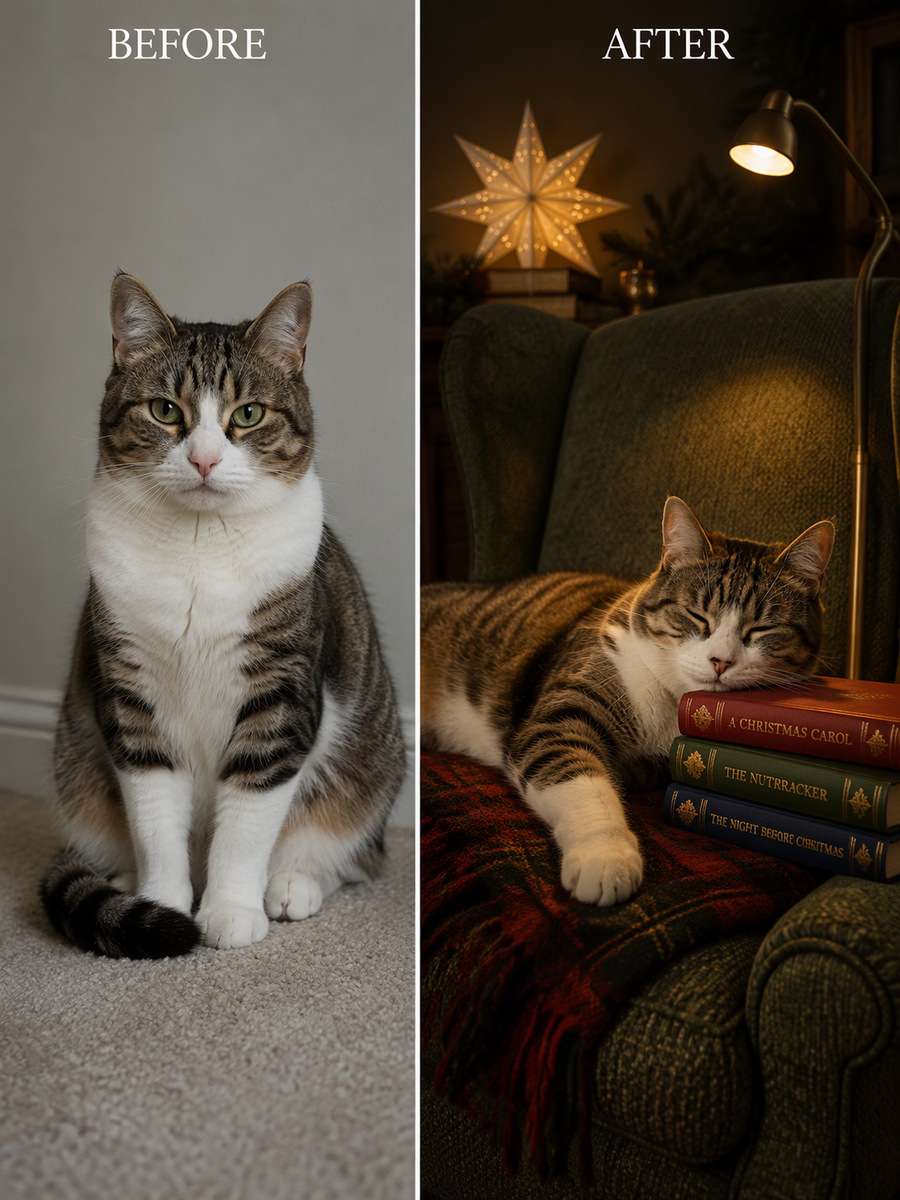
Holiday Reading Nook
Use my uploaded cat photo as the identity reference. Place the cat stretched beside a stack of closed storybooks on a textured armchair, low reading light and a small illuminated paper star far behind. Preserve the relaxed sleeping posture and do not crowd the frame with ornaments. Keep the same cat breed appearance, distinctive fur pattern, face, ear shape, eye color, body size and natural feline anatomy. Do not invent extra animals. Keep every visible whisker and paw believable. Render the set as an original pet portrait and omit watermarks, random greetings and unsafe-looking decorations.
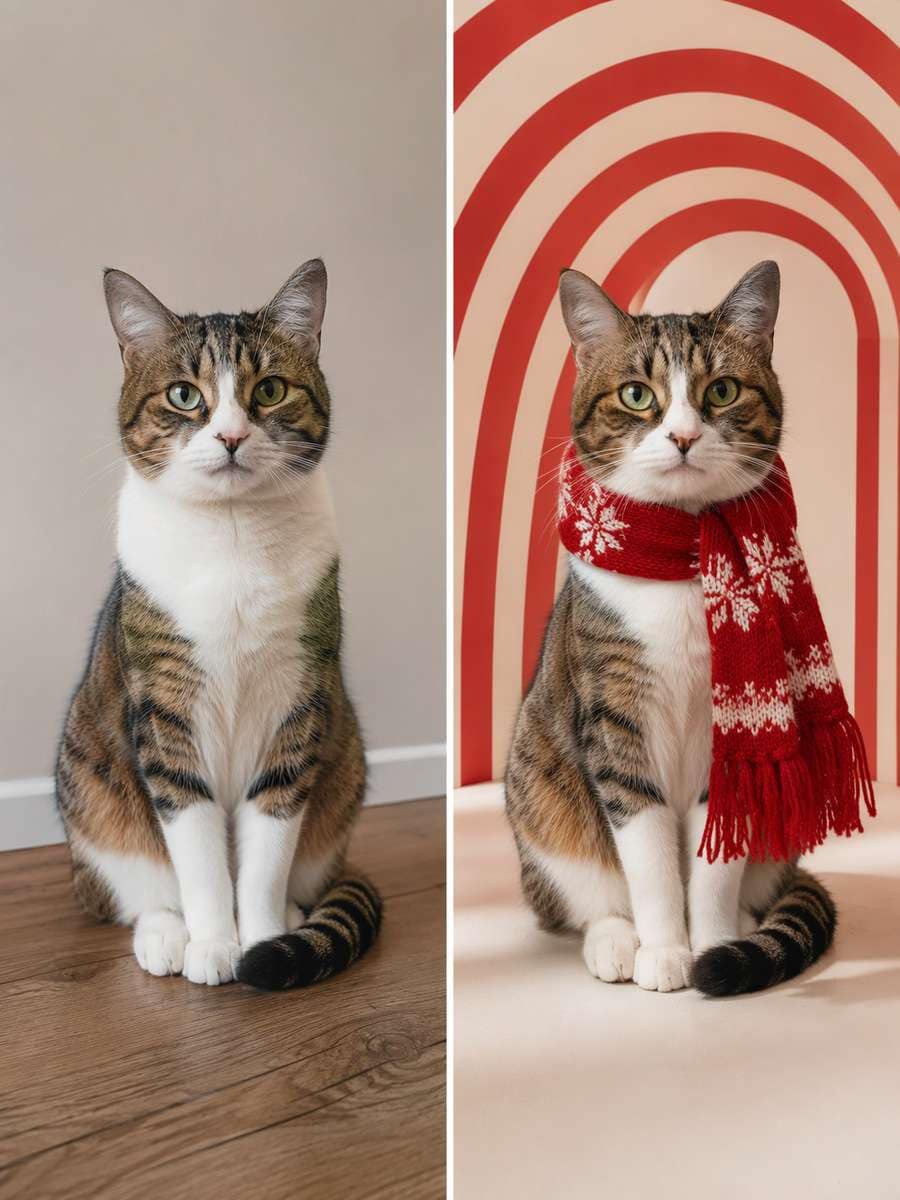
Candy-Cane Stripe Backdrop
Edit my uploaded cat photo rather than inventing a new person or pet. Make a bold studio portrait with broad red-and-cream striped paper arches behind the cat, a simple pale floor and editorial side lighting. No edible candy near the cat; keep the backdrop graphic rather than adding clutter. Keep the same cat breed appearance, distinctive fur pattern, face, ear shape, eye color, body size and natural feline anatomy. Do not invent extra animals. Keep every visible whisker and paw believable. Render the set as an original pet portrait and omit watermarks, random greetings and unsafe-looking decorations.
Christmas Tree Peekaboo
Start with my uploaded cat photo; build the finished image around this actual reference. Show the cat peeking through two low safe branches of a decorated tree, bright eyes between pine needles and a softly focused living room behind. Do not cover the eyes, flatten the muzzle or invent a second cat. Keep the same cat breed appearance, distinctive fur pattern, face, ear shape, eye color, body size and natural feline anatomy. Do not invent extra animals. Keep every visible whisker and paw believable. Render the set as an original pet portrait and omit watermarks, random greetings and unsafe-looking decorations.
Winter Botanical Portrait
Keep the recognizable subject from my uploaded cat photo. Surround the cat with illustrated winter evergreens, eucalyptus silhouettes and small paper snowflakes around the border of a photographic headshot. Keep all plants clearly decorative, not items the cat is chewing. Keep the same cat breed appearance, distinctive fur pattern, face, ear shape, eye color, body size and natural feline anatomy. Do not invent extra animals. Keep every visible whisker and paw believable. Render the set as an original pet portrait and omit watermarks, random greetings and unsafe-looking decorations.
Two-Pet Holiday Duo
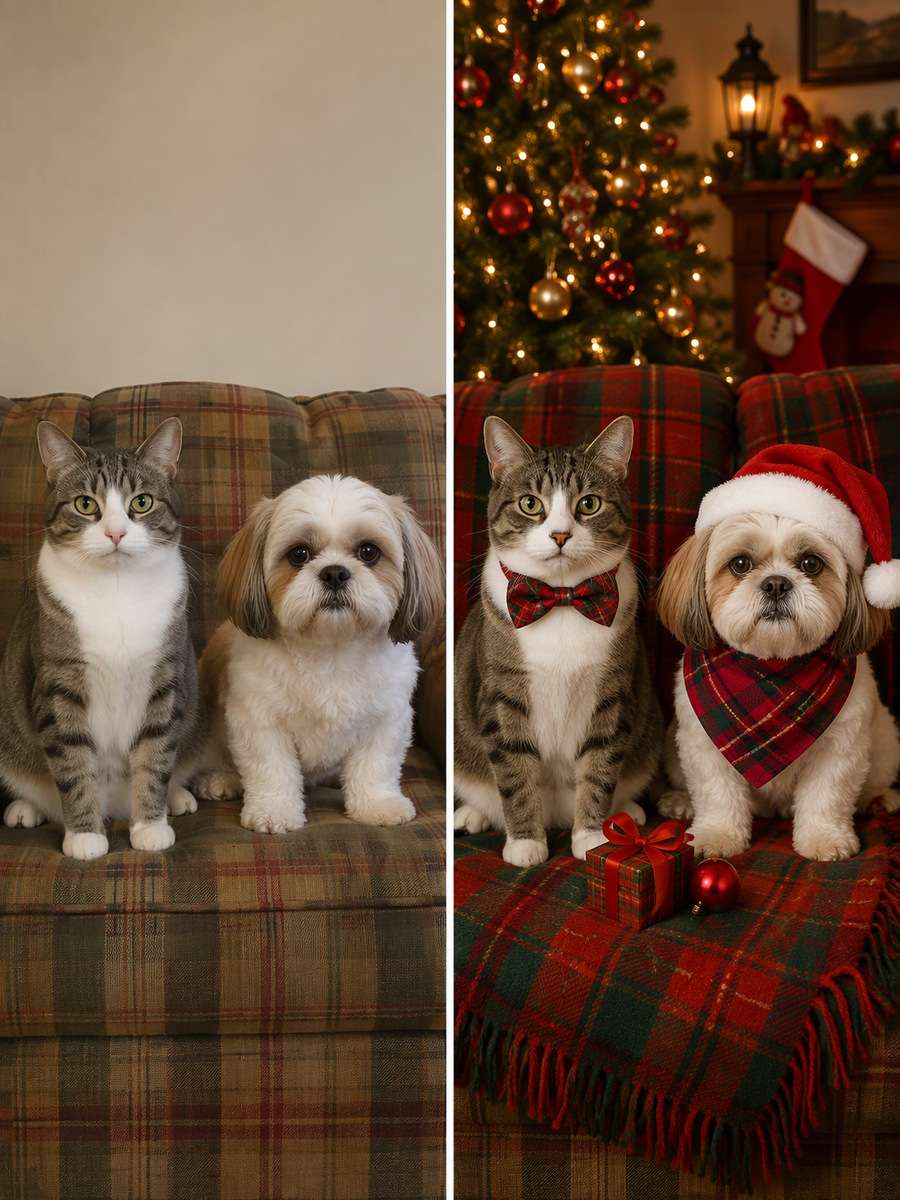
Using my uploaded cat photo, create the following specific photo edit. Use an uploaded image that already contains two pets and keep exactly those two animals side by side on a plaid sofa with warm Christmas lights behind. Preserve each pet's distinct markings and relative size; do not invent a companion if one was not supplied. Keep the same cat breed appearance, distinctive fur pattern, face, ear shape, eye color, body size and natural feline anatomy. Do not invent extra animals. Keep every visible whisker and paw believable. Render the set as an original pet portrait and omit watermarks, random greetings and unsafe-looking decorations.
Little Red Sleigh Set
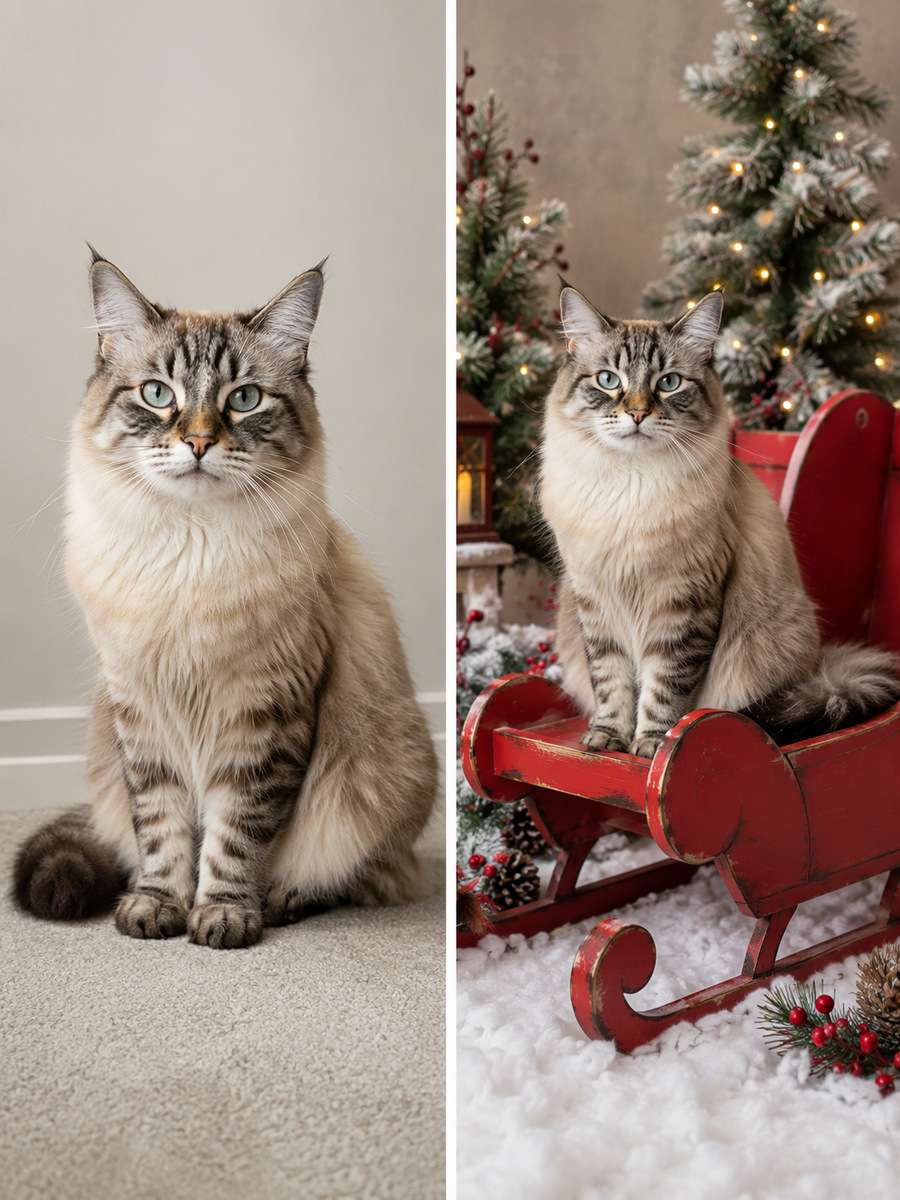
Use my uploaded cat photo as the identity reference. Create a fictional holiday studio scene with the cat comfortably sitting on a large sturdy red sleigh-shaped bench and faux snow fabric spread below. Keep the sleigh stationary, the paws supported and the pose animal-natural. Keep the same cat breed appearance, distinctive fur pattern, face, ear shape, eye color, body size and natural feline anatomy. Do not invent extra animals. Keep every visible whisker and paw believable. Render the set as an original pet portrait and omit watermarks, random greetings and unsafe-looking decorations.
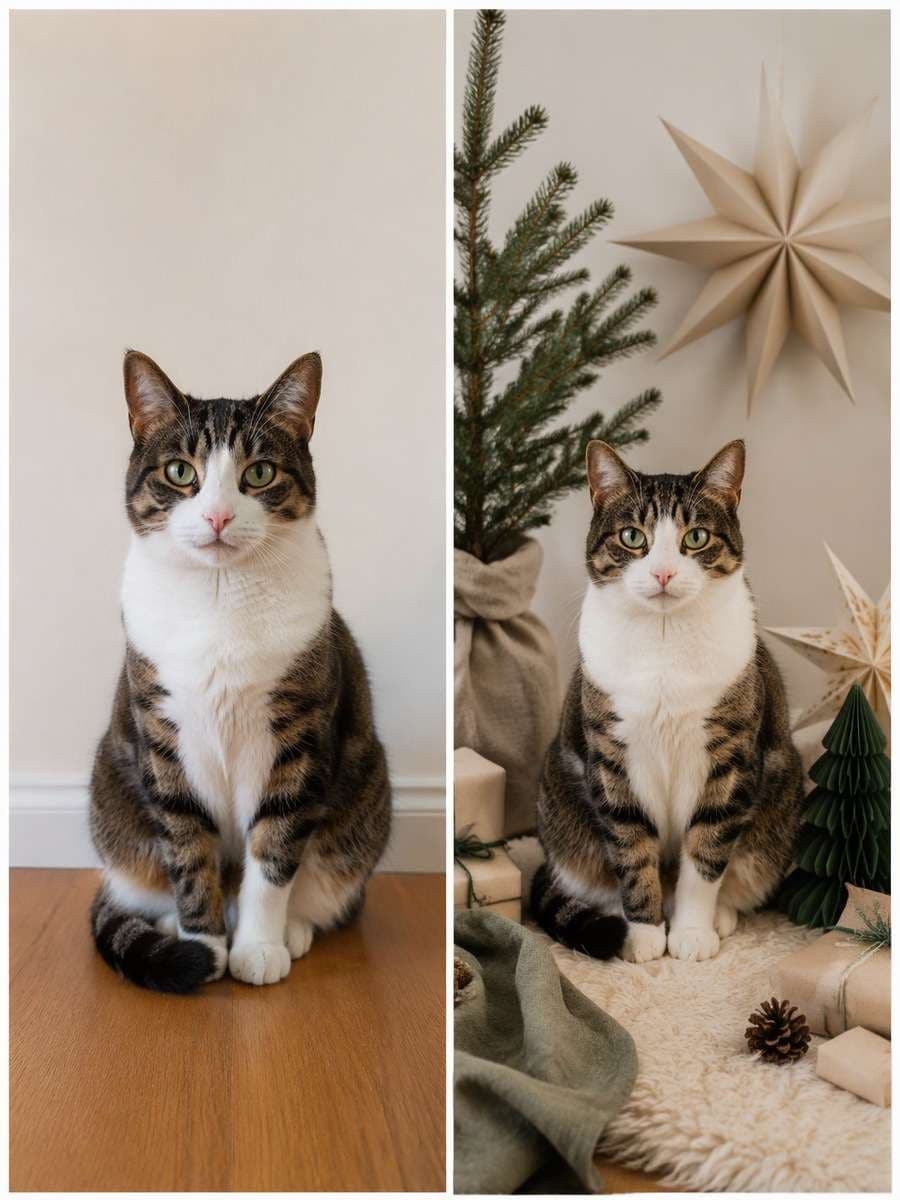
Muted Scandinavian Christmas
Edit my uploaded cat photo rather than inventing a new person or pet. Style the photo with a minimalist fir sprig, natural linen, paper stars and muted oatmeal/forest-green colors, the cat sitting on a soft rug at the center. No tiny dangling props and no artificial smile. Keep the same cat breed appearance, distinctive fur pattern, face, ear shape, eye color, body size and natural feline anatomy. Do not invent extra animals. Keep every visible whisker and paw believable. Render the set as an original pet portrait and omit watermarks, random greetings and unsafe-looking decorations.
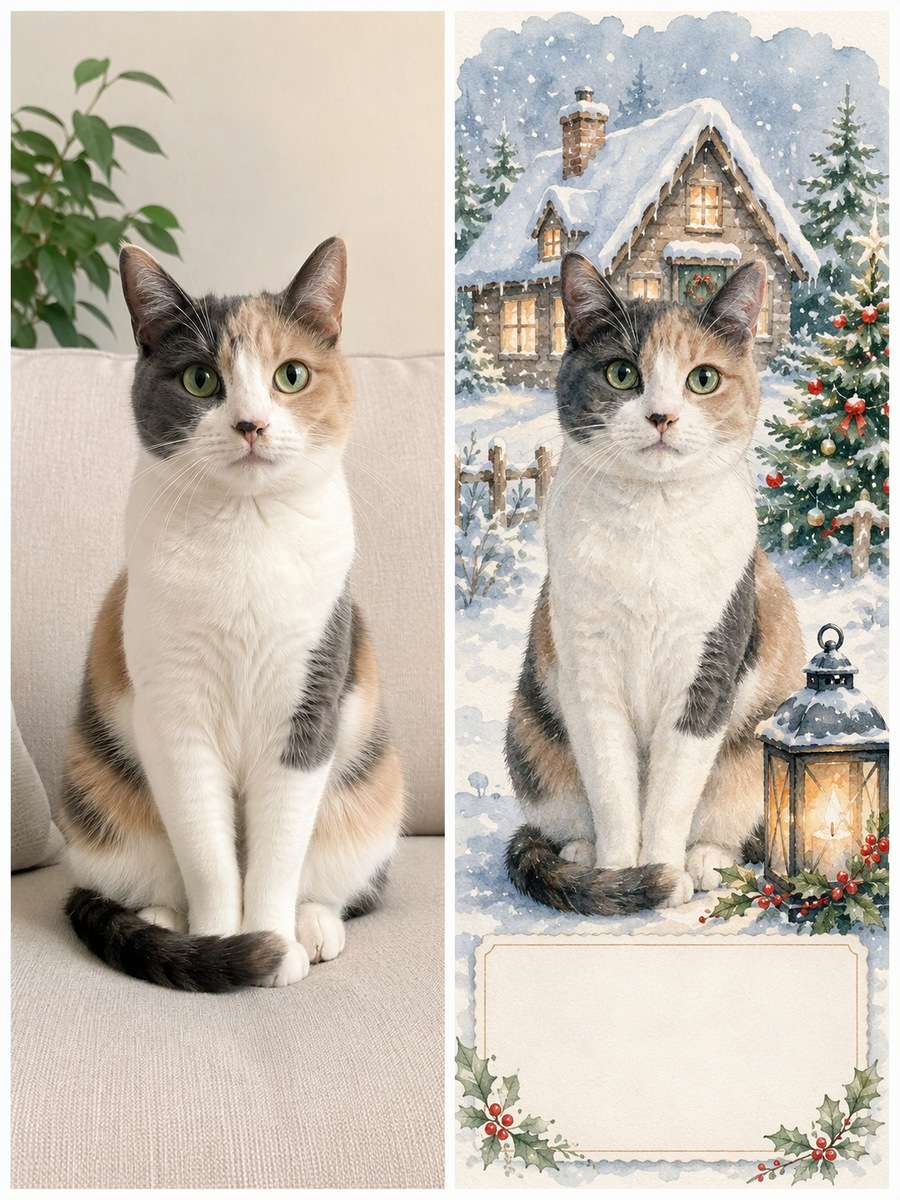
Snowfall Postcard Illustration
Start with my uploaded cat photo; build the finished image around this actual reference. Turn the cat into a delicate watercolor winter postcard illustration with the exact fur patches, eye shade and profile silhouette of the reference. Use a small snowy cottage scene and leave blank card text space. Keep the same cat breed appearance, distinctive fur pattern, face, ear shape, eye color, body size and natural feline anatomy. Do not invent extra animals. Keep every visible whisker and paw believable. Render the set as an original pet portrait and omit watermarks, random greetings and unsafe-looking decorations.
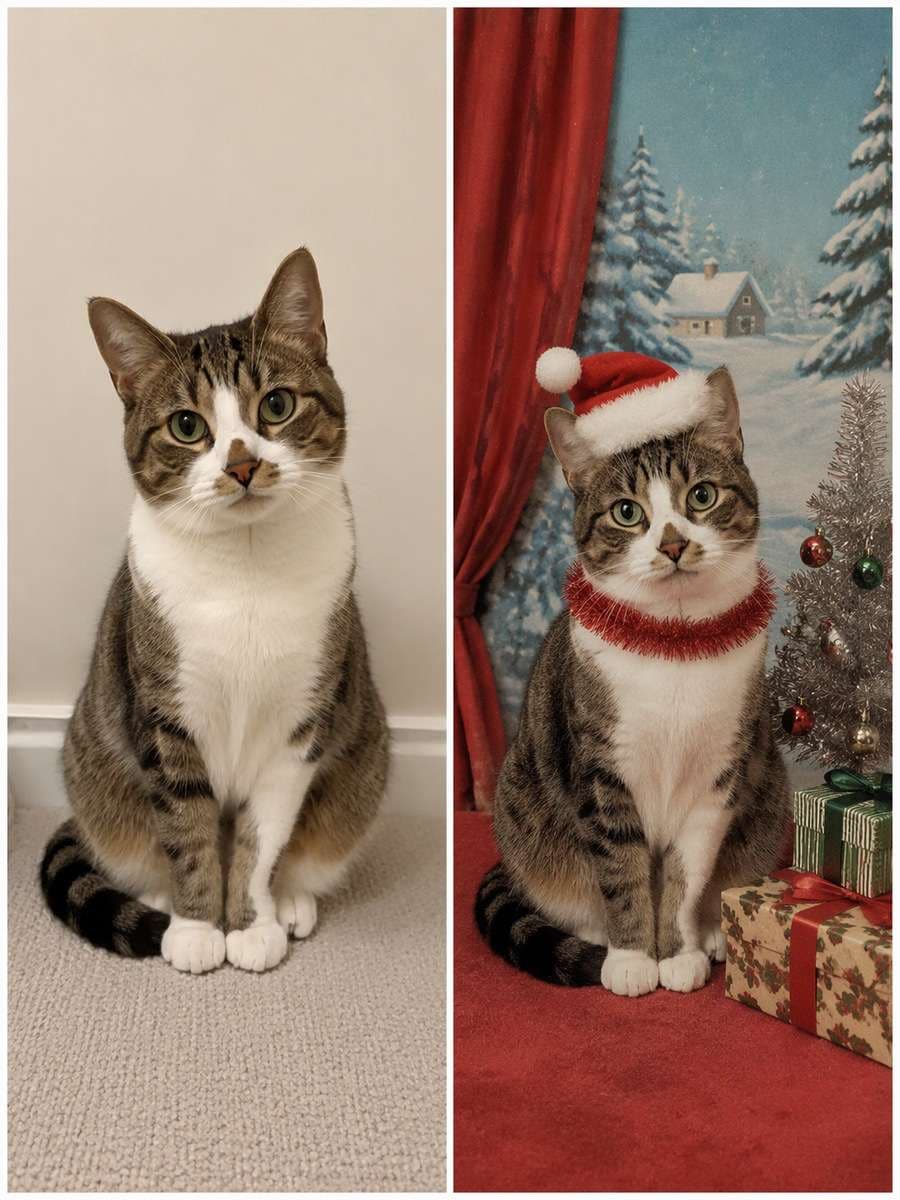
Retro 1960s Holiday Studio
Keep the recognizable subject from my uploaded cat photo. Reimagine a whimsical 1960s department-store pet portrait, simple red curtain, painted winter backdrop, slightly awkward flash and visible film texture. Keep the cat believable instead of giving it human posture. Keep the same cat breed appearance, distinctive fur pattern, face, ear shape, eye color, body size and natural feline anatomy. Do not invent extra animals. Keep every visible whisker and paw believable. Render the set as an original pet portrait and omit watermarks, random greetings and unsafe-looking decorations.
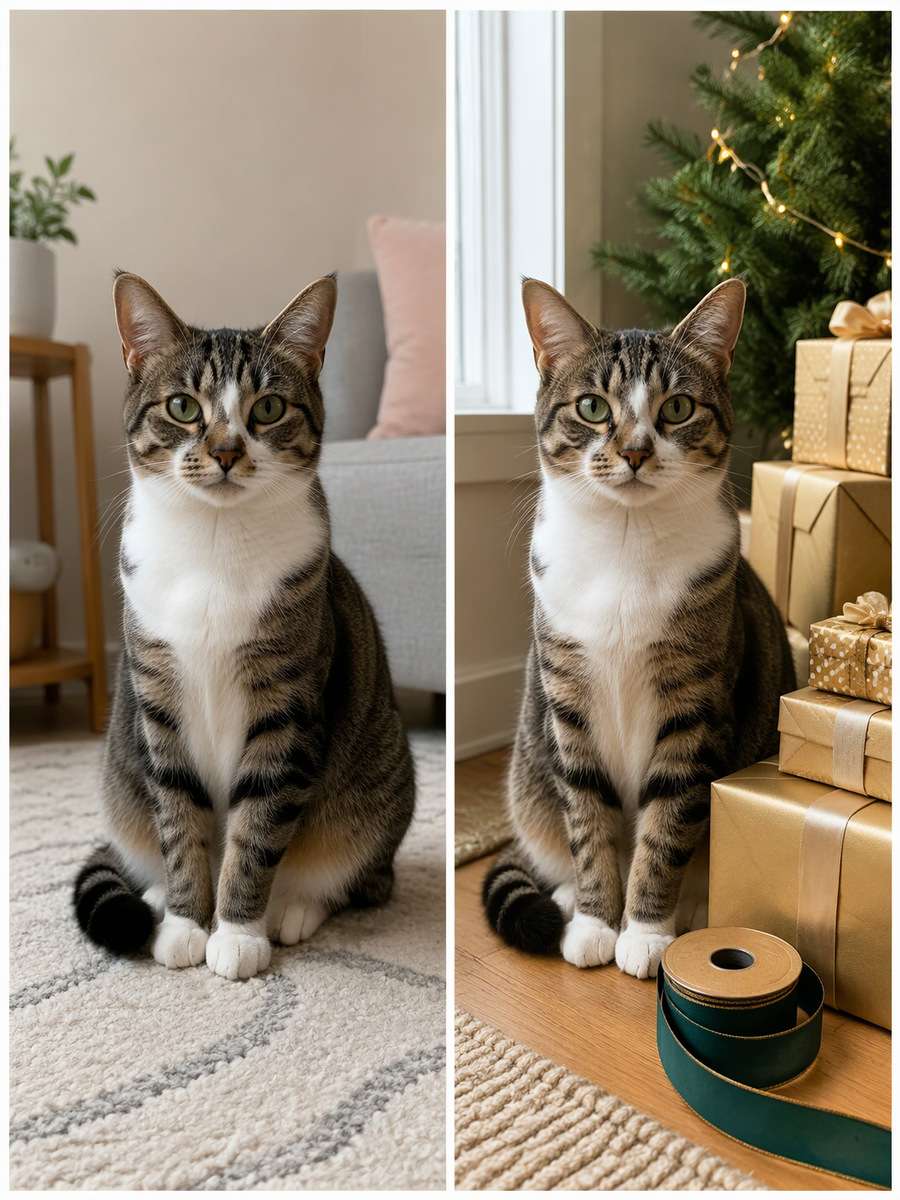
Golden Gift Wrap Moment
Using my uploaded cat photo, create the following specific photo edit. Photograph the cat calmly sitting near a pile of neatly wrapped gold-paper gifts and a green ribbon spool safely out of reach, side-lit by a morning window. Focus on curious eyes and realistic fur rather than a crowded holiday advertisement. Keep the same cat breed appearance, distinctive fur pattern, face, ear shape, eye color, body size and natural feline anatomy. Do not invent extra animals. Keep every visible whisker and paw believable. Render the set as an original pet portrait and omit watermarks, random greetings and unsafe-looking decorations.
Keep Your Cat Recognizable and the Christmas Set Believable
Christmas props are the decoration, not the subject. Direct the model toward the cat you actually know.
Work With Real Cat Behavior
Preserve ear shape, muzzle, eye shade, coat pattern and the same number of paws.
Choose resting, watching, inspecting or peeking poses instead of making a cat stand like a person.
Describe one clear light source, such as a window or distant tree lights, to avoid artificial glossy fur.
For a Christmas card, leave a blank top or side margin and add exact greeting text afterward.
Watch for Holiday Set Problems
Place ribbons, tinsel, chocolates, open candles and fragile ornaments safely out of reach in any realistic scene.
When a hat erases ears or the AI invents paws, remove the accessory and regenerate with a simpler pose.
If the face looks like another cat, re-upload a sharper image and explicitly name a distinctive patch or nose marking.
Treat imaginative snow-globe and watercolor outputs as illustrations, not documentation of a real pet event.
What to Make with Your Christmas Cat Pictures
Make a festive set that suits your cat, from printable artwork to one cozy image for sharing.
Family Holiday Card
Use a simple cat portrait with ample blank area for a greeting and the year.
Framed Winter Keepsake
Pick a calm fireplace or window scene that still reads clearly when printed.
Festive Profile Picture
Choose a close-up with crisp eyes and a restrained backdrop that survives a square crop.
Pet-Lover Gift
Try a vintage postcard or watercolor treatment with the real coat pattern intact.
Frequently Asked Questions About ChatGPT Christmas Cat Prompts
1. Can ChatGPT edit a Christmas photo of my own cat?
Use an uploaded, well-lit cat photo and specify the setting and props you want changed. Check that the result keeps the cat's coat markings and facial shape; preservation is an instruction, not a guarantee.
2. How do I stop AI from changing my cat's fur color?
Describe two or three unique markings, such as a white chin, a striped tail or a dark patch above one eye. Reupload the reference if the first edit loses those details.
3. Which Christmas cat prompt is best for a card?
Choose a scene with a clearly visible head and open space around the cat, such as a studio backdrop or quiet winter windowsill. Add greeting text manually for accurate spelling.
4. Can I create Christmas cat photos without dressing up my pet?
Yes. Use an everyday pet photo and let the AI add the sweater, tree or snow setting digitally. There is no need to put real costumes or unsafe decorations on a cat.
5. Do Christmas cat images work for prints and social posts?
They can be planned for either format. Ask for clean margins and a centered pet portrait, then inspect image detail at the size you intend to use.
What if someone else starred in your video? Swap any on-screen character with your favorite character using AI and bring a whole new twist to your scenes!
Swap Characters Now
Bikini Looks, Made with AI
Upload a photo and let AI transform the outfits. No editing skills needed!
Create Now
Today's Hottest AI Trends
All the hottest AI video trends in one place. Find your favorite and make it yours.