25+ AI Product Mockup Prompts to Make Your Launch Look Expensive
Create glossy studio shots with soft shadows, floating packaging, and glassy reflections that look straight out of a paid photoshoot. These AI Product Mockup Prompts are built for viral launch posts, Etsy thumbnails, and Amazon-style hero images. Copy a prompt, upload your product reference, and generate polished variations fast. No studio, no reshoots.
Stunning AI ai product mockup generated with Media.io - powered by
Nano Banana Pro.
How to Create AI Product Mockup in 3 Steps
Media.io makes mockups feel like a 3-minute workflow. Open the AI generator, paste a prompt, and let it render clean, photoreal product scenes.
1
Open Media.io AI Generator
Go to Media.io and open the AI image generator tool. Choose an image-to-image workflow if you have a product photo, or text-to-image if you are starting from zero. Set your output ratio and quality so it matches your store and social formats.
2
Upload and Paste a Prompt
Upload your product photo for the best label accuracy, then copy-paste one of the AI Product Mockup Prompts below. Swap details like material, surface, props, and color palette to match your brand. Keep the prompt specific for lighting and camera angle.
3
Generate, Review, Download
Click Generate and review 2 to 4 variations for realism, edges, reflections, and readable blank label space. Tweak one line if needed, regenerate, then download your favorites in high resolution for listing images, ads, and launch carousels.
Best Gemini & ChatGPT AI Product Mockup Prompts Ideas & Examples
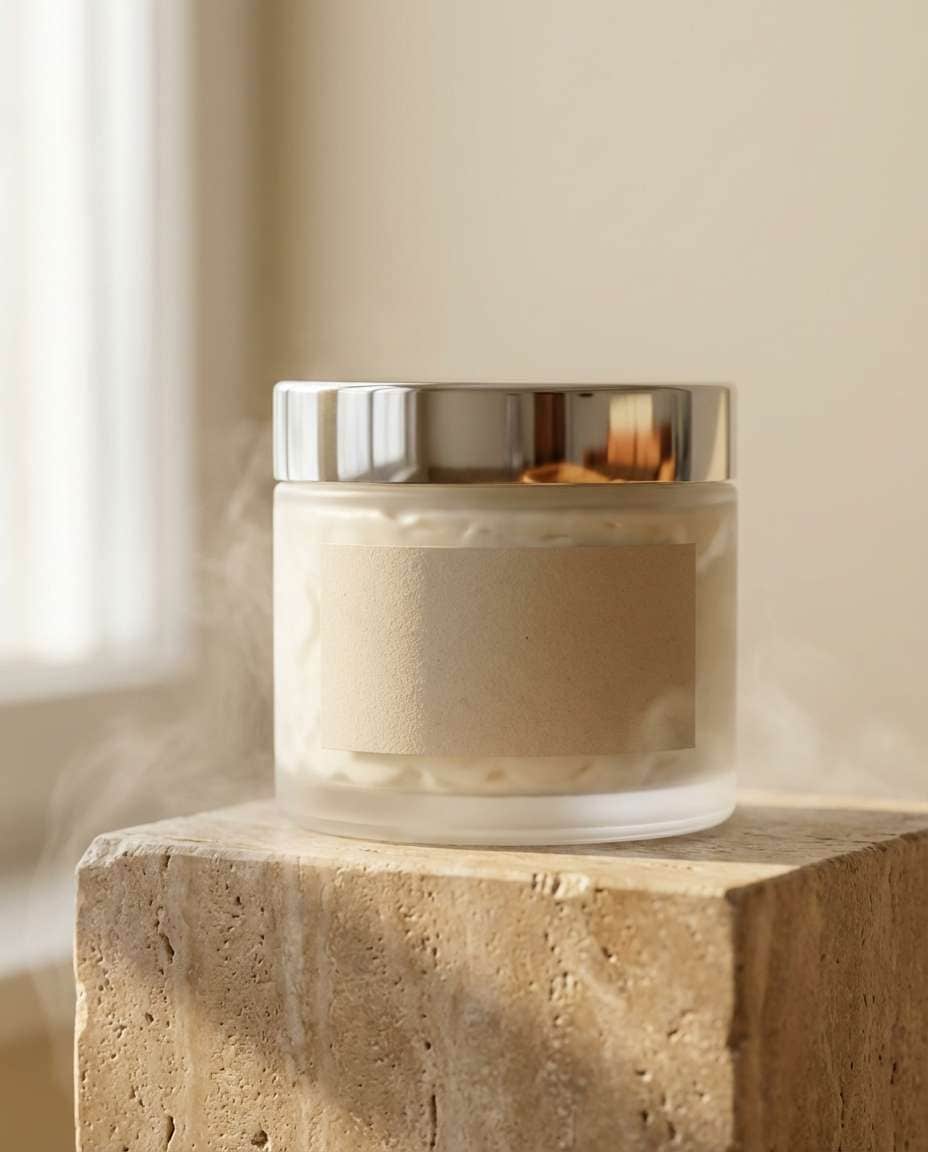
Skincare Jar on Stone
A premium cosmetic cream jar mockup with a blank matte label, centered on a warm travertine stone pedestal, soft diffused window light from the left creating gentle shadows, subtle steam-like haze for spa vibe, clean beige background, shot on Canon EOS R5 with 85mm lens f/2.0, shallow depth of field, ultra-realistic reflections on the lid, editorial product photography, high resolution, minimal styling, no text, no watermark --ar 4:5
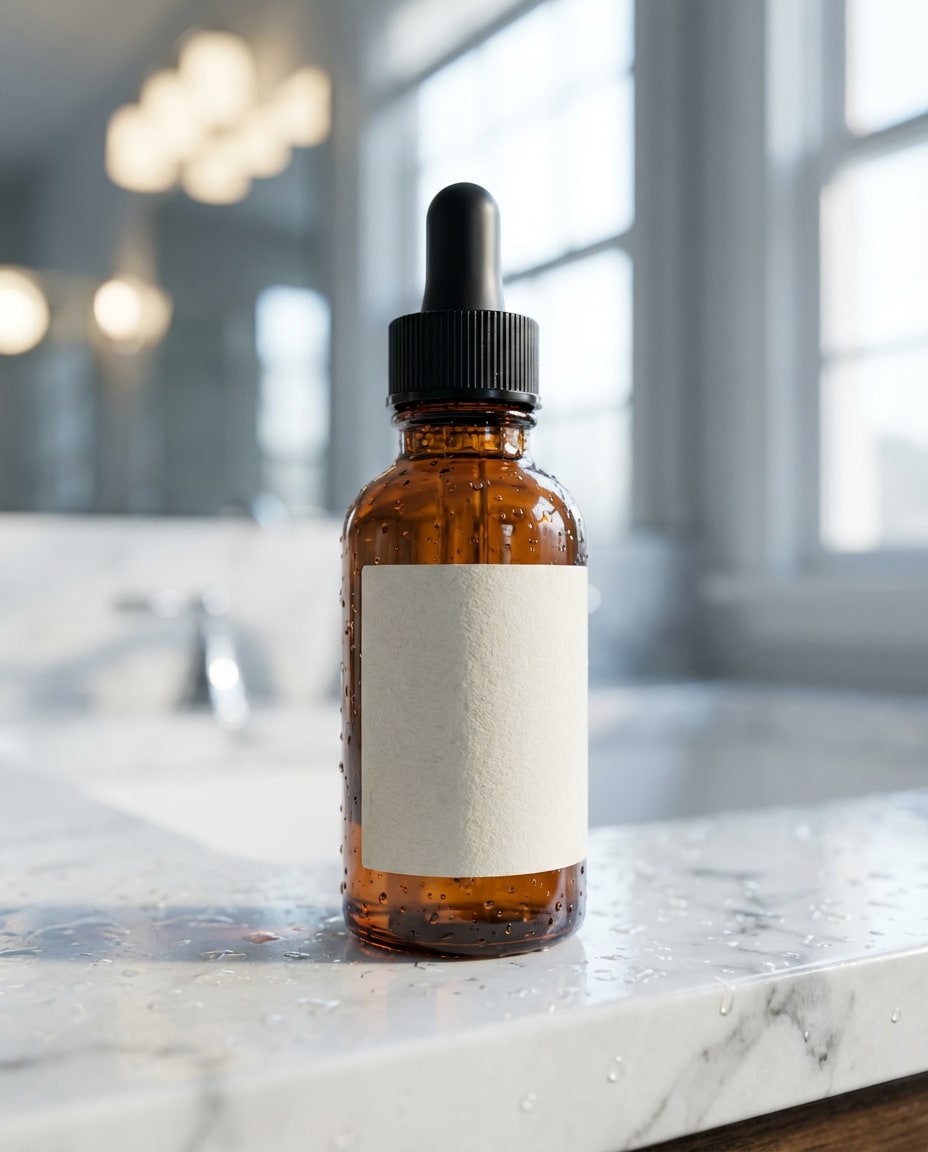
Amber Dropper Bathroom
Photorealistic amber glass serum dropper bottle mockup with an unbranded blank label, placed on a wet marble bathroom counter with small water droplets, mirror bokeh highlights in the background, cool morning window light, shot on Sony A7IV 50mm f/1.8, close-up three-quarter angle, crisp glass refraction, realistic specular highlights, premium skincare ad aesthetic, high resolution --ar 4:5
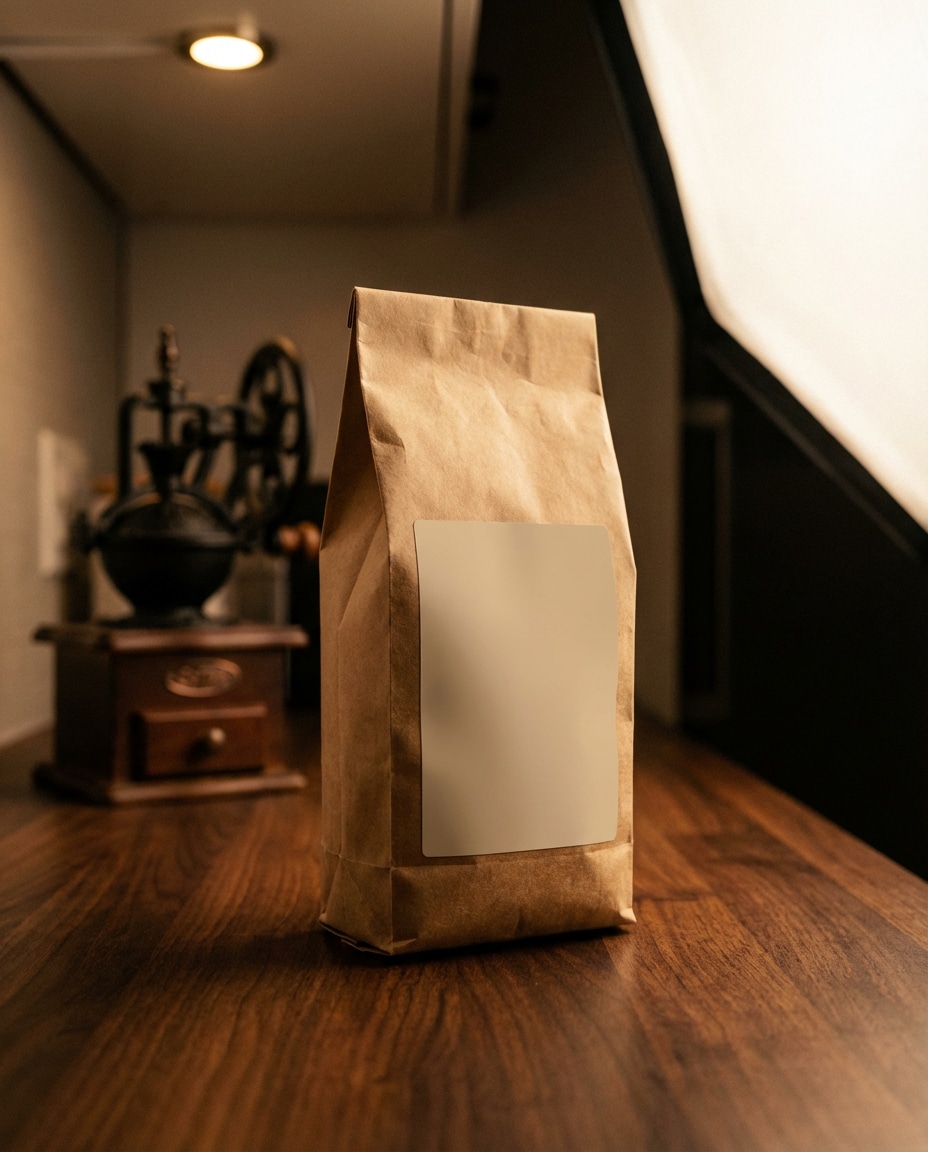
Coffee Bag Countertop
A standing kraft paper coffee bag mockup with a clean blank label panel, styled on a dark walnut kitchen countertop with a vintage grinder softly blurred behind, warm tungsten practical lights and softbox key light, shot on Nikon Z8 35mm f/2.0, eye-level framing, rich contrast, realistic paper texture and folds, professional product photography, no readable text --ar 4:5
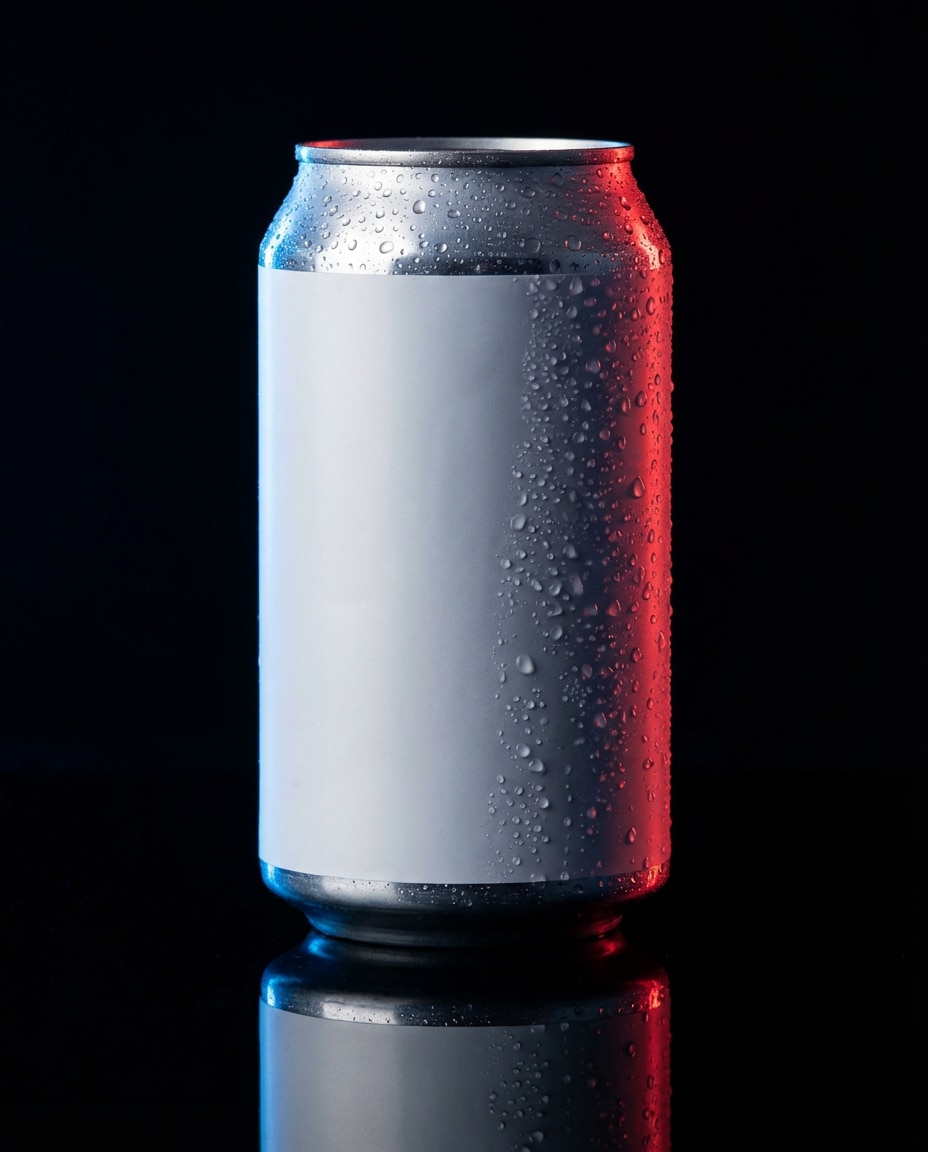
Condensation Can Hero
A sleek aluminum beverage can mockup with a blank minimal label, covered in realistic condensation beads, placed on a glossy black acrylic surface with dramatic rim light and blue-red gels, studio strobe lighting, shot on Sony A7R V 90mm macro f/4, tight hero crop, sharp edges, deep reflections, commercial ad quality, high resolution, no logo, no text --ar 4:5
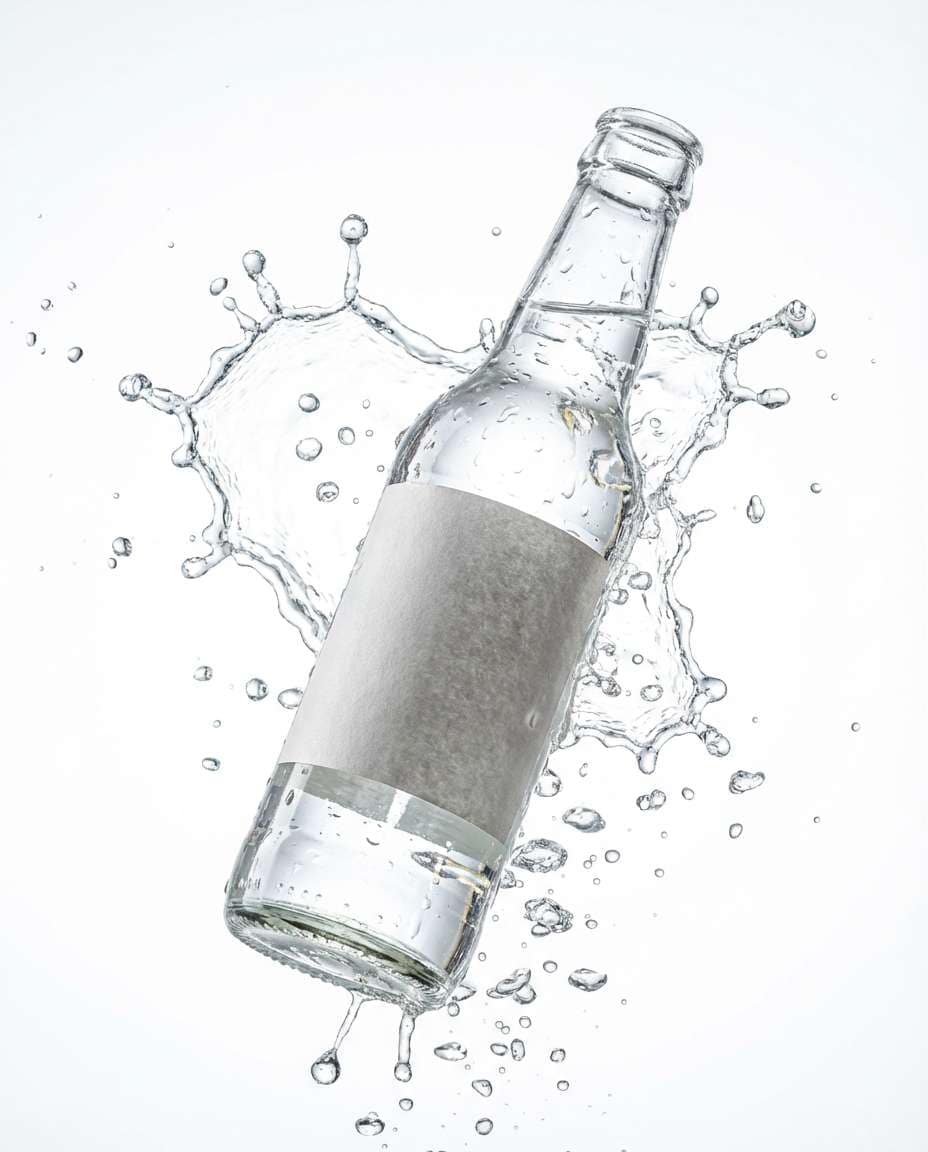
Bottle Splash Shot
A clear glass soda bottle mockup with a blank label, captured mid-splash with sparkling water droplets frozen in motion, bright high-key studio setup, white seamless background, shot on Canon EOS R3 with 70-200mm at 135mm f/5.6, ultra-sharp freeze, realistic caustics and highlights, clean commercial beverage photography, no text, no watermark --ar 4:5
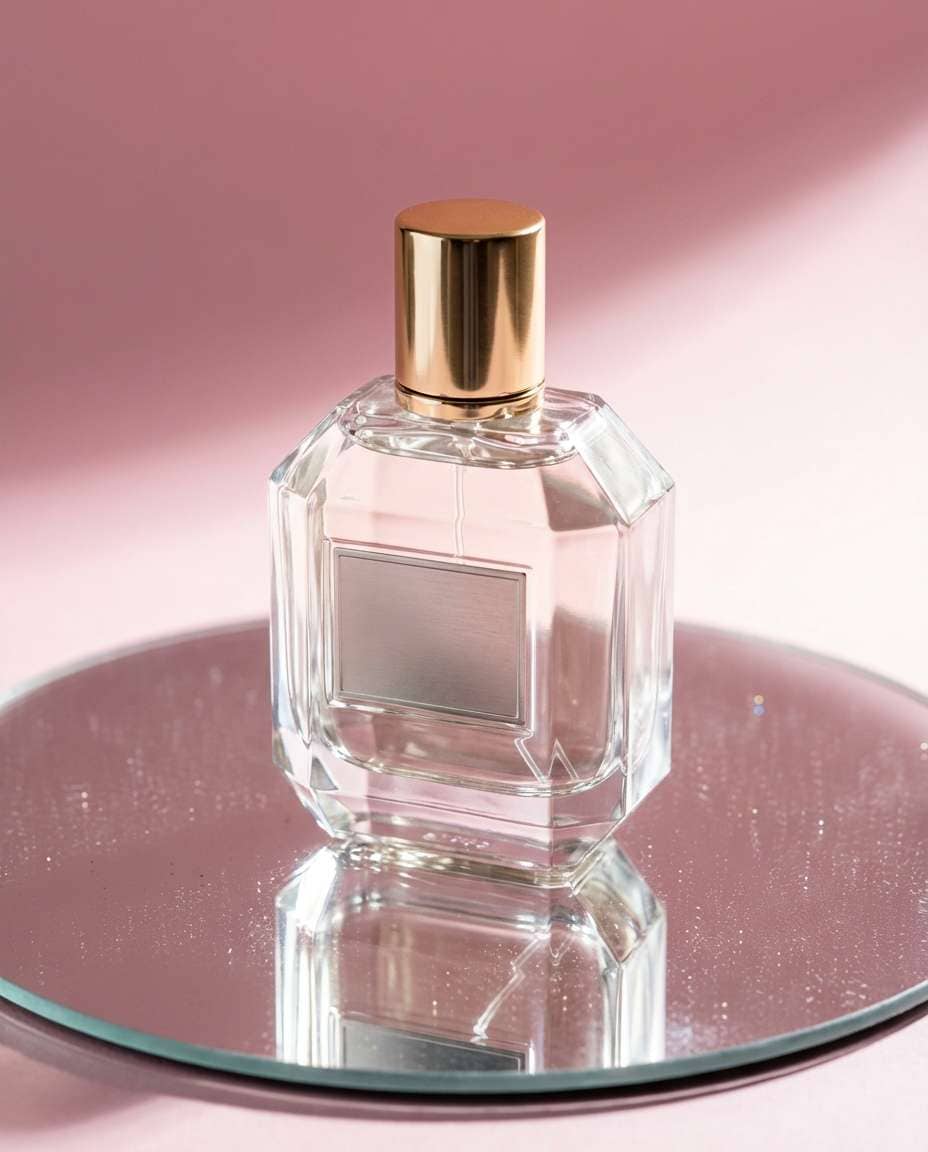
Perfume on Mirror
Luxury perfume bottle mockup with a blank label plate, placed on a round mirror with subtle dust sparkle, soft pink gradient backdrop, hard key light creating crisp shadow and elegant specular highlights, shot on Leica SL2 90mm f/2.8, centered composition, premium beauty campaign look, photorealistic glass and metal, high resolution --ar 4:5
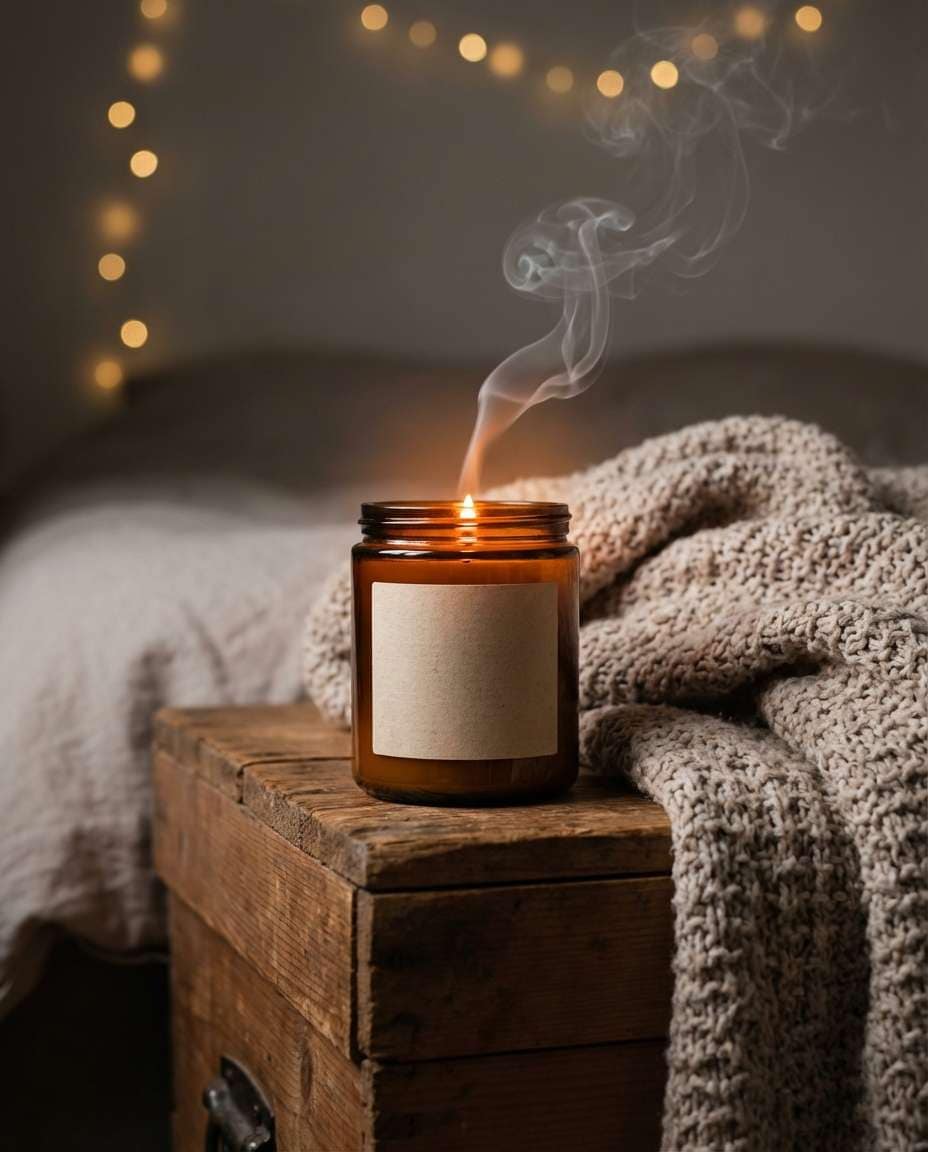
Cozy Candle Scene
A soy candle jar mockup with a blank label, lit wick glow and gentle smoke trail, styled on a bedside table with a knit blanket and out-of-focus fairy lights, warm golden color grading, shot on Fujifilm GFX 100S 80mm f/1.7, shallow depth of field, lifestyle product photography, realistic wax texture, no readable text --ar 4:5
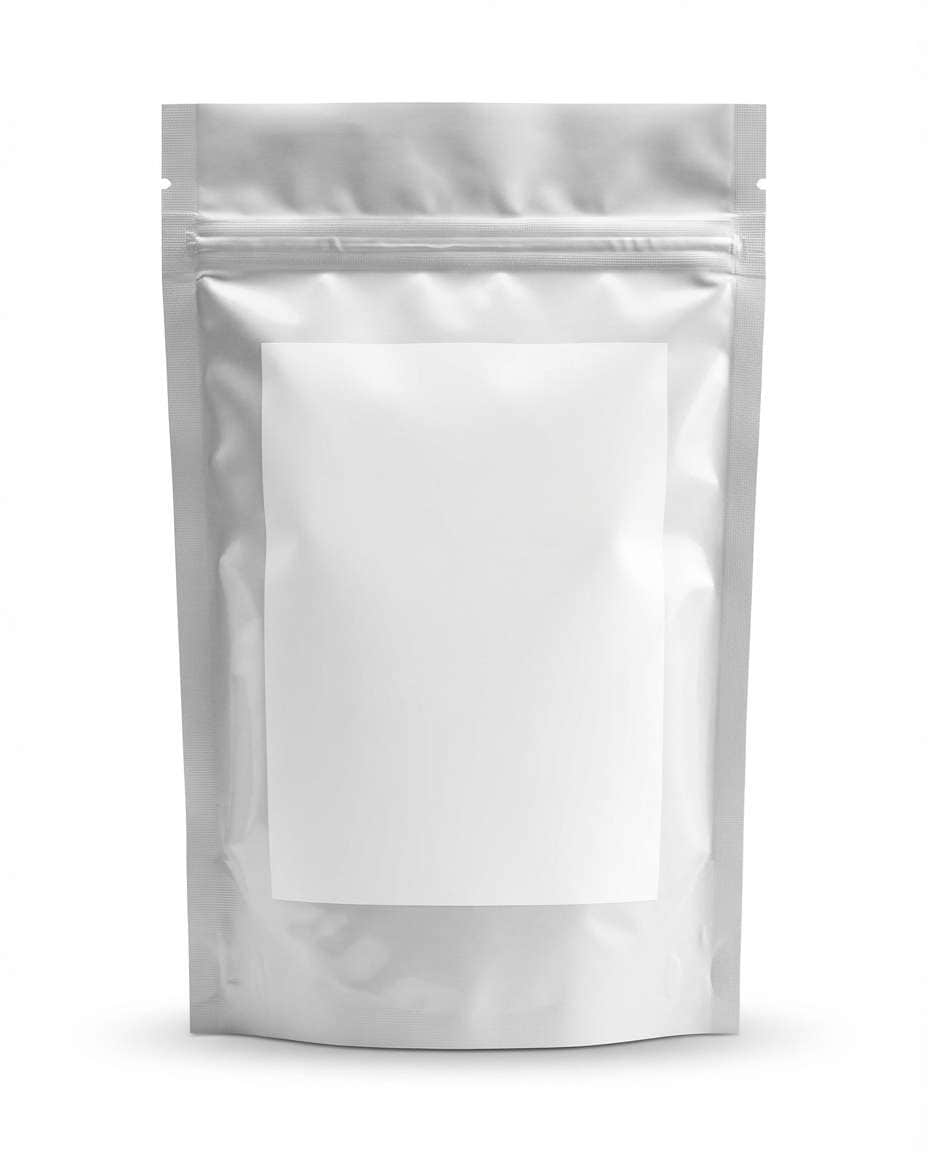
Supplement Pouch Studio
A resealable supplement pouch mockup with a clean blank label rectangle, standing upright on a white seamless background with soft shadow under base, even studio softbox lighting, shot on Canon EOS R5 100mm f/8, straight-on packshot framing, ultra-realistic pouch crinkles and zipper detail, Amazon-ready product image aesthetic --ar 4:5
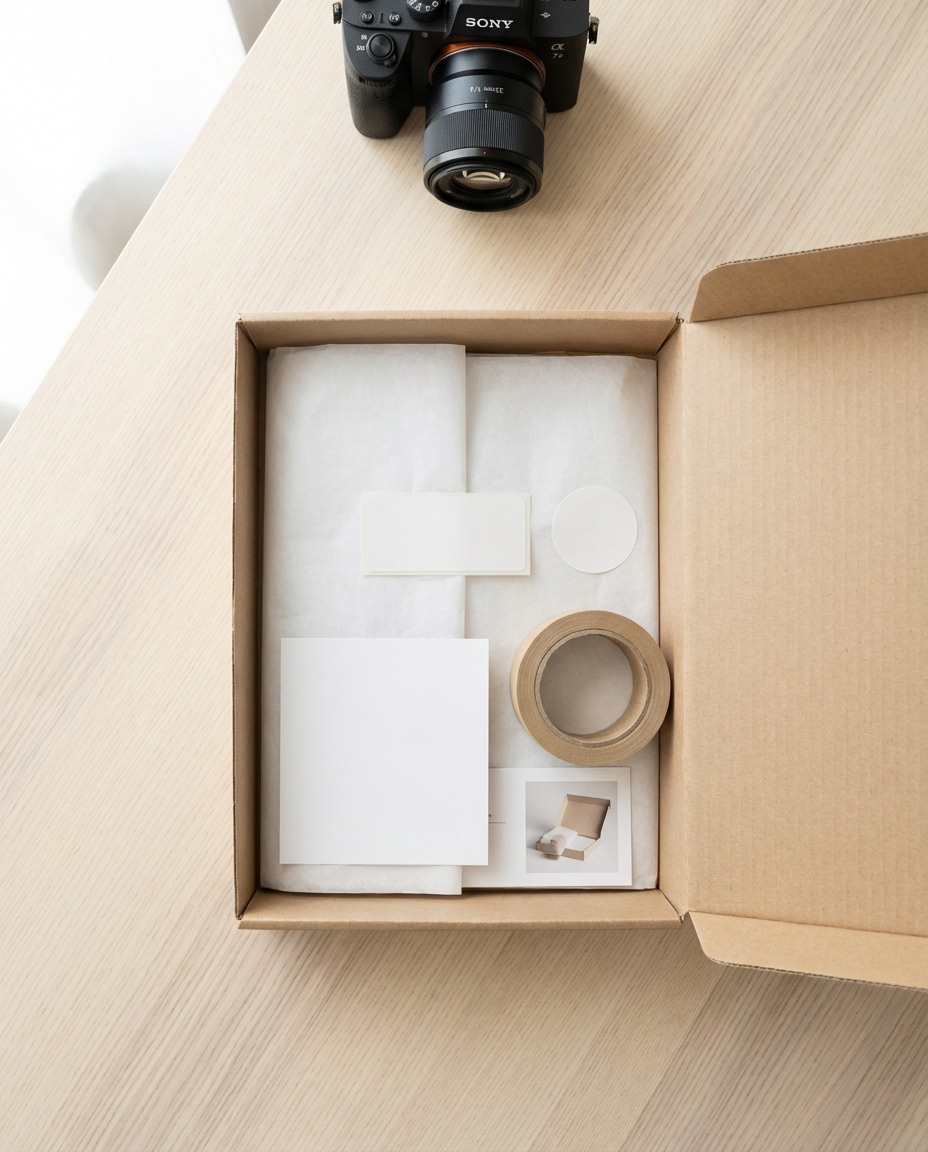
Shipping Box Flat Lay
Top-down flat lay of a minimalist shipping box mockup with blank stickers and unbranded tape, neatly arranged with tissue paper, thank-you card placeholder, and a small product insert, bright natural window light, shot on Sony A7IV 35mm f/4, clean neutral palette, ecommerce unboxing vibe, high resolution, no text --ar 4:5
Stationery Desk Flatlay
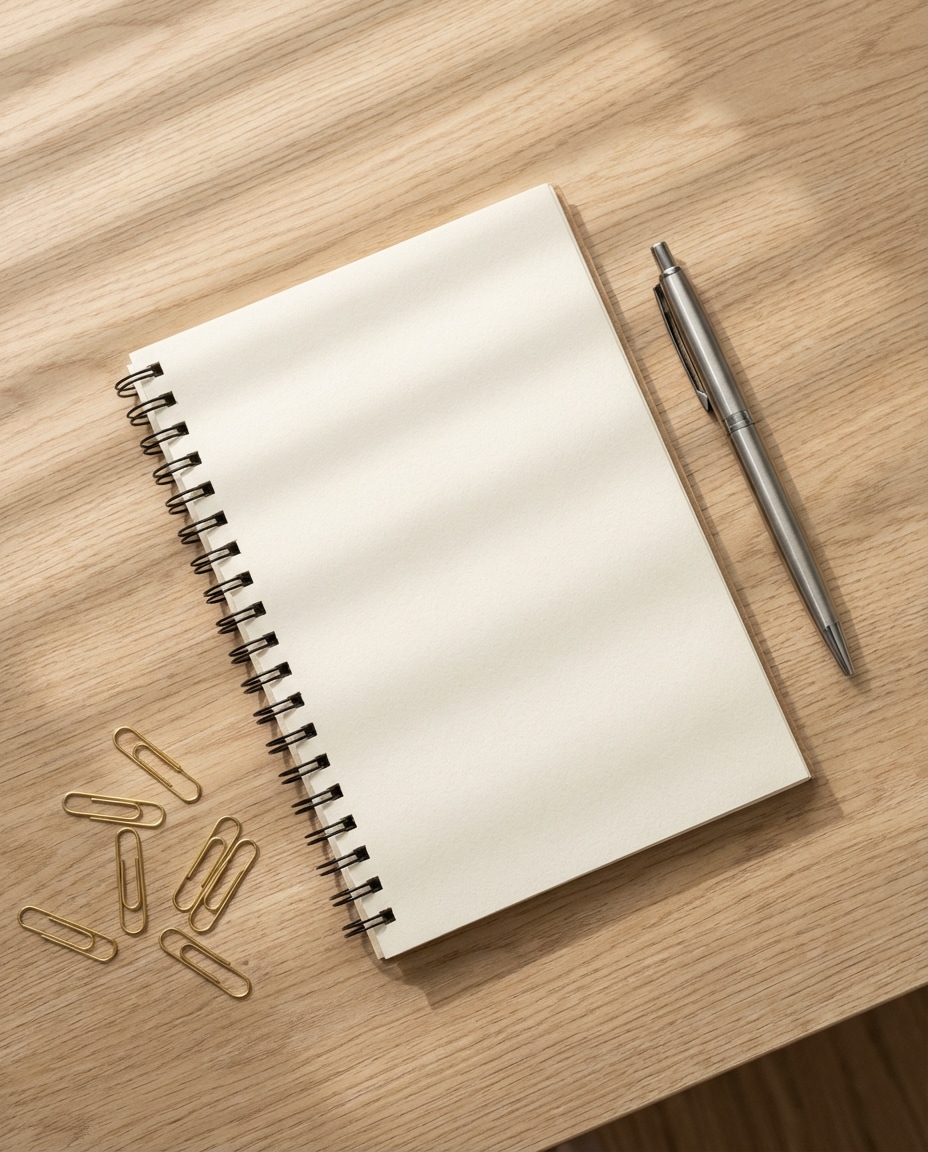
A premium stationery mockup: spiral notebook with blank cover, pen, and paper clips arranged on a light oak desk, subtle shadow play from window blinds, airy Scandinavian aesthetic, shot on Nikon Z6II 50mm f/2.8, overhead composition, crisp paper texture, photorealistic, no logos, no words --ar 4:5
Phone Case Pastels
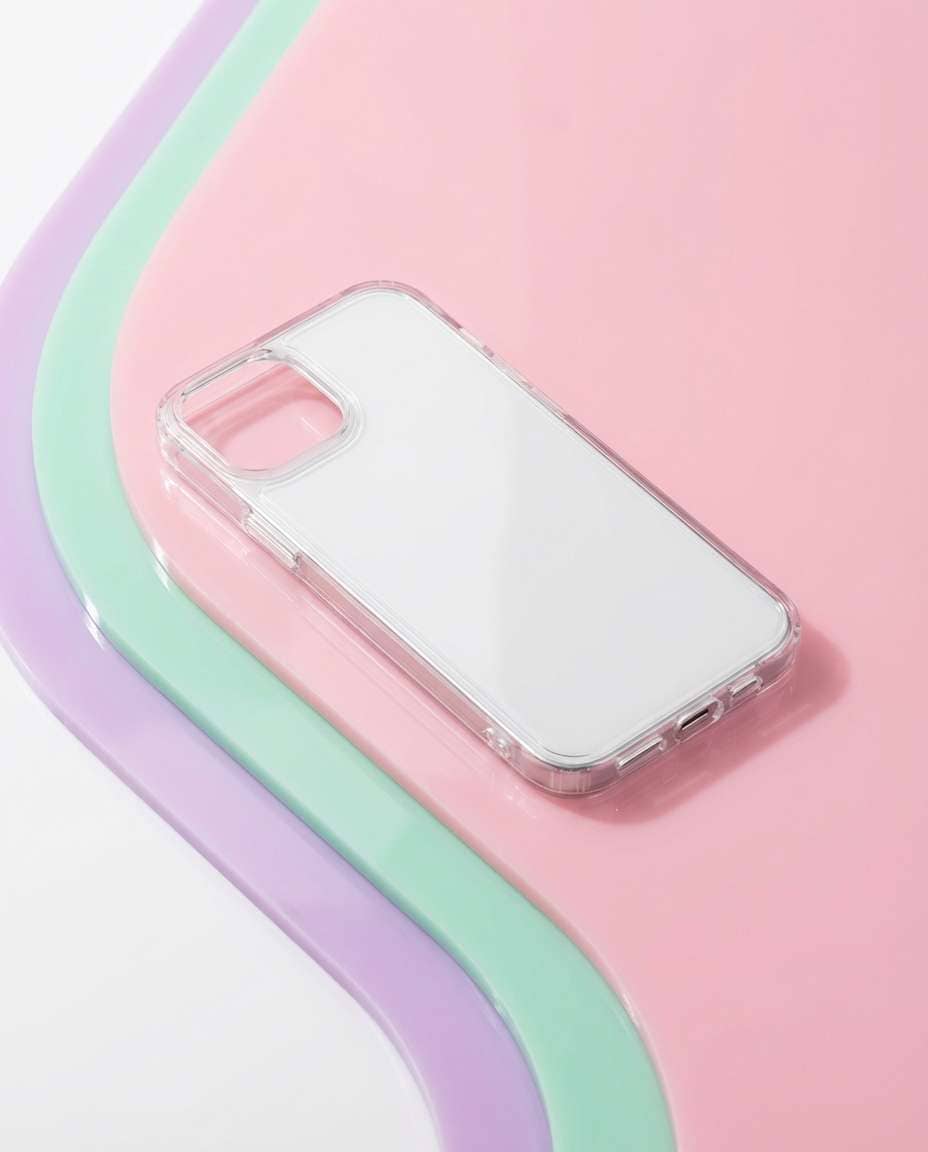
A modern phone case mockup with a blank back surface for design placement, positioned on layered pastel acrylic sheets with soft shadows, high-key studio lighting, shot on Canon EOS R6 85mm f/4, three-quarter angle, clean edges, realistic plastic texture, minimal trendy product photography, no text --ar 4:5
Folded Tee Topshot
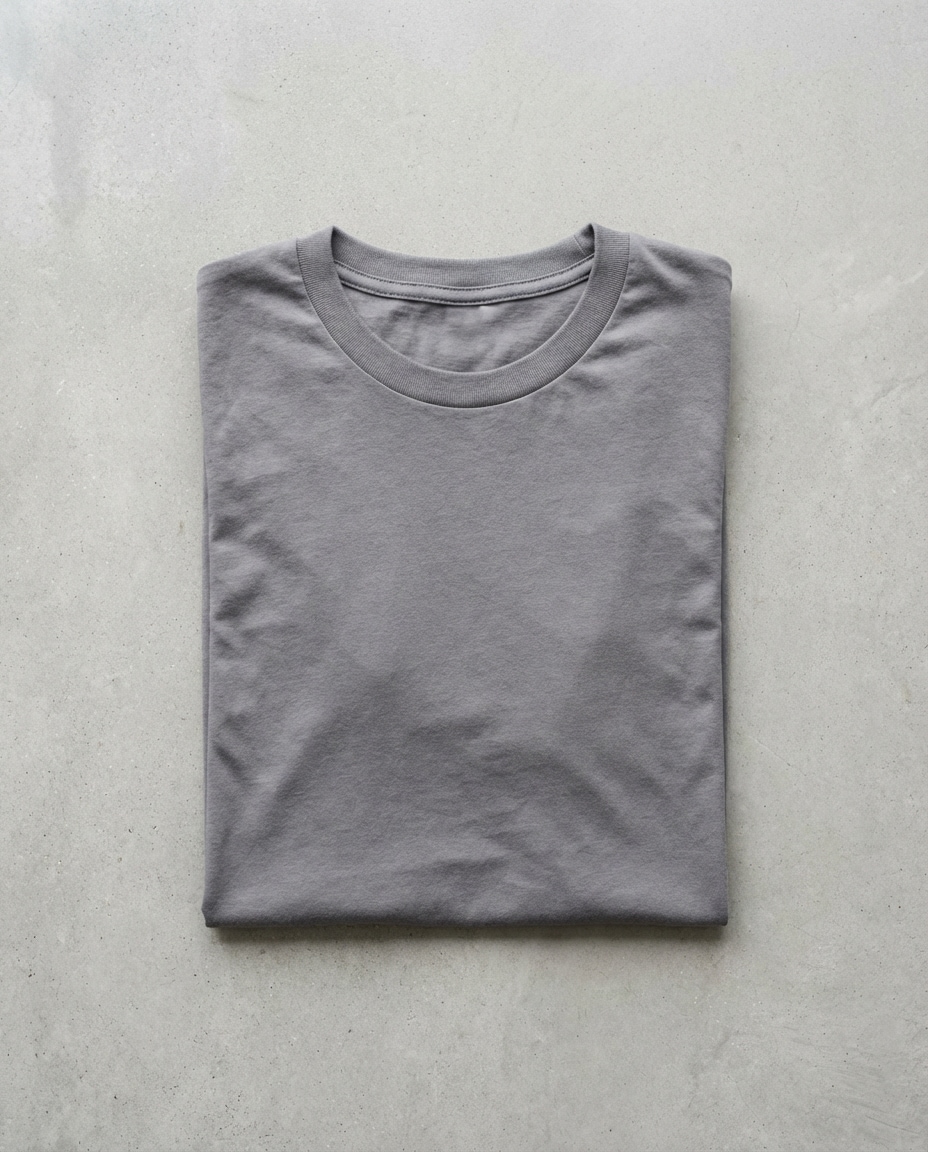
A folded t-shirt mockup on a smooth concrete tabletop, blank front area perfectly flat for print placement, subtle wrinkles for realism, soft daylight from the side, shot on Sony A7R IV 55mm f/3.5, top-down composition, neutral color grading, high resolution ecommerce apparel mockup, no logo --ar 4:5
Hoodie on Hanger
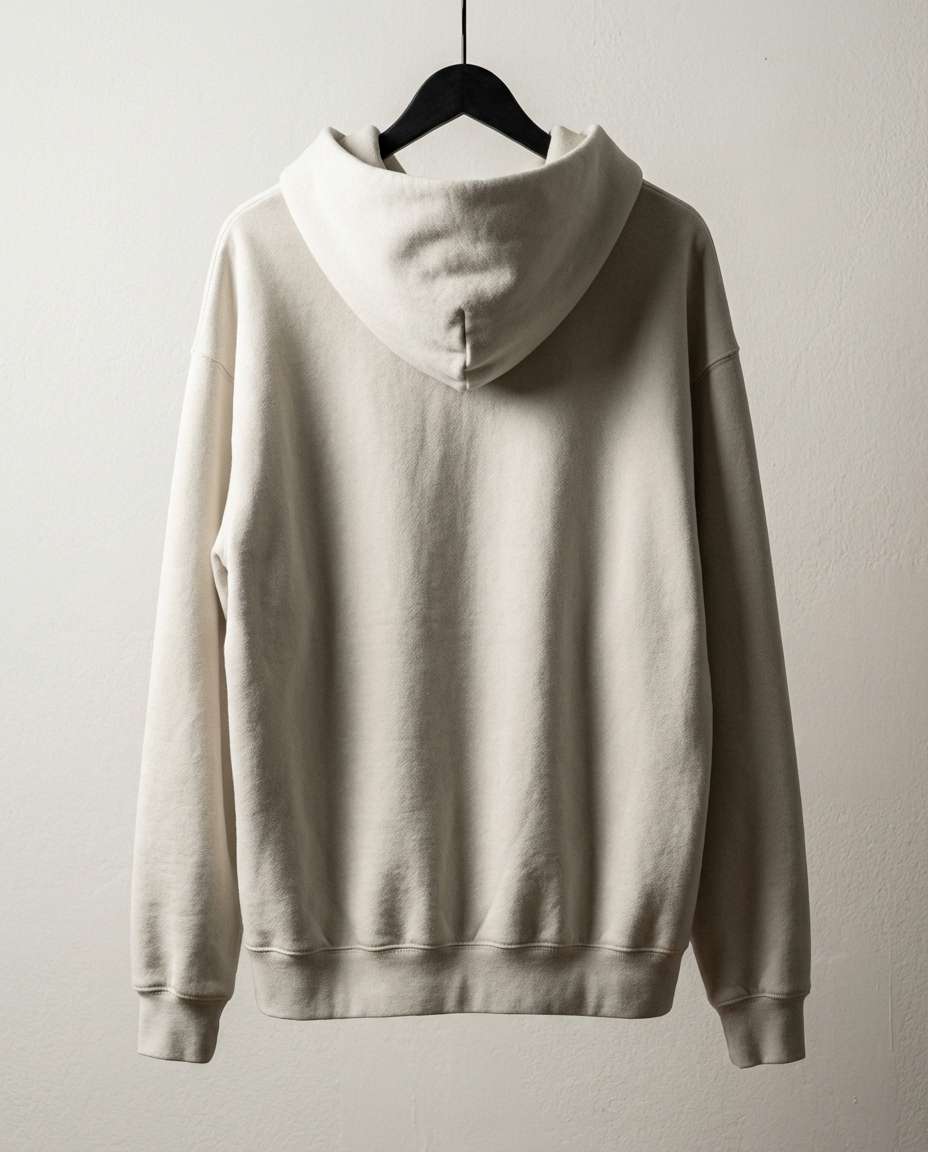
A hoodie mockup hanging on a matte black hanger against a clean studio wall, blank chest area for design, gentle side light creating depth in fabric folds, shot on Nikon Z8 85mm f/2.8, centered vertical framing, realistic knit texture, streetwear lookbook vibe, high resolution, no branding --ar 4:5
Tote Bag Hook Shot
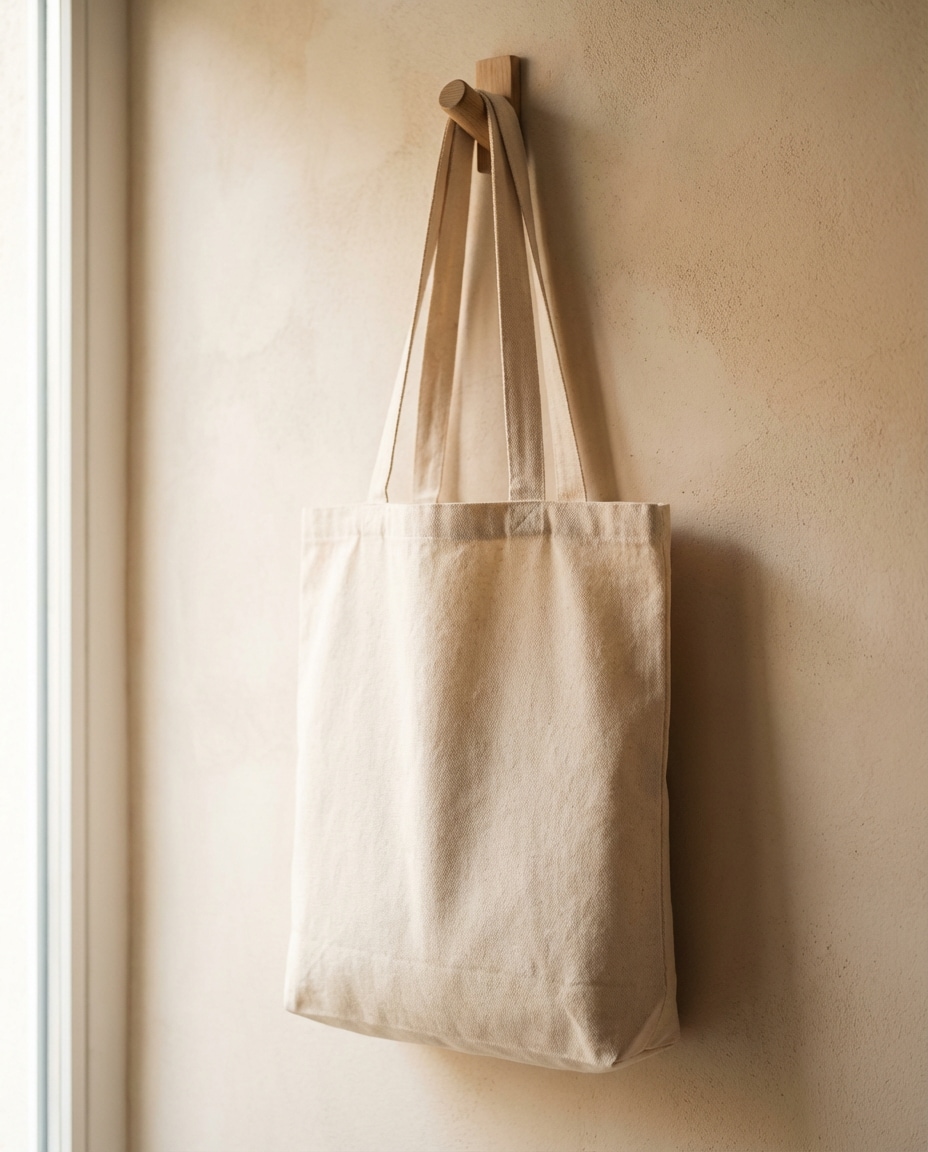
A canvas tote bag mockup hanging on a wooden wall hook, blank print area facing camera, warm natural window light, soft shadow on textured plaster wall, shot on Fujifilm X-T5 56mm f/2, lifestyle minimal aesthetic, crisp fabric weave detail, photorealistic, no text --ar 4:5
Business Card Stack
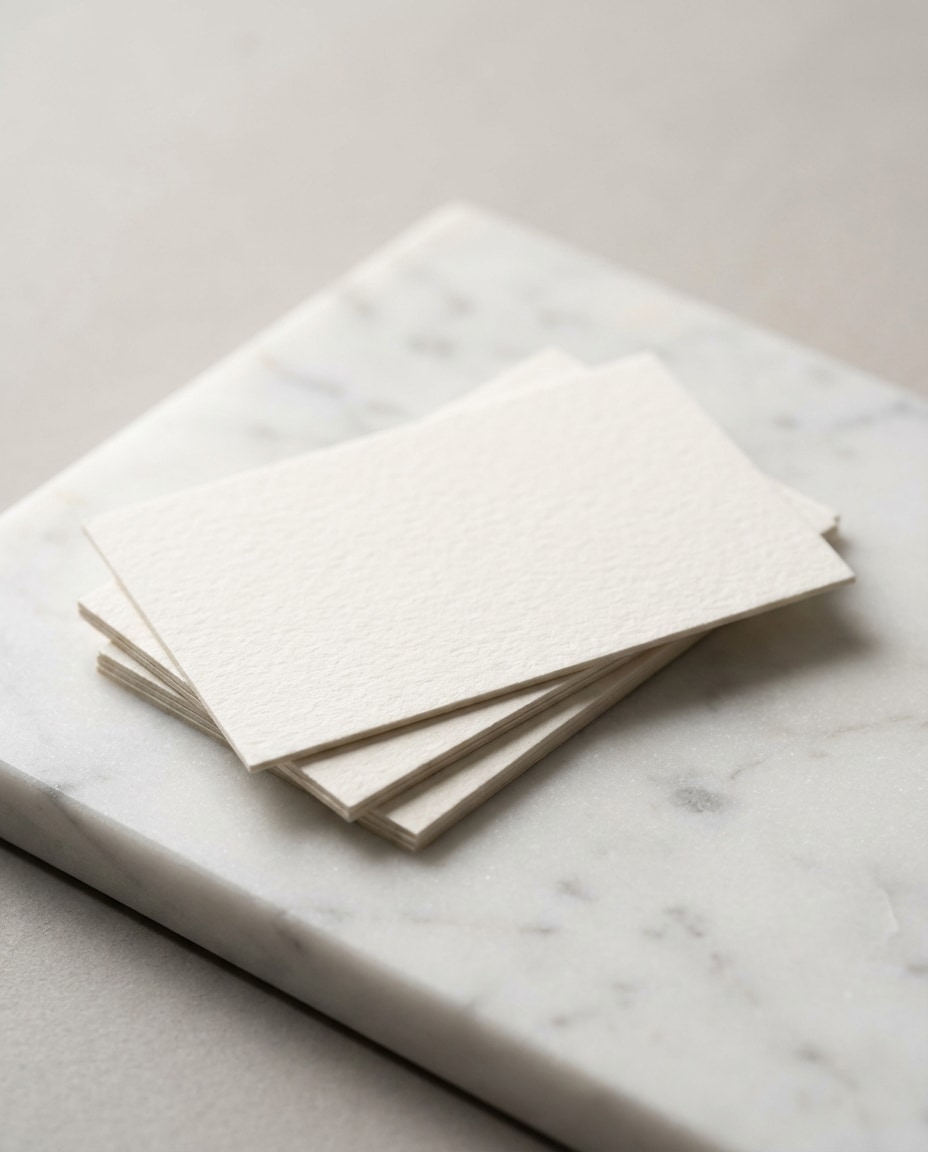
Clean business card mockup: a small stack of thick cotton paper cards with blank faces, placed on a white marble slab with subtle gray veining, soft studio lighting with gentle falloff, shot on Canon EOS R5 100mm macro f/5.6, close-up angle, visible paper grain, premium branding presentation --ar 4:5
Cosmetic Tube Clean
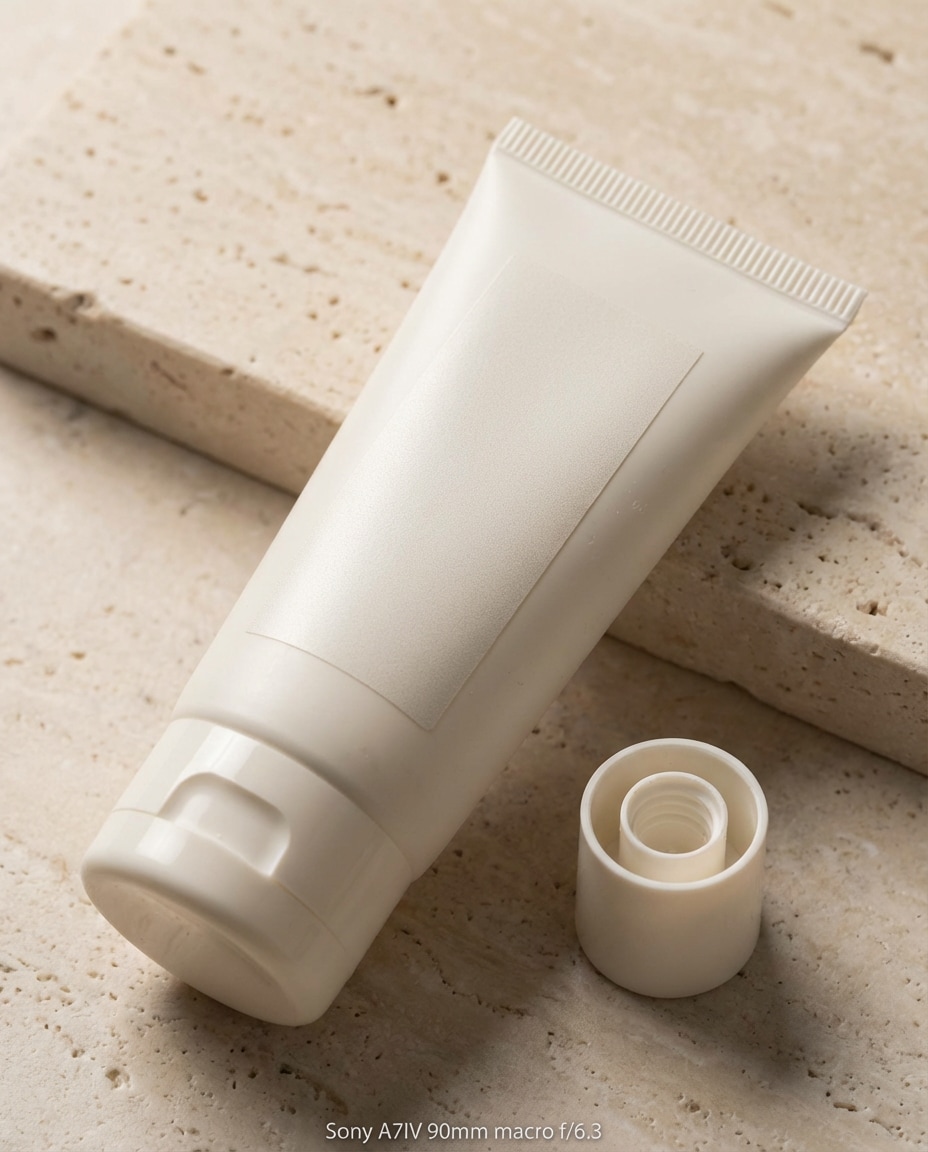
A minimalist cosmetic squeeze tube mockup with blank label area, cap off to the side, placed on a pale stone surface with soft shadow, bright diffused studio light, shot on Sony A7IV 90mm macro f/6.3, sharp focus, realistic plastic sheen and tiny scuffs, luxury skincare packshot, no text --ar 4:5
Lip Balm Trio
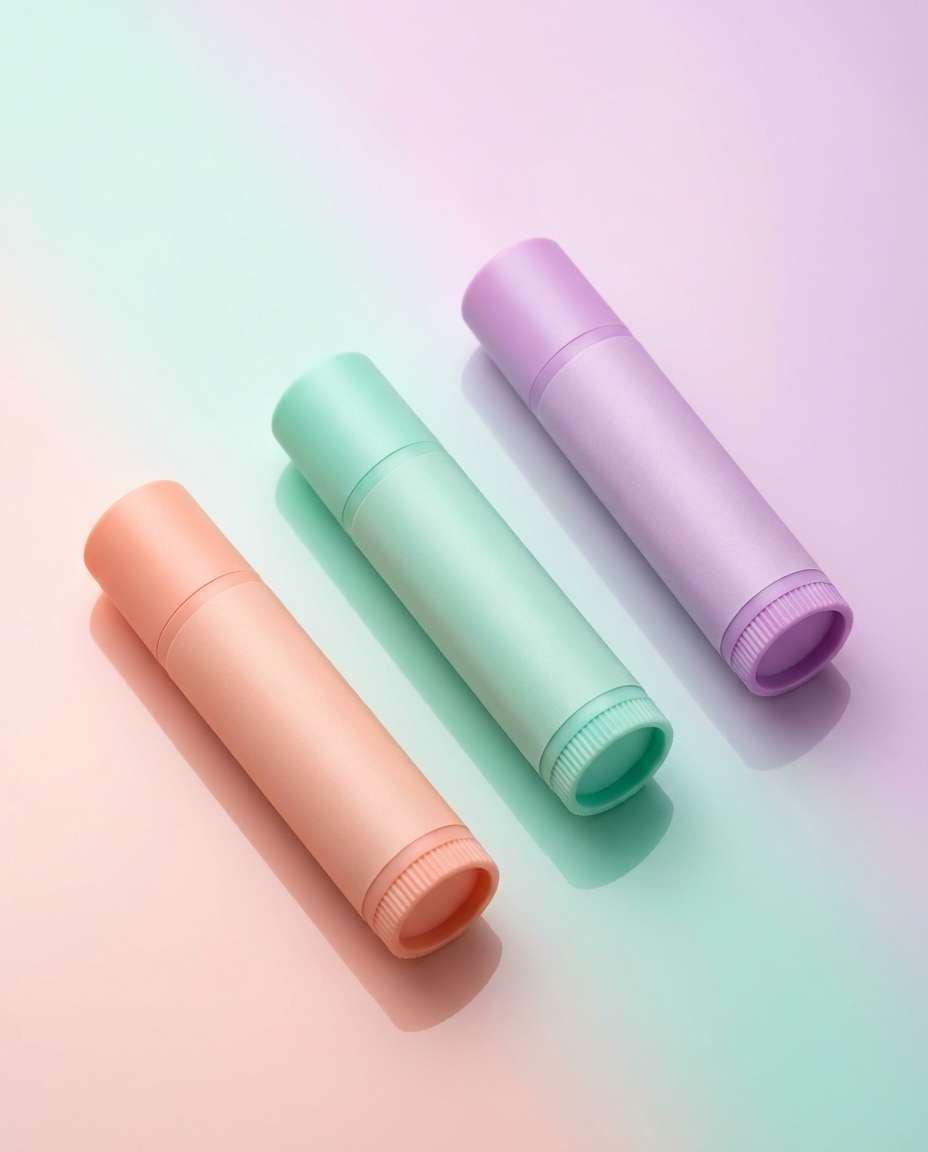
Three lip balm tube mockups with blank labels arranged in a neat diagonal composition on a glossy pastel surface, soft reflections and gentle gradient background, studio softbox lighting, shot on Nikon Z7II 105mm f/5.6, crisp edges, photorealistic plastic texture, trendy beauty flat lay aesthetic --ar 4:5
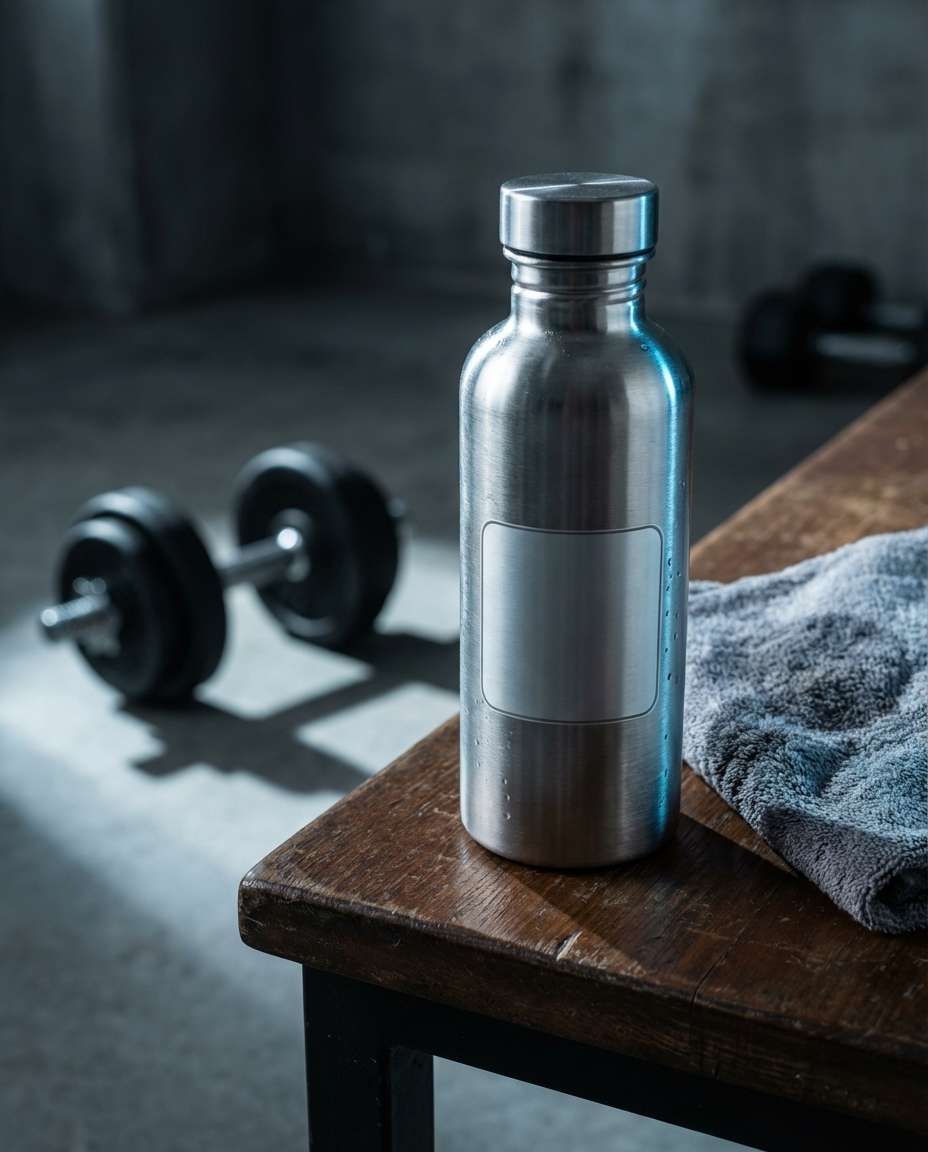
Gym Bottle Lifestyle
A stainless steel water bottle mockup with a blank logo area, placed on a gym bench with a towel and dumbbells blurred in the background, dramatic side lighting with cool highlights, shot on Canon EOS R3 50mm f/2.2, shallow depth of field, gritty fitness ad mood, photorealistic metal reflections --ar 4:5
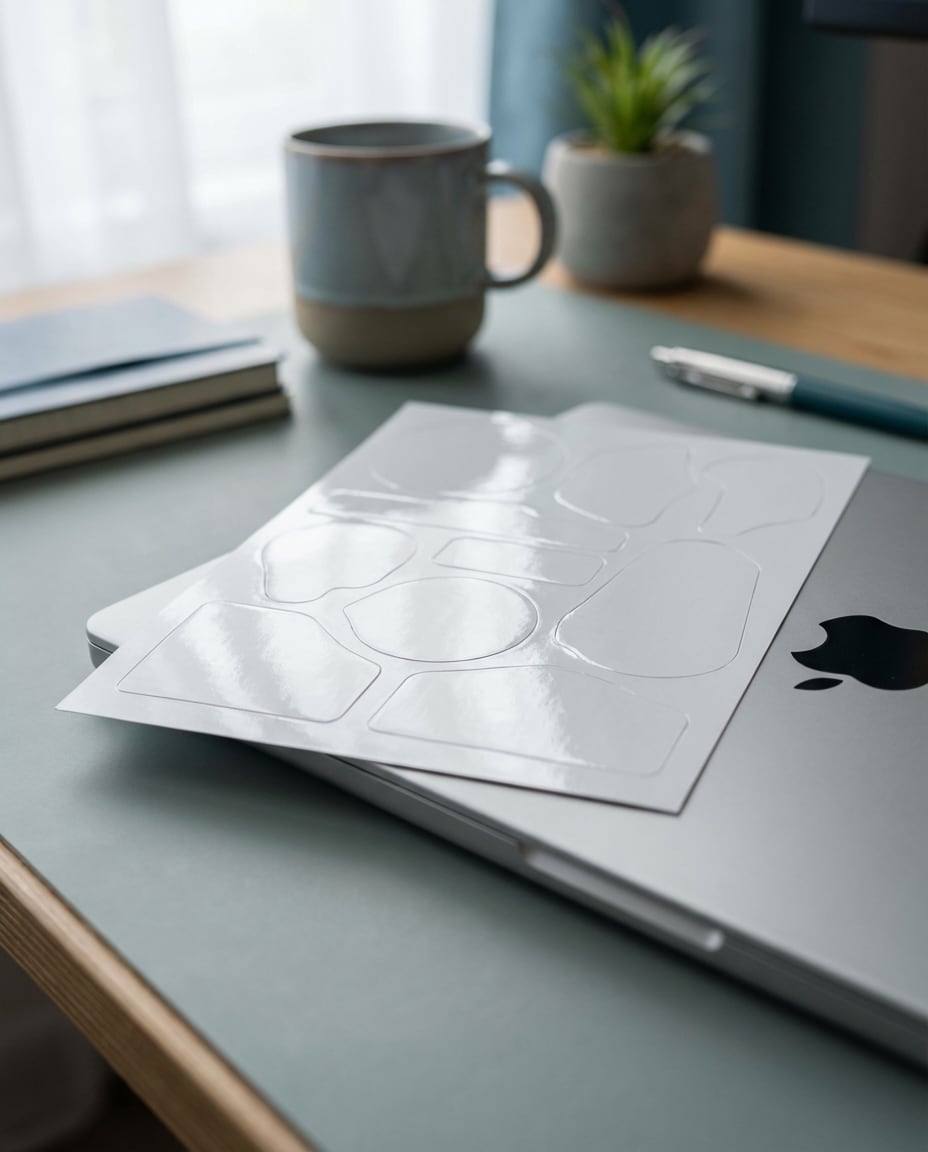
Sticker Sheet Closeup
A sticker sheet mockup with multiple blank die-cut shapes, placed on a laptop edge with soft ambient light, shallow depth of field, modern creator desk setup with muted colors, shot on Sony A7R V 35mm f/1.8, angled close-up, realistic glossy laminate reflections, high resolution, no text --ar 4:5
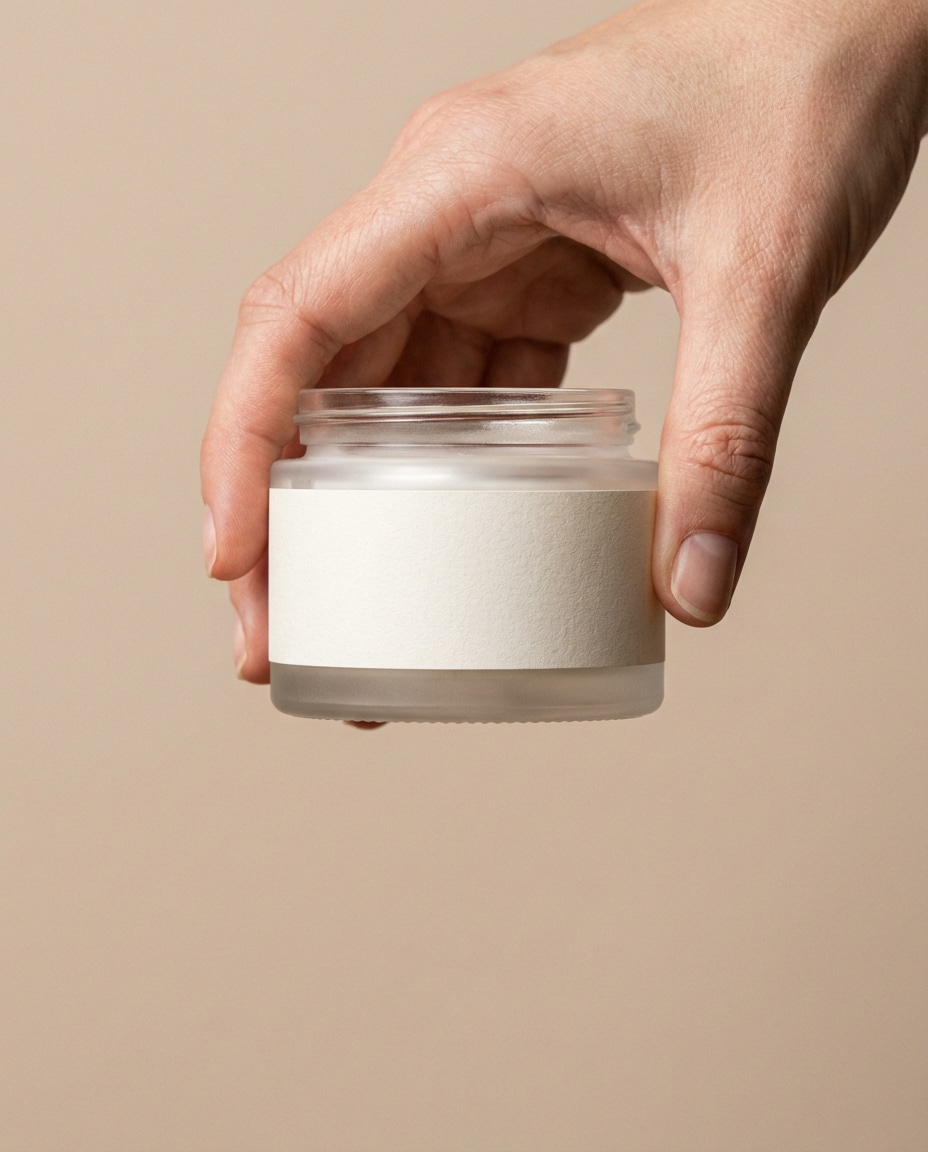
Hand Holding Jar
A clean hand holding a premium skincare jar mockup with a blank label, soft beige background, diffused studio lighting for smooth skin tones, shot on Canon EOS R5 85mm f/2, close-up framing with jar centered, realistic pores and natural shadows, high-end beauty ad style, photorealistic, no logo --ar 4:5
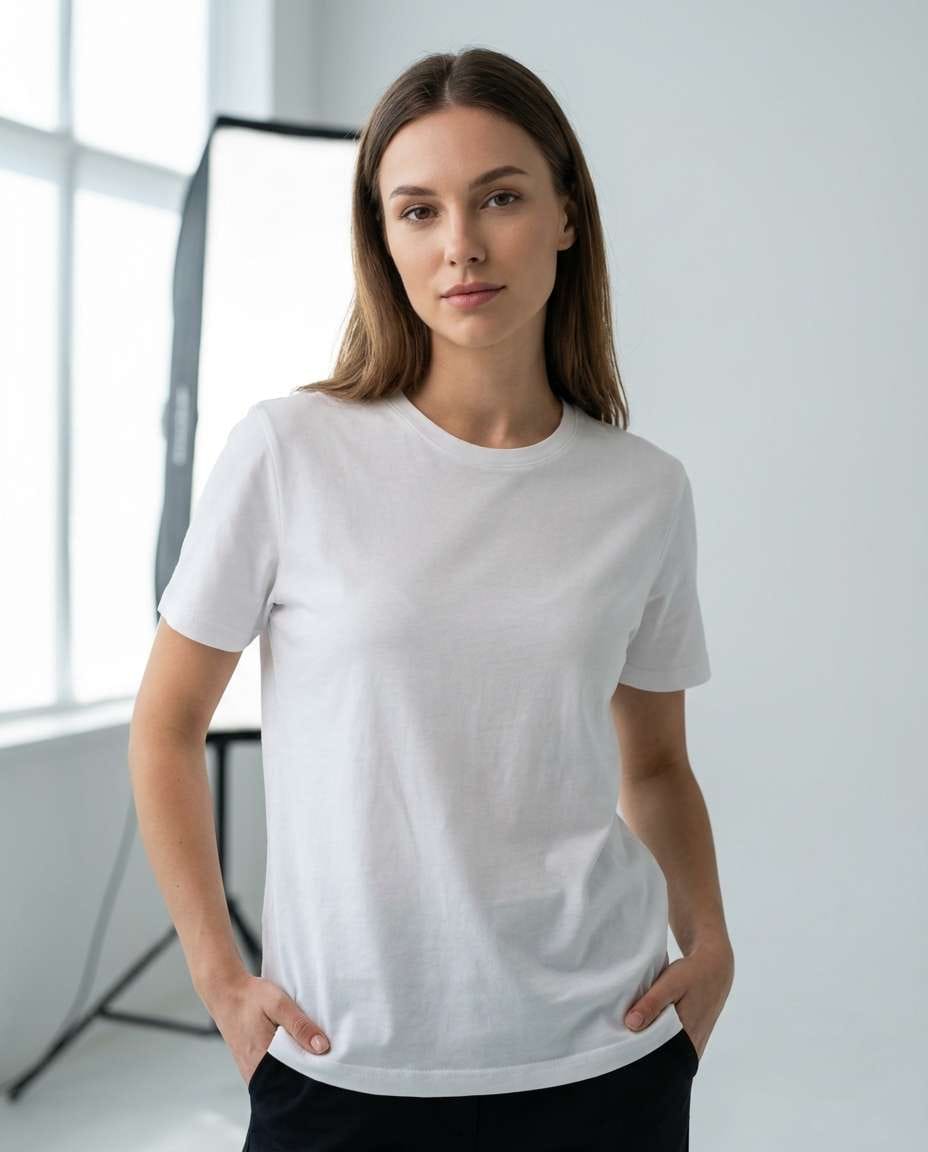
Model Wearing Tee
A young adult model wearing a plain t-shirt mockup with a blank chest print area, shot in a bright minimal studio with softbox lighting, natural confident pose, shot on Sony A7IV 50mm f/2.0, half-body framing, realistic fabric drape and stitching, clean ecommerce lookbook, no text --ar 4:5
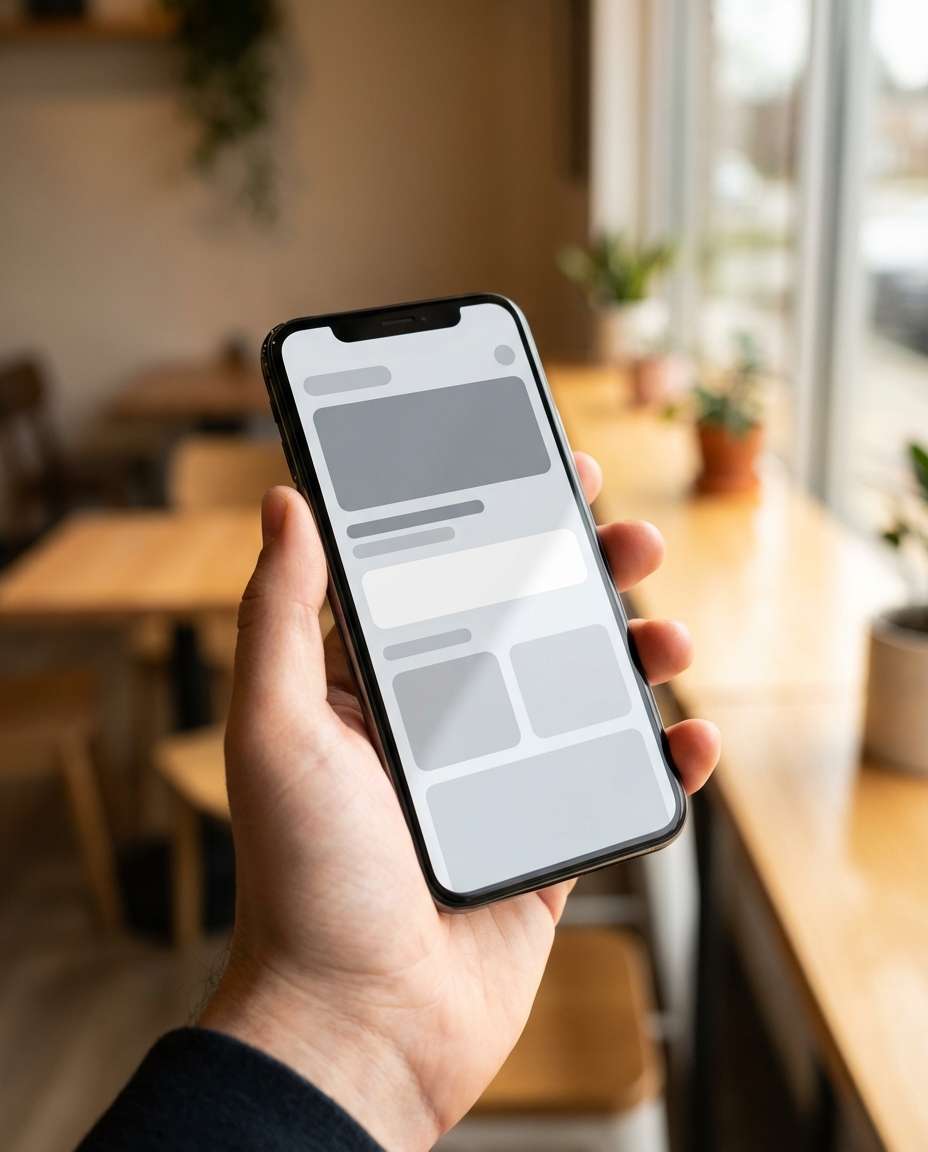
App Screen in Hand
A smartphone held in one hand showing a clean app UI mockup with blank placeholder blocks, modern cafe background softly blurred, warm window light, shot on iPhone-style portrait aesthetic but rendered as professional camera: Sony A7R IV 35mm f/1.8, shallow depth of field, realistic screen glare control, crisp edges, no readable text --ar 4:5
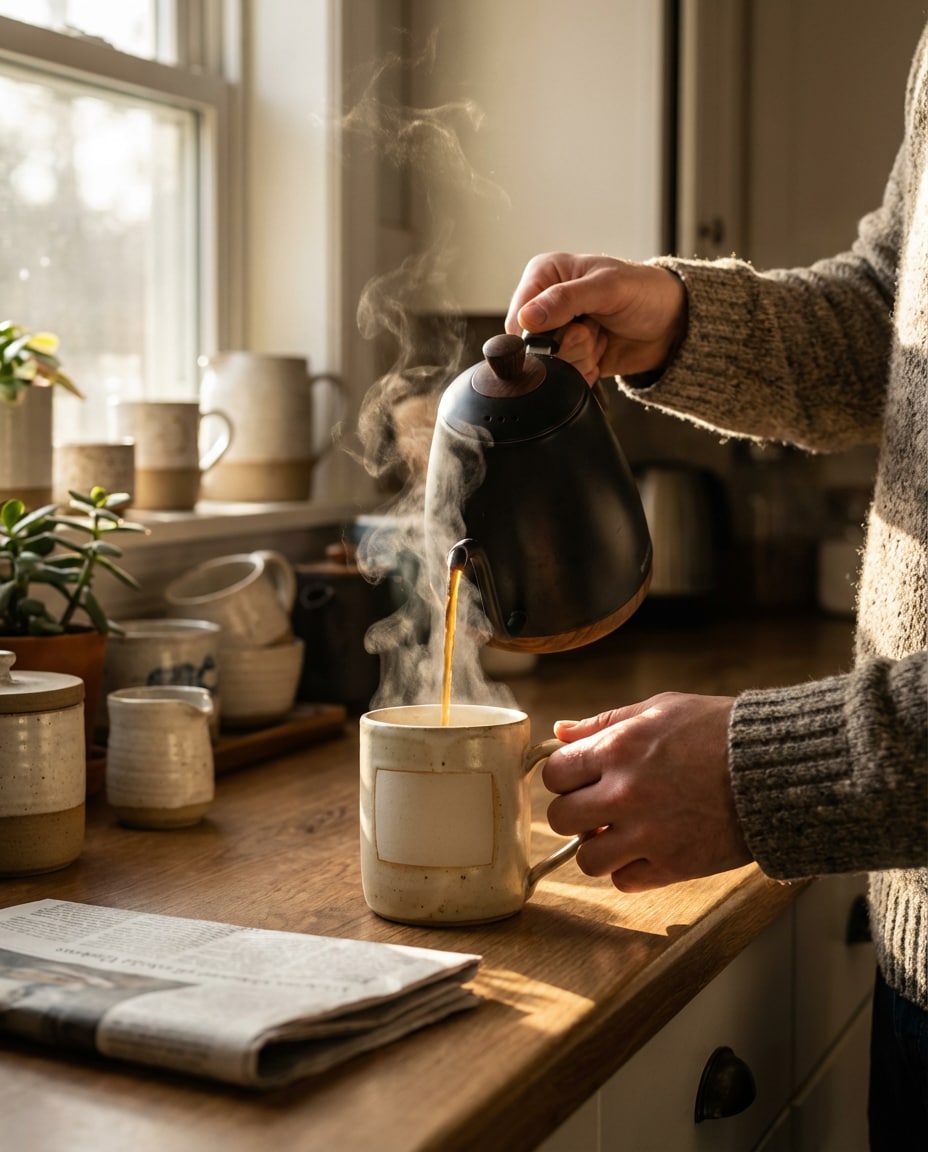
Mug Pour Moment
Hands pouring fresh coffee into a ceramic mug mockup with a blank logo area, steam rising, cozy kitchen morning scene, warm sunlight streaks across the counter, shot on Fujifilm GFX 100S 63mm f/2.8, close-up three-quarter framing, photorealistic liquid motion and highlights, lifestyle brand vibe --ar 4:5
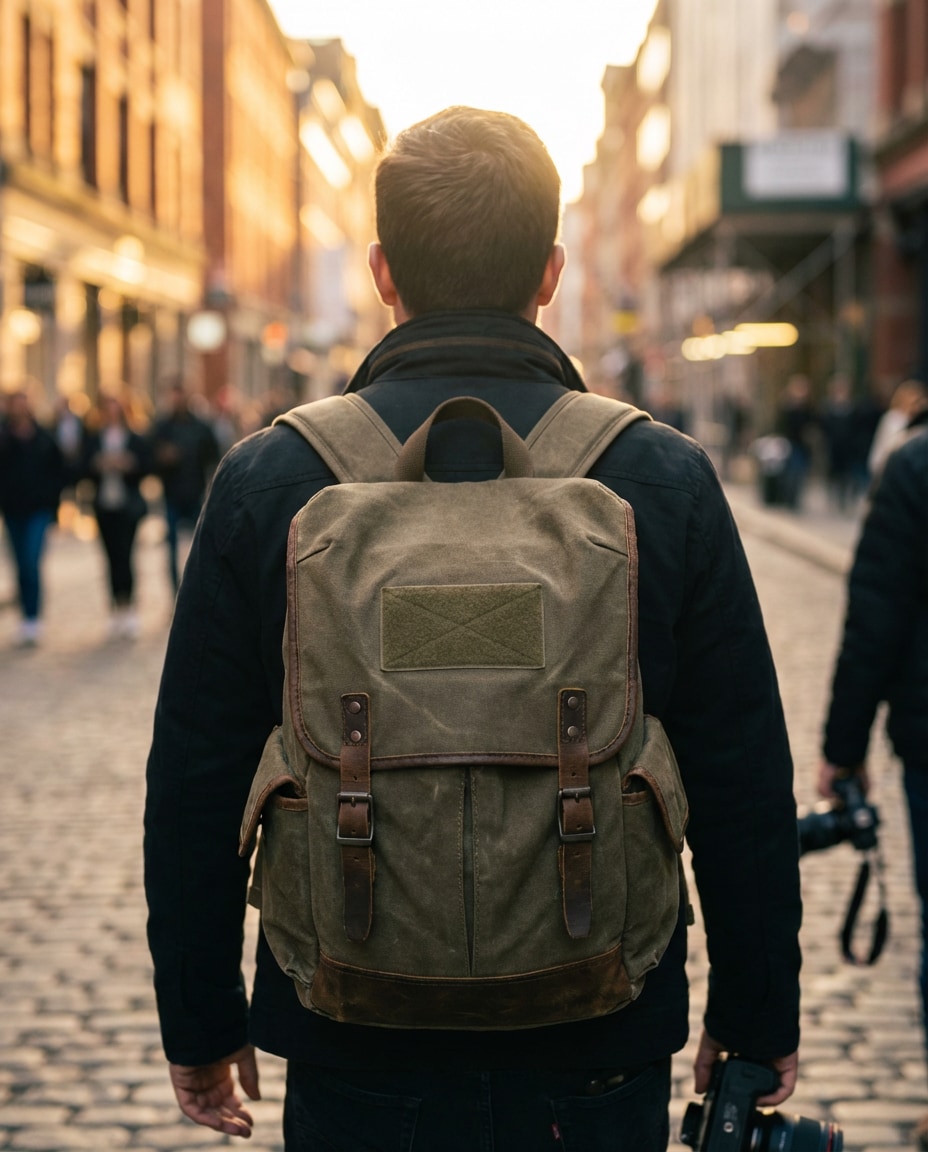
Backpack Street Shot
A creator walking in an urban street wearing a backpack mockup with a blank front patch area, golden hour backlight with subtle lens flare, shot on Canon EOS R6 85mm f/1.8, mid-back framing focused on the backpack, realistic fabric texture and stitching, modern lifestyle ad mood, high resolution --ar 4:5
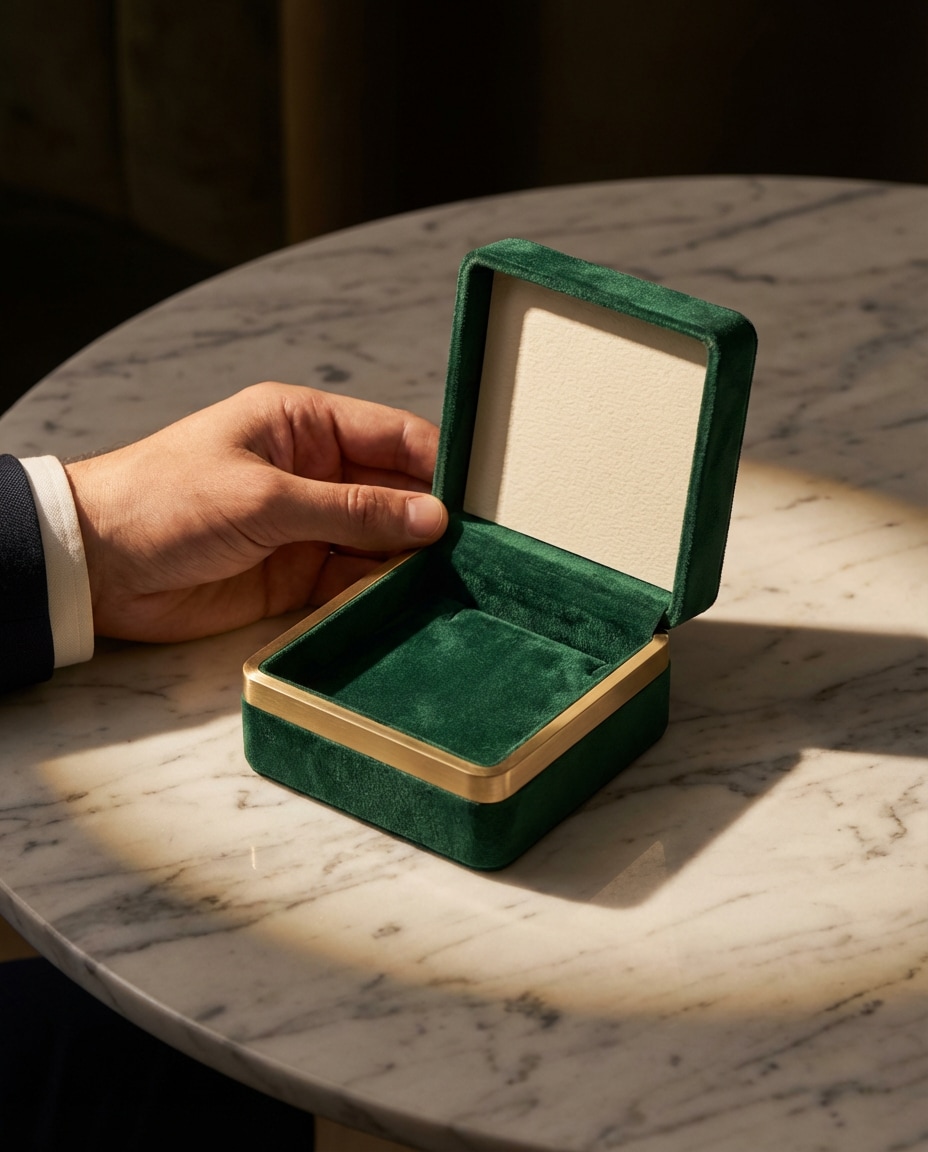
Jewelry Box Reveal
A hand presenting an open jewelry box mockup with a blank lid insert for branding, soft velvet interior, elegant marble tabletop, dramatic spotlight with soft fill for luxury shadows, shot on Nikon Z8 105mm f/3.5, close-up composition, photorealistic velvet texture and metal gleam, premium unboxing feel, no text --ar 4:5
The fastest way to get consistent results is to treat each mockup like a real photoshoot: define the product, the set, and the light. If you are making copy paste AI product mockup prompts for packaging design, lock the camera angle and lighting first, then iterate colors and props. Small tweaks beat full rewrites.
Recommended Prompt Formula
Product identity: type, material, finish, and blank label area
Brand vibe: premium, playful, minimalist, eco, tech, or handmade
Set styling: surfaces, props, color palette, and background
Lighting plan: window light, softbox, rim light, gels, or high-key
Camera details: lens, aperture, angle, framing, depth of field
Ask for a blank label or blank print area so your design can be added later without messy text artifacts.
For ecommerce, specify straight-on packshot, even lighting, and clean shadows to match studio lighting AI product mockup prompts for Amazon images.
Add one surface detail (travertine, acrylic, walnut, marble) to instantly make the mockup feel premium and real.
Use a single hero prop, not a cluttered scene, so the product stays the focus and crops well for thumbnails.
If edges look warped, request crisp geometry, accurate perspective, and sharp focus on product front plane.
Keep color grading consistent across a set so your listing images look like one cohesive brand shoot.
Why Choose Media.io for AI Product Mockups
Generate realistic AI images faster with powerful tools and flexible prompt control.
Copy-Paste Prompt Packs
Jump-start your next launch with ready-made scenes built for real product categories: skincare, drinks, apparel, stationery, and apps. Each prompt is structured for clean lighting, realistic materials, and space for your label. Paste, tweak one detail, and generate variations fast.
Reference Image Friendly
Upload your existing product photo to keep shape, color, and label placement more consistent. Media.io helps you turn one photo into multiple scenes so your brand looks like it had a full studio day. Great for photorealistic AI product mockup prompts for Etsy listings.
Social-First Framing
Every prompt is designed for scroll-stopping composition: hero close-ups, hand-held lifestyle shots, and clean negative space for text overlays. Generate visuals that fit reels covers, Pinterest pins, and product carousels without awkward cropping or busy backgrounds.
Fast Export, Clean Results
Generate, compare, and download in minutes, then reuse the same setup for a full collection. Keep consistency across multiple SKUs by locking camera, light, and set styling. Ideal when you need AI product mockup prompts for app screenshots and UI alongside packaging visuals.
FAQs About
AI Product Mockup Prompts
1. How do I make AI Product Mockup Prompts look like real studio photos?
Describe the product materials and finish, then specify a simple set (surface, background) and a clear lighting plan (softbox, window light, rim light). Add camera details like focal length and aperture, and request realistic shadows and reflections. The more you anchor the scene, the less the mockup looks synthetic.
2. What makes a good prompt for packaging mockups specifically?
A strong packaging prompt names the exact format (pouch, box, jar, bottle), calls out a blank label panel, and sets a clean angle (straight-on or three-quarter). Include paper or plastic texture and how it should crease or reflect. This approach matches copy paste AI product mockup prompts for packaging design and keeps results usable for branding.
3. Can I use these prompts for apparel like t-shirts and hoodies?
Yes. For apparel, ask for a blank print area, realistic fabric drape, and visible stitching. Choose the context: flat lay for ecommerce, hanger shot for catalog, or a model for lookbook. These AI Product Mockup Prompts work well as AI mockup prompts for t shirts and apparel photos when you lock the camera angle and lighting.
4. Do I need to upload a product photo, or can I generate from text only?
You can do either, but uploading a photo usually improves consistency for shape, label placement, and color. Text-only is great for early concepting and exploring styles. If your goal is studio lighting AI product mockup prompts for Amazon images, a reference photo helps keep the product looking accurate across multiple renders.
5. How do I keep a consistent brand look across multiple mockups?
Reuse the same core lines: background color, surface material, lighting type, and camera settings, then only swap product type and props. Keep color grading consistent (warm, neutral, cool) and avoid changing angles every time. With AI Product Mockup Prompts, consistency comes from repeating the same scene blueprint.
Why Creators Love Media.io's AI Product Mockup Prompts to Photo Maker?
Alex M.
Photographer
Ultra Realistic Results.
I used these ai product mockup prompts to create visuals that looked like real photography. The lighting, textures, and colors felt incredibly natural.
Maya J.
Designer
Perfect Lighting & Detail.
The prompts produced cinematic compositions and soft lighting, making every image feel like a professional shoot.
Jordan P.
Creator
Perfect for Social Media.
I used these prompts to create viral content. It's fast, easy, and consistently produces stunning visuals.