Home>AI Video Effects> AI Celebrity Country Transformation Video Generator

What If Celebrities Were Born in Another Country? AI Country Transformation Video

Join the viral AI country transformation trend sweeping TikTok and YouTube. Upload one celebrity photo, generate photorealistic portraits as if they were born in two different countries — preserving the exact face while swapping cultural clothing, skin tone, and iconic landmark backgrounds — then animate a seamless AI country swap video using first & last frame technology. Perfect for celebrity country swap edits, cultural transformation stories, and viral "what if born in another country" social content.

Create Country Transformation AI Video Free

Free credits on signup/login.

✓ Celebrity face preserved ✓ Authentic cultural clothing ✓ Country landmark backgrounds ✓ Online & free to try

How to Make AI Celebrity Country Transformation Video

Upload one celebrity photo → use Image to Image twice to generate Country A & Country B portraits → set them as First & Last Frame in Image to Video → combine multiple celebrity clips in the online editor and share.

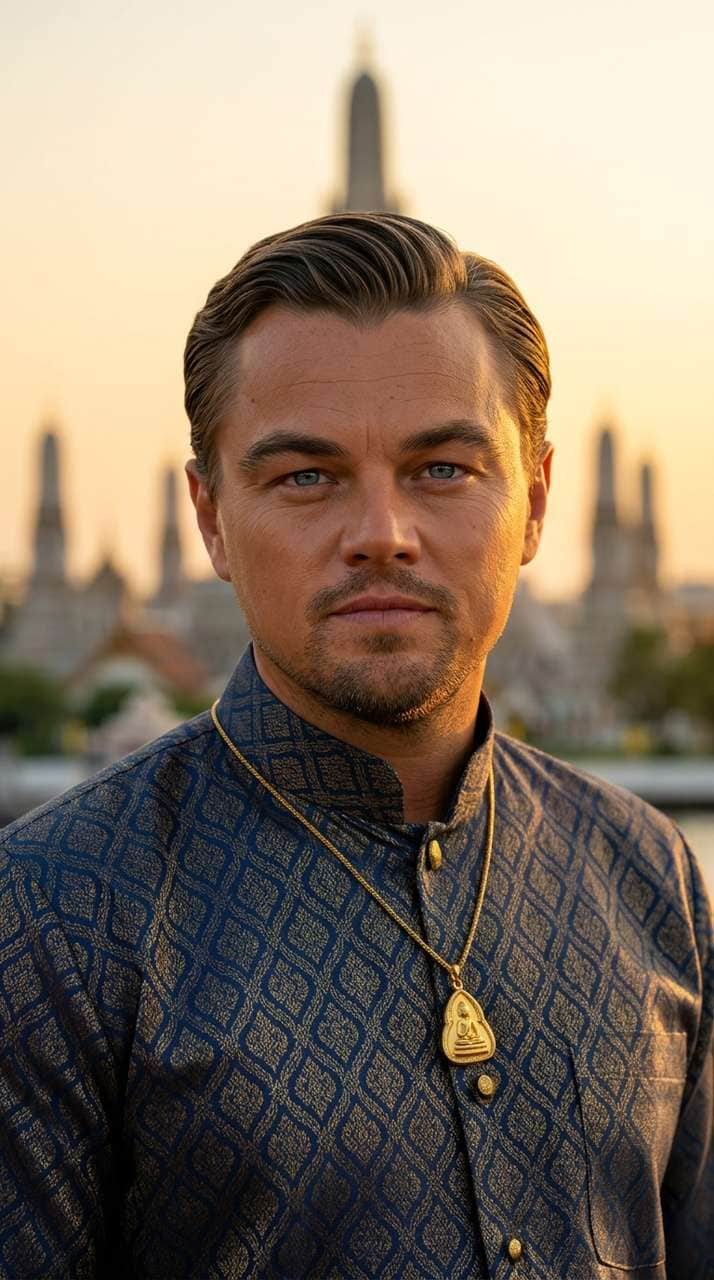
AI celebrity portrait as if born in Thailand – Country A result

Country A Portrait Result (e.g. Thailand)

Step 1

Generate the Celebrity Portrait in Country A

  1. Open Media.io Image to Image and select the NB Pro or NB2 model.
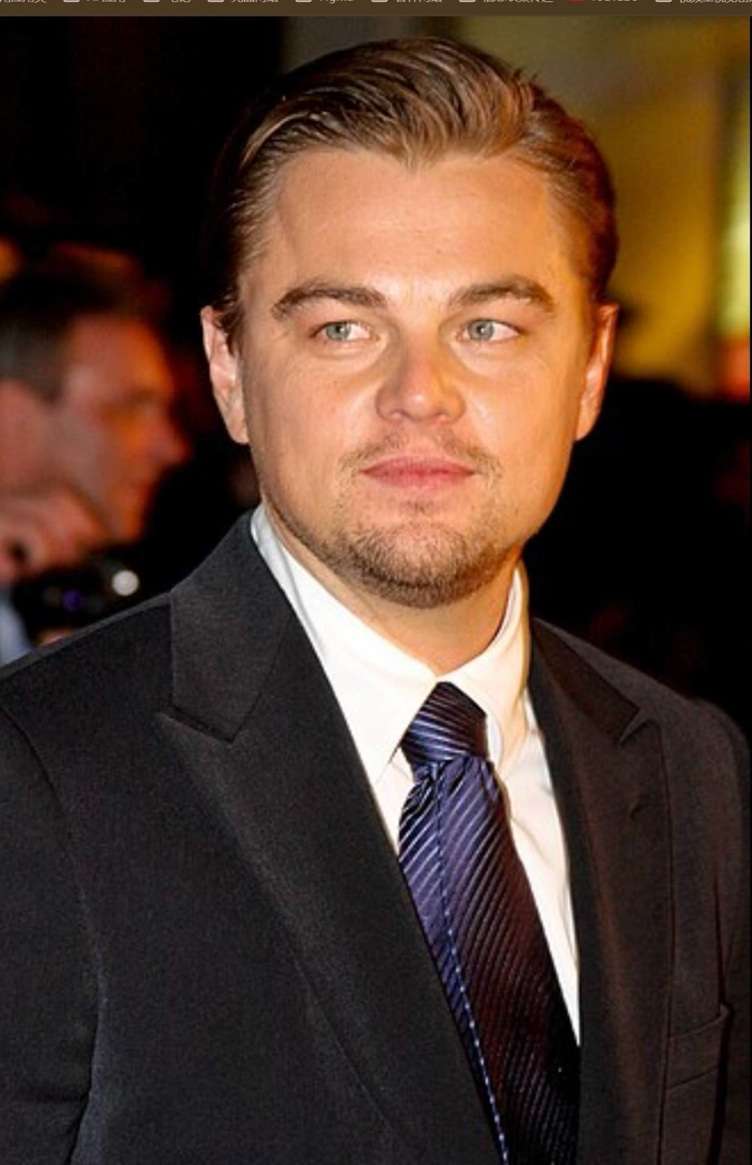
  2. Upload the celebrity photo as your identity reference image.
  3. Replace {TARGET_COUNTRY} in the prompt below with your first country (e.g., Thailand, Japan, India, Brazil).
  4. Paste the prompt → click Generate → download your Country A portrait.
Image Prompt — Country A
Use the uploaded celebrity photo as the ONLY identity reference. Keep the same facial structure, eyes/nose/lips, expression, hairstyle, and proportions—no face drift. Create a photorealistic half-body (chest-up) portrait as if the celebrity were born in {TARGET_COUNTRY: Thailand}.

Transformation rules (change only these):
Adjust skin tone/undertone, subtle ethnic features, and grooming to match typical {TARGET_COUNTRY} regional look, while preserving the same recognizable face.
Change clothing + accessories to authentic {TARGET_COUNTRY} unique national clothing or ethnic clothing (no stereotypes, high-quality fabrics).
Add small national design cues (pattern, jewelry, scarf, beads, embroidery) tastefully.

Background (country cue):
Place the subject in front of an iconic {TARGET_COUNTRY} landmark or landscape, heavily blurred (cinematic bokeh), natural daylight, realistic color grading.

Camera & style: 85mm portrait look, shallow depth of field, ultra-detailed skin texture, natural pores, realistic hair strands, 4K, cinematic but true-to-life.
Generate Country A Portrait ✨ Tip: Use a clear front-facing photo with good lighting for best facial preservation.
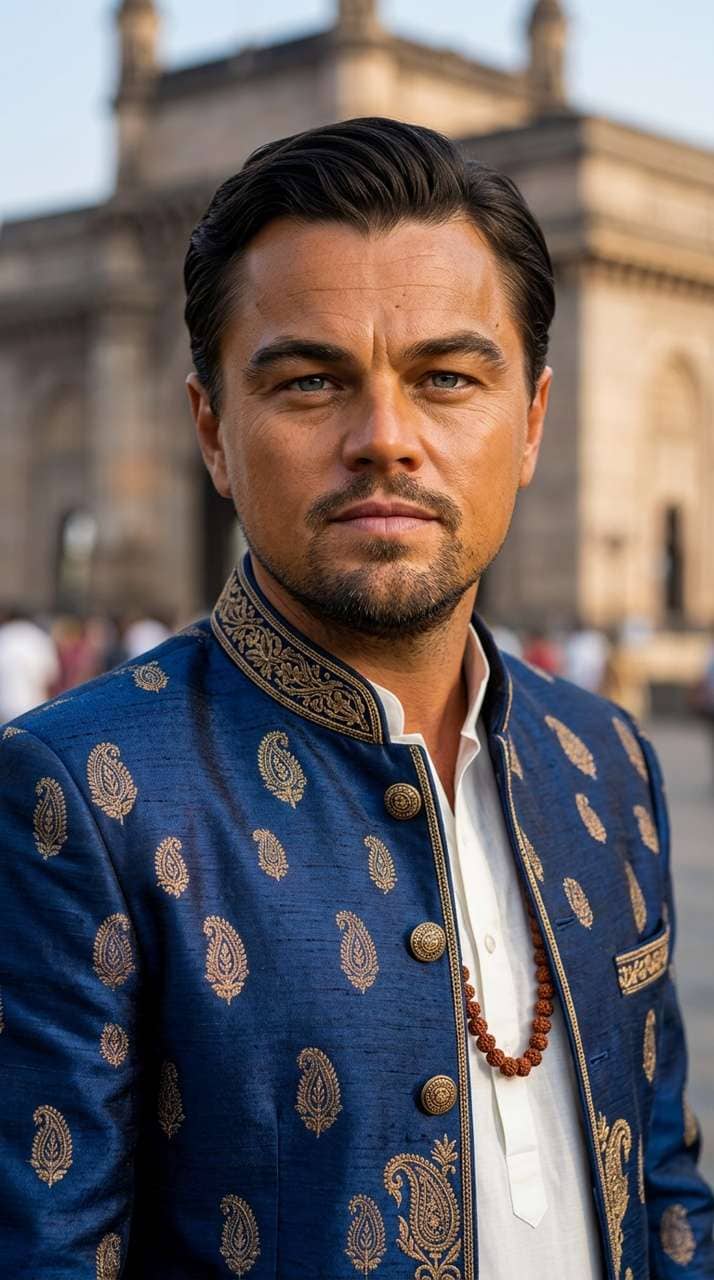
AI celebrity portrait as if born in Morocco – Country B result

Country B Portrait Result (e.g. Morocco)

Step 2

Generate the Celebrity Portrait in Country B

  1. Return to Media.io Image to Image — upload the same original celebrity photo again.
  2. Replace {TARGET_COUNTRY} with your second country (e.g., Morocco, Nigeria, Russia, Mexico).
  3. Paste the prompt below → click Generate → download your Country B portrait.
  4. You now have two portraits ready for the first & last frame animation in Step 3.
Image Prompt — Country B
Use the uploaded celebrity photo as the ONLY identity reference. Keep the same facial structure, eyes/nose/lips, expression, hairstyle, and proportions—no face drift. Create a photorealistic half-body (chest-up) portrait as if the celebrity were born in {TARGET_COUNTRY: Morocco}.

Transformation rules (change only these):
Adjust skin tone/undertone, subtle ethnic features, and grooming to match typical {TARGET_COUNTRY} regional look, while preserving the same recognizable face.
Change clothing + accessories to authentic {TARGET_COUNTRY} unique national clothing or ethnic clothing (no stereotypes, high-quality fabrics).
Add small national design cues (pattern, jewelry, scarf, beads, embroidery) tastefully.

Background (country cue):
Place the subject in front of an iconic {TARGET_COUNTRY} landmark or landscape, heavily blurred (cinematic bokeh), natural daylight, realistic color grading.

Camera & style: 85mm portrait look, shallow depth of field, ultra-detailed skin texture, natural pores, realistic hair strands, 4K, cinematic but true-to-life.
Generate Country B Portrait 🌍 Pro tip: The greater the cultural contrast between two countries, the more viral the video.
Step 3

Animate with First & Last Frame, Combine & Share

  1. Open Media.io Image to Video and select Kling 2.1 or Kling 3.0 model.
  2. Enable the First & Last Frame mode.
  3. Upload the Country A portrait as the first frame and the Country B portrait as the last frame.
  4. Paste the animation prompt below → click Generate.
  5. Download the clip → repeat Steps 1–3 for more celebrities → open the Media.io Online Video Editor to stitch clips, add country flag captions & trending music, then export for TikTok or Reels.
Video Animation Prompt
The first character looks forward for a second, then turns to the right, giving the second character a warm smile. The camera pans to the right, and the second character appears. He gently pats the first character on the back, as if proud of him, and gives him a warm smile. The camera remains at a fixed height.
Animate Country Swap Video 🔥 Bonus: Create 5–10 celebrities and stitch them into one viral montage for maximum reach.

Social Media Showcase

Watch real viral examples on TikTok: Celebrity in Thailand, Morocco, and Japan.

Why Choose Media.io for AI Country Transformation Videos

Zero Face Drift — Identity Locked

Our AI preserves the exact facial structure, eyes, nose, lips, and expression of the celebrity while seamlessly swapping cultural identity. The face is the anchor — everything else transforms.

Authentic Cultural Wardrobe

Each portrait features real national or ethnic clothing — Thai silk kaftans, Japanese kimonos, Moroccan djellabas, Indian sarees — with matching jewelry, patterns, and accessories. No stereotypes, high-quality fabrics.

Iconic Landmark Backgrounds

Each portrait is set against a country-specific iconic backdrop — temples, palaces, cityscapes — in cinematic bokeh. Viewers instantly recognize the country at a glance, making your video more engaging and shareable.

First & Last Frame Animation

Use the two country portraits as start and end keyframes to animate a seamless, cinematic transformation video. No editing skills required — just upload, generate, and share directly to TikTok or Reels.

bg bg

Frequently Asked Questions About AI Celebrity Country Transformation Videos

The AI country transformation trend — also known as celebrity country swap or "what if celebrities were born in another country" — is going viral because it combines curiosity, cultural appreciation, and stunning visual storytelling in one short clip. Fans love imagining their favorite celebrities in different cultural identities while still recognizing their iconic faces. The contrast between countries creates immediate engagement, and the cinematic quality of AI-generated portraits makes these videos feel premium and highly shareable on TikTok, Instagram Reels, and YouTube Shorts.
The workflow has three steps. First, upload a celebrity photo to Media.io Image to Image and use the country transformation prompt with your first target country (e.g., Thailand) to generate Portrait A. Second, upload the same original celebrity photo again and generate Portrait B using a different country (e.g., Morocco). Third, open Media.io Image to Video, enable First & Last Frame mode, upload Portrait A as the start frame and Portrait B as the end frame, then generate your animated AI country swap video. Finally, combine multiple celebrity clips in the online editor, add country flag captions and trending music, then export for TikTok or Reels.
The prompt specifically instructs the AI to use the uploaded photo as the ONLY identity reference and lock the facial structure — including eye shape, nose, lips, expression, hairstyle, and proportions — with no face drift. Only the transformation elements are changed: skin tone and undertone, subtle ethnic facial features, clothing, accessories, cultural design cues, and the background landmark. This approach ensures the celebrity is always instantly recognizable in every portrait, which is the key to making the trend work.
Any globally recognized celebrity with a clear, well-lit front-facing photo works well. Popular combinations include Western celebrities transformed into Asian (Thailand, Japan, Korea, India), Middle Eastern (Morocco, Egypt, Saudi Arabia), or African (Nigeria, Ethiopia) cultural identities, and vice versa. The greater the visual and cultural contrast between the two countries in your video, the more striking and engaging the transformation will be. Countries with distinctive traditional clothing — such as Japan (kimono), India (saree), Morocco (kaftan), Thailand (Chut Thai), or Nigeria (Aso-oke) — tend to produce the most visually impressive results.
First & Last Frame (also called start-end frame or keyframe-to-keyframe) is a video generation mode where you provide two images: the starting frame and the ending frame. The AI then generates all the intermediate frames, creating a smooth, cinematic transition between the two images. For the country transformation trend, you use your Country A portrait as the first frame and your Country B portrait as the last frame. The AI produces a natural-looking animation where the celebrity's face stays stable while their clothing, cultural accessories, and background landmark transform elegantly from one country to another.
Yes. Media.io offers a free trial with credits on signup, so you can try the full AI celebrity country transformation workflow — from generating country portraits to animating your first & last frame video — before upgrading for more usage. No download required; everything runs in the browser.
Media.io Online Tools Quality Rating:
vote 4.7 (162,357 Votes)
media.io

AI Video Generator star

Easily generate videos from text or images

Generate