Create AI World Cup host city posters, World Cup 2026 city poster prompts,
football host city poster designs, soccer city landmark posters,
stadium background generator prompts, fan festival poster ideas,
watch party flyer prompts, matchday wallpaper prompts, and
World Cup-style social media graphics with ready-to-copy image-to-image instructions.
These host city poster prompts are designed for uploaded city photos, skyline shots, stadium references,
travel images, fan selfies, street scenes, and event graphics. Use them to create poster concepts inspired by
Atlanta, Boston, Dallas, Guadalajara, Houston, Kansas City, Los Angeles, Mexico City, Miami, Monterrey,
New York/New Jersey, Philadelphia, San Francisco Bay Area, Seattle, Toronto, Vancouver, and other football
travel scenes while keeping the original city identity, landmark shape, lighting, image quality, and composition consistent.
Each prompt includes clean result notes to avoid official logos, protected tournament marks, team crests,
real player likenesses, unreadable text, fake sponsor boards, distorted architecture, messy crowds, and misleading
official-looking sports edits.
Explore AI World Cup host city poster prompts by category: city landmark posters, stadium background prompts, fan festival poster ideas, watch party flyers, retro football travel posters, matchday wallpapers, social media graphics, and soccer city poster resources.
How to Use the AI World Cup Host City Poster Generator
Create AI World Cup host city posters, football travel posters, soccer city landmark graphics, stadium backgrounds, fan festival posters, watch party flyers, wallpapers, and matchday social images with
Media.io AI Image Tool.
Start with a clear city photo, skyline image, stadium reference, street scene, fan selfie, travel shot, or event image you own, then use one of the copy-paste prompts below to generate polished World Cup-style city posters for flyers, thumbnails, wallpapers, story covers, and AI image resource pages.
1
Choose a Host City Poster Style
Pick a prompt for a city landmark poster, stadium background, fan festival flyer, watch party graphic, retro travel poster, wallpaper, or football social image.
2
Upload & Customize Details
Upload a city, skyline, stadium, fan, or street photo, then edit the prompt for host city name, landmark style, local colors, stadium lights, poster ratio, text space, and event mood.
3
Generate & Download
Create a high-quality host city AI poster and download a share-ready result for football flyers, city posters, stadium wallpapers, thumbnails, and social media graphics.
AI World Cup Host City Poster Prompts for Landmarks, Stadiums, Fan Festivals, Travel Posters & Social Graphics
Use these copy-and-paste AI World Cup host city poster prompts to create city landmark posters, football stadium backgrounds, fan festival flyers, watch party graphics, retro travel posters, matchday wallpapers, YouTube thumbnails, Instagram story covers, and soccer social images. Each prompt includes a reference-photo instruction, city identity notes, poster composition, lighting direction, aspect ratio guidance, and negative instructions for cleaner image-to-image results.
Create AI World Cup host city poster prompts for city skylines, famous streets, football landmarks, local color palettes, and premium sports travel poster designs.
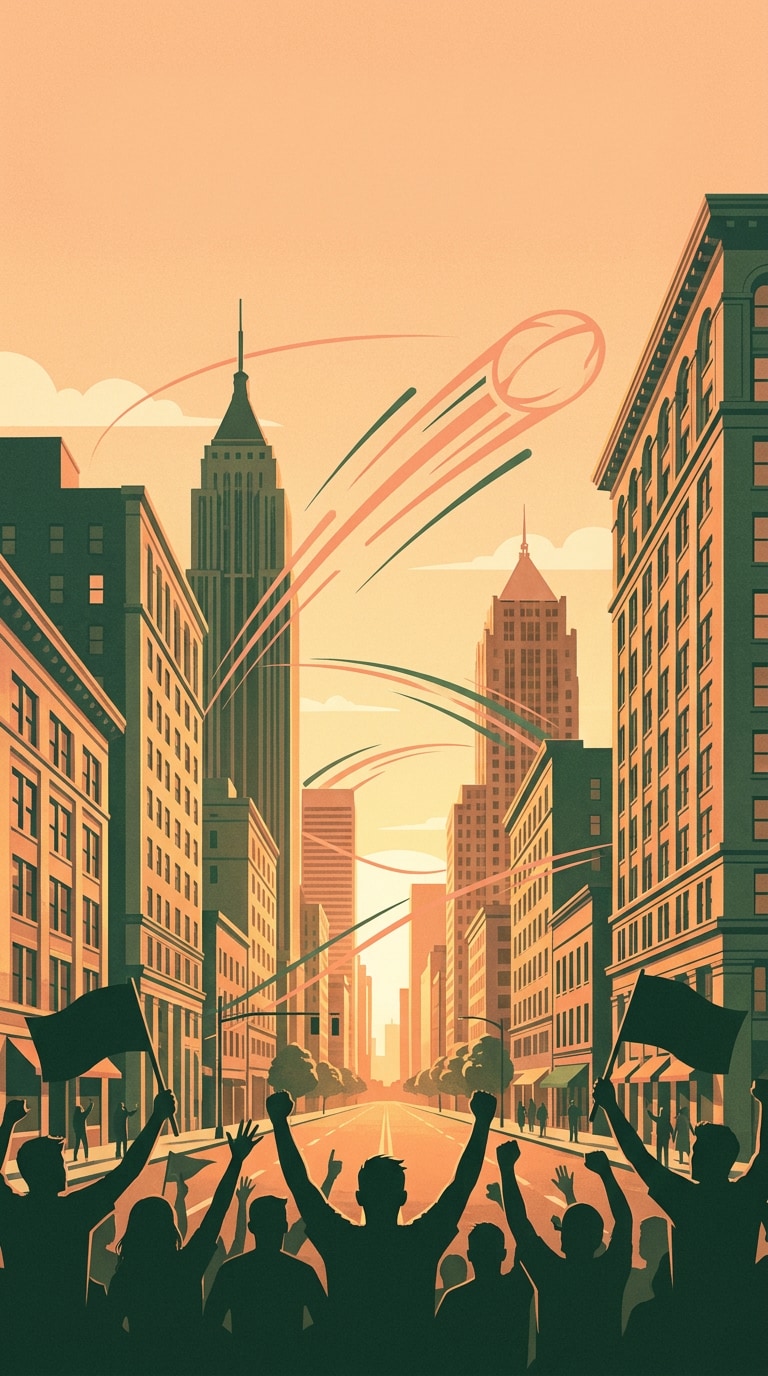
Atlanta Peach Skyline Poster
Use the uploaded Atlanta skyline or city street photo as the reference. Preserve the main buildings, perspective, sunset direction, and image quality. Create an AI World Cup host city poster with a warm peach and deep green color palette, football motion lines crossing the skyline, cheering fan silhouettes, clean blank headline space, premium sports travel poster style, 4:5 vertical composition, no official logos, no tournament emblem, no team crest, no fake sponsor text, no distorted architecture.
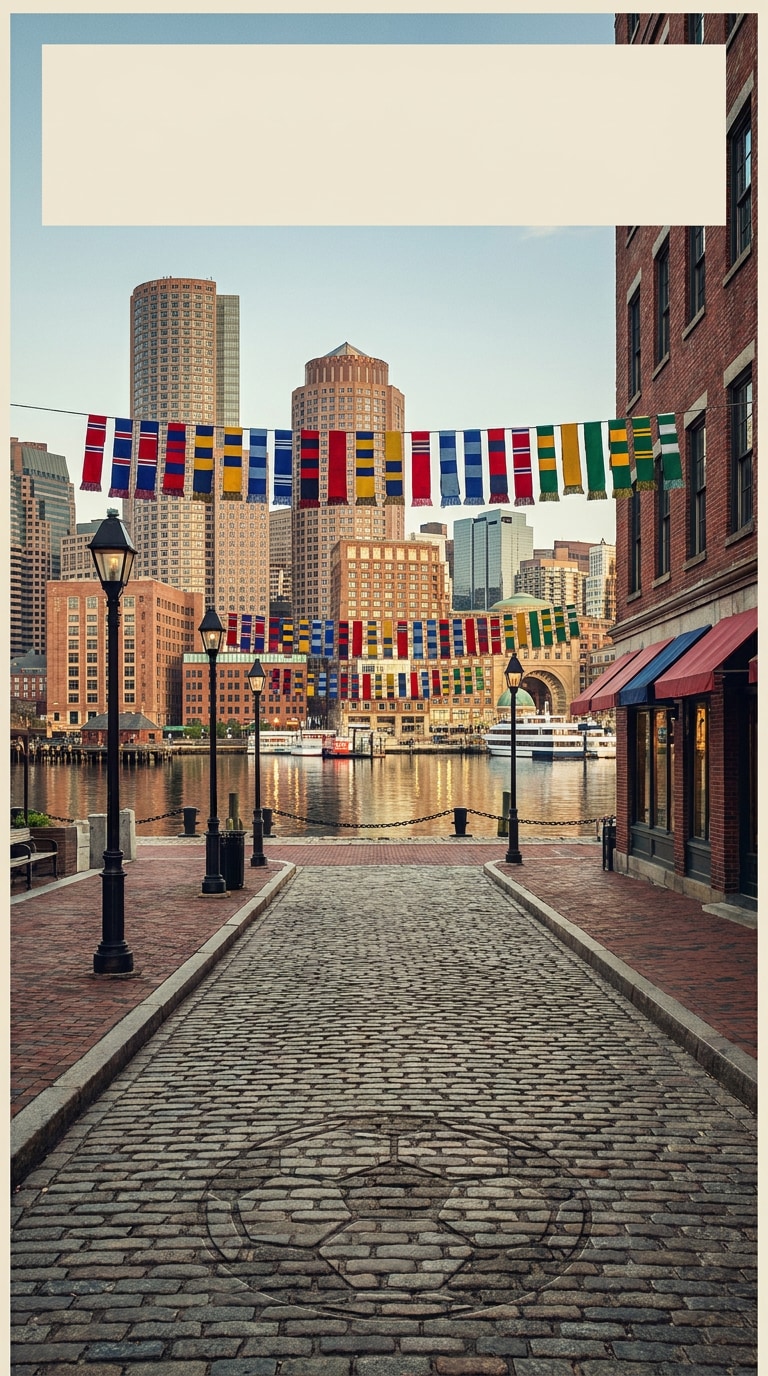
Boston Harbor Match Poster
Use the uploaded Boston harbor, skyline, or brick street photo as reference. Keep the city geometry, water reflections, street texture, and natural lighting consistent. Create a World Cup-inspired football host city poster with historic harbor atmosphere, subtle soccer ball pattern, fan scarves in generic colors, crisp editorial poster layout, blank title area, 3:2 poster crop, no official badge, no federation logo, no readable ad boards, no warped waterfront, no random generated words.
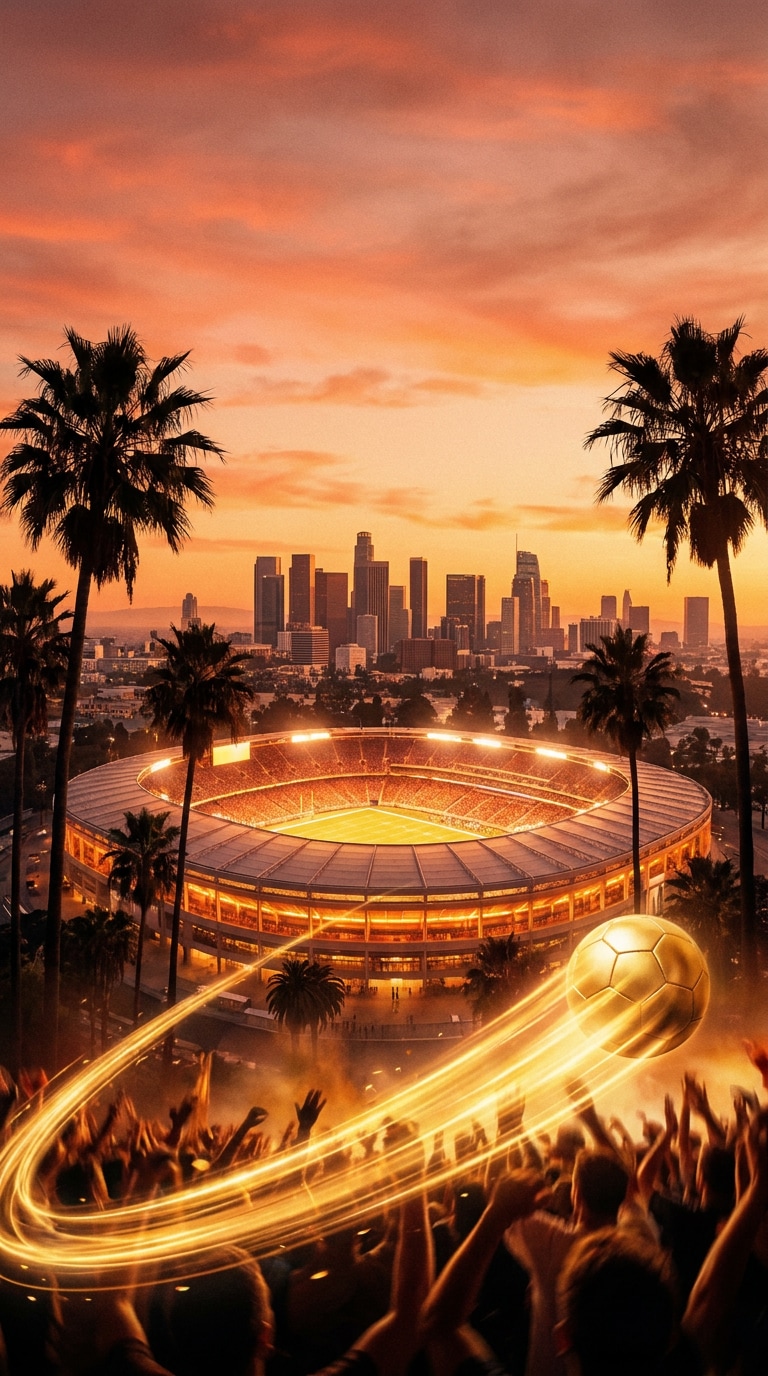
Los Angeles Sunset Poster
Use the uploaded Los Angeles city, palm street, or sunset photo as the reference. Preserve the skyline shape, palm silhouettes, warm light, and original depth. Create an AI football host city poster with golden-hour stadium glow, palm trees, dynamic ball trail, cinematic sky, crowd energy, clean blank area for custom text, high-end event poster finish, 4:5 crop, no official tournament mark, no real player likeness, no brand logo, no fake words, no distorted palms.
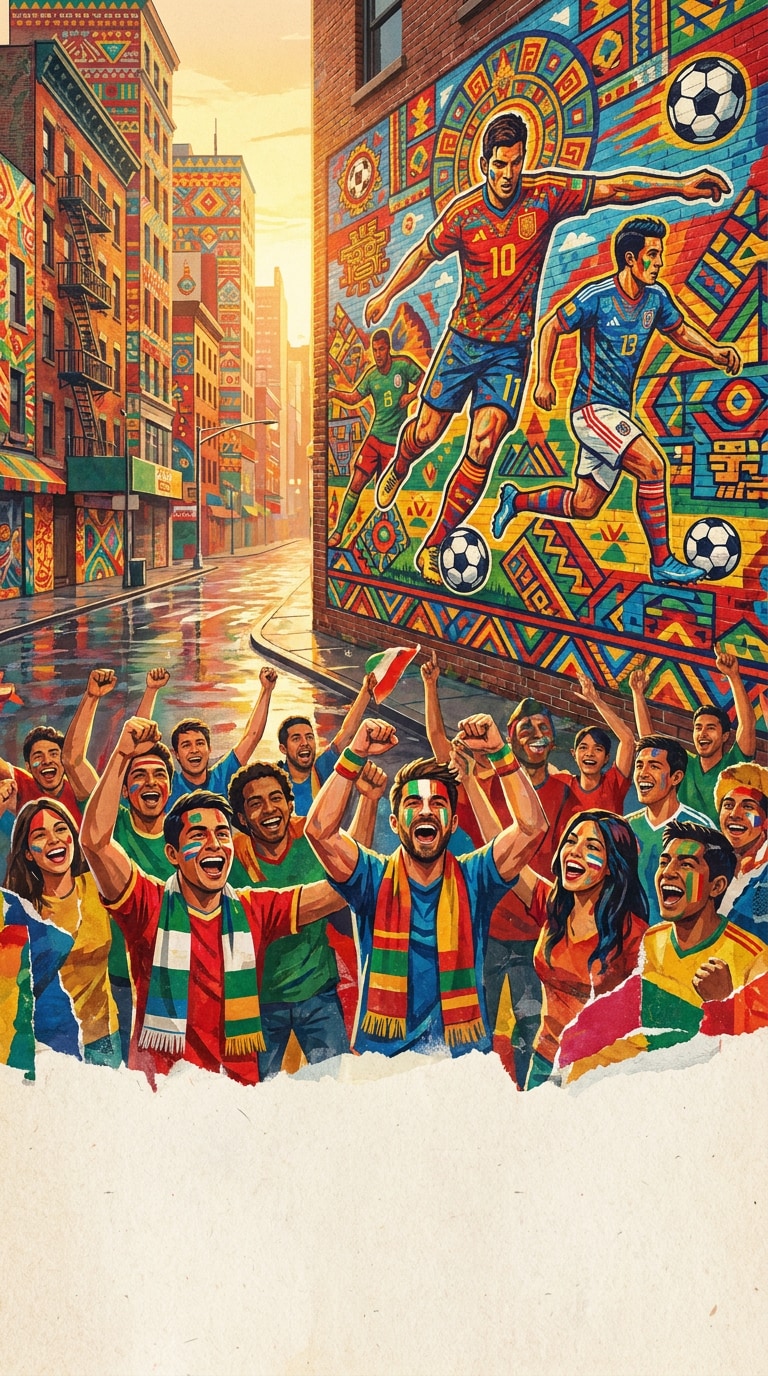
Mexico City Mural Poster
Use the uploaded Mexico City plaza, street mural, or landmark photo as reference. Keep the city scene, wall texture, human scale, and lighting realistic. Create a vibrant World Cup-style host city poster with colorful mural patterns, football crowd rhythm, local street energy, layered paper texture, bold central composition, empty lower area for custom title, 4:5 social poster ratio, no official logos, no flags as exact official marks, no team badges, no unreadable text, no distorted faces.
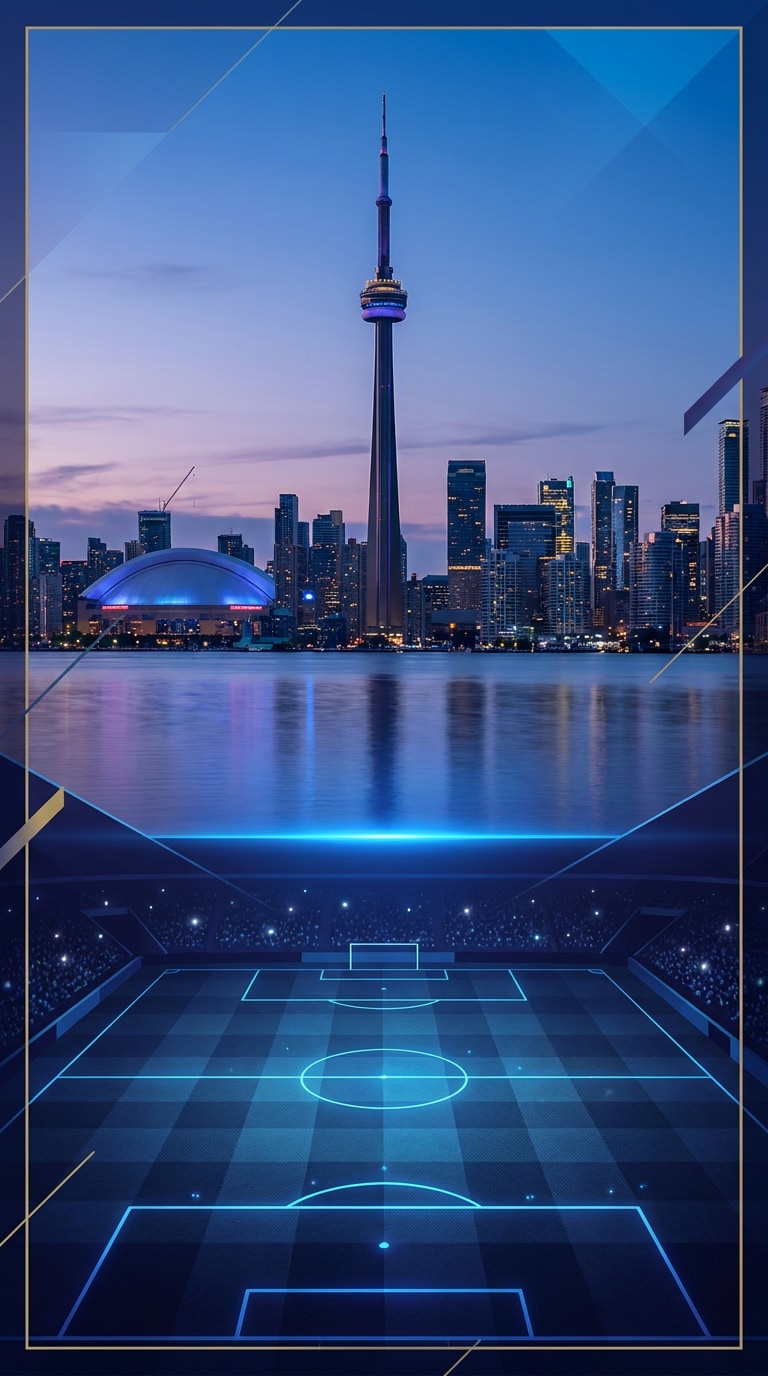
Toronto Lakefront Poster
Use the uploaded Toronto lakefront or skyline photo as the reference. Preserve the skyline silhouette, water reflection, tower shape, and cool evening light. Create an AI World Cup host city poster with blue lake glow, football pitch texture blended into the foreground, crowd lights, clean geometric poster layout, premium travel campaign mood, 16:9 hero composition, no official tournament emblem, no venue name, no readable ads, no fake sponsor text, no warped skyline.
World Cup Stadium Background Generator Prompts
Generate host-city-inspired stadium backgrounds, matchday skyline scenes, football wallpapers, tunnel views, and arena posters without official venue branding.
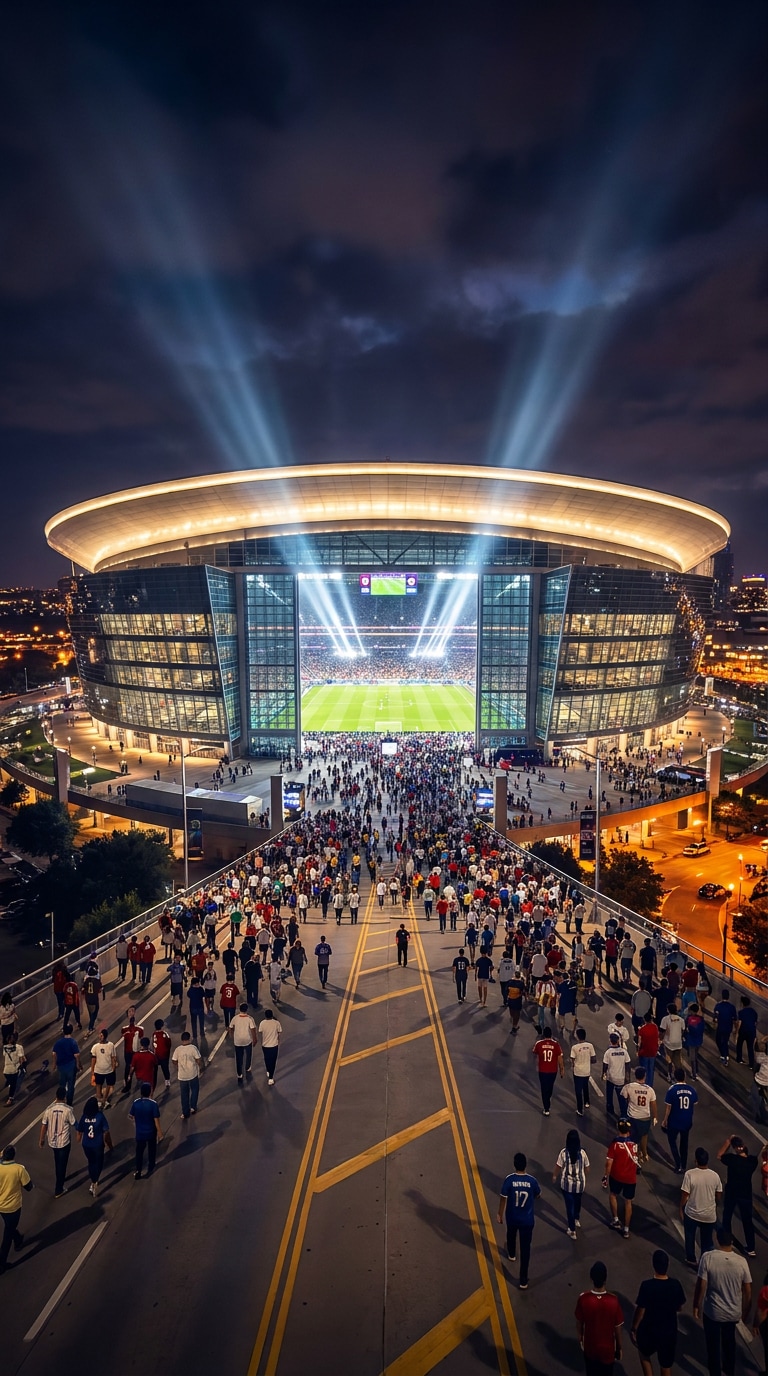
Dallas Grand Stadium Glow
Use the uploaded Dallas city, stadium exterior, or skyline photo as reference. Preserve the wide architecture, road lines, night lighting, and camera angle. Create a World Cup-style stadium background poster with a grand illuminated arena, glowing roofline, fans arriving outside, football pitch light spilling into the sky, polished sports photography, 16:9 wallpaper ratio, no official venue name, no tournament logo, no readable billboards, no distorted roof structure, no fake scoreboard text.
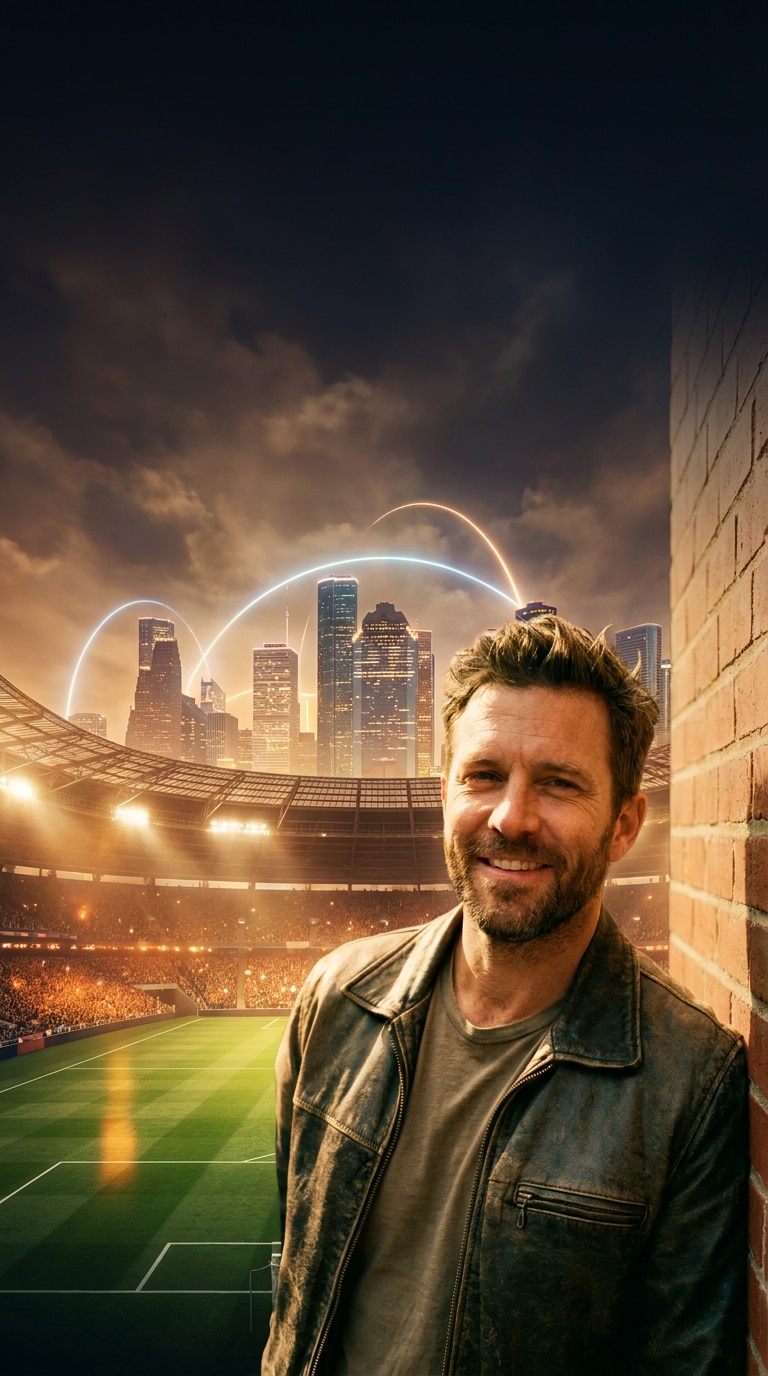
Houston Night Stadium
Use the uploaded Houston skyline, street, or stadium photo as reference and keep the city lights, road perspective, and building shapes consistent. Create a cinematic football stadium background with warm night haze, crowd glow, subtle space-city-inspired light arcs, green pitch reflection, dramatic clouds, clean empty sky for custom headline text, 21:9 ultrawide crop, no official signage, no team crest, no readable ads, no fake sponsor marks, no warped roads.
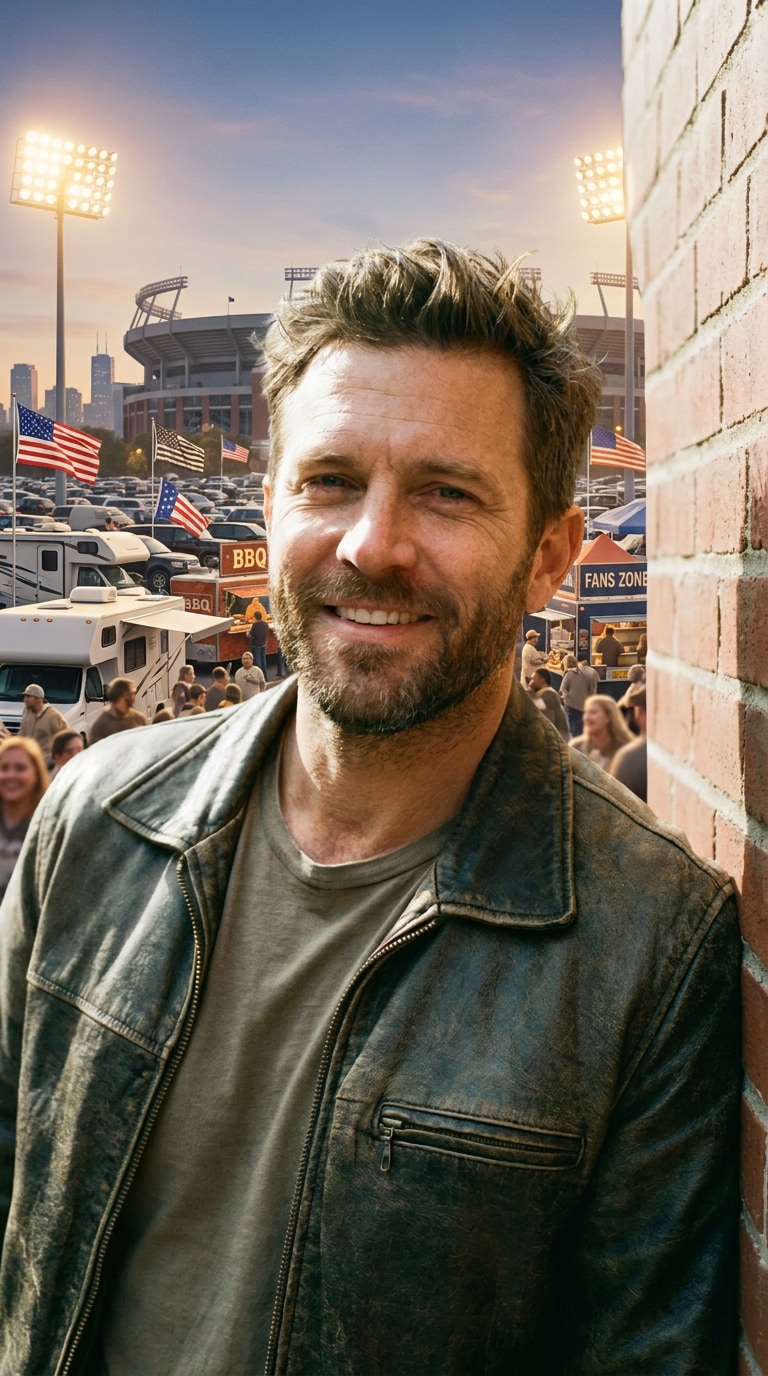
Kansas City Tailgate Arena
Use the uploaded Kansas City stadium, parking lot, or fan street photo as the reference. Keep the wide outdoor setting, vehicle scale, crowd density, and real light direction. Create a host city stadium poster with pre-match tailgate energy, warm floodlights, generic football flags, food stands, city skyline hint, high-energy sports event atmosphere, 3:2 poster crop, no official venue branding, no team logo, no readable license plates, no messy crowd faces, no fake text.
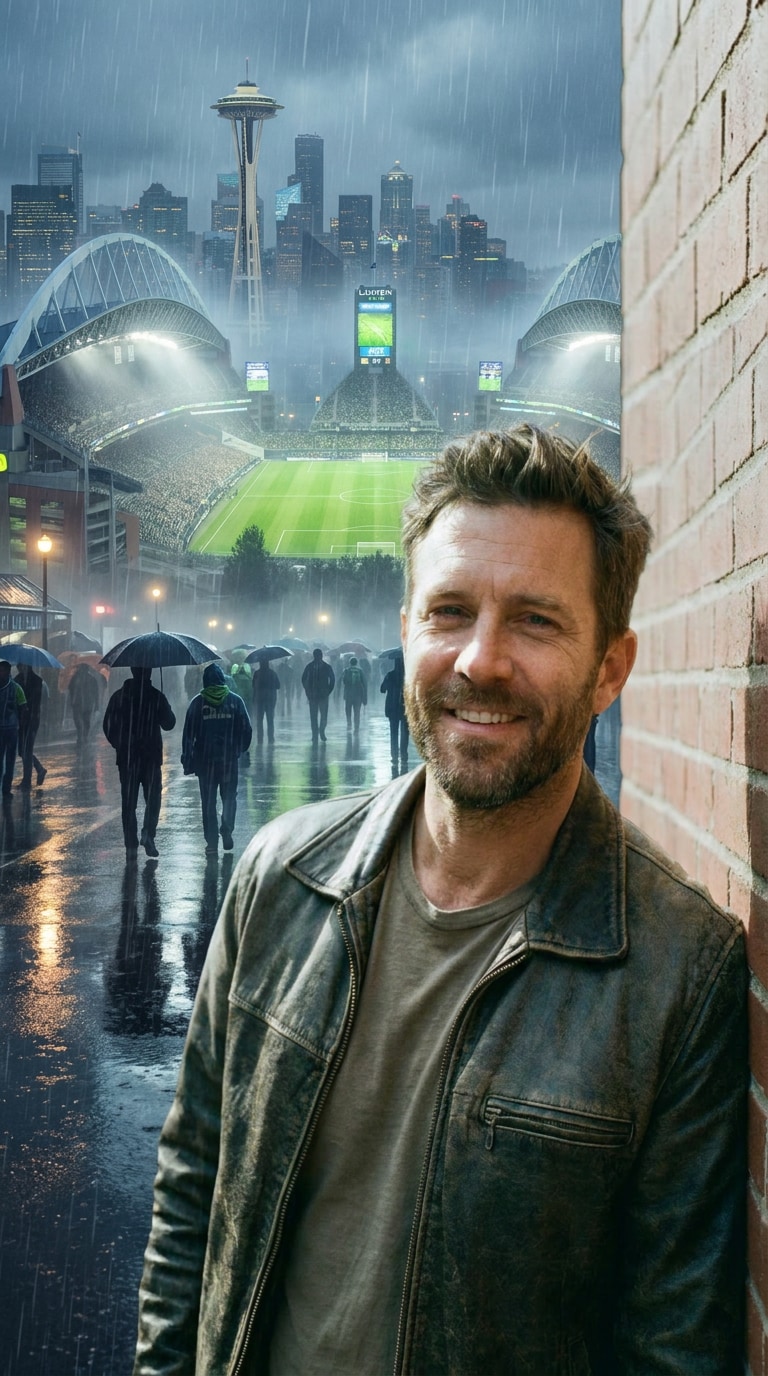
Seattle Rain Match Background
Use the uploaded Seattle skyline, waterfront, or stadium area photo as reference. Preserve the rainy atmosphere, skyline silhouette, reflections, and cool color tone. Create a World Cup-inspired stadium background with misty floodlights, wet streets, evergreen accents, fan silhouettes, football pitch glow, cinematic rain particles, 9:16 mobile wallpaper composition, no official marks, no real team badge, no readable ads, no warped tower lines, no distorted umbrellas.
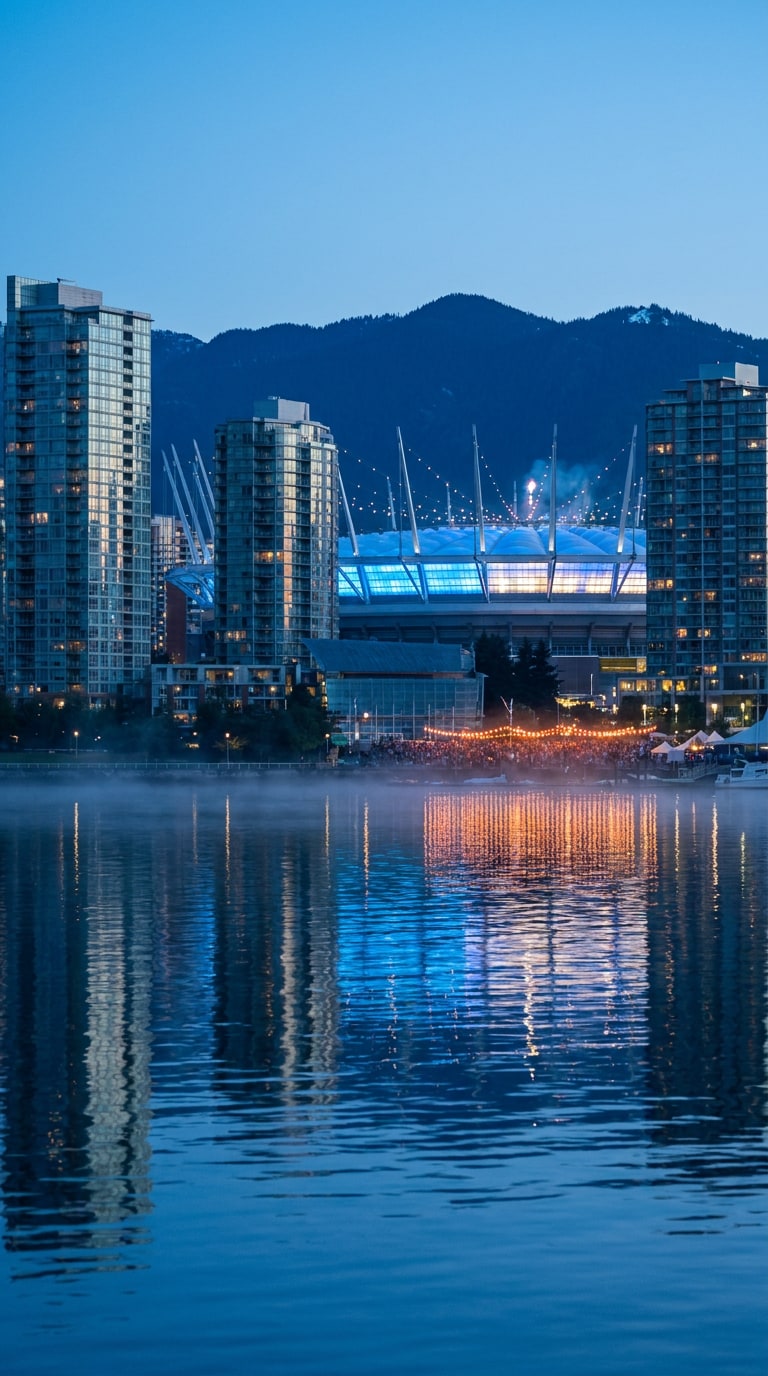
Vancouver Waterfront Stadium
Use the uploaded Vancouver waterfront, skyline, or stadium reference photo as the base. Keep the mountain silhouette, glass buildings, water reflection, and natural perspective. Create a clean host city stadium background poster with cool blue evening light, glowing football arena, crowd reflections near the water, subtle mist, premium travel-sports mood, 16:9 desktop wallpaper ratio, no official venue name, no tournament emblem, no readable signage, no warped mountains, no fake sponsor text.
Fan Festival and Watch Party Poster Prompts
Build fan festival posters, watch party flyers, city square graphics, beach viewing posters, and crowd celebration images for football event marketing.
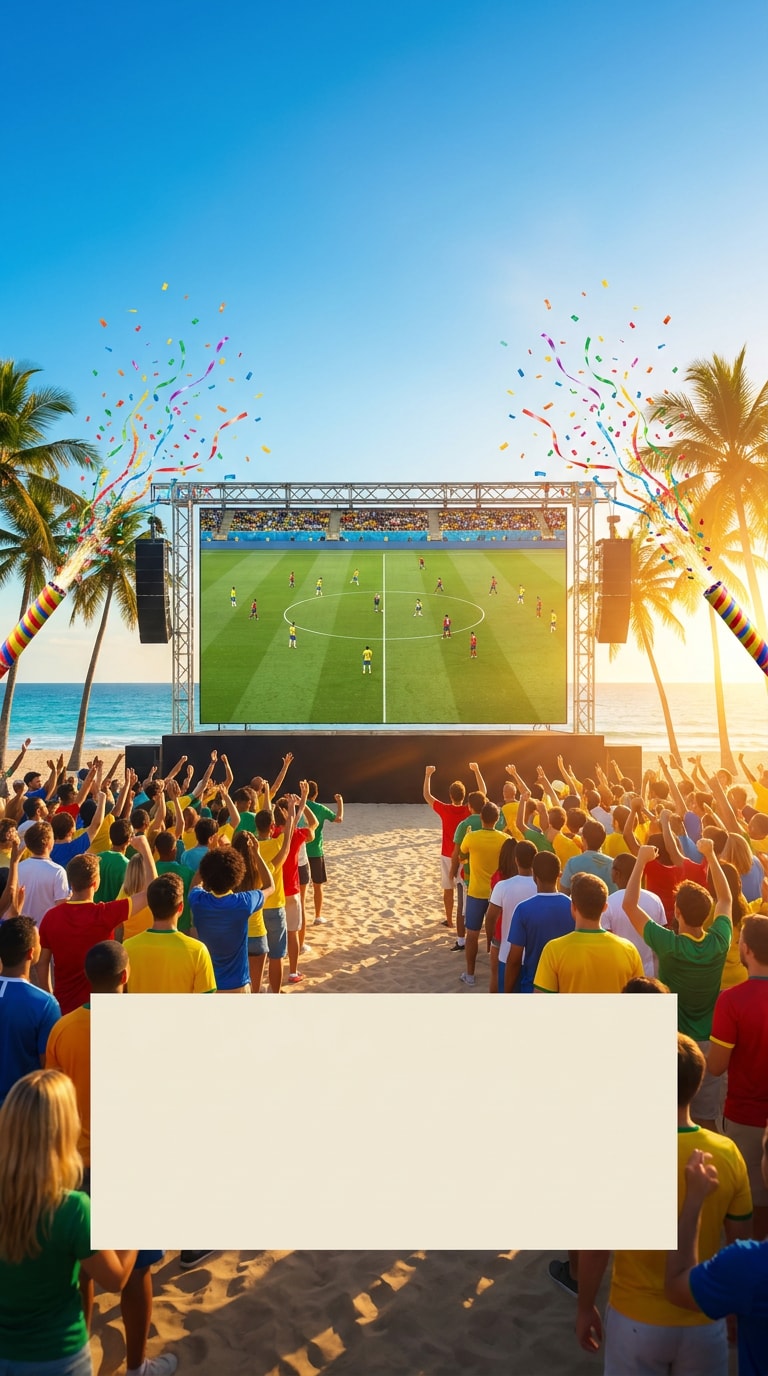
Miami Beach Watch Party
Use the uploaded Miami beach, fan, or outdoor event photo as reference. Preserve the palm trees, crowd scale, ocean light, and sunny atmosphere. Create a World Cup-style fan festival poster with a giant outdoor screen, beachside watch party, colorful generic jerseys, confetti, tropical event lighting, clear blank space for custom date text, bright flyer design, 4:5 Instagram crop, no official logos, no team crests, no readable sponsor banners, no distorted crowd faces, no fake words.
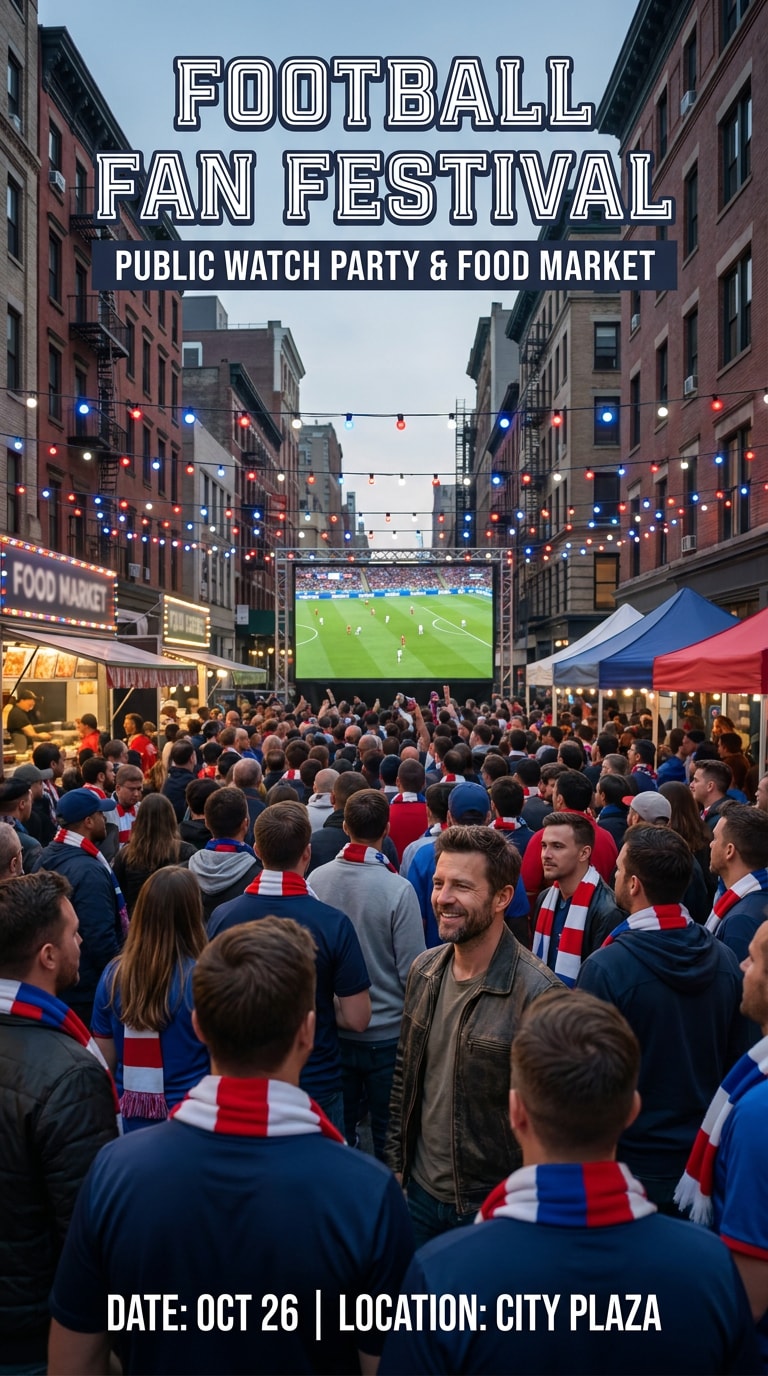
Philadelphia Civic Fan Plaza
Use the uploaded Philadelphia street, civic square, or fan crowd photo as the reference. Keep the building lines, street perspective, and natural crowd placement consistent. Create a football fan festival poster with a public plaza watch party, large screen, food stands, generic scarves, red-white-blue light accents without official marks, clean event flyer layout, 3:2 horizontal poster crop, no official tournament logo, no team badges, no readable ads, no fake event title, no warped monuments.
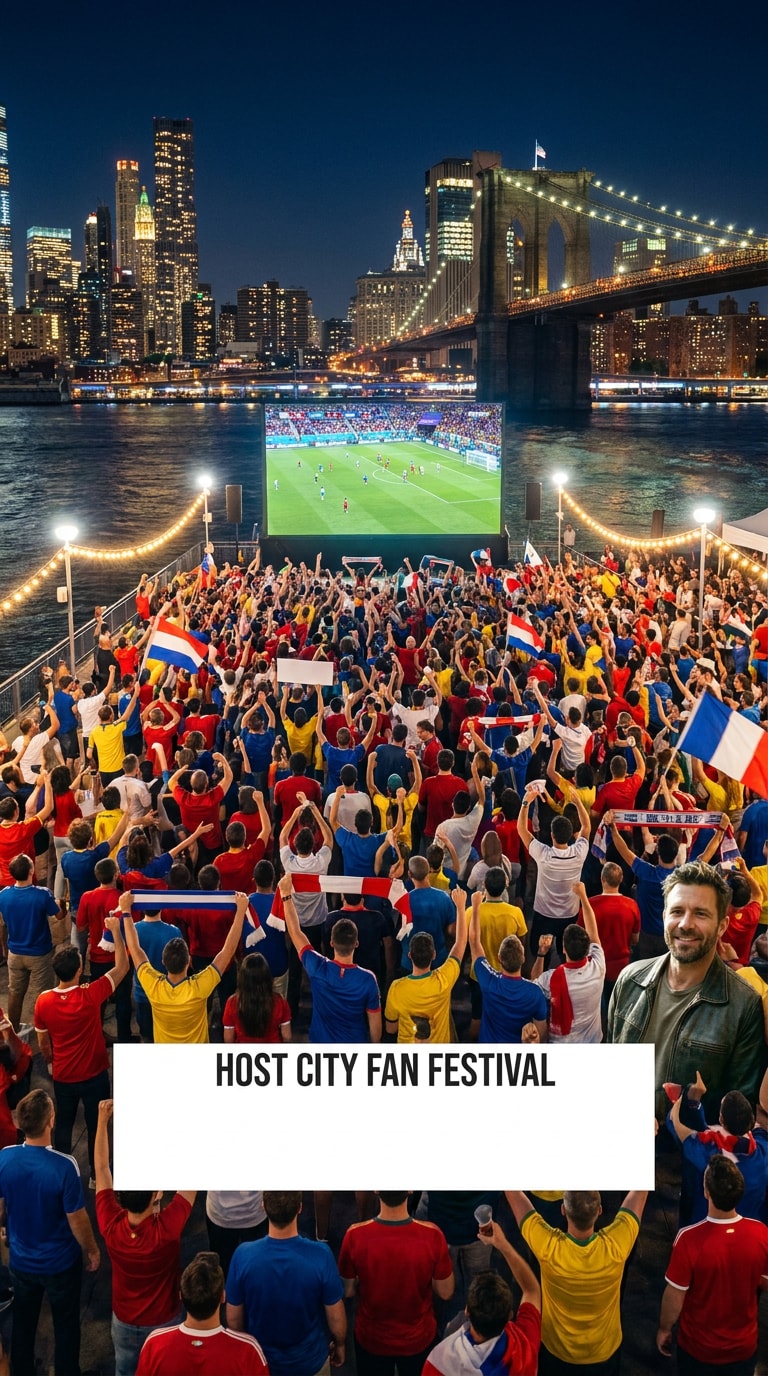
New York/New Jersey Riverfront Fans
Use the uploaded New York, New Jersey, riverfront, or skyline photo as reference. Preserve the skyline, river reflection, bridge shape, and crowd perspective. Create a host city fan festival poster with waterfront supporters, giant viewing screen, bright city lights, football flags in generic colors, energetic night event atmosphere, clean blank headline space, 16:9 banner composition, no official event branding, no protected marks, no readable billboards, no distorted bridges, no random letters.
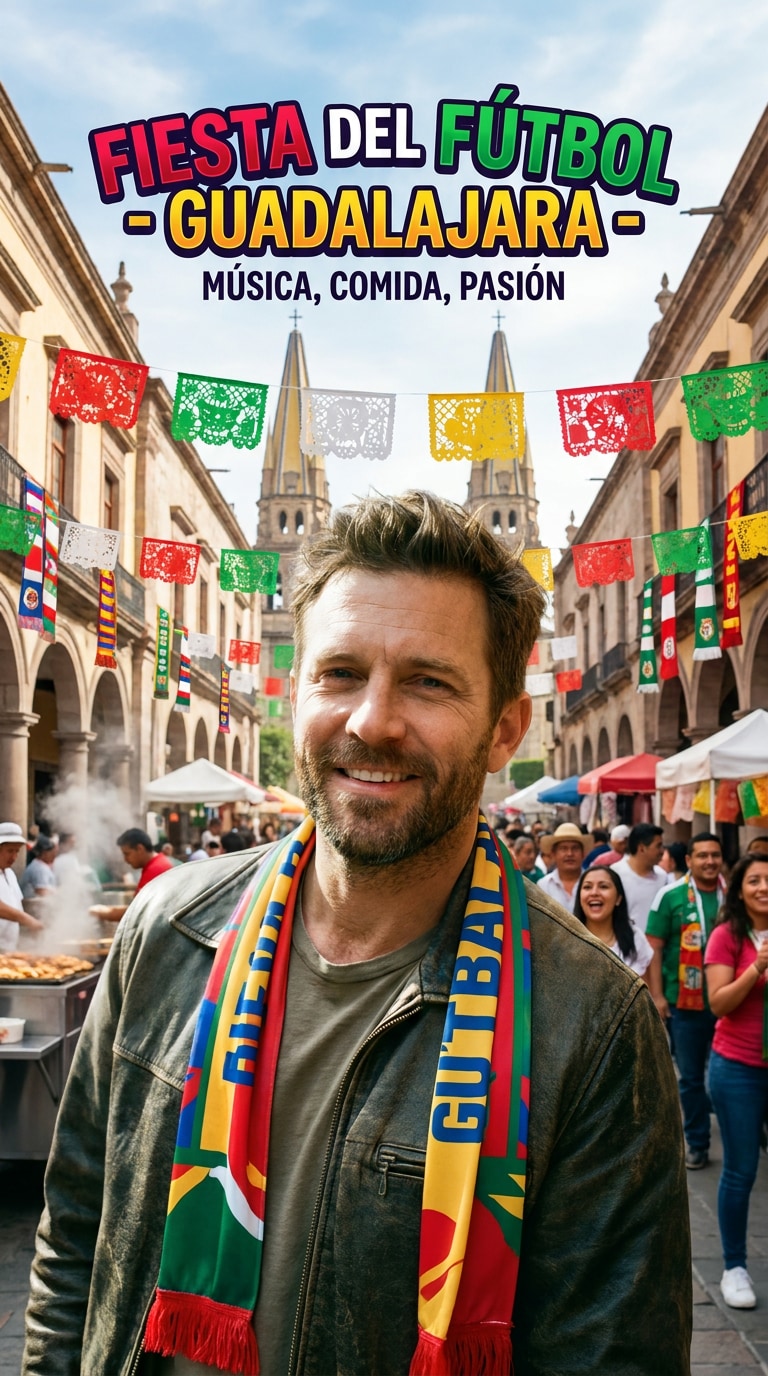
Guadalajara Street Party
Use the uploaded Guadalajara street, plaza, or festival photo as reference. Keep the street architecture, local color, crowd placement, and daylight direction realistic. Create a soccer host city fan festival poster with music, food stalls, football scarves, papel-picnic-inspired festive shapes, joyful crowd, city landmark hints, vibrant event poster design, 4:5 vertical crop, no official logos, no team crests, no readable sponsor text, no distorted faces, no misleading official layout.
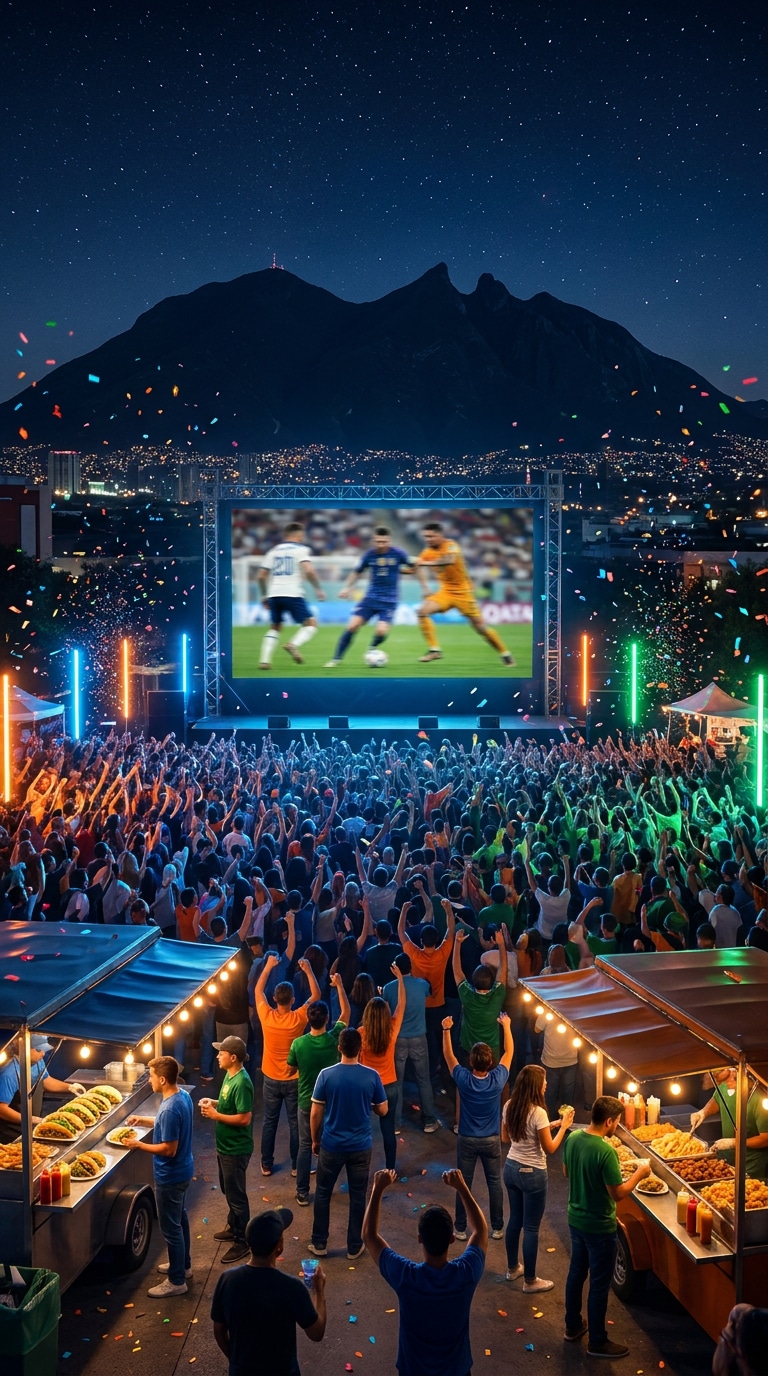
Monterrey Mountain Watch Party
Use the uploaded Monterrey city, mountain, or night event photo as reference. Preserve the mountain outline, city lights, and outdoor viewing setup. Create a football watch party poster with a giant public screen, mountain backdrop, energetic fans, neon event lighting, local street food stands, confetti, polished social flyer composition, 9:16 story cover ratio, no official tournament marks, no brand logos, no readable ads, no warped mountain silhouette, no fake text.
Retro Football Travel Poster Prompts
Create vintage host city posters, city identity graphics, collectible football travel art, postcard-style images, and multi-city World Cup poster concepts.
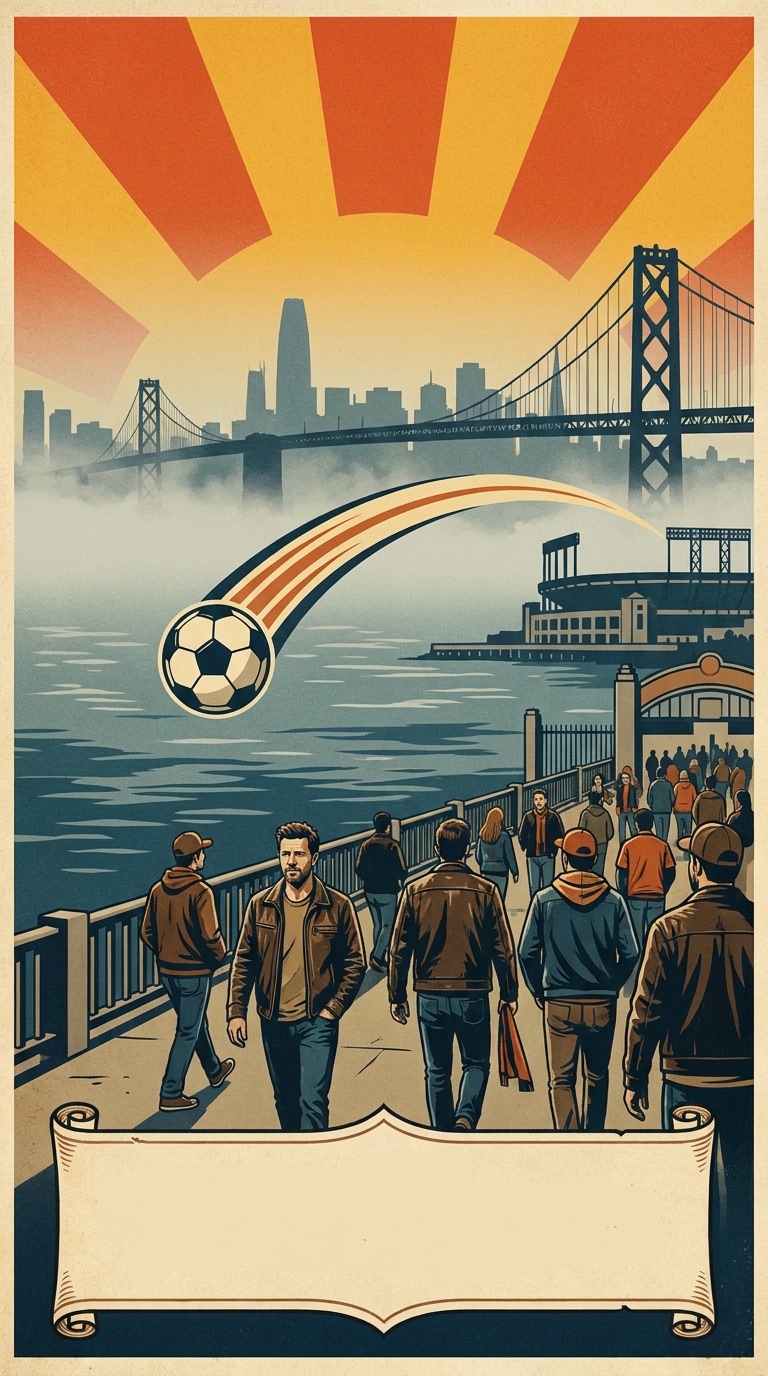
San Francisco Bay Area Retro Poster
Use the uploaded San Francisco Bay Area skyline, bridge, or waterfront photo as the base. Preserve the landmark silhouette, bay fog, water line, and perspective. Create a retro football travel poster with soft fog, bold sunburst shapes, soccer ball arc over the bay, fans walking toward a stadium, vintage print grain, elegant blank text panel, 4:5 poster crop, no official tournament emblem, no team logo, no readable brand names, no warped bridge cables, no fake typography.
Seattle Evergreen Poster
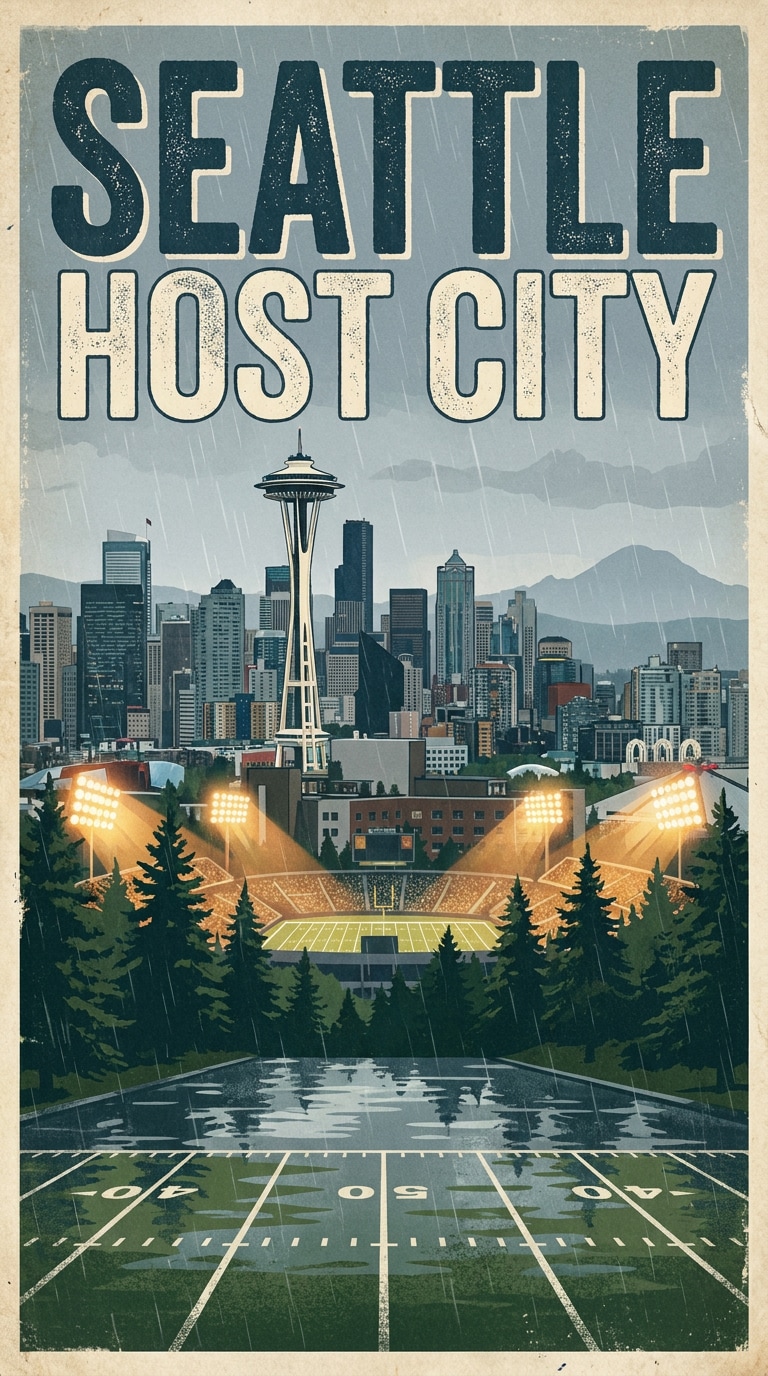
Use the uploaded Seattle city, waterfront, or evergreen landscape photo as the reference. Keep the skyline, trees, rainy texture, and mountain atmosphere consistent. Create a collectible host city travel poster with football field lines blending into the foreground, green evergreen accents, cool gray sky, bright stadium lights, clean centered composition, vintage screen-print texture, 3:2 poster ratio, no official marks, no club crest, no readable ads, no distorted skyline, no random text.
Mexico City Art Deco Football
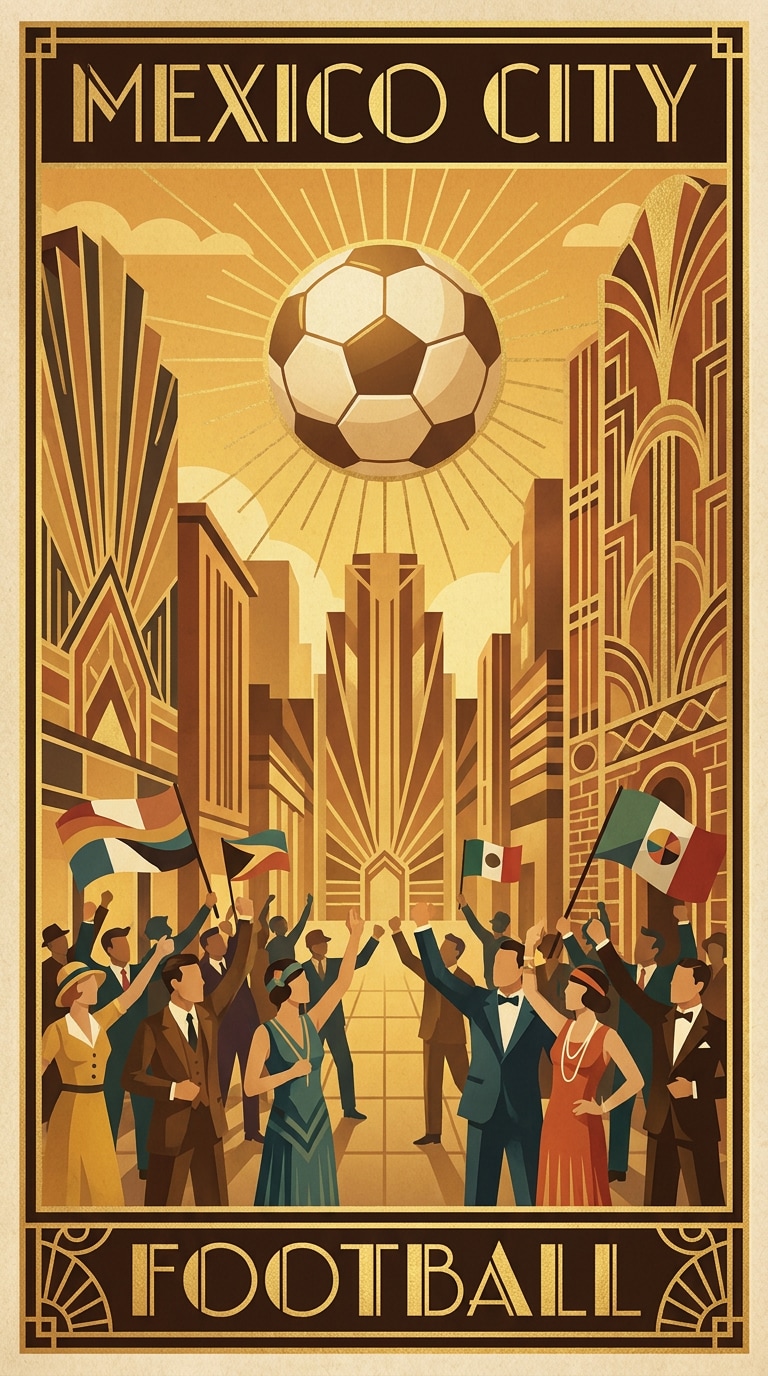
Use the uploaded Mexico City landmark, avenue, or plaza image as reference. Preserve the street layout, landmark placement, and warm daylight. Create an art deco football travel poster with layered geometric shapes, golden evening sky, soccer ball sun motif, lively plaza fans, elegant city-poster framing, textured paper finish, 4:5 vertical crop, no official tournament logo, no team badge, no real player likeness, no fake event title, no warped building details.
Vancouver Mountain Postcard
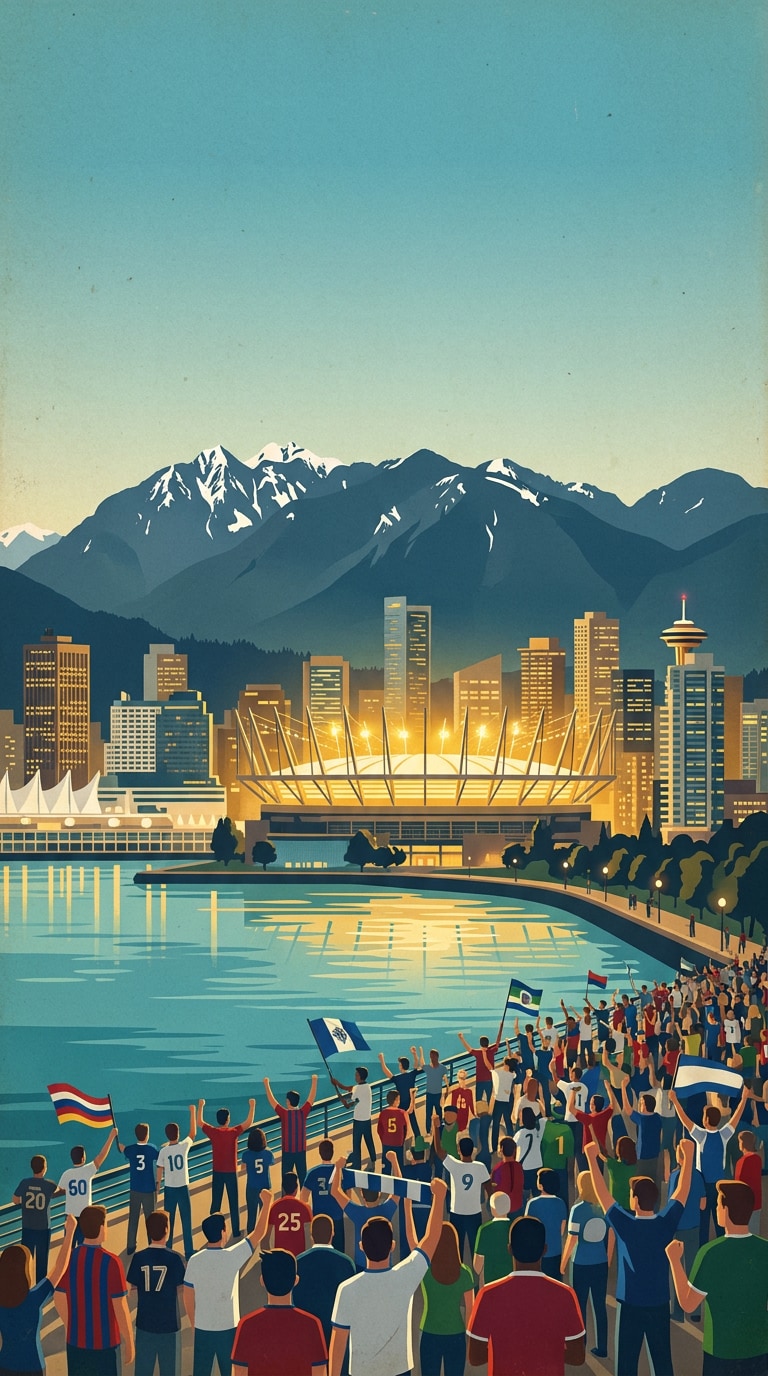
Use the uploaded Vancouver mountain, waterfront, or skyline photo as reference. Keep the natural landscape, water reflection, building scale, and horizon accurate. Create a postcard-style World Cup host city poster with snowy mountain silhouettes, blue-green water, stadium light glow, football fans on the waterfront, clean travel art layout, subtle paper grain, 16:9 wide poster, no official venue name, no protected logos, no readable signs, no distorted mountains, no fake letters.
Sixteen Host Cities Collage
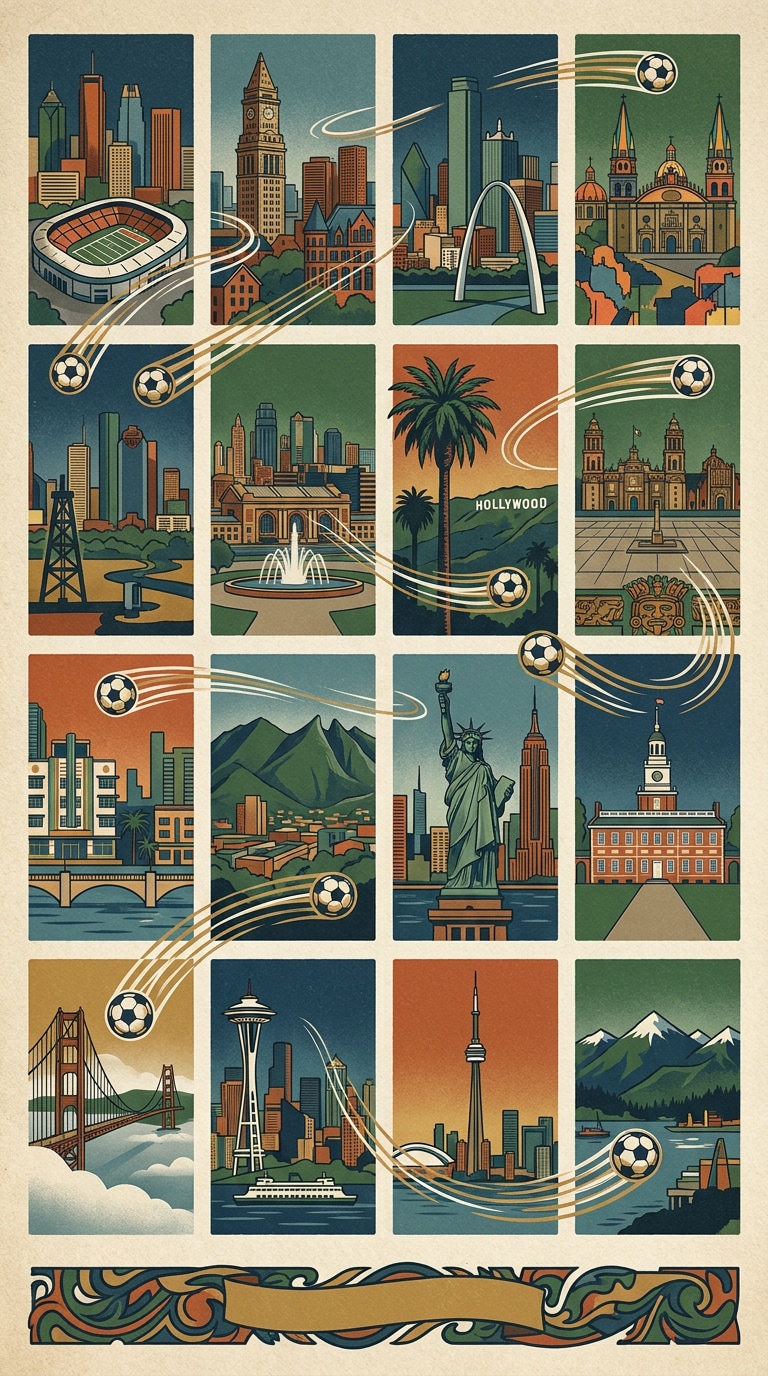
Use the uploaded city collage, skyline grid, or travel mood board as reference. Preserve the main photo arrangement and visual balance. Create a collectible football host city poster showing multiple city panels inspired by Atlanta, Boston, Dallas, Guadalajara, Houston, Kansas City, Los Angeles, Mexico City, Miami, Monterrey, New York/New Jersey, Philadelphia, San Francisco Bay Area, Seattle, Toronto, and Vancouver, unified by soccer ball motion lines, premium poster design, no official logos, no team crests, no readable fake text, no messy city labels.
Host City Social Poster and Wallpaper Prompts
Create host city announcement posters, 9:16 story covers, 16:9 stadium wallpapers, YouTube thumbnails, carousel graphics, and football social media images.
Host City Announcement Poster
Use the uploaded city photo as the reference. Preserve the skyline, street perspective, landmark silhouette, and original lighting. Create a clean AI World Cup host city announcement poster with football texture, bold blank title zone, local color accents, stadium light beams, celebratory confetti, polished event graphic design, 4:5 Instagram crop, no official tournament logo, no host committee badge, no readable sponsor names, no fake city seal, no distorted architecture.
9:16 Matchday Story Cover
Use the uploaded city, fan, or stadium photo as reference. Keep the subject, skyline, lighting, and color mood consistent. Create a vertical 9:16 matchday story cover with host city skyline at the bottom, stadium light flares, soccer ball trail, cheering crowd silhouettes, clean space at the top for custom text, high-contrast mobile poster style, no official marks, no team crests, no real player likeness, no fake words, no crowded UI elements.
16:9 City Stadium Wallpaper
Use the uploaded skyline or stadium photo as reference and preserve the main composition, horizon, city lights, and architecture. Create a 16:9 football host city wallpaper with a glowing stadium in the middle distance, skyline behind, green pitch reflection, subtle crowd lights, cinematic night atmosphere, clean desktop background quality, no official venue name, no tournament emblem, no readable ad boards, no warped buildings, no random letters.
Host City YouTube Thumbnail
Use the uploaded city or stadium image as reference. Keep the skyline, lighting, perspective, and important landmark shapes accurate. Create a bold YouTube thumbnail about a World Cup-style host city guide, dramatic stadium lights, city skyline, football ball in foreground, energetic crowd background, clean blank area for title text, 16:9 high-contrast composition, no generated words, no official logos, no team badges, no real player likeness, no distorted ball.
City Poster Carousel Cover
Use the uploaded city photo, skyline collage, or travel image as reference. Preserve the main city identity, landmark outline, and photo quality. Create a square 1:1 social carousel cover for a host city poster collection, layered city silhouettes, football pitch lines, colorful fan lights, premium editorial grid layout, empty center space for custom title, no official tournament badge, no team crest, no readable sponsor text, no fake city logo, no distorted landmarks.
Why Use Media.io as Your AI World Cup Host City Poster Generator
Media.io helps you turn World Cup host city poster prompts into polished city landmark posters, stadium backgrounds, fan festival flyers, travel graphics, wallpapers, and football social media images.
Host City Poster Styles
Create prompts for city landmark posters, skyline graphics, stadium backgrounds, fan festival flyers, retro travel posters, watch party designs, and social images.
Posters, Wallpapers & Social Images
Use ready-made prompts for host city posters, football wallpapers, Instagram stories, YouTube thumbnails, event flyers, carousel covers, and matchday graphics.
One-Click Prompt to Image
Copy a host city poster prompt, customize the city name, landmark, stadium scene, fan energy, lighting, color palette, output ratio, and generate a football poster quickly.
Clean Prompt Notes
Prompts include exclusions for official logos, protected marks, team crests, real player likenesses, distorted buildings, fake sponsor boards, and messy generated text.
Built for World Cup Poster SEO
Prompt ideas cover AI World Cup host city poster generator, World Cup 2026 city poster prompts, football poster prompts, stadium background generator, fan festival posters, and soccer social graphics.
Flexible City Poster Control
Adjust the host city, landmark, skyline, fan crowd, stadium lights, matchday mood, local color palette, text space, camera style, poster texture, and output ratio.
Clear Prompt Formula
Each prompt combines reference-photo instructions, city identity, football details, poster composition, lighting, aspect ratio, and negative instructions for cleaner host city AI images.
FAQs - AI World Cup Host City Poster Generator
1. What is an AI World Cup host city poster generator?
An AI World Cup host city poster generator uses text prompts and uploaded reference images to create football-inspired city posters, skyline graphics, stadium backgrounds, fan festival flyers, travel posters, wallpapers, and social media images. This page is an independent prompt resource and is not affiliated with FIFA, tournament organizers, football teams, players, sponsors, or host city committees.
2. Can I create World Cup 2026 host city posters?
Yes. You can create World Cup 2026-inspired city posters for Atlanta, Boston, Dallas, Guadalajara, Houston, Kansas City, Los Angeles, Mexico City, Miami, Monterrey, New York/New Jersey, Philadelphia, San Francisco Bay Area, Seattle, Toronto, and Vancouver. For safer use, keep the designs original and avoid official logos, emblems, crests, or protected tournament graphics.
3. Do I need to upload a city or stadium photo?
Uploaded photos usually give the best image-to-image results. A clear skyline shot, city street, stadium reference, fan photo, travel image, or event scene helps the tool preserve the city identity, landmark shapes, lighting, perspective, and atmosphere while applying a new football poster style.
4. Which host city poster styles work best?
Strong styles include city landmark posters, stadium background posters, fan festival flyers, watch party graphics, retro football travel posters, matchday wallpapers, YouTube thumbnails, carousel covers, and Instagram story posters.
5. How do I create host city posters with Media.io?
Copy one of the AI World Cup host city poster prompts from this page, paste it into Media.io, upload your reference image, and generate the result. You can refine the image by changing the city, landmark, stadium scene, fan crowd, color palette, lighting style, poster texture, or aspect ratio.
6. Can I use official logos, team crests, or real players?
Avoid official tournament logos, team crests, sponsor names, protected emblems, and real player likenesses unless you have permission. For safer creative use, choose original city art, generic football elements, custom colors, fictional event layouts, and non-branded stadium atmospheres.
7. What can I make with host city poster prompts?
You can create football host city posters, city landmark graphics, stadium wallpapers, watch party flyers, fan festival posters, travel-poster art, event thumbnails, social avatars, Instagram story covers, carousel graphics, and blog or landing page visuals.
8. What should I avoid in World Cup host city poster prompts?
Avoid prompts that request official logos, protected tournament marks, team crests, sponsor text, real player likenesses, official venue branding, fake city seals, messy generated words, distorted architecture, unreadable banners, or edits that look like official tournament posters.
Create More AI Football Posters and Sports Prompts













Host City Social Poster and Wallpaper Prompts
Create host city announcement posters, 9:16 story covers, 16:9 stadium wallpapers, YouTube thumbnails, carousel graphics, and football social media images.
Host City Announcement Poster
Use the uploaded city photo as the reference. Preserve the skyline, street perspective, landmark silhouette, and original lighting. Create a clean AI World Cup host city announcement poster with football texture, bold blank title zone, local color accents, stadium light beams, celebratory confetti, polished event graphic design, 4:5 Instagram crop, no official tournament logo, no host committee badge, no readable sponsor names, no fake city seal, no distorted architecture.
9:16 Matchday Story Cover
Use the uploaded city, fan, or stadium photo as reference. Keep the subject, skyline, lighting, and color mood consistent. Create a vertical 9:16 matchday story cover with host city skyline at the bottom, stadium light flares, soccer ball trail, cheering crowd silhouettes, clean space at the top for custom text, high-contrast mobile poster style, no official marks, no team crests, no real player likeness, no fake words, no crowded UI elements.
16:9 City Stadium Wallpaper
Use the uploaded skyline or stadium photo as reference and preserve the main composition, horizon, city lights, and architecture. Create a 16:9 football host city wallpaper with a glowing stadium in the middle distance, skyline behind, green pitch reflection, subtle crowd lights, cinematic night atmosphere, clean desktop background quality, no official venue name, no tournament emblem, no readable ad boards, no warped buildings, no random letters.
Host City YouTube Thumbnail
Use the uploaded city or stadium image as reference. Keep the skyline, lighting, perspective, and important landmark shapes accurate. Create a bold YouTube thumbnail about a World Cup-style host city guide, dramatic stadium lights, city skyline, football ball in foreground, energetic crowd background, clean blank area for title text, 16:9 high-contrast composition, no generated words, no official logos, no team badges, no real player likeness, no distorted ball.
City Poster Carousel Cover
Use the uploaded city photo, skyline collage, or travel image as reference. Preserve the main city identity, landmark outline, and photo quality. Create a square 1:1 social carousel cover for a host city poster collection, layered city silhouettes, football pitch lines, colorful fan lights, premium editorial grid layout, empty center space for custom title, no official tournament badge, no team crest, no readable sponsor text, no fake city logo, no distorted landmarks.