Home>Comparison>Makefun AI

Makefun AI: Talking Avatars, Face Tools and Usage Credits

A creator may want a custom talking portrait today, a lip-synced voice tomorrow and a face-replacement experiment next week. Makefun AI groups those workflows with image and video model access, voice cloning and developer APIs under a shared credit system. The offering is broad, but its public pricing pages display different figures for some plan credit allowances. A useful review therefore separates confirmed tool categories from numbers that should be verified at checkout.

Primary Features of Makefun AI Avatar and Video Tools

Makefun AI is a credit-based avatar and media creation platform featuring talking photos, customizable video avatars, lip sync, voice cloning, face and head swaps, text-to-image, image-to-video and API workflows.

Core Feature Overview

Talking Photos and Custom Avatars

The pricing page lists a talking-photo credit rate, avatar limits by plan and a Studio Avatar refinement option. A creator can keep one digital presenter for repeated content while changing scripts and voices. Source face quality and permission remain important, especially for public-facing brand ambassadors.

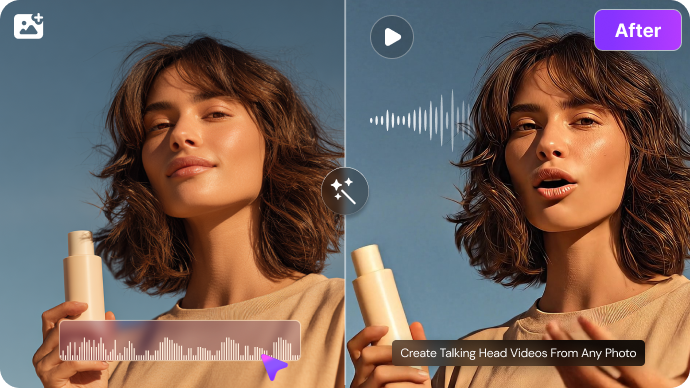
Illustrative Media.io creative workflow graphic, not a Makefun AI interface screenshot

Audio-Driven Lip Sync and Voice Tools

Makefun exposes a voice creation workflow alongside talking photos and videos. Its credit tables distinguish voice generation from lip sync, and rate some motion tasks per output second. For precise dialogue timing, confirm which lip-sync model applies and review mouth movements on the final clip.

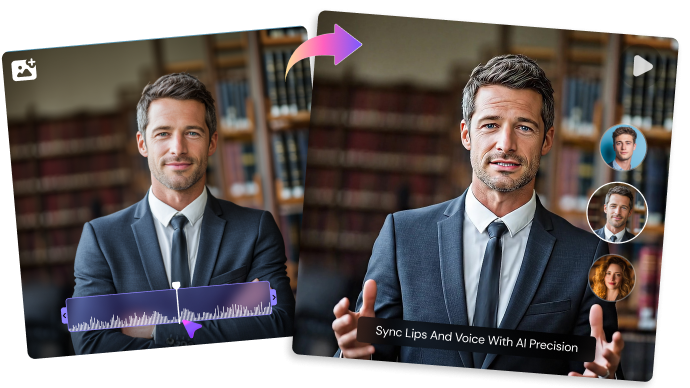
Illustrative Media.io creative workflow graphic, not a Makefun AI interface screenshot

Face Swap, Head Swap and Body Effects

These modes are useful for opt-in creative mockups and entertainment edits, but they are not equivalent to a legitimate real-person endorsement. The site lists per-image and per-second credit rates for different tasks. Commercial use, subject consent and downstream platform policies require review.

Illustrative Media.io creative workflow graphic, not a Makefun AI interface screenshot

Image-to-Video and External Models

Makefun positions image-to-video and text-image generation within a single paid credit ecosystem. Availability is time-sensitive; not every model is included on the free tier and specific per-second costs may differ. Choose a model based on motion and consistency requirements, not a long list of names on a pricing page.

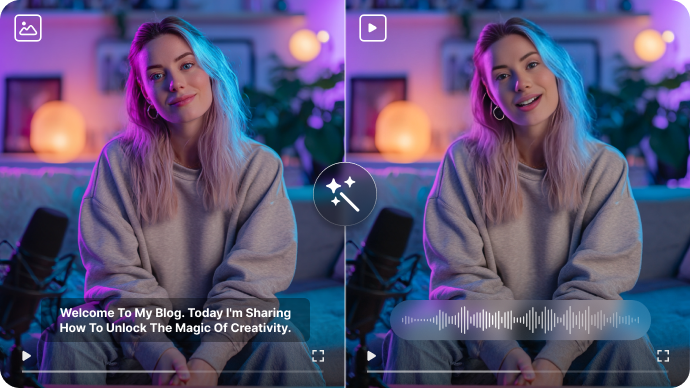
Illustrative Media.io creative workflow graphic, not a Makefun AI interface screenshot

Product Avatars and Virtual Try-On

A marketer can experiment with a presenter, a product visualization or virtual garment styling in separate task modes. These are useful concept previews, but clothing fit, branding and hand interactions should be reviewed for accuracy rather than assumed to reflect real product photography.

Illustrative Media.io creative workflow graphic, not a Makefun AI interface screenshot

API and Usage-Based Scaling

Makefun advertises API capabilities for face, video, audio and post-production tasks. The vendor also lists one-time extra credits that do not expire, which can help irregular workloads. Business users should obtain the actual endpoint specification, throughput terms and service guarantees before integrating it into a production application.

Illustrative Media.io creative workflow graphic, not a Makefun AI interface screenshot

How to Lip Sync an Authorized Talking Video

1
2
3
1
Prepare your inputs

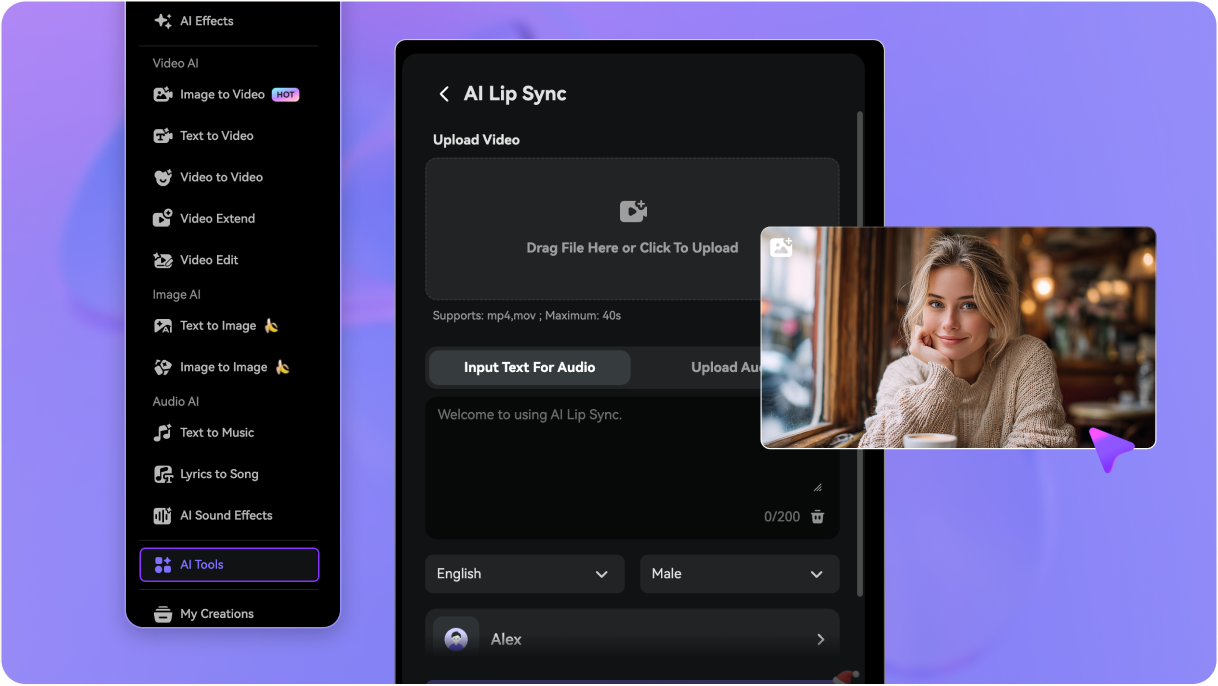
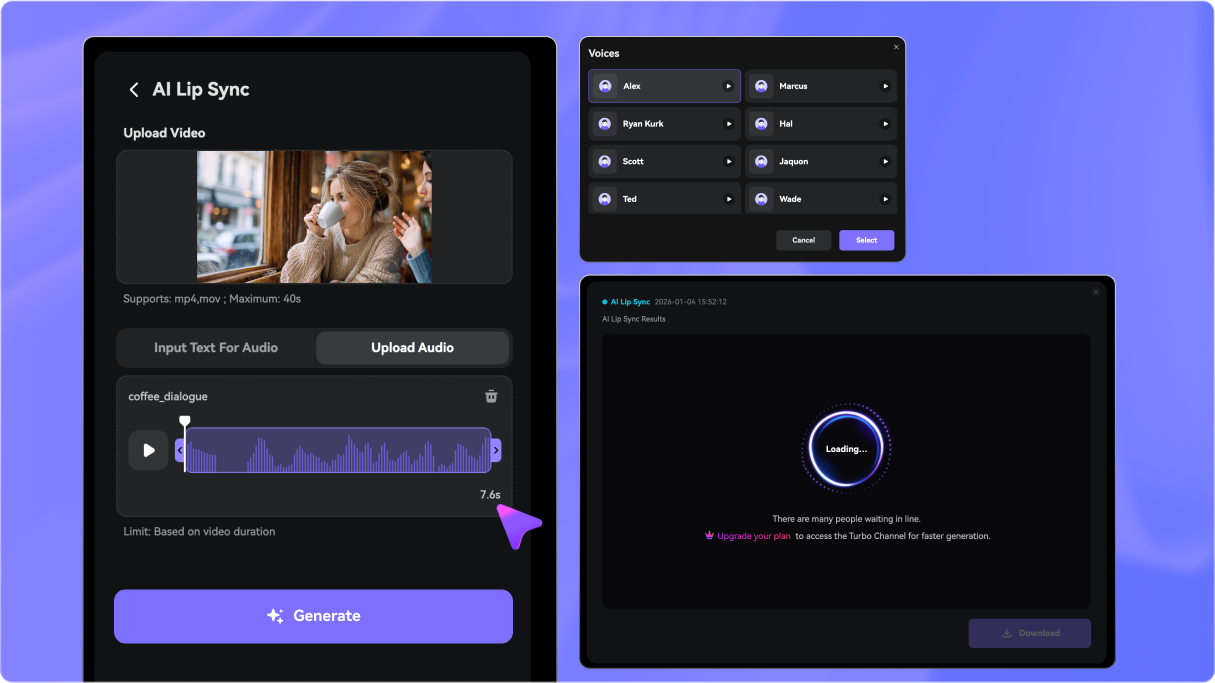
Prepare a short video with a clearly visible speaking face and an audio track you own or are licensed to use.

2
Create the first draft

Open Media.io AI Lip Sync, provide the supported video and audio inputs, and set the spoken portion according to the current tool controls.

3
Review and export

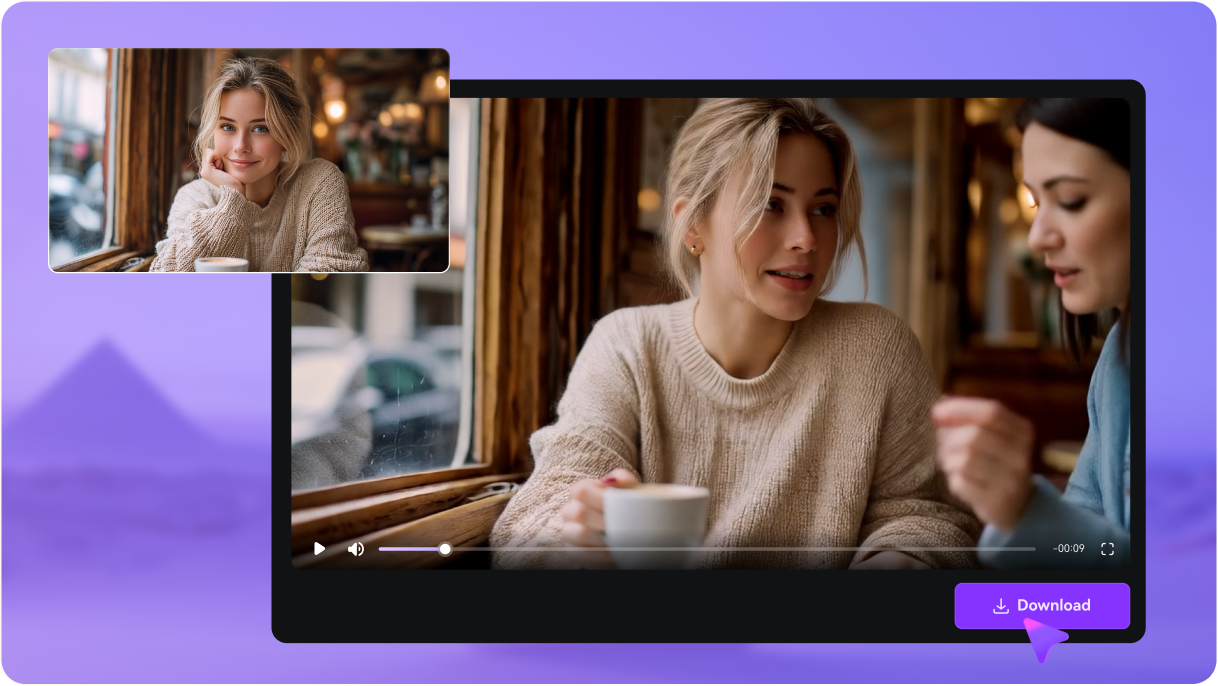
Review mouth timing and natural expression, correct audio alignment if needed and export the revised clip.

Illustrative Media.io step image for Makefun AI comparison, not a competitor interface screenshot

Makefun AI Workflows for Avatars, Audio and Video

Animate a consented portrait to speak a ten-second product introduction for a social test. Developers prototyping many avatar and media tasks may prefer Makefun; a creator correcting lip sync in one clip can use Media.io's dedicated tool.

Short Talking Product Presenter

Animate a consented portrait to speak a ten-second product introduction for a social test.

Localized Creator Message

Reuse an avatar visual and swap to an approved voice for a different language campaign. For a corresponding Media.io workflow, see AI Talking Avatar.

Video Lip-Sync Correction

Apply audio synchronization to a short authorized talking clip and review word-to-mouth alignment.

Creative Face Effect Mockup

Experiment with a consented face replacement for an entertainment or campaign concept.

AI Fashion Concept Test

Try a virtual outfit treatment or product avatar before commissioning final ecommerce photography. For a corresponding Media.io workflow, see AI Voice Cloning.

API-Based Content Prototype

Integrate a single lip-sync or image-to-video endpoint into an internal media workflow and benchmark actual task cost.

Makefun AI Credit Rates, Watermarks and Identity Limitations

The public main pricing page and in-app pricing page give different upfront-credit examples for Pro, so active checkout is the source of truth. The Free tier is advertised with a watermark, 720p and lower priority, while higher-quality output belongs to paid plans.

Pricing Pages Show Differing Credit Figures

The public main pricing page and in-app pricing page give different upfront-credit examples for Pro, so active checkout is the source of truth.

Free Plan Applies Watermarks

The Free tier is advertised with a watermark, 720p and lower priority, while higher-quality output belongs to paid plans.

Different Modes Use Different Credit Rates

Talking photos, video swaps, lip sync, voice and premium video models each have their own task-level cost rules.

API Access Is Tier-Dependent

The provider marks developer API access as a paid-plan entitlement rather than a default Free option.

Identity Edits Need Explicit Consent

Voice cloning, face swap and a custom digital twin should not be used to impersonate another person without authorization.

Feature Breadth Is Not Workflow Integration

A large menu of standalone face, voice and video tools does not guarantee a polished storyboard editor or consistent long-scene storytelling.

Makefun AI vs Media.io: Broad Avatar Suite or Lip Sync?

Makefun covers many separate credit-billed face, avatar and model workflows. Media.io is more focused when a creator already has a short speaking clip and simply needs to match its mouth movements to an approved soundtrack.

Decision Factor Makefun AI Media.io
Primary objective Makefun has stronger appeal when developers or experimental creators need many distinct face, voice, avatar and image tasks under one shared account. Media.io is appropriate when the required outcome is one correctly synchronized talking clip rather than managing a mixed catalogue of avatar, face-swap and developer tools.
Starting assets Makefun turns a source portrait into a speaking visual and also supports creating customized avatar identities. The pricing page lists a talking-photo credit rate, avatar limits by plan and a Studio Avatar refinement option. Prepare a short video with a clearly visible speaking face and an audio track you own or are licensed to use.
Creative controls Makefun exposes a voice creation workflow alongside talking photos and videos. Its credit tables distinguish voice generation from lip sync, and rate some motion tasks per output second. For precise dialogue timing, confirm which lip-sync model applies and review mouth movements on the final clip. Match a supplied audio track to lip movement.
Revision workflow Makefun positions image-to-video and text-image generation within a single paid credit ecosystem. Availability is time-sensitive; not every model is included on the free tier and specific per-second costs may differ. Choose a model based on motion and consistency requirements, not a long list of names on a pricing page. Review mouth timing and natural expression, correct audio alignment if needed and export the revised clip.
Delivery and use A marketer can experiment with a presenter, a product visualization or virtual garment styling in separate task modes. These are useful concept previews, but clothing fit, branding and hand interactions should be reviewed for accuracy rather than assumed to reflect real product photography. Inspect timing and visual naturalness on a short sample.
Pricing and allowances Makefun officially markets a free watermark tier, Pro from $14.9 for a month and Ultra from $59.9; published credit figures vary between its main and app pricing pages. The comparison recommends an audio-to-existing-video lip-sync task rather than a complete model marketplace. Review the Lip Sync a Talking Video tool for its own credit terms and required input files.
Relevant limitationsThe public main pricing page and in-app pricing page give different upfront-credit examples for Pro, so active checkout is the source of truth. The Free tier is advertised with a watermark, 720p and lower priority, while higher-quality output belongs to paid plans.Export a finished dialogue insert without expanding the workflow.
Ideal audience Developers prototyping many avatar and media tasks may prefer Makefun; a creator correcting lip sync in one clip can use Media.io's dedicated tool. Media.io is appropriate when the required outcome is one correctly synchronized talking clip rather than managing a mixed catalogue of avatar, face-swap and developer tools.
Purchase decision Create custom avatars and voice clone assets for repeated projects. Compare third-party model outputs across image and video modes. Start from an existing authorized talking-face clip. Inspect timing and visual naturalness on a short sample.
Best for Makefun AI

Choose Makefun for Avatar and API Experimentation

Makefun has stronger appeal when developers or experimental creators need many distinct face, voice, avatar and image tasks under one shared account.

  • Create custom avatars and voice clone assets for repeated projects.
  • Experiment with face swap, virtual try-on and talking photos.
  • Compare third-party model outputs across image and video modes.
  • Purchase credit top-ups and evaluate paid API access.
  • Paid plans describe API access, credit top-ups and optional dedicated business arrangements.
Visit Makefun AI
Best for Media.io

Choose Media.io for Focused Video Lip Sync

Media.io is appropriate when the required outcome is one correctly synchronized talking clip rather than managing a mixed catalogue of avatar, face-swap and developer tools.

  • Start from an existing authorized talking-face clip.
  • Match a supplied audio track to lip movement.
  • Inspect timing and visual naturalness on a short sample.
  • Export a finished dialogue insert without expanding the workflow.
Lip Sync a Talking Video

Makefun AI Review: Final Verdict for Buyers

Our Take

Makefun has a genuinely broad menu of avatar, voice, face and video tasks. That makes it interesting for experiments where a team wants several distinct operations under a shared credit account or a paid API.

The practical risk is billing complexity. Different outputs consume credits at different rates, and two official price displays do not perfectly agree on the credit allowance examples. Confirm exact quotas, rights and endpoints before buying a large package.

Choose Makefun for multi-tool avatar and developer experimentation. Choose Media.io when the immediate problem is a single, clearly defined lip-sync job and a dedicated workflow provides a more straightforward starting point.

Makefun AI FAQ: Features, Costs and Alternatives

What can Makefun AI create?
faq faq

Makefun lists talking photos, custom avatars, lip sync, voice cloning, face and head swaps, image and video generation, and API options. The capabilities may be distributed across separate tools.

Yes. Its pricing pages refer to custom avatar slots, talking-photo generation and a Studio Avatar refinement. Limits vary by Free, Pro and Ultra accounts.

The public Free tier advertises daily bonus credits, watermarked output, 720p and lower task priority. The free allowance should not be interpreted as unrestricted premium video generation.

The current main pricing page lists Pro at $14.9 and Ultra at $59.9 for one-month purchase periods. Different official displays show varying example credit allocations, so verify the checkout details.

The vendor lists voice-clone slots and text-to-speech features. Use only a voice for which you have clear permission and check whether the cloning and generated audio have different credit charges.

Yes. The official price table includes a lip-sync video task with a per-second rate. Confirm the active model, supported clip input and exact price before generating.

Paid Pro and Ultra plans advertise access to APIs for images, video, voice and avatar workflows. Production integrations should rely on the latest developer docs and commercial terms.

These functions are listed on its official site, with task-specific prices. Do not use such edits to falsely impersonate a person or imply unauthorized endorsements.

If the job is synchronizing a supplied talking-face video to dialogue, Media.io AI Lip Sync offers a direct task-specific path. Makefun is broader for multiple avatar and developer workflows.

What Media.io Creators Say About Their Workflow

Media.io AI video generator user
Sarah L.

Content Creator

star star star star half star

Media.io makes it much easier to test different AI video styles without jumping between several platforms. I can start with a text prompt or image, compare model results, and then resize or polish the clip for social media in the same workspace.

Media.io AI video creator
John D.

Social Media Marketer

star star star star half star

I use Media.io to create quick product clips, ad concepts, and short-form videos from images. The biggest advantage is that generation does not feel like the final step - I can continue with music, captions, enhancement, and format conversion before publishing.

Media.io AI video editing user
Emily T.

Freelance Designer

star star star star half star

The workflow is approachable even when I am experimenting with unfamiliar AI models. I can animate artwork, try different motion prompts, preview the output, and prepare a cleaner final version without needing advanced video-editing experience.

Media.io Online Tools Quality Rating:
vote 4.7 (162,357 Votes)
media.io

AI Video Generator star

Easily generate videos from text or images

Generate