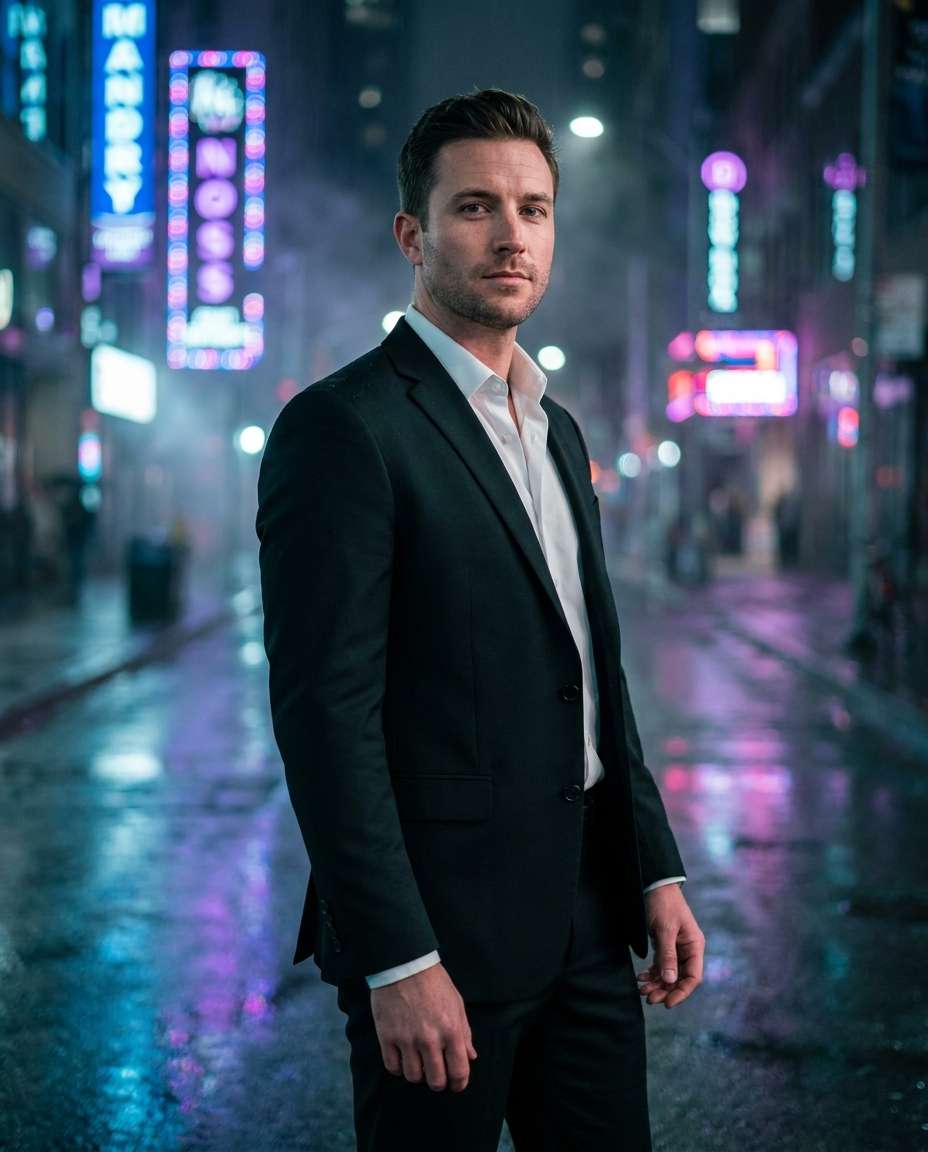
25+ Gemini AI Prompt for Men in Black Suit for Killer Confidence
Command the frame with a tailored black suit, crisp white shirt, and moody cinematic lighting, from neon rain streets to clean studio backdrops. This Gemini AI prompt for men in black suit collection gives you 25+ copy-paste ideas built for realistic skin texture, sharp fabric detail, and social-ready composition. Upload a photo or start from text, then generate instantly. Post-worthy results, zero retouching.
Try a prompt free
Stunning AI for men in black suit generated with Media.io - powered by
Nano Banana Pro.
How to Try Gemini AI Prompt for Men in Black Suit in 3 Steps
Making black suit portraits is fast on Media.io. Open the AI Photo Generator, pick a look, paste a prompt, and let the render do the heavy lifting.
1
Open Media.io AI Photo Generator
Go to Media.io and open the AI Photo Generator. Choose text-to-image for fresh concepts, or image-to-image if you want to keep your face and identity consistent across outfits, scenes, and lighting setups.
2
Upload and paste a prompt
Upload a reference photo (optional) and paste one of the ready prompts below. Adjust small details like tie vs. no tie, sunglasses, location, or mood. Use the gemini ai prompt for men in black suit style you want: editorial, noir, or corporate.
3
Generate, refine, download
Click Generate, review 2 to 4 variations, then refine with quick edits like stronger rim light, cleaner background, or tighter crop. When it looks right, download in high quality for LinkedIn, Instagram, reels covers, or thumbnails.
Best Gemini AI Prompt for Men in Black Suit Ideas & Examples
Neon Rain Street
Use the uploaded reference photo as the base image. Edit the same man into a stylish early-30s portrait wearing a perfectly tailored black suit and white dress shirt with no tie, standing beneath neon signage on a rainy city street at night. Preserve his exact identity, facial features, skin tone, hairstyle, age, body proportions, and natural expression. Add wet pavement reflections, subtle mist, a confident gaze, cinematic teal-and-magenta grading, Sony A7IV 85mm f/1.4 characteristics, shallow depth of field, mid-length framing, photorealistic skin texture, sharp suit fabric detail, and editorial quality. Do not replace the person, alter his face, or distort hands or anatomy --ar 4:5
Clean Studio Headshot
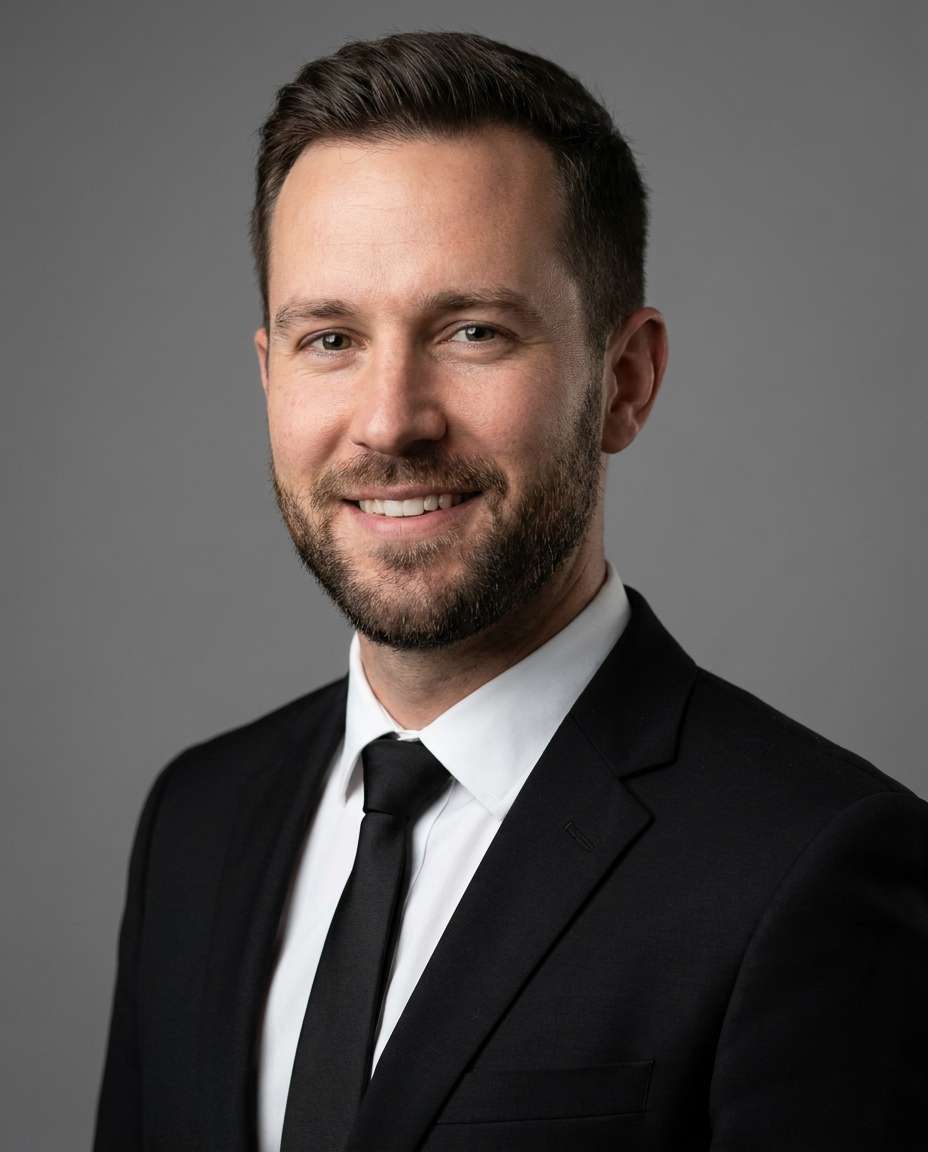
Use the uploaded reference photo as the base image. Transform the same man into a professional studio headshot wearing a black suit, crisp white shirt, and matte black tie. Preserve his exact identity, facial structure, skin tone, hairstyle, age, and natural proportions. Replace the background with a neutral gray seamless backdrop, add a soft key light with gentle fill and natural eye catchlights, and keep a relaxed confident expression. Use Canon EOS R5 85mm characteristics, tight head-and-shoulders framing, realistic pores, natural shadows, sharp lapel edges, and a polished corporate editorial finish. Do not beautify excessively, change his face, or create artificial skin --ar 4:5
Noir Alley Portrait
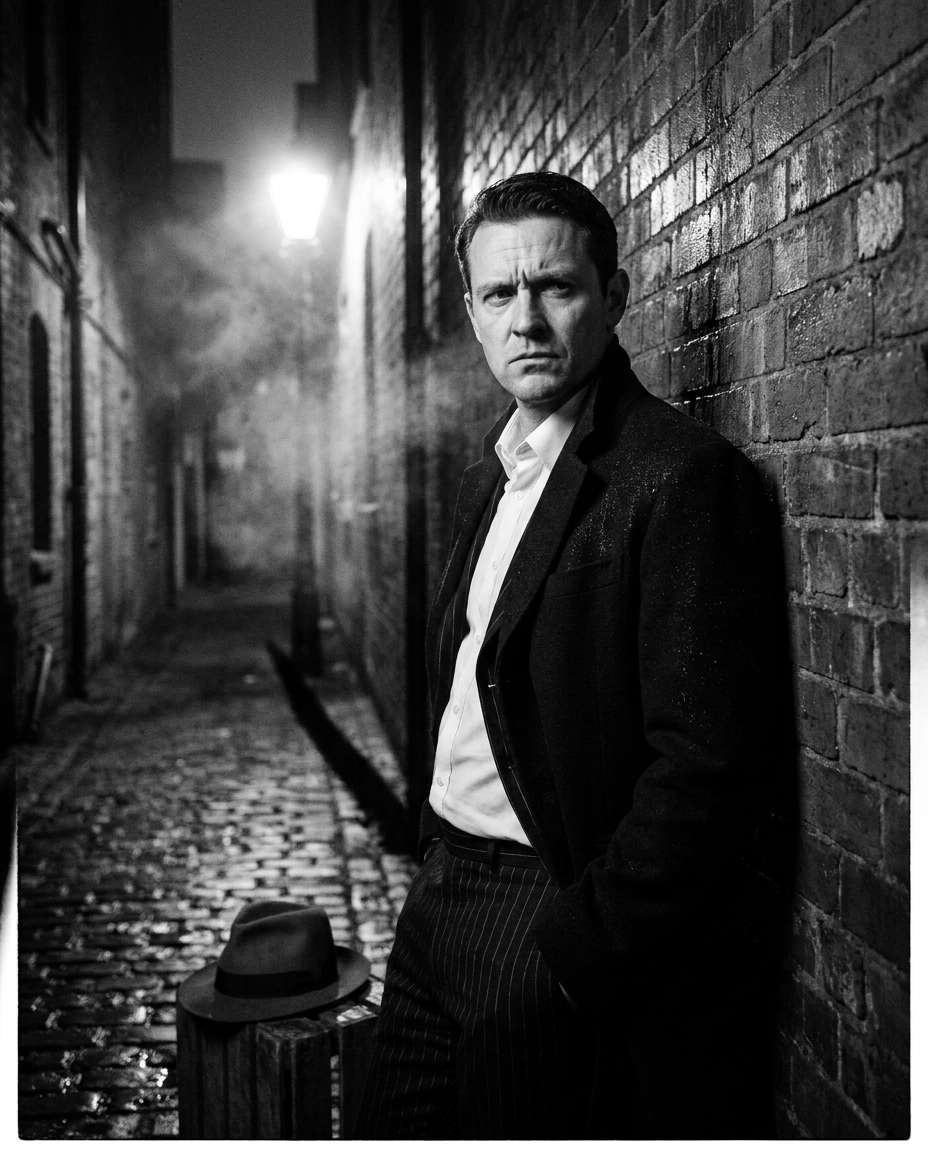
Use the uploaded reference photo as the base image. Edit the same man into a classic film-noir portrait wearing a black suit and white shirt while leaning against a brick wall in a dim alley. Preserve his identity, face, skin tone, hairstyle, age, body shape, and recognizable features. Add one hard directional light, dramatic shadows, light background smoke, subtle rain droplets on the suit shoulders, and a serious expression. Render with Leica SL2 50mm characteristics, three-quarter portrait framing, high-contrast black-and-white tones, slight film grain, and photorealistic detail. Do not replace the subject or deform his face, hands, or suit --ar 4:5
Luxury Hotel Lobby
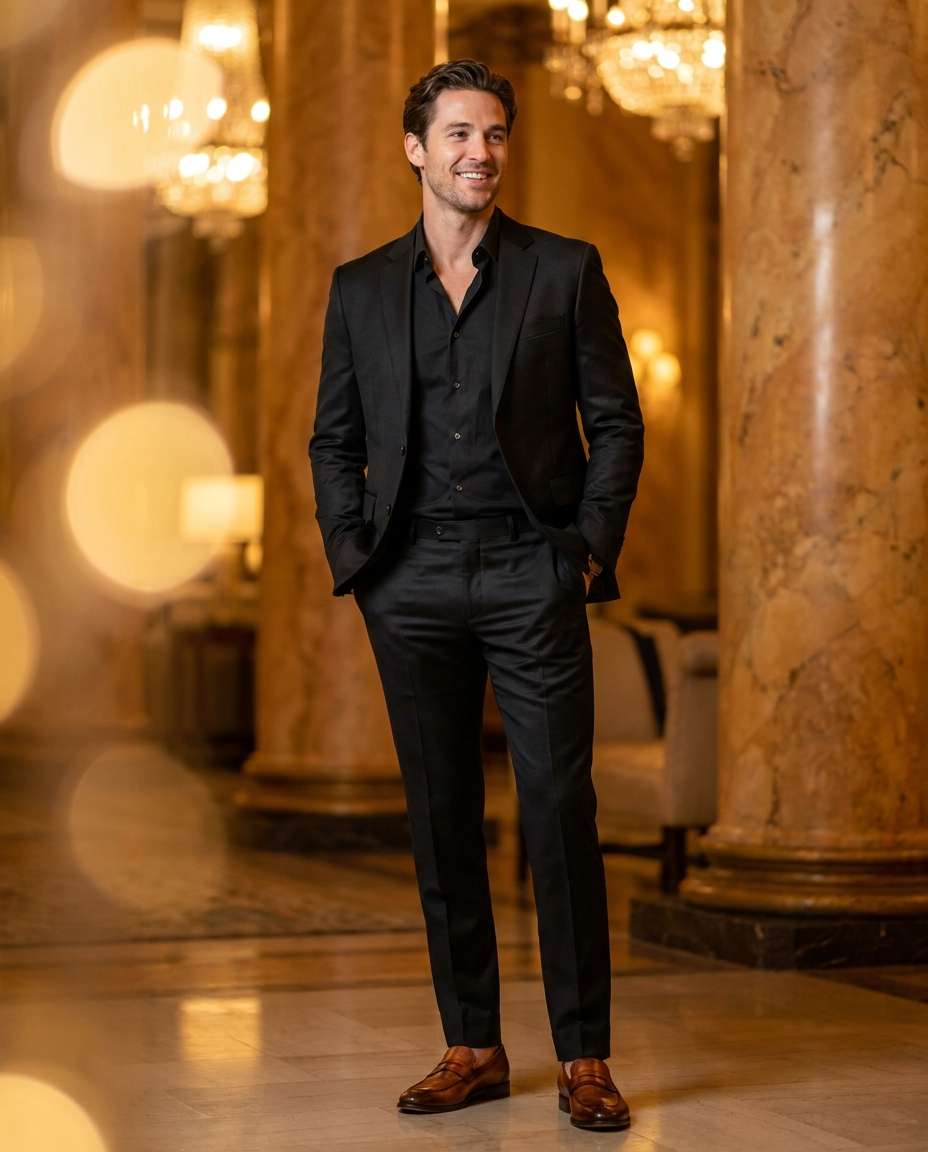
Use the uploaded reference photo as the base image. Place the same man in a luxury hotel lobby wearing a sleek black suit with an open collar. Preserve his exact identity, facial features, skin tone, hairstyle, age, height, and body proportions. Edit his pose so his hands rest naturally in his pockets with a relaxed smile, and replace the surroundings with warm marble interiors, chandelier bokeh, and soft golden lighting. Use Nikon Z9 85mm f/1.8 characteristics, full-body framing, editorial fashion photography, realistic fabric sheen, crisp tailoring, and high-resolution detail. Avoid changing his face, over-smoothing skin, or creating unnatural hands --ar 4:5
Rooftop Golden Hour
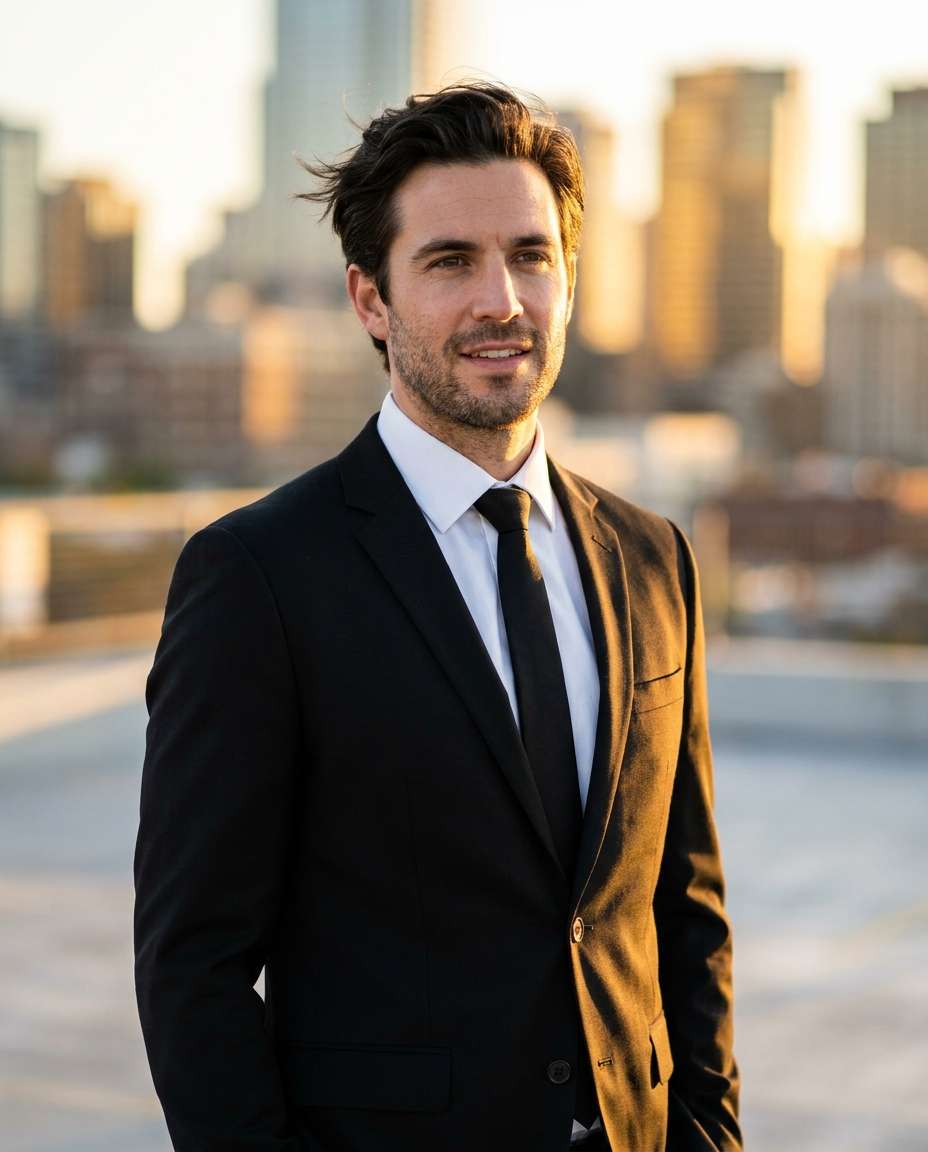
Use the uploaded reference photo as the base image. Edit the same man into a rooftop golden-hour portrait wearing a modern black suit, white shirt, and slim black tie. Preserve his exact identity, facial features, skin tone, hairstyle, age, and body proportions. Place him against a softly blurred city skyline, add warm rim light on his shoulders, a light breeze moving his hair and jacket naturally, and a confident posture. Use Sony A7R V 70-200mm at 135mm characteristics, half-body framing, creamy bokeh, photorealistic skin and suit texture, and cinematic warm grading. Do not alter his identity or create distorted clothing or anatomy --ar 4:5
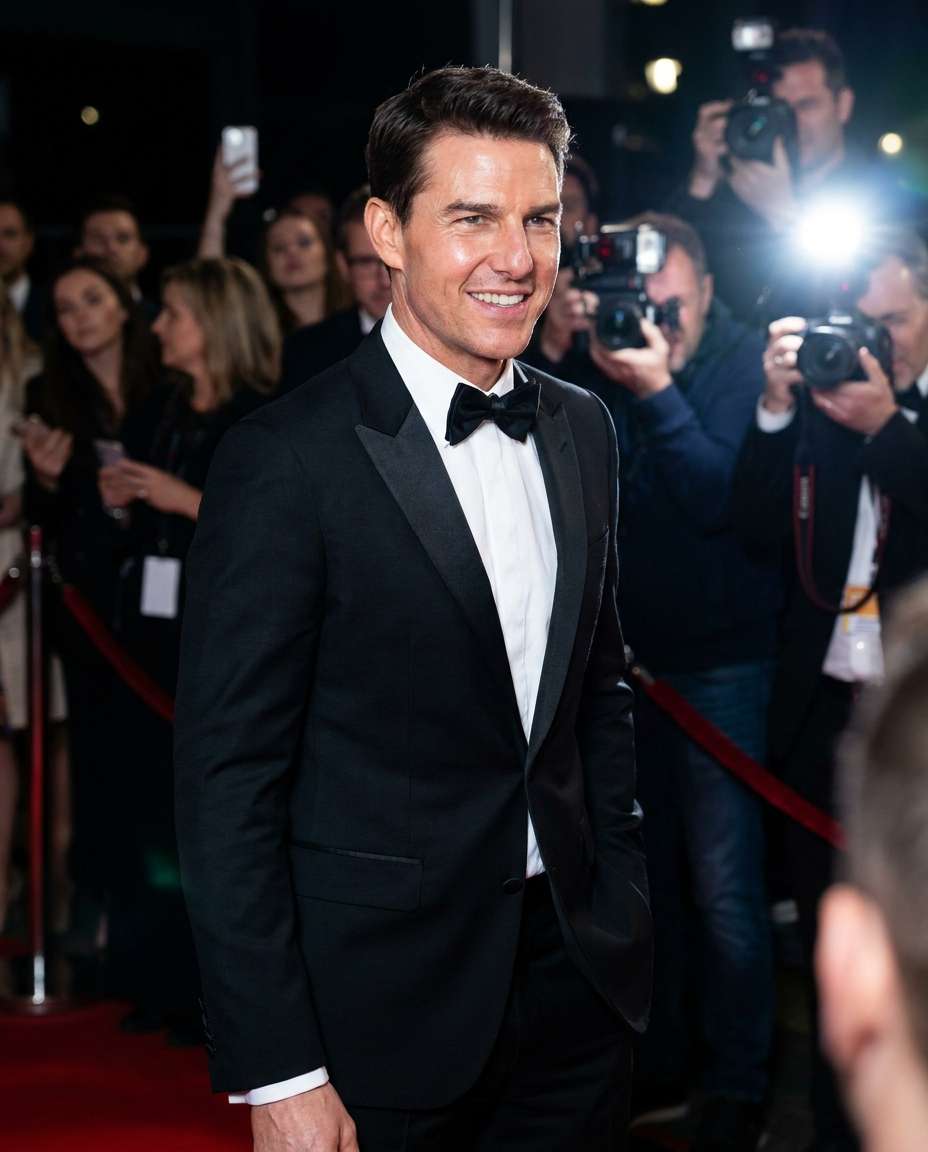
Red Carpet Flash
Use the uploaded reference photo as the base image. Transform the same man into a red-carpet portrait wearing a black suit with satin lapels, a white shirt, and a black bow tie. Preserve his exact identity, facial structure, skin tone, hairstyle, age, and body proportions. Add a red carpet, velvet ropes, blurred spectators, and paparazzi flashes while keeping his natural confident smile and jawline. Use Canon EOS R3 50mm characteristics, a slightly low camera angle, glossy highlights, ultra-realistic detail, and a celebrity editorial atmosphere. Do not change his face, make him look like another person, or distort hands and clothing --ar 4:5
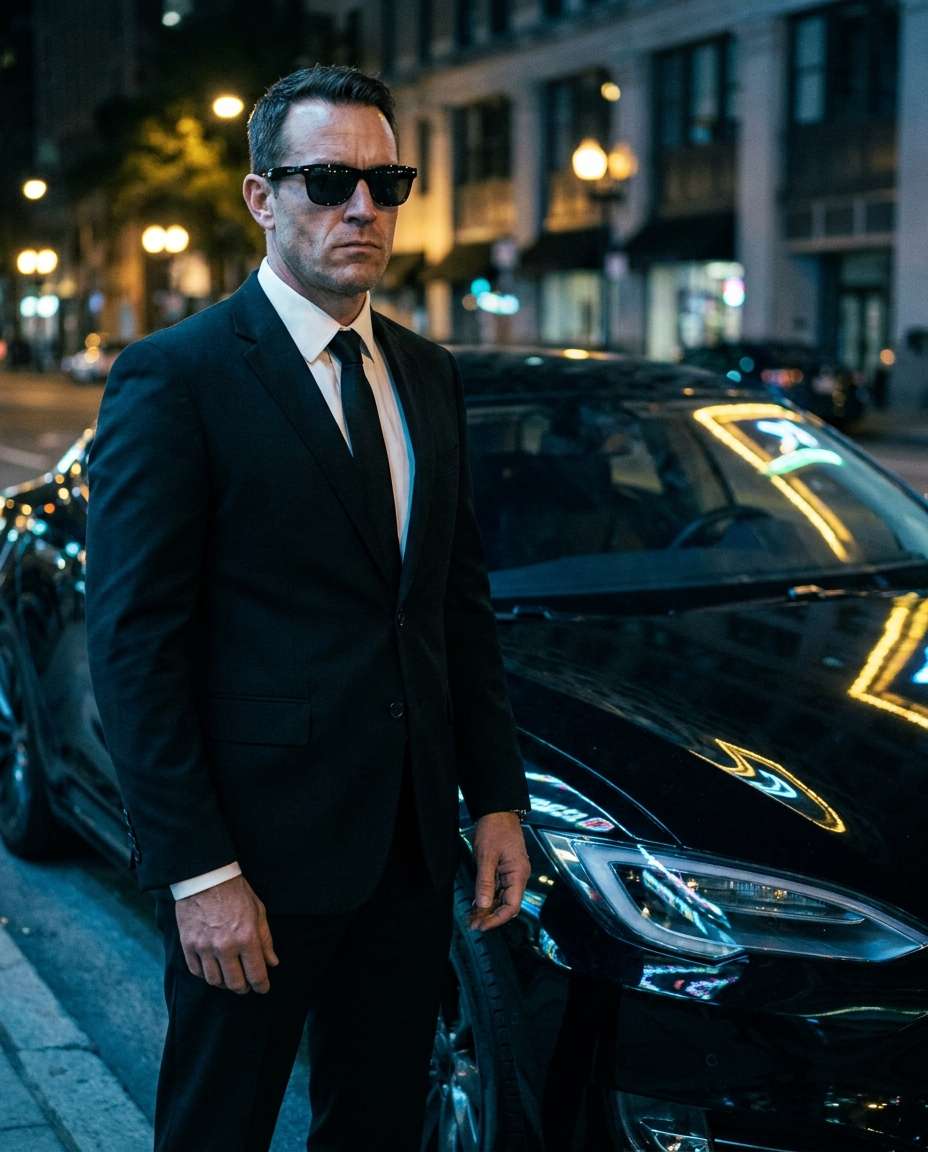
Sunglasses Spy Vibe
Use the uploaded reference photo as the base image. Edit the same man into a cinematic spy-style scene wearing a black suit, white shirt, black tie, and dark sunglasses beside a sleek black car at night. Preserve his identity, facial proportions, skin tone, hairstyle, age, physique, and recognizable features beneath the sunglasses. Add cool street lighting and realistic reflections across the car hood, with a serious natural expression. Use Sony A7S III 35mm characteristics, three-quarter body framing, detailed suit stitching, photorealistic rendering, and a dramatic mood. Do not replace the person or introduce malformed hands, glasses, or reflections --ar 4:5
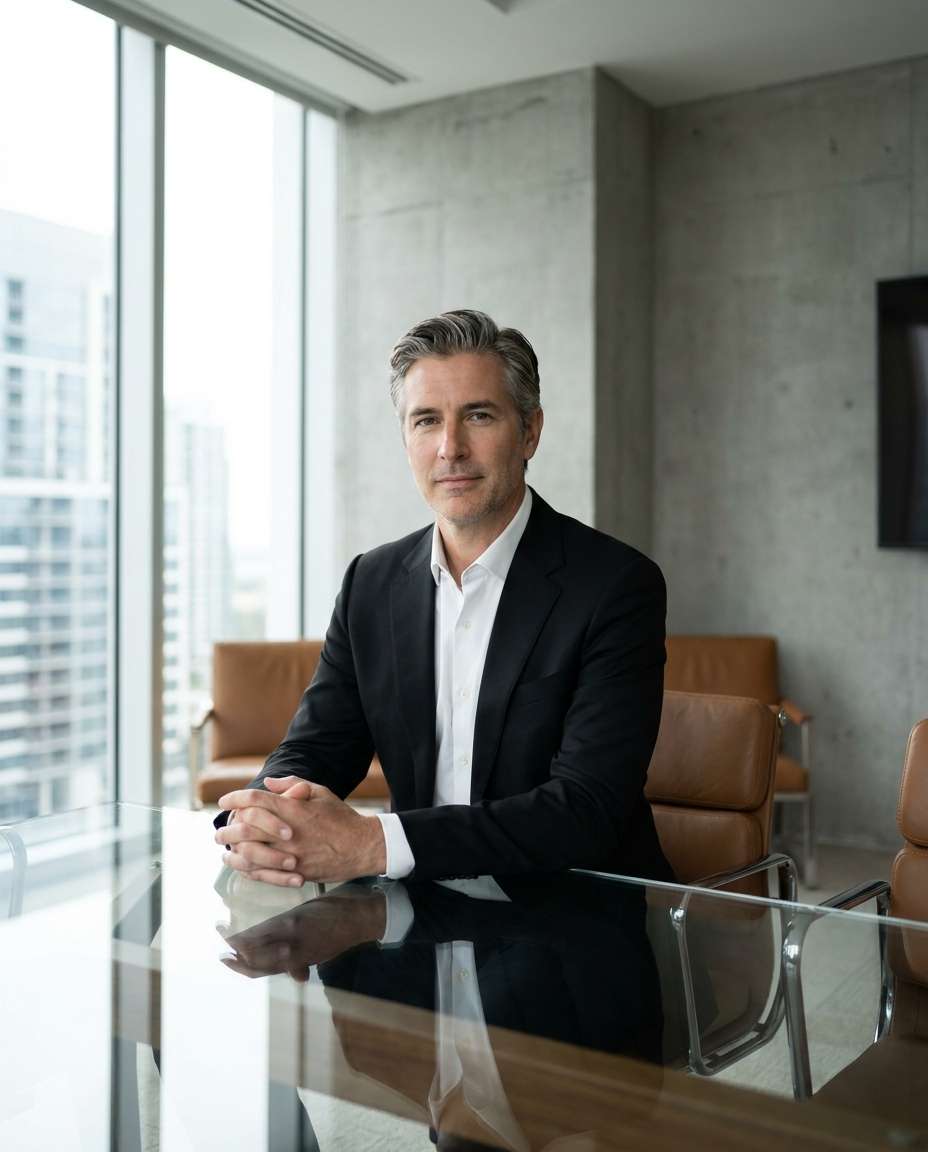
Boardroom Power Shot
Use the uploaded reference photo as the base image. Place the same man seated at a modern glass boardroom table wearing a tailored black suit and white shirt. Preserve his exact identity, facial features, skin tone, hairstyle, age, body proportions, and natural hand structure. Edit his pose with hands clasped naturally and a calm authoritative expression, then replace the background with a minimal luxury office and soft side window light. Use Nikon Z8 50mm f/1.4 characteristics, mid-shot composition, neutral color grading, photorealistic skin, and sharp suit lines. Do not alter his face, add extra fingers, or create unrealistic reflections --ar 4:5
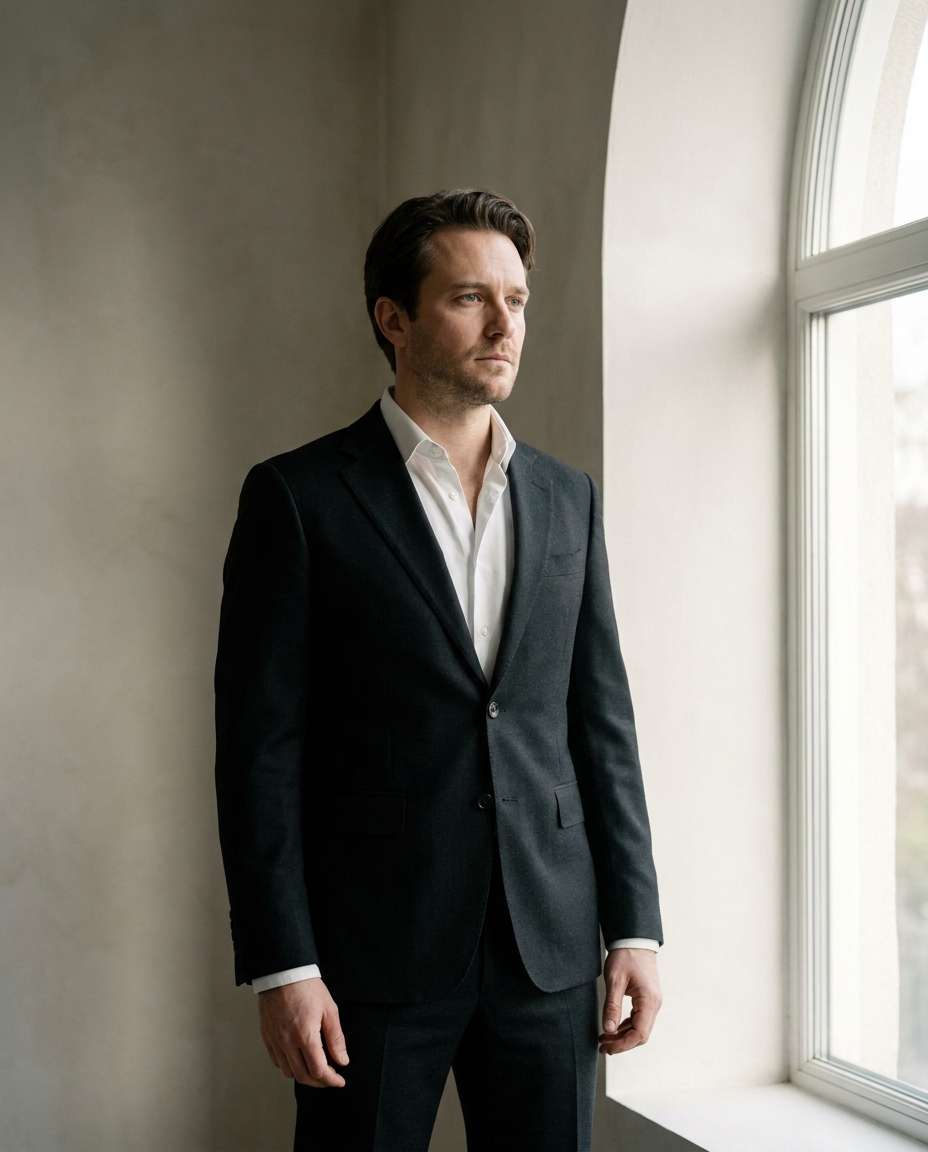
Window Light Portrait
Use the uploaded reference photo as the base image. Edit the same man into a refined window-light portrait wearing a black suit with an open collar beside a tall window. Preserve his exact identity, facial features, skin tone, hairstyle, age, body proportions, and natural expression. Add soft daylight with gentle shadows across his face, a minimal unobtrusive background, and a thoughtful gaze. Use Fujifilm GFX 100S 80mm characteristics, half-body framing, creamy tonal transitions, ultra-realistic skin texture, and visible fine suit weave. Do not change his face, hairstyle, or anatomy --ar 4:5
Classic Street Style
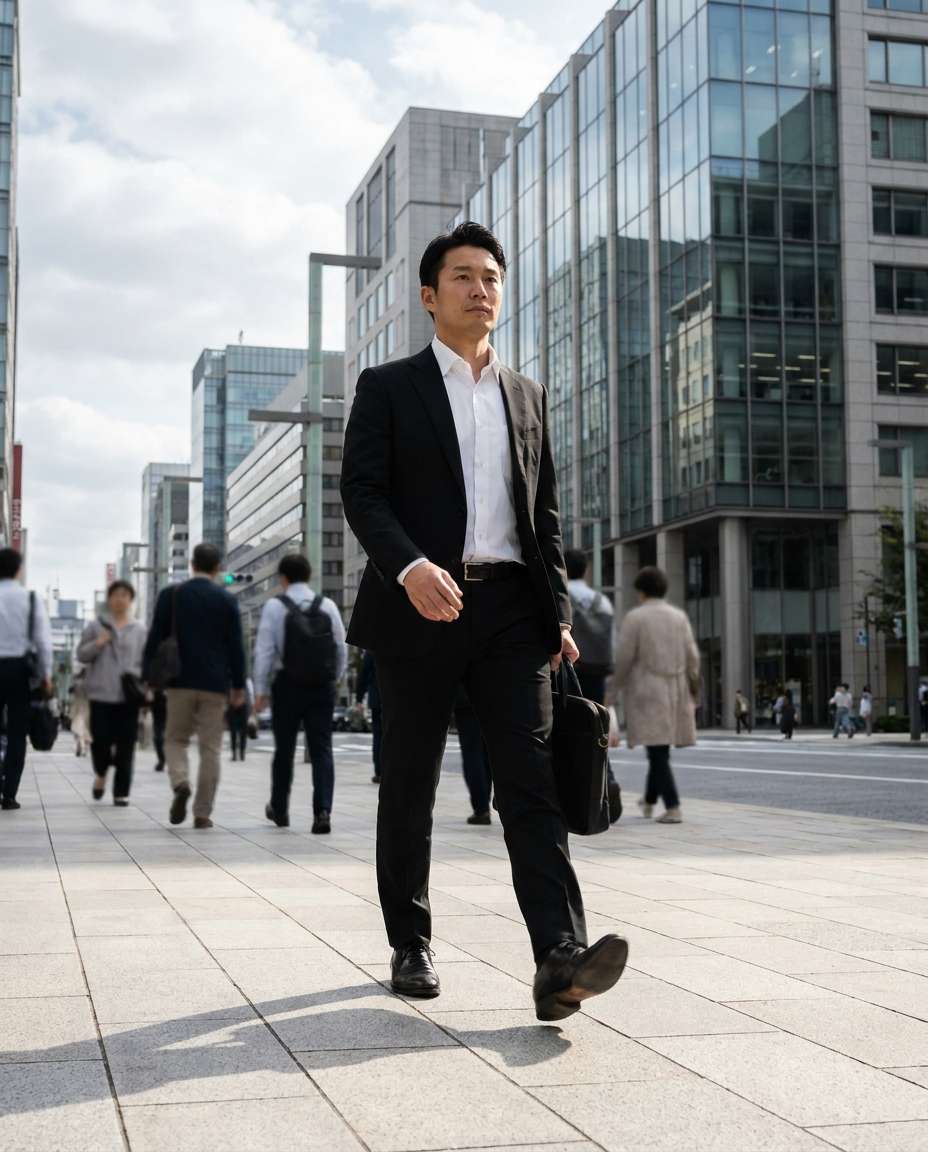
Use the uploaded reference photo as the base image. Transform the same man into a confident daytime street-style portrait wearing a black suit and white shirt while walking through a modern city. Preserve his exact identity, facial features, skin tone, hairstyle, age, height, build, and natural proportions. Edit his pose into a realistic mid-step stride, add subtle background crowd blur, clean architecture, and soft natural bounce light. Use Canon EOS R6 35mm characteristics, full-body framing, realistic motion, and an editorial street-fashion finish. Do not alter his face, exaggerate his body, or create malformed limbs --ar 4:5
Minimal White Seamless
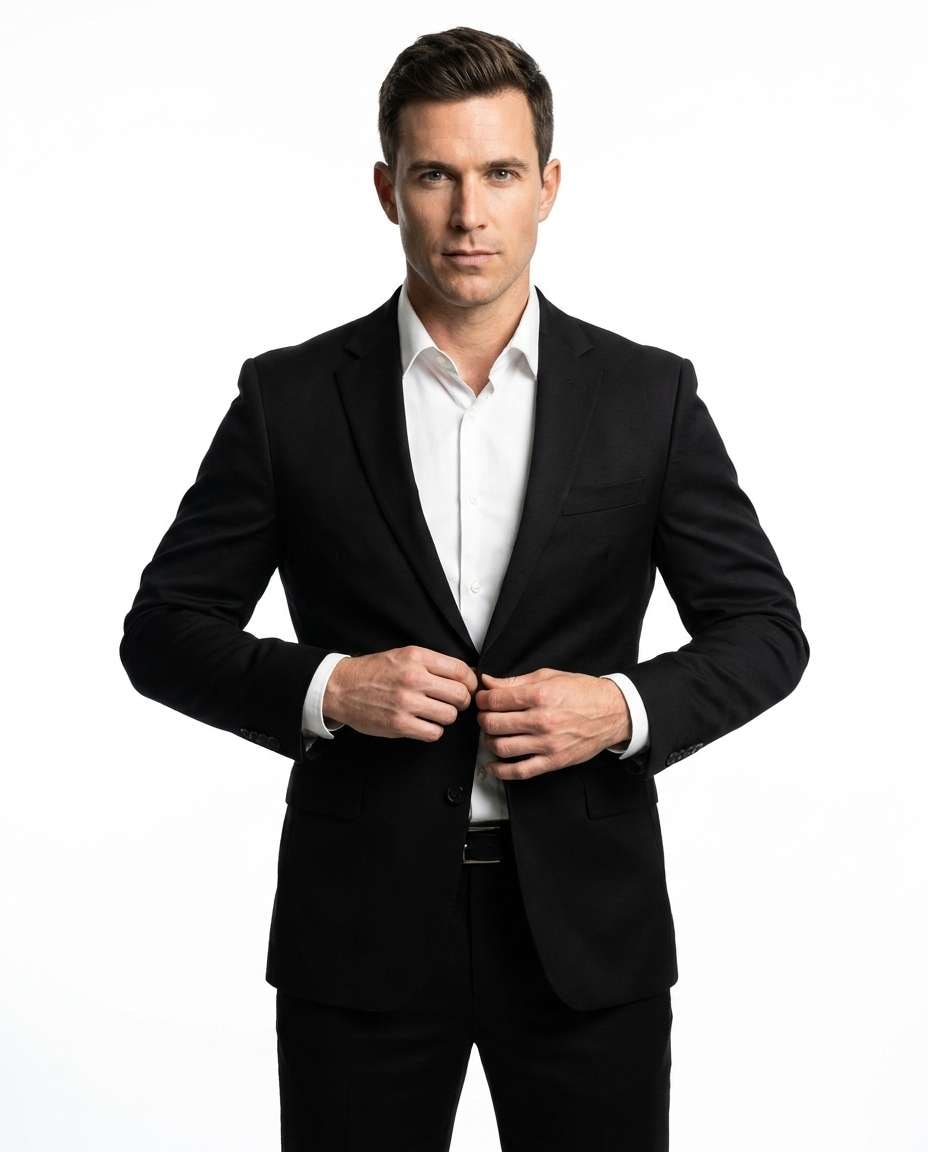
Use the uploaded reference photo as the base image. Edit the same man into a clean full-body studio portrait wearing a sharp black suit and white shirt against a pure white seamless backdrop. Preserve his identity, facial features, skin tone, hairstyle, age, physique, and body proportions. Position his hands naturally while adjusting the jacket and keep direct eye contact. Add high-key studio lighting with crisp controlled shadows, Sony A1 85mm characteristics, centered composition, ultra-clean commercial styling, and photorealistic detail. Do not replace the person, reshape his body, or distort fingers and lapels --ar 4:5
Vintage Film Look
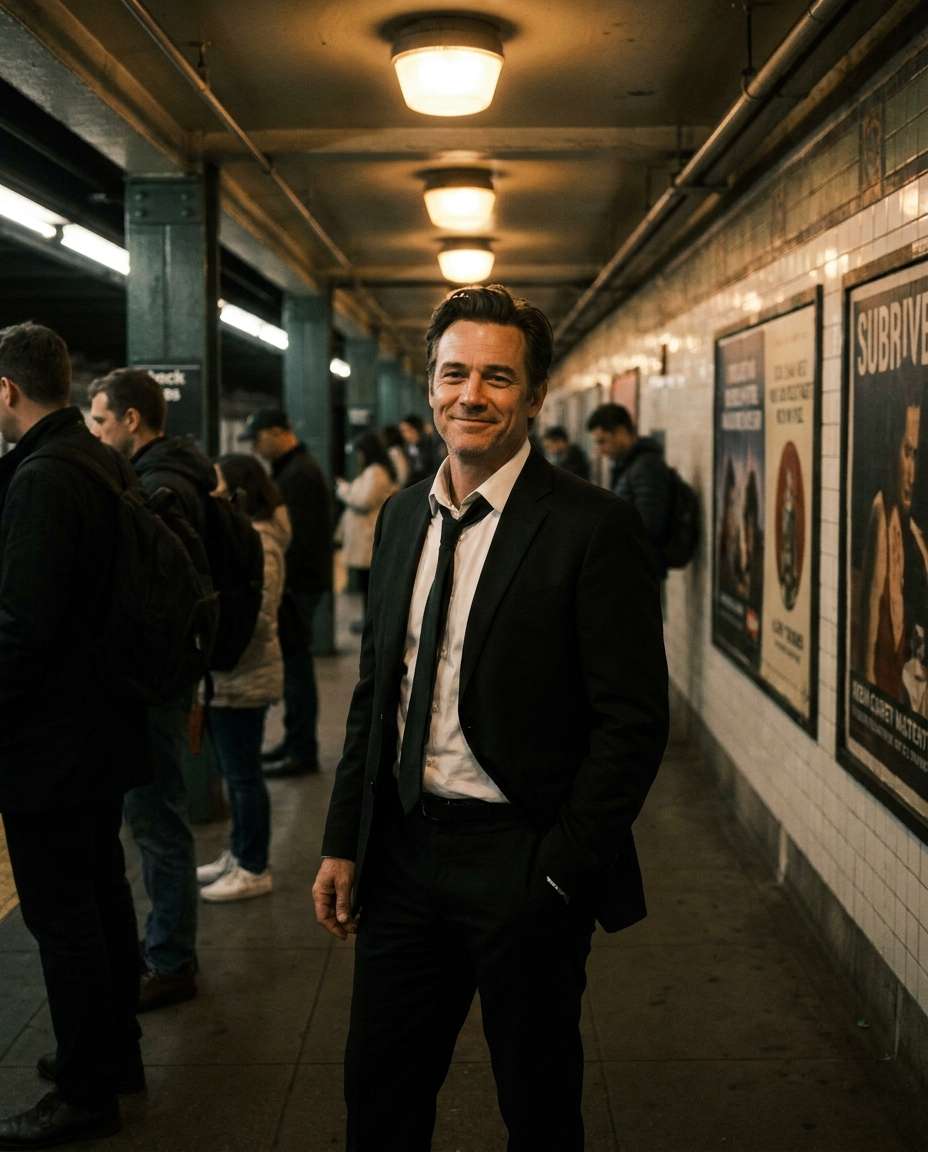
Use the uploaded reference photo as the base image. Transform the same man into a vintage editorial subway portrait wearing a black suit with a slightly loosened tie. Preserve his exact identity, facial features, skin tone, hairstyle, age, body proportions, and natural expression. Place him in a subway station with warm tungsten lights, muted colors, subtle film grain, and a candid confident mood. Use Leica M11 35mm characteristics, mid-length framing, authentic vintage color grading, and photorealistic skin texture. Do not change his face, make him older or younger, or create warped clothing and anatomy --ar 4:5
Rainy Umbrella Shot
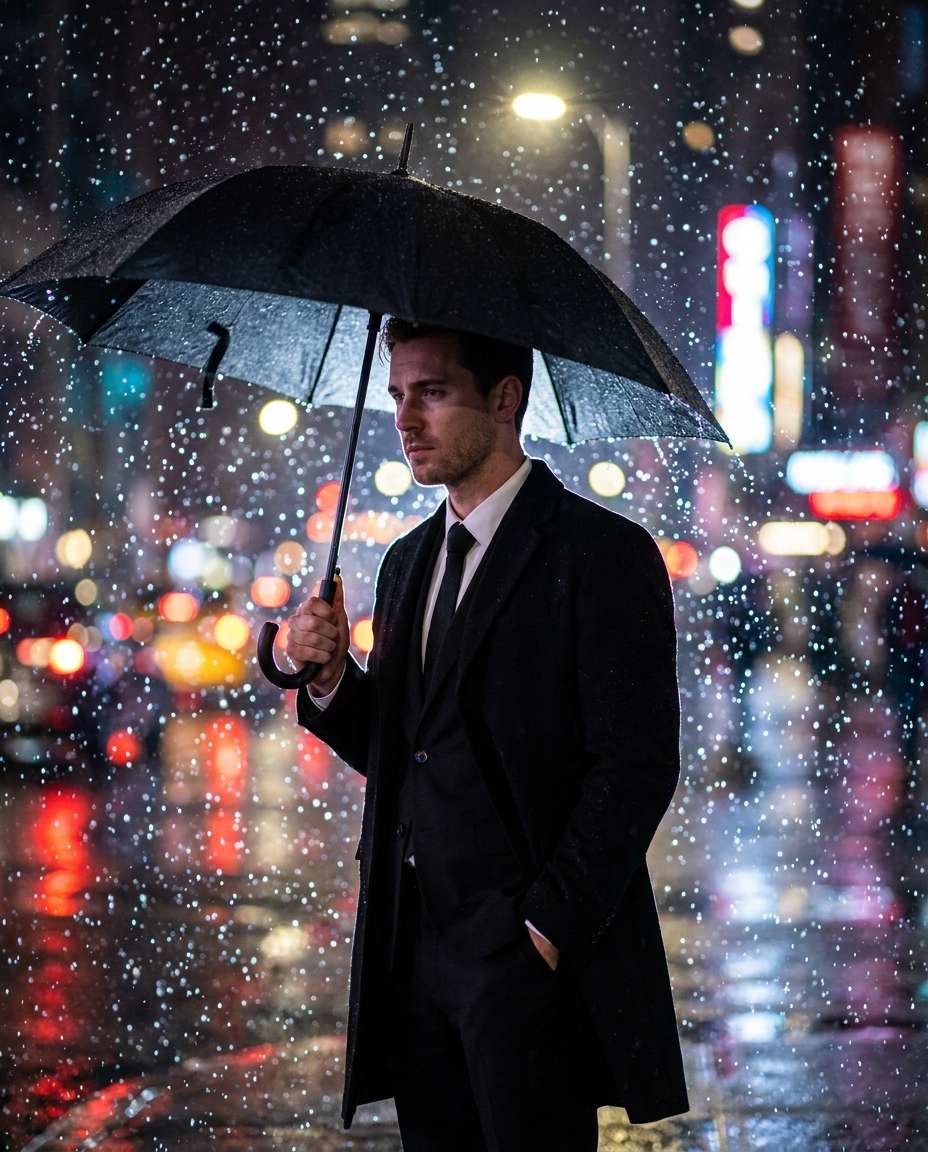
Use the uploaded reference photo as the base image. Edit the same man into a dramatic rainy-city portrait wearing a black suit and holding a black umbrella. Preserve his exact identity, facial features, skin tone, hairstyle, age, physique, and body proportions. Add heavy rain, softly blurred city lights, frozen water droplets, and a strong rim light while keeping his expression natural and intense. Use Sony A7IV 85mm f/1.4 characteristics, half-body framing, a high-shutter-speed look, and ultra-realistic rain and suit fabric detail. Do not alter his face or create extra fingers, broken umbrella parts, or distorted anatomy --ar 4:5
Art Gallery Elegance
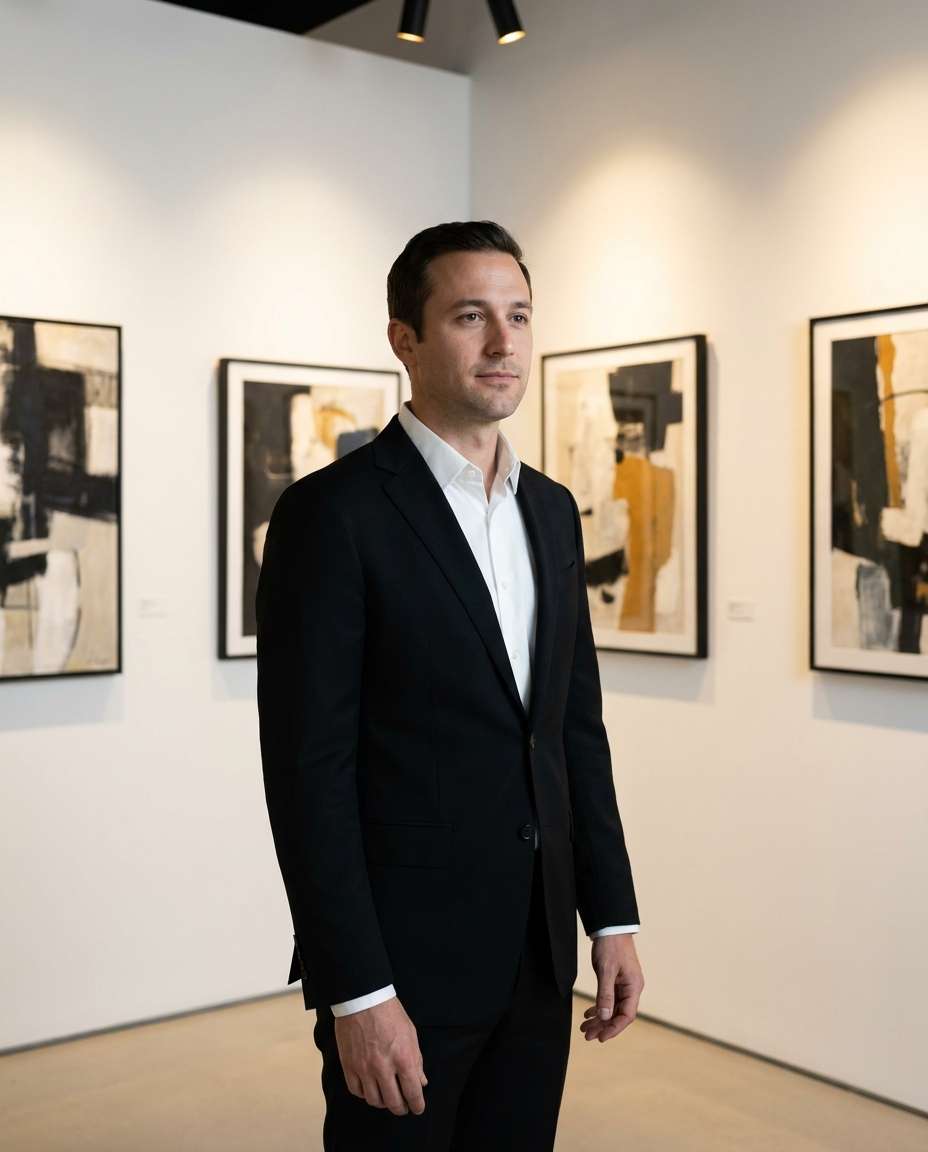
Use the uploaded reference photo as the base image. Place the same man in a modern art gallery wearing a black suit and white shirt. Preserve his exact identity, facial features, skin tone, hairstyle, age, body proportions, and natural posture. Replace the background with minimal white walls and softly framed abstract artwork, add gentle gallery spot lighting, and keep a calm sophisticated expression. Use Canon EOS R5 50mm characteristics, three-quarter portrait framing, clean editorial styling, and photorealistic clarity. Do not change the person, modify his facial structure, or distort the artwork or body --ar 4:5
Nightclub VIP Corner
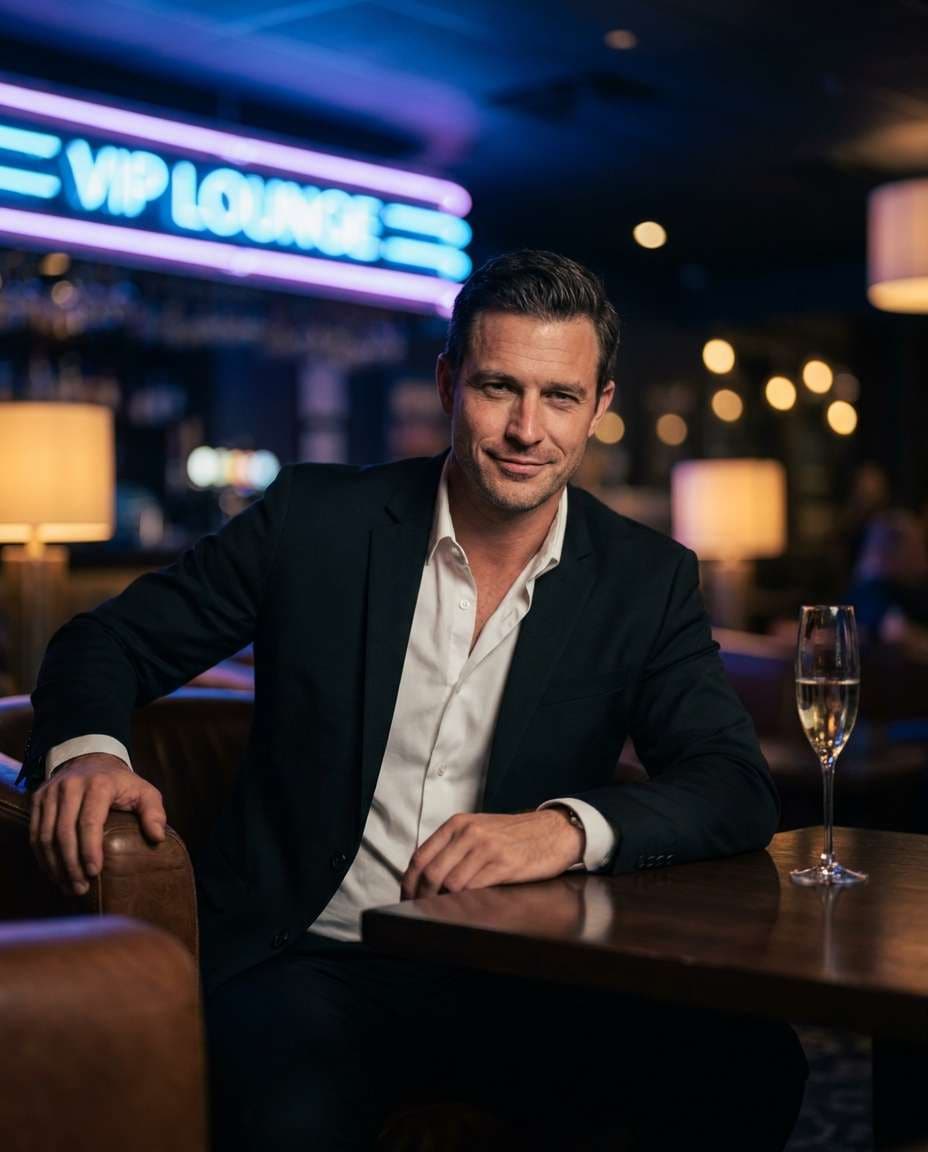
Use the uploaded reference photo as the base image. Edit the same man into a VIP nightclub lounge wearing a black suit with an open collar. Preserve his exact identity, facial features, skin tone, hairstyle, age, build, and recognizable expression. Add moody ambient lighting, neon accents, a champagne glass on the table, and a confident natural smirk. Use Sony A7S III 50mm f/1.2 characteristics, half-body framing, shallow depth of field, cinematic color grading, and photorealistic detail. Do not replace the person, over-retouch his face, or create malformed hands or glassware --ar 4:5
Desert Suit Contrast
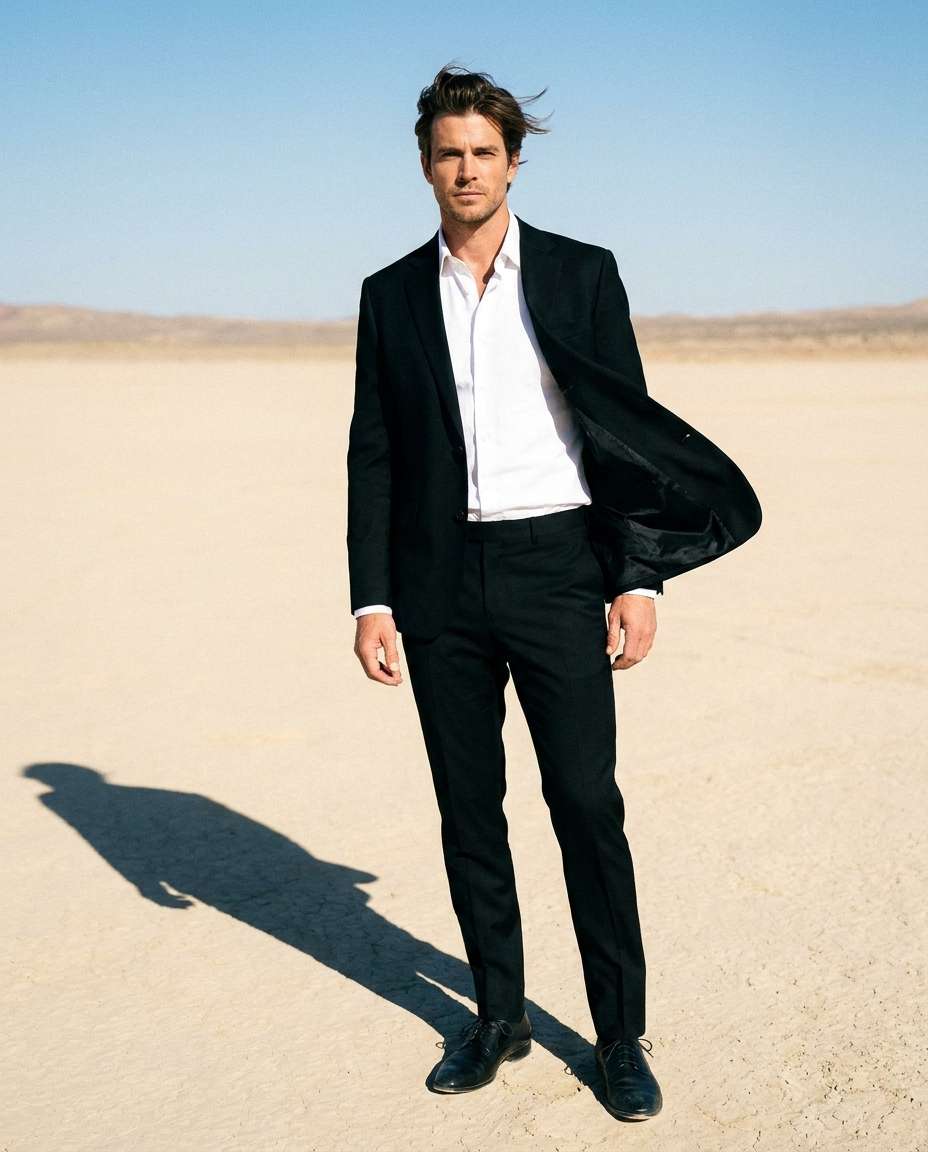
Use the uploaded reference photo as the base image. Transform the same man into a bold desert fashion portrait wearing a black suit and white shirt. Preserve his exact identity, facial features, skin tone, hairstyle, age, height, build, and body proportions. Place him in a bright pale-sand landscape, add strong sunlight with crisp shadows and a light wind moving the jacket naturally, emphasizing the contrast between the dark suit and desert. Use Nikon Z9 85mm characteristics, full-body framing, high clarity, photorealistic textures, and an editorial adventure mood. Do not alter his face or create unnatural limbs, fabric, or shadows --ar 4:5
Yacht Sunset Luxury
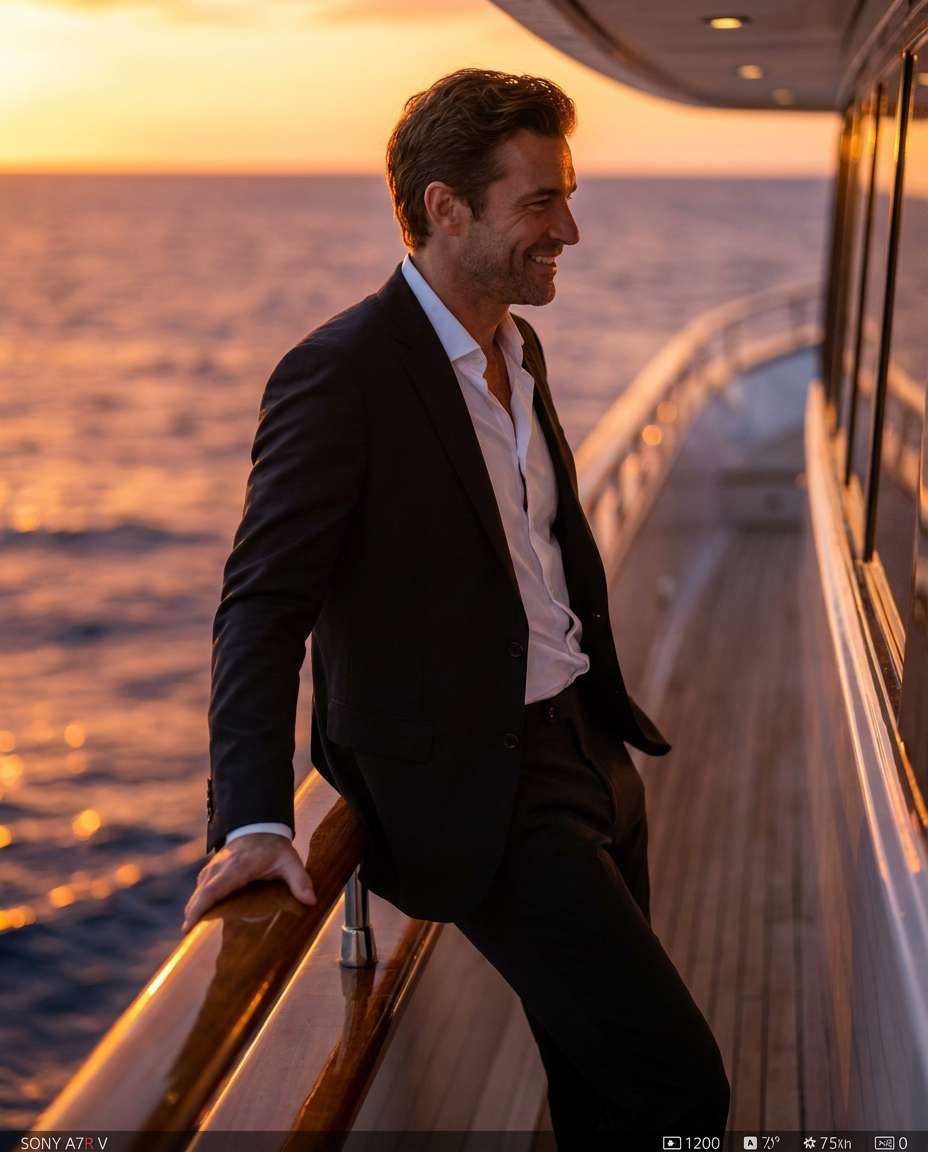
Use the uploaded reference photo as the base image. Place the same man on a luxury yacht at sunset wearing a black suit without a tie. Preserve his exact identity, facial features, skin tone, hairstyle, age, body proportions, and natural physique. Edit his pose so he leans casually against the railing with a relaxed confident expression, and add a warm orange sky, soft ocean bokeh, and golden rim light. Use Sony A7R V 85mm f/1.4 characteristics, half-body framing, photorealistic skin and suit detail, and a premium editorial grade. Do not change his face or create warped railings, hands, or clothing --ar 4:5
Futuristic City Glow
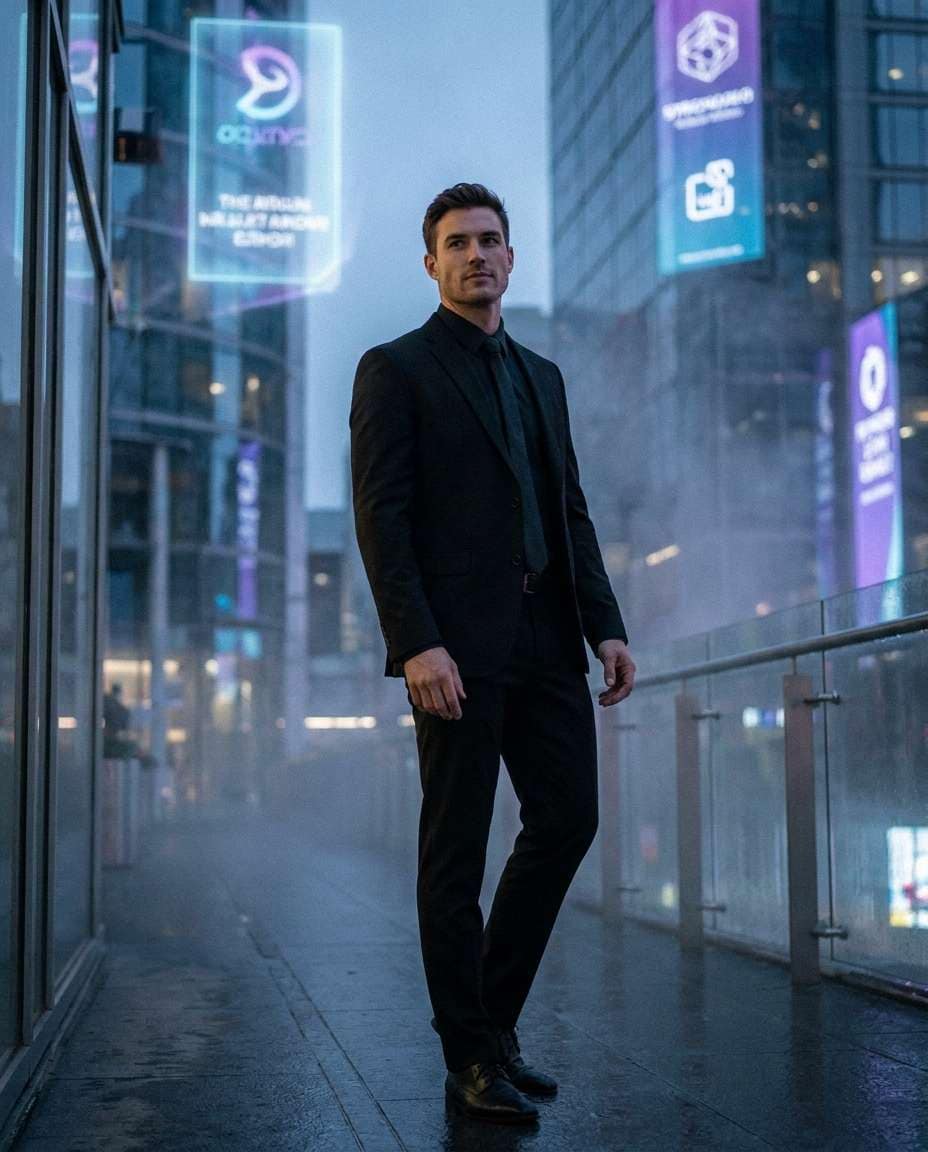
Use the uploaded reference photo as the base image. Transform the same man into a futuristic city portrait wearing a modern black suit with a sleek minimal tie. Preserve his exact identity, facial features, skin tone, hairstyle, age, build, and body proportions. Add holographic signage, cool blue lighting, subtle atmospheric haze, and a confident stance while keeping his face natural and recognizable. Use Canon EOS R3 35mm characteristics, three-quarter body framing, sharp focus with cinematic glow, and photorealistic detail. Do not replace the subject or create artificial facial features, extra limbs, or unreadable dominant text --ar 4:5
Classic Library Mood
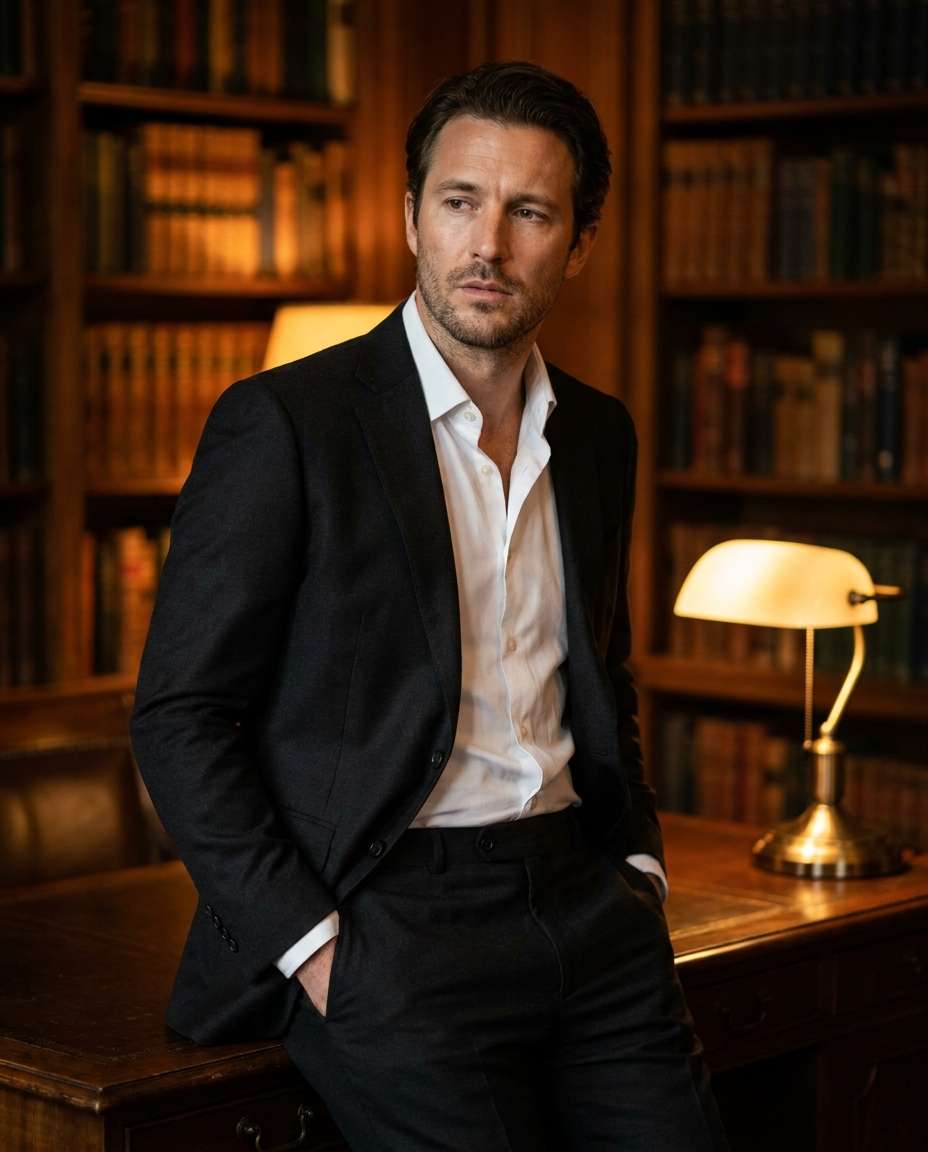
Use the uploaded reference photo as the base image. Place the same man in a dark wood library wearing a black suit and white shirt. Preserve his exact identity, facial features, skin tone, hairstyle, age, body proportions, and recognizable expression. Add warm lamp light, softly blurred bookshelves, a thoughtful look, and one hand resting naturally in a pocket. Use Fujifilm GFX 100S 110mm characteristics, half-body framing, rich warm tones, ultra-realistic suit texture, and natural skin highlights. Do not alter his face, hands, or body shape --ar 4:5
Wedding Guest Sharp
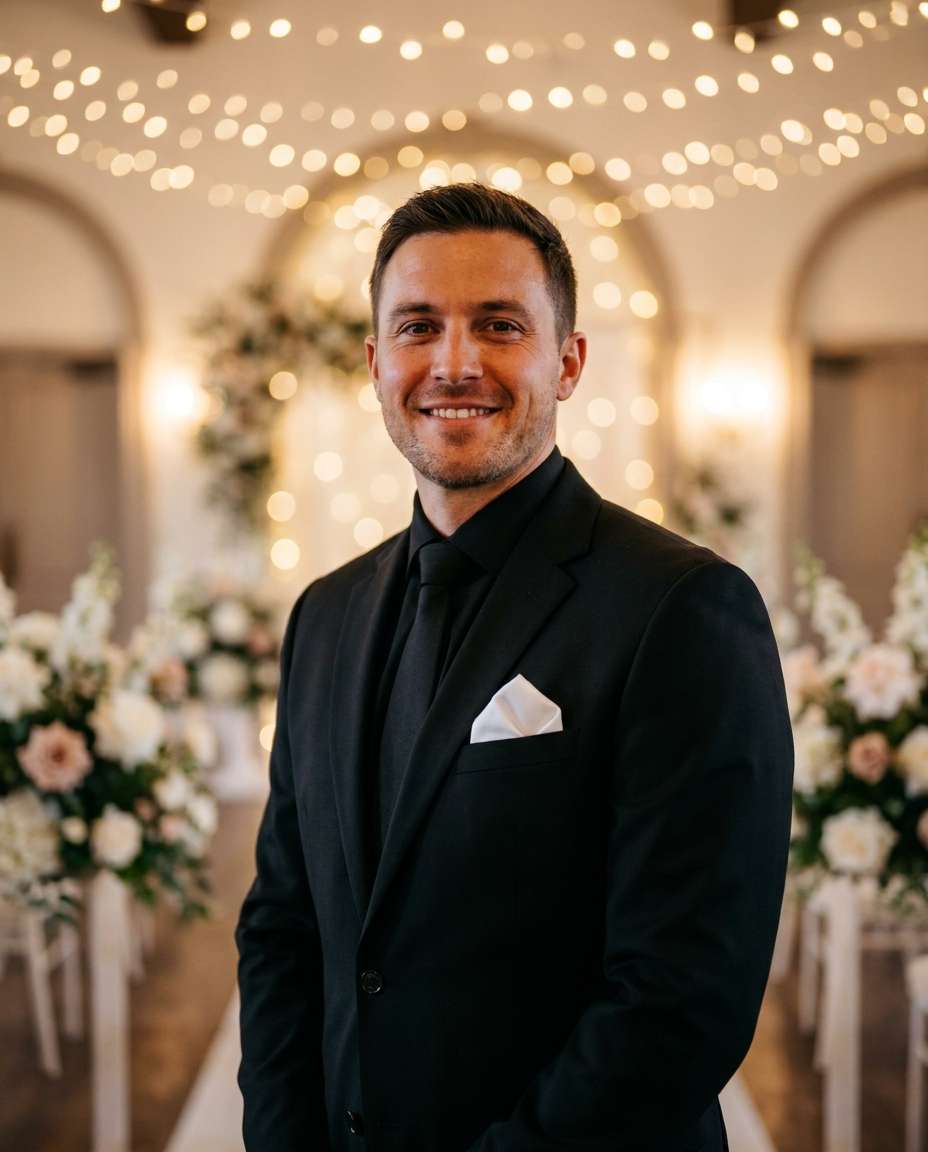
Use the uploaded reference photo as the base image. Edit the same man into an elegant wedding-guest portrait wearing a black suit, black tie, and white pocket square. Preserve his exact identity, facial features, skin tone, hairstyle, age, body proportions, and natural smile. Replace the surroundings with an upscale wedding venue featuring soft fairy-light bokeh and blurred floral arrangements, then add romantic warm lighting. Use Sony A7IV 85mm characteristics, mid-shot framing, photorealistic detail, and editorial portrait quality. Do not change the person, alter his face, or create malformed flowers, hands, or clothing --ar 4:5
Cufflinks Close-Up
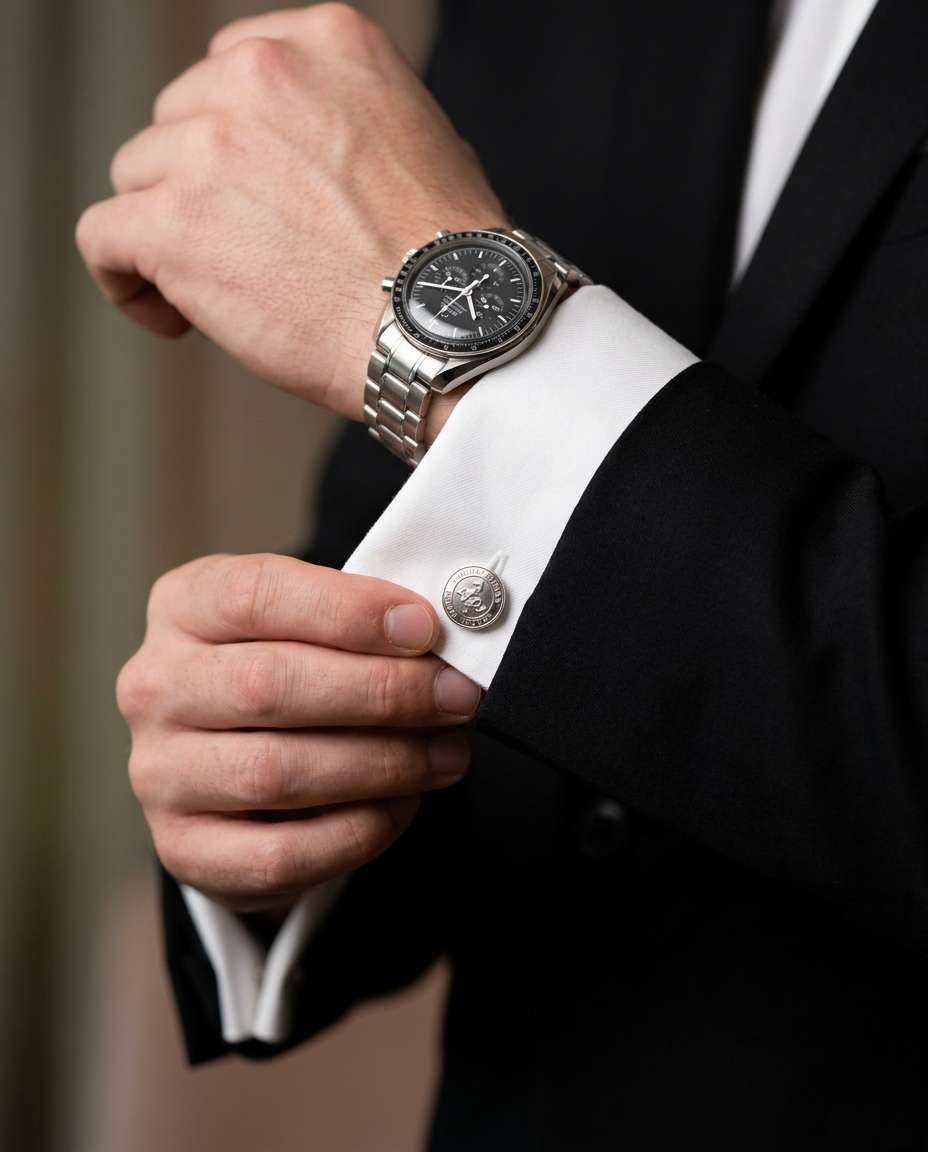
Use the uploaded reference photo as the base image. Create a close-up edit focused on the same man's hands adjusting silver cufflinks on a crisp white cuff beneath a black suit sleeve. Preserve his original skin tone, hand shape, finger proportions, age characteristics, wrist structure, and any recognizable details. Add a luxury watch, shallow depth of field, and soft studio lighting with realistic metal reflections. Use Canon EOS R5 100mm macro characteristics, ultra-realistic fabric weave, and a high-end editorial product feel. Do not add extra fingers, merge hands, change skin tone, or distort the cufflinks and watch --ar 4:5
Tie Adjustment Moment
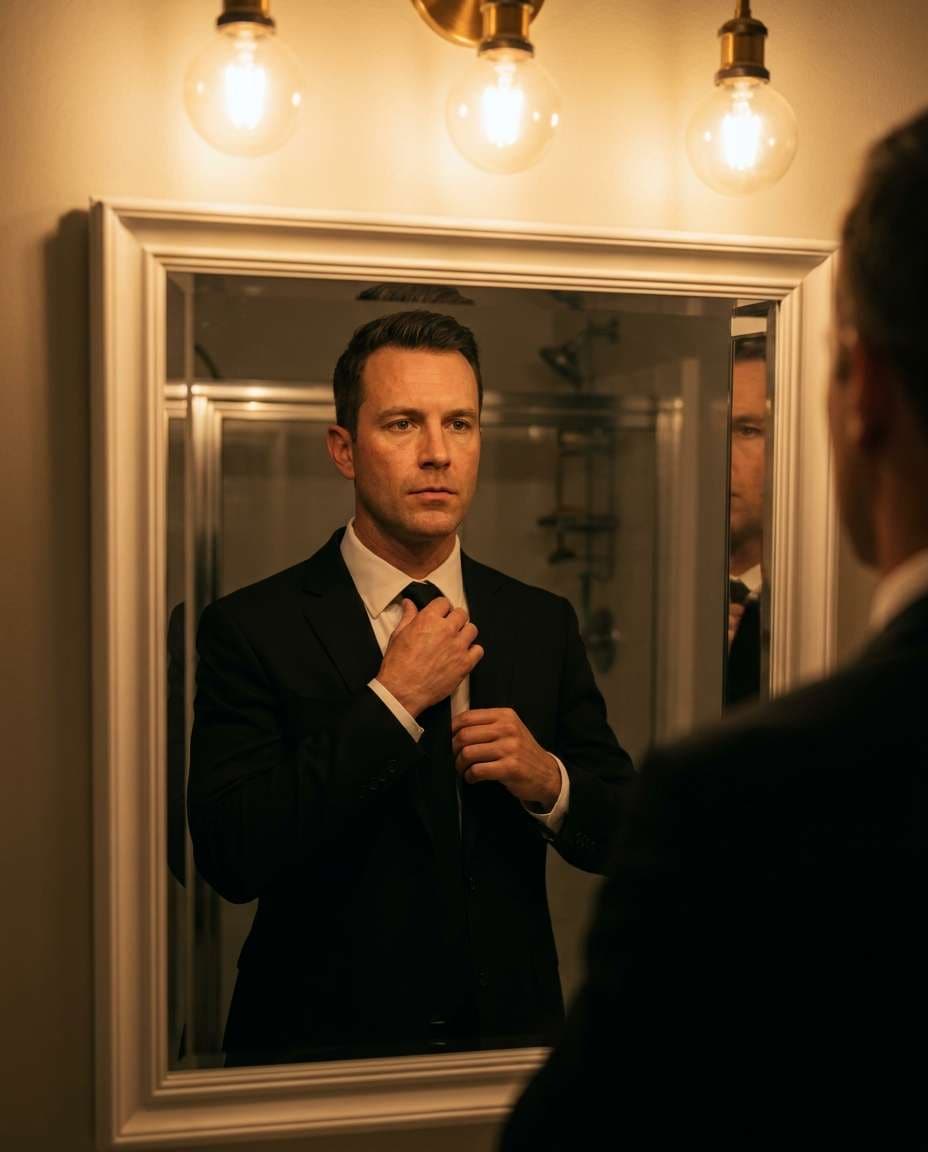
Use the uploaded reference photo as the base image. Edit the same man wearing a black suit while tightening a black tie in front of a mirror. Preserve his exact identity, facial features, skin tone, hairstyle, age, body proportions, hands, and recognizable expression. Add warm bathroom vanity lights, a natural mirror reflection, and a focused expression, ensuring the reflected face and pose match correctly. Use Sony A7R V 50mm f/1.2 characteristics, mid-length framing, cinematic contrast, photorealistic skin texture, and sharp tailoring detail. Do not duplicate the person, mismatch the reflection, or distort fingers and facial features --ar 4:5
Coffee Shop Confidence
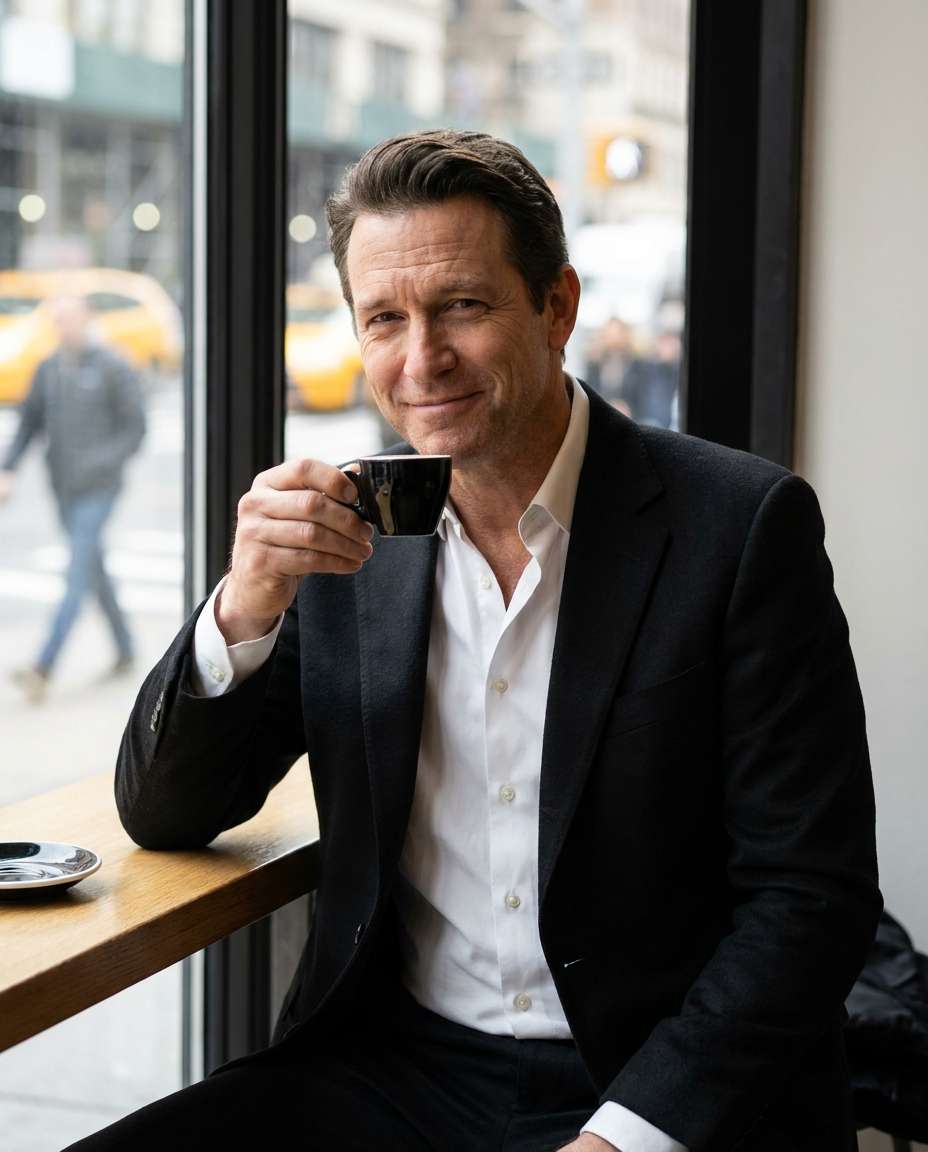
Use the uploaded reference photo as the base image. Place the same man in a refined coffee shop wearing a black suit and white shirt while seated beside a window with a black espresso cup. Preserve his exact identity, facial features, skin tone, hairstyle, age, build, and body proportions. Add soft morning light, urban background bokeh, and a relaxed confident expression. Use Nikon Z8 85mm f/1.8 characteristics, half-body framing, natural color grading, and photorealistic skin, fabric, cup, and table detail. Do not alter his face or create malformed hands or objects --ar 4:5
Airport Executive Look
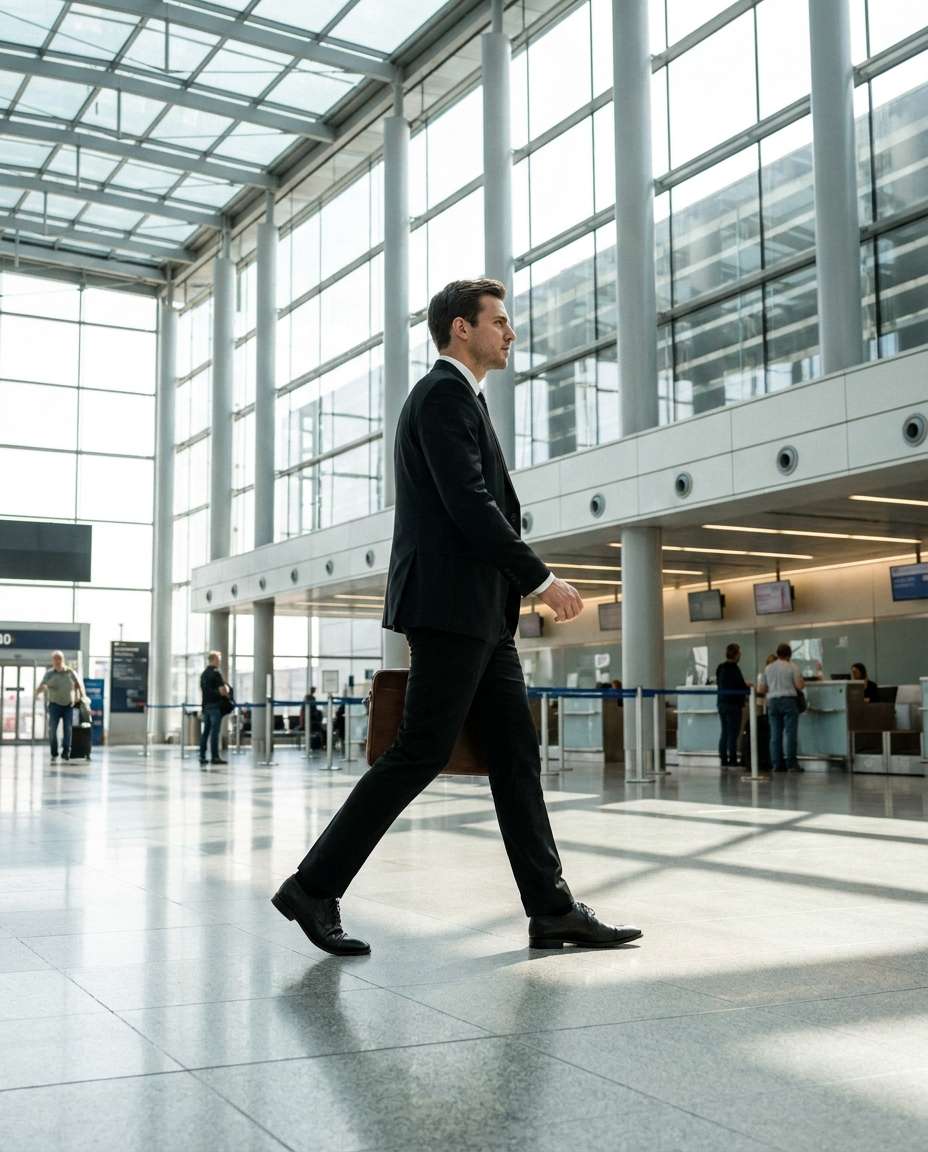
Use the uploaded reference photo as the base image. Transform the same man into an executive travel portrait wearing a black suit and carrying a slim leather briefcase through a modern airport terminal. Preserve his exact identity, facial features, skin tone, hairstyle, age, height, build, and body proportions. Edit his pose into a purposeful natural stride, add bright clean lighting and glass-and-steel architecture, and keep realistic motion. Use Canon EOS R6 35mm characteristics, full-body framing, crisp focus, and an editorial corporate travel aesthetic. Do not change his face or create distorted legs, hands, luggage, or architecture --ar 4:5
Classic Black Backdrop
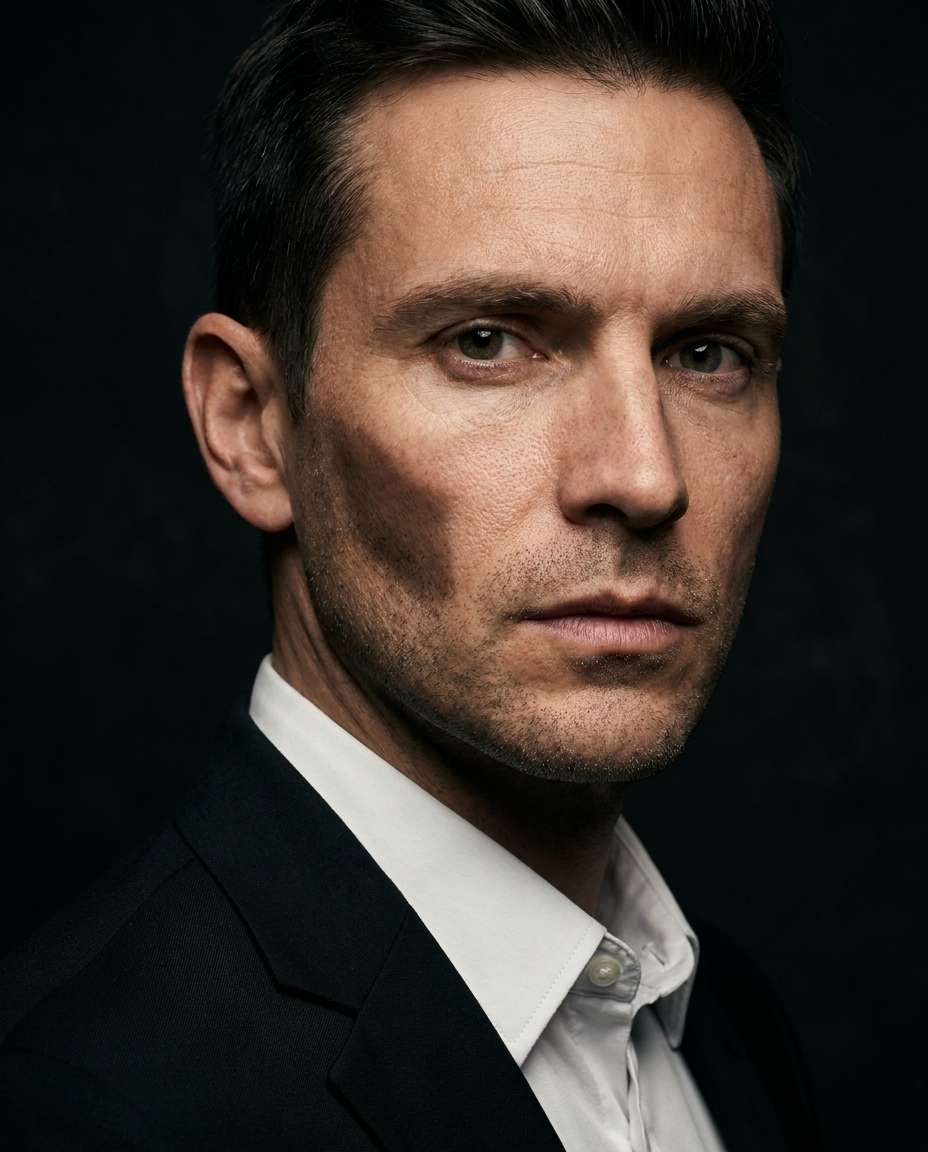
Use the uploaded reference photo as the base image. Edit the same man into a dramatic head-and-shoulders portrait wearing a black suit and white shirt against a deep black background. Preserve his exact identity, facial structure, skin tone, hairstyle, age, and natural proportions. Add Rembrandt-style studio lighting, a defined cheekbone shadow, and intense but authentic eye contact. Use Sony A1 85mm f/1.4 characteristics, ultra-realistic skin texture, crisp suit detail, and high-end cinematic portrait quality. Do not reshape his face, over-smooth the skin, or create unnatural eyes or shadows --ar 4:5
How to Write Better Gemini AI Prompt for Men in Black Suit
Sharper outputs come from sharper constraints. If you are aiming for a gemini ai prompt for man in black suit photoshoot look, lock identity first, then control lighting and framing like a real shoot. Small wording changes like lapel type or background style can completely change the vibe.
High-Realism Prompt Formula
Identity lock: age range, ethnicity, hair, facial hair, expression
Suit specifics: fit, lapels, tie or no tie, pocket square, cufflinks
Setting: studio seamless, rainy street, rooftop, boardroom, red carpet
Lighting: softbox, window light, rim light, neon, hard noir shadows
Framing: headshot, half-body, full-body, low angle, rule of thirds
For a LinkedIn-ready result, ask for neutral background, soft key light, and tight head-and-shoulders framing.
To avoid plastic skin, add natural pores, subtle imperfections, and realistic shadows.
Use one strong vibe word: noir, luxury, corporate, cinematic, minimalist. Do not stack five styles at once.
Add one hero detail for virality: sunglasses, rain reflections, satin lapels, paparazzi flash, or mirror reflection.
If hands look odd, switch to hands in pockets, adjusting tie, or holding a briefcase for more natural posing.
When testing best gemini ai prompts for black suit portrait, keep the same face and change only setting and lighting to compare cleanly.
Why Choose Media.io for Gemini AI Prompt for Men in Black Suit
Generate realistic AI images faster with powerful tools and flexible prompt control.
Copy-Paste Ready
Pick a prompt card, paste it into Media.io, and generate instantly. Each prompt is written like a real photoshoot brief, so you get consistent suit structure, believable skin texture, and clean composition without spending hours rewriting.
Photo Upload Support
Upload a selfie to keep your identity consistent while changing scenes, lighting, and styling. This is ideal for a linkedin headshot gemini ai prompt black suit result where facial similarity and a professional finish matter most.
Cinematic Style Control
Dial in noir shadows, neon rain reflections, golden-hour rim light, or clean studio softness with simple wording. You can iterate quickly until the mood matches your brand, your reel cover, or your campaign concept.
Fast Download Outputs
Generate multiple variations, choose the strongest frame, then download in high quality for socials, thumbnails, or profile pics. Great for creators who need polished visuals on a tight schedule without complex editing workflows.
FAQs About
Gemini AI Prompt for Men in Black Suit
1. How do I get a realistic face using a Gemini AI prompt for men in black suit?
Use image-to-image: upload a clear, front-facing photo with good lighting, then paste a prompt that focuses on suit styling, setting, and lighting. Add cues like photorealistic skin texture, natural pores, and sharp fabric detail. This keeps the face stable while the black suit look changes.
2. What makes a black suit prompt look cinematic instead of like a basic portrait?
Cinematic results come from lighting and environment: rim light, neon reflections, rain haze, or hard noir shadows. Specify camera feel (85mm, shallow depth of field) and color grading (teal and magenta, warm film tones). A cinematic noir black suit prompt for gemini ai usually wins by being specific, not longer.
3. Can I generate a men in black suit with sunglasses look without it turning into a costume?
Yes. Keep the styling minimal: tailored suit, matte black tie, simple sunglasses, and a believable setting like a night street or car-side shot. Avoid words like agent, secret service, or movie character names. For gemini ai prompt for men in black suit with sunglasses, ask for editorial fashion photography and realistic proportions.
4. Do I need to upload a photo, or can I do text-only prompts?
Text-only works great for creating new faces and concepts, especially for mood boards and campaign ideas. If you want yourself in the image, upload a photo for better identity consistency. Many users start text-only, then switch to a gemini ai prompt for man in black suit photoshoot using their own reference.
5. What prompt format is best for a LinkedIn-style black suit headshot?
Use a short, structured brief: subject details, suit and tie, neutral background, soft studio lighting, tight head-and-shoulders framing, and natural retouching. Mention corporate editorial or professional headshot, then add sharp focus and clean color grading. This approach fits a linkedin headshot gemini ai prompt black suit intent perfectly.
Why Creators Love Media.io's Gemini AI Prompt for Men in Black Suit?
Alex M.
Photographer
Ultra Realistic Results.
I used these for men in black suit prompts to create visuals that looked like real photography. The lighting, textures, and colors felt incredibly natural.
Maya J.
Designer
Perfect Lighting & Detail.
The prompts produced cinematic compositions and soft lighting, making every image feel like a professional shoot.
Jordan P.
Creator
Perfect for Social Media.
I used these prompts to create viral content. It's fast, easy, and consistently produces stunning visuals.
Turn your photos into a viral Tiny Desk concert. Put yourself and your friends in the spotlight!
Create My AI Concert
Ozil Goal AI Video
Turn your image into the scorer—chip the keeper, dodge sliding defenders, and calmly finish the iconic goal.
Score the Ozil Goal →
Your Story, Your Movie!
From rainy love stories and chilling mysteries to magical adventures and heartwarming family tales, turn your imagination into cinematic AI story videos with just a few clicks!