AI TV Show Intro Maker Online
Create Cinematic Openings in Minutes
Create polished tv show intro maker content faster with Media.io’s AI workflow. Start from a prompt, upload photos, or refine existing clips to build scroll-stopping videos for Reels, Stories, and feed posts without the usual editing burden. From quick social promos to creator-ready visual storytelling, Media.io helps you turn raw ideas into cleaner, more engaging videos that look made for social media from the first draft.
Create Tv Show Intro Maker Motion from Still Images
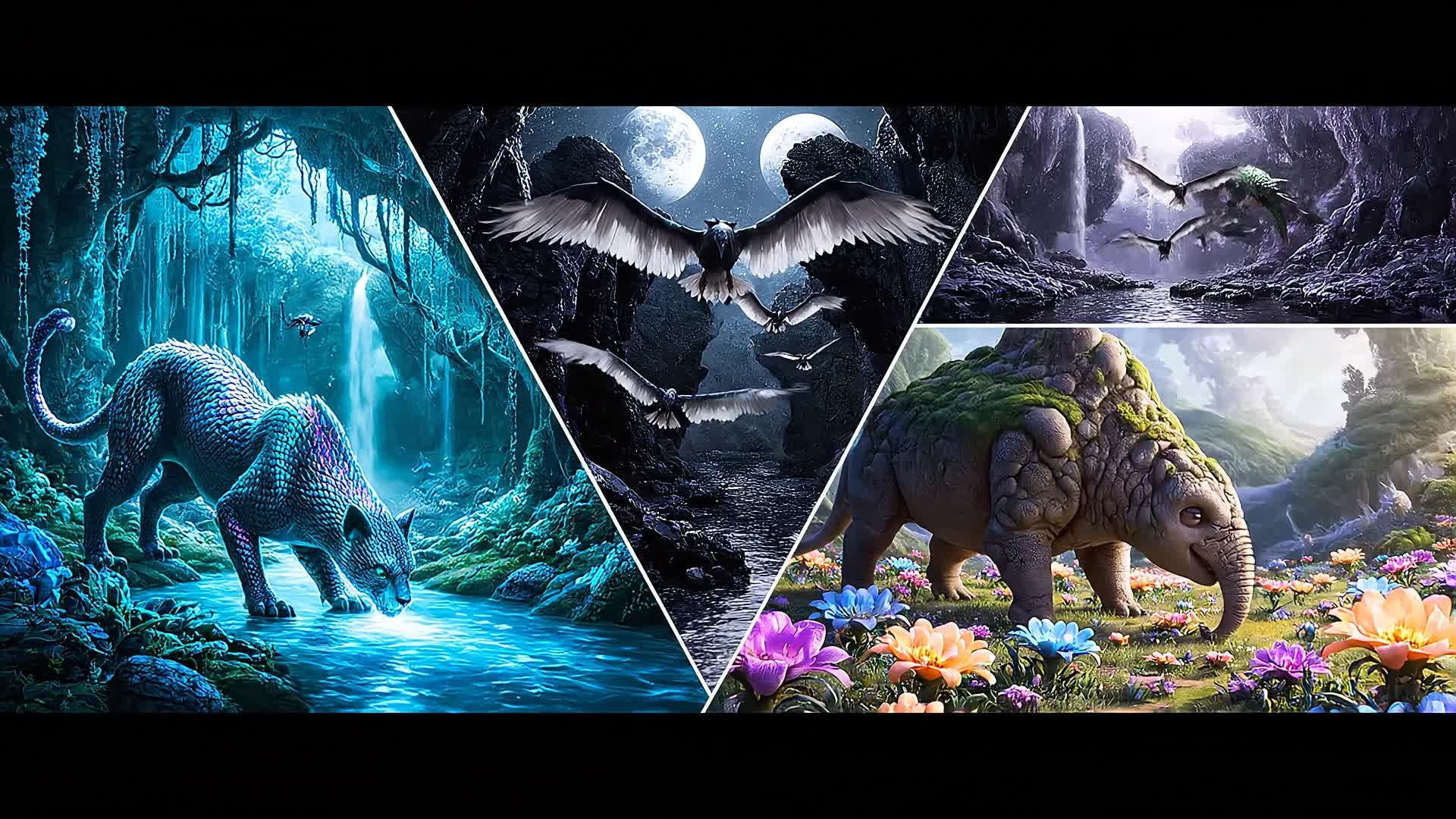
Transform your still logos, cast images, or show posters into moving titles using Media.io’s image-to-video capability. This feature brings static visuals to life with smooth camera moves, cinematic transitions, and dramatic light effects—perfect for opening credits or teaser intros. Whether you’re branding your web series, podcast, or online drama, you can generate polished animation without complex tools or timelines. Upload an image, select a style, and watch as our AI converts it into vibrant, broadcast-quality video graphics in moments.
Generate TV Intros from a Simple Idea
With Media.io’s AI text-to-video tool, you can write a short concept and instantly get a vivid intro that matches your show’s tone. Describe your setting, genre, or atmosphere, and let the AI produce visuals, motion, and pacing that feel ready for air. Whether you’re building a suspenseful crime intro or a vibrant talk show opener, the workflow is as simple as typing an idea and pressing create. You’ll get thematic visuals, animated titles, and an adaptable layout that can be customized or exported directly for your platform.
| Style | Creative Prompts for TV Show Intro Maker | Copy & Create |
|---|---|---|
|
Thriller Series
|
Open with dark clouds swirling over a deserted city skyline. Fade to shadowy silhouettes of characters walking under dim streetlights. Add quick sound hits with each flicker. The show’s title appears in glitchy red lettering as metallic textures shift behind it. Include thunder flashes and short cuts to mysterious symbols. End with a minimal fade-out on the logo, creating suspense that grips the viewer instantly. |
|
|
Reality Show Vibe
|
Start with cheerful crowd shots, flashes of laughter, and bright text overlays showing contestant names. Add upbeat pop music with quick scene transitions to different locations. Include golden light transitions for an energetic tone. The show title bursts onto screen with confetti and vibrant glow effects. End on the logo as the beat drops, leaving a fun, inviting energy that gets audiences excited. |
|
|
Retro Sitcom
|
Begin with vintage filters and wide smiles, showing the cast waving in cozy home settings. Include freeze-frame snapshots labeled with character names. Add playful transitions such as star wipes and spinning circles. The show name appears in bold serif font with a soft jazz tune. Conclude with a group pose freeze as laughter fades out and the logo sparkles briefly. |
|
|
Action Drama
|
Kick off with fast-paced clips of flashing sirens, zooming cars, and tense character glances. Overlay heartbeat-like percussion that syncs with title flashes. Use lens blurs and motion shakes for dynamic energy. Display the show name rising from smoke and fire. Conclude by cutting abruptly to black, leaving only the glowing title hovering before fading out with suspense. |
|
|
Documentary Series
|
Open with peaceful aerial footage, smart text captions introducing the theme. Use slow pans over natural landscapes or city rhythms depending on focus. Display narrator name cards elegantly aligned with subdued music. Reveal the program title over faded backgrounds in white typography. End with a steady zoom into detail, maintaining a timeless, credible aesthetic suited for factual storytelling. |
|
|
Fantasy Adventure
|
Start with glowing particles floating through misty mountains. Add fast cuts to characters wielding magical objects. Combine orchestral build-up with sweeping camera moves. Transition through portals or spell effects between scenes. Title emerges in gold lettering with mystical symbols forming around it. End on a flare of light as the music swells triumphantly. |








How to Create Tv Show Intro Maker with Media.io
Create tv show intro maker content faster with Media.io using text to video, image to video, video to video, and built-in editing tools.
Enter Concept or Upload Assets
Start by typing your show theme or uploading logos, images, and titles. Media.io AI interprets your concept and prepares the first visuals instantly. This helps you create tv show intro maker content faster with a more structured workflow. You can easily adapt the output for platforms like TikTok, Instagram Reels, and YouTube Shorts.
Customize Scenes and Transitions
Choose from cinematic styles, pacing, and effects. Adjust colors, fonts, and sequence order to match your show’s mood before finalizing the intro. This helps you create tv show intro maker content faster with a more structured workflow. You can easily adapt the output for platforms like TikTok, Instagram Reels, and YouTube Shorts. The process reduces manual editing and improves overall production efficiency.
Export and Share Instantly
Once polished, export in HD and share on YouTube, streaming platforms, or social media. Deliver a studio-quality intro within minutes. This helps you create tv show intro maker content faster with a more structured workflow. You can easily adapt the output for platforms like TikTok, Instagram Reels, and YouTube Shorts. The process reduces manual editing and improves overall production efficiency.
Why Choose Media.io for Tv Show Intro Maker
AI-Powered Motion Design
Generate professional intro visuals automatically from text or image inputs. Media.io’s AI ensures smooth camera paths, lighting, and title animation without manual editing. This makes tv show intro maker creation more efficient and easier to manage.
Brand Matching Styles
Customize fonts, palettes, and logo animations that perfectly reflect your show’s tone, whether dramatic, playful, or documentary-like. This makes tv show intro maker creation more efficient and easier to manage. It helps improve consistency across different video styles and formats. You can use this feature to produce more engaging and platform-ready content.
Fast Creation Workflow
Go from idea to ready-to-use video within minutes. Skip complex timelines and make your intro appear broadcast-ready in record time. This makes tv show intro maker creation more efficient and easier to manage. It helps improve consistency across different video styles and formats.
Cinematic Effects Library
Enhance your sequence with curated transitions, sound effects, and visual filters that elevate mood and keep viewers hooked. This makes tv show intro maker creation more efficient and easier to manage. It helps improve consistency across different video styles and formats. You can use this feature to produce more engaging and platform-ready content.
Versatile Input Options
Start from text, images, or pre-edited clips. Media.io adapts any input into cohesive title sequences for any genre or platform. This makes tv show intro maker creation more efficient and easier to manage.
Ready for Every Platform
Export optimized videos for YouTube, IGTV, Reels, or TV broadcast. Maintain professional look and performance across all screen ratios. This makes tv show intro maker creation more efficient and easier to manage. It helps improve consistency across different video styles and formats.
FAQs About
Tv Show Intro Maker
1. How does the Media.io TV show intro maker work?


It converts your text ideas, images, or short clips into cinematic intros using AI animation, effects, and sound sync—all in minutes.
2. Can I use my own music or logo?
Yes, you can upload custom audio tracks or logos and Media.io will integrate them seamlessly into your generated intro.
3. Do I need video editing skills?
Not at all. The interface is beginner-friendly—just describe your idea or choose a template, and the AI builds it automatically.
4. Is it suitable for YouTube or streaming intros?
Absolutely. It’s optimized for popular formats including YouTube, TikTok, Reels, and full TV broadcast standards.
5. Can I edit the AI-generated intro?
Yes, you can adjust transitions, replace clips, change fonts, or resync audio before exporting your final video.
6. How long does it take to generate an intro?
Most intros render in under a minute depending on visual complexity, giving you fast results ready to download and share.