Home>Comparison>Tagshop AI

Tagshop AI UGC Ads: What Can Its Video Agent Make?

A product listing already contains a story - the challenge is making it watchable. Tagshop AI builds on that brief with avatars, a video agent and scene-level editing. The fit depends on how faithfully it handles your product, voices and published credit rules. Build a product advertising concept without assuming a storefront URL is automatically parsed.

Key Features of Tagshop AI UGC Video Generator

Tagshop AI is an AI UGC video ad platform that converts product URLs, scripts and product images into creator-style ads using an AI Video Agent, digital avatars, AI Twin, captions, voiceovers and ad-ready editing tools.

Core Feature Overview

  • Product URL to Video:: Use a storefront link to pull product information and turn a listing into an initial ad brief.
  • AI Video Agent:: Describe a campaign in plain language and review scene, avatar, voice and script choices before rendering.
  • 300-Plus AI Avatars and AI Twin:: Select a digital spokesperson or an authorized personalized presenter to carry the product pitch.
  • Product-in-Hand Creative:: Combine avatar and product images to build a demonstration visual before animating the result.
  • AI Voice and Multilingual Ads:: Generate localized narration, captions and speaking-avatar content for different customer markets.
  • Built-In Ad Finishing:: Use templates, music, captions and post-generation editing to assemble a more complete social ad.


Product URL to Video

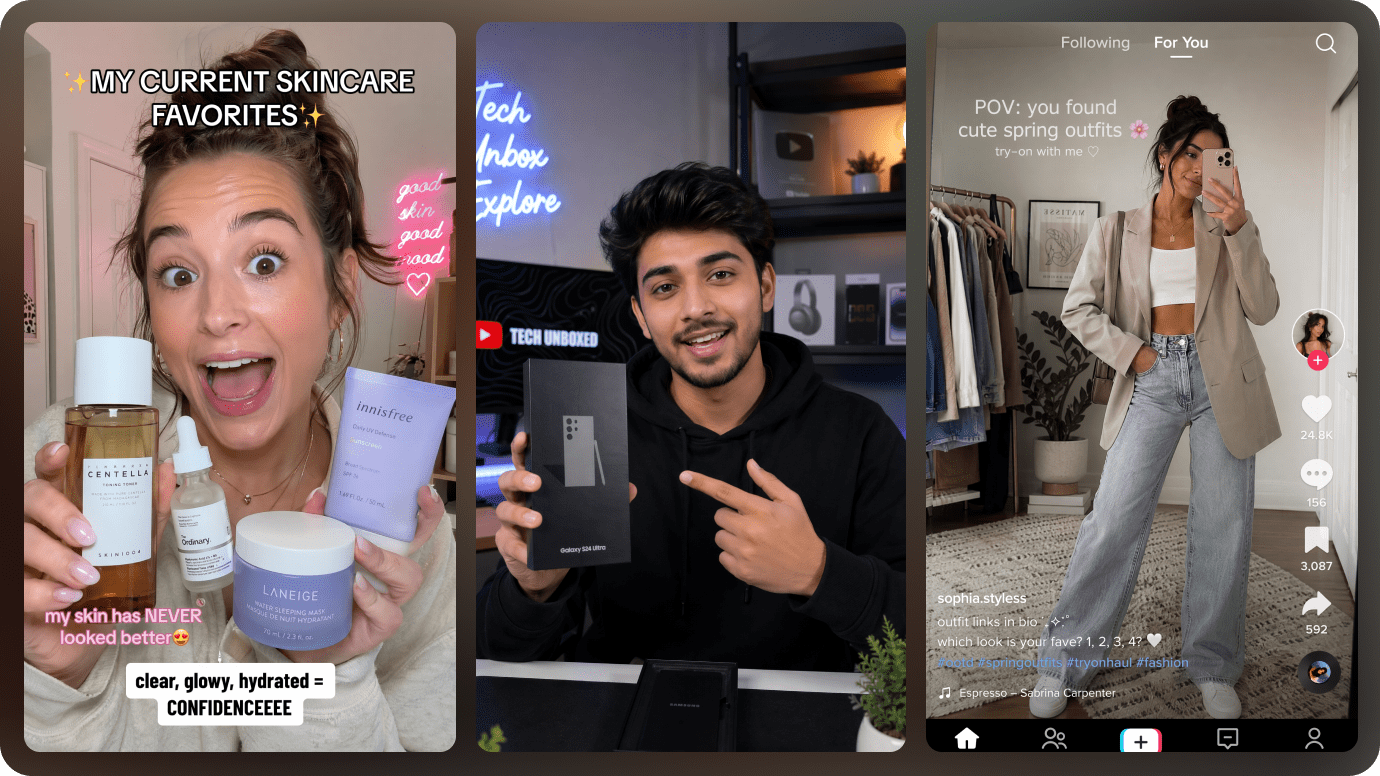
Use a storefront link to pull product information and turn a listing into an initial ad brief. Turn a product listing into a TikTok-friendly presentation without a traditional creator shoot. The official help center publishes different per-second rates for video models and output settings.

Illustrative Media.io workflow graphic, not a Tagshop AI interface screenshot

AI Video Agent

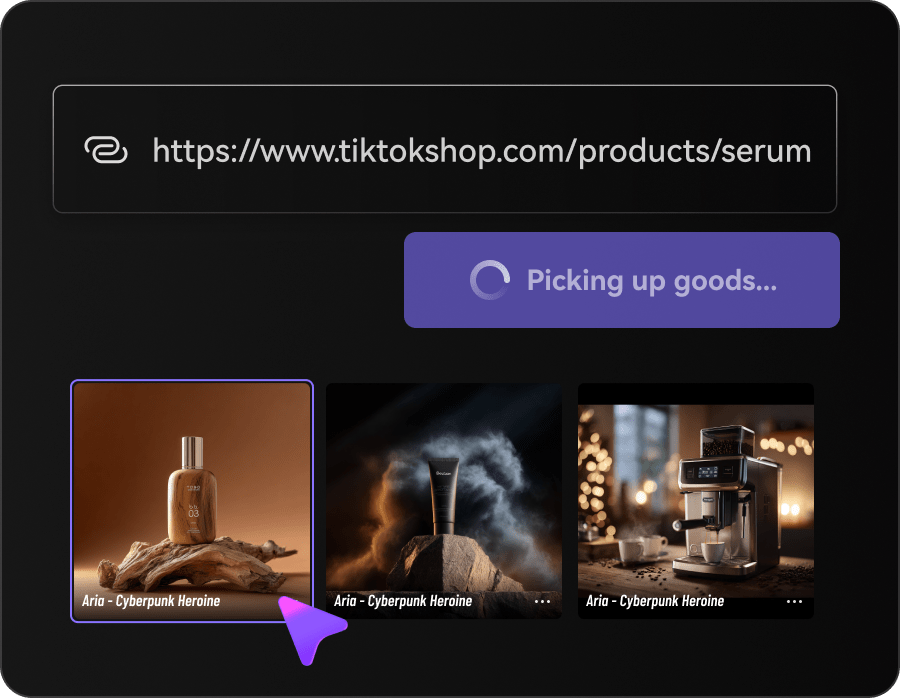
Describe a campaign in plain language and review scene, avatar, voice and script choices before rendering. Animate a clean app screenshot, add a script and introduce features with an AI presenter. A realistic holding image may need to be generated before its video animation, increasing revisions and spend.

Illustrative Media.io workflow graphic, not a Tagshop AI interface screenshot

300-Plus AI Avatars and AI Twin

Select a digital spokesperson or an authorized personalized presenter to carry the product pitch. Draft an explicitly synthetic testimonial-style script without misrepresenting real customer experiences. An AI actor must not be presented as a real satisfied buyer without consent and evidence.

Illustrative Media.io workflow graphic, not a Tagshop AI interface screenshot

Product-in-Hand Creative

Combine avatar and product images to build a demonstration visual before animating the result. Create a hands-on visual for a kitchen product using an approved product photograph. A listing URL can supply an ad brief, but automated scripts may still misstate claims or ingredients.

Illustrative Media.io workflow graphic, not a Tagshop AI interface screenshot

AI Voice and Multilingual Ads

Generate localized narration, captions and speaking-avatar content for different customer markets. Compare a short English demo with a second-language version while checking translated claims. A library presenter may be unsuitable for a strict brand spokesperson or regulated endorsement.

Illustrative Media.io workflow graphic, not a Tagshop AI interface screenshot

Built-In Ad Finishing

Use templates, music, captions and post-generation editing to assemble a more complete social ad. Review several AI avatars and ad hooks before committing the client to a larger generation budget. Subscription features and API entitlements should be checked independently before building automation.
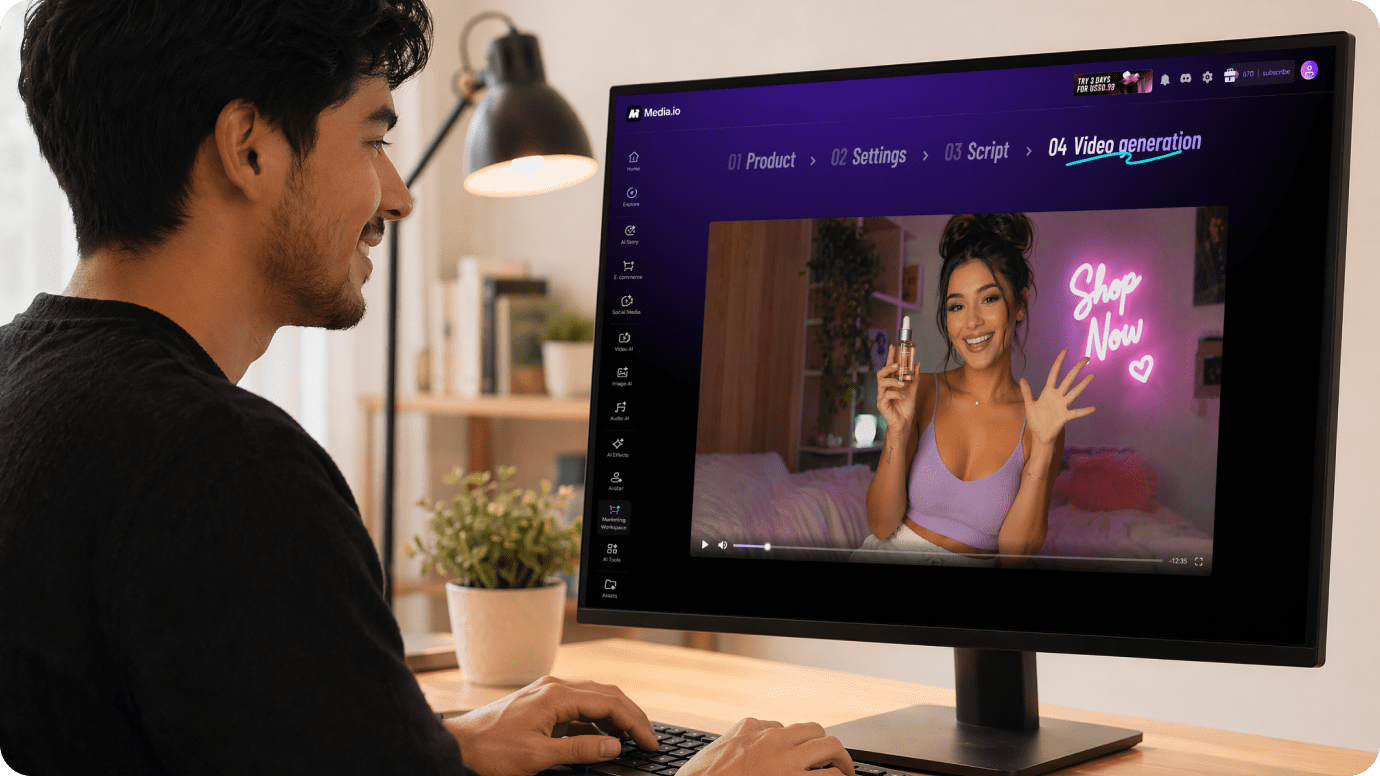
Illustrative Media.io workflow graphic, not a Tagshop AI interface screenshot

How to Create AI Ads Online With Media.io

1
2
3
1
Add Your Product

Upload product images, paste a product URL, or use both to provide the product details and visuals for your ad.

2
Choose Your Ad Format and Style

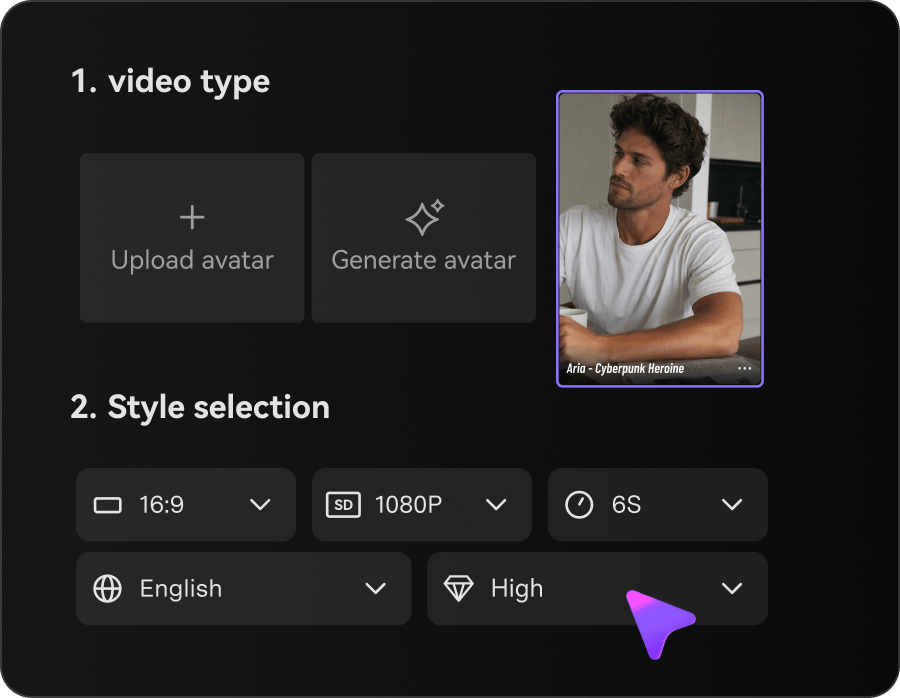
Select Image Ads or Video Ads, choose Auto Mode or Guided Mode, and customize the visual style and generation settings.

3
Generate and Review

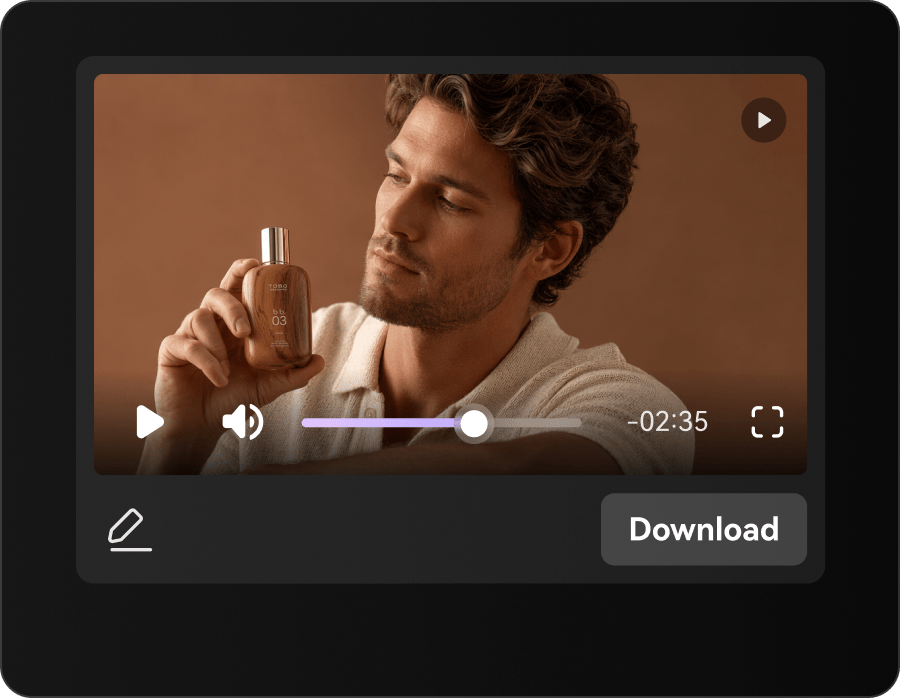
Generate your AI ad, review the script and visuals, and check product details and brand accuracy before downloading.

Illustrative Media.io workflow graphic, not a Tagshop AI interface screenshot

Best Use Cases for Tagshop AI: Campaign Creative and UGC

Turn a product listing into a TikTok-friendly presentation without a traditional creator shoot. Other realistic decisions include customer testimonial concept and localization test; those jobs test the exact value of product url to video before committing to a subscription.

Marketplace Product Launch

Turn a product listing into a TikTok-friendly presentation without a traditional creator shoot. For a related Media.io workflow, see AI AI UGC Ad Generator.

SaaS Landing Page Walkthrough

Animate a clean app screenshot, add a script and introduce features with an AI presenter.

Customer Testimonial Concept

Draft an explicitly synthetic testimonial-style script without misrepresenting real customer experiences.

Product-in-Hand Demo

Create a hands-on visual for a kitchen product using an approved product photograph. For a related Media.io workflow, see Product Review Video Maker.

Localization Test

Compare a short English demo with a second-language version while checking translated claims.

Agency Social Campaign

Review several AI avatars and ad hooks before committing the client to a larger generation budget.

Tagshop AI Pricing, Quality Limits and Production Tradeoffs

The official help center publishes different per-second rates for video models and output settings. A listing URL can supply an ad brief, but automated scripts may still misstate claims or ingredients. These tradeoffs matter for localization test as much as they do for a first sample.

Credits Depend on Model and Resolution

The official help center publishes different per-second rates for video models and output settings.

Product-in-Hand Is Multi-Step

A realistic holding image may need to be generated before its video animation, increasing revisions and spend.

Synthetic Testimonials Need Disclosure

An AI actor must not be presented as a real satisfied buyer without consent and evidence.

Product Extraction Needs Fact Checks

A listing URL can supply an ad brief, but automated scripts may still misstate claims or ingredients.

Avatar Choice Is Not Brand Identity

A library presenter may be unsuitable for a strict brand spokesperson or regulated endorsement.

Plan and API Terms Differ

Subscription features and API entitlements should be checked independently before building automation.

Tagshop AI vs Media.io: Features, Pricing and Best Uses

Tagshop AI is designed around turning store listings into social-ready video ads with AI avatars and a guided agent. Build a product advertising concept without assuming a storefront URL is automatically parsed. A meaningful comparison must account for product-in-hand is multi-step and product-in-hand demo rather than assuming the products are interchangeable.

Decision Factor Tagshop AI Media.io
Primary creation task turning store listings into social-ready video ads with AI avatars and a guided agent AI advertising drafts using a task-oriented ad workflow
Distinctive feature Product URL to Video. Use a storefront link to pull product information and turn a listing into an initial ad brief. Build a product advertising concept without assuming a storefront URL is automatically parsed.
Source and reference Select a digital spokesperson or an authorized personalized presenter to carry the product pitch. Create short video marketing assets rather than choosing from Tagshop digital presenters.
Typical production result Create a hands-on visual for a kitchen product using an approved product photograph. Develop ad imagery that can be reviewed before buying avatar-heavy production.
Limits to examine The official help center publishes different per-second rates for video models and output settings. Test a product-focused short visual when a speaking creator is not necessary.
Iteration or credits Tagshop publishes credit-based Starter, Growth and Pro packages; the Video Agent cost depends on model, duration and resolution, and annual versus monthly billing changes the displayed effective price. Explore related product demo and ecommerce ad workflows verified in the sitemap.
Workflow complexityCombine avatar and product images to build a demonstration visual before animating the result.Choose the actual Media.io video mode and review output specifications before campaign use.
Rights and quality Subscription features and API entitlements should be checked independently before building automation. Explore related product demo and ecommerce ad workflows verified in the sitemap. Check licensing and output details on both services.
Best-fit audience turning store listings into social-ready video ads with AI avatars and a guided agent Choose the actual Media.io video mode and review output specifications before campaign use.
Best for Tagshop AI

Choose Tagshop AI If You Need:

Use a storefront link to pull product information and turn a listing into an initial ad brief. In particular, Turn a product listing into a TikTok-friendly presentation without a traditional creator shoot. The official help center publishes different per-second rates for video models and output settings.

  • Marketplace Product Launch: Turn a product listing into a TikTok-friendly presentation without a traditional creator shoot.
  • SaaS Landing Page Walkthrough: Animate a clean app screenshot, add a script and introduce features with an AI presenter.
  • Customer Testimonial Concept: Draft an explicitly synthetic testimonial-style script without misrepresenting real customer experiences.
  • Product-in-Hand Demo: Create a hands-on visual for a kitchen product using an approved product photograph.
  • Localization Test: Compare a short English demo with a second-language version while checking translated claims.
Visit Tagshop AI
Best for Media.io

Choose Media.io If You Need:

Build a product advertising concept without assuming a storefront URL is automatically parsed. Choose the actual Media.io video mode and review output specifications before campaign use.

  • Build a product advertising concept without assuming a storefront URL is automatically parsed.
  • Create short video marketing assets rather than choosing from Tagshop digital presenters.
    • Develop ad imagery that can be reviewed before buying avatar-heavy production.
  • Test a product-focused short visual when a speaking creator is not necessary.
  • Explore related product demo and ecommerce ad workflows verified in the sitemap.
Create Product Video Ads With Media.io

Is Tagshop AI Worth It? Our Final Verdict

Our Take

Turn a product listing into a TikTok-friendly presentation without a traditional creator shoot. Use a storefront link to pull product information and turn a listing into an initial ad brief. A more telling test is customer testimonial concept: Draft an explicitly synthetic testimonial-style script without misrepresenting real customer experiences.

The official help center publishes different per-second rates for video models and output settings. A realistic holding image may need to be generated before its video animation, increasing revisions and spend. On cost, tagshop publishes credit-based Starter, Growth and Pro packages; the Video Agent cost depends on model, duration and resolution, and annual versus monthly billing changes the displayed effective price. For localization test, a library presenter may be unsuitable for a strict brand spokesperson or regulated endorsement.

Use Tagshop AI for turning store listings into social-ready video ads with AI avatars and a guided agent, particularly saas landing page walkthrough. Test a product-focused short visual when a speaking creator is not necessary. Choose the actual Media.io video mode and review output specifications before campaign use.

Tagshop AI FAQ: Features, Pricing and Alternatives

What is Tagshop AI used for?
faq faq

Tagshop AI is an AI UGC video ad platform that converts product URLs, scripts and product images into creator-style ads using an AI Video Agent, digital avatars, AI Twin, captions, voiceovers and ad-ready editing tools.

Use a storefront link to pull product information and turn a listing into an initial ad brief.

Animate a clean app screenshot, add a script and introduce features with an AI presenter. An AI actor must not be presented as a real satisfied buyer without consent and evidence.

Product-in-Hand Creative: Combine avatar and product images to build a demonstration visual before animating the result.

Tagshop advertises starter access, but the current trial credits and export conditions should be checked in the live account. Paid plan allowances vary.

Tagshop publishes credit-based Starter, Growth and Pro packages; the Video Agent cost depends on model, duration and resolution, and annual versus monthly billing changes the displayed effective price.

A realistic holding image may need to be generated before its video animation, increasing revisions and spend. A library presenter may be unsuitable for a strict brand spokesperson or regulated endorsement.

Turn a product listing into a TikTok-friendly presentation without a traditional creator shoot. Build a product advertising concept without assuming a storefront URL is automatically parsed. This distinction matters because the official help center publishes different per-second rates for video models and output settings.

Tagshop AI addresses turning store listings into social-ready video ads with AI avatars and a guided agent. Test a product-focused short visual when a speaking creator is not necessary. For the specialist use case, subscription features and api entitlements should be checked independently before building automation.

What Media.io Creators Say About Their Workflow

Media.io AI video generator user
Sarah L.

Content Creator

star star star star half star

Media.io makes it much easier to test different AI video styles without jumping between several platforms. I can start with a text prompt or image, compare model results, and then resize or polish the clip for social media in the same workspace.

Media.io AI video creator
John D.

Social Media Marketer

star star star star half star

I use Media.io to create quick product clips, ad concepts, and short-form videos from images. The biggest advantage is that generation does not feel like the final step - I can continue with music, captions, enhancement, and format conversion before publishing.

Media.io AI video editing user
Emily T.

Freelance Designer

star star star star half star

The workflow is approachable even when I am experimenting with unfamiliar AI models. I can animate artwork, try different motion prompts, preview the output, and prepare a cleaner final version without needing advanced video-editing experience.

Media.io Online Tools Quality Rating:
vote 4.7 (162,357 Votes)
media.io

AI Video Generator star

Easily generate videos from text or images

Generate