ChatGPT
 Perplexity
 Gemini
 Claude
 Grok
Grok
The video transitions are the crucial aspect of a video as they escalate the artistic side of the video. It also helps to create a flow in different shots and can engage users in the best possible way. In this digital world, many comprehensive solutions help add transitions to the video.
Just like this, the QR Code Video Star Transition app is the modernized way to add transitions to a video. With the help of the innovative app, you can effortlessly create cinematic-level videos.
In this article
Part 1. Comprehensive Overview of Video Star Transition QR Codes App
Video Star Transition QR Codes app is an easy-to-use and modernized application. With the help of this video editor, you can add professional-level transitions to the videos. Beginners without any editing skills can also take assistance from this application. This app can also help you add overlay text in any type of video to create subtitles.
You can also use high-quality visual effects, including distortion, zoom, and more. Creating custom thumbnails of a video and combining multiple clips from different sources is also possible. You don't have to worry about the quality of the video as it offers you 4K editing along with slow motion. Other than this, it also lets the users personalize every clip by trimming and cropping it.
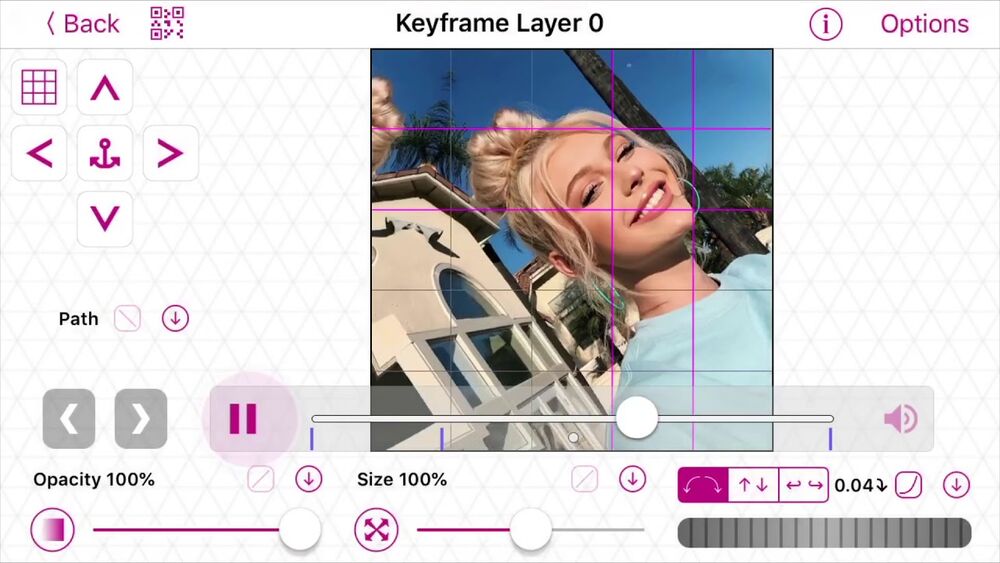
Key Features of Video Star Transition QR Codes
- You will not face any issues regarding the placement of QR codes, and there are no other security risks in it.
- This video editor also allows you to combine videos from different sources such as YouTube, phone, camera, and SD card.
- The number of transitions in Video Star is not limited. Some transitions are coloring, distortion, bounce, zoom in, zoom out, and more.
- It allows you to find the QR codes from the defined categories like Clone City, Sketch Artist, Effect Setup, Custom Curve, Multi-Layer, and more.
Part 2. Types of Transition Available in Video Star Transition QR Codes App
The Transition Video Star QR code offers you a wide array of aesthetically pleasing transitions for every type of video. It is an interesting application and has fast retrieval of information. Some of the transitions in this app are discussed below:
- Spin Transition
With this, you can rotate both videos and images and adjust their angles as per your choice. It lets you digitally spin the photos and videos for smooth continuity. There are 69 spin transitions in it.
- Slide Transition
Using this transition, you can add normal sliding effects in the video and sliding curves. With this, you can change from one video clip to another by digital sliding. Moreover, it offers 32 slide transitions.
- Zoom In and Out Transition
This transition helps you to maximize and minimize the size of clips and photos added to the video. A zoom-in transition creates a closer view and increases the user's attention. The zoom-out transition decreases the image or clip scale to display the context on the screen. This video editor lets you use its 41 zoom transitions.
- Shake Transition
You can use this type of transition in the video to express multi-layer transitions as they appear shaky. It helps in adding energy and high-class movements to the video and stimulates camera shake effects. You can find 40+ shake transitions in Video Star Transition QR Codes.
- Bounce Transition
Want to give some bouncy touch to videos? It can help you to bounce both clips and images. It can create motion graphics along with adjusting its direction, intensity, and other metrics. There are 4 bounce transitions QR codes available on the website of this tool.
- Coloring Transition
If you wish to make your video more interactive with vibrant colors, it's a perfect choice. Moreover, you can apply this to individual photos and videos using this QR code video editing app. It has 25 built-in coloring transitions.
- Distortion Transition
This transition helps you to implement a distorted effect between two video clips by distorting the image to give a dynamic look to a video. With this tool, you can also control the strength of the effect. There is a total of 8 QR codes of distortion transition that you can use in your videos.
- Aesthetic Transition
You can make your music or fashion videos more visually appealing by using aesthetic transitions between your video clips. These transitions are made of different visual effects, such as lightning effects and color grading. You can find more than 28+ aesthetic transitions on Video Start Transition QR Codes website.
Part 3. How to Use the Transition Video Star QR Codes App
Are you satisfied enough with the intuitive transitions of Video Star QR Codes and wish to use them? Look at the below-given instructions to use the transitions of Video Star:
Step 1: Download Video Star on your device and launch it. After this, tap on the "Plus" icon and import the video where you want to add the transition. You can also select the video format before importing the desired video.
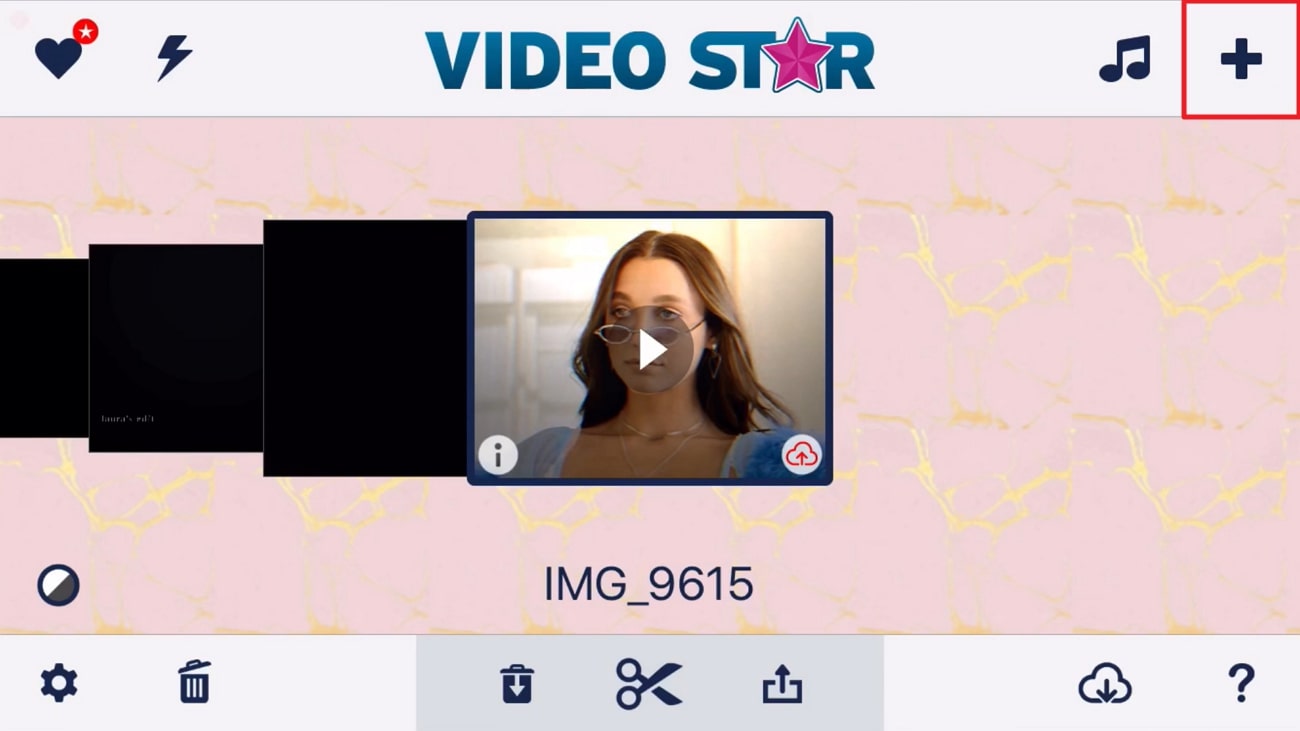
Step 2: Once the video is added, pause on the scene where you want to add a transition and click the "Edit" option. From here, select "Split Scenes." Following this, click the "New" button and select "Multi-Layer Clip." Select the "QR Code" icon from the top and choose the "Import" option.
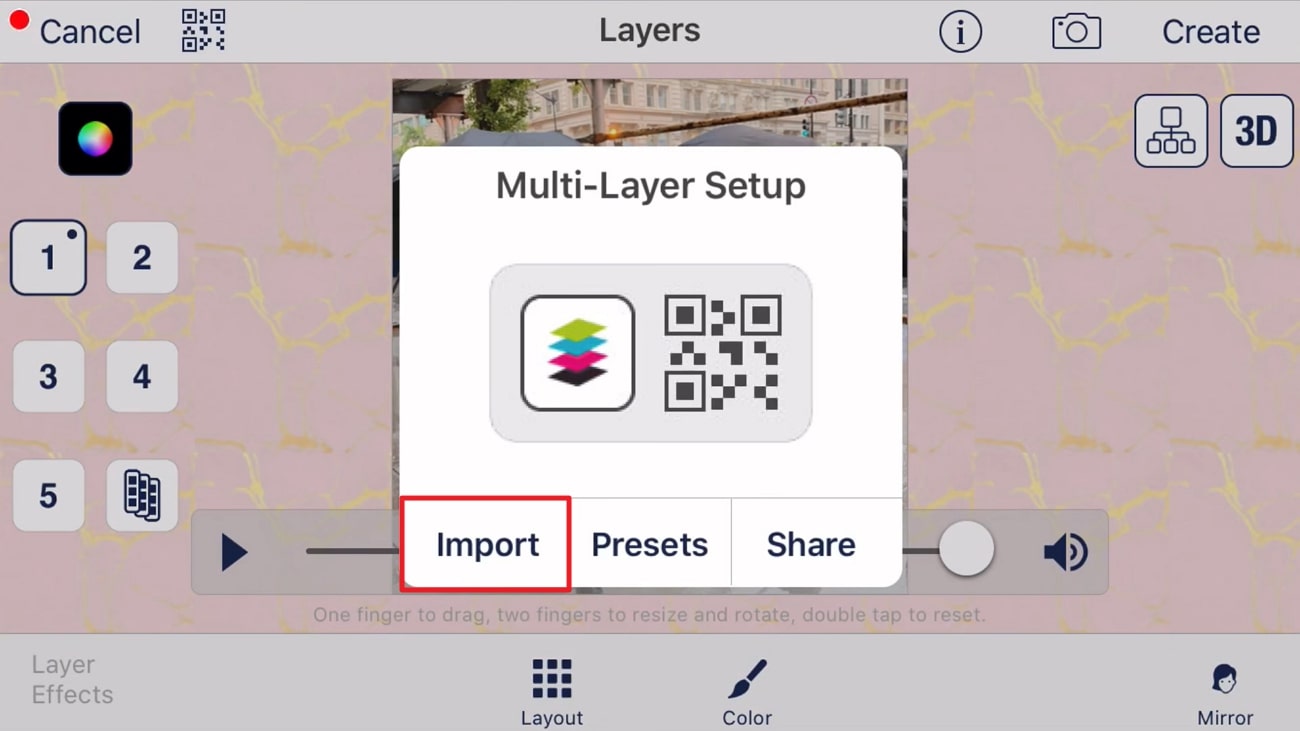
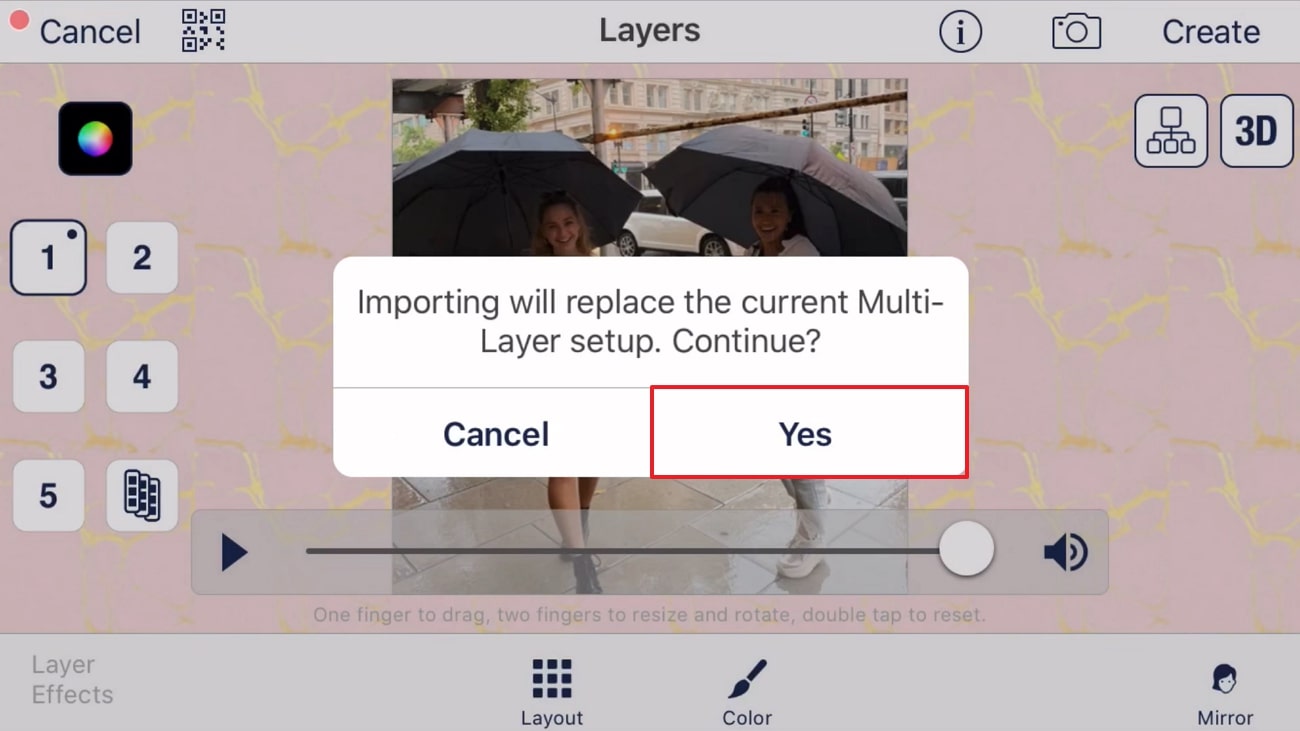
Step 3: Hereafter, hit "Yes" from the pop-up window and locate the QR Code of your choice. After finding it, tap on the code and add it to the video.