Installation Successful
Buy One Get One Free Now
You only need to buy the desktop version, and you will get online premium service for a 1-year license as a gift.
You can visit online UniConverter here.
You can visit online UniConverter here.


Wondershare UniConverter + Online UniConverter
Individual Perpetual License/1 PC
$59.95 69.95
Wondershare UniConverter + Online UniConverter
Individual Perpetual License/2 PCs
$107.91 139.9
We accept

10-Second Quick Start
1
Convert Videos Between Different Formats
Click Add Files to import common videos and click Load DVD to get our DVDs. Then select any format and click Convert to start the conversion.


2
Creating And Editing Your Personalized Videos
Add video files to the program, select the editing function below the video thumbnail. You can trim, crop video and add video effect easily.

3
Burn Your Videos to DVD Fast
Add your desired videos, click Load DVD to add load DVD folder, choose DVD template, click the Burn button.

4
Transfer Video or Audio File to Mobile Device
Connect the mobile device to the computer, add the video you want to transfer, click the Transfer button in the right.

5
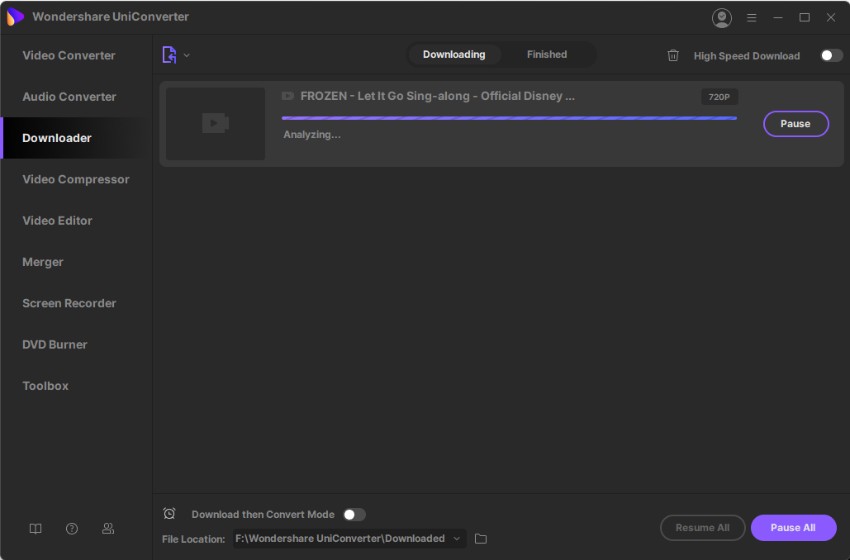
Download And Record Videos You Want
Select Paste URL or Record Video button in the Download tab to download or record videos you want.