















KlingAI O1: The World's First Unified Multimodal Video AI, Now on Media.io
Create cinematic videos from text, images, or reference videos using the world-leading KlingAI O1 unified video model. Generate scenes, extend shots, add or remove objects, change styles, and control camera movement—all in a single AI. Media.io lets you use Kling O1 online with no setup, no region limits, and no complex workflow.
Watermark-free, high-quality MP4 exports.

Why KlingAI O1 Is the Most Powerful Multimodal Video Model Yet
The Director’s Cut: Perfect Character Consistency
The number one problem in AI video is solved. KlingAI O1 doesn't forget who your character is between shots. By combining images and elements as references, KlingAI O1 remembers your characters and objects across multiple scenes and complex camera movements—just like a human director would. Finally, you can create a full, consistent story without the visual headache.
Try KlingAI O1 Video ModelPost-Production is Now a Text Prompt
Why use complicated editing software when you can just talk to your video? KlingAI O1 lets you edit existing video footage using simple words. Want to change the time of day, remove a person in the background, or swap a prop with a single word? Just type it out. Editing complex scenes is now as easy as having a conversation.
Try KlingAI O1 Video ModelAll-in-One: Generation + Editing Unified
For the first time, you have one tool that handles everything. KlingAI O1 is the world's first unified multimodal model, meaning you can mix text, images, and video references in one prompt. Go from generating a scene to refining its style to removing an object—all within the same workflow. It’s the ultimate creative engine for speeding up your entire video process.
Try KlingAI O1 Video ModelAccess the World's Best AI Video Models in One Workspace
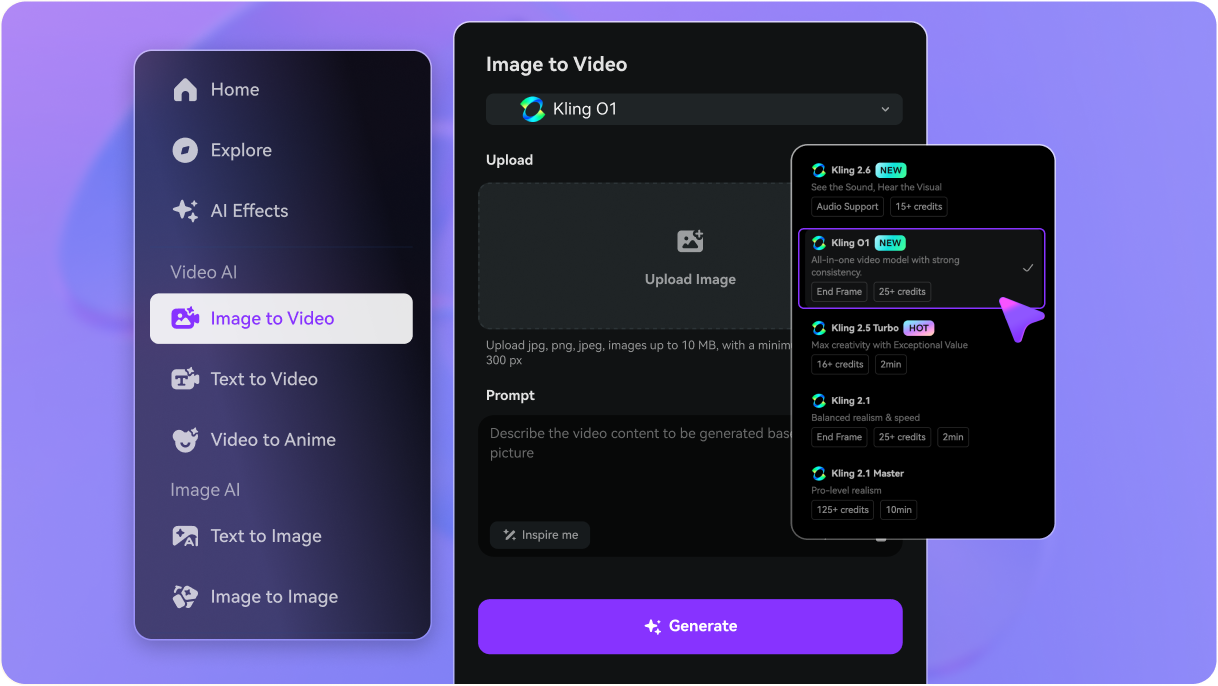
Media.io gives you instant access to leading engines like Kling O1, Veo, Sora, Hailuo, Wan, Vidu, Runway, and Pixverse—all in one place. Switch models with one click and generate videos in any style, quality level, or creative direction.


How to Create Videos with Kling O1 in Media.io
Turn text or images into high-quality AI videos using KlingAI O1 inside Media.io. Just follow these three simple steps.
Go to Media.io/ai and choose Text to Video or Image to Video, depending on whether you want to start from a prompt or a reference image. In the video model dropdown, select KlingAI O1 as your engine.
Describe your scene in natural language: characters, actions, camera moves, style, and mood. Then choose your aspect ratio (16:9, 9:16, 1:1, etc.), video duration, and resolution so it fits YouTube, TikTok, Reels, or any platform you plan to post on.
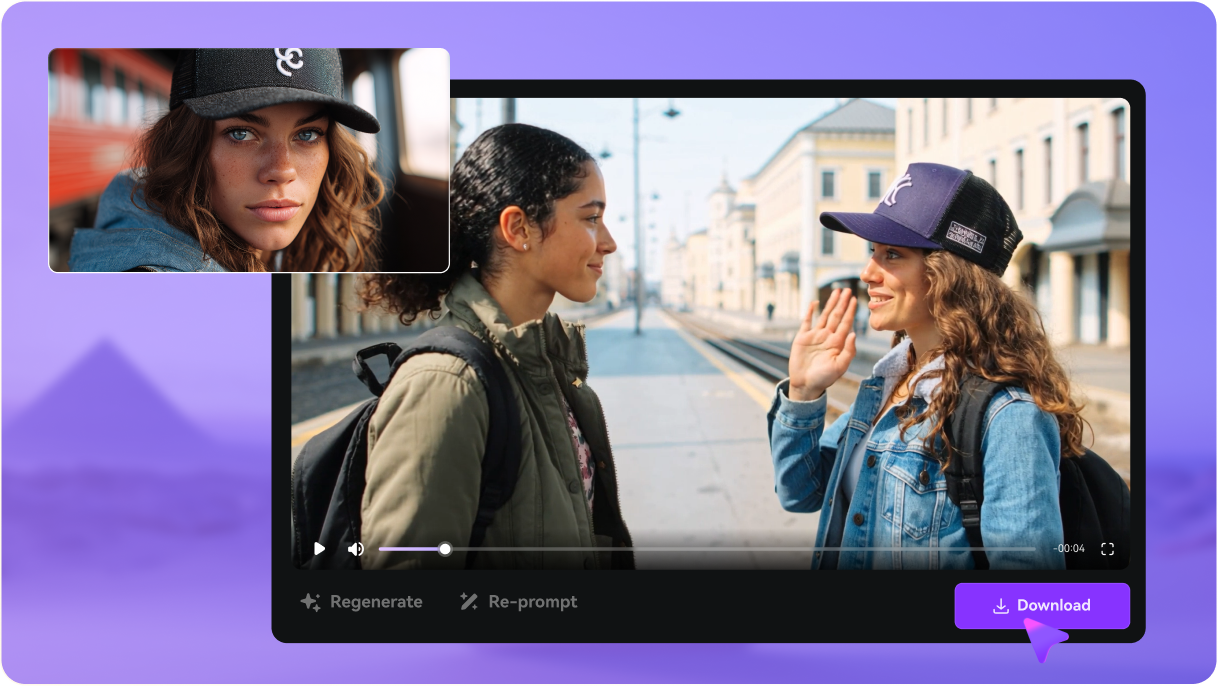
Click Generate and let KlingAI O1 create your video. Preview the result, refine your prompt if you want changes, then regenerate as needed. When you’re satisfied, download your AI video as an MP4—ready to post, edit further, or drop straight into your content timeline.

Explore the Hottest AI Video & Image Effects



KlingAI O1: Top Questions Answered
What exactly is Kling O1?
Kling O1 (Omni One) is the world's first unified multimodal video foundation model. It's the most advanced engine from the Kling AI family, designed to solve the biggest consistency and workflow issues in AI video. Instead of separate tools for generation and editing, O1 handles all your needs within a single, powerful, prompt-driven system.
How is Kling O1 different from older versions (Kling 2.5, 1.6)?
While older versions (like 1.6 and 2.5) made great leaps in realism and motion fluidity, Kling O1's major jump is its Unified Multimodal Architecture. It is the first version that seamlessly combines Text, Images, and Video references as input, supporting both Generation and Editing (modification) in a single workflow, and delivering Industrial-Grade Consistency.
What video length and resolution can Kling O1 generate?
You can generate clips of 3 seconds or 10 seconds per shot, which are easily chained for longer narratives. The model supports output up to 1080p (Full HD) at a smooth 30 frames per second (FPS), across standard 16:9, vertical 9:16, and square 1:1 aspect ratios.
How does Kling O1 compare to Sora, Veo, Runway, and Pixverse?
Kling O1's competitive edge is its Unified Multimodal Architecture, which allows for superior control and consistency. It is specifically known for its ability to maintain perfect character identity and seamlessly combine generation and editing in one place, streamlining the workflow compared to many competitors.
What is the Kling O1 price and cost structure?
Kling AI operates on a credit-based system. Cost is calculated per second of video generated, with a higher credit consumption for complex tasks like video-to-video editing. Full access requires a paid membership (Standard, Pro, etc.), which unlocks features like high-resolution output and watermarking removal.
How can I get Kling AI free credits?
The quickest way to start is by creating a new account on the official platform, as this usually grants a one-time allocation of free credits to test the model's capabilities. You can also look for partner-specific promotions and trial offers.
Is there a Kling O1 API available for developers?
Yes, KlingAI O1 is made available to developers and enterprises through a formal API (Application Programming Interface). This allows businesses to integrate the powerful unified generation and editing capabilities directly into their own applications, platforms, or custom workflows.
Where can I find the Kling AI Mod APK, or is there a free version?
We strongly recommend against downloading or using any unauthorized "Mod APKs" or unofficial software. For your security, the safety of your device, and to guarantee the best feature access, please use the official Media.io platform. We offer free sign-up credits so you can safely test the powerful features of KlingAI O1 on the secure, authorized platform.
 4.7 (162,357 Votes)