Animate a Portrait Like a Real Person
Turn a selfie or portrait into a natural motion clip — subtle head turns, expressions, and gestures. Perfect for creator intros, profile videos, or story-style edits without filming.
Want more control than a normal AI video generator? Try Kling Motion Control on Media.io to turn a static image into a motion-driven video with predictable movement. Upload your image, apply motion from a reference video, and generate a smooth AI motion video in seconds — perfect for dancing characters, walking shots, gestures, and creator content.
Automatically generates coherent multi-shot sequences, allowing stories to unfold naturally across scenes.
Characters maintain facial features, outfits, and body proportions across different shots.
Movements, expressions, and environmental sounds align better with audio cues.
Supports videos up to 15 seconds, enabling richer storytelling without abrupt cutoffs.
Smooth pans, zooms, and tracking shots provide finer control over visual rhythm.
Turn a selfie or portrait into a natural motion clip — subtle head turns, expressions, and gestures. Perfect for creator intros, profile videos, or story-style edits without filming.
Upload a dance reference video and make your image follow the motion with smoother, more predictable results. Great for TikTok-style edits, meme videos, and trend challenges.
Animate an illustration, mascot, or game character with controlled actions like walking, waving, posing, or turning. Ideal for fandom content, storytelling, and character reels.
Turn product images into motion videos using a reference clip — spins, turns, and showcase gestures. Perfect for ecommerce creatives, ads, and social promos without a camera setup.
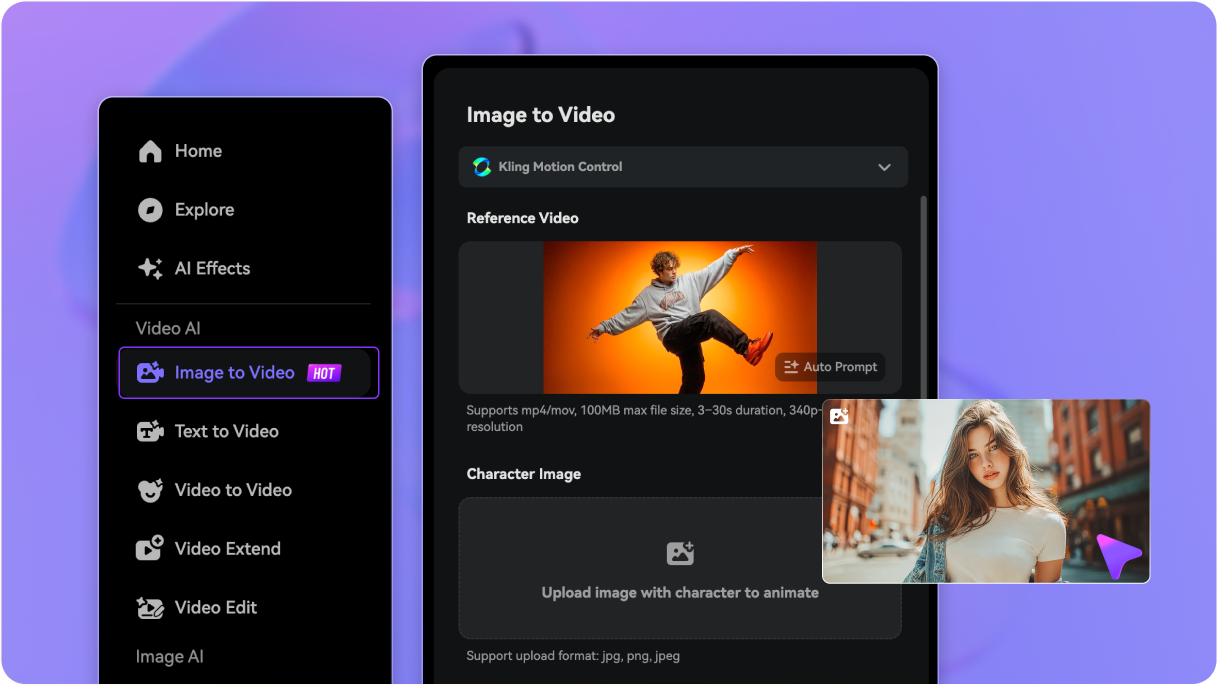
Access media.io/ai/image-to-video, choose the Kling Motion Control as your video model, and then upload a clear image. Portraits, characters, and full-body shots all work — choose the subject you want to animate.
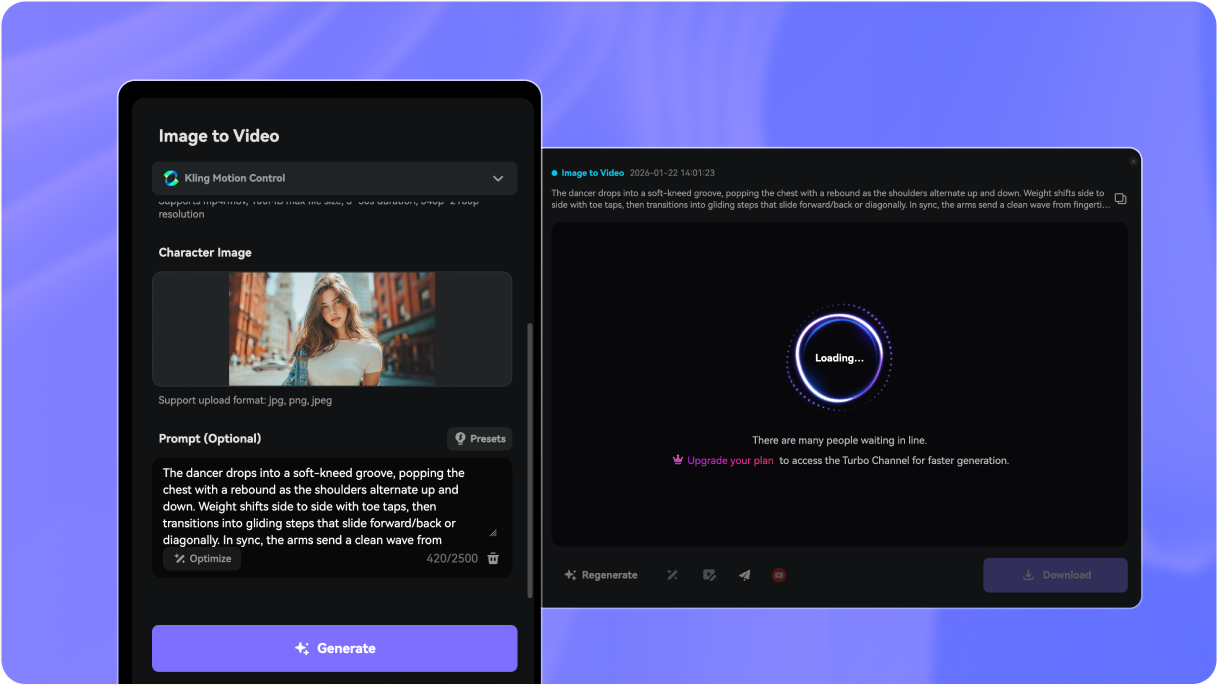
Upload a motion reference video to guide the movement — such as walking, dancing, waving, or turning. You can also add a short text prompt to customize the background, vibe, or scene details.
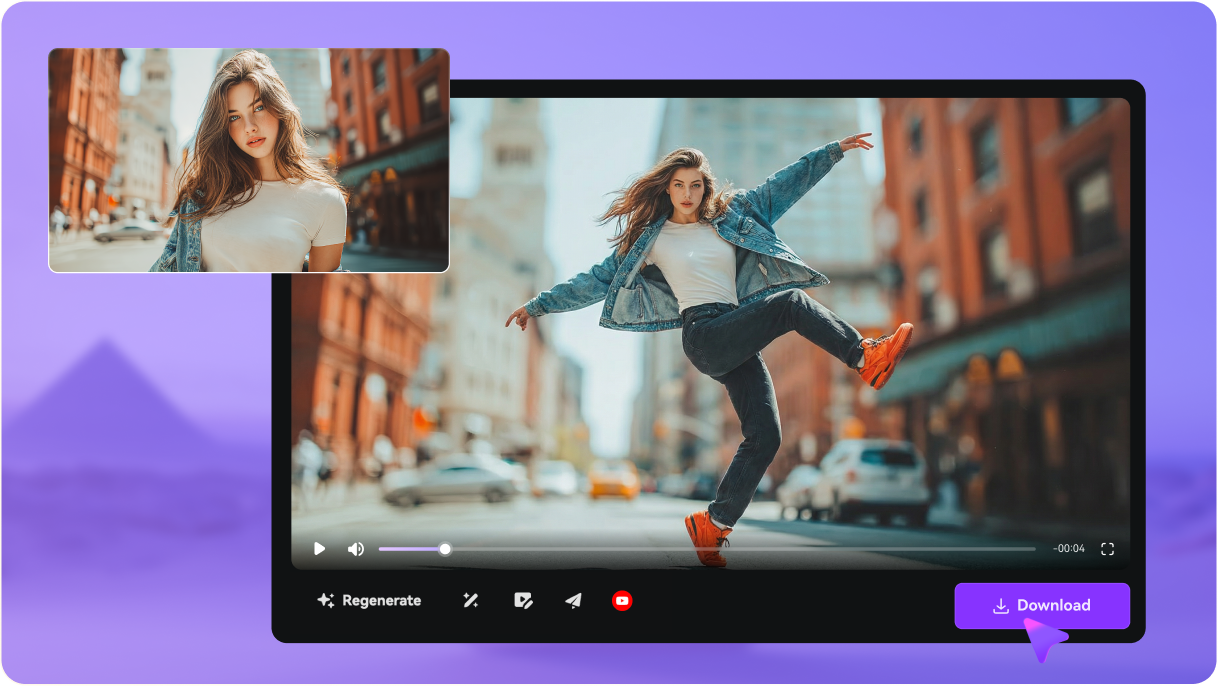
Click Generate to create your AI motion video. Preview the result, regenerate if needed, then download the final video to share or post online.
Kling 2.6 Motion Control is a motion-guided image-to-video feature that helps you generate more controlled movement. You upload an image as the subject, then guide actions using a motion reference video so motion looks more intentional and consistent.
Use short clips where the motion is clear and easy to read — like walking, waving, turning, or dancing. For cleaner motion transfer, pick videos with good lighting, stable framing, and minimal occlusion (hands/face not blocked).
A prompt is optional. Motion Control mainly follows your reference motion. Add a short text prompt only if you want to customize the background, lighting, or scene vibe (for example: “cinematic street at sunset”, “clean studio background”, “anime style”).
Yes — dance is one of the best use cases. For smoother results, use a full-body reference clip with clear limb movement, keep the subject centered, and avoid fast camera shakes. If the dance is complex, try a shorter reference segment first.
Yes. Media.io offers a 3-day free trial so you can test Kling Motion Control and generate motion videos online before upgrading.
Kling uses a credits-based system and offers membership plans. For the most accurate, up-to-date details, check Kling’s official pricing pages here: Membership Plans and Credits Policy.
Yes. You can find Kling’s official API documentation here: Kling API Docs. If you just want to create quickly, you can also use Kling Motion Control directly on Media.io — plus access many top-tier alternatives (like Sora 2 / Sora 2 Pro, Veo 3 / 3.1, Hailuo 2.3, and more) under one subscription.
We don’t recommend using modded APKs. Unofficial downloads often come with security risks (malware, account theft, unstable results). For a safer experience, use official web tools or trusted platforms like Media.io.