
Vector Icons for Websites & Apps
Quickly generate clean SVG icons for navigation, feature lists, dashboards, and app UI—ready to drop into your design or code.
 Nano Banana Pro














Type a prompt and let Media.io’s AI SVG generator convert your ideas into clean, scalable SVG graphics. Create icons, logos, and simple illustrations with text to SVG AI—perfect for websites, apps, and presentations without manual vector design.
No design skills. Free credits on login.
| Style | Prompt Inspiration | Copy |
|---|---|---|
|
Minimal Line Icon
Line
Outline
UI
|
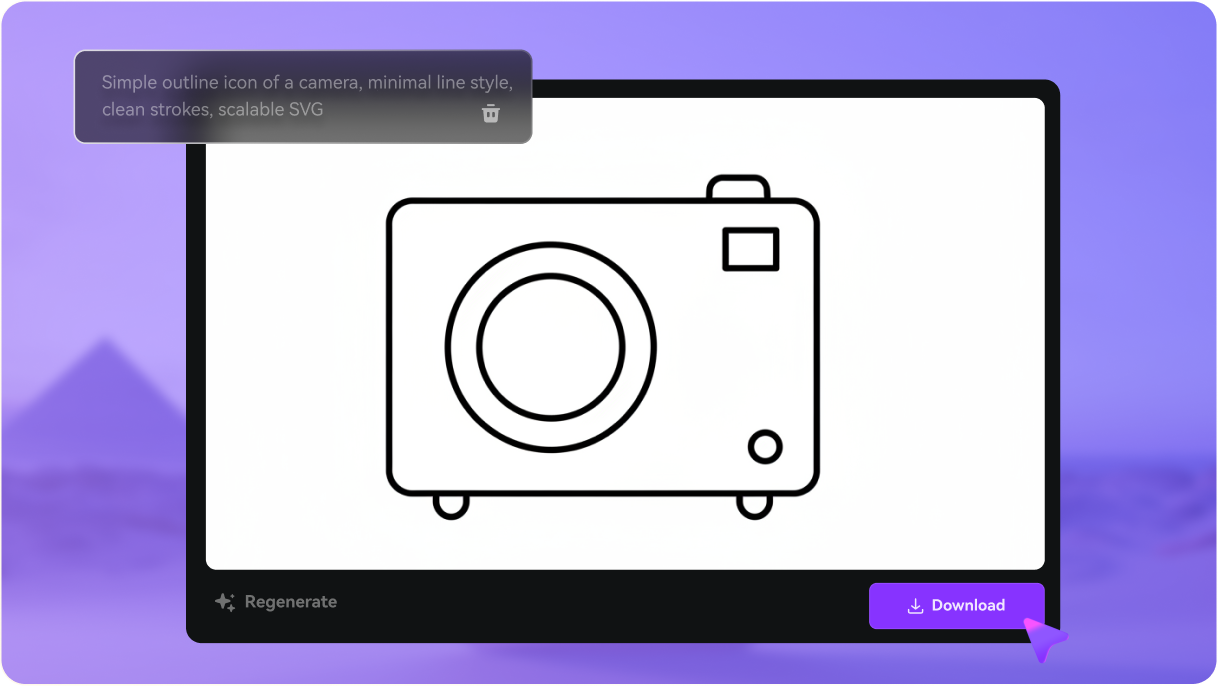
Simple outline icon of a camera, minimal line style with uniform stroke width, rounded corners, clean and scalable SVG suitable for app or website UI |
|
|
Solid Filled Icon
Filled
Flat
Bold
|
Solid filled icon of a shopping bag with handles, bold geometric shapes, modern flat design, centered silhouette, perfect for ecommerce or store button SVG |
|
|
Flat Vector Illustration
Flat
Illustration
Vector
|
Flat vector illustration of a laptop with sparkles around it, simple shapes, soft shadows, friendly modern style, ideal as a tech or productivity SVG graphic |
|
|
Cute Cartoon (Kawaii)
Kawaii
Cartoon
Sticker
|
Cute cartoon illustration of a smiling cat head, big round eyes, small nose, thick outline and simple flat colors, sticker-style SVG perfect for social media or merch |
|
|
Minimal Logo Badge
Logo
Badge
Emblem
|
Round badge-style logo with a mountain silhouette in the center, clean lines, minimal shapes, balanced text area placeholder, vector SVG suitable for small business branding |
|
|
Geometric Abstract Shape
Geometric
Abstract
Modern
|
Geometric abstract SVG composed of overlapping circles and triangles, modern vector style, balanced composition, ideal as a background graphic or brand accent |
|
|
Business & Analytics Icon
Business
Chart
Professional
|
Professional line icon of an upward trending bar chart with arrow, clean strokes, minimal design, designed as a dashboard or finance analytics SVG icon |
|
|
UI Settings Icon
UI
Settings
Interface
|
Clean UI icon of a settings gear with symmetrical teeth, 2px stroke weight, rounded joins, simple and readable at small sizes, SVG optimized for web and app interfaces |
|
|
Sticker Style Rocket
Sticker
Bold
Fun
|
Bold outline sticker-style illustration of a rocket taking off, thick black stroke, simple flat color fills, playful vector SVG ideal for social posts or badges |
|
|
Gradient Vector Icon
Gradient
Modern
UI
|
Modern gradient-style heart icon, smooth color transition from pink to purple, soft rounded shape, clean vector SVG suitable for app likes, social media, or UI states |
See how the AI SVG Generator fits real creator workflows - perfect for icons, logos, marketing visuals, and more.
Quickly generate clean SVG icons for navigation, feature lists, dashboards, and app UI—ready to drop into your design or code.
Turn ideas into minimal logo concepts, badges, and brand icons—perfect for small businesses, creators, and quick prototype branding.
Generate flat vectors, spot illustrations, and decorative graphics to make blog posts, landing pages, and email campaigns more visual.
Create charts, symbols, and simple diagrams as crisp SVGs that keep slides, reports, and class projects clear and professional.
Design sticker-style graphics, badges, and icons for thumbnails, covers, reels, and highlight sets that stay sharp on every platform.
Generate scalable SVG designs for T-shirts, stickers, packaging labels, and classroom projects—ideal for printers, cutters, and print-on-demand.
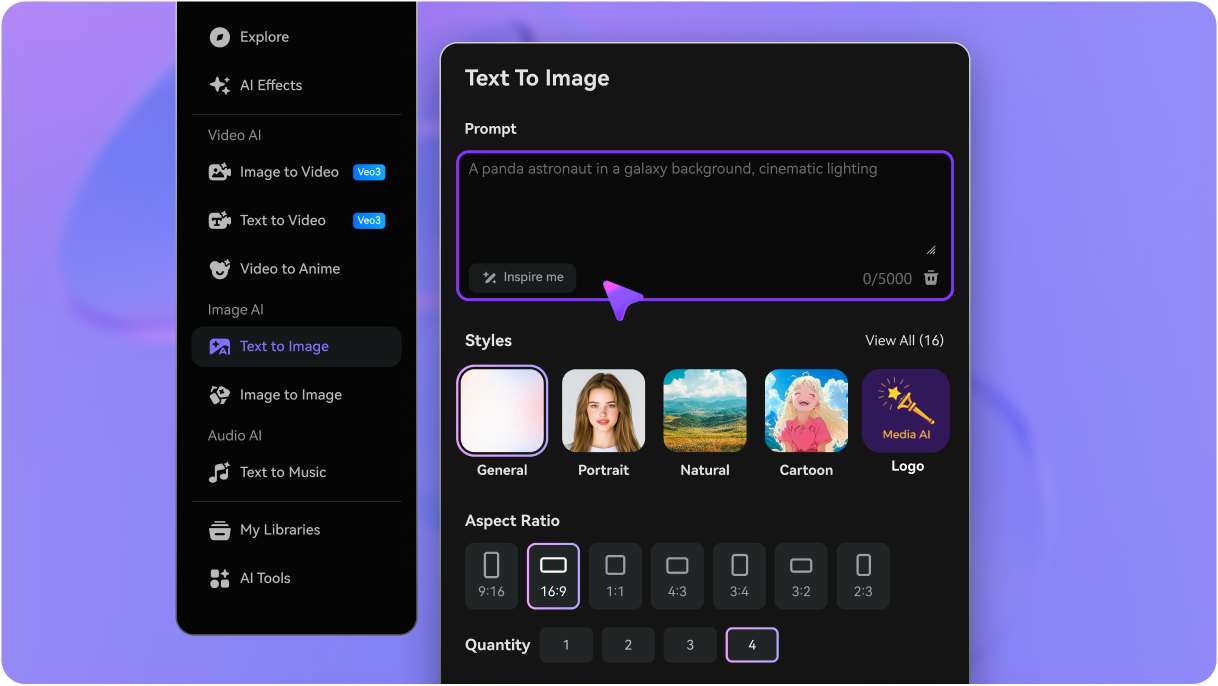
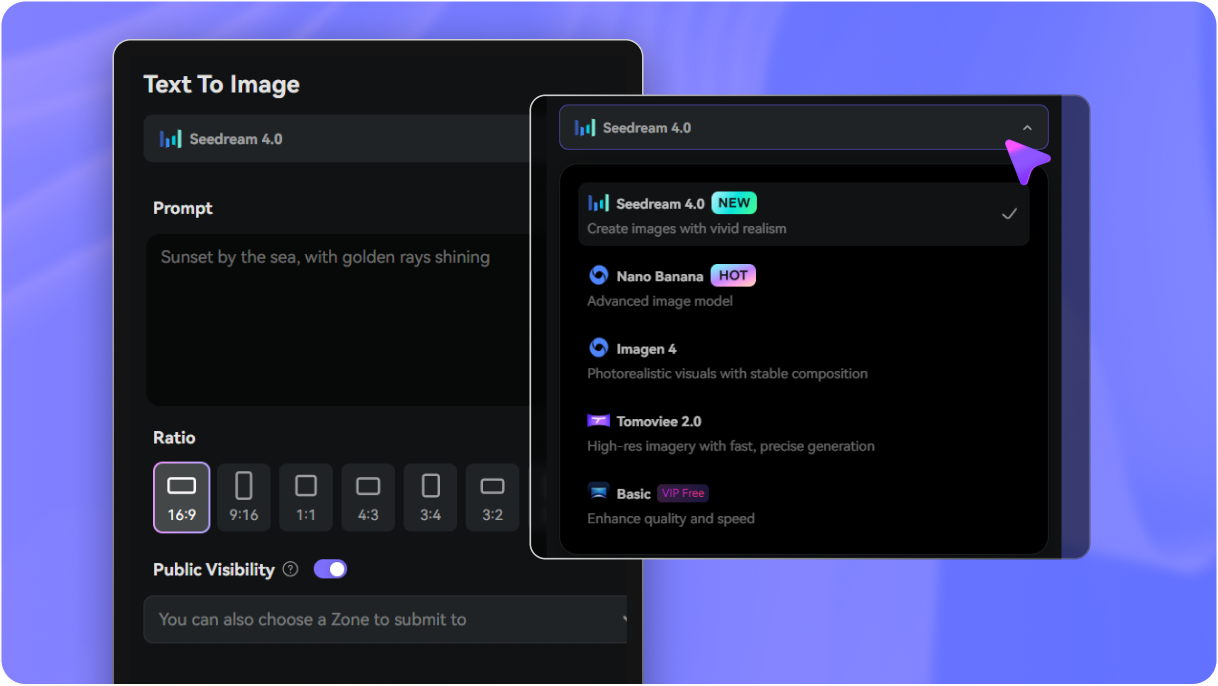
Go to media.io/ai and open the AI SVG Generator under AI → Text-to-Image. This online SVG maker runs in your browser so you can create icons, logos, and vector illustrations with no downloads or complex software.
Describe what you want the AI to draw as text-to-SVG: for example, “minimal line camera icon,” “flat shopping bag logo,” or “cute cartoon cat sticker.” You can type your own prompt or copy & paste a Gemini SVG prompt from the examples above to get clean, vector-ready results.
Click Generate and let the AI turn your prompt into a clean, resize-friendly SVG graphic in seconds. Everything runs online and you get free daily login credits to create more SVGs. When you’re happy, download the watermark-free SVG and drop it into websites, slides, social posts, merch designs, or any design tool like Figma or Canva.


An AI SVG Generator turns your text descriptions into clean, scalable vector graphics. Instead of drawing icons or illustrations yourself, you simply type a prompt and AI creates an SVG file you can use for websites, social posts, presentations, or branding.
You can generate icons, simple logos, flat illustrations, social media graphics, stickers, UI elements, and vector shapes. It’s perfect for creators, small businesses, students, and anyone who needs quick graphics without design experience.
No design skills needed. The tool is made for beginners and non-designers — just enter a short description and the AI handles all the vector drawing and clean shapes automatically.
Yes, you can try it for free with credits on signup. Media.io offers free exports and lets you generate SVG graphics directly in your browser — no software download required.
In most cases, yes. You can use your generated SVGs in websites, social content, branding, slides, school projects, and more. For large-scale branding or print, use your own discretion to ensure the artwork fits your needs and complies with any relevant guidelines.
SVG is a vector format, which means it stays perfectly sharp at any size. It’s ideal for logos, icons, UI elements, and crisp graphics on all screens. PNG and JPG are raster formats, so they can blur or pixelate when scaled up.
Yes. Since it’s a vector file, you can open it in tools like Figma, Illustrator, Canva, or simple SVG editors to adjust colors, shapes, or text. This makes it easy to refine the AI’s design for your brand or project.
The AI can create outline icons, solid icons, flat illustrations, geometric shapes, sticker graphics, badge logos, cartoon vectors and more. You can guide the style using keywords like “flat”, “line icon”, “sticker”, or “minimal logo” in your prompt.
 4.7 (162,357 Votes)



