Chat, Writing & Search
Dola's core is an everyday AI assistant for chat, writing, translation, and search. The visual creation features sit inside that assistant rather than as standalone tools.
Is Dola right for your next photo edit or AI video? Explore its creative features, limits, and real user feedback—then compare Media.io's generation, editing, and enhancement tools.
Dola is worth trying if you want one AI assistant that handles everyday chat, writing, and search and lets you generate images, edit photos, and try short videos in the same place. Real user feedback points to positive experiences with personal social-media image generation, follow-up editing, and multi-result selection, alongside reports of video wait times, occasional generation failures, and daily quotas on some creation features. Media.io is a different kind of fit: it is not a chat assistant. It is a set of dedicated image, video, and audio tools for when your task is specific—generate, edit, or improve a piece of media—and you want to keep going with enhancement, cleanup, and finishing in one workspace.
Dola suits casual chat, quick image generation, and trying short videos, but its assistant-based workflow lacks specialized asset cleanup. When your task requires precise removal or cleanup features, exploring a dedicated Dola Watermark Remover alternative gives you more targeted control.
This is a workflow positioning. Current research is not enough to prove that Media.io's generation quality, speed, or cost is comprehensively better than Dola's. Review basis: Dola's official site and app-store listings, public user reviews, and third-party discussion. We have not conducted a controlled head-to-head performance test, so we do not claim one tool is better on quality, speed, or price.
Dola is ByteDance's AI assistant for everyday questions, writing, research, and creative tasks. It also supports image generation, photo editing, and video creation. This review focuses on those visual tools: what users like, where limits or inconsistent results can interrupt creation, and when Media.io offers a more suitable workflow. See the official Dola site.
Dola's core is an everyday AI assistant for chat, writing, translation, and search. The visual creation features sit inside that assistant rather than as standalone tools.
Dola can generate images from prompts, and users report generating personal social-media pictures with follow-up editing and multiple results to pick from. A daily quota applies to some creation features—don't assume unlimited generation.
Dola also describes photo editing, so “Dola has no photo editing” is not accurate. What matters is whether its editing depth meets a specific task, which we don't claim to have benchmarked.
Dola supports video generation inside the assistant. User feedback describes attractive results but also long wait times, occasional generation failures, and model-option changes over time.
A note on identity: several same-named generation sites and apps appeared in search, and calendar-assistant discussions mixed into results. Their plans, refund complaints, and ratings do not apply to official Dola (app developer SPRING (SG) PTE. LTD.). The Trustpilot page for www.dola.com is a travel service—an identity mismatch—so we do not cite its score here.
What the official product describes for its visual tools, separated from individual user reports. Check feature availability for your region and plan, because some creation features are gated by daily limits.
Public feedback about Dola's image and video creation is mixed. Here is what we could verify this round, with sources and dates so you can check the original pages. Treat each item as an individual report, not a consensus—we clearly separate official features, user cases, and editorial judgment.
A Google Play reviewer liked generating personal social-media images, doing follow-up editing, and choosing from multiple results, while noting a daily quota. User case: image creation/editing gets positive feedback—but it does not promise unlimited generation.
play.google.com →Another reviewer liked the video results and prompt understanding, but wanted speed and quota improved. User case: video output is attractive, yet wait time and available counts affect the experience.
play.google.com →A reviewer found dynamic text hard to generate, and noted that results that don't meet expectations still consume quota. User case: a reason to distinguish “generated but poor” from a technical failure when thinking about how credits are used.
play.google.com →In a Reddit fashion-image discussion, a poster liked the clothing, fashion portraits, and varied compositions. User case: a concrete image-creation example—not something we can generalize into a consistency test.
reddit.com →Reddit users reported long waits, generation failures, and model-option changes for Dola video; another relayed a support reply. User case: usability feedback. We treat this as individual reports, not a current, ongoing, platform-wide outage.
reddit.com →Based on Dola's official site and app-store listings, public user reviews, and third-party discussion. Same-named generation sites/apps and the calendar-assistant discussions were excluded; the Trustpilot www.dola.com page belongs to a travel service and is not cited. We did not conduct a controlled head-to-head performance test and make no Media.io quality, speed, or price superiority claim.
A balanced summary drawn from the official product description and the verified user feedback above—not from a test we ran.
Dola offers a free entry point for trying creation, but its advanced image and video features carry usage quotas. The UK App Store listing shows Plus, Pro, and Max plans, and free users get only daily-limited counts for some creation features. Check the current terms for your region and platform before relying on a free result.
You can try Dola's creation features for free, but some are capped by a daily quota. Old reviews describing the service as “completely free, no Premium” should not be carried into today's expectations—plan descriptions have changed. Confirm what your free tier actually allows before a real task.
dola.com →The UK App Store lists Plus, Pro, and Max plans; pricing, credits, and video-generation limits vary by tier and region. Dola's current general terms describe the service as for private, non-commercial use, so commercial projects should verify applicable terms and feature authorization—don't assume commercial use is allowed just because someone showed a brand video.
dola.com →This is a workflow positioning, not a proven quality verdict. The table sticks to what each product describes and what users reported—no row claims a proven quality winner, because we have not run a controlled head-to-head test.
| Decision factor | Dola AI | Media.io |
|---|---|---|
| Main focus | Everyday AI assistant, including visual creation | Image, video, and audio generation & processing |
| Everyday assistance | Chat, writing, search, translation and other core uses | This page focuses on media production |
| Image creation | Prompt-to-image, photo editing & style variation | Text-to-image, image-to-image & themed creation entries |
| Video creation | Video generation inside the assistant | Standalone image-to-video, text-to-video & multi-model entries |
| After generation | Keep editing or regenerating per current features | Continue into enhancement, cleanup & other media tools |
| Usage limits | Check by region, plan & feature | Check by chosen tool, model & plan |
| Best fit | Everyday Q&A combined with light creation | Creators with clear tasks that need follow-up media work |
From a quick AI creation to a more deliberate media workflow. Instead of one chat entry, you start from the specific task—generate or edit an image, turn a photo into video, turn text into video, or improve an existing clip—and continue with enhancement and cleanup. Each step links to the matching Media.io tool.
Start from Media.io Image-to-Image when your task is generating or editing a picture. Pick the creation entry for your specific need rather than a general chat prompt, and refine the result before moving on.
Open Image-to-Image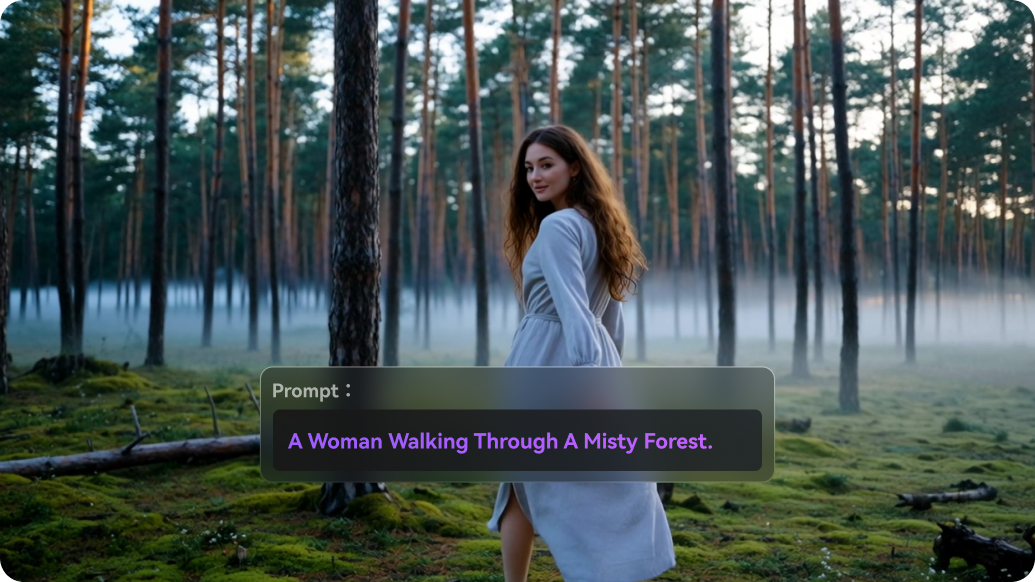
Already have an image? Use Media.io Image-to-Video to animate it. The image-to-video page shows multiple video models, so you can choose a model and confirm settings, quota, and output before generating.
Open Image-to-Video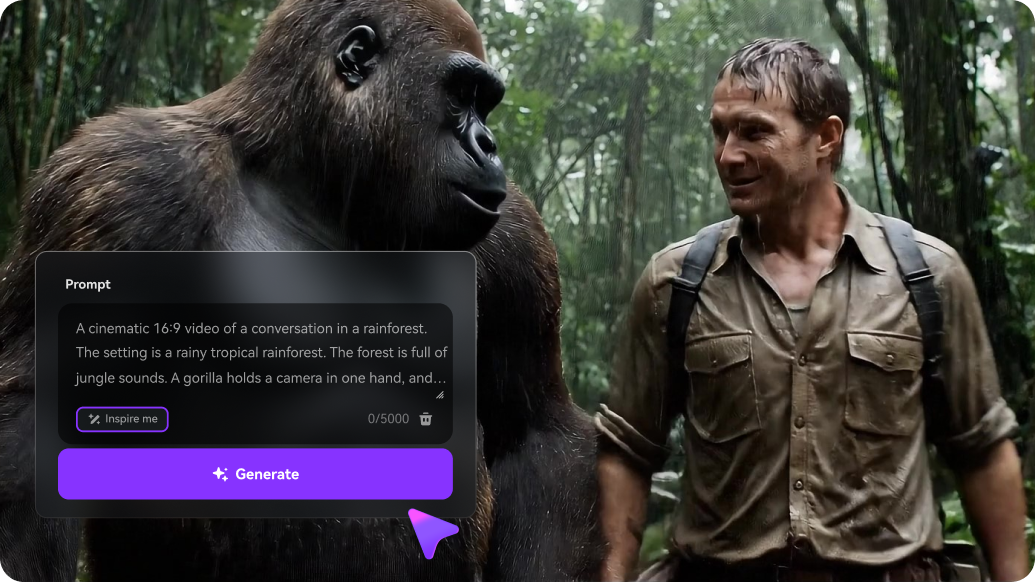
Starting from a prompt? Use Media.io Text-to-Video for a dedicated text-to-video workflow, with its own model options and settings rather than a chat-side feature.
Open Text-to-Video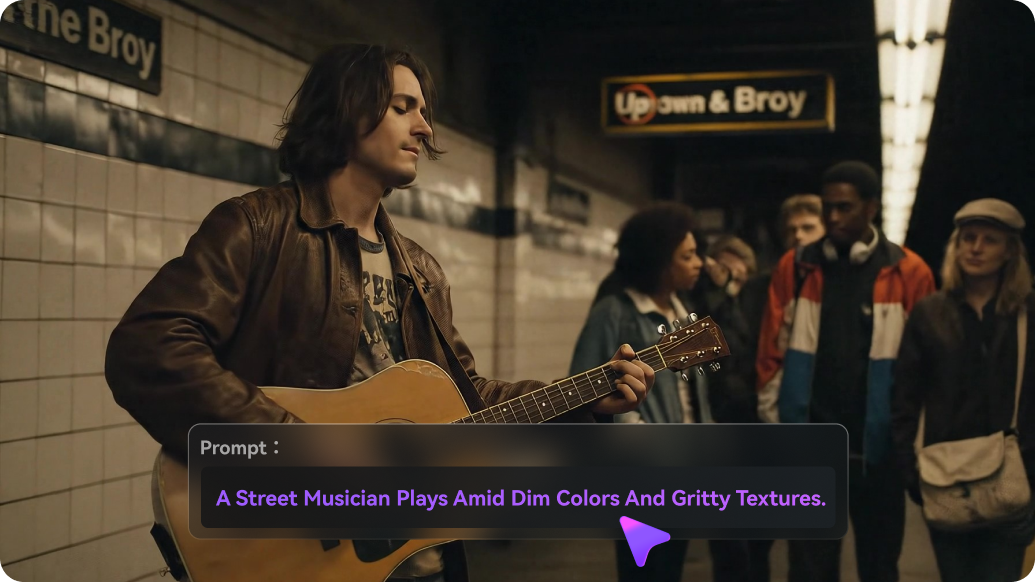
After generation, open Media.io Video Enhancer for clarity, denoise, portrait, and color work. This is the “keep going” step—the part of the workflow that turns a generated clip into a more finished piece.
Open Video EnhancerDola is ByteDance's AI assistant for everyday questions, writing, research, and creative tasks, and it also supports image generation, photo editing, and video creation. This review focuses on those visual tools—what users like, where limits or inconsistent results can interrupt creation, and when Media.io offers a more suitable workflow. Source: dola.com.
Yes. Dola is positioned as ByteDance's AI assistant, and its app listing shows the developer as SPRING (SG) PTE. LTD. We treat it as the official Dola product. Same-named generation sites and calendar-assistant apps that appear in search are separate products and are not covered here. Source: dola.com.
No. Dola and Cici are different products. Both come from the ByteDance ecosystem of AI assistants, but they are separate apps with their own features and positioning. Don't treat Cici reviews or features as applying to Dola.
Yes. Dola describes image generation and video generation inside the assistant, and users report generating personal social-media images and short videos. Results and availability vary by prompt complexity, feature, region, and plan, and some creation features carry daily quotas—so we don't promise unlimited generation.
Dola describes photo editing inside the assistant, so “Dola has no photo editing” is not accurate. What we can't claim is how its editing depth compares with a dedicated editor on a specific task, because we haven't benchmarked it. Try a representative edit and confirm it meets your need.
Dola offers a free entry point for trying creation features, but advanced image and video features carry usage quotas. The UK App Store listing shows Plus, Pro, and Max plans, and free users get only daily-limited counts for some creation features. Old “completely free, no Premium” descriptions don't reflect current plans. Check the terms for your region and platform.
Limits depend on feature, region, and plan: free users get daily-limited counts for some creation features, and paid tiers (Plus / Pro / Max) carry different credits and video-generation limits. Complex prompts, dynamic text, and precise requirements may also require retries. Confirm the current quotas before relying on a free result.
A user reported that results which don't meet expectations still consume quota. That is a reason to distinguish “generated but poor” from a genuine technical failure, and to check Dola's current terms on failed generations. We don't assert a blanket refund or credit policy here—verify in the app for your plan.
Dola's availability varies by region and platform, and feature access can differ by country and app store. The plans and daily limits we mention reflect a UK App Store listing we reviewed this round. Check the official site or your local app store to confirm what's available where you are. Source: dola.com.
It depends on your task. Media.io is not a chat assistant—it is a set of dedicated image, video, and audio tools. If your goal is a specific media job (generate or edit an image, turn a photo into video, turn text into video, or improve an existing clip) and you want to continue with enhancement and cleanup, Media.io is a fitting workflow. If you want everyday chat plus casual creation in one place, Dola is the better fit. Source: media.io/ai-models.
Choose Dola for everyday assistance and casual visual experimentation. Choose Media.io when your main task is creating, editing, or improving images and videos with dedicated tools. This is a workflow positioning; our research does not prove Media.io is better than Dola on generation quality, speed, or cost. Source: media.io/ai-models.
 4.7 (162,357 Votes)


