Change Clothing Colors
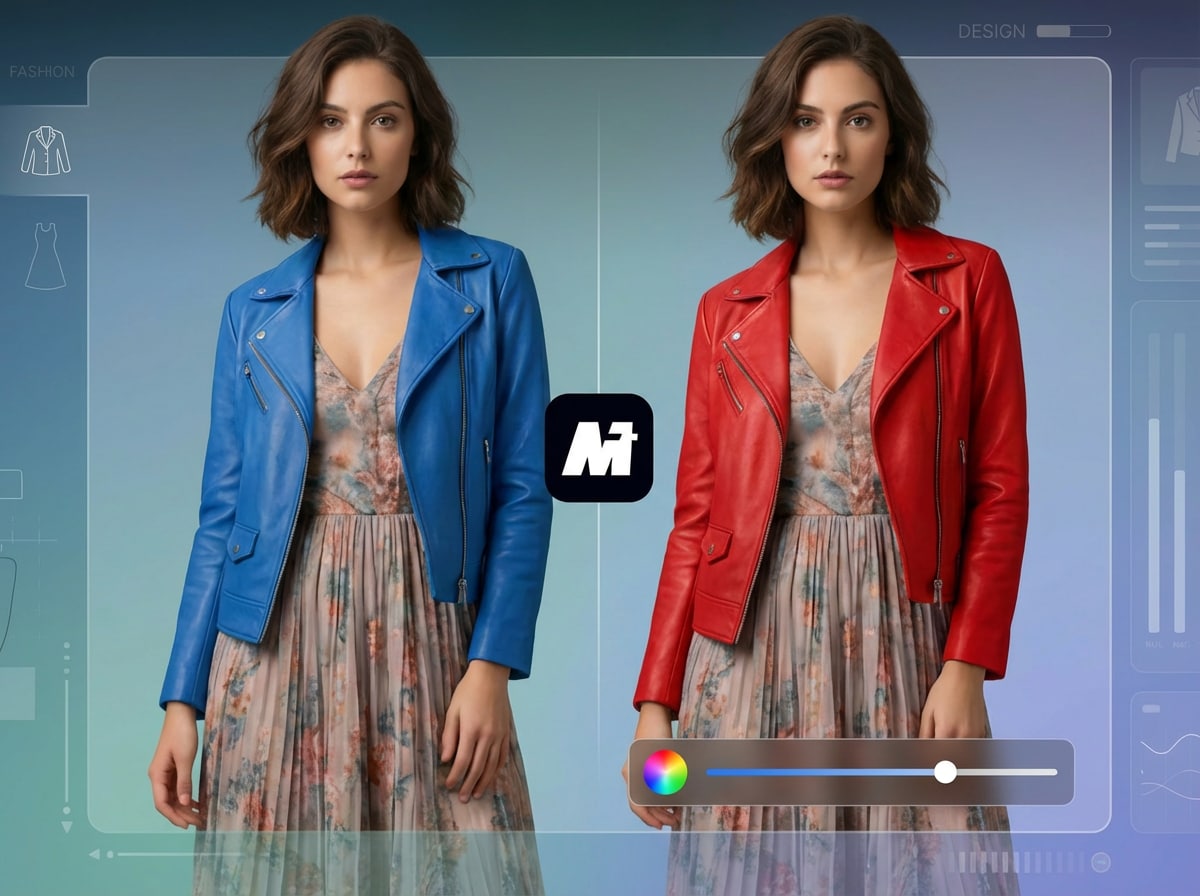
Instantly change the color of shirts, jackets, dresses, pants, or uniforms without Photoshop—perfect for creators, stylists, and anyone testing different outfits before posting or printing.
 Nano Banana Pro
 Unlock your creative potential and experience the magic of Media AI right away!














Transform your photos with Media.io’s AI Color Changer. Instantly change the color of clothing, products, objects, hair, backgrounds, and overall image tones—all without Photoshop. Just upload a picture, copy & paste a ready-made recolor prompt, and let AI accurately replace colors while preserving natural lighting, shadows, and textures. Fast, online, and free to try.
CRecolor Hair, Clothing, Objects & Backgrounds
Instantly change the color of shirts, jackets, dresses, pants, or uniforms without Photoshop—perfect for creators, stylists, and anyone testing different outfits before posting or printing.
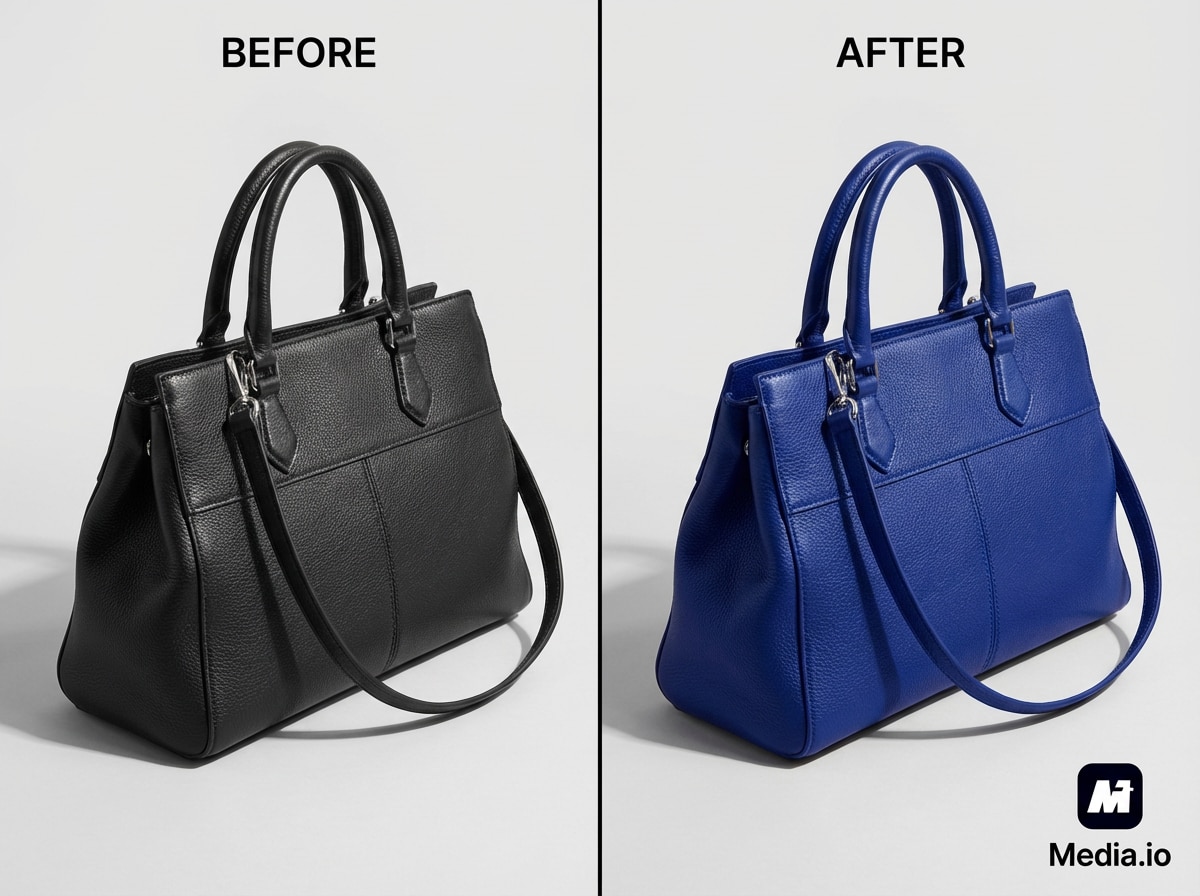
Recolor shoes, bags, bottles, packaging, and gadgets from a single product photo. Create multiple color variations for online stores, ads, and mockups in just a few clicks.
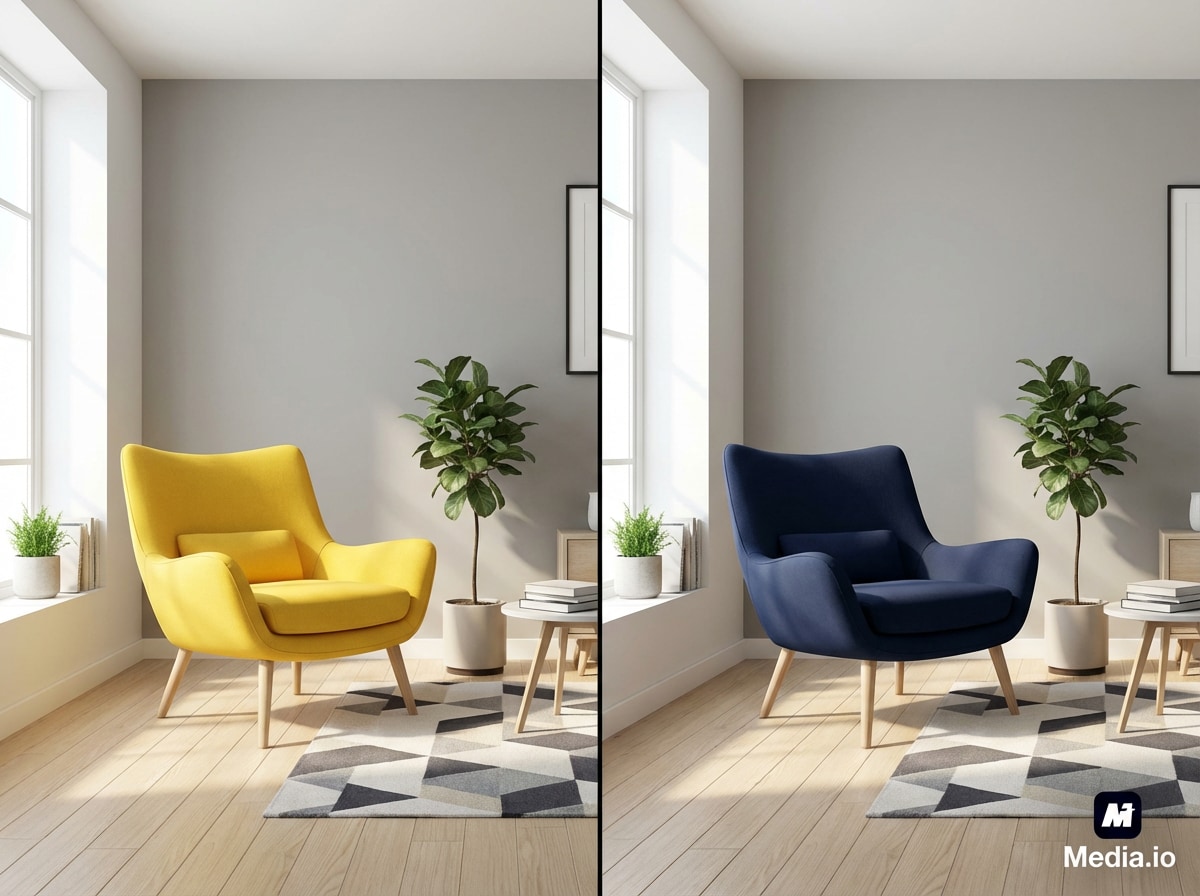
Swap the color of cars, furniture, walls, decor, and more while preserving natural shadows and textures, so every recolor looks clean and realistic.
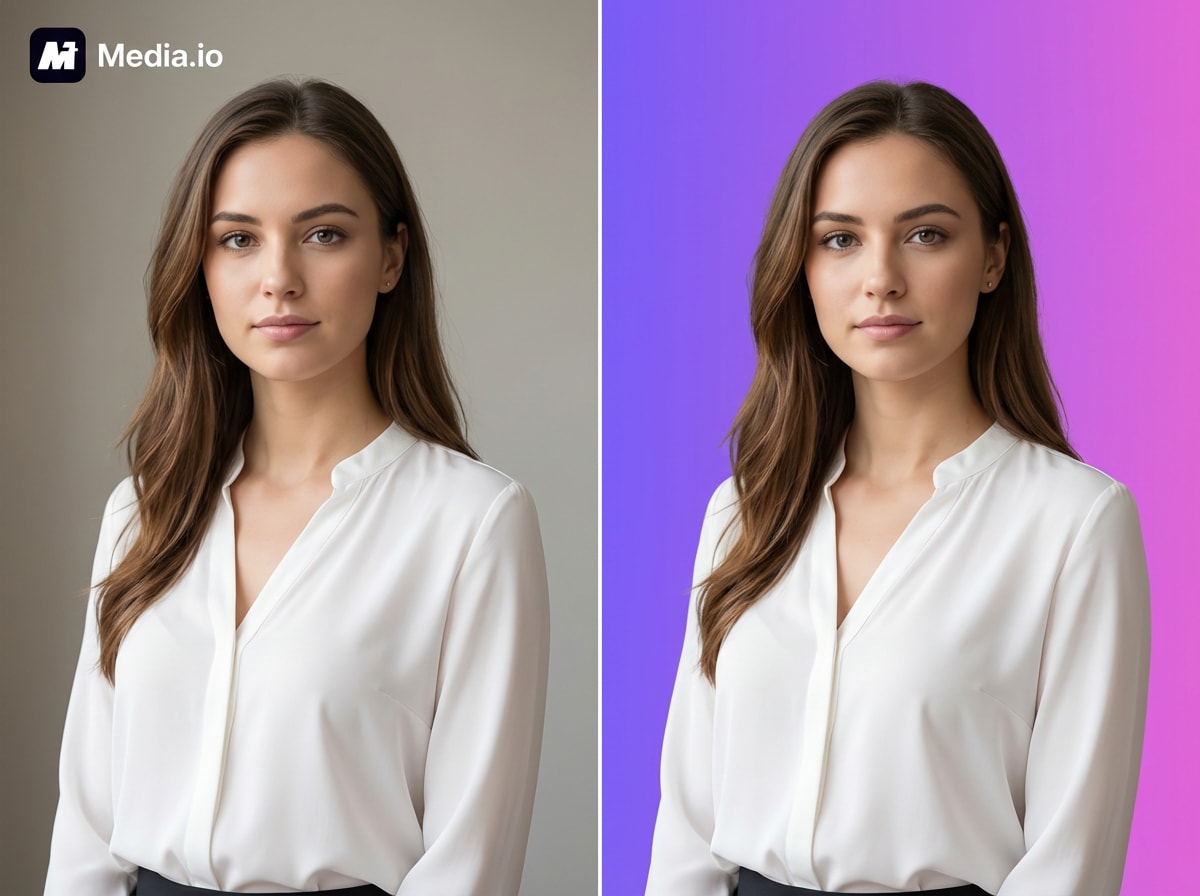
Quickly change your photo background to white, black, pastel, or any custom tone—ideal for profile pics, product shots, banners, and professional graphics.
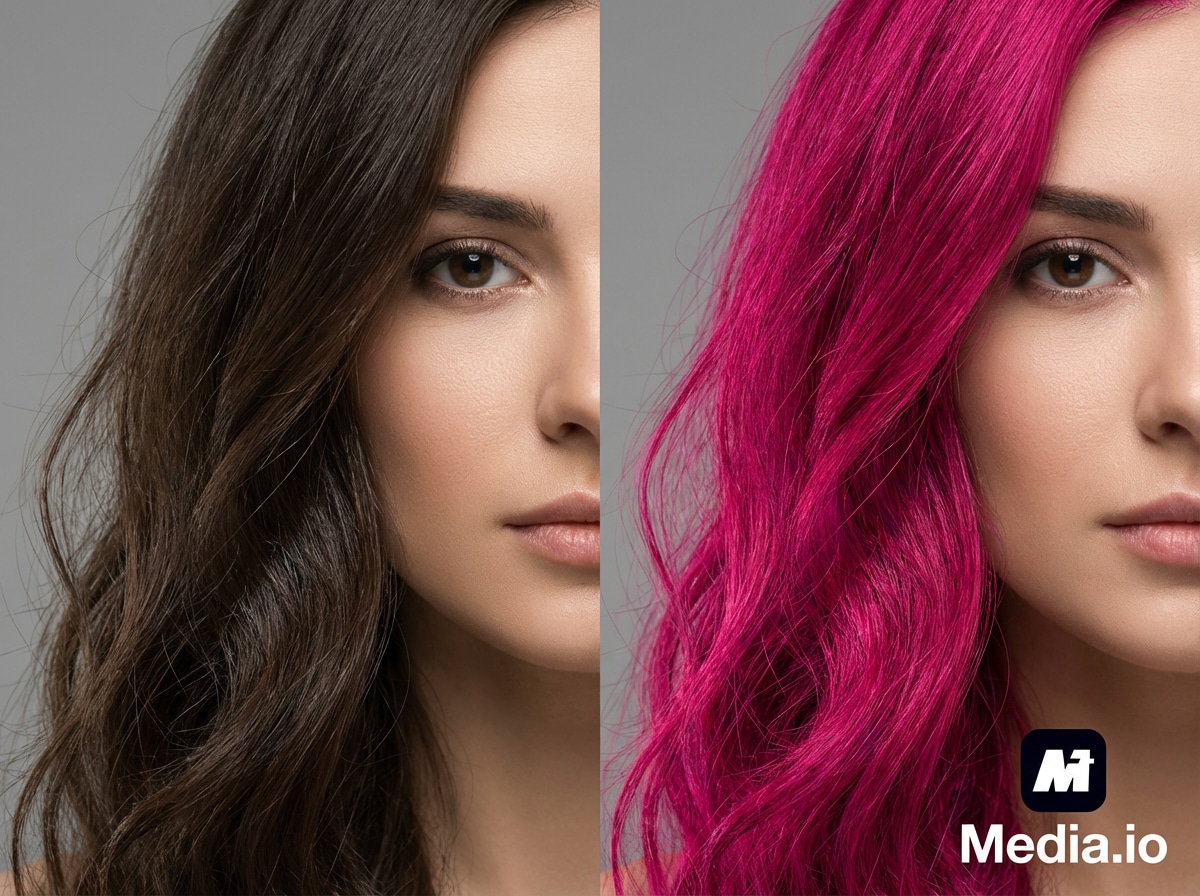
Try blonde, brunette, black, pink, blue, red, silver, or ombré hair in seconds. AI adjusts your hair color while keeping your lighting, skin tone, and hairstyle intact.
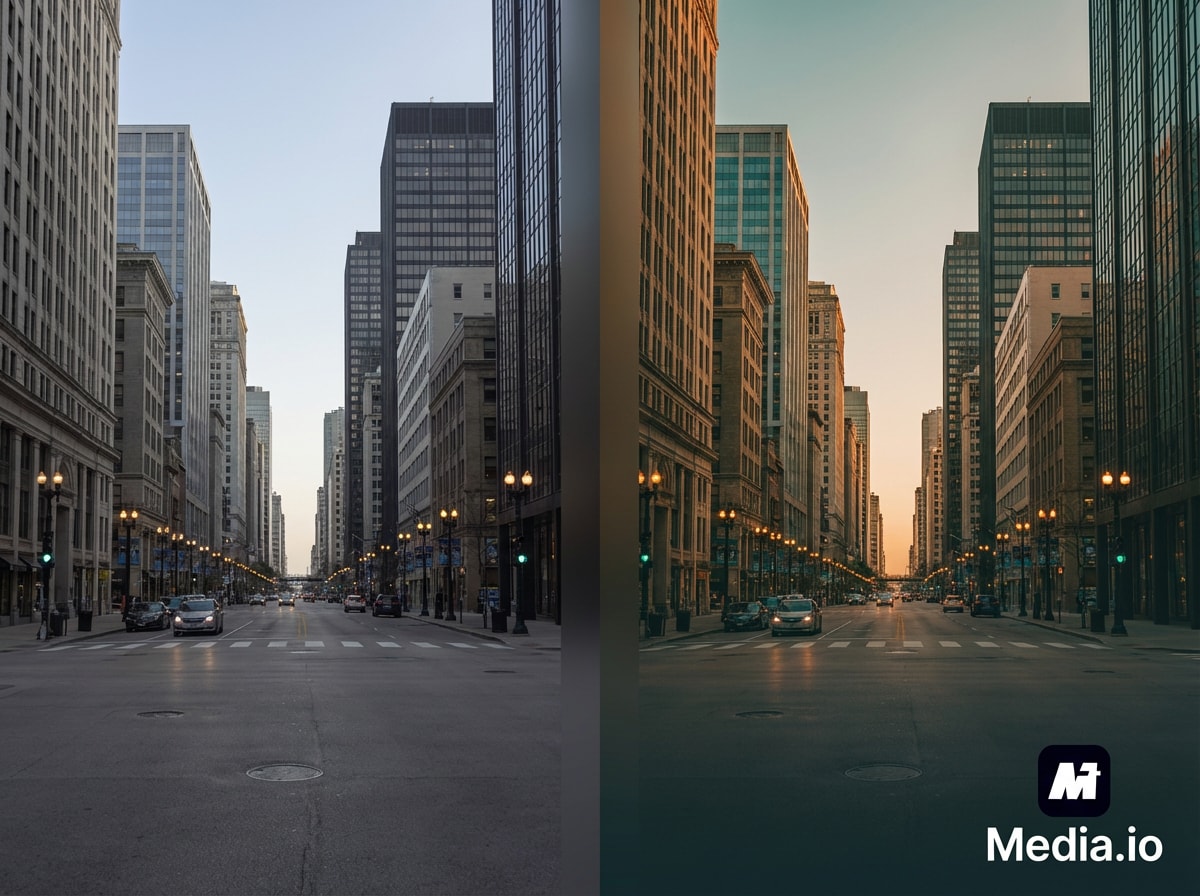
Shift the overall color tone of your photo to warm, cool, cinematic, pastel, or high-contrast looks with a single prompt—perfect for on-brand social media aesthetics.
| Use Scenarios | AI Color Changer Prompts | Copy & Create |
|---|---|---|
|
Product Color Variation
#ecommerce
#product photo
#color options
|
Change the color of the product to [specific color, e.g., royal blue, rose gold, forest green]. Keep all other elements including lighting, shadows, reflections, and background unchanged. Ensure the new color appears natural with realistic texture, highlights, and material properties that match the original product's surface finish. |
|
|
Clothing & Fashion Recolor
#fashion
#clothes
#outfit change
|
Change the color of the clothing item (shirt/dress/pants) to [desired color]. Preserve the fabric texture, wrinkles, folds, and all original details. Maintain realistic shading based on the existing lighting conditions. Keep skin tones, accessories, and background completely unchanged. |
|
|
Logo Color Adjustment
#branding
#logo
#brand colors
|
Change the logo colors to match the new brand palette: [specify colors for each element, e.g., primary to #FF6B35, secondary to #004E89]. Maintain sharp edges, clarity, and professional appearance. Keep the logo shape, typography, and design elements identical while updating only the color scheme. |
|
|
Interior Design Visualization
#interior design
#room preview
#home decor
|
Change the wall color to [desired color, e.g., sage green, warm beige, navy blue]. Preserve all room lighting, shadows cast by furniture, and the original texture of the walls. Ensure color transitions appear natural around trim, corners, and edges. Keep all furniture, decorations, and other room elements unchanged. |
|
|
Vehicle Color Change
#automotive
#car color
#vehicle wrap
|
Change the vehicle body color to [desired color with finish, e.g., matte black, metallic silver, candy red]. Maintain realistic reflections, environmental reflections on the surface, and proper shading. Preserve all chrome details, windows, tires, and background. Ensure the paint finish looks natural with appropriate glossiness or matte texture. |
|
|
Hair Color Preview
#beauty
#hair color
#salon preview
|
Change the hair color to [desired shade, e.g., platinum blonde, auburn, burgundy]. Maintain natural hair texture, individual strands, highlights, and lowlights. Ensure the color looks realistic with proper light reflection and depth variation. Keep facial features, skin tone, makeup, and background completely unchanged. |
|
|
Background Color Replacement
#background
#studio backdrop
#clean background
|
Change the background color to [desired color, e.g., pure white, gradient blue to purple, soft gray]. Keep the main subject completely unchanged including all colors, details, edges, and shadows. Ensure clean separation between subject and new background with natural edge blending where appropriate. |
|
|
Seasonal Theme Adjustment
#seasonal
#theme colors
#marketing
|
Adjust the overall color palette to match [season/theme, e.g., autumn warm tones, Christmas red and green, summer vibrant pastels]. Shift the dominant colors while maintaining the natural look and feel of the image. Preserve composition, details, and realistic color relationships between all elements. |
|
|
Furniture Color Customization
#furniture
#home staging
#catalog
|
Change the furniture piece color to [desired color/material, e.g., charcoal gray fabric, walnut wood finish, ivory leather]. Maintain the furniture's texture, material properties, and all structural details. Preserve realistic shadows, lighting effects, and the surrounding environment without any changes. |
|
|
Colorize Black & White Photos
#colorization
#vintage restore
#photo restoration
|
Add realistic, historically accurate colors to this black and white photograph. Apply natural skin tones, appropriate colors for clothing and objects based on the era, and realistic environmental colors. Maintain the original photo's grain, texture, and character while bringing it to life with color. |
|
|
Color Tone Adjustment
#color grading
#mood adjustment
#cinematic
|
Adjust the overall color tone to [warm/cool/neutral] with [intensity, e.g., subtle, moderate, strong] effect. Enhance [specific color range, e.g., blues and teals, warm oranges and yellows] while maintaining natural color relationships. Keep all subject details, composition, and image sharpness unchanged. |
|
|
Social Media Branding
#social media
#brand consistency
#feed aesthetic
|
Adjust the image colors to match my brand palette: [list brand colors with hex codes]. Create a cohesive look that maintains the image's natural appearance while incorporating brand identity. Ensure colors complement each other and the overall composition remains balanced and visually appealing. |
Go to Media.io/ai and choose Image-to-Image. Upload the photo you want to recolor—whether it’s a product shot, portrait, outfit, object, or any image where you want to change specific colors.
Describe the color change in simple words like:
“turn the red dress black”, “make the car blue”, or “change background to white”.
Powered by Nano Banana Pro, the AI understands your prompt accurately and generates enhanced
1K/2K/4K recolored results.
Click Generate, and the AI will recolor your image while keeping lighting, shadows, and fine details perfectly intact. Once you’re happy with the result, download your new image as an HD PNG, watermark-free, in up to 4K resolution.
An AI Color Changer is an online tool that lets you instantly change the color of clothing, products, objects, backgrounds, hair, and more in any photo. Instead of masking or manually editing, AI analyzes your image, identifies the areas you want to recolor, and replaces the color while preserving shadows, texture, lighting, and realism. With Media.io, you just upload your image, describe the color change, and download the finished result.
Media.io uses advanced AI powered by Nano Banana Pro, a model trained to understand shapes,
materials, lighting, and context. This allows the tool to:
– Recognize fabrics, surfaces, and objects
– Maintain natural shadows and reflections
– Match existing lighting conditions
– Preserve texture and fine details
– Avoid the fake, “painted-over” look
The result is a clean, realistic AI recolor that blends seamlessly into your original photo.
You can recolor almost anything in your image, including:
– Clothing & outfits (shirts, dresses, jackets, uniforms)
– Products (shoes, bags, bottles, electronics, packaging)
– Objects (cars, furniture, walls, decor, accessories)
– Backgrounds (white, black, pastel, custom colors)
– Hair color (blonde, pink, blue, red, etc.)
– Makeup tones (lipstick, eyeshadow)
– Logos, graphics & artwork
– Overall image tone or color grading
The AI Image Color Editor works for both simple and complex recoloring tasks, even with detailed
textures or patterns.
Media.io supports common photo formats like PNG, JPG, JPEG. For WebP or HEIC / HEIF (from iPhones), you can change the format to PNG using our image converter first. For output image, we generate the recolored image in high-quality PNG or JPEG.
Yes. AI only changes the specific object or color you describe in your prompt. Everything else—including
lighting, shadows, background, textures, and facial features—stays the same.
Your image will look natural, as if the new color was part of the original photo shoot.
Absolutely. You can describe multiple edits in one prompt, for example:
“turn the jacket blue, make the shoes white, and change the background to light grey.”
The AI will handle all of these color changes at once while keeping the photo visually consistent and
realistic.
Yes. Media.io offers free daily credits so you can recolor images online without paying upfront. Your downloads are HD and watermark-free, and the tool supports output up to 1K, 2K, or 4K depending on your prompt and original image quality.
 4.7 (162,357 Votes)