














AI 얼굴 바꾸기
원본 이미지 업로드
얼굴이 선명한 이미지를 업로드하세요
내 기록에서 선택하거나 업로드하려면 클릭하거나 드래그하세요클릭 업로드내 기록
아이디어가 없나요? 먼저 이미지를 생성하세요. >
jpg, jpeg, png 이미지를 최대 50MB까지 업로드할 수 있으며, 가로/세로 최소 300px이어야 합니다.
얼굴 사진 업로드
교체할 얼굴을 업로드해 주세요
Headshot Face Swap

Natural AI Headshot Face Swap Online

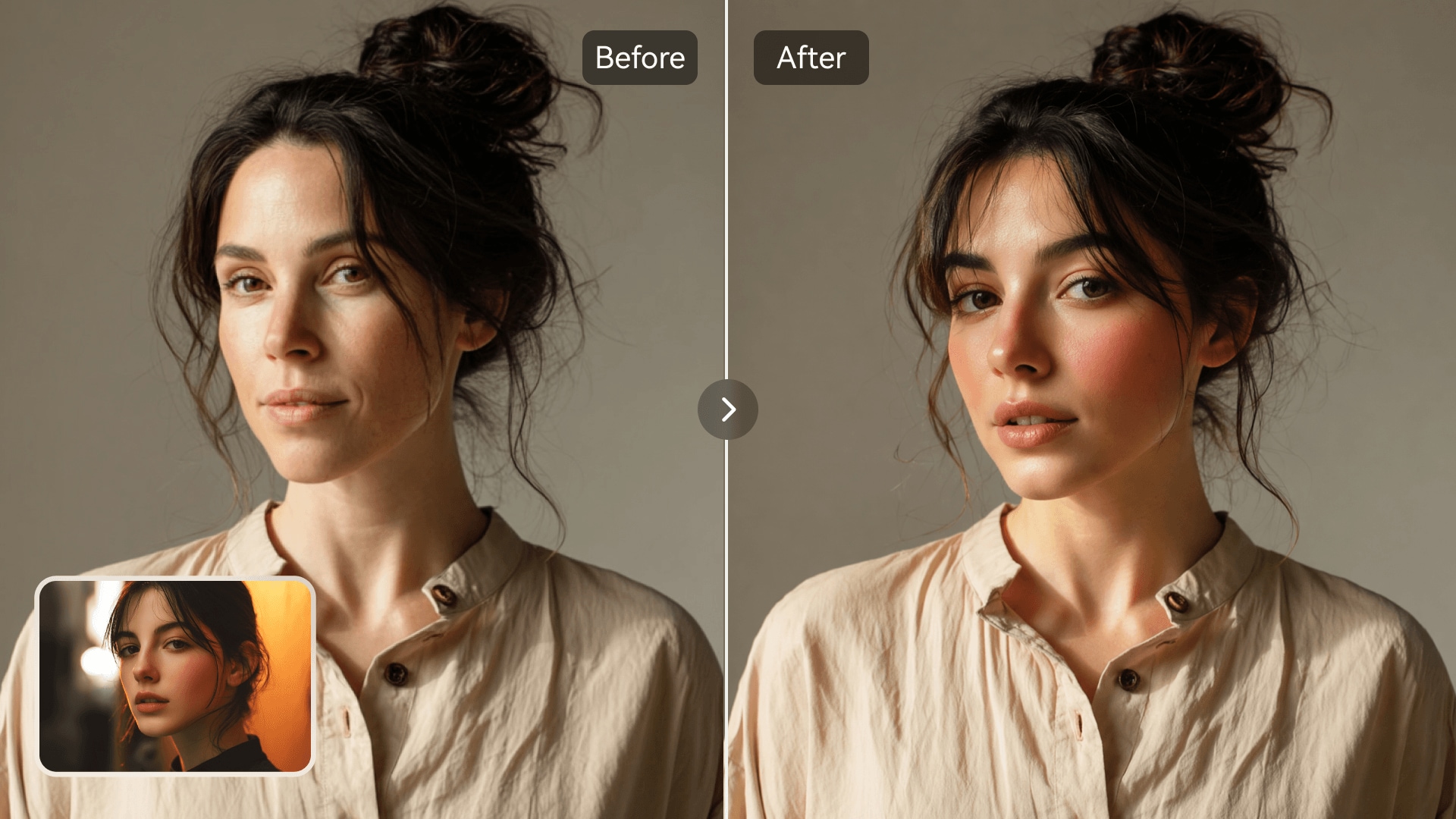
Media.io brings a smarter way to perfect your portraits with AI-driven headshot face swaps. Transform your photos with lifelike facial blending that looks naturally aligned and balanced. Whether refreshing your professional image, creating personal avatars, or testing visual styles, every face change looks realistic and studio-level. No editing skills needed-just upload your photos and watch AI deliver seamless, polished results.

Create Your AI Headshot Now
AI Portrait Editing Seamless Face Alignment Natural Skin Blending Web-Based Simplicity
AI headshot face swap showing realistic portrait blending
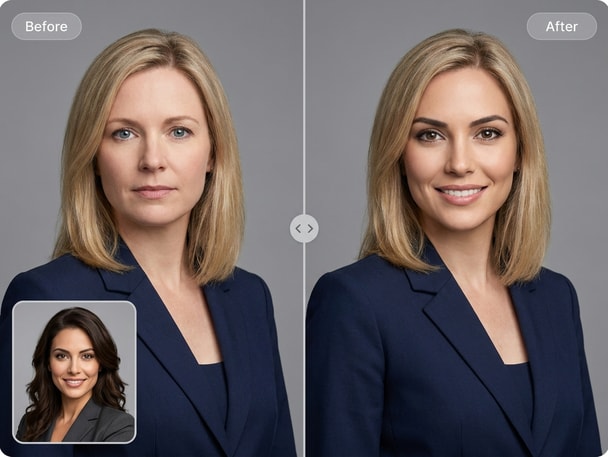
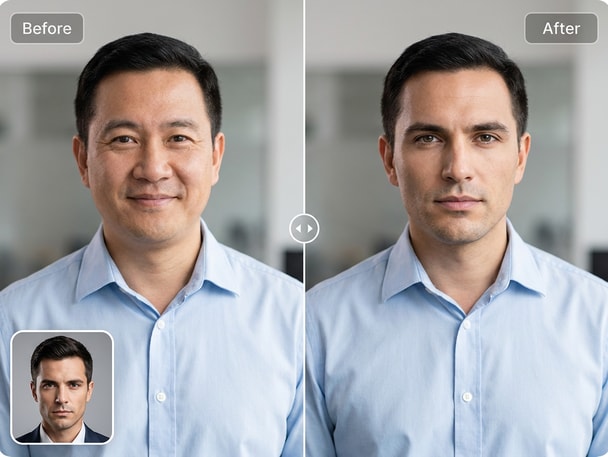
Before and after professional headshot face swap example

Perfect for Professional and Personal Use

From LinkedIn profiles to resume photos, Media.io ensures every headshot face swap looks natural and confidently styled. Photographers and recruiters alike appreciate the realism and clarity AI adds. It's ideal for testing expressions, lighting styles, or professional attire without scheduling multiple photo sessions. With automation and intuitive controls, your next headshot update is effortless and precise.
Advanced AI Blending for Realism

Unlike basic photo editors, Media.io's AI aligns faces by lighting, facial structure, and perspective. This ensures the swapped face fits seamlessly with the rest of the portrait. The algorithm intelligently keeps textures, proportions, and tones consistent, making your headshot edits indistinguishable from real captures. Users can produce high-resolution results fit for personal branding or team profiles in seconds.

Flexible Use Cases for Creators

Designers, social media managers, or small business owners can explore creative variations of corporate or promotional portraits. AI headshot swaps can visualize rebranding, social campaigns, or stylistic updates without reshooting. The process accelerates visual testing and helps streamline decision-making for portfolios, company bios, or advertising concepts. Media.io helps users create headshot face swap results with a guided AI workflow instead of complex manual editing.

Instant Results with Cloud Speed

Media.io's web-based system processes uploads instantly, saving you time and hardware effort. You can preview your AI headshot swap live and re-edit if needed. No installation or plug-ins are required, making it accessible from any browser or device. The streamlined workflow ensures polished results ready for sharing or download within moments.

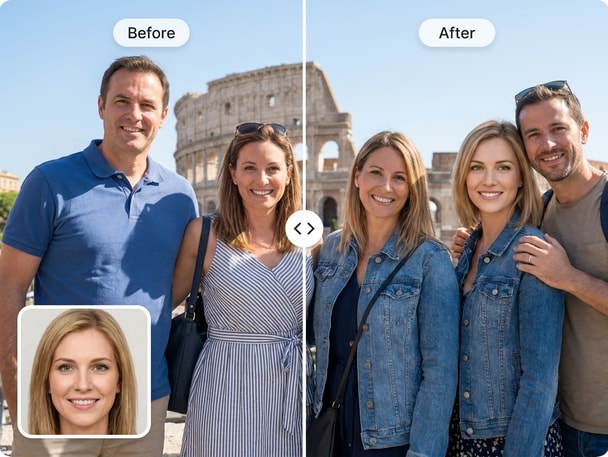
Try Group Photo Face Swap for Shared Portraits

Explore group photo face swap with Media.io AI Photo Face Swap. This recommended face swap theme gives visitors another related way to create realistic photo edits, meme visuals, avatars, or social-ready images online. It keeps the journey connected from the current page while guiding users to a new face swap use case.

How to Create a Headshot Face Swap with Media.io

01

Upload Your Headshot Photos

Select a clear portrait photo and another image for the face swap. The AI works best with front-facing, well-lit headshots that show full facial features.

02

Let AI Perform the Face Swap

Once uploaded, Media.io's AI automatically aligns the faces and generates an accurate headshot swap. You'll see the result in seconds with clean, natural transitions.

03

Review and Download Instantly

Adjust preview details if needed, then save your final headshot image in full resolution. You can download it directly or share across your social or work platforms.

What Users Say About AI Headshot Face Swap

user
Daniel M.

Digital Marketer

starstarstarstarstar

"Professional Feel in Every Edit" I used Media.io for an AI headshot swap to test different looks for my company profile. The realism is impressive-no signs of mismatched lighting or rough edges. It gave me several polished options within minutes. I now use it for team photos, too.

user
Laura K.

Recruitment Consultant

starstarstarstarstar

"A Smart Solution for Quick Corporate Updates" Whenever we need unified portraits for team bios, I rely on Media.io's professional photo face swap function. It maintains consistency even across different source images. The tool is so efficient that rebranding projects finish days faster. Every output looks genuine.

user
Ethan P.

Content Creator

starstarstarstarstar

"Perfect for Creative Portfolio Experiments" I tried the portrait face change option for my visual storytelling work. Media.io handled multiple expressions beautifully while keeping natural skin texture. It's become my go-to editor for composing themed profile visuals. The results always impress clients.

user
Riley S.

Graphic Designer

starstarstarstarstar

"Saves Time and Keeps Quality High" The AI headshot editor delivers professional-level swapping without heavy manual adjustments. I used it for mock brand headshots and visual proposals. It performs accurately even under different lighting styles. Overall, a highly reliable part of my creative workflow.

user
Grace L.

Freelance Photographer

starstarstarstarstar

"Realistic Results Without Re-Shoots" The realistic photo face swap helps me preview new client looks before an actual shoot. Media.io allows experimenting with posture and angle compositions in minutes. It keeps my editing process cleaner and faster. I truly value how subtle and lifelike the outputs are.

Creators and professionals alike praise the realism and instant results of Media.io's AI-powered portrait swaps.

FAQs About Headshot Face Swap

1. How Does AI Create a Headshot Face Swap?
faqfaq

Media.io's AI analyzes facial landmarks, lighting, and color balance before merging faces into one realistic headshot. The AI ensures that every detail fits the surrounding contour and tone. This helps deliver results that look naturally photographed. It's all done automatically in your browser with no manual masking required.

Front-facing, high-resolution portraits produce the best outcome. Clear lighting and neutral expressions make the AI's alignment more accurate. Media.io recommends avoiding blurry or dark images to ensure natural integration. Balanced framing helps the algorithm achieve an authentic result every time.

Yes, Media.io's AI headshot swap is ideal for professional profiles, resumes, and branding visuals. The natural look ensures authenticity while maintaining correct proportions and tones. Designers, HR teams, and freelancers use it for portfolio visuals regularly. It provides an efficient way to update or test photo styles without reshooting.

No experience is necessary. The interface guides you to upload both images, and Media.io's AI automates all face alignment. Everything from shadows to blending is algorithmically handled. You'll get studio-quality portrait swaps in just a few clicks.

Yes, once your AI headshot face swap looks accurate and appropriate, it can be used as a professional profile image. Many users refresh their LinkedIn or personal brand pictures this way. Always verify that the swap represents you accurately before sharing. The quality is suitable for both digital and printed use.

The process is fast-typically taking only a few seconds after upload. Media.io performs AI computation in the cloud, ensuring smooth execution on any device. You can preview the outcome instantly and download full-resolution files. The workflow remains efficient even for large image uploads.

Uploaded photos are processed solely for generating the AI face swap. Media.io does not share or publicly publish any user content. The workflow is handled via secured servers to ensure safety. Users can delete results anytime after completion for full control.

Yes, you can explore creative edits such as varied expressions, haircuts, or styles with the AI headshot swap. The algorithm intelligently adjusts lighting and texture even for stylistic differences. It is widely used by designers testing portraits in various contexts. However, always ensure creative use follows consent and respectful purpose.

Media.io Online AI Tools Quality Rating:
vote 4.7 (162,357 Votes)