Creations are stored for only 7 days. Assets created after upgrading to a Membership plan will be stored permanently.
Unlock your creative potential and experience the magic of Media AI right away!
AI Shoe Try-On Online – Instantly See Shoes on You with Virtual AI Try On
Try AI shoe try on directly from your photo and preview how any sneakers, heels, or boots look on you in seconds. Our virtual shoe try on technology creates realistic results with no editing skills required. Just upload your image and use the AI shoe filter to test styles before you buy, share, or create content — fast, accurate, and fully online.
✓ Try shoes on your photo with AI shoe try-on✓ Compare sneaker & shoe styles in seconds✓ Realistic fit, lighting & shadow results✓ Download and share your virtual try-on images
AI Shoes Try-On Styles
AI Shoes Try-On Prompts
Preview
Copy
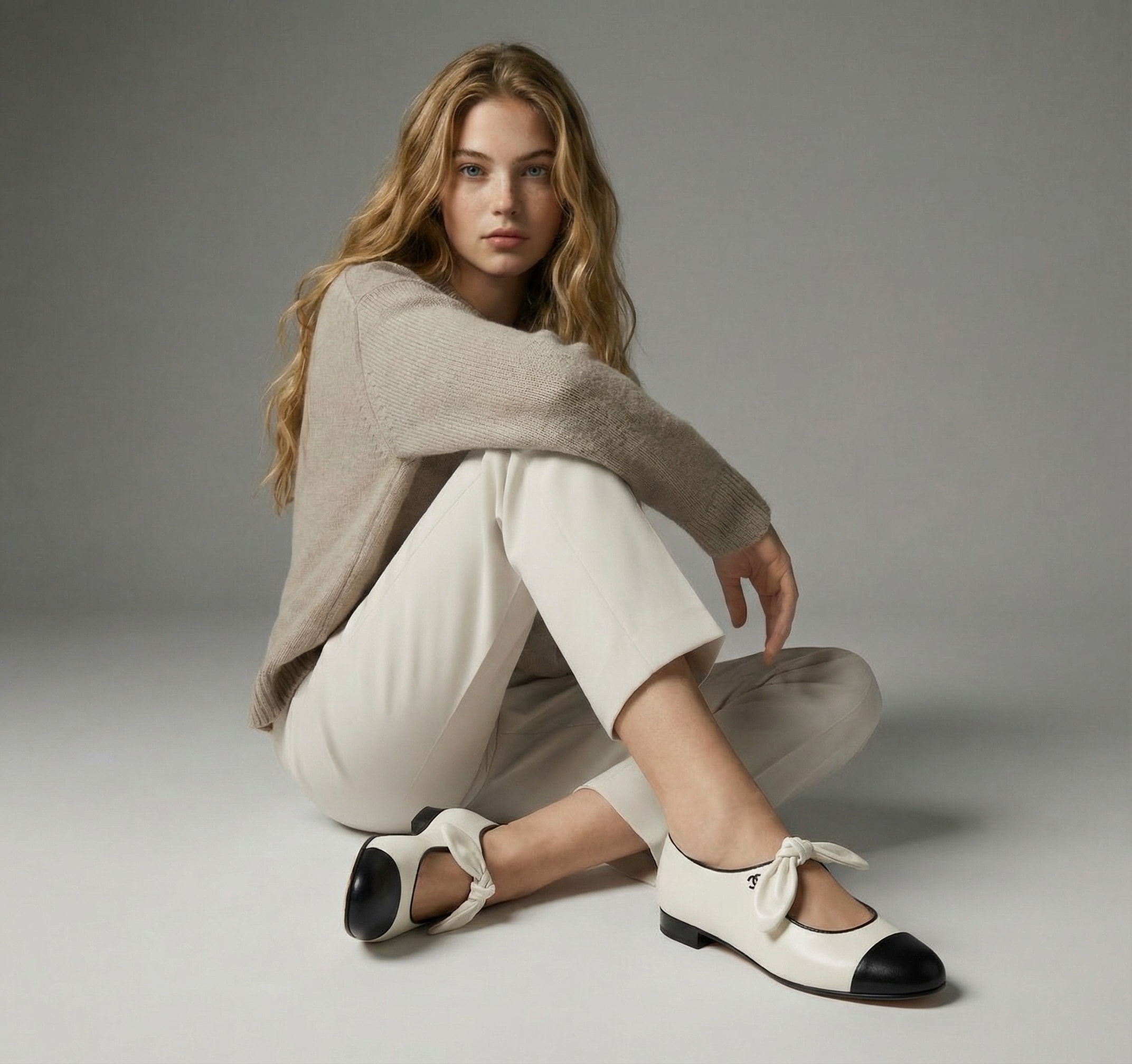
01 • Person Wearing Specific Shoes (Photo Match Try-On)
#photo-based#precise fit#realistic blend
Virtual try-on image of the uploaded shoes worn by the person in the uploaded photo.Keep the model’s body, pose, face, and clothing exactly the same as the original image.Replace only the footwear with the uploaded shoes, adjusting size, angle, and perspective naturally.Ensure the shoes fit realistically on the feet, with correct scale, alignment, and proportions.Match lighting, shadows, and ground contact so the shoes appear naturally worn.Photorealistic result, clean and professional look, no distortion, no extra accessories.
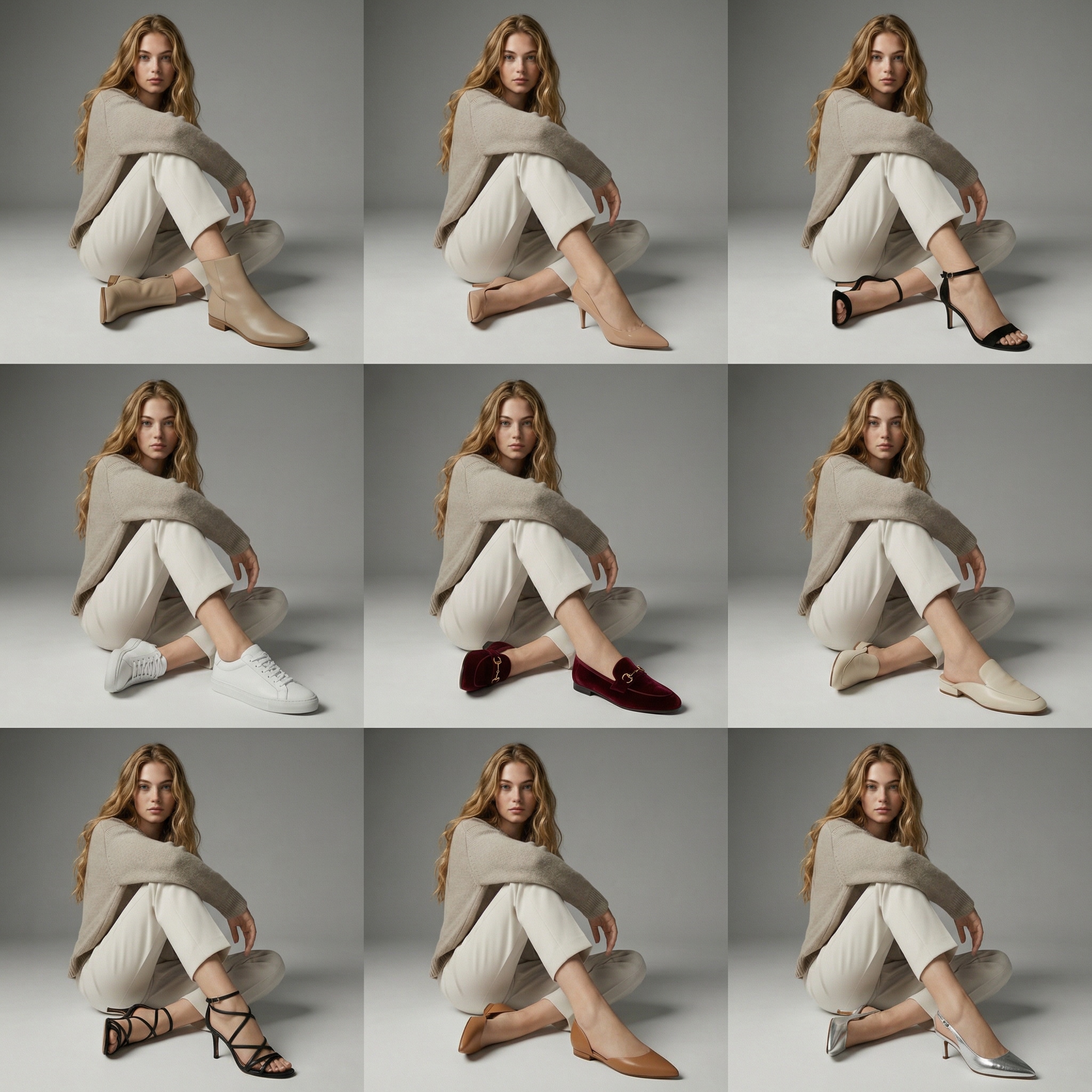
02 • Women’s Shoes Style Grid (9-Panel)
#comparison grid#fashion styles#quick decision
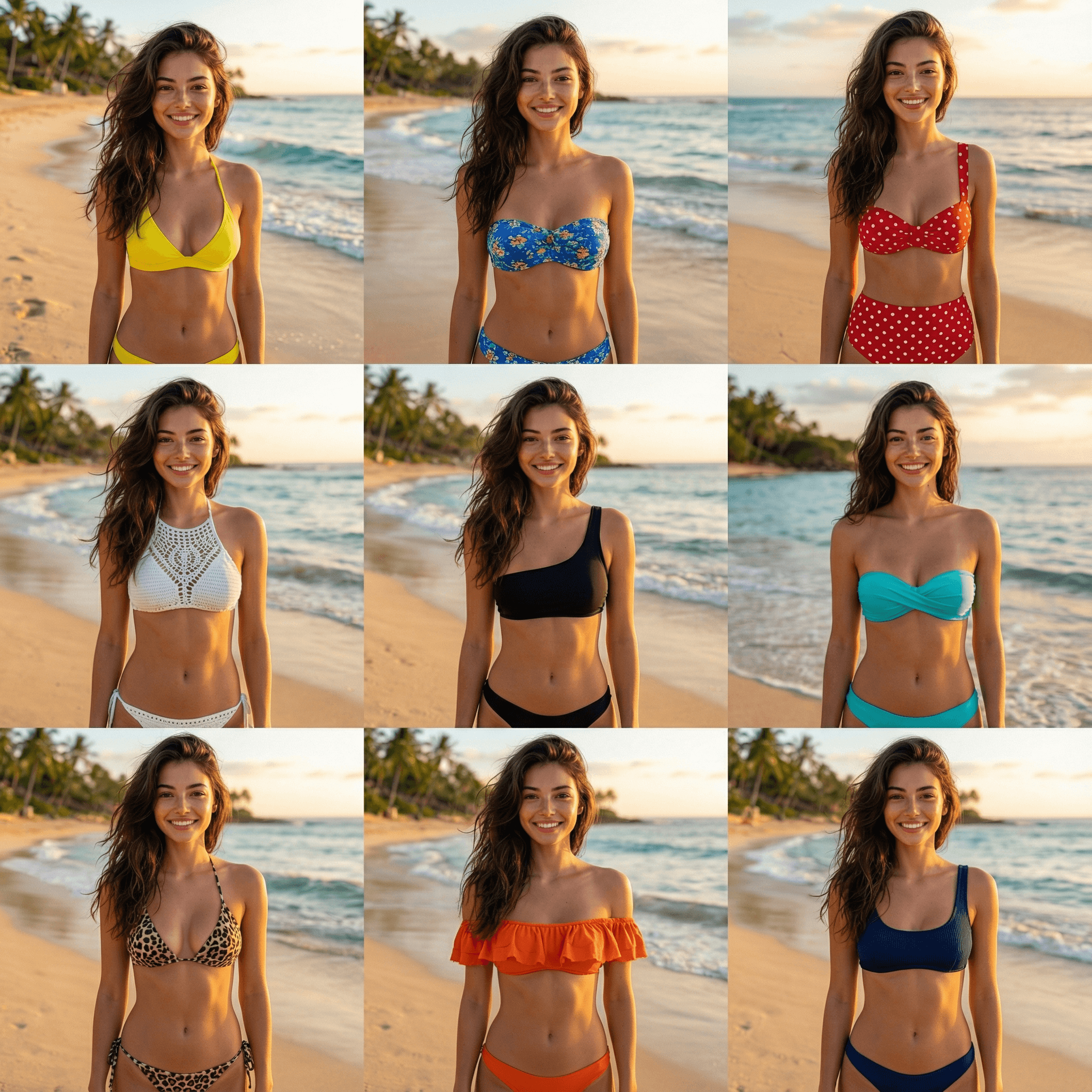
Create a high-end 3x3 grid image (nine-panel layout) showing the same female model wearing different women’s shoes.The model must appear fully visible in all nine panels, with the same face, body, pose, outfit, framing, and background.Do not crop, zoom, or isolate the shoes in any panel.Only the footwear should change between panels.
All nine panels must remain consistent in composition and scale, clearly showing the model wearing the shoes.All shoes should be elegant, stylish, and visually attractive, with refined modern silhouettes and premium aesthetics.Design inspiration should come from luxury fashion brands and high-end women’s footwear lookbooks.Avoid bulky soles, outdated styles, cheap-looking materials, or overly sporty designs.
The center panel (middle of the 3x3 grid) should feature a more refined and premium shoe design,while still being worn naturally by the same model in the same pose and framing as the other panels.The center shoe should not be shown as a standalone product image and must remain a realistic virtual try-on.
Ensure realistic virtual try-on results across all panels:perfect fit on the feet, correct scale and perspective, natural shadows, and proper ground contact.Lighting must remain consistent across the entire grid.
Photorealistic result, luxury fashion e-commerce style.Clean, modern, feminine aesthetic.High resolution.No changes to the model.No standalone shoe images.No collage effects beyond the 3x3 grid.
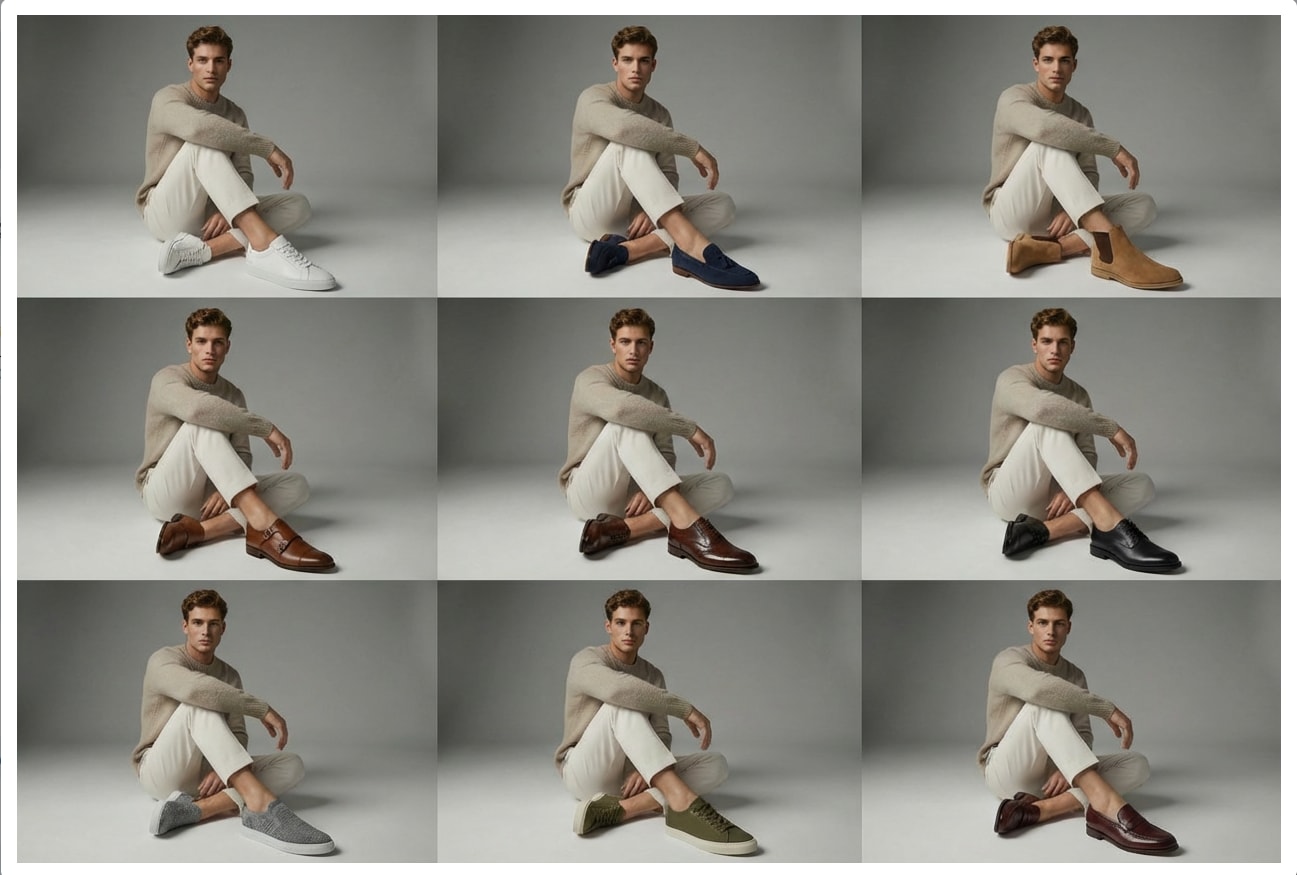
03 • Men’s Shoes Style Grid (9-Panel)
#multi-style preview#side-by-side#buyer guide
Create a high-end 3x3 grid image (nine-panel layout) showing the same male model wearing different men’s shoes.The model must appear fully visible in all nine panels, with the same face, body, pose, outfit, framing, and background.Do not crop, zoom, or isolate the shoes in any panel.Only the footwear should change between panels.All nine panels must remain consistent in composition and scale, clearly showing the model wearing the shoes.
All shoes should be stylish, clean, and well-designed men’s footwear with refined modern silhouettes.Design inspiration should come from premium men’s fashion brands and high-end men’s footwear lookbooks.Avoid bulky, outdated, cheap-looking, overly flashy, or cartoonish shoe designs.
The center panel (middle of the 3x3 grid) should feature a more refined and premium men’s shoe,while still being worn naturally by the same model in the same pose and framing as the other panels.The center shoe must remain a realistic virtual try-on and should not appear as a standalone product image.
Ensure realistic virtual try-on results across all panels:accurate fit on the feet, correct scale and perspective, natural shadows, and proper ground contact.Lighting must remain consistent across the entire grid.
Photorealistic result, premium men’s fashion e-commerce style.Clean, modern, masculine aesthetic.High resolution.No changes to the model.No standalone shoe images.No collage effects beyond the 3x3 grid.
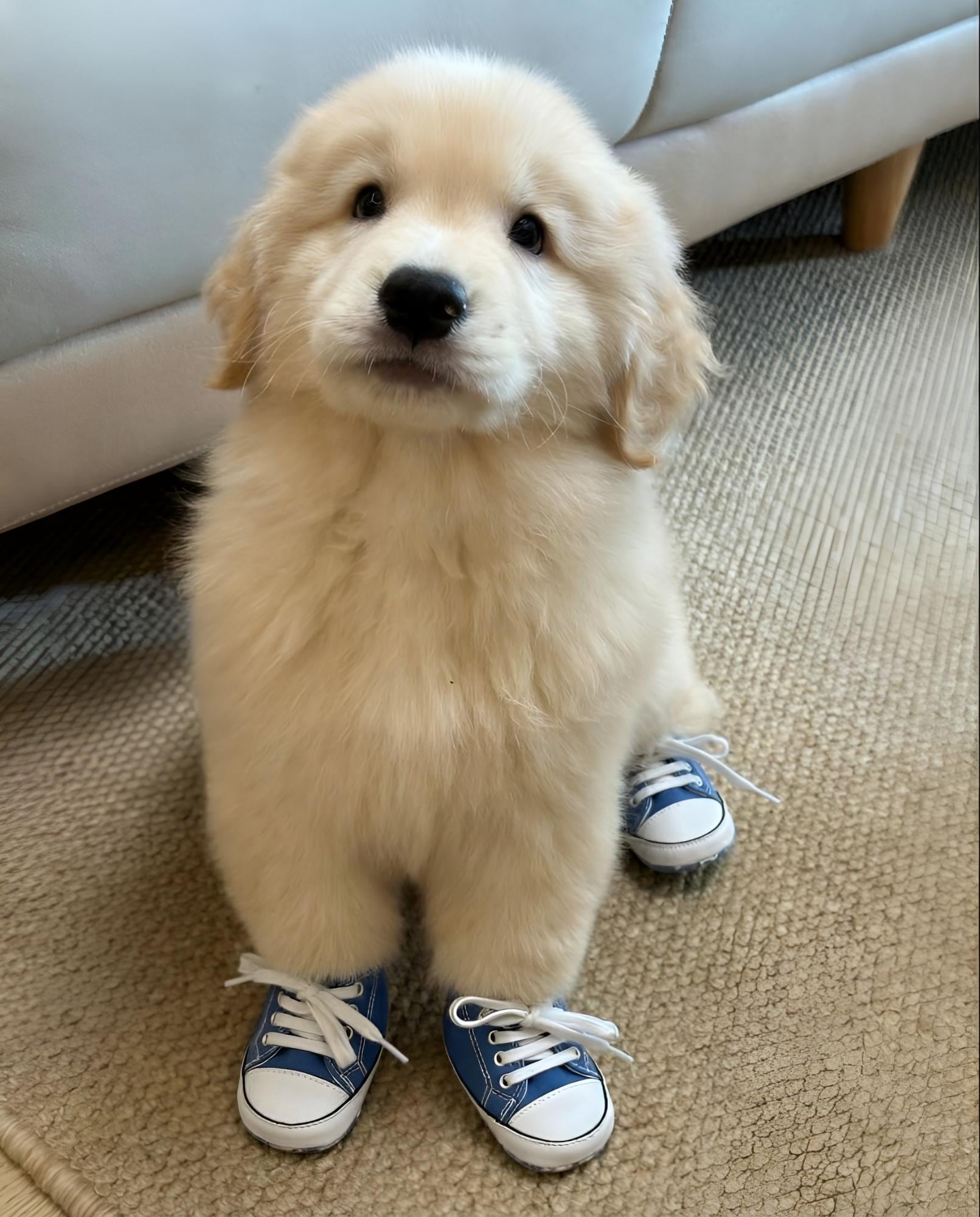
04 • Pet Wearing Shoes (Fun Try-On)
#cute mode#viral content#social ready
Virtual try-on image of the dog in the uploaded photo wearing pet shoes.
Keep the dog exactly the same, including breed, fur pattern, pose, expression, and background.
Do not change the dog’s body shape or position.
Only add well-designed pet shoes to the paws.
Explore AI Try-On Tools
Try outfits, accessories, and beauty looks instantly — all powered by Media.io.
Why Use AI Shoe Try-On Instead of Guessing from Product Photos?
See How Shoes Look on You, Not on Models
Stop relying on model shots or brand mockups. With AI shoe try-on, your own photo becomes the fitting room. Upload once and instantly preview how different shoes appear on your feet, posture, and outfit context.
What you see is personalized — not generic.
Try Multiple Shoe Styles in Seconds
Sneakers, heels, boots, streetwear, minimal — switch styles fast with virtual shoe try on previews. No changing outfits, no reshooting photos, no editing tools required.
Perfect for comparing looks before buying or sharing.
Realistic AI Fit, Lighting & Perspective
Our AI shoe filter adjusts angle, lighting, and foot position to match your image naturally. Results don’t look pasted — they look worn.
That means more confident decisions and more believable visuals for social or shopping use.
Online, Fast, and No App Needed
No AR setup. No downloads. No complicated steps. Just upload your image and run the AI shoe try-on online tool directly in your browser.
Quick results, share-ready output, zero technical barrier.
How to Use the AI Shoe Try-On Generator
01
Step 1: Open the AI Shoe Try-On Generator
Go to the AI Shoe Try-On Generator page and start a new project in your browser. The tool is designed specifically for virtual shoe try on from photo with automatic fit and perspective adjustment.
No software download or setup is needed — everything runs instantly online.
02
Step 2: Upload Your Photo and Choose a Prompt
Upload a clear full-body or foot-visible photo for best results. Then enter a shoe style prompt or pick one from the built-in prompt library to quickly match trending sneaker, heel, or boot looks.
Prompts help the AI shoe filter understand style, angle, and visual details more accurately.
03
Step 3: Generate and Save Your Try-On Result
Click generate and let the AI create your realistic shoe try-on preview. Review the result, try alternate prompts if you want different styles, and refine in seconds.
Download your image or share it directly — ready for shopping decisions or social posting.
Real Shoppers Love Our AI Engagement Ring Try On
@Sarah_B
Bride-to-be
I used the AI shoe try-on tool to preview sneakers on my own photo before buying, and the result looked surprisingly real. The fit, angle, and lighting matched perfectly. It honestly saved me from ordering the wrong style.
@Mike_Designs
Proposal Planner
I thought a virtual shoe try-on would look fake, but the AI blended the shoes naturally with my legs and shadows. It looked like I was actually wearing them. Much more helpful than normal product photos.
@Jess_Vlogs
Content Creator
I tested multiple heel and boot styles in minutes using the AI shoe filter. It made comparing looks so much easier without changing outfits or taking new photos. Super convenient for outfit planning.
@Emily_R
Jewelry Shopper
I created an AI shoe try-on image and shared it on social — people thought it was a real try-on shot. The detail and realism were impressive. Definitely a fun and useful tool if you shop shoes online.
Yes — you can try the AI shoe try-on experience on Media.io with a free trial. This lets you upload a photo and generate virtual shoe previews to test the effect and quality first. If you need higher resolution downloads or more generations, optional paid plans are available — but you can start testing the feature at no cost.
2. How does virtual shoe try-on from a photo work?
The virtual shoe try on system uses AI to analyze your photo’s angle, posture, and lighting, then places the requested shoe style onto your feet with perspective and shadow correction. Instead of a flat overlay, the tool generates a blended result that looks naturally worn. This helps you preview styles more realistically than standard catalog images.
3. What kinds of shoes and styles can I try on?
You can generate previews for many styles — including sneakers, heels, boots, casual shoes, and fashion footwear — using prompts or preset styles from the prompt library. The AI shoe filter responds to style keywords, materials, and color descriptions, so you can quickly compare different looks without retaking photos.
4. Is my photo safe and private after upload?
Yes. Uploaded and generated files are automatically removed from Media.io storage after a limited retention period (within 7 days). This rolling deletion mechanism helps ensure your images are not kept long-term on the platform. You stay in control of what you upload and download, and temporary processing is used only to generate your results.
5. Can I use my AI shoe try-on images for commercial purposes?
Many users create try-on images for shopping previews, social posts, and creative concepts. If you plan to use generated results in commercial or public projects, it’s best practice to review applicable rights, brand policies, and local regulations first. Making sure your inputs and outputs are properly cleared helps avoid potential issues later.
Beyond Virtual Ring Try-On, Explore More Popular AI Try-On Filters