














KI-Gesichtstausch
Quellbild hochladen
Ein Bild mit klar erkennbaren Gesichtern hochladen
Klicken oder ziehen, um hochzuladen, oder wählen Sie aus Meine HistorieKlicken Sie zum HochladenMeine Historie
Keine Ideen? Erstellen Sie zuerst ein Bild. >
Laden Sie jpg-, jpeg- oder png-Bilder bis zu 50 MB hoch, mit einer Mindestbreite/-höhe von 300 px.
Gesicht hochladen
Laden Sie das Gesicht hoch, das Sie einsetzen möchten
Batch Face Swap

Batch Face Swap Done Right with Smart AI Editing

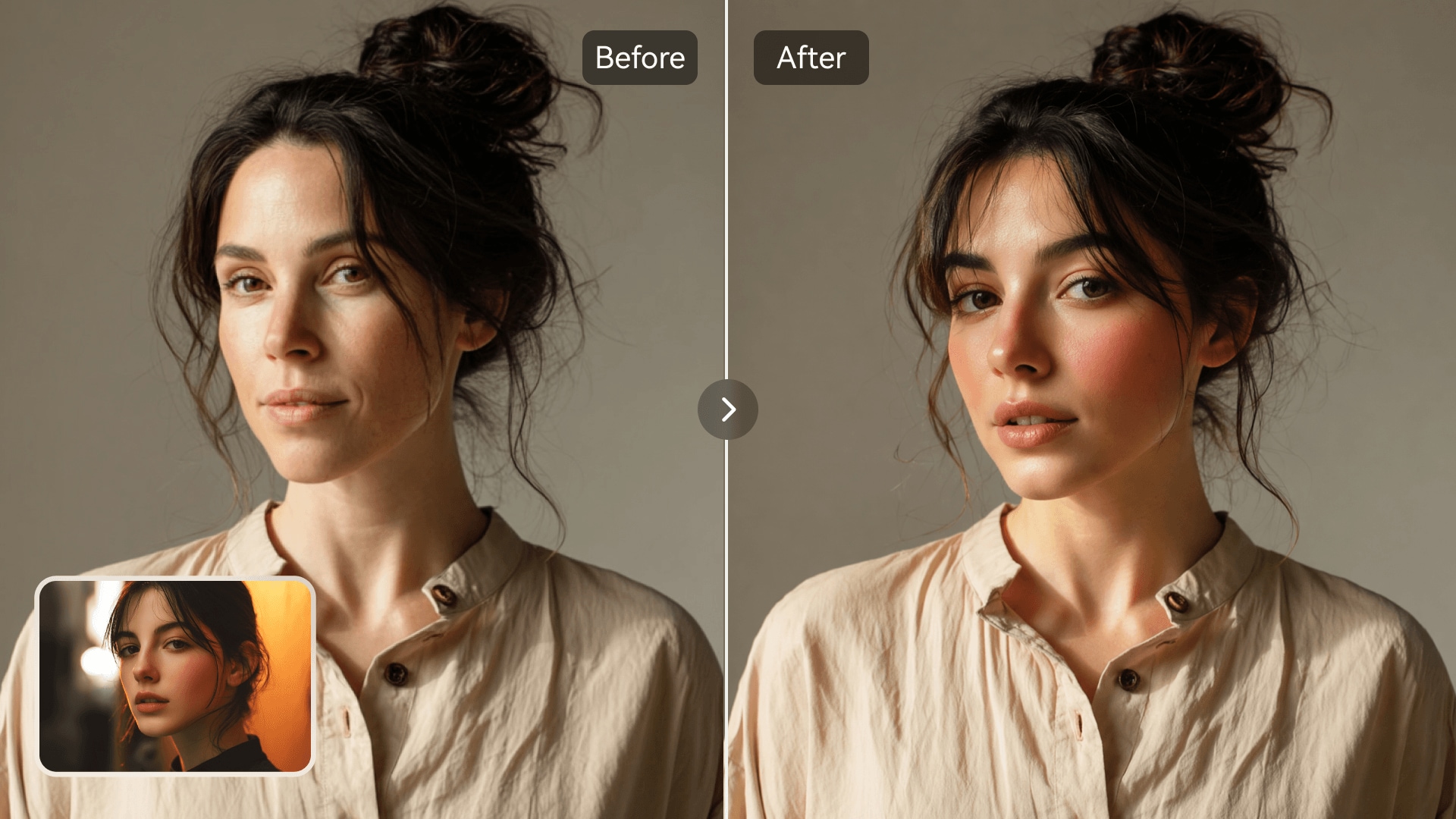
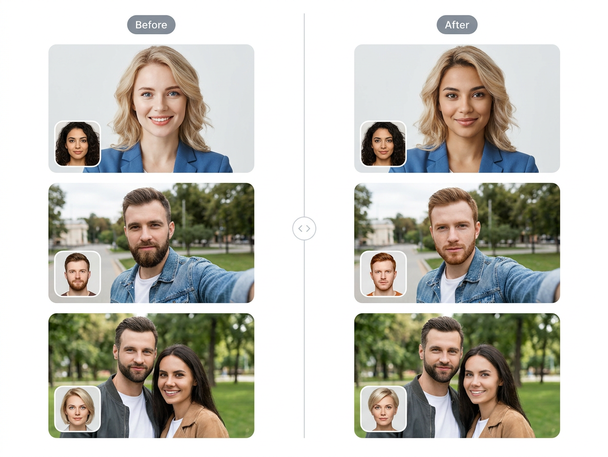
Media.io's batch face swap tool saves you hours by automatically swapping faces across multiple photos in one go. The AI engine ensures lifelike results with clean transitions and accurate lighting. Perfect for teams, creators, and photographers who want consistent edits across entire photo collections. Quickly turn photo sets into ready-to-share visuals for social content, campaigns, or personal projects.

Try Batch Face Swap Now
AI-Powered Editing Process Multiple Images Fast Online Workflow Natural-Looking Results
Batch face swap group photo preview
AI bulk swap photo collection grid

Swap Faces in Bulk Effortlessly

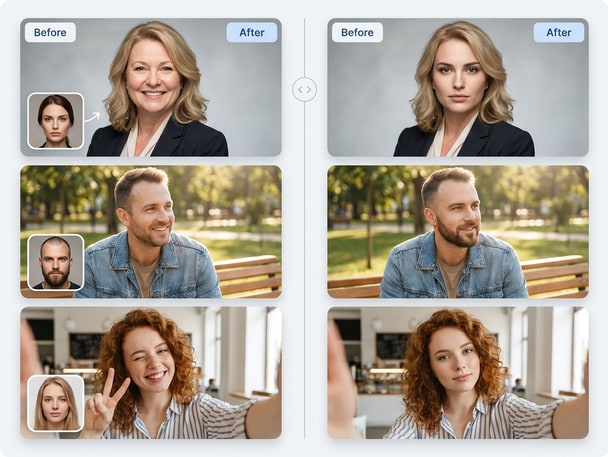
Upload a folder of images and let Media.io handle every face swap automatically. The system detects faces in each image and replaces them with your selected target pair quickly and consistently. This batch face swap saves time when working with sets of group or promotional photos. You can review all outcomes instantly without manually re-editing.
Ideal for Group and Profile Projects

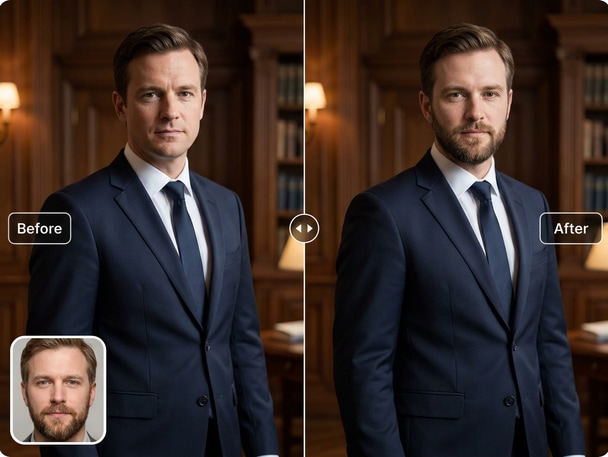
Batch face swap is perfect for creating consistent avatars or team portraits with a unified style. Media.io maintains photo composition and lighting, making it easy to align branding or stylized mockups. You'll enjoy seamless transitions that keep every image natural and coherent. This is especially useful for event photos, marketing collections, and creative experiments.

Consistent and Realistic AI Blending

Media.io's AI ensures your bulk face swap outputs remain realistic. It analyzes facial angles, tone, and depth to produce balanced, proportional results. Every swapped photo looks like an authentic portrait rather than an overlay. The generated images retain skin accuracy, reflections, and lighting for believable results.

Fast, Secure, and Easy Online Workflow

All tools run online, so you don't need complex software installations. Media.io processes files securely on its cloud service and delivers output in seconds. You can upload your picture set, preview results, and download them in just one place. The workflow is streamlined for users of every skill level.

Face Onto Body Edits Made Simple With AI Precision

Explore face onto body with Media.io AI Photo Face Swap. This recommended face swap theme gives visitors another related way to create realistic photo edits, meme visuals, avatars, or social-ready images online. It keeps the journey connected from the current page while guiding users to a new face swap use case.

How to Use Media.io for Batch Face Swap

01

Upload Your Photo Collection

Select multiple photos and upload them to Media.io. The tool will detect and prepare each image for AI-driven face swapping. You can use it for portraits, group photos, or creative collections effortlessly.

02

Choose the Target Face

Pick the reference face you want to apply across all photos. Media.io automatically maps it to each detected face ensuring natural alignment and consistent visuals across your batch of images.

03

Preview and Download Results

Review auto-generated images and confirm that all swaps look realistic. Once satisfied, download your processed photo set or share it directly for social or brand use.

What Users Are Saying

user
Liam Carter

Content Creator

starstarstarstarstar

"Huge Time Saver for My Projects" I used Media.io's batch face swap feature to edit dozens of portrait shots for an online project. The quality stayed consistent through every image without any retouching. It's truly ideal for my bulk face swap tasks. Uploading was easy, results looked authentic, and I saved hours of tedious editing.

user
Ava Nguyen

Marketing Designer

starstarstarstarstar

"Perfect for Group Photo Campaigns" Our team photos needed face replacements for branding visuals, and Media.io made it painless. The AI blending kept tone and lighting intact even across different scenes. The multiple image face swap option gave us cohesive results instantly. This tool truly streamlines agency workflows.

user
Ethan Wright

Photographer

starstarstarstarstar

"Reliable AI for Multi Photo Editing" I tried the multi face swap function across my event gallery, and every output felt natural and believable. Media.io handled different angles and lighting flawlessly. The interface is simple enough for non-editors too. It's the kind of technology photographers can rely on daily.

user
Sophia Kim

Social Media Manager

starstarstarstarstar

"Fast and Consistent AI Results" For social content batches, I need quick turnarounds. Media.io's AI completed the entire batch within minutes. Faces looked proportional and lifelike on each frame. Whether it's for meme-style posts or ad visuals, this tool keeps quality consistent across multiple image sets.

user
Noah Patel

Visual Artist

starstarstarstarstar

"Creative Freedom at Scale" The bulk face swap gave my art series unique visual cohesion. Media.io didn't limit creativity; it enhanced it by effortlessly blending personality across subjects. I tested many tools, and this one provides the cleanest output for my group compositions. Efficiency and realism in one place.

More creators and teams are switching to Media.io for seamless batch face swapping.

Frequently Asked Questions About Batch Face Swap

1. What Is a Batch Face Swap?
faqfaq

A batch face swap replaces faces across multiple photos simultaneously using AI technology. At Media.io, this process is automated and ensures natural alignment and light consistency. It's useful for handling collections like portraits or social media posts. The outcome is a set of cohesive visuals created within minutes.

Yes, Media.io supports group photo face swapping seamlessly. The AI detects each individual face and swaps them with your chosen target automatically. It helps you edit multiple people at once while keeping natural expressions intact. Results look authentic regardless of angles or backgrounds.

Absolutely. Creative agencies, photographers, and marketers can all benefit from Media.io's bulk face swap feature. You can apply it for campaign assets, profile series, or editorial visuals. The consistent lighting and refined edges make it suitable for commercial scenes without advanced post-production.

Yes, Media.io's AI is trained to maintain skin tone, depth, and realistic shadowing. Each swapped result is blended smoothly so it looks authentic. The system matches facial contours and perspective for reliable quality. You'll get lifelike results across your entire image set.

No installation is required. Media.io runs entirely online and processes your images securely in the browser. You only need to upload your photo set and the AI handles the rest. This makes it accessible from any device without heavy configuration.

Yes, you can preview each result on Media.io before finalizing downloads. This way, you confirm accuracy across all processed photos. If you're not satisfied, re-run or replace a specific image in your batch easily. It's flexible and user-focused, perfect for creators who need precision.

Media.io keeps all uploaded data secure and uses it only for processing. Users can freely create art, design, or fun projects while respecting consent and privacy guidelines. The platform is built to handle batch operations safely without exposing your content. You can trust it for personal or professional work.

The batch face swap tool supports popular formats such as JPG, PNG, and JPEG. Upload sets of consistent-quality images for optimal AI detection. Media.io automatically processes each one, no matter the size or dimension alignment. It's designed for smooth handling of diverse sources.

Media.io Online AI Tools Quality Rating:
vote 4.7 (162,357 Votes)