














AI Face Swap
Upload Source Image
Upload an image with clear faces
Click or drag to upload, or choose from My HistoryClick To UploadMy History
No ideas? Generate an image first >
Upload jpg, jpeg, png images up to 50 MB, with a minimum width/height of 300 px.
Upload Face
Upload the face you want to swap in
Team Photo Face Swap

Create Realistic Team Photo Face Swaps Effortlessly

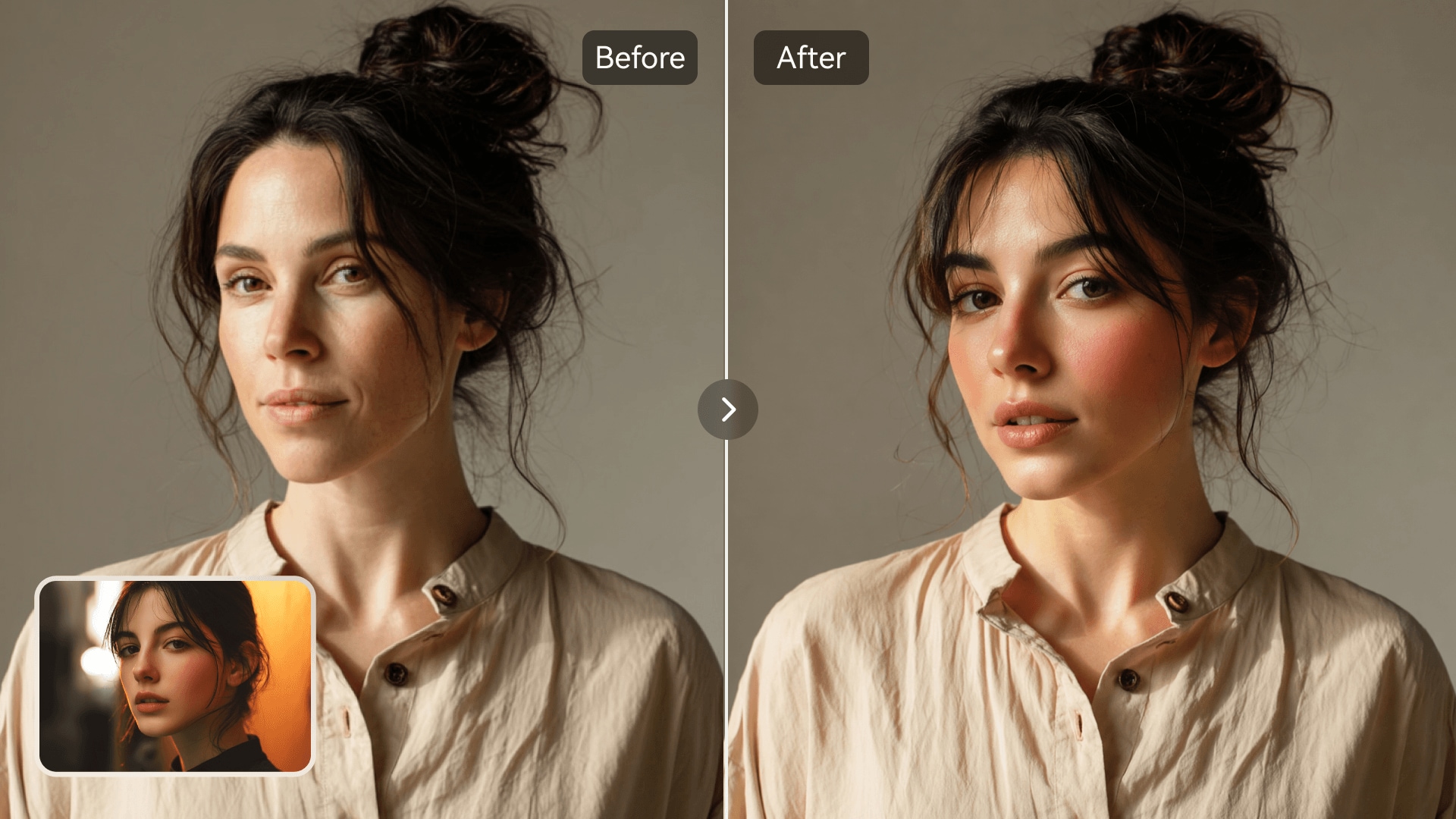
Media.io's AI Photo Face Swap helps you transform ordinary team photos into dynamic, realistic visuals. Whether you're editing group shots, making fun social content, or preparing creative marketing assets, you can swap faces in seconds without manual editing. The intuitive interface makes it simple for anyone to achieve natural results across multiple people. Perfect for both casual and professional photo projects, it ensures consistency and creativity in every shot.

Try Team Face Swap Now
Realistic AI Results Quick Online Editing Safe Face Processing No Design Skills Needed
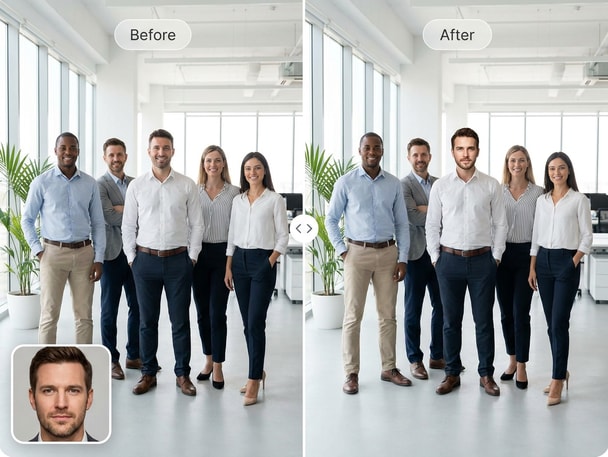
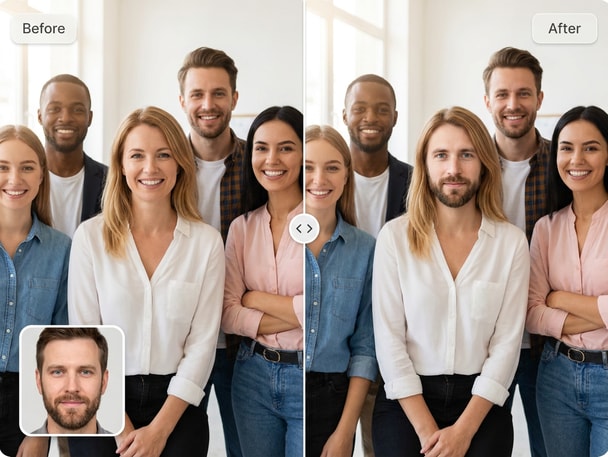
AI team photo face swap with natural group expressions
Before and after team face swap preview

Enhance Group Shots Instantly

Transform office, sports, or family group photos in seconds with Media.io's smart face detection. Our team photo face swap keeps natural lighting and consistent skin tones throughout the image. The AI matches angles and proportions to deliver believable results. You can easily create new visuals for team celebrations, campaigns, or website updates without expensive photoshoots.
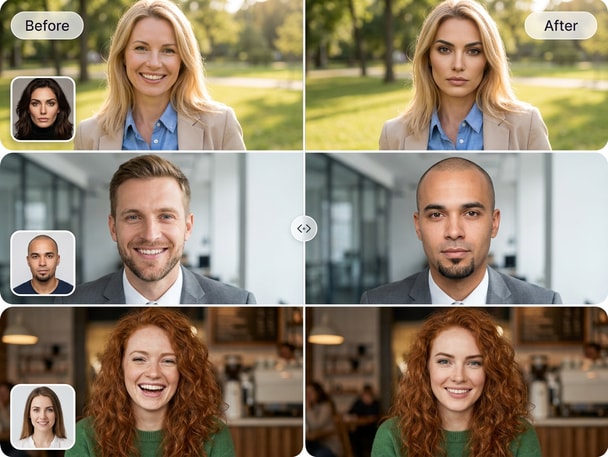
Creative Team Social Visuals

Bring a playful touch to team updates and internal events with a quick AI edit. Media.io lets teams design social posts that stand out while keeping authenticity intact. Use team photo face swaps for profile photos, event recaps, or humorous posts that engage audiences. It's an effortless way to keep content fresh and on-brand for every department or crew.

Accurate and Natural Face Matching

With AI-powered mapping, Media.io ensures balanced proportions, clear edges, and realistic expressions in every face replacement. It automatically adjusts facial lighting and mood for a professional finish. This makes group photo edits look seamless in creative projects, advertisement visuals, and professional presentations. Even non-designers can achieve polished results effortlessly.

Fast Workflow for Team Projects

Upload your team photo, select faces to swap, and get lifelike results within moments. Media.io takes care of alignment and rendering through a robust AI pipeline. The cloud-based workflow means no software installation or GPU power is needed. This makes it ideal for quick visual creation in collaborative workplaces or fast-turnaround marketing tasks.

Try Batch Face Swap for Multiple Images at Once

Save editing time with Media.io's Batch Face Swap feature. Replace multiple faces across different photos automatically and maintain consistency across your team's images, campaigns, or projects.

How to Use Team Photo Face Swap Online

01

Upload Your Team Photo

Start by uploading your group photo to Media.io. The AI analyzes multiple faces instantly and detects each person precisely for editing.

02

Select Faces to Swap

Choose which faces you want to interchange. The system automatically aligns facial features for accurate blending and natural symmetry.

03

Download and Share Your New Team Image

Review the preview, make minor adjustments if needed, and download your team photo face swap image. Share your updated group photo instantly across your digital channels.

What Teams Say About Media.io

user
Liam W.

Marketing Manager

starstarstarstarstar

"Perfect for Our Team Campaign Photos" I used the team photo face swap tool for our company's promotional campaign, and the results looked seamless. It saved us a professional reshoot. The AI preserved lighting across faces perfectly. Definitely a must for teams needing quick visual updates.

user
Emily K.

Event Planner

starstarstarstarstar

"Fun and Easy for Event Recaps" We used Media.io to edit group photos from our recent event. The AI face swap handled multiple people without distortion. It helped us create funny highlights while maintaining natural looks. Everyone enjoyed the results shared on our internal platform.

user
Rafael G.

Creative Consultant

starstarstarstarstar

"Accurate Face Sync Across Groups" I tested the AI on a few group shots and it handled symmetry extremely well. This tool made designing social content simpler and faster. The group photo face swap feature maintains proportional details and trustworthy results for creative posts. I liked that Media.io kept the team photo face swap workflow simple enough to use without editing experience.

user
Sarah J.

Team Lead

starstarstarstarstar

"Professional Look Without Extra Shoots" Our department needed new team visuals quickly, and this tool made it happen. The results looked studio-quality with correct face mappings. The AI face swap group photo option kept expressions lively and consistent. We loved how natural our final photo appeared.

user
Jason C.

Startup Founder

starstarstarstarstar

"Time-Saving and Reliable" For small teams like ours, image creation needs to be efficient. Media.io handled our internal visuals perfectly with the multi person face swap function. The workflow was smooth, clear, and easy for my non-design colleagues to use. Great productivity boost.

Trusted by creative professionals and workplace teams for fast and natural face swap edits.

Team Photo Face Swap FAQ

1. How Does the AI Team Photo Face Swap Work?
faqfaq

Media.io uses deep learning algorithms to recognize faces in a team photo and intelligently match features before performing the swap. It maintains the correct lighting and angles to ensure the results look authentic. The process is fully automated, requiring no design experience. Users can preview and download their photos within seconds.

Yes, Media.io processes uploads securely with temporary storage policies. Your photos are used only for generating the team face swap output. The process runs online, so you don't need to download any additional software. It's designed for responsible creative use, ensuring your content stays private.

Absolutely, Media.io supports multiple swaps in a single image. You can change several faces across a team photo while the AI retains uniform color tones and depth. It's perfect for refreshing corporate pictures, class photos, or creative edits. This saves time compared to manual editing tools.

Not at all. The Media.io team photo face swap feature is beginner-friendly and uses automation to deliver advanced effects. You simply upload, select, and generate. The intuitive workflow lets anyone achieve polished results without complex editing software.

Yes, it's ideal for fun social updates or creative campaigns. Teams often use AI group face swaps to inspire engagement and brand personality online. You can share results directly on platforms like Instagram or Facebook. It's a unique way to showcase friendly collaboration or event moments.

Media.io focuses on realism by matching lighting, tone, and perspective. The AI reconstructs facial areas naturally, so the final photo doesn't appear artificial. This ensures your team portraits stay cohesive and appealing. The result is a photo that balances creativity with authenticity.

Yes, you can preview and fine-tune before final export. Media.io allows quick edits to perfect alignment or select different swaps. The preview helps ensure your team photo face swap looks exactly how you want it. It offers flexibility while keeping everything fast and simple.

Yes, Media.io's AI Photo Face Swap works on both desktop and mobile browsers. You can upload images, swap faces, and download results anytime. It's convenient for users managing social visuals or event shots on the go. Just open the site and start editing immediately.

Media.io Online AI Tools Quality Rating:
vote 4.7 (162,357 Votes)