文生图
Nano Banana Pro
提示
0/2000
提示:使用英文提示以获得更好的结果。
比例
9:16
16:9
1:1
4:3
3:4
3:2
2:3
21:9
分辨率
1K
2K
4K
Banana Pro不限量模式
生成图片数量
1
2
3
4
公开可见性
全部
图片
视频
音频
生成列表
生成结果将保留 7 天,请及时保存
ai_video_generator立即释放你的创造潜力,体验Media AI的魔力!

AI Cherry Blossom Wallpaper Generator

Turn simple text prompts into stunning sakura wallpapers in seconds. Use Media.io's AI cherry blossom wallpaper generator to create anime, minimalist, or realistic Japanese cherry blossom backgrounds in crisp 1K–4K resolution for iPhone, Android, tablets, laptops, and ultra‑wide monitors—right in your browser.

Create My Sakura Wallpaper

Type your idea -> AI designs it. Free to try.

Explore our curated collection of AI Cherry Blossom Wallpaper Generator styles.

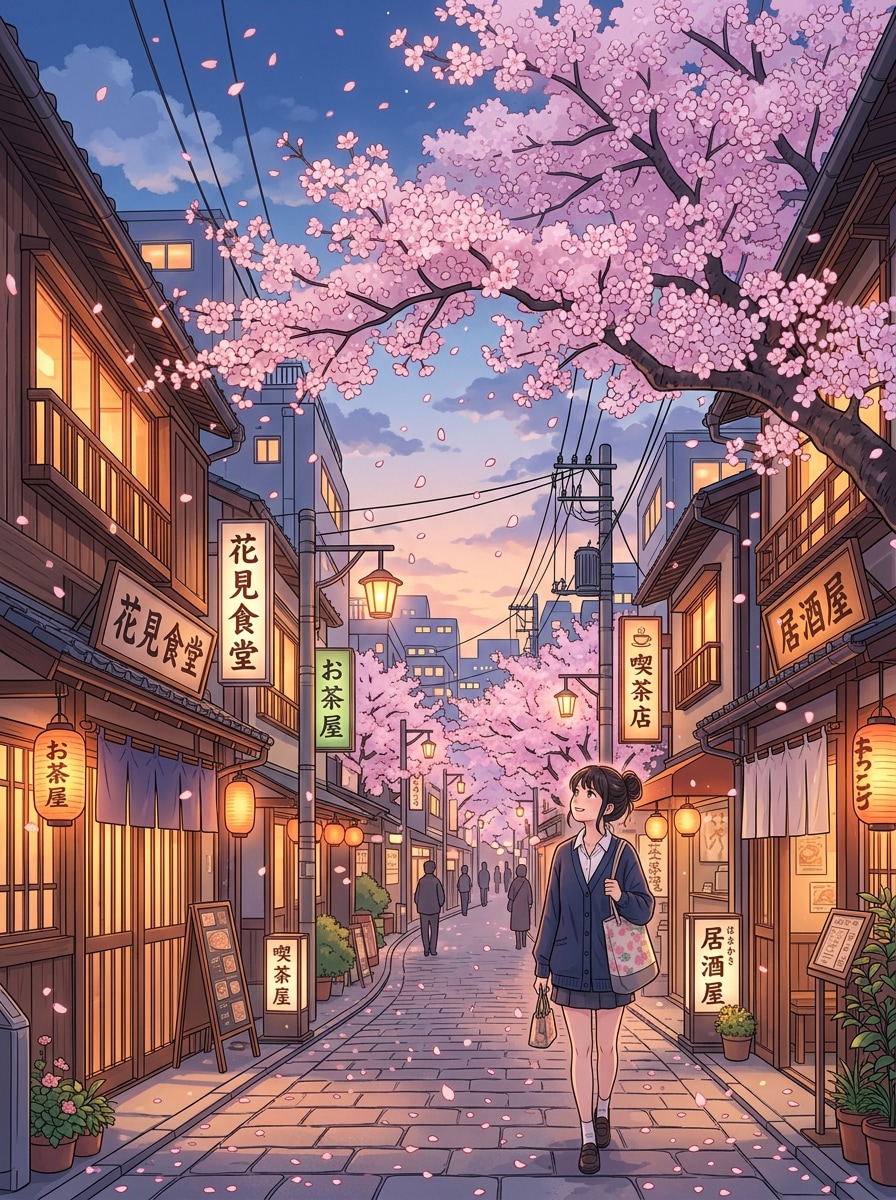
Anime Street Sakura

Anime Street Sakura

highly detailed anime illustration of a peaceful Japanese city street lined with cherry blossom trees in full bloom, soft pink petals falling in the air, warm evening light, glowing windows, clean vertical 9:16 composition for phone wallpaper, pastel sky, crisp line art, studio anime style, ultra high resolution
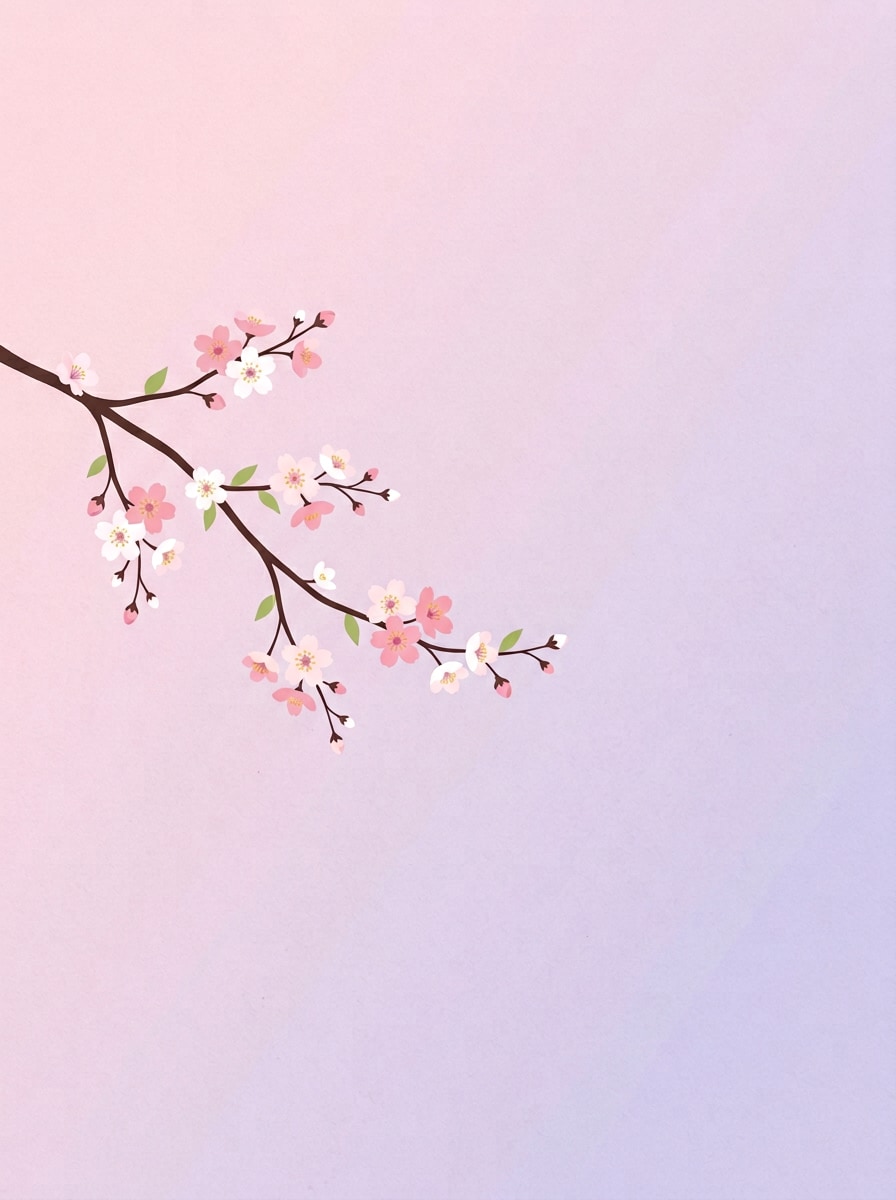
Minimal Branch on Gradient

Minimal Branch on Gradient

minimalist illustration of a single elegant cherry blossom branch extending from the side of the frame, soft pastel gradient background transitioning from pink to lavender, lots of negative space for desktop icons, flat clean vector style, no typography, subtle paper texture, high resolution 4K desktop wallpaper, 16:9 aspect ratio

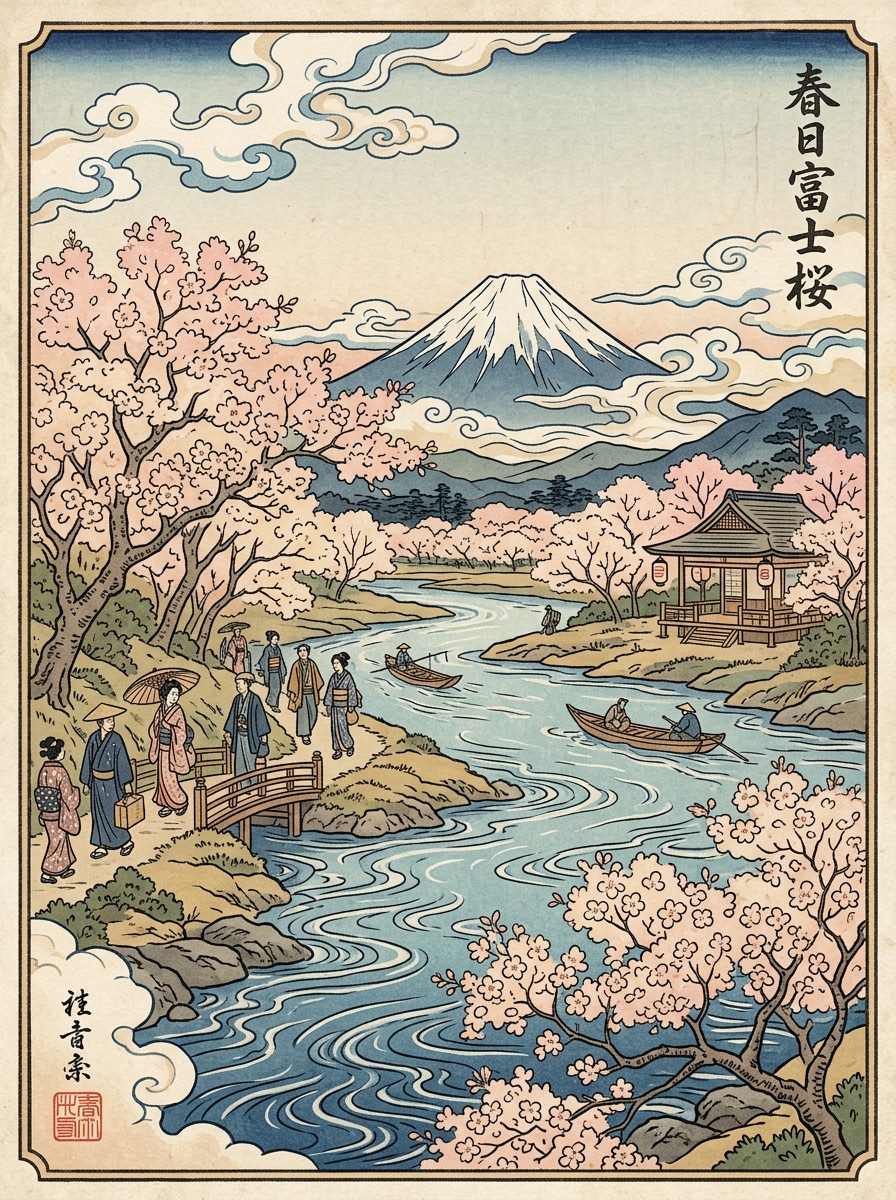
Ukiyo-e Sakura Landscape

Ukiyo-e Sakura Landscape

ukiyo-e woodblock print style artwork of a serene Japanese riverbank with cherry blossom trees in full bloom, Mount Fuji in the distance, stylized clouds and flowing water, muted traditional colors in soft pinks, blues and creams, visible print texture and grain, 4K desktop wallpaper, wide 16:9 composition

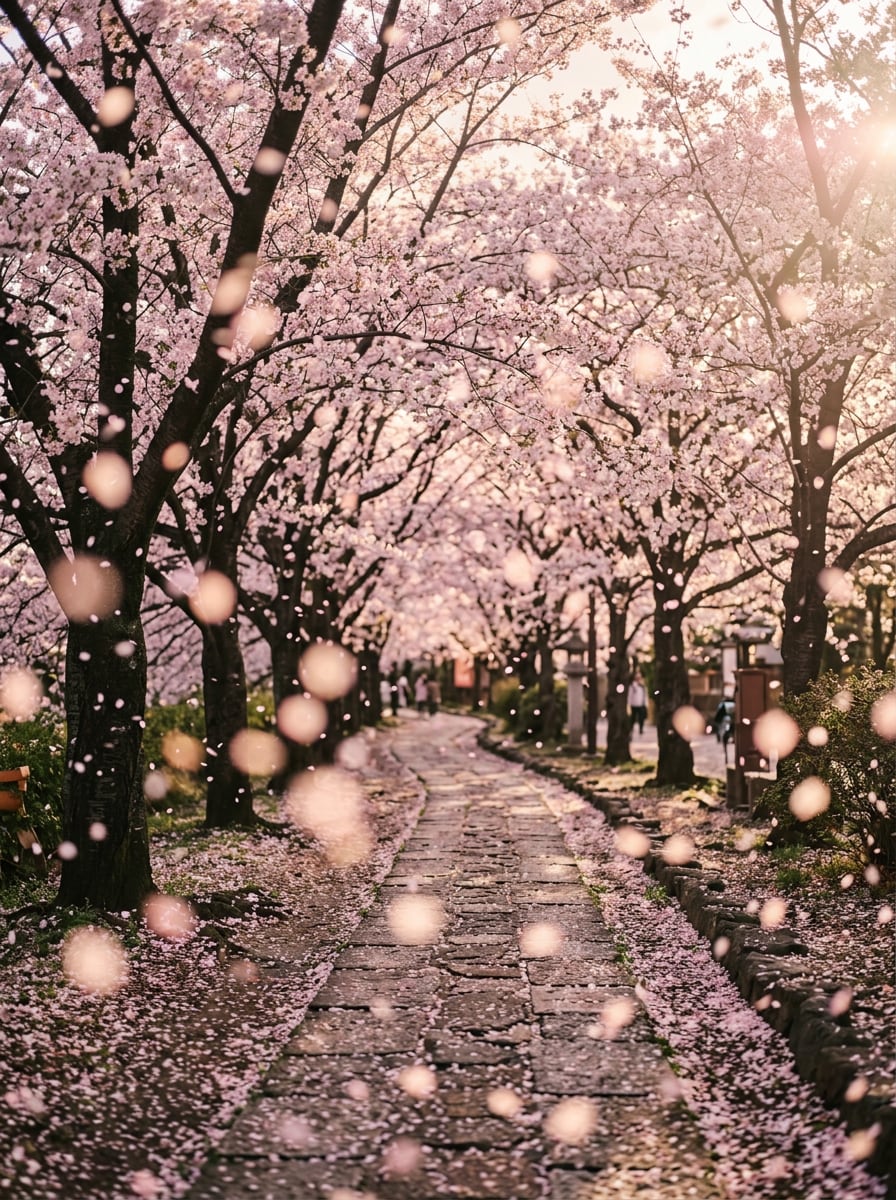
Cinematic Petal Shower

Cinematic Petal Shower

first-person POV walking down an avenue of tall cherry blossom trees, thousands of petals falling in slow motion, shallow depth of field, strong bokeh on petals close to camera, cinematic color grading, gentle lens flare through branches, vertical 9:16 composition for phone lock screen, ultra realistic, high dynamic range, 4K resolution

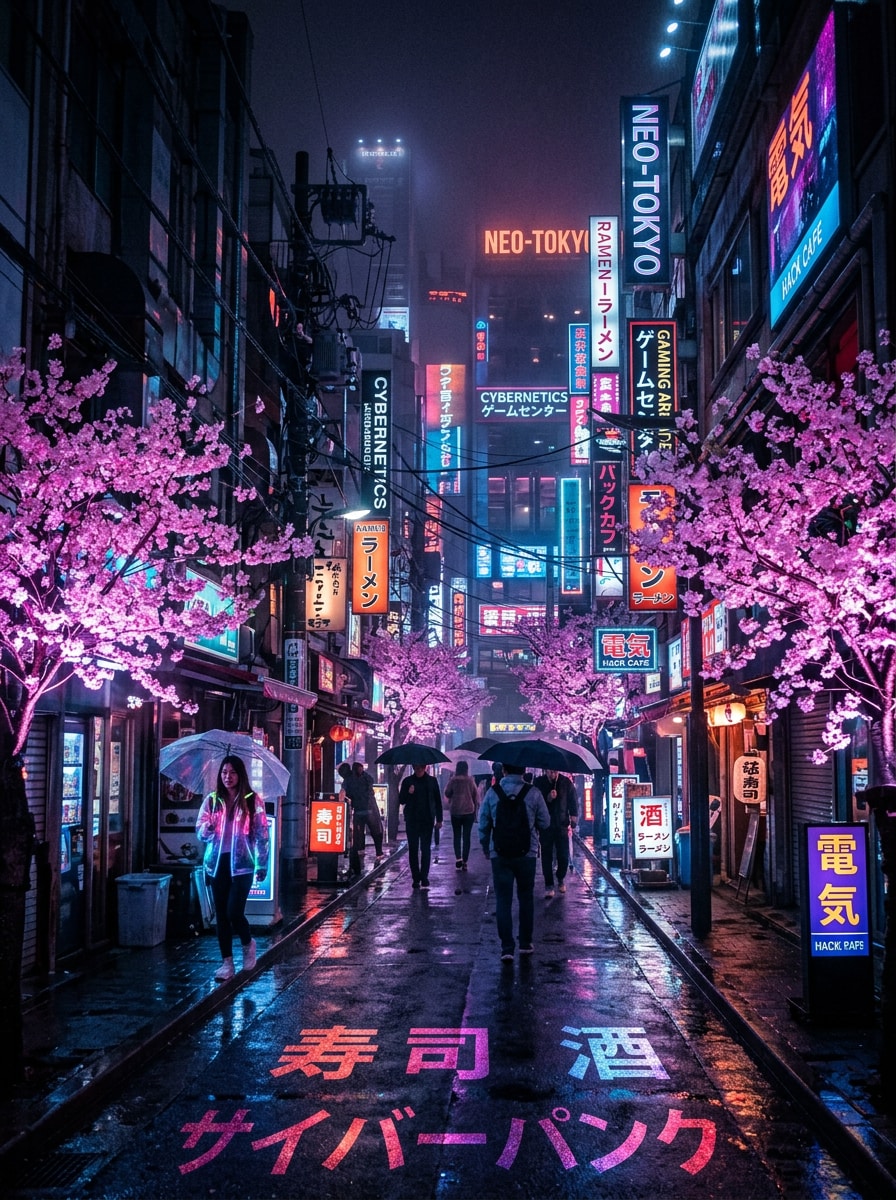
Neon Tokyo Sakura Street

Neon Tokyo Sakura Street

cyberpunk night street in Tokyo with dense neon signs reflecting on wet pavement, cherry blossom trees glowing with bioluminescent pink light, deep blue and magenta color palette, atmospheric fog, high contrast, ultra-detailed textures, 4K desktop wallpaper, extra wide 21:9 cinematic composition

Why Use Media.io for AI Cherry Blossom & Sakura Wallpapers?

Powerful AI Models Tuned for Art & Wallpapers

Generate sakura scenes with flagship models like Nano Banana Pro and Nano Banana 2, plus Seedream and Imagen 4. Switch between anime, realistic, 3D render, or painterly looks to match your ideal cherry blossom wallpaper style.

Perfect Sizes for Phone, Desktop & Ultra‑Wide

Pick from Auto, 1:1, 9:16, 16:9, 4:3, 3:4, 3:2, or 2:3 to fit iPhone, Android, tablets, standard monitors, and ultra‑wide screens. Create sakura lock screens or expansive cherry blossom landscapes without awkward cropping.

High-Resolution 1K, 2K & 4K Outputs

Generate crisp AI cherry blossom wallpapers in up to 4K so petals, branches, and skies look sharp on modern Retina and 5K displays. Ideal for detailed anime scenes, cinematic parks, or minimalist sakura gradients.

Browser-Based, Private & Cross‑Device

Media.io runs entirely in your browser on Windows, Mac, iOS, and Android—no heavy app to install. Uploaded images are automatically deleted after 7 days, so your cherry blossom creations stay private.

How to Generate Sakura Wallpapers with Media.io AI

1
2
3
1
Step 1: Open Media.io AI Cherry Blossom Wallpaper Generator

Open Media.io AI Cherry Blossom Wallpaper Generator. Go to AI Text to Image Generator and open the AI Cherry Blossom Wallpaper Generator under AI -> Image. This online tool runs in your browser, so you can start creating sakura backgrounds instantly on desktop or mobile.

2
Step 2: Enter a Prompt or Upload

Enter a Prompt or Upload. Type a detailed prompt (e.g., "anime Tokyo street at night with glowing cherry blossoms, vertical phone wallpaper") or upload a reference photo. Adjust style, resolution, and aspect ratio to match your phone, tablet, or desktop screen.

3
Step 3: Generate, Refine & Download

Generate, Refine & Download. Click Generate to create your AI sakura wallpaper. Regenerate or tweak the prompt until petals, colors, and mood look perfect. Then download a high‑resolution image ready for use as a lock screen or desktop background.

Step 1
Step 2
Step 3

Unlock the Potential of AI Cherry Blossom Wallpaper Generator

Discover how creators and professionals are using our AI-powered Cherry Blossom Wallpaper Generator to transform their creative workflows and bring unique ideas to life.

Design Custom Sakura Phone Lock Screens in Seconds

Create vertical AI sakura phone wallpapers tailored to your exact device ratio. From kawaii pastel cherry blossom skies to moody golden‑hour parks, you can generate on‑trend lock screens without scrolling endless stock galleries.

Breathe Life into Desktops with 4K Cherry Blossom Scenes

Turn your monitor into a calming Japanese landscape, neon Tokyo street, or Zen temple under blossoms. Choose 16:9, 16:10, or ultra‑wide 21:9, and generate crisp 4K cherry blossom backgrounds that look clean behind your apps and windows.

Create Branded Sakura Visuals for Social & Projects

Need seasonal cherry blossom visuals for blogs, YouTube banners, or spring campaigns? Use the AI sakura wallpaper generator to craft unique anime, watercolor, or minimalist backgrounds, then crop them for headers, posts, and story templates.

What Creators Say About Media.io AI Wallpapers

user
Aiko Tan

Mobile Aesthetic Creator

star star star star star

"Perfect sakura lock screens in one prompt." I used to spend ages hunting for cherry blossom wallpapers that matched my iPhone ratio. With Media.io I just describe the vibe—anime street, pastel sky, petals—and get a ready‑to‑use lock screen in seconds.

user
Daniel Moore

UI Designer & Streamer

star star star star star

"Crisp 4K sakura scenes for my dual monitors." The aspect ratio choices and 4K output are spot on. I generated a neon Tokyo sakura wallpaper for my ultra‑wide and a softer Zen cherry blossom background for the side monitor. Both look sharp with no pixelation.

user
Yuki Sato

Illustrator & Blogger

star star star star star

"Great variety from ukiyo‑e to kawaii pastel." Being able to switch from realistic photography to ukiyo‑e style or kawaii pastel sakura helps me keep my blog visuals fresh. The AI models handle detailed cherry blossom prompts surprisingly well.

user
Maya Roberts

Social Media Manager

star star star star star

"Fast seasonal content without stock sites." For spring campaigns, I generate multiple cherry blossom backgrounds in minutes and adapt them for Instagram stories and headers. It's much faster than browsing stock and fits each brand mood perfectly.

AI Cherry Blossom Wallpaper Generator FAQs

1. How can I generate a cherry blossom wallpaper using Media.io AI?

Open the Media.io AI Cherry Blossom Wallpaper Generator, select a style or model, and enter a detailed prompt like "anime sakura street at sunset, vertical wallpaper, soft pastel tones." Then choose your resolution and aspect ratio, click Generate, and download your wallpaper.

Yes, Media.io supports multiple aspect ratios including 9:16 for smartphones, 16:9 for desktops, as well as 1:1, 4:3, 3:4, 3:2, and more. Choosing the right ratio ensures your cherry blossom wallpaper fits perfectly across devices without unwanted cropping.

Yes, you can use the generator for free with limited daily credits, allowing you to explore different prompts and styles. Additional credits and enhanced features are available with optional upgrades.

Media.io supports image generation from 1K up to 4K resolution, depending on your settings. This ensures sharp details in petals, branches, and skies, making the wallpapers suitable for both mobile screens and large displays.

Yes, generated images can be used for both personal and professional projects. However, specific usage rights depend on Media.io's licensing terms, so it's recommended to review the latest policy before commercial use.

Media.io values user privacy. Uploaded images are automatically deleted after 7 days. Prompts and generated results may be processed to improve service quality, but they are not stored indefinitely.

Media.io Online AI Tools Quality Rating:
vote 4.7 (162,357 Votes)