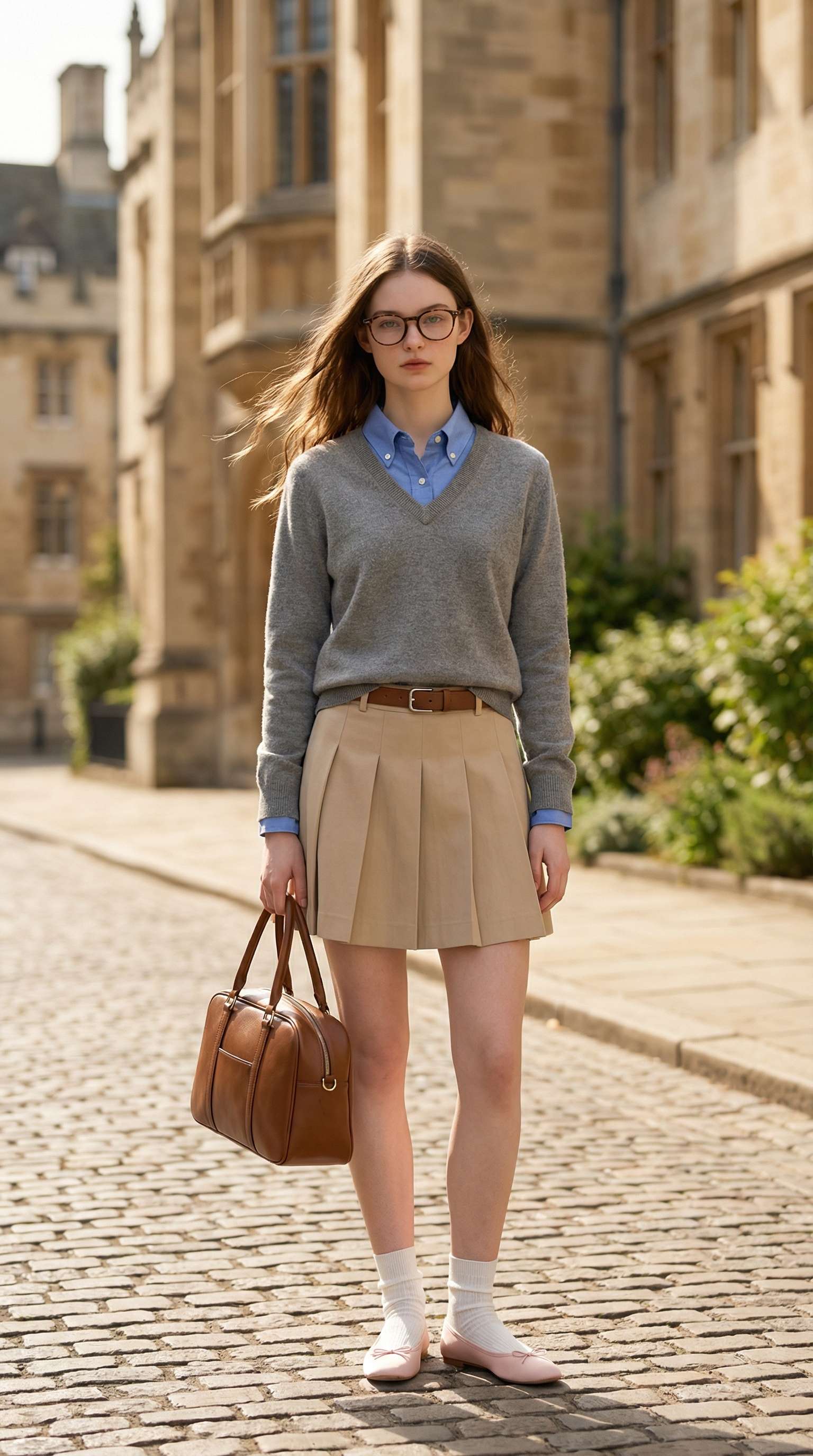
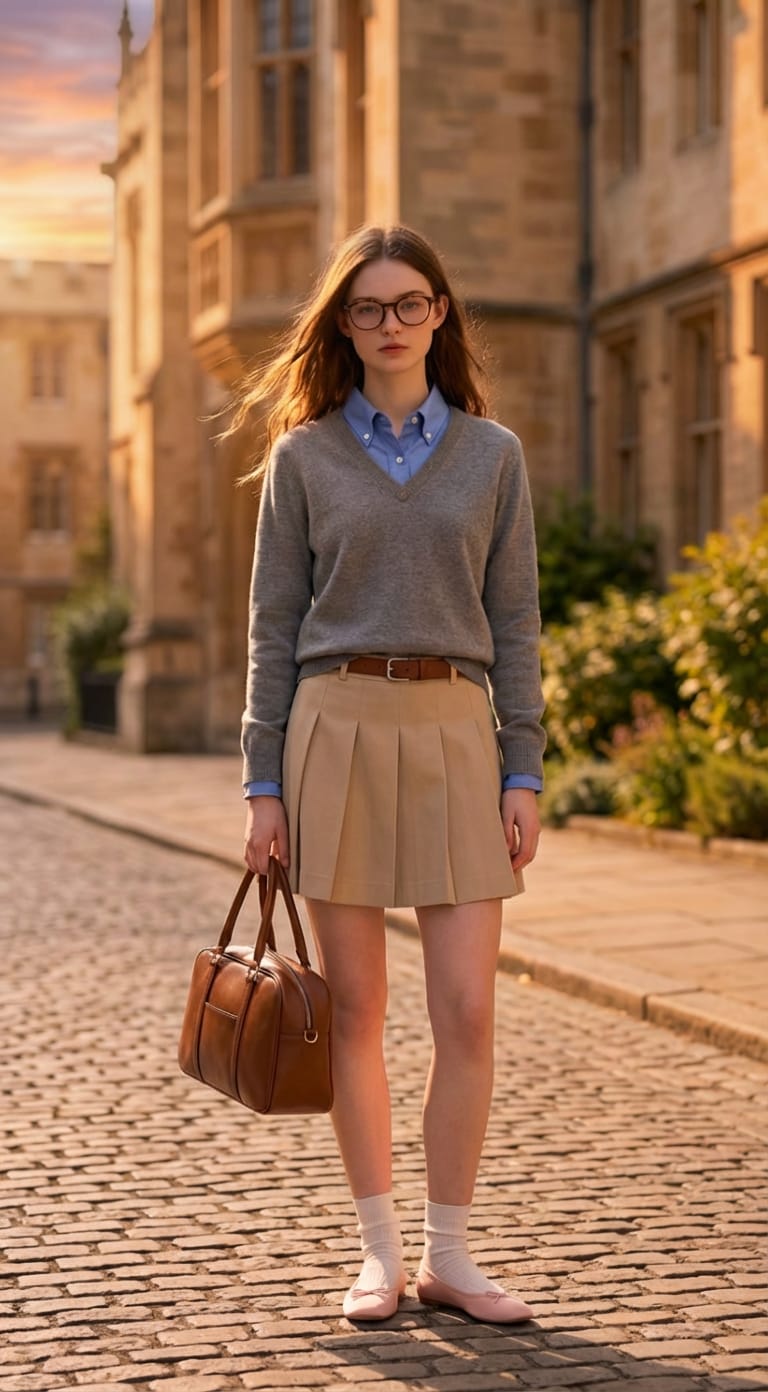
Natural Dusk Relighting in Seconds
Turn harsh daylight into a realistic evening look with warmer highlights, deeper shadows, and a more atmospheric sunset mood—without manual retouching.
 Nano Banana Pro
 立即释放你的创造潜力,体验Media AI的魔力!
Transform bright daytime pictures into breathtaking dusk scenes with realistic sunset tones, softer shadows, and cinematic evening mood. Upload your photo, describe the look you want, and let Media.io create a polished day-to-dusk edit in seconds.
Turn harsh daylight into a realistic evening look with warmer highlights, deeper shadows, and a more atmospheric sunset mood—without manual retouching.
Simply upload your image, tell AI you want a day to dusk transformation, and get a polished result fast. No complicated editing workflow required.
Upgrade portraits, city scenes, and outdoor shots with a golden-hour inspired atmosphere that feels more cinematic and visually striking.
Create a dusk-style photo fully online with free credits on signup. Download watermark-free results in high quality for social posts or creative projects.
Start with a portrait, travel image, street photo, or landscape you want to transform into a realistic dusk-style scene.
Enter a prompt like turn this day photo into cinematic dusk with warm sunset light and soft evening shadows to guide the edit.
Preview the transformation, regenerate if needed, and download your day to dusk photo edit watermark-free.

Travel Creator

“My daylight travel photos finally look cinematic.” I used AI day to dusk photo editing to add warmer light and a more dramatic evening mood without learning complex editing software.
Upload your image to Media.io, describe the dusk atmosphere you want, and let AI relight the scene with warmer evening tones, deeper shadows, and cinematic mood.
Yes. Media.io can help transform harsh daytime lighting into softer golden-hour or dusk-style lighting for a more atmospheric result.
No. Media.io offers an online workflow that makes day-to-dusk editing much faster for users who want photo transformation without advanced manual editing tools.
Portraits, street scenes, landscapes, and travel photos work well, especially when the original image has clear subjects and visible lighting direction.
When prompts and source photos are suitable, Media.io can preserve subject details while adding realistic dusk tones, shadows, and ambient light changes.
 4.7 (162,357 Votes)



