AI Camera Angle Editor - Generate Multiple Views from a Single Photo with AI

Change camera angle and perspective of any photo with AI. Generate wide shots, close-ups, bird's eye views, low angles, and more from a single image. No reshooting required—get professional film-style angles in seconds. Free credits to try online!

Change Image Angle Online

Free Credits on Login!

✓ 11M+ Creators ✓ 9 Angles per Photo ✓ Powered by Nano Banana Pro

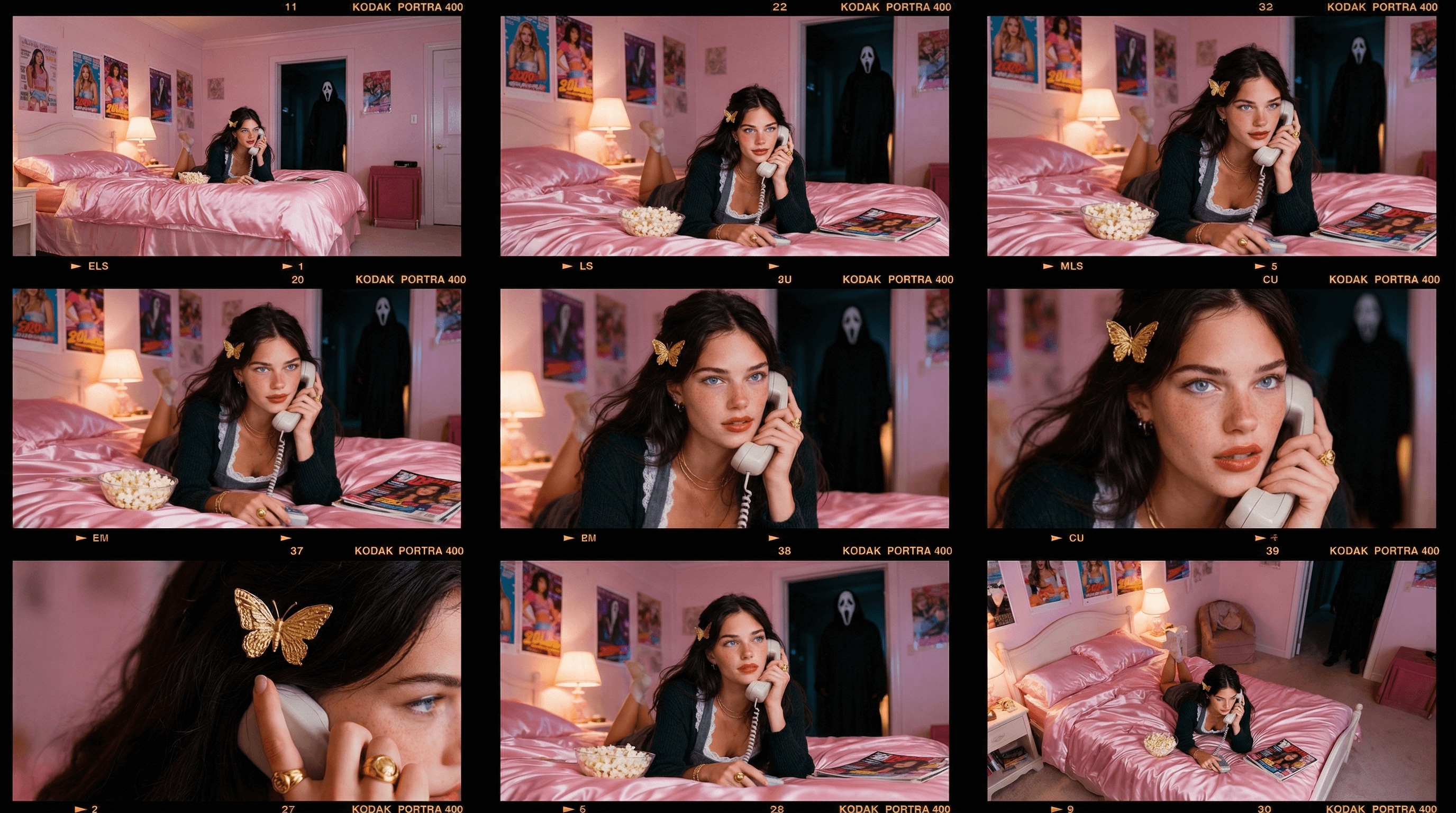
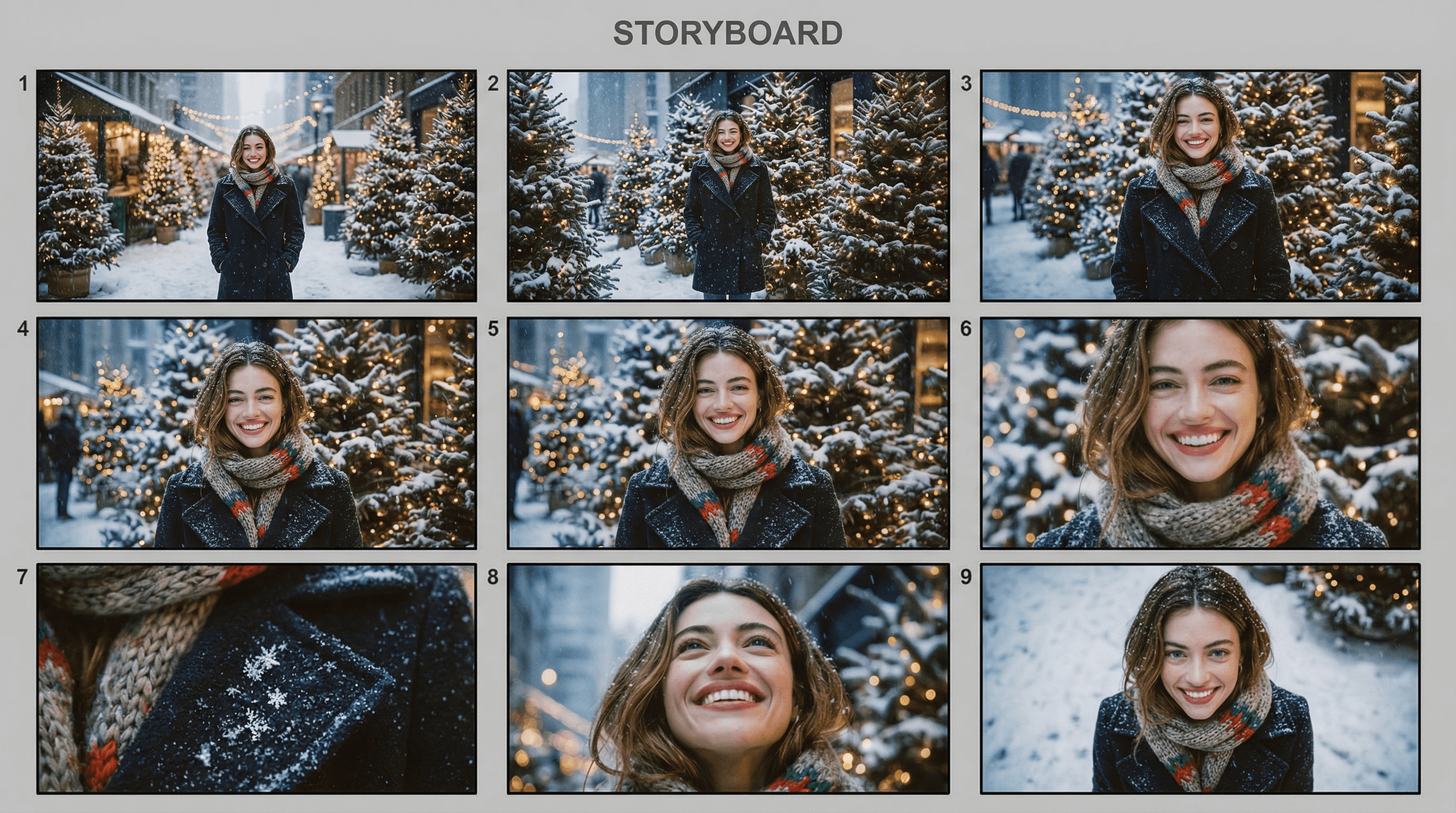
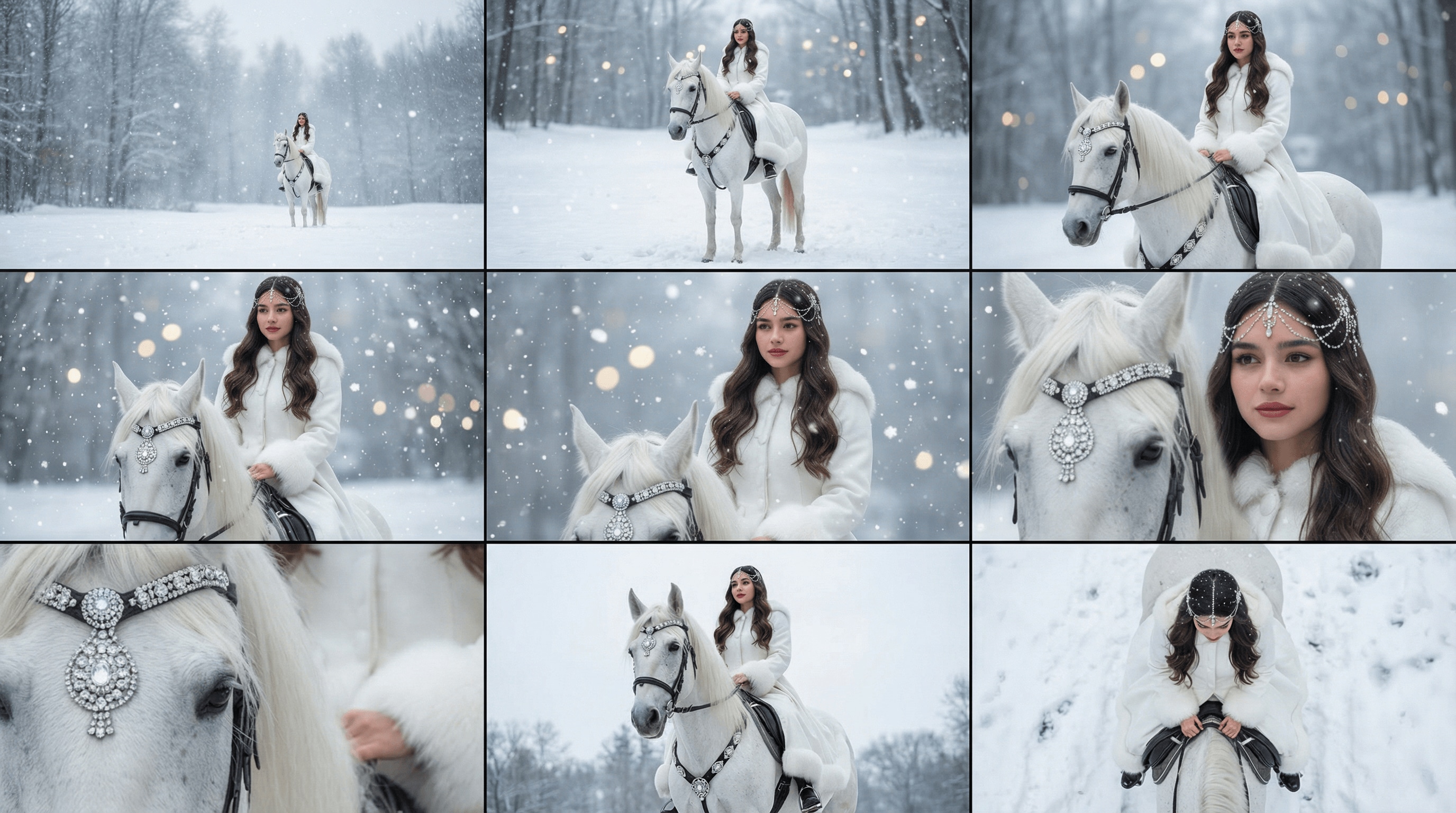
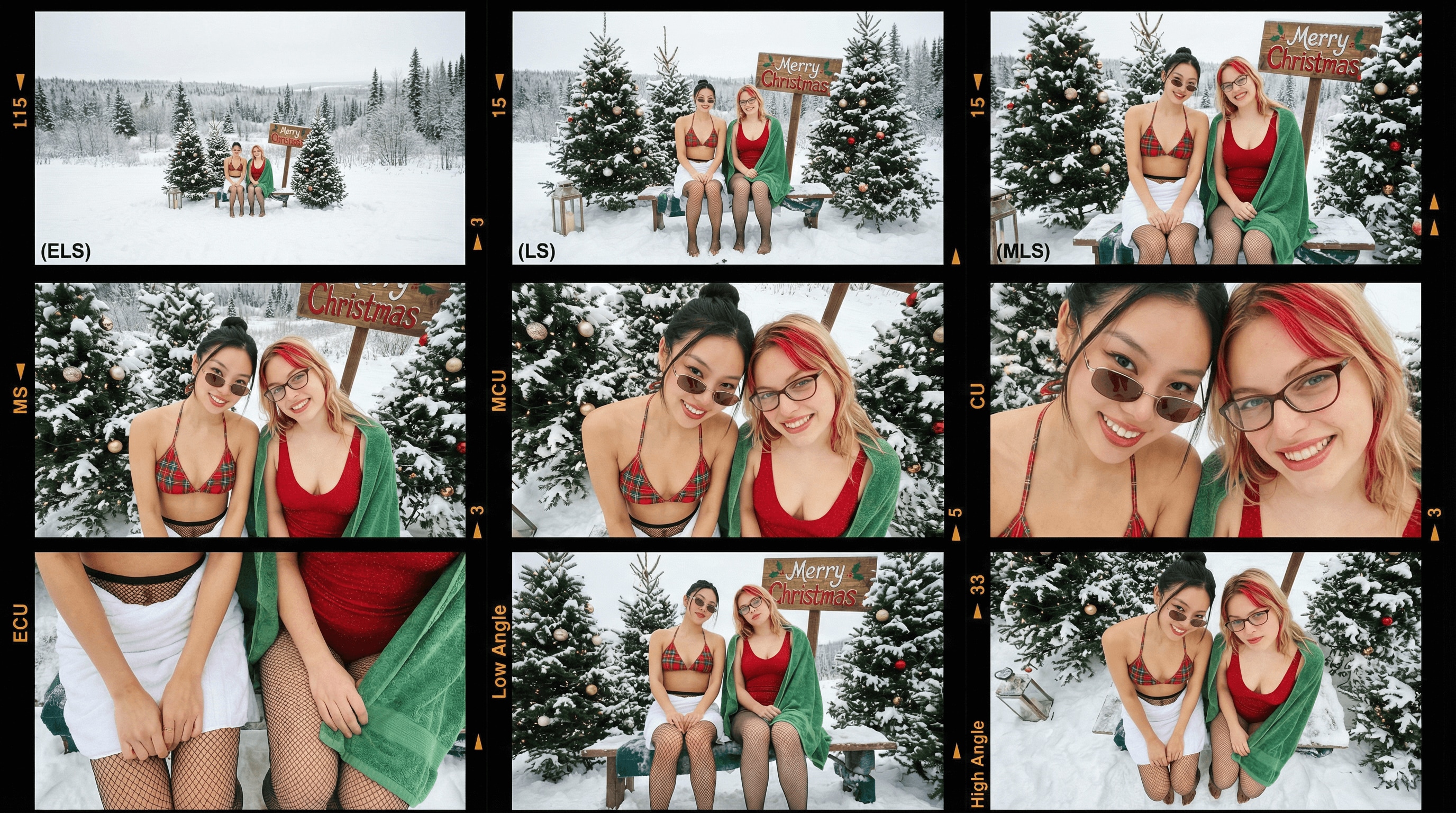
Turn One Photo into a 3×3 Cinematic Storyboard

Upload a single image and let AI generate different angles of your photo in a professional 3×3 storyboard grid with multiple focal lengths and angles.

Prompt for AI Photo Angle Storyboard
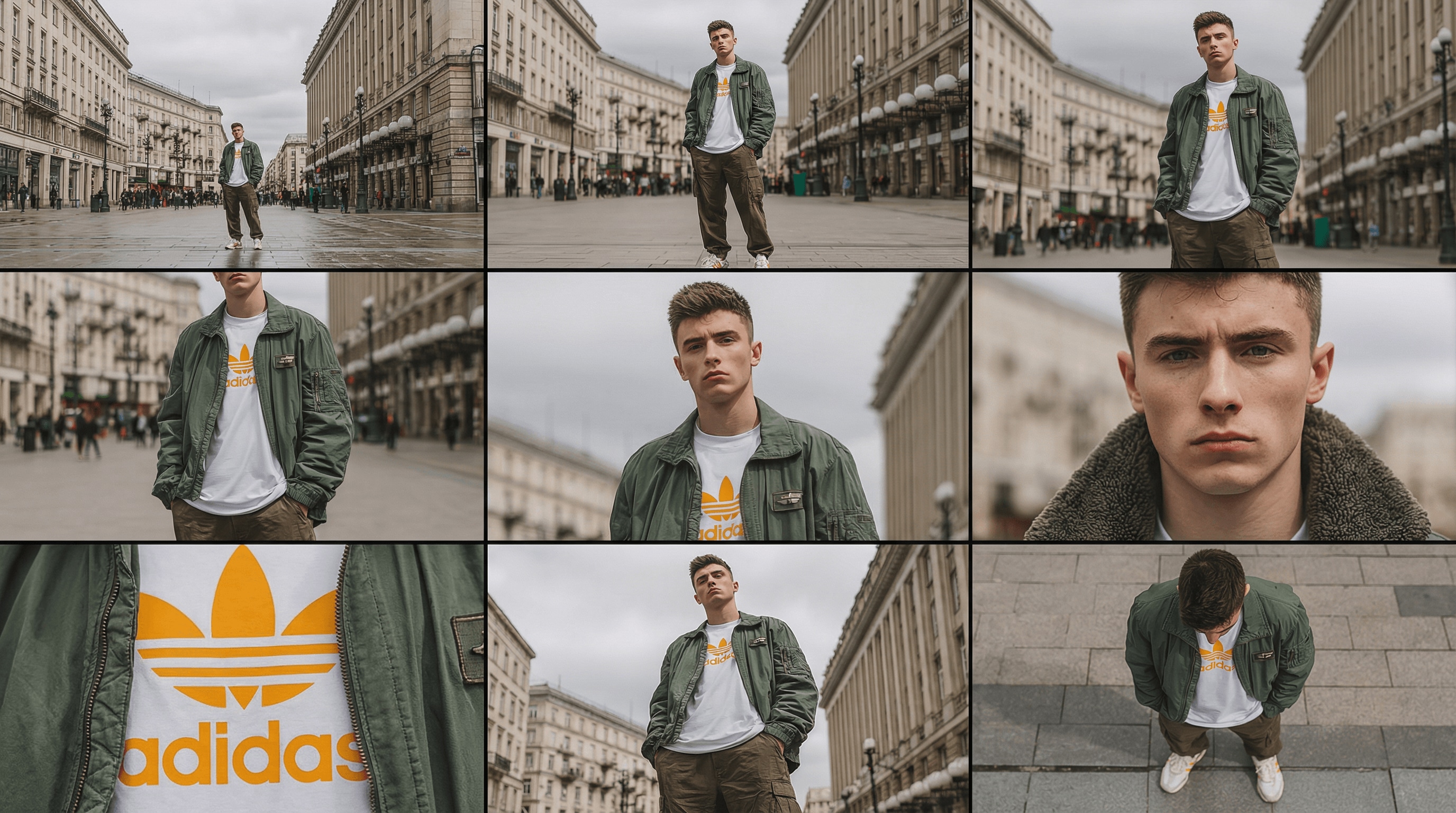
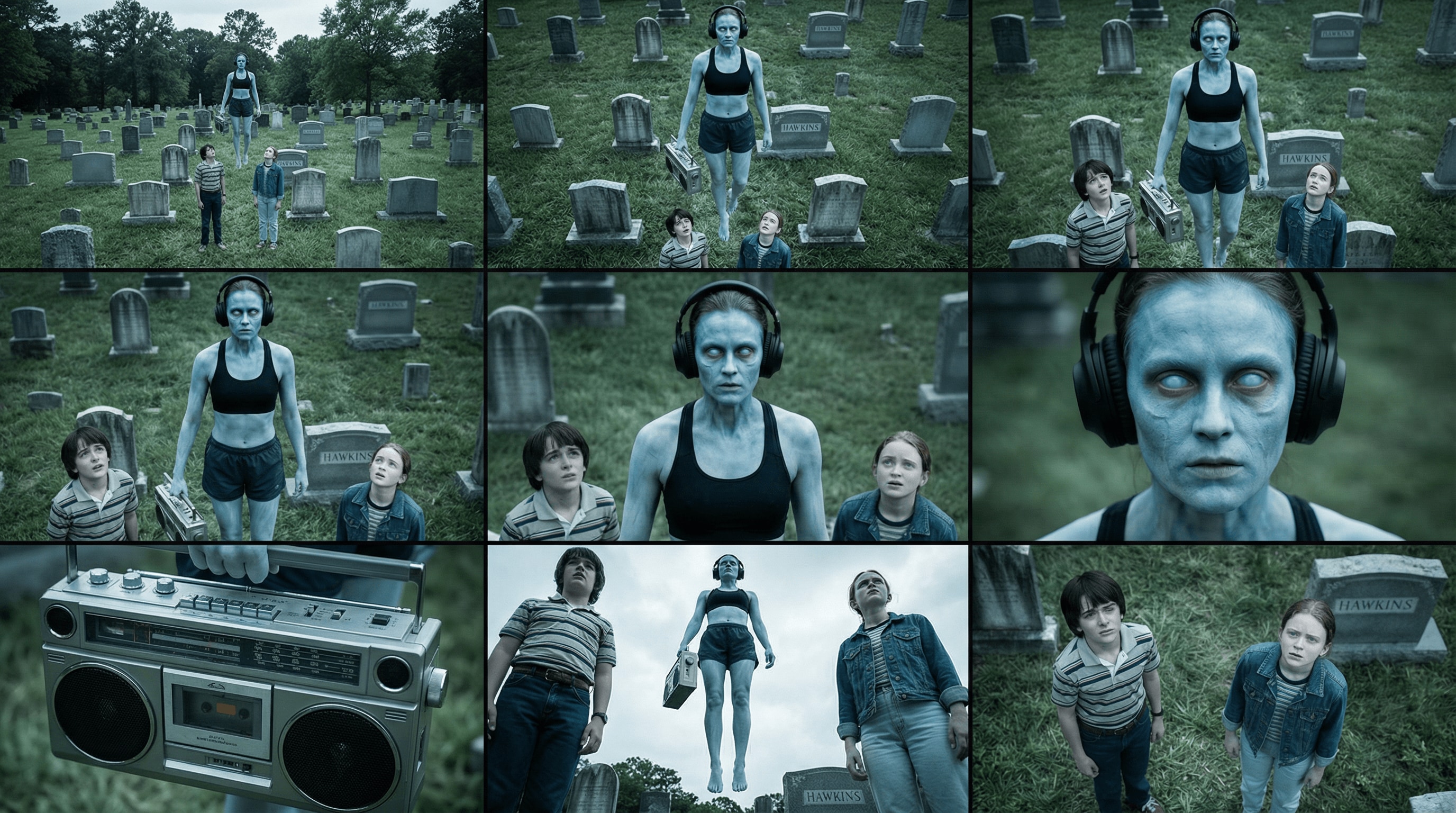
A professional 3x3 film storyboard grid containing 9 panels.

The grid displays the specific subjects/scenes from the input image across a comprehensive range of focal lengths.

Top row: Wide environmental shots, full view, 3/4 cut (knee-up shot).
Middle row: Waist-up view, chest-up view, face/front close-up.
Bottom row: Macro details, low angle, high angle.

All frames feature photorealistic textures, consistent cinematic color grading, and correct composition tailored to the analyzed subject or object count.
Use This Prompt
AI Photo Angle Storyboard Samples (3×3 Grid)
AI photo angle storyboard sample 1
AI photo angle storyboard sample 2
AI photo angle storyboard sample 3
AI photo angle storyboard sample 4
AI photo angle storyboard sample 5
AI photo angle storyboard sample 6

Transform Your Workflow Across Industries

From photography to e-commerce, discover how Media.io's AI photo angle changer saves time, reduces costs, and unlocks creative possibilities you never thought possible.

Photography & Portrait Sessions

Expand your portfolio without reshooting. Generate side profiles, close-ups, and creative angles from existing portraits using AI camera angle changer. Perfect for offering clients more composition options and exploring different perspectives post-shoot.

E-commerce & Product Photography

Transform one product shot into complete 360° views with AI perspective change technology. Generate top-down angles, side views, and detail shots without expensive studio sessions—reduce photography costs by 80% while boosting conversion rates.

Film & Video Pre-Production

Create professional storyboards in minutes using AI angles generator. Transform location photos into complete shot sequences—wide establishing shots, medium coverage, close-ups, and dramatic angles. Communicate your vision clearly to cinematographers and crew.

Social Media Content Creation

Maximize every photoshoot with photo angle change AI. Turn one image into a week's worth of varied content for Instagram, TikTok, and other platforms. Keep your feed visually diverse with close-ups, wide shots, and unique perspectives—all from a single original photo.

Real Estate & Architecture

Showcase properties comprehensively using change camera angle in photo tools. Generate bird's eye views, detail shots, and room perspectives from limited photography. Help buyers visualize spaces and understand layouts—perfect for creating virtual tour-style presentations.

Fashion & Apparel Design

Display garments from every angle with change image perspective with AI. Show front, back, side views and fabric details without multiple model shoots. Create professional lookbooks and reduce product returns with comprehensive visual coverage—all generated instantly.


How to Change Image Angle with AI Online

01

Step 1 - Upload Your Photo

Upload any JPG or PNG image—people, products, scenes, or architecture. Works with portraits, full-body shots, and object photography up to 20MB.

02

Step 2 - Choose Your Desired Angles

Use the interactive angle selector or sliders to adjust rotation, tilt, and zoom. Select from 9 professional film shot types—wide shots, close-ups, bird's eye, low angle, and more.

03

Step 3 - Generate & Download New Perspectives

Click "Generate" and watch AI create photorealistic new angles in seconds. Download your 3x3 contact sheet or individual angles in high quality—perfect for portfolios, listings, or social media.

FAQs About AI Camera Angle Changer

1. What is AI photo angle change?

AI photo angle change uses artificial intelligence to simulate new camera angles and perspectives from a single image. Instead of reshooting a scene, the AI can generate alternative viewpoints—such as 3/4 angles, top-down views, low-angle shots, or subtle face rotations—while keeping the subject’s identity, lighting, and style consistent. It’s like doing a full virtual reshoot from one original photo.

Upload your image to the Media.io Image-to-Image AI tool, select Nano Banana Pro as the model, and use our ready-made 3×3 photo angle prompt or write your own. With one click, the AI analyzes your photo’s depth, structure, and lighting, then generates multiple new viewpoints automatically—no Photoshop or editing experience required.

You can request a wide range of perspectives, such as:

  • 3/4 angles (left or right)
  • High-angle / bird’s-eye views
  • Low-angle / hero shots
  • Top-down or overhead views
  • Slight facial rotations or head turns
  • Closer crop or wider view

Simply describe the angle you need, and AI adjusts the perspective while keeping your subject realistic.

Yes—Media.io offers free daily credits so you can try angle changes at no cost. There’s no app to install, and your generated images download in HD, watermark-free. Additional credits can be purchased anytime without requiring a subscription.

Yes. You can use your AI-generated angle variations for:

  • E-commerce product photos
  • Marketing & social media
  • Real estate listings
  • Client work
  • Brand content and advertising

You retain full rights to the images you generate, both personal and commercial.

Media.io Online AI Tools Quality Rating:
vote 4.7 (162,357 Votes)