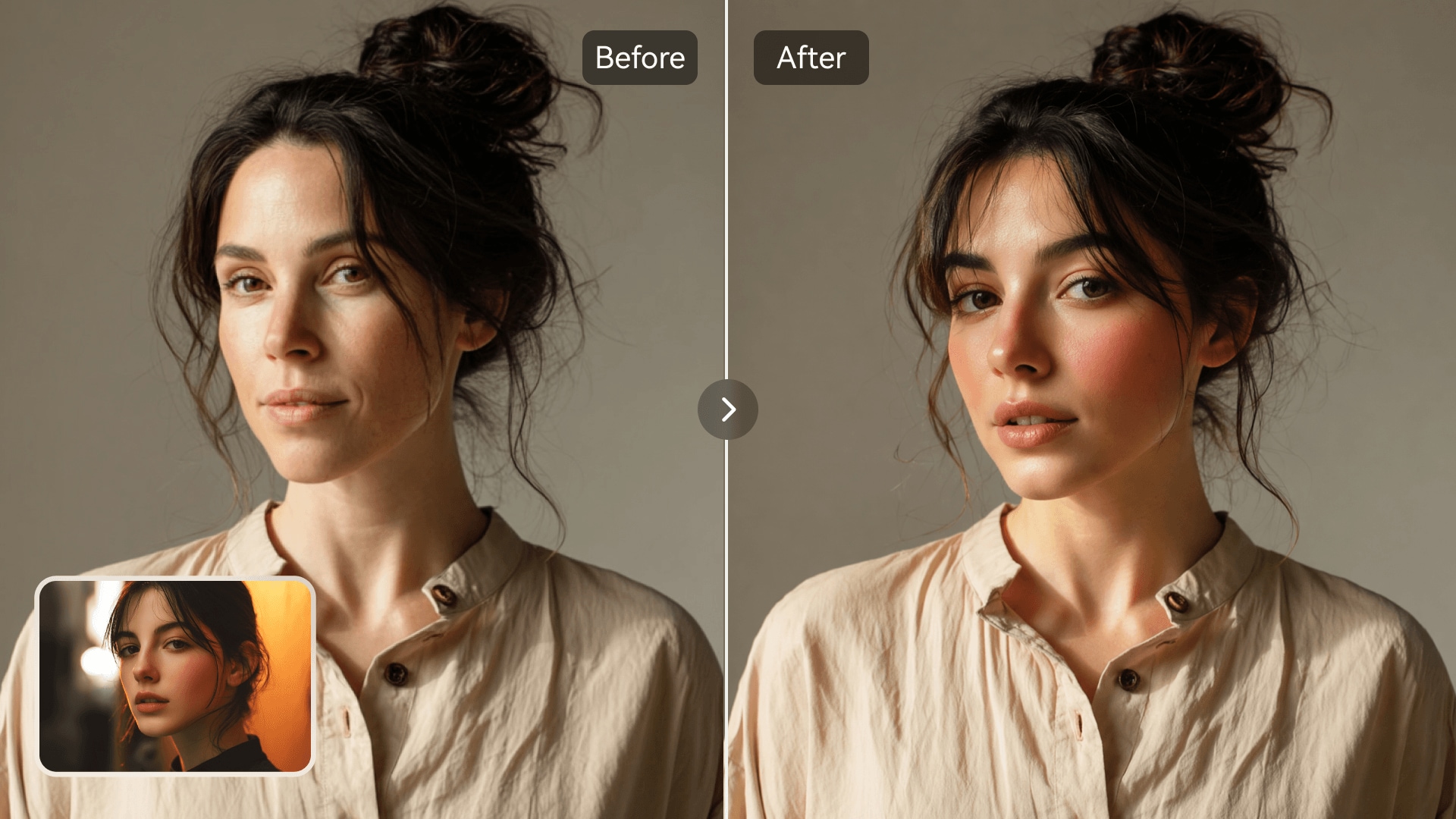















AIフェイススワップ
元画像をアップロード
顔が鮮明な画像をアップロードしてください
クリックまたはドラッグでアップロード、または履歴から選択クリックしてアップロード履歴
アイデアがない?まず画像を生成してみよう >
jpg、jpeg、png の画像(最大 50 MB、最小幅/高さ 300 px)をアップロードしてください。
顔写真をアップロード
入れ替えたい顔をアップロードしてください。
Age Face Swap

Experience Time Travel with AI Age Face Swap

Media.io's AI photo face swap tool brings a new way to explore how age transforms your look. Instantly see what you'd look like younger or older while keeping photo realism intact. It's perfect for creative edits, fun transformations, or professional mockups. Create stunning age progression photos without complex editing or design skills.

Try Age Face Swap Now
AI-Powered Aging Instant Online Edits No Design Skills Needed Realistic Photo Results
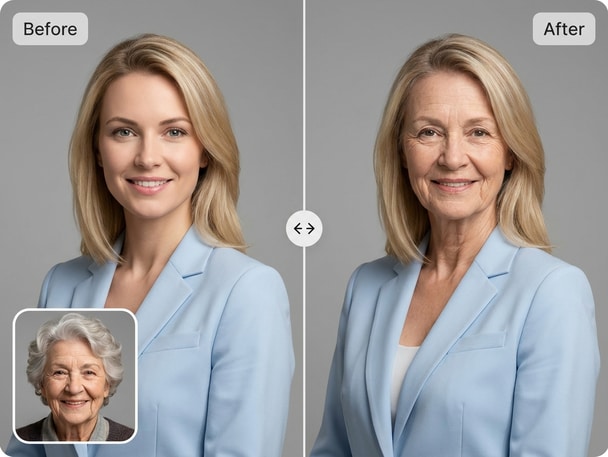
before and after image showing AI age face swap on portrait photo
AI-generated young to old transformation sample

See Yourself at Any Age

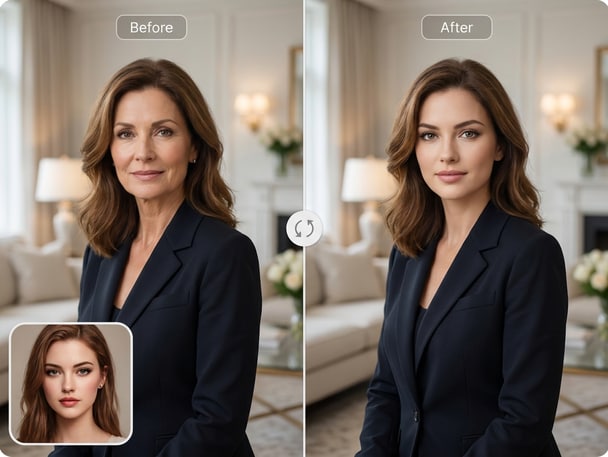
Switch between younger and older versions of your face with Media.io's advanced AI. Each transformation looks natural and balanced, reimagining your identity across time. The system keeps your unique features while refining tone and texture. Use it for portrait evolution, curiosity, or engaging content.
Perfect for Social and Creative Fun

Create entertaining posts, reaction edits, or profile visuals with AI-powered aging. Media.io makes age transformations safe and imaginative, ready to share across social media. Its subtle blending ensures smooth transitions without harsh artifacts. Bring a playful twist to your personal or marketing visuals.

Professional Quality Without Editing Skills

Forget complicated filters or manual retouching-Media.io handles it automatically. Its precise AI keeps lighting, perspective, and photo detail consistent through age shifts. You can generate natural face swaps in just seconds using any clear headshot. The streamlined workflow saves hours of manual corrections.

Creative Ideas for Every Purpose

Design timeline photos, compare youth and maturity, or craft promotional mockups effortlessly. Media.io's AI age face swap helps creators and brands visualize character development or storytelling visuals. The flexible tool adapts to memes, portfolios, and campaign concepts. Whether it's for inspiration or engagement, every image feels refined and realistic.

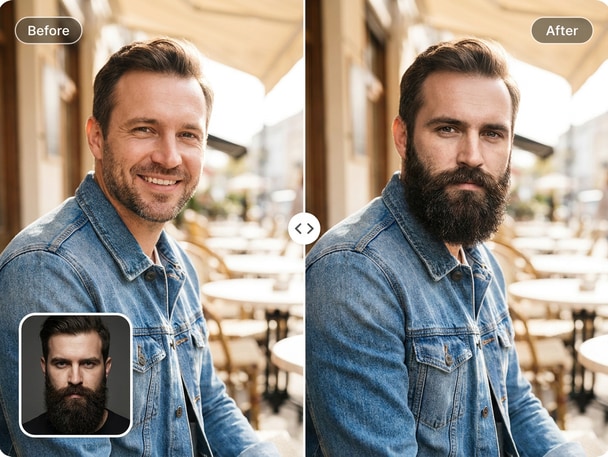
Try Beard Face Swap for Realistic Facial Transformations

Give your photos a bold new style with Media.io's beard face swap tool. Instantly add or remove facial hair while keeping a natural, balanced look across lighting and tone. Great for creative or promotional edits when experimenting with personal style.

How to Create an AI Age Face Swap in Seconds

01

Upload Your Photo

Choose a clear portrait image showing your face. Media.io uses crisp input photos for the best AI results.

02

Select Age Transformation

Pick whether you want to look younger or older, and let the AI automatically analyze your features for accuracy.

03

Preview and Download

Review the realistic transformation, make quick adjustments if needed, then download your aged or rejuvenated photo instantly.

What Users Say About Age Face Swap

user
Liam R.

Content Creator

starstarstarstarstar

"Super Realistic Aging Tool!" I tried several tools before finding Media.io, and the results blew me away. The age progression photo looked natural and smooth without distortion. It keeps skin tone and light consistent throughout the transformation. I now use it to design story visuals for my digital content.

user
Alex K.

Photographer

starstarstarstarstar

"Perfect for Before-and-After Concepts" I was searching for a reliable AI age changer to visualize character aging. Media.io handled it effortlessly, adjusting wrinkles, shadows, and texture with precision. The AI preserved facial balance while introducing realistic time effects. My clients love comparing old and young face swap previews.

user
Sally J.

Marketing Designer

starstarstarstarstar

"Fun Yet Professional Quality" I created a series of aging face swap images for a campaign demo. Media.io produced consistent lighting and seamless blending. It's user-friendly and requires zero retouching skills. Every output looks polished and perfect for both social and brand visuals.

user
Noah P.

Visual Storyteller

starstarstarstarstar

"Easy Way to Explore Timelines" The AI age face swap helped me build character profiles showing youth to maturity. It processed all my images quickly with lifelike results. The aging details looked subtle and cinematic, not cartoonish or fake. The tool makes exploring time-based visuals both accessible and inspiring. I'll keep using it for storyboards and visual concepts.

user
Emma T.

Social Media User

starstarstarstarstar

"Made My Friends Love the Trend" I used the old young face swap feature to make fun posts for my community page. The natural results made everyone curious how realistic AI aging could look. It was fast, intuitive, and worked right in the browser. My before-and-after post went viral within hours. Media.

Creators love how realistic and easy Media.io's age transformations look for both personal and social use.

Frequently Asked Questions About Age Face Swap

1. How Does the AI Age Face Swap Work?
faqfaq

Media.io's AI detects facial features and applies realistic aging or rejuvenation filters while retaining skin texture and lighting. It uses deep learning models to simulate different age appearances naturally. You can preview both older and younger versions instantly. The transformation happens fully online without manual adjustments.

Yes, the AI applies smooth transitions in skin tone, wrinkles, and structure for lifelike outcomes. The age progression photo remains faithful to your original appearance while adding cinematic age cues. Results are designed to look professional rather than exaggerated. Lighting and gaze remain coherent for each transformation.

Yes, Media.io lets you pick between aging or rejuvenating effects easily. The old and young face swap outputs show balanced, true-to-life transitions. You can generate multiple versions to compare or blend different eras of your appearance. It all happens within seconds with no installs needed.

No, the workflow is fully automated and user-friendly. Just upload your photo, choose your desired transformation, and preview the result. Media.io manages face alignment and retouching for you. Even beginners can achieve studio-quality effects effortlessly.

Yes, Media.io processes uploads securely and deletes them after the conversion cycle. The tool is designed for creative, safe, and non-deceptive visual transformations. Users can confidently generate results for personal fun or creative projects. Privacy protection and consent are always prioritized.

Photos with clear frontal faces, even light, and visible features deliver the best results. Avoid low-light or blurry images for cleaner blending. The AI relies on facial clarity to apply realistic age effects. Headshot-style portraits or selfies generally work perfectly.

Absolutely, many users post their transformations on TikTok and Instagram for fun engagement. Each AI-generated age swap looks realistic and eye-catching without extra editing. You can download and upload directly from Media.io's interface. It's ideal for challenges, storytelling, or brand posts.

Media.io offers free access tiers for limited transformations. Higher-resolution previews and extended features are available through upgrades. You can experiment with age face swap effects online at no cost. It's an accessible entry point for anyone exploring creative AI edits.

Media.io Online AI Tools Quality Rating:
vote 4.7 (162,357 Votes)