Local Processing
Pixbim processes video on your local PC, which suits users who don't want to upload footage to a server. The trade-off is that you must install the software and pick a hardware-matching version.

 ¡Desbloquea tu potencial creativo y experimenta la magia de Media AI ahora mismo!
Looking for a Pixbim alternative without the download? Remove unwanted video logos and text with Media.io's online AI eraser. Upload your clip, brush over the area, and review the result. Media.io Video Eraser · Pixbim Alternative.
Pixbim is worth considering if you want a Windows desktop tool that processes video locally with a manual brush selection. Pixbim ships both CPU and NVIDIA GPU versions, and officially states the macOS version is not yet released — which is why a "Pixbim alternative for Mac" and an "online alternative" have real product-difference support. Feedback is mixed: Trustpilot shows a strong brand score (4.8/5, 62 reviews) but many reviews cover other Pixbim products, and Reddit users describe effects as mediocre and a case where diagonal-watermark removal also cleared content below. Media.io is another option for users who want to skip the Windows install and clean a selected area and timeline segment in the browser.
Review basis: Official product documentation, public user reviews, and third-party examples. We have not conducted a controlled head-to-head performance test, so we do not claim one tool is better on quality, speed, or price.
Pixbim's product shape is specific: Windows desktop software, local processing, and a manual brush workflow, with CPU and NVIDIA GPU downloads. The macOS version is not yet released. See the official Pixbim Video Watermark Remover AI page.
Pixbim processes video on your local PC, which suits users who don't want to upload footage to a server. The trade-off is that you must install the software and pick a hardware-matching version.
Pixbim uses a manual brush to mark the watermark area, giving you direct control over what's treated. The workflow is straightforward if you're comfortable with desktop tools.
Pixbim offers separate CPU and NVIDIA GPU downloads. Performance depends on your machine's hardware, so pick the version that matches your setup.
Pixbim currently provides a Windows download and officially states macOS is not yet released. This makes a Mac or online alternative a real product-fit question, not a marketing angle.
Public feedback specifically about Pixbim's watermark removal is limited. Here is what we could verify, with sources. Treat each item as an individual report, not a consensus.
Pixbim's brand page shows 4.8/5 from 62 reviews, with some watermark-tool positives. But many reviews cover other Pixbim products, so this is a brand score, not a watermark-tool score. Don't read it as proof the watermark remover specifically rates 4.8.
trustpilot.com/review/pixbim.com →Reddit users praised the "free, local processing" model but felt the effects were mediocre. Another user reported that removing a diagonal watermark also cleared the content below it. We write this as "results vary by footage," not as a claim that the tool generally fails.
reddit.com →We found mainly product demos on YouTube, with little independent review evidence. Use them to see the workflow, not as a reproducible quality benchmark.
youtube.com →We could not retrieve verifiable user reviews of Pixbim Watermark Remover on Quora this round, so we don't write a consensus claim from it.
quora.com →Pixbim's main product page advertises the tool as free, while another official purchase page lists a one-time license and price. We report both rather than asserting "permanently free" or "must pay" without installing and verifying. macOS is officially not yet released.
pixbim.com →Pixbim's download page offers CPU and NVIDIA GPU versions and states the macOS version is not yet released. Confirm the build that matches your hardware before installing.
pixbim.com download →Based on Pixbim's official pages, public user reviews, and third-party examples. The 4.8/5 Trustpilot score is a brand score, not a watermark-tool score. We did not conduct a controlled head-to-head performance test, and we do not claim Media.io outperforms Pixbim on quality, speed, or price.
A balanced summary of Pixbim's advertised strengths and the points to weigh, drawn from official documentation and the public feedback above.
There's a real ambiguity to flag. Pixbim's main product page advertises the tool as free, while another official purchase page lists a one-time license and price. We report both rather than asserting "permanently free" or "must pay" — verify after install which actually applies.
Pixbim's main Video Watermark Remover AI page presents the tool as free. If you rely on that page, the tool appears to cost nothing to use. We have not installed the software to confirm whether all features or exports are unrestricted.
pixbim.com product page →A separate official Pixbim purchase page lists a one-time license and price. So the two official sources don't fully agree. Confirm after install whether a license is required for full use, rather than assuming either page alone is the whole story.
pixbim.com →This is a workflow-fit comparison: local Windows software versus a browser tool. Pixbim suits users who want on-device processing; Media.io suits users who want to skip the install. No row claims a proven winner, because we haven't run a controlled head-to-head test.
| Decision factor | Pixbim | Media.io |
|---|---|---|
| How it works | Local desktop software | Online browser tool |
| Installation | Required (Windows) | No desktop software install |
| Platform | Windows (macOS not yet released) | Browser-based path |
| Footage handling | Processed on your local PC | Requires uploading the video |
| Area control | Manual brush | Brush + time range |
| Better fit | Windows users who value local processing | Users who want online cleanup |
Prefer an online path without the Windows download? Upload a video you own or are authorized to edit, mark the unwanted area, and preview the result before downloading.
Open the Media.io Video Eraser workspace and upload a video you own or are authorized to edit. No Windows install is needed — the workflow runs in your browser.
Try Media.io Video Eraser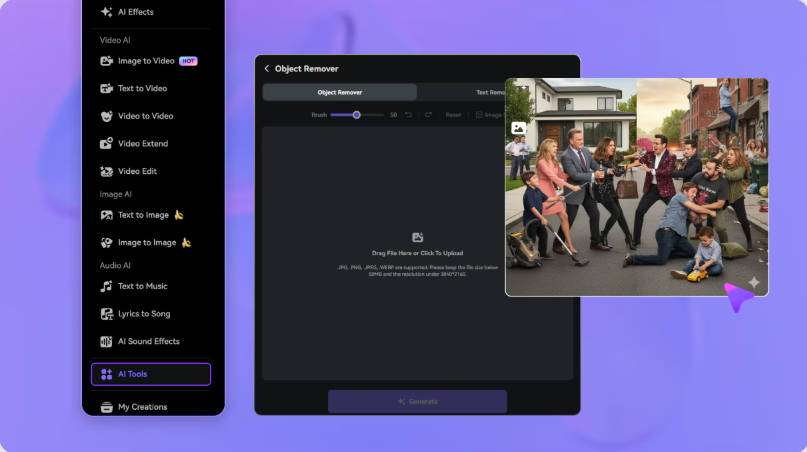
Brush over the unwanted logo or text and set the segment where it appears. Keep the selection away from captions, faces, and important details so nearby content stays outside the mask.
Mark the Watermark Area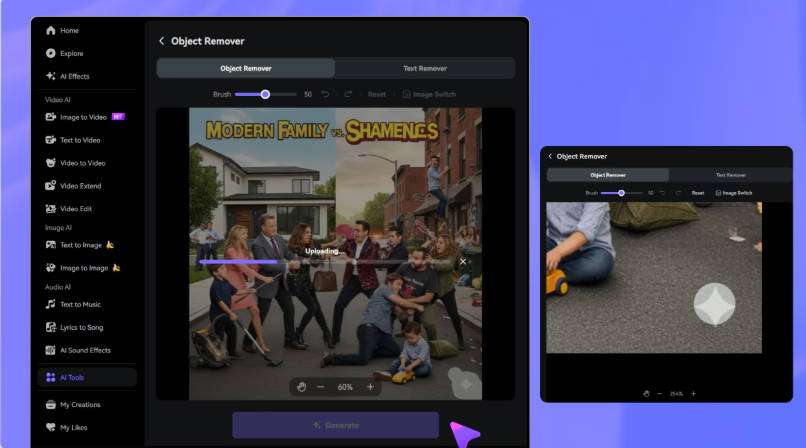
Run the removal, inspect the edited area through motion and scene changes, refine if needed, then download the result. AI cleanup reconstructs the region — it doesn't recover the exact original pixels hidden behind the mark.
Generate and Preview
Pixbim Video Watermark Remover AI is a Windows desktop tool that removes watermarks, logos, and text from videos with local processing and a manual brush. It ships CPU and NVIDIA GPU versions, and the macOS version is not yet released. Source: pixbim.com/video-watermark-remover.
There's an ambiguity to flag. Pixbim's main product page advertises the tool as free, while another official purchase page lists a one-time license and price. We report both rather than asserting "permanently free" or "must pay" — verify after install which actually applies.
Not as a desktop app. Pixbim officially states the macOS version is not yet released; only the Windows download is currently available. Mac users looking for a Pixbim-style workflow can consider an online alternative like Media.io, which runs in the browser. Source: pixbim.com download FAQ.
No. Pixbim is desktop software you install on Windows; it processes video locally rather than in a browser. If you want an online, no-install path, Media.io Video Eraser is a browser-based alternative.
Yes. Pixbim processes video on your local PC, which suits users who don't want to upload footage to a server. The trade-off is that you must install the software and choose a hardware-matching (CPU or GPU) build.
Pixbim offers separate CPU and NVIDIA GPU downloads. The GPU version uses your NVIDIA graphics hardware, while the CPU version runs on the processor. Performance depends on your machine, so pick the build that matches your setup. Source: pixbim.com download.
Pixbim uses a brush-based removal workflow, and results depend on the footage and selection. Reddit feedback describes effects as mediocre in some cases, including a report that removing a diagonal watermark also cleared the content below it. We write this as "results vary by footage," and recommend testing a representative clip before relying on it.
Media.io Video Eraser is an online alternative that lets you upload a video, brush over the logo or text, set the timeline segment, and review the result in your browser — with no Windows install. It also handles text, timestamps, people, and objects. Source: media.io/ai/ai-tools/video-eraser.
 4.7 (162,357 Votes)


