Deine Werke werden nur 7 Tage lang gespeichert. Assets, die nach dem Upgrade auf einen Mitgliedschaftstarif erstellt werden, werden dauerhaft gespeichert.
Entfalten Sie Ihr kreatives Potenzial und erleben Sie jetzt die Magie der Media-KI!
Before and After Photo Compare App – Online & AI-Powered
Compare before and after photos online in seconds. Upload two shots, use a slider or side‑by‑side layout, and even generate AI “after” images to visualize progress, makeovers, or renovations. No installs, no editing skills—just clear, high‑resolution comparisons ready to share anywhere.
Explore our curated collection of before after photo compare styles.
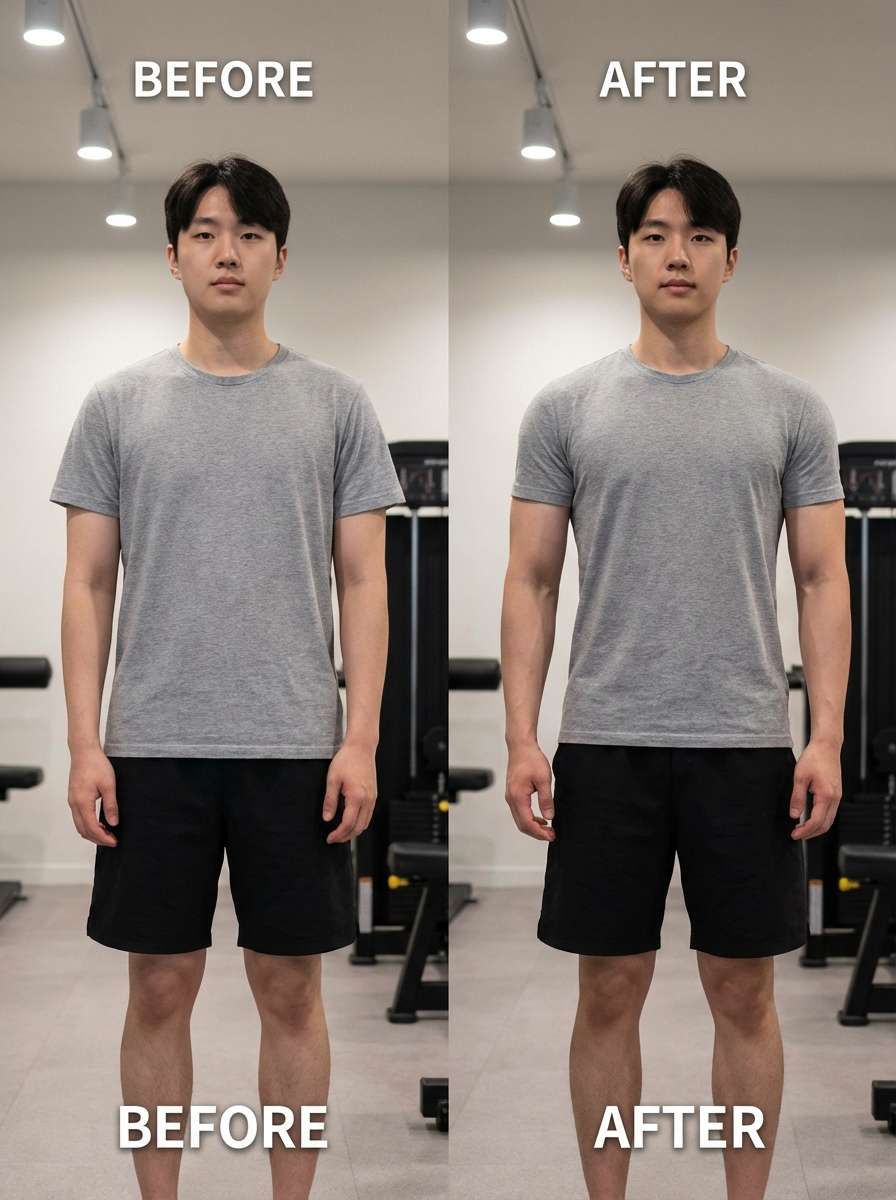
Fitness Glow-Up Slider
Use the uploaded full‑body gym photo as the “before” image and create an “after” version beside it, keeping the same pose, angle, and framing. Show believable fitness progress with improved muscle tone and posture, neutral gym background, soft directional lighting, natural colors, and crisp 4K detail perfect for a slider comparison.
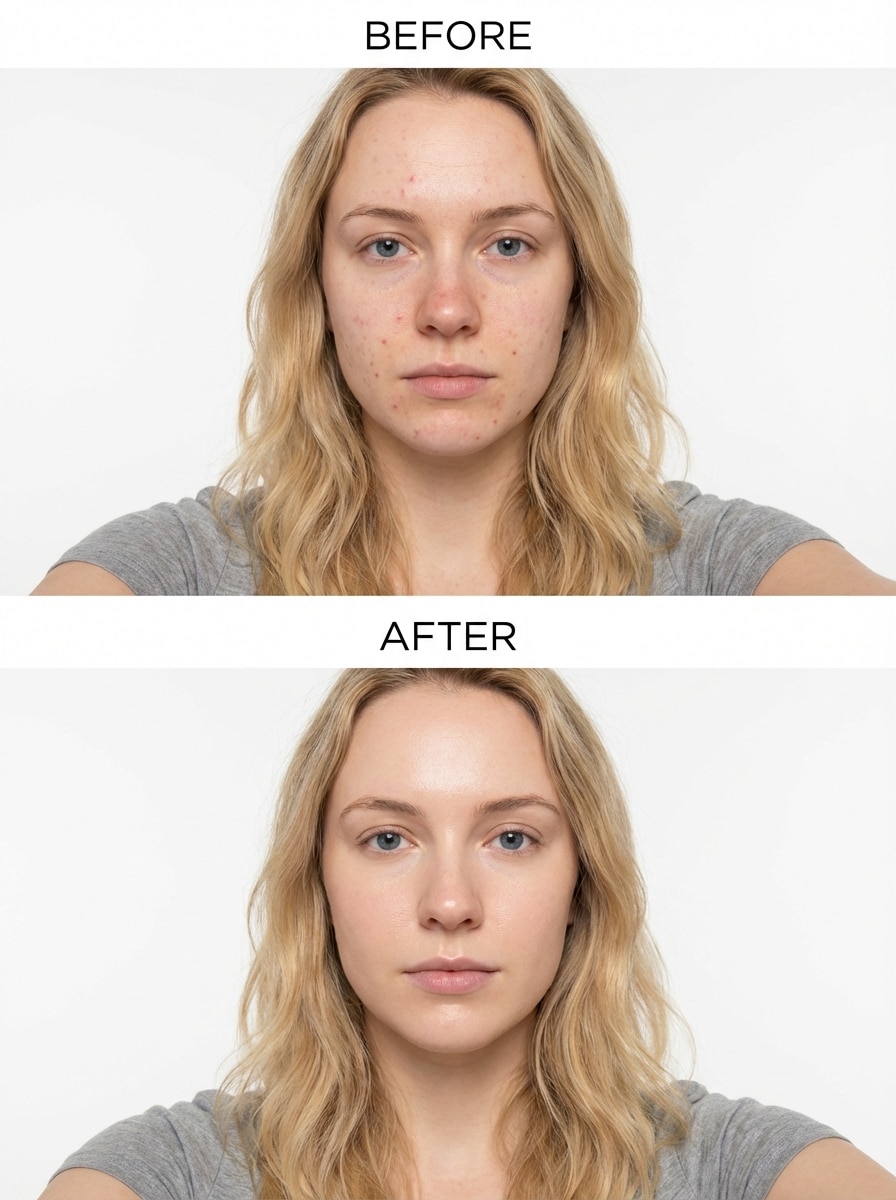
Skincare & Acne Progress Compare
Use my uploaded bare‑face selfie as the starting point and generate a clear “after” skin photo for side‑by‑side comparison. Keep the same head angle, framing, and expression, reduce redness and blemishes, preserve natural pores, use soft daylight, neutral background, and ultra‑sharp details to highlight subtle skincare progress.
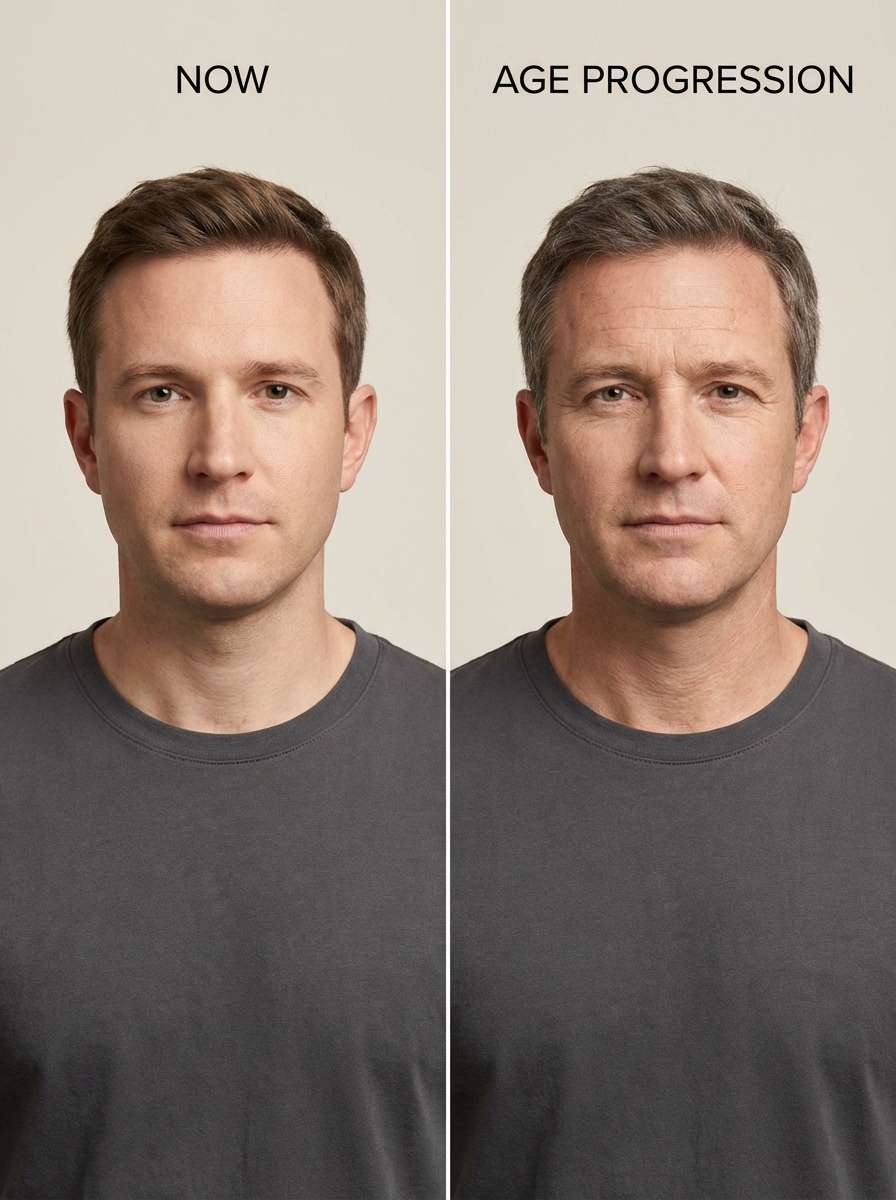
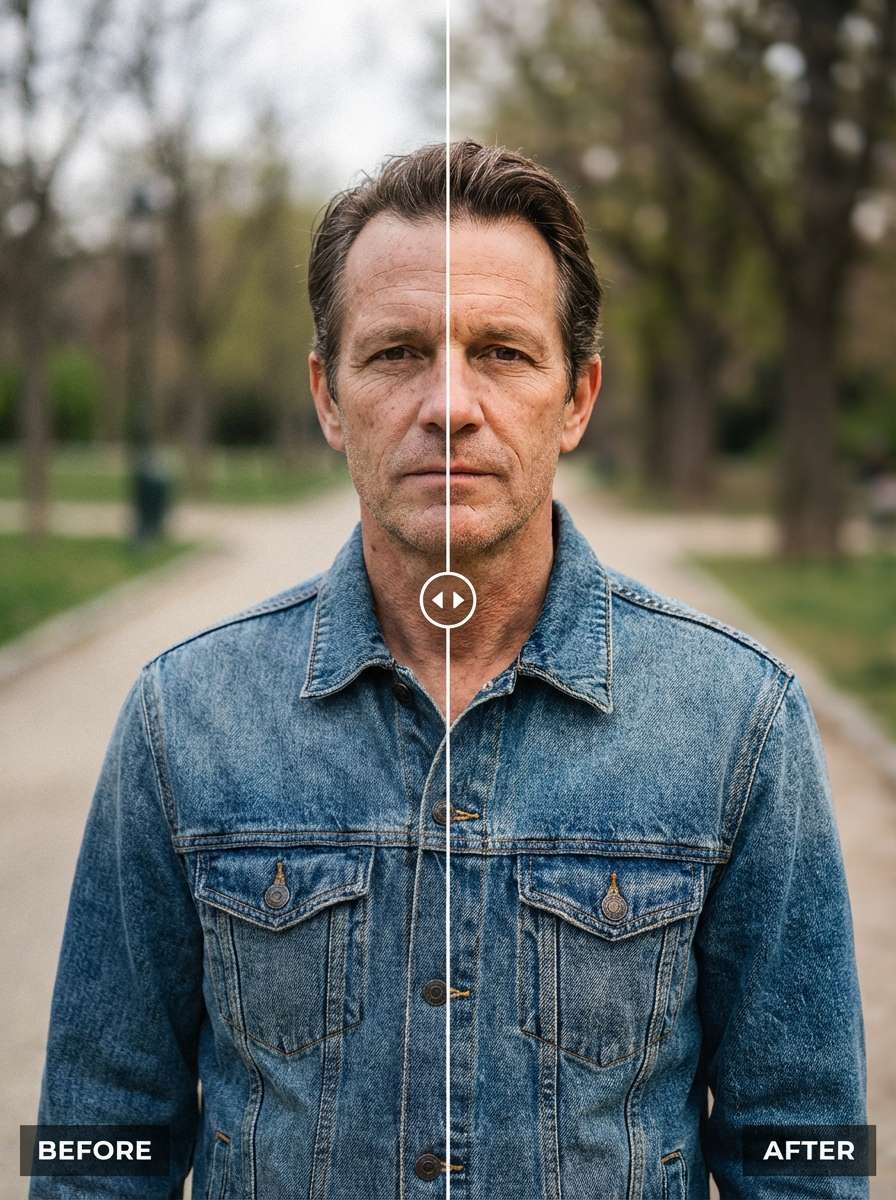
Compare Old and New Face (Aging)
Take my uploaded portrait as the “now” image and create an older version of my face to compare side by side. Keep identical pose, framing, and lighting while adding natural aging signs like gentle wrinkles and some grey hair, realistic skin texture, neutral background, and high‑resolution detail for an accurate age progression comparison.
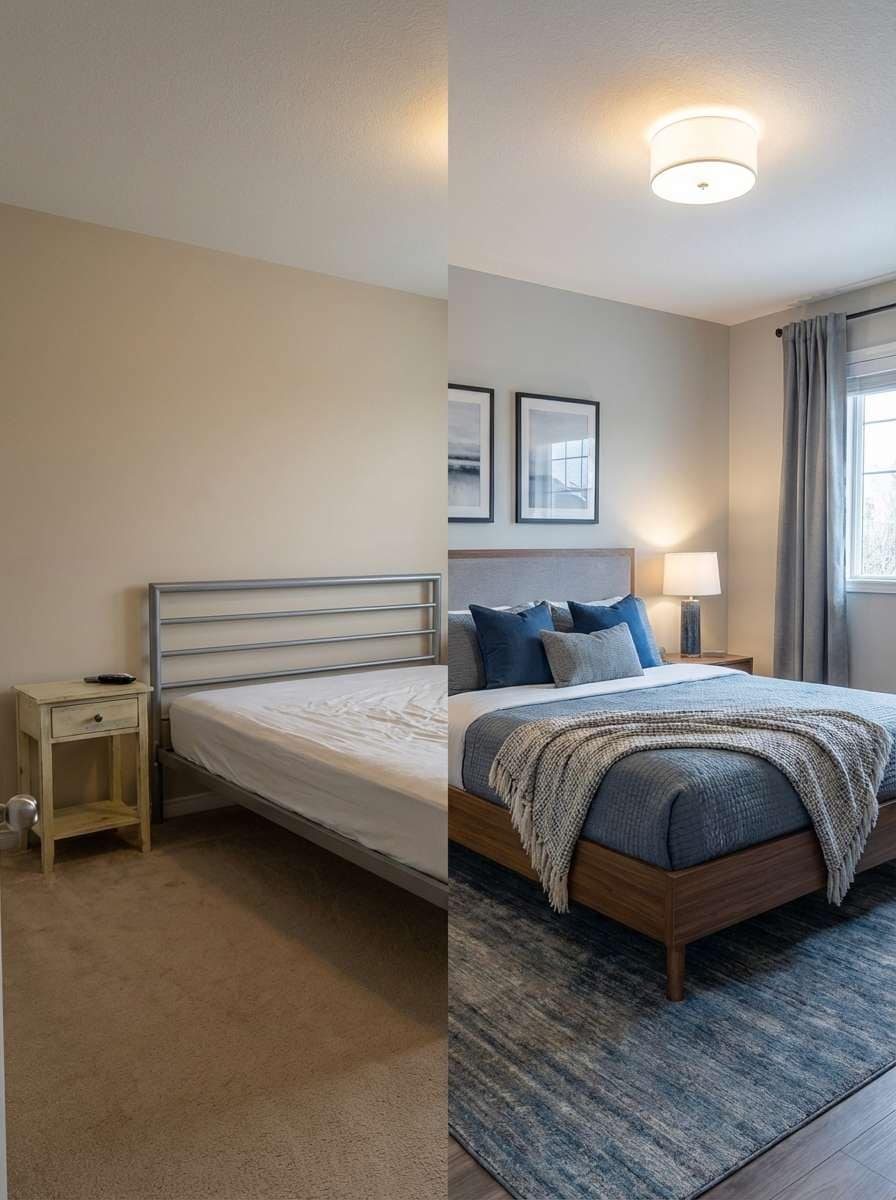
Room Makeover Before/After
Use my uploaded bedroom photo as the “before” shot and generate an upgraded “after” version from the exact same camera angle for comparison. Keep the layout but show modern furniture, cohesive color palette, better lighting, tidy decor, textured fabrics, and crisp 4K details so the room makeover differences stand out side by side.
Photo Editing Before/After Slider
Take my uploaded original photo as the “before” image and create an enhanced “after” version for a slider comparison. Preserve the same composition but improve color grading, contrast, and clarity, subtly retouch skin or objects, reduce noise, add gentle depth, and keep a realistic, high‑resolution finish suitable for social media reveals.
Why Use Media.io for Before and After Photo Comparison?
AI-Powered Image-to-Image “After” Results
Turn any selfie, progress picture, or room photo into a realistic “after” image and compare instantly. Media.io’s advanced models keep pose, angle, and framing consistent, so differences in skin, body shape, or decor are easy to see.
High Resolution & Multiple Ratios
Generate before and after comparisons in crisp 1K, 2K, or 4K quality. Choose from popular aspect ratios like 1:1, 9:16, 16:9, 4:3, and 3:4 so your side‑by‑side or slider layouts look perfect on feeds, stories, and Pinterest pins.
Browser-Based & Cross-Device
Media.io runs fully in your browser on Windows, Mac, iOS, and Android. Start a before and after comparison on your laptop and continue on your phone—no heavy installs or complex setup needed.
Privacy-First for Sensitive Photos
Progress photos and face shots stay secure. Images you upload to compare are automatically deleted from Media.io servers after 7 days, helping you track fitness, skincare, or aging changes with peace of mind.
How to Create Before & After Photo Comparisons with AI
01
Step 1: Upload Your Before Photo
Upload your original image to start your before and after photo comparison.
Works great for portraits, lifestyle shots, or transformation photos.
02
Step 2: Generate the “After” Image
Use simple prompts to create your transformed version — try
"younger version", "fitness transformation", or
"professional makeover".
Our AI image-to-image tool keeps identity consistent while applying realistic changes.
03
Step 3: Compare, Download & Share
Instantly preview your before vs after comparison.
Highlight changes side by side, then download or share your results in high quality — perfect for social media, storytelling, or visual proof.
Unlock the Potential of Before After Photo Compare
Discover how creators and professionals are using our AI-powered Before After Photo Compare to transform their creative workflows and bring unique ideas to life.
Track Fitness & Weight Loss Progress with Precision
Upload gym selfies or full‑body photos and generate consistent “after” shots to compare before and after photos accurately. Slider and side‑by‑side layouts make even subtle body composition changes and posture improvements easy to see and share.
Show Skincare, Makeup & Glow-Up Transformations
Use the app to compare old and new face photos, from acne treatment progress to makeup looks. Keep the same angle and lighting so followers can clearly see texture, clarity, and color changes in your transformation posts and client portfolios.
Visualize Home, Room & Renovation Makeovers
Combine real “before” photos with AI‑generated “after” designs to preview room makeovers, kitchen upgrades, or decor refreshes. Export vertical comparison images sized for Pinterest or Reels to showcase dramatic transformations professionally.
What Creators Say About Media.io Before & After Compare
Emily R.
Fitness Coach & Content Creator
"Makes progress photos look professional." I use Media.io’s before after photo compare app for all my client transformations. The AI “after” previews are scarily accurate, and the slider comparisons are perfect for TikTok and Instagram Reels without opening a heavy editor.
Daniel K.
Dermatology Clinic Marketer
"Clean, consistent skincare comparisons." We compare old and new face photos every week. Media.io keeps framing consistent, supports high‑res images, and lets us export clean before/after layouts that highlight real skincare results without overediting or distortion.
Sara M.
Interior Designer
"Great for renovation previews and reveals." I upload a client’s current room, generate an AI concept “after” image, then export a side‑by‑side board. It’s the best photo compare app I’ve tried for showing renovation ideas and real finished transformations in one view.
Leo T.
Social Media Manager
"Fast comparisons across all devices." Being browser‑based means I can start a before vs after comparison on my laptop and polish it on my phone. Consistent quality, social‑ready formats, and AI enhancements make our transformation content much easier to produce.
1. How can I compare before and after photos online with Media.io?
Open Media.io in your browser, choose the before and after photo compare tool, and upload your two images (or upload a “before” and generate an AI “after”). Then pick a layout such as side‑by‑side or slider, adjust size and ratio, and download a high‑quality comparison image. Free users may have watermarks. Paid subscribers can download watermark-free high-resolution images. This helps you create before after photo compare results more consistently. Upgrade to a paid plan on the pricing page for more credits and watermark-free high-resolution downloads.
2. Does the Media.io app let me use a slider to compare two photos side by side?
Yes. The Media.io web app lets you place two photos next to each other and preview them with a slider‑style comparison. This makes it easy to spot subtle changes in fitness, skincare, retouching, or renovations while keeping framing and quality consistent across both images. Free users may have watermarks. Paid subscribers can download watermark-free high-resolution images. This helps you create before after photo compare results more consistently. Upgrade to a paid plan on the pricing page for more credits and watermark-free high-resolution downloads.
3. Can I generate an 'after' image with AI and then compare it to my original photo?
You can upload a “before” picture, use Media.io’s AI image‑to‑image feature to create a realistic “after” version, and then compare them directly. The AI keeps pose and composition similar, which is ideal for try‑on looks, glow‑ups, and home makeover previews before you share the results. Features **Nano Banana Pro** (Next-gen AI generation model) and **Nano Banana 2** (Faster generation, enhanced creative features). Also supports Seedream 5.0 Lite, Soul Character (Hyper-realistic), Nano Banana, Seedream 4.0, and Imagen 4. This helps you create before after photo compare results more consistently.
4. Is this before and after photo compare tool free to use, and what are the limits?
Media.io free users get 3 credits per day so you can generate and compare before and after photos without paying. Free users typically receive 3 credits per day and may see watermarks on downloads. For more credits and watermark‑free, high‑resolution exports, you can upgrade on the pricing page. Free users get 3 credits per day. For more, users can subscribe to a plan on the pricing page.
5. Will my face photos and progress pictures be stored or shared when I compare images?
Media.io is designed with privacy in mind. Images you upload for before and after comparisons are automatically deleted from our servers after 7 days. They aren’t shared publicly, so you can safely upload sensitive face photos, fitness progress shots, or medical skincare images. Uploaded images are automatically deleted from our servers after 7 days to ensure user privacy. This helps you create before after photo compare results more consistently.
6. Can I compare old and new face photos from different devices, like my phone and laptop?
Yes. Media.io is a browser‑based tool that works on Windows, Mac, iOS, and Android. You can upload an old face photo from your laptop and a new selfie from your phone, or vice versa, and create a consistent comparison without installing any extra software. Media.io is a web-based tool that works on any device with a browser (Windows, Mac, iOS, Android). This helps you create before after photo compare results more consistently.
Beyond AI-Powered Online Before After Photo Compare App