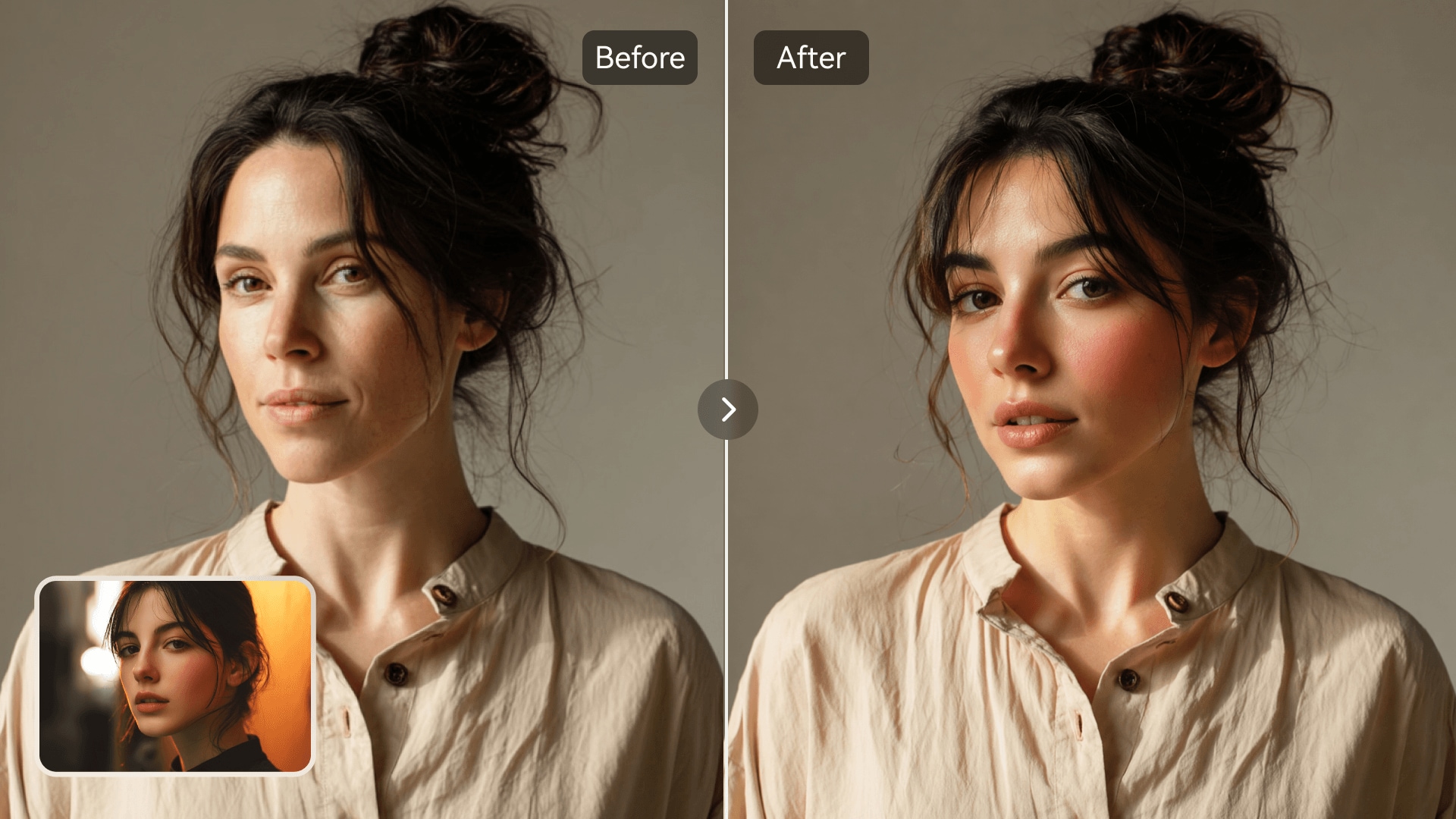















KI-Gesichtstausch
Quellbild hochladen
Ein Bild mit klar erkennbaren Gesichtern hochladen
Klicken oder ziehen, um hochzuladen, oder wählen Sie aus Meine HistorieKlicken Sie zum HochladenMeine Historie
Keine Ideen? Erstellen Sie zuerst ein Bild. >
Laden Sie jpg-, jpeg- oder png-Bilder bis zu 50 MB hoch, mit einer Mindestbreite/-höhe von 300 px.
Gesicht hochladen
Laden Sie das Gesicht hoch, das Sie einsetzen möchten
Group Photo Face Swap

AI Group Photo Face Swap Made Easy

Media.io makes swapping faces in group pictures effortless. With advanced AI detection, it identifies all faces in a photo and swaps them seamlessly without distortion. You can instantly create fun edits, humor-filled party images, or perfectly balanced portraits. Whether it's for group selfies, team photos, or event albums, Media.

Swap Faces in Group Photos Now
Realistic AI Blending Quick Multi-Face Detection Browser-Based Editing Share-Ready Results
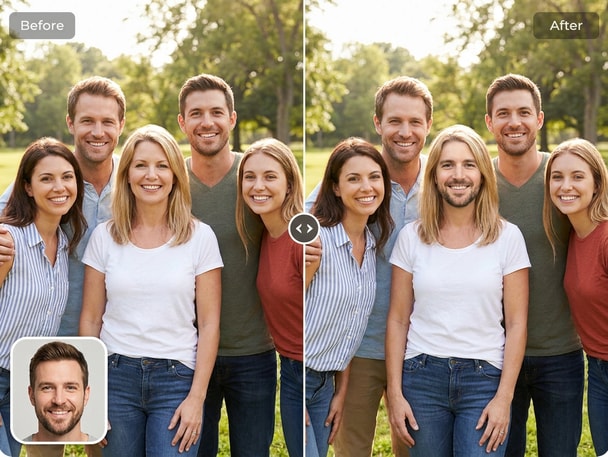
Friends smiling in a group photo after AI face swap edit
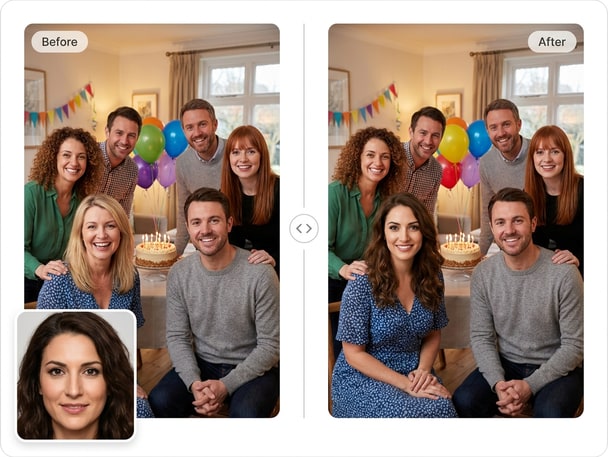
Office team group photo with swapped faces using AI

Create Memorable Group Edits Instantly

Turn any team photo or party picture into a fun memory with just one upload. Media.io detects multiple faces and performs precise swaps automatically. You can make everyone smile by switching faces among friends while maintaining realistic lighting and tone. It's perfect for party shots, friend collages, and creative birthday surprises.
Perfect for Teams, Friends, and Events

Planning a fun photo for an event or team showcase? Media.io's AI photo face swap works brilliantly for group photos with many participants. It makes your content more engaging when highlighting coworkers, family, or classmates. The tool keeps photo quality crisp even after multiple swaps.

Natural Results Without Manual Editing

Avoid the hassle of manual retouching with Media.io's automatic face alignment and tone correction. The AI engine keeps lighting, depth, and face angles consistent in every swap. Even in complex group compositions, photo quality remains lifelike and balanced. This makes it ideal for album-worthy images, office creatives, or humorous posts.

Seamlessly Share or Download Anywhere

Once your group photo face swap is complete, Media.io lets you download or share your new masterpiece in seconds. You can post directly to Instagram, Facebook, or team channels. The platform ensures fast rendering, safe file handling, and stunning visual integrity. Share a funny edit or a creative presentation without delay.

Try AI Family Face Swap for Heartwarming Edits

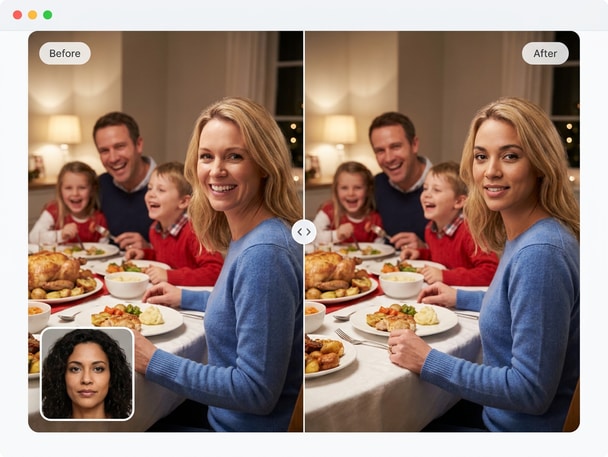
Explore family face swap with Media.io AI Photo Face Swap. This recommended face swap theme gives visitors another related way to create realistic photo edits, meme visuals, avatars, or social-ready images online. It keeps the journey connected from the current page while guiding users to a new face swap use case.

How to Swap Faces in a Group Photo Online

01

Upload Your Group Photo

Start by uploading a clear group photo with multiple faces. Media.io automatically detects all faces so there's no need for manual cropping.

02

Select and Apply Face Swap

Choose whose faces you want to swap and let the AI do the matching. It aligns faces, adjusts tone, and swaps them accurately in seconds.

03

Preview, Download, and Share

Preview the swapped image and download your finished group photo edit. Instantly share your new creation for laughs or memories online.

What Users Say About Media.io Group Photo Face Swap

user
Rebecca L.

Social Media Creator

starstarstarstarstar

"Great for Team and Party Photos" I used Media.io for a group face swap after our office party and everyone loved it. The lighting and tone were remarkably natural. It worked perfectly for a group face replacement post on our company's page. I'll definitely use it again for fun team edits.

user
Jayden M.

Content Designer

starstarstarstarstar

"Accurate Multi-Face Detection" I was impressed by how Media.io accurately recognized and swapped all faces in a complex holiday picture. This multiple face swap online tool is so intuitive. It kept everyone's features aligned properly while maintaining photo realism. My friends couldn't believe it was AI generated.

user
Sandra K.

Event Photographer

starstarstarstarstar

"Smooth Results Without Retouching" I deal with large groups often, and Media.io made my post-shoot edits simple. The group portrait face swap looked consistent even under varied lighting. It saves me from doing hours of manual retouching. The client loved how the final image felt effortless and real.

user
Marcus T.

Marketing Coordinator

starstarstarstarstar

"Fun Edits for Campaign Concepts" Our team tested Media.io for a creative display idea. We used swap faces in group photo edits to brainstorm playful ad mockups. The AI blending stayed sharp, clean, and fast. It's now our go-to online tool for experimental visuals and organic engagement posts.

user
Diana V.

Freelance Editor

starstarstarstarstar

"Fast and Lifelike Photo Swaps" Media.io delivers professional-level group edits without needing Photoshop. The ai group photo editor kept everyone's features balanced and natural. It's a must-have for editors who want to achieve smooth and funny group face swaps. I highly recommend it for quick, realistic results.

Creators and teams love the speed and realism of Media.io's AI swaps for group shots.

Frequently Asked Questions About Group Photo Face Swap

1. How Does Media.io AI Handle Multiple Faces in One Photo?
faqfaq

Media.io automatically detects each face in a group photo using advanced AI recognition technology. It aligns head positions and lighting conditions before performing a precise swap. This ensures that every face looks consistent and realistic within the same frame. You get natural results even when editing large group shots.

Yes. Media.io lets you perform group face swaps fully online through your browser. You only need to upload your photo, and the AI handles all processing in the cloud. No software installation or sign‑in is required to start editing.

Definitely. Media.io's AI adjusts brightness, tone, and skin texture automatically. When using a group face replacement, each new face is blended to match the original scene. This produces a seamless finish without flat lighting or mismatched tones.

Absolutely. Many users create funny memes, while others produce professional‑looking team visuals. The AI manages precision for both casual and formal shots. Its intelligent design means you can adapt your edits for any context. Whether for humor or branding, Media.

While there's no strict limit, Media.io performs best with photos featuring clearly visible faces. The AI identifies and swaps multiple faces efficiently within realistic composition boundaries. For large crowd photos, focus on faces that are well lit and not overly distant. This ensures the swap remains accurate and visually convincing.

No, Media.io maintains the original resolution during editing. The system processes your image with AI‑based upscaling and fine tone correction. Each swap is optimized to preserve texture and depth. The downloaded result remains clear and professional quality.

Yes, after uploading your image, you can select specific faces to swap. Media.io's intuitive interface displays all detected faces for easy control. You can preview combinations before finalizing your choice. That flexibility lets you create precise or hilarious group edits effortlessly.

Media.io processes your photos securely through encrypted cloud services. Files are used only for editing and not stored permanently. You can safely try multiple swaps without risking privacy. The entire workflow is browser-based with secure handling at every step.

Media.io Online AI Tools Quality Rating:
vote 4.7 (162,357 Votes)