Creations are stored for only 7 days. Assets created after upgrading to a Membership plan will be stored permanently.
Unlock your creative potential and experience the magic of Media AI right away!
AI Makeup Generator
Try realistic makeup looks on your portrait online with AI. Upload a selfie and transform it into clean girl, soft glam, bridal, Douyin, or editorial beauty styles in seconds, while keeping skin texture polished and believable for social posts, beauty inspiration, or quick virtual try-on.
Explore our curated collection of ai makeup generator styles.
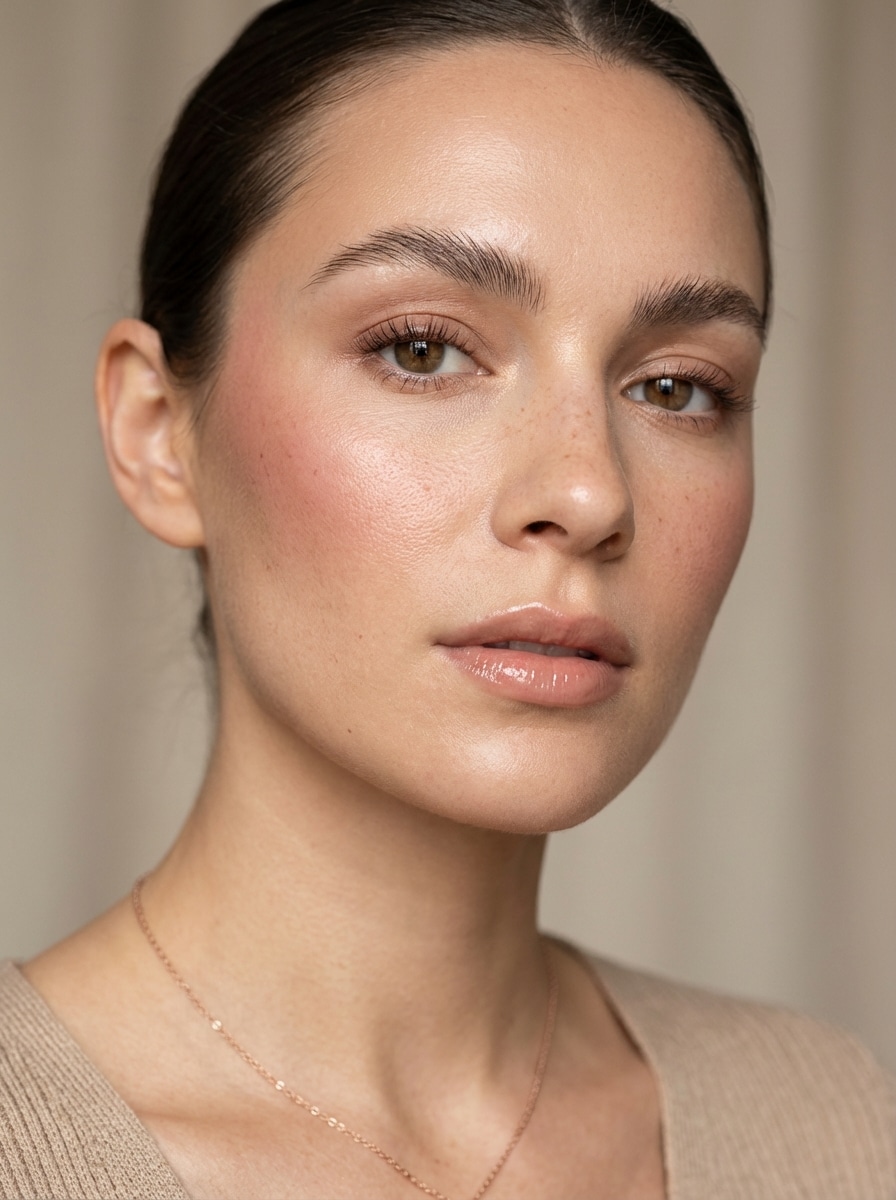
Clean Girl Makeup
Use the uploaded image as the subject and transform it into a clean girl makeup look with dewy skin, softly groomed brows, subtle cream blush, light brown mascara, a natural gloss, soft daylight, minimal retouching, realistic skin texture, and a polished luxury beauty-editorial finish.
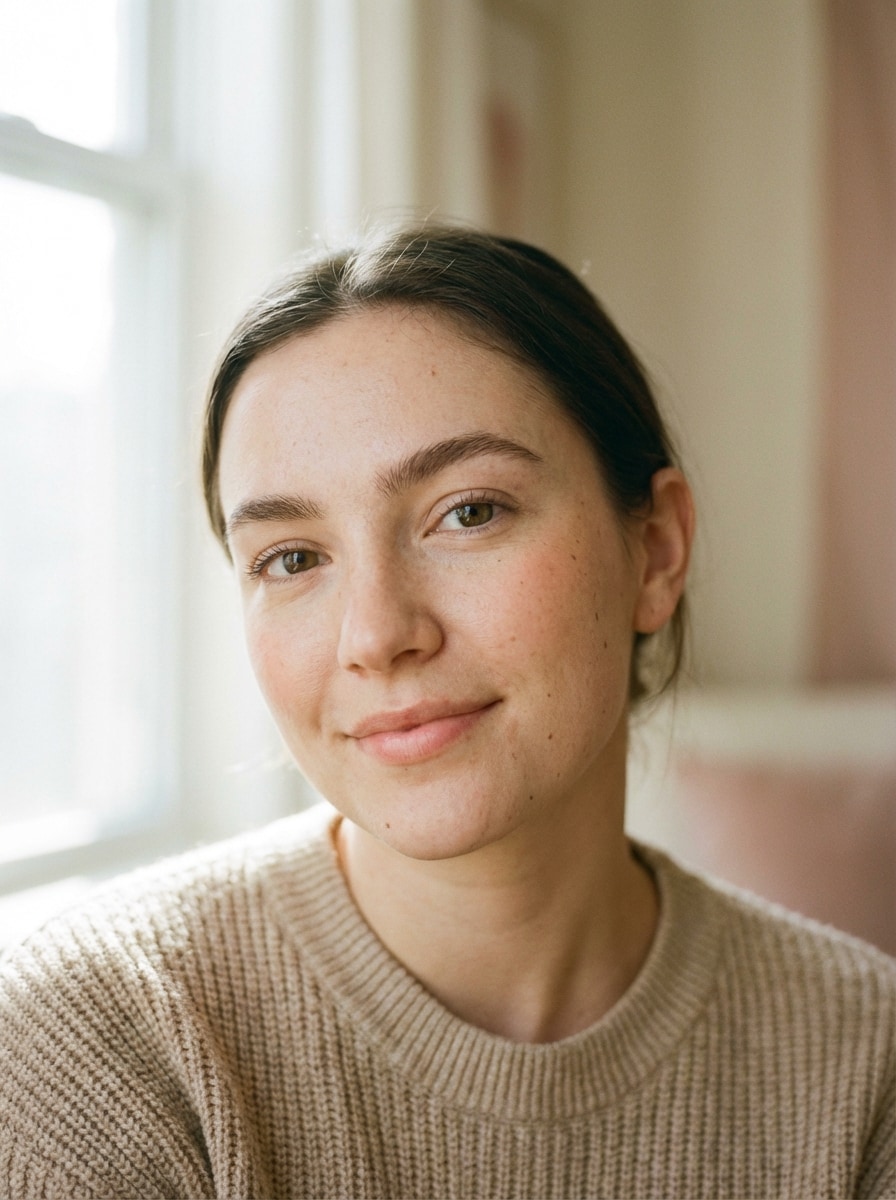
No-Makeup Makeup
Use the uploaded image as the subject and apply a natural makeup look with sheer complexion coverage, softly defined brows, light concealer, delicate peach blush, barely-there mascara, natural lip balm, soft daytime lighting, authentic skin texture, and a fresh, understated, realistic portrait aesthetic.
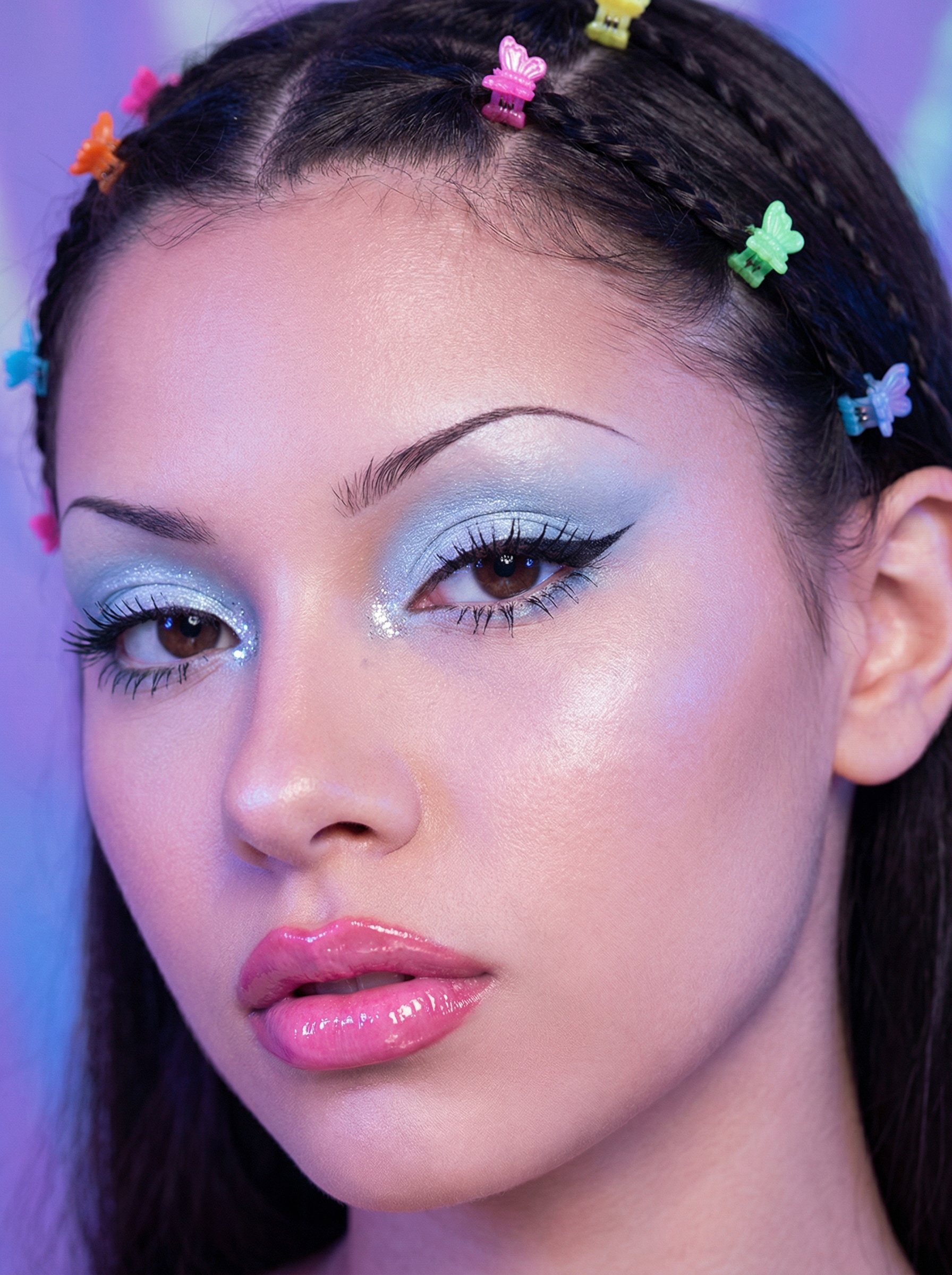
Y2K Retro Cyber Glam
Use the uploaded image as the subject and apply a trendy Y2K makeup look featuring frosted blue eyeshadow, heavy shimmery highlights, butterfly hair clips, glossy candy-pink lips, thin arched brows, and a soft retro-digital glow with realistic 2000s beauty-editorial texture.
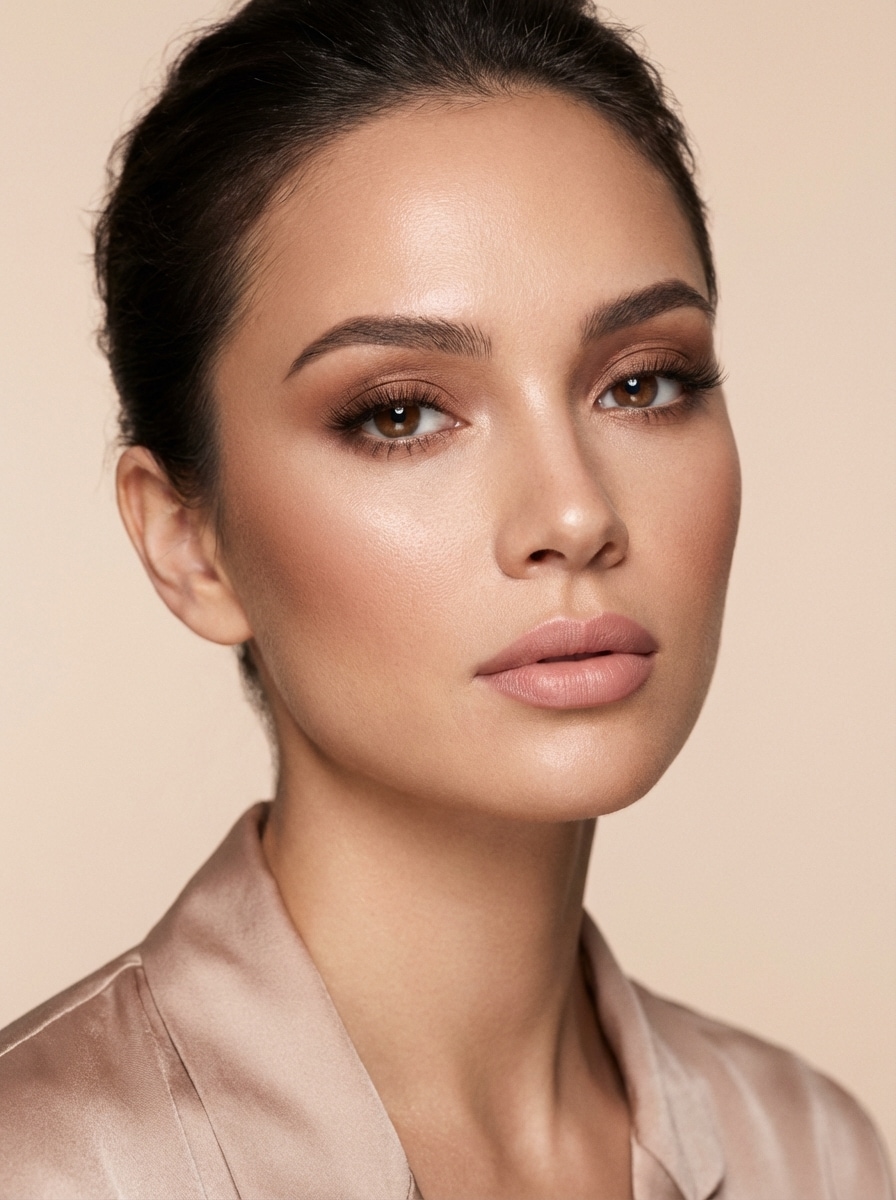
Soft Glam
Use the uploaded image as the subject and create a soft glam makeup look with smooth satin skin, warm brown blended eyeshadow, wispy lashes, softly contoured cheeks, luminous highlight, natural pink lipstick, flattering studio lighting, elegant beauty-campaign styling, and realistic facial texture.
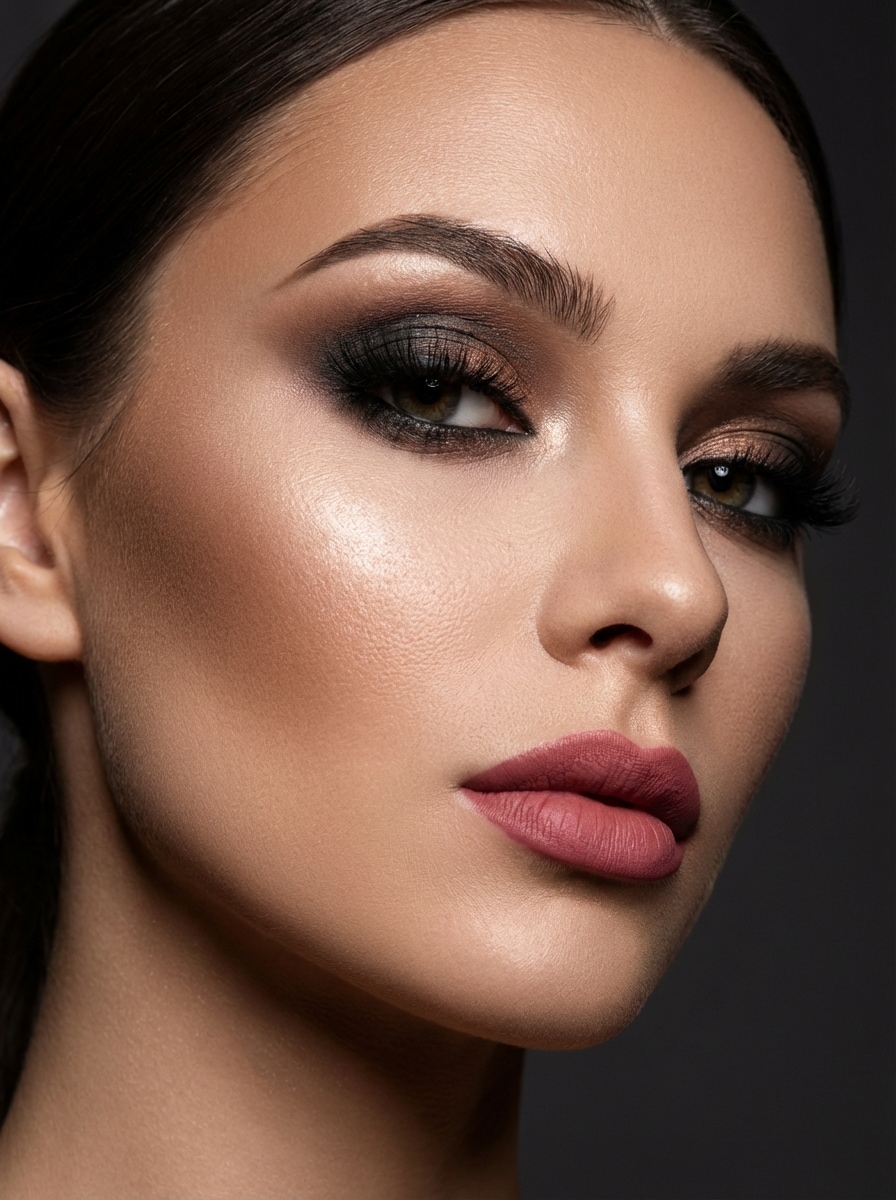
Full Evening Glam
Use the uploaded image as the subject and transform it into dramatic full evening glam with sculpted contour, radiant highlighter, smoky eyeshadow, bold lashes, sharply defined brows, matte rose lipstick, rich studio lighting, luxe editorial mood, and crisp high-detail beauty photography.
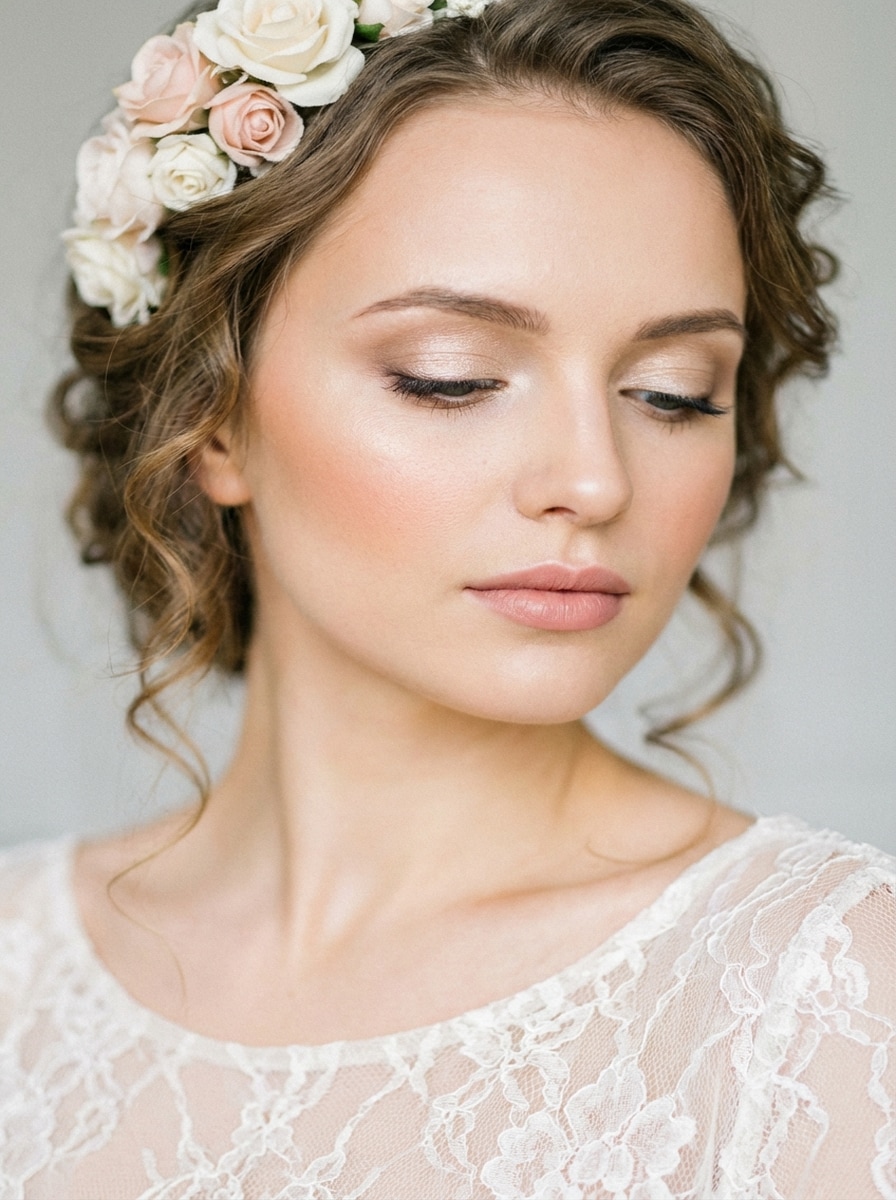
Bridal Makeup
Use the uploaded image as the subject and apply elegant bridal makeup with soft luminous skin, champagne shimmer eyeshadow, refined liner, long lashes, peach blush, gentle contour, rosy natural lips, romantic soft-focus lighting, timeless wedding beauty styling, and a graceful natural finish.
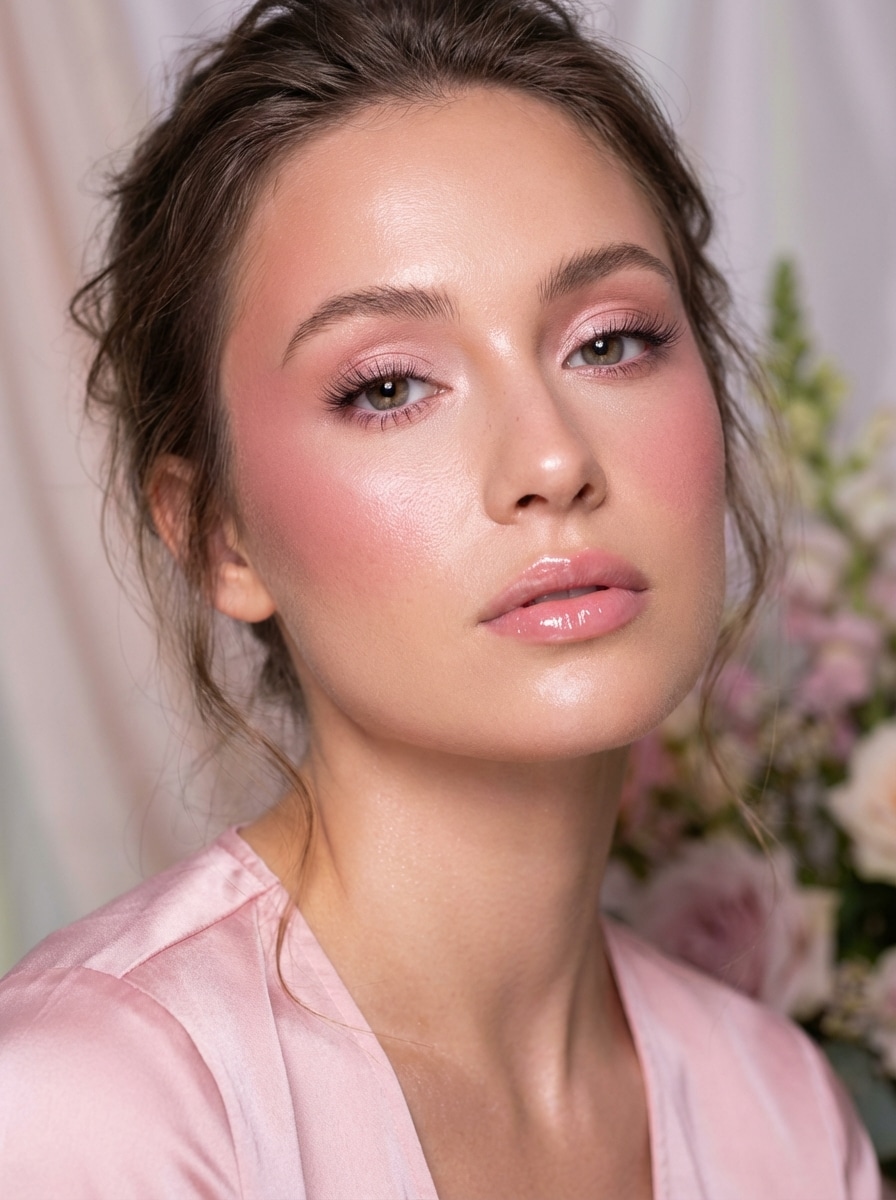
Pink Romantic Glam
Use the uploaded image as the subject and create a romantic pink makeup style with rosy blush draping, soft pink eyeshadow, flutter lashes, radiant skin, glossy pink lips, flattering diffused lighting, feminine editorial composition, and refined texture that still looks believable and wearable.
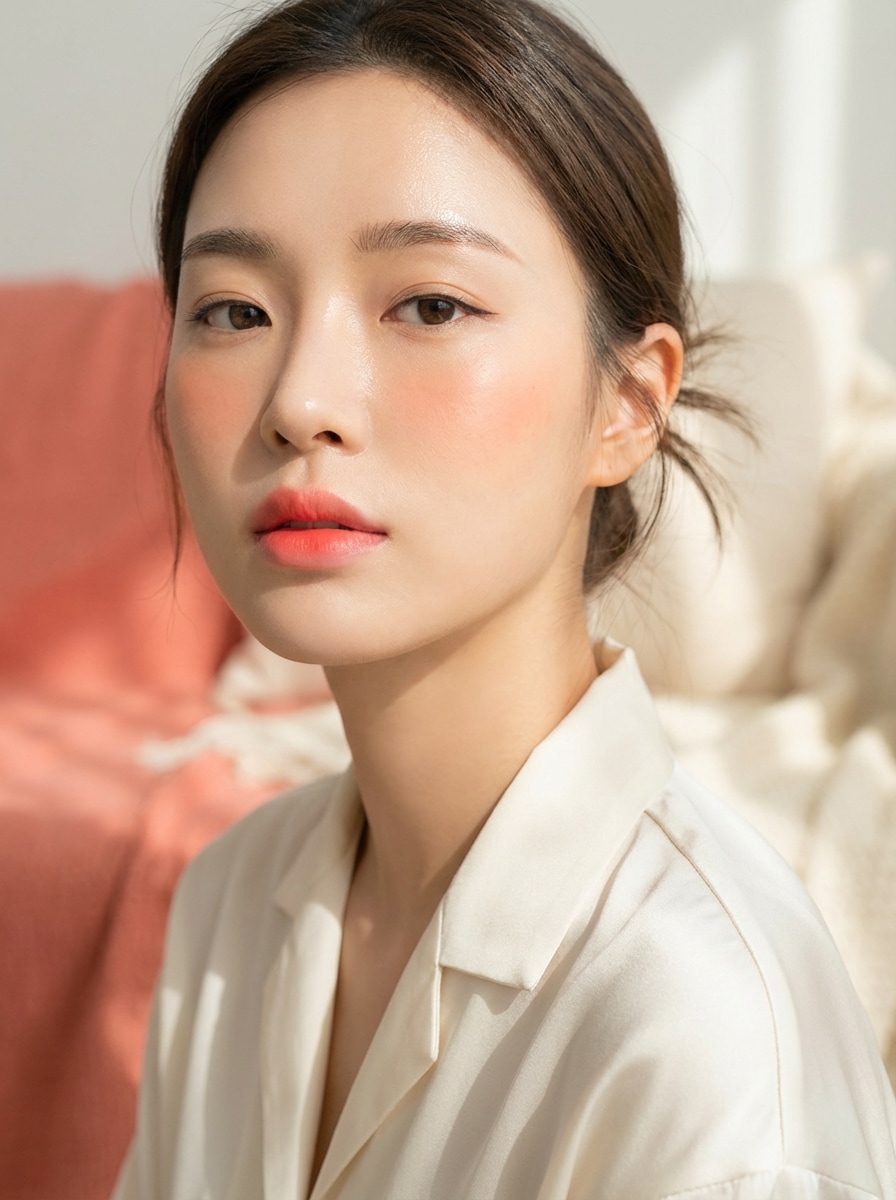
K-Beauty Dewy Makeup
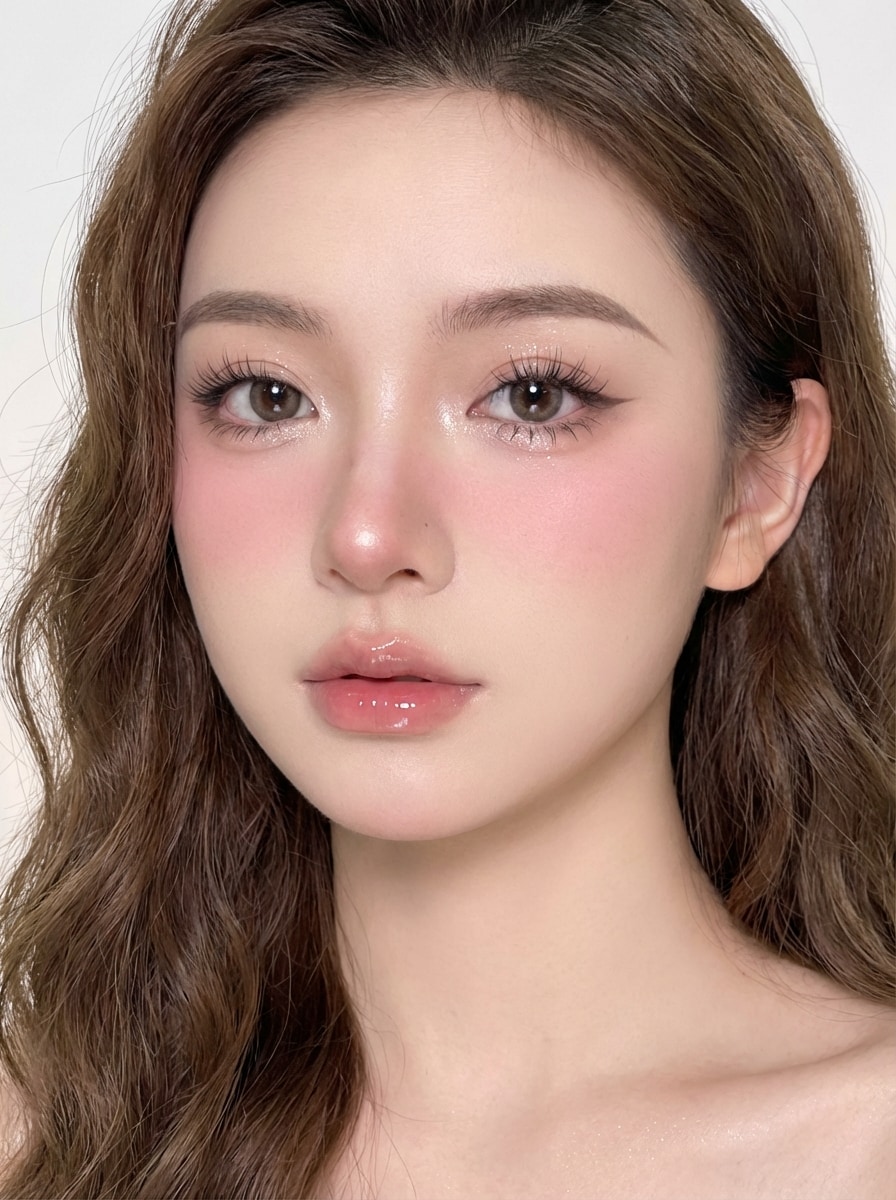
Use the uploaded image as the subject and transform it into a K-beauty dewy makeup look with glass skin, straight brows, subtle eyeliner, soft coral blush, gradient lips, fresh youthful glow, minimal styling, bright clean lighting, and realistic close-up beauty photography.
Douyin Makeup
Use the uploaded image as the subject and create a Douyin-inspired makeup look with porcelain skin, shimmery under-eye highlight, soft winged liner, doll lashes, blush across cheeks and nose, glossy gradient lips, bright polished lighting, and high-detail social-beauty styling.
Graphic Eyeliner Editorial
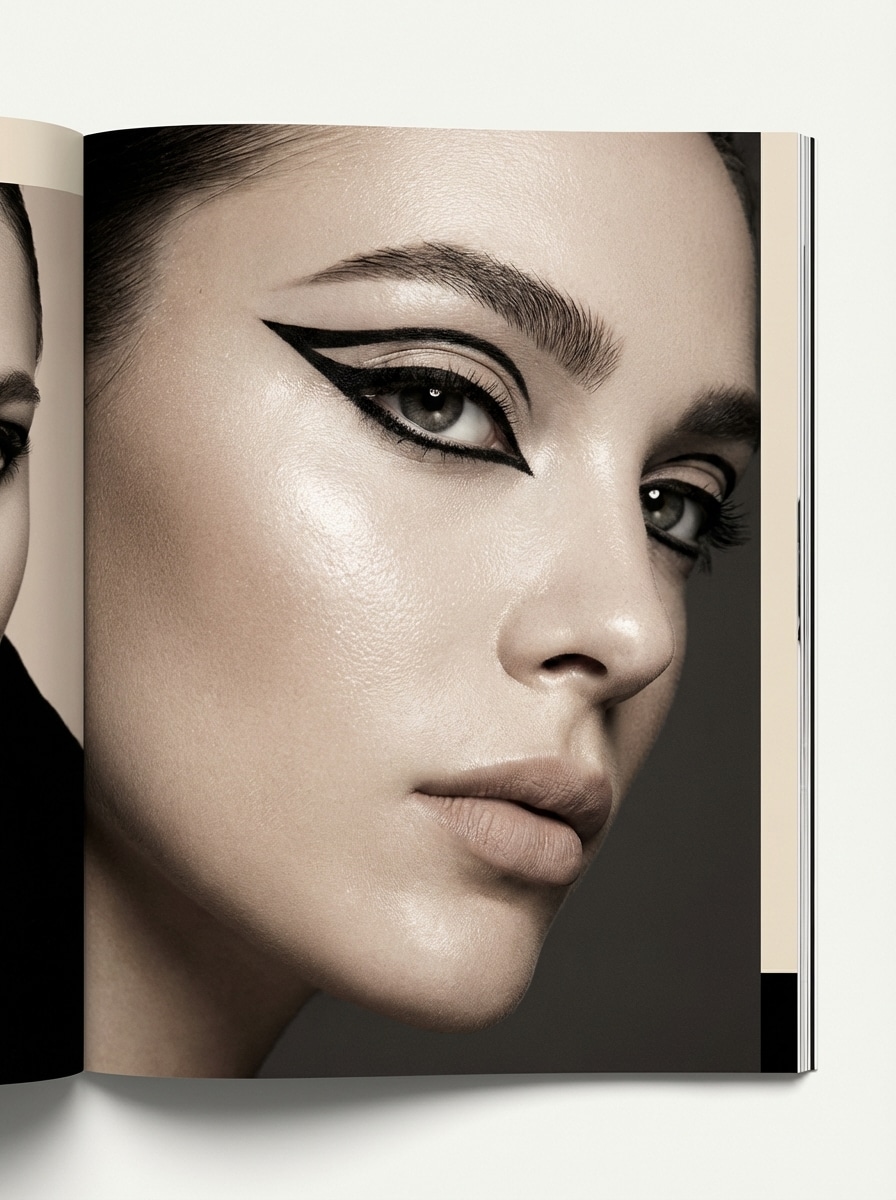
Use the uploaded image as the subject and transform it into an editorial makeup look featuring sharp graphic eyeliner, luminous skin, sculpted brows, neutral lips, magazine-style lighting, a fashion-forward mood, crisp contrast, and high-resolution detail that emphasizes the eye area without losing realism.
Why Use Media.io for AI Makeup Looks
Upload a Selfie and Transform It Fast
Turn a portrait or selfie into a natural makeup look, soft glam edit, or bold beauty concept right in your browser. The tool works online across desktop and mobile devices, so you can test styles quickly without installing software.
High-Resolution Beauty Images
Create makeup visuals in 1K, 2K, or 4K output, with flexible aspect ratios including 1:1, 9:16, 16:9, and more. That makes it easier to prepare polished beauty images for profile photos, social content, or creative references.
Free Daily Credits to Test Looks
Free users get 3 credits per day, which is useful for trying multiple makeup variations like no-makeup makeup, bridal glam, or Douyin-inspired styles before deciding whether to subscribe for more generations.
Privacy-Conscious Online Workflow
Uploaded images are automatically deleted from Media.io servers after 7 days to help protect your privacy. If you need clean exports, paid subscribers can download watermark-free high-resolution images.
How to Use the AI Makeup Generator
1
2
3
1
Open Media.io AI Makeup Generator
Go to media.io/ai and open the AI Makeup Generator under AI -> Image to Image. This online tool runs in your browser, so you can try virtual makeup looks on Windows, Mac, iPhone, Android, or any device with a browser.
2
Upload Your Photo and Describe the Look
Upload a clear portrait or selfie, then enter a detailed prompt such as "Use the uploaded image as the subject and apply a natural makeup look with dewy skin, soft peach blush, brushed brows, light mascara, and natural glossy lips." Adjust your preferred style and image settings.
3
Generate, Refine & Download
Click Generate to create your AI makeup result. If needed, tweak the prompt and try another variation for cleaner, softer, or more glamorous beauty styling. Download your image when ready, with watermark-free high-resolution downloads available for paid subscribers.
Discover how creators and professionals are using our AI-powered beauty tools to transform their creative workflows and bring unique ideas to life.
Virtual Beauty Try-On
Test different natural makeup looks or glam makeup styles before your next big event or wedding. It’s the perfect way to visualize bridal beauty or evening looks without a single brush stroke.
Viral Style Transformation
Stay on top of trends like Y2K makeup or Douyin beauty aesthetics. Generate high-quality editorial images for Instagram, TikTok, or Pinterest that look professional and magazine-ready.
Professional Photo Editing
Elevate your selfies with an AI makeover. Enhance skin texture, refine lip colors, and add sophisticated eye makeup to any portrait while maintaining your natural facial identity.
What Users Say
Mia Carter
Beauty Content Creator
"Natural-looking makeup previews" I wanted an AI makeup generator that didn’t make my face look plastic. Media.io gave me clean girl and soft glam variations that still looked like me, which is perfect for planning beauty content.
Sophie Nguyen
Lifestyle Influencer
"Great for trend testing" I used it to compare Douyin, K-beauty, and bridal-inspired looks from one selfie. The workflow felt fast, and the example prompts made it easy to get a polished makeup style without guessing.
Ava Thompson
Bride-to-Be
"Helpful for bridal inspiration" I uploaded a portrait and tested multiple wedding makeup ideas before my trial appointment. It helped me narrow down soft, luminous looks I actually liked instead of saving random inspiration photos.
Lena Brooks
Social Media Manager
"Easy browser-based beauty editing" Being able to do everything online was a big plus. I could quickly create beauty-style portraits for campaign mockups on my laptop without downloading extra software.
To achieve a natural makeup look, upload a high-quality selfie to Media.io and use prompts like "no-makeup makeup," "dewy skin," or "clean girl aesthetic." Our AI is designed to preserve your original skin texture while adding subtle enhancements like sheer tints and soft lashes for a realistic finish.
2. Can I try trending styles like Y2K or Douyin makeup?
Yes! Media.io's ai makeover tool supports a wide range of aesthetics. Simply enter specific keywords like "Y2K makeup with blue shimmer" or "soft glam makeup" in the prompt box. You can experiment with various colors, shimmer levels, and eyeliner styles to match any current beauty trend.
3. Does the AI makeup generator work on all skin tones?
Absolutely. Our ai makeup models are trained on diverse datasets to ensure beauty filters and makeup effects blend naturally across all skin tones and face shapes. The AI intelligently adjusts pigment transparency to maintain a believable look for every user.
4. Is my photo kept private during the AI makeover?
Privacy is our priority. Media.io uses an encrypted online workflow, and all uploaded portraits are automatically deleted from our servers after 24 hours. Your photos are only used to generate the ai makeup look you requested.
5. Will my uploaded selfie stay private?
Uploaded images are automatically deleted from Media.io servers after 7 days to help protect user privacy.
6. Can I download high-resolution makeup images without a watermark?
Media.io supports 1K, 2K, and 4K image generation. Free users may see watermarks, while paid subscribers can download watermark-free high-resolution images.