画像から画像生成
Nano Banana Pro
画像をアップロード
0 / 9
クリックまたはドラッグでアップロード、または履歴から選択
アイデアがない?まず画像を生成してみよう >
サポートされているアップロード形式: jpg、png、jpeg。
プロンプト
0/2000
アスペクト比
自動
9:16
16:9
1:1
4:3
3:4
3:2
2:3
21:9
解像度
1K
2K
4K
Banana Pro無制限モード
画像の数
1
2
3
4
公開設定
すべて
画像
動画
音声
生成リスト
生成結果の保存期間は7日間です。期限内に保存してください。
ai_video_generator創造力を解き放ち、Media AIの魔法をすぐに体験しよう!

Halftone Generator for Fast Photo-to-Print Style Transformations

Turn any uploaded photo into striking halftone artwork in seconds. Use this online halftone generator to create newspaper print, comic dot, risograph, poster, and zine-inspired looks with beginner-friendly controls, high-resolution output, and a smooth browser-based workflow.

Create My Halftone Effect

Type your idea -> AI designs it. Free to try.

Explore our curated collection of halftone generator styles.

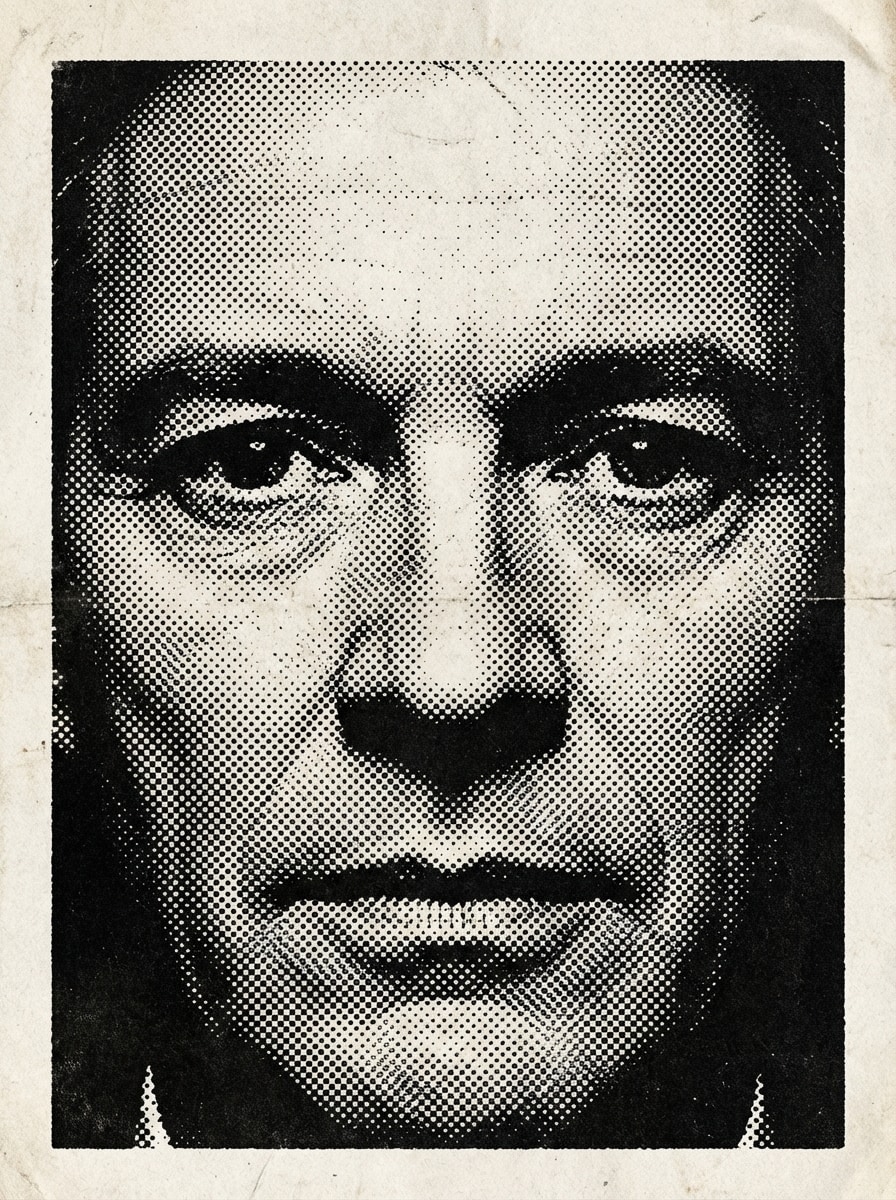
Newspaper Black and White

Newspaper Black and White

Use the uploaded image as the subject and transform it into a classic black-and-white newspaper halftone portrait with dense black ink dots, strong tonal contrast, slightly rough paper texture, editorial crop, soft gray highlights, and a vintage press-printed mood with crisp facial detail.

Comic Book Dot Shading

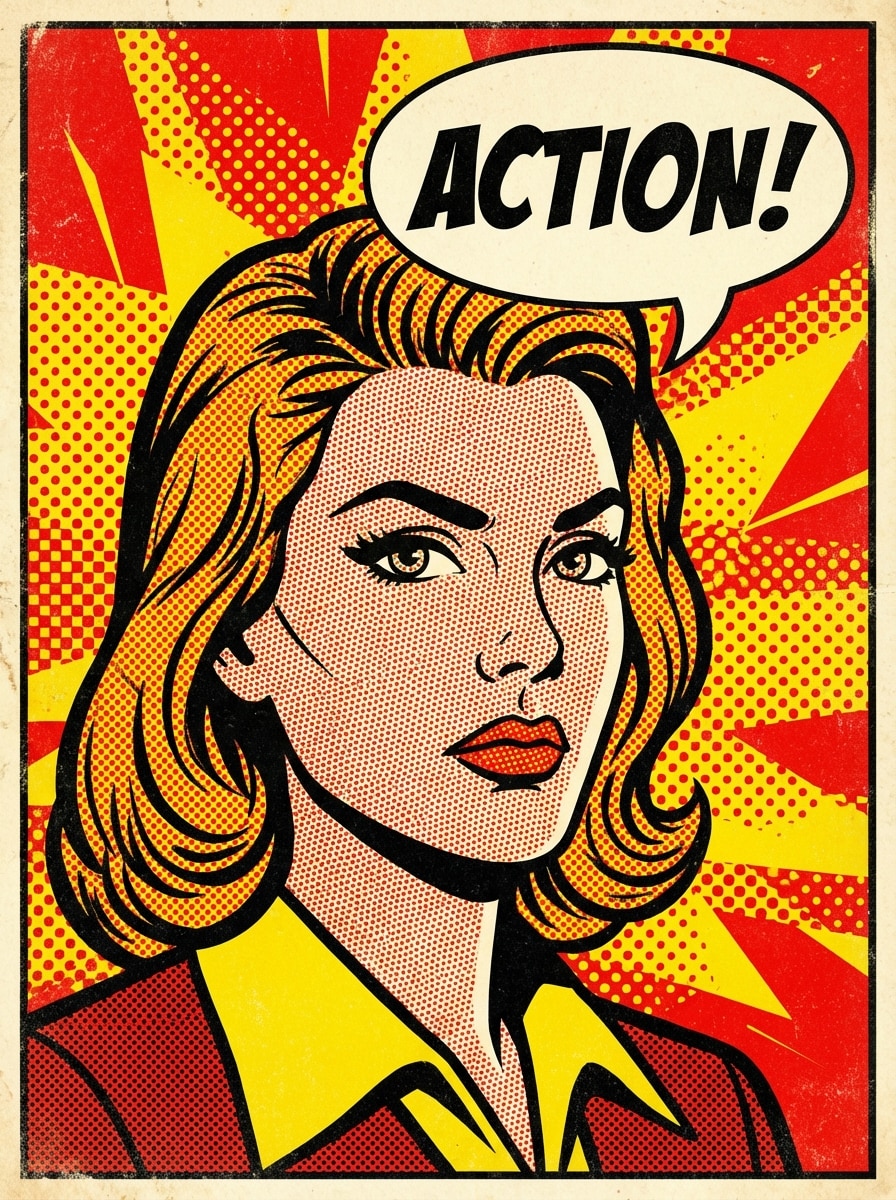
Comic Book Dot Shading

Use the uploaded image as the subject and restyle it into a bold comic-book halftone illustration with Ben-Day dots, punchy black outlines, vivid red and yellow accents, dramatic shadows, energetic pop-art mood, clean background separation, and high-impact poster-like composition.

Duotone Halftone Poster

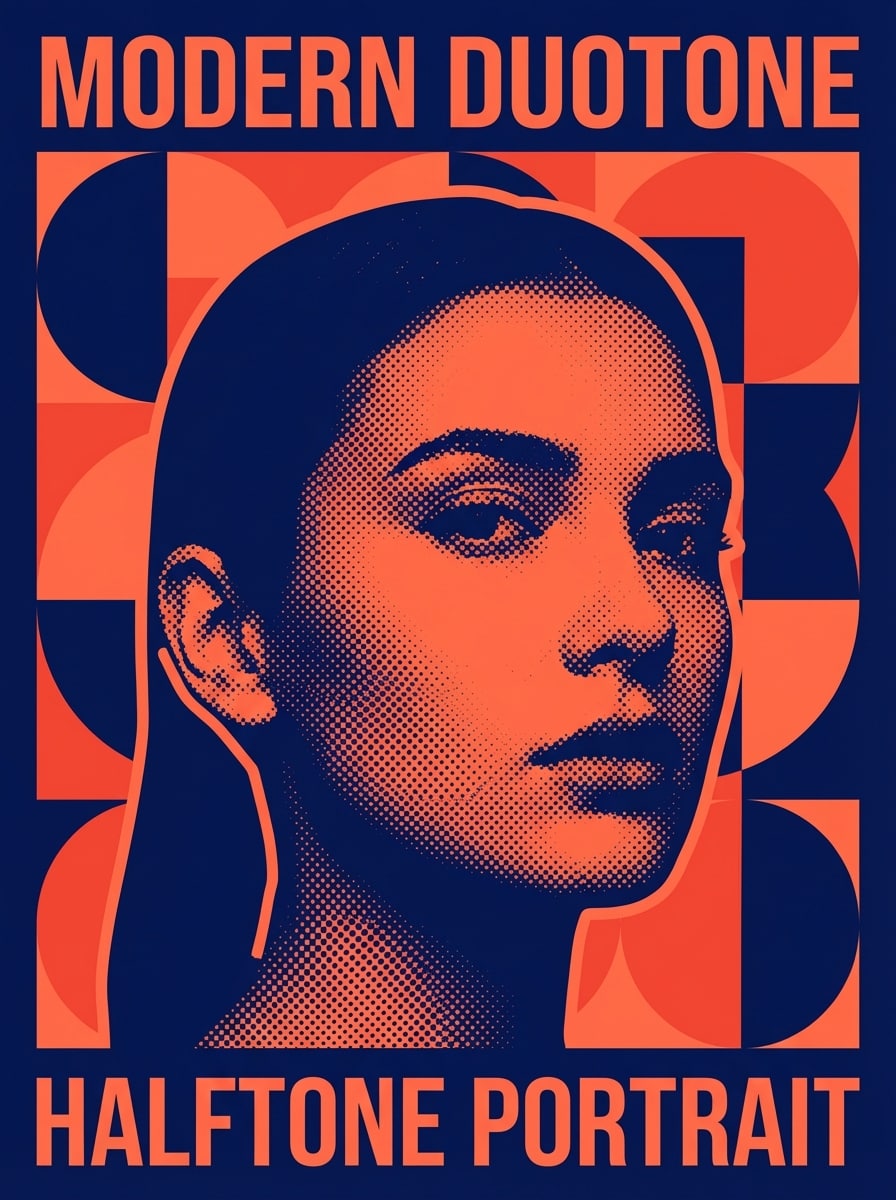
Duotone Halftone Poster

Use the uploaded image as the subject and convert it into a modern duotone halftone poster with bold navy and coral inks, large visible dot shading, strong silhouette separation, smooth background blocks, graphic editorial layout, contemporary design mood, and sharp print-ready detail.

Risograph Halftone

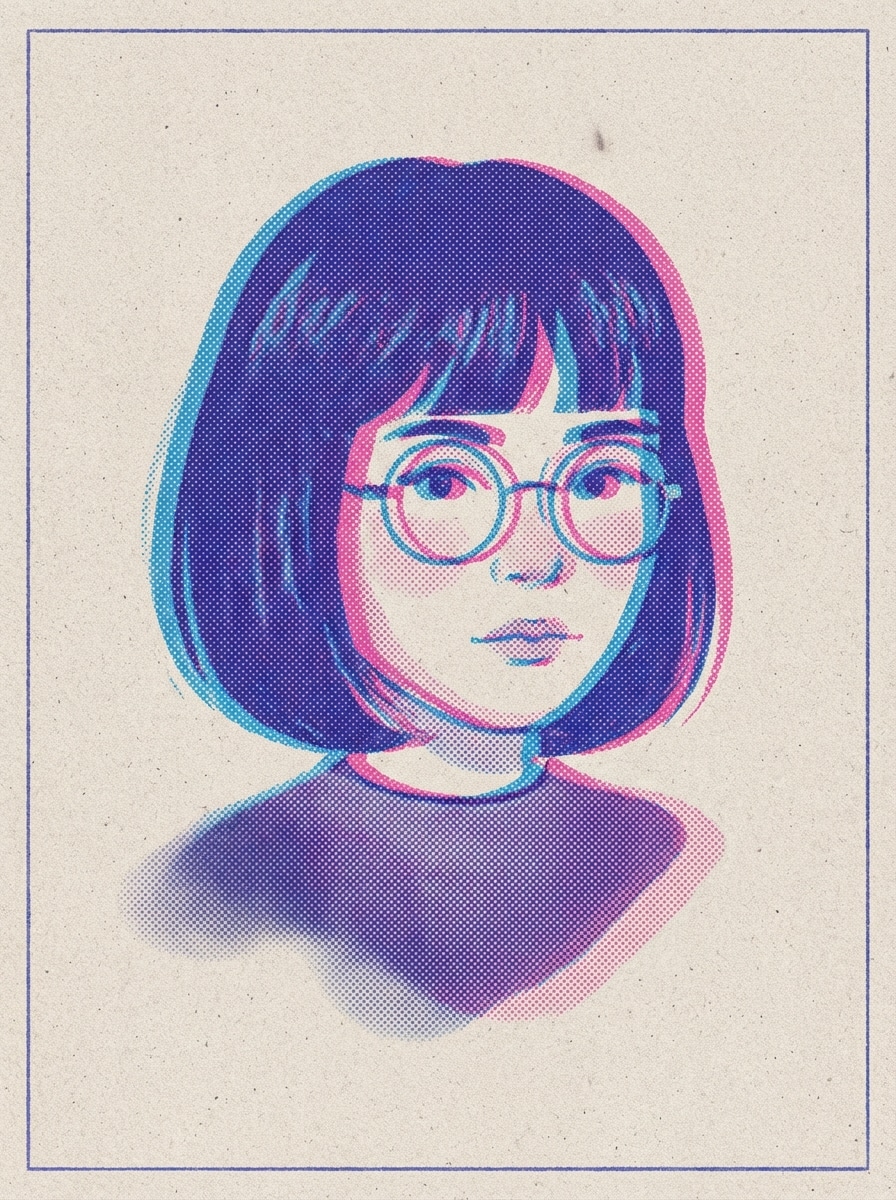
Risograph Halftone

Use the uploaded image as the subject and transform it into a risograph-inspired halftone print with layered ink dots, limited blue and pink palette, slight print offset, soft grain, textured paper feel, indie art-poster mood, and balanced contrast that keeps the subject recognizable.

Punk Flyer Halftone

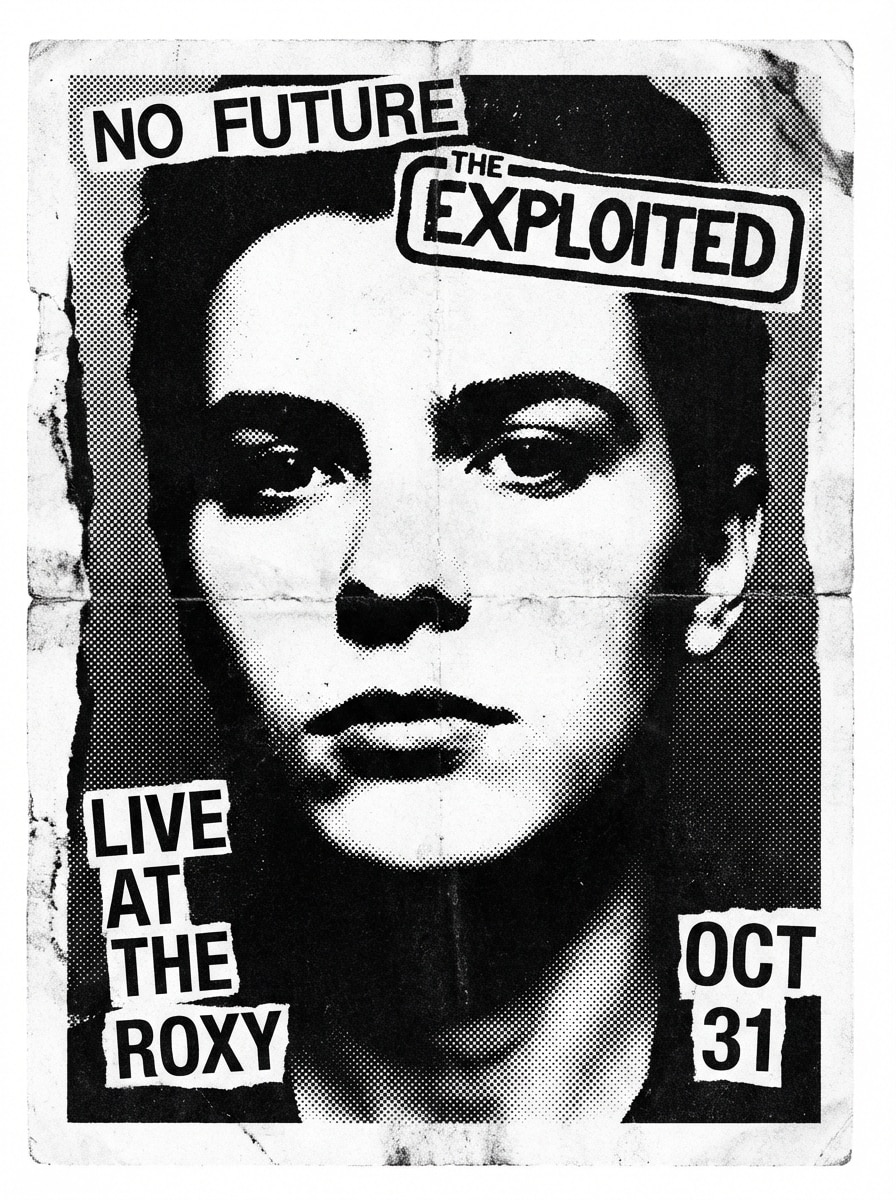
Punk Flyer Halftone

Use the uploaded image as the subject and give it a punk flyer halftone look with rough black dots, photocopy-style contrast, distressed paper texture, gritty monochrome finish, rebellious underground poster vibe, slightly raw edges, and dramatic lighting translated into bold graphic shapes.

Why Use Media.io as Your Halftone Generator

Easy Image-to-Halftone Workflow

Upload a JPG, PNG, or JPEG photo and turn it into a halftone effect in a beginner-friendly browser editor. It is a faster way to create comic dot, newspaper print, and poster-style results without complex design software.

High-Resolution Output Options

Create halftone images in 1K, 2K, or 4K resolution for posters, social graphics, album covers, and print-ready creative work. Paid subscribers can also download watermark-free high-resolution results.

Flexible Aspect Ratios and Variations

Choose from Auto, 1:1, 9:16, 16:9, 4:3, 3:4, 3:2, and 2:3 layouts, then generate 1 to 4 image variations at once. That makes it easier to test halftone poster, portrait, and social media compositions quickly.

Powerful AI Models for Creative Control

Media.io is powered by advanced image models including Nano Banana Pro and Nano Banana 2, giving you reliable style transfer from your uploaded reference image while preserving the subject for bold halftone transformations.

How to Use the Media.io Halftone Generator

1
2
3
1
Open Media.io Halftone Generator

Go to AI Image to Image Generator and open the Halftone Generator under AI -> Image to Image. This online tool runs in your browser, so you can create a halftone effect on desktop or mobile without installing design software.

2
Upload Your Photo and Add Style Instructions

Upload a reference image, then enter a detailed prompt such as "Use the uploaded portrait as the subject and turn it into a vintage black-and-white newspaper halftone with bold ink dots and subtle paper texture." Adjust aspect ratio, resolution, and other settings as needed.

3
Generate, Refine & Download

Click Generate to create your halftone image. Tweak the prompt or settings if you want a comic dot filter, risograph print, or poster-style look, then download the final high-resolution result for digital or print use.

Step 1
Step 2
Step 3

Unlock the Potential of Halftone Generator

Discover how creators and professionals are using our AI-powered Halftone Generator to transform their creative workflows and bring unique ideas to life.

Make Scroll-Stopping Posters and Cover Art

Turn portraits or product shots into bold halftone posters for album covers, event flyers, YouTube thumbnails, and social graphics. The effect adds instant texture, contrast, and a graphic design feel that stands out in crowded visual feeds.

Create Editorial and Newspaper Print Looks

Use an image to halftone workflow to recreate vintage magazine pages, newsprint portraits, and monochrome print aesthetics. It is a practical option for branding teams, content creators, and students building mood boards or retro campaigns.

Design Comic, Manga, and Zine Visuals Fast

Apply comic dot shading, manga-inspired screen tones, or rough zine textures to photos for merch mockups, art references, and DIY publishing. This helps creators achieve a stylized print effect without needing advanced illustration skills.

What Users Say About This Halftone Generator

user
Maya Chen

Poster Designer

star star star star star

"Fast way to build print-style visuals" I needed a quick online halftone effect generator for gig posters, and this was much easier than using a niche utility tool. The outputs looked sharp, and the upload-to-preview workflow felt very smooth.

user
Jordan Reyes

Social Media Creator

star star star star star

"Great for comic and Y2K edits" I used it to turn selfies into comic dot and retro poster graphics for Instagram carousels. The results had strong contrast and a real printed texture feel, which made my content look more polished.

user
Elena Foster

Indie Music Marketer

star star star star star

"Useful for album art concepts" We tested several halftone cover directions from one photo and got multiple strong concepts quickly. It is especially helpful when you want a gritty risograph or punk flyer mood without spending hours in editing software.

user
Noah Patel

Creative Student

star star star star star

"Beginner-friendly but still flexible" I wanted a photo to halftone tool for a zine project, and Media.io made the process simple. I liked being able to upload an image, rewrite the prompt, and test different compositions without a steep learning curve.

Halftone Generator FAQs

1. Is this halftone generator free to use?

Yes, Media.io offers free daily access. Free users get 3 credits per day to try the halftone generator. If you need more generations, higher-volume use, or watermark-free high-resolution downloads, you can check the pricing page. Free users get 3 credits per day. For more, users can subscribe to a plan on the pricing page.

Open Media.io in your browser, go to the image-to-image tool, upload your photo, and enter a prompt describing the halftone style you want, such as a newspaper print effect, comic dot filter, or risograph poster look. Then generate the image, refine the prompt if needed, and download the result. Media.io is a web-based tool that works on any device with a browser (Windows, Mac, iOS, Android). This helps you create halftone generator results more consistently.

Yes. Media.io supports 1K, 2K, and 4K output options, which makes it suitable for many poster, editorial, and print-style workflows. Paid subscribers can download watermark-free high-resolution files, and you can see plan details on the pricing page. Free users get 3 credits per day. For more, users can subscribe to a plan on the pricing page.

Yes. You can upload JPG, PNG, and JPEG files as reference images for your image to halftone workflow. This makes it easy to start from common photo formats when creating a newspaper print effect or comic-style halftone image. This helps you create halftone generator results more consistently.

You can guide the final look by uploading a reference image, writing detailed style prompts, and adjusting generation settings such as aspect ratio, resolution, and variation count. The product knowledge confirms prompt-based style control and multiple output settings, but it does not specifically list manual sliders for dot size, pattern, or contrast. Free users may have watermarks. Paid subscribers can download watermark-free high-resolution images. This helps you create halftone generator results more consistently. Upgrade to a paid plan on the pricing page for more credits and watermark-free high-resolution downloads.

Yes. Uploaded images are automatically deleted from Media.io servers after 7 days to help protect user privacy. That makes the online halftone effect generator a practical option for personal photos, creative drafts, and client-facing concept work. Uploaded images are automatically deleted from our servers after 7 days to ensure user privacy. This helps you create halftone generator results more consistently.

Media.io Online AI Tools Quality Rating:
vote 4.7 (162,357 Votes)