Halation Effect: Recreate the Warm Halo Around Film Highlights
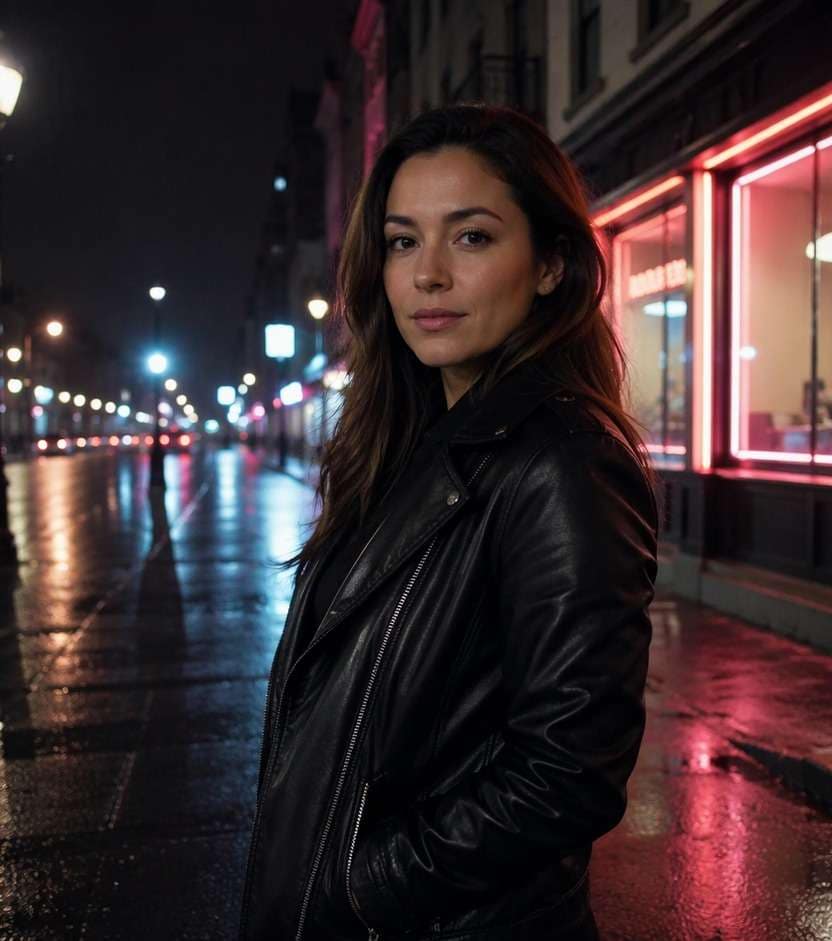
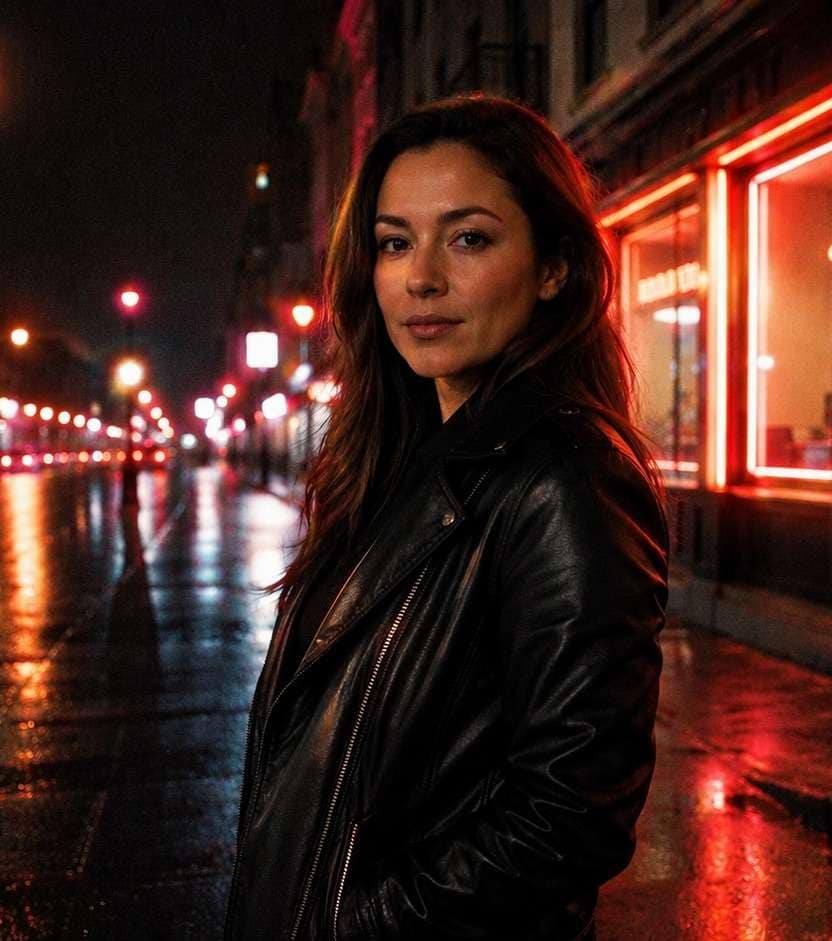
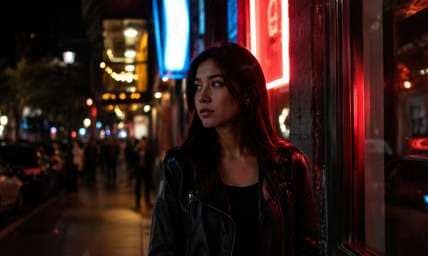
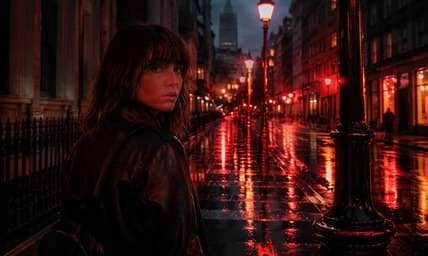
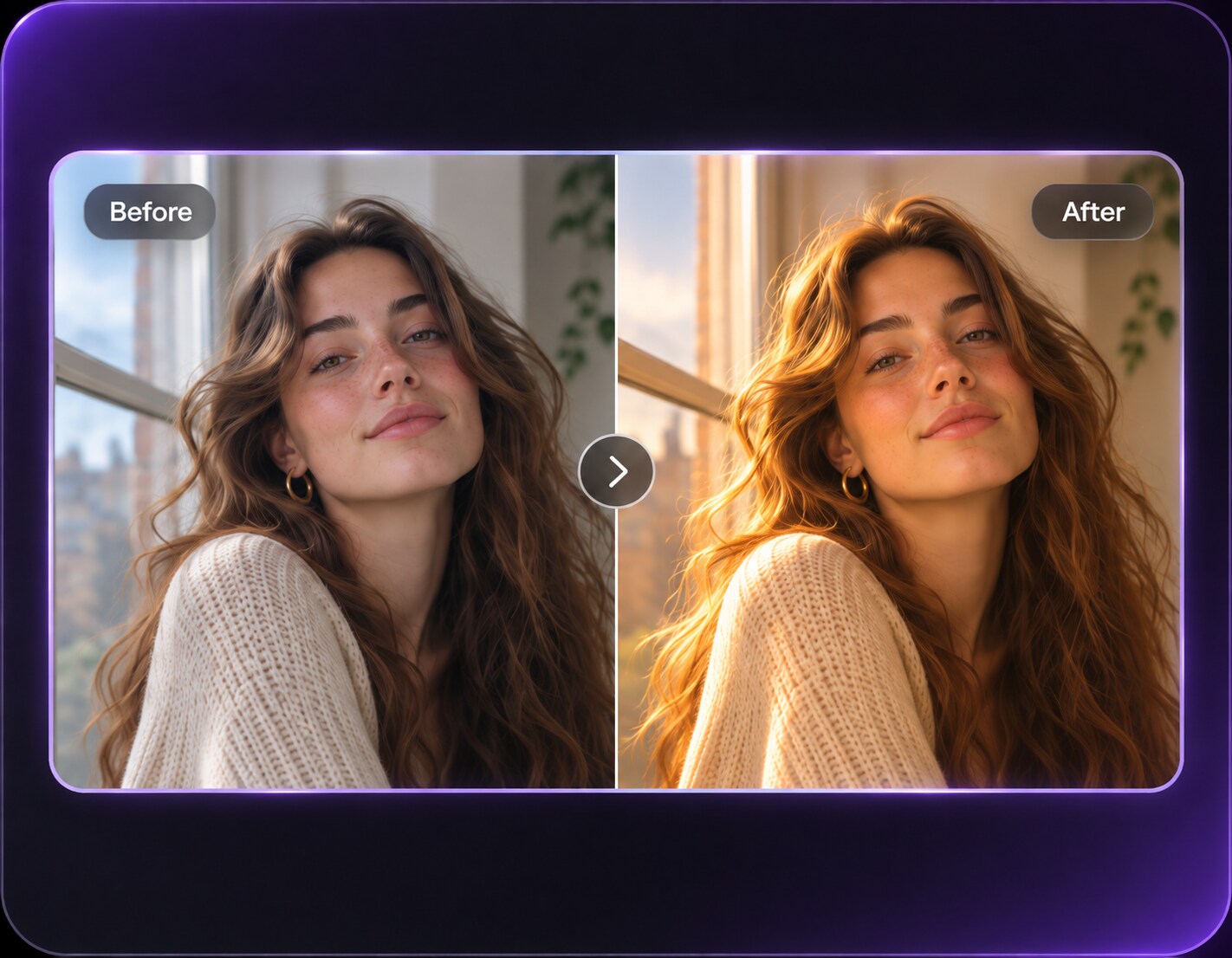
The neon shop sign is bright enough, but your night portrait still looks digital and clinical. A halation effect can add the restrained red-orange fringe associated with certain film stocks around strong highlights, while keeping faces, buildings and darker midtones crisp. It is not a blanket romantic haze: the glow belongs near streetlights, headlights and intensely backlit edges. Start with a photo that already contains a plausible light source, then compare a delicate halo with a stronger cinematic treatment.
Night shots with lamps, neon signs or strong backlight give warm film halation a believable place to appear.
Halation Photo Prompts for Neon, Tungsten and Night Streets
Halation depends on where highlights sit. These prompts isolate red-orange halos near actual light sources instead of putting warm blur across the whole picture.
Storefront Red Sign Fringe
Edit my uploaded reference photo: Create a thin red-orange halo around the original bright store lettering while keeping the face and sign text sharp. Keep the original person, identity, expression, hairstyle, clothes, scene geometry and camera angle unless the named era style specifically calls for clothing or setting changes. Maintain realistic physical proportions and credible photographic detail. Do not add captions, logos, extra people, collages or unrelated props.
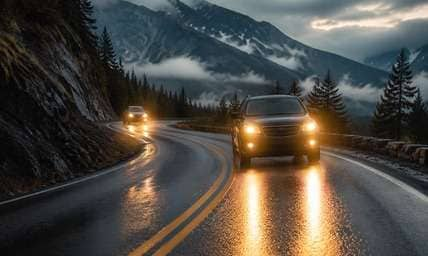
Rainy Headlights
Edit my uploaded reference photo: Add localized warm halation to existing vehicle headlights and their pavement reflections; do not change car shapes or road lines. Keep the original person, identity, expression, hairstyle, clothes, scene geometry and camera angle unless the named era style specifically calls for clothing or setting changes. Maintain realistic physical proportions and credible photographic detail. Do not add captions, logos, extra people, collages or unrelated props.
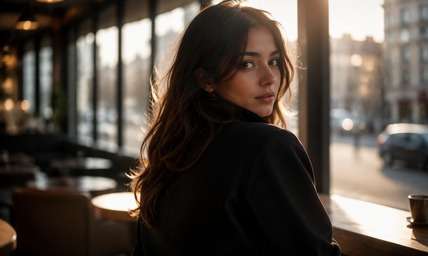
Tungsten Cafe Window
Edit my uploaded reference photo: Let warm window edges show subtle reddish bleed against dark brick without fogging the customer seated in front. Keep the original person, identity, expression, hairstyle, clothes, scene geometry and camera angle unless the named era style specifically calls for clothing or setting changes. Maintain realistic physical proportions and credible photographic detail. Do not add captions, logos, extra people, collages or unrelated props.
Neon Green and Red Street
Edit my uploaded reference photo: Halo only the strongest neon tubes with a film-red fringe, preserving each sign's underlying color and readable text. Keep the original person, identity, expression, hairstyle, clothes, scene geometry and camera angle unless the named era style specifically calls for clothing or setting changes. Maintain realistic physical proportions and credible photographic detail. Do not add captions, logos, extra people, collages or unrelated props.
Backlit Dark Coat
Edit my uploaded reference photo: Add a small warm halo where bright rear window light meets the subject's hair, keeping the rest of the black coat crisp. Keep the original person, identity, expression, hairstyle, clothes, scene geometry and camera angle unless the named era style specifically calls for clothing or setting changes. Maintain realistic physical proportions and credible photographic detail. Do not add captions, logos, extra people, collages or unrelated props.
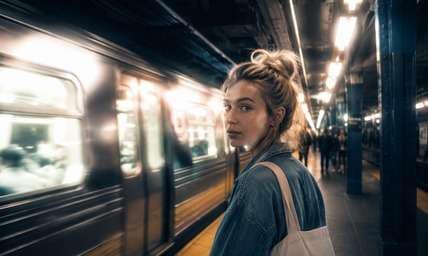
Station Platform Lights
Edit my uploaded reference photo: Concentrate halation around existing fluorescent highlights and signage, with controlled grain in train-platform shadows. Keep the original person, identity, expression, hairstyle, clothes, scene geometry and camera angle unless the named era style specifically calls for clothing or setting changes. Maintain realistic physical proportions and credible photographic detail. Do not add captions, logos, extra people, collages or unrelated props.
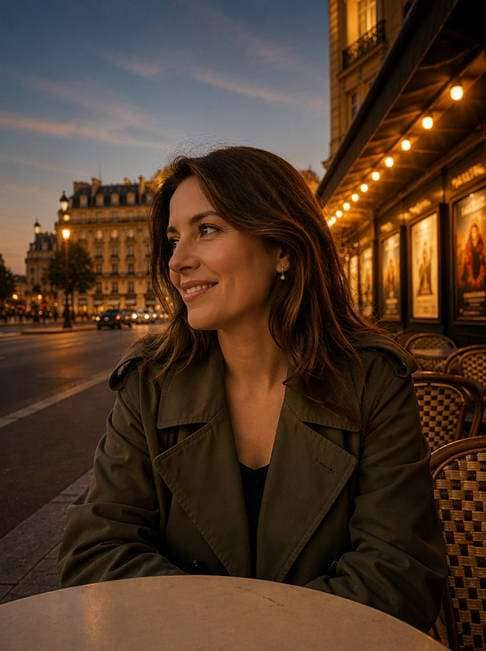
Evening Cinema Marquee
Edit my uploaded reference photo: Recreate warm film glow around the bulbs of a real cinema entrance while preserving architectural lines and poster layout. Keep the original person, identity, expression, hairstyle, clothes, scene geometry and camera angle unless the named era style specifically calls for clothing or setting changes. Maintain realistic physical proportions and credible photographic detail. Do not add captions, logos, extra people, collages or unrelated props.
Motorcycle Night Scene
Edit my uploaded reference photo: Give streetlamps and metal specular highlights tight red-orange fringes without adding smoke or extra headlights. Keep the original person, identity, expression, hairstyle, clothes, scene geometry and camera angle unless the named era style specifically calls for clothing or setting changes. Maintain realistic physical proportions and credible photographic detail. Do not add captions, logos, extra people, collages or unrelated props.
Amber Bar Interior
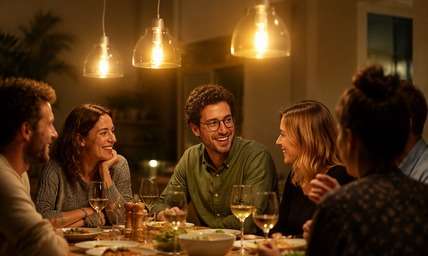
Edit my uploaded reference photo: Use gentle tungsten halation around pendant lights above a table, leaving glasses and facial features sharply defined. Keep the original person, identity, expression, hairstyle, clothes, scene geometry and camera angle unless the named era style specifically calls for clothing or setting changes. Maintain realistic physical proportions and credible photographic detail. Do not add captions, logos, extra people, collages or unrelated props.
Wet Crosswalk Film Still
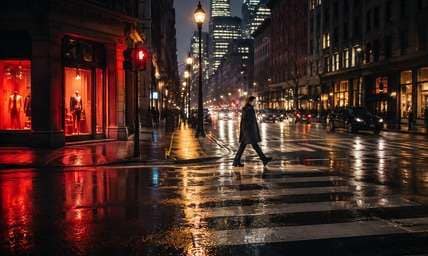
Edit my uploaded reference photo: Let illuminated shop windows bleed a little warm red into rain reflections while keeping crosswalk stripes and the walker intact. Keep the original person, identity, expression, hairstyle, clothes, scene geometry and camera angle unless the named era style specifically calls for clothing or setting changes. Maintain realistic physical proportions and credible photographic detail. Do not add captions, logos, extra people, collages or unrelated props.
Keep the Film Halo Selective, Not Foggy
Attach Red Fringes to Highlights
The recognizable signature is a warm red-orange edge around brilliant points of light. A halo around every dark object looks artificial; the glow should follow bright signs, lamps or high-contrast backlit strands.
Protect the Midtones
If faces and fabric go soft along with the signs, the treatment has become general bloom. Ask for crisp portraits and natural shadow texture while restricting the reddish glow to highlights.
Use Night Photos as a Starting Point
Neon storefronts, car lights and tungsten windows naturally contain the high-brightness areas that show halation. On a flat gray daylight portrait, it has little context and may look invented.
Combine Grain without Overdoing It
Modest fine grain can support a film-inspired night scene. Avoid random red dust, huge light leaks or sharp red outlines unrelated to the photograph's light direction.
How to Add a Halation Effect to a Photo Online
Choose a photo with bright practical lights, then describe the color and spread of the halo in a Media.io AI Face Editor prompt. This is a film-inspired style, not an exact chemical emulation.
Step 1
Upload a Night Photo with Actual Lights
Open Media.io AI Face Editor and upload a picture featuring a streetlamp, illuminated window, car lights or bright neon sign. Clear light sources make the result easier to judge.
Step 2
Request Narrow Red-Orange Highlight Halos
Ask for soft halation just around the existing intense highlights, with subtle grain and preserved facial clarity. Avoid requesting a general blur across the scene.
Step 3
Generate and Inspect the Halos
Click Generate and zoom into lamps and sign edges. Reduce spread if halos merge into red fog or if clothing detail becomes hazy.
For this effect, start with light sources rather than a color palette. Halation is a local highlight characteristic, not a whole-scene tint.
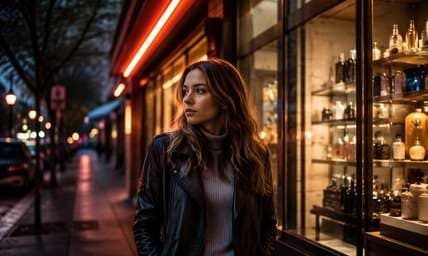
Neon Storefront Portraits
A face framed by a bright sign can gain a thin red fringe around the lettering while the person remains sharp. This creates film-night character without changing the shop's actual name or layout.
Cars and Rainy Streets
Headlights reflected in wet pavement give the halo a natural place to spread. Keep the road markings and car positions the same and let only the brightest edges glow warm.
Warm Apartment Windows
Tungsten-lit windows in a dark exterior can pick up a soft red edge while brickwork stays detailed. It produces an intimate nighttime mood that remains recognizably the same building.
Halation Highlight Inspection Checklist
Halo Location
Photo preview checklist
"Do red-orange fringes hug genuinely bright sources?" Random red glows around dark walls or faces are not credible halation.
Halo Width
Photo preview checklist
"Is the fringe restrained rather than a giant cloud?" Keep a narrow core and gentle falloff so each lamp remains identifiable.
Subject Sharpness
Photo preview checklist
"Are eyes, coat texture and road signs still crisp?" If everything becomes soft, ask for selective highlight glow instead.
Color Consistency
Photo preview checklist
"Is the halo warm red-orange while ambient shadows stay natural?" An all-red grade belongs to a different photo filter.
Halation is a light-spreading effect in some film images, often visible as warm red or orange fringes around bright highlights and backlit edges.
2. How is halation different from bloom?
Bloom is broader light spill and can be neutral or colored. Halation is more specific: a red-orange fringe near high-contrast light sources.
3. Does halation require a night photograph?
Not strictly, but night signs, headlights and strong backlight provide obvious highlights. A uniformly lit photo may show very little convincing halo.
4. Can I keep a portrait sharp while adding halation?
Yes. Ask for the effect only around bright light sources and preserve facial detail and midtone contrast; review the output closely. Specify that the light should not soften eyes, clothing seams or street signs.
5. Why does my edit look like red fog?
The requested spread may be too wide. Specify narrow warm fringe around the brightest signs and lamps, with clear shadows elsewhere. Keep the surrounding walls and night sky deep and clear.
6. Is this the same as shooting on CineStill film?
No. This is a visual digital approximation, not proof that your photograph was captured on a particular film stock or camera. A digital approximation can look similar, but it is not a record of the original capture medium.