















Rimuovi Oggetti AI Online Gratis per Eliminare Elementi Indesiderati dalle Foto
Rimuovi oggetti indesiderati dalle foto con l'IA. Cancella persone, testo, filigrane, loghi e distrazioni dallo sfondo di qualsiasi immagine in pochi secondi: 100% online, senza bisogno di Photoshop.
Rimuovi Oggetti o Persone Indesiderate dalle Foto con l'IA
Se un estraneo, un "fotobomber" o un passante casuale rovina il tuo scatto, lo strumento di rimozione oggetti IA di Media.io ti aiuta a rimuovere oggetti indesiderati dalle foto online in pochi secondi. Per ritratti, foto di viaggio e per ripulire la folla, puoi anche utilizzare il nostro strumento dedicato per rimuovere persone dalle foto con l'IA.
Rimuovi Oggetto dalla Foto IA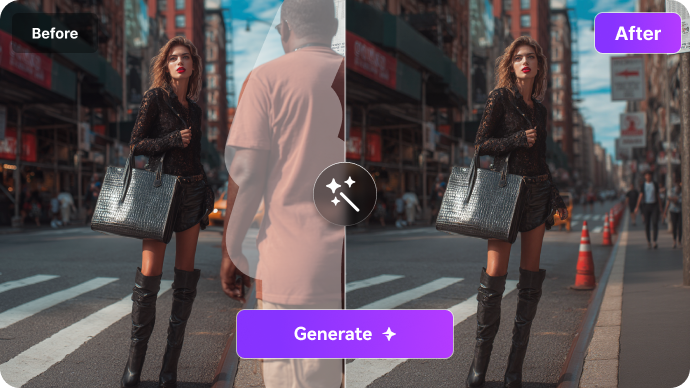
Rimuovi Oggetti IA per Testo, Loghi e Filigrane
Hai bisogno di ripulire testo, timbri con data, loghi o scritte che distraggono? Media.io funziona come un rimuovi oggetti IA che aiuta a eliminare elementi indesiderati dalle immagini senza complicati processi di editing. Evidenzia l'area, genera il risultato e ottieni una foto pulita in pochi secondi. Ottimo per immagini di prodotti, presentazioni o ricordi personali.
Rimuovi Oggetto dall'Immagine IA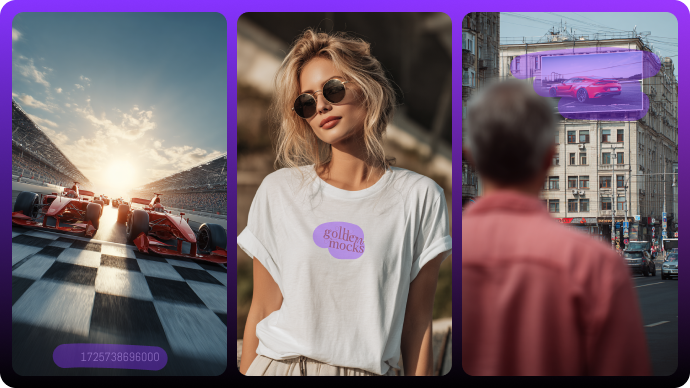
Ripulisci Distrazioni dallo Sfondo e Oggetti Casuali nelle Foto
Rimuovi cavi, bidoni della spazzatura, segnali o qualsiasi cosa che distolga l'attenzione dal tuo soggetto. Media.io rende la pulizia delle foto semplice, riempiendo le aree rimosse con texture, colori e luci corrispondenti.
Ripulisci Foto con l'IA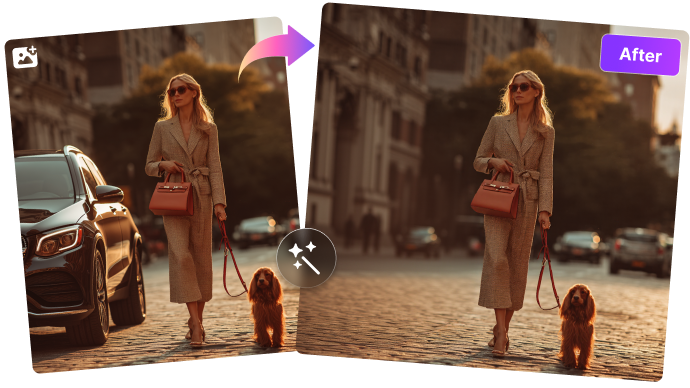
Perché Media.io è il Miglior Rimuovi Oggetti IA Online

Rimozione Oggetti IA Pulita con Esportazione in HD
Ottieni risultati rifiniti che puoi usare ovunque. A differenza di molti strumenti di rimozione oggetti IA che aggiungono loghi o limitano la risoluzione, Media.io ti offre immagini pulite e di alta qualità che puoi pubblicare, stampare o condividere con sicurezza.

Rimuovi Oggetti IA Online — Nessuna App Necessaria
Non servono Photoshop o app pesanti. Media.io funziona direttamente nel tuo browser: carica, spennella e scarica. Le tue modifiche sono pronte in pochi secondi, sia da desktop, tablet o cellulare.

Rimuovi Oggetti IA Privato
Le tue foto rimangono tue. Tutti i caricamenti e i risultati vengono automaticamente eliminati dai nostri server dopo poche ore. Nessun tracciamento dei dati, nessun rischio nascosto: solo editing IA sicuro con Media.io.

Gratis da Provare, Conveniente da Usare
Non devi impegnarti in costosi abbonamenti. Media.io è un rimuovi oggetti IA gratuito da provare con crediti di benvenuto, e puoi continuare con prezzi pay-as-you-go. Ogni pulizia fotografica costa solo 1 credito con risultato in HD: una delle opzioni più convenienti online.

Rimuovi Oggetti dalle Foto su Qualsiasi Dispositivo
Modifica ovunque e in qualsiasi momento. Che tu stia usando un laptop per lavoro, il telefono in movimento o un tablet a casa, Media.io è ottimizzato su tutti i dispositivi per un'esperienza fluida e coerente.

Toolkit IA Tutto-in-Uno
Una volta rimosso un oggetto, puoi migliorare ulteriormente la tua foto con gli strumenti integrati: aumenta la qualità dell'immagine, cambia sfondi, ritocca volti o aggiungi effetti IA creativi. Tutto ciò di cui hai bisogno si trova in un unico posto con il toolkit IA di Media.io.
Come Usare il Rimuovi Oggetti IA Online di Media.io
Passaggio 1: Carica la tua Foto
Vai al Rimuovi Oggetti IA di Media.io e carica qualsiasi immagine che desideri modificare con il nostro strumento online. Funziona con selfie, ritratti, foto di gruppo o persino scatti di prodotti.
Passaggio 2: Spennella l'Oggetto Indesiderato
Seleziona l'area che vuoi rimuovere dalla foto con l'IA. Usa il mouse (o il dito su dispositivi mobili) per evidenziare l'oggetto, la persona o il testo che vuoi eliminare. Puoi regolare la dimensione del pennello per maggiore precisione.
Passaggio 3: Scarica la tua Immagine Pulita
Clicca su Genera e lascia che l'IA cancelli gli elementi indesiderati dalla tua immagine. In pochi secondi, avrai una foto pulita e naturale, pronta per essere scaricata in HD.
Cosa Dicono i Nostri Utenti del Rimuovi Oggetti Media.io

Proprietaria di Negozio Online

"Perfetto per le foto dei prodotti." Cancello prezzi e disordine dallo sfondo in pochi secondi. Il riempimento sembra abbastanza naturale da poter essere usato direttamente sul nostro store senza bisogno di ulteriori ritocchi.

Graphic Designer
"Pronto per il cliente in un solo passaggio." Rimuovere cavi elettrici, segnali o loghi richiede solo pochi colpi di pennello. L'IA fonde bordi e texture così bene che posso inviare le bozze immediatamente.

Studente
"Ha salvato la mia foto di gruppo." Ho cancellato un intruso dalla nostra foto di laurea. La ricostruzione dello sfondo è stata così pulita che nessuno ha notato nulla.

Social Media Manager
"Feed più puliti, tempi di lavoro ridotti." Rimuoviamo regolarmente folle, cestini e riflessi dalle foto delle campagne. È basato sul browser, veloce e le esportazioni sono senza filigrana.
Esplora i più popolari effetti video e immagini AI



Domande Frequenti sulla Rimozione Oggetti IA
1. Qual è il miglior rimuovi oggetti IA online gratuito?
Media.io è un rimuovi oggetti IA veloce, facile e gratuito da provare. Ti aiuta a eliminare elementi indesiderati, persone, testo, filigrane, loghi e distrazioni dallo sfondo in pochi secondi. Non serve Photoshop o competenze avanzate: basta caricare l'immagine, evidenziare l'area da eliminare e lasciare che l'IA generi un risultato naturale.
2. Come posso rimuovere un oggetto da una foto con l'IA?
Per rimuovere un oggetto, carica la tua foto su Media.io, pennella l'area indesiderata e clicca su Genera. L'IA analizzerà lo sfondo circostante e riempirà la parte selezionata con texture, colori e luci corrispondenti, rendendo la modifica invisibile.
3. Cosa posso cancellare da una foto online?
Puoi eliminare molti elementi di disturbo: persone, "fotobomber", testo, timbri con data, cartelli, loghi, filigrane, cavi, cestini e altro ancora. Se hai bisogno di rimuovere specificamente una filigrana, Media.io offre anche uno strumento dedicato per rimuovere filigrane dalle immagini.
4. L'IA può rimuovere oggetti senza usare Photoshop?
Assolutamente sì. Media.io ti permette di rimuovere elementi indesiderati senza bisogno di Photoshop o software professionali. Funziona direttamente nel browser, consentendoti di pulire e migliorare le foto in pochi clic.
5. Quali tipi di foto funzionano meglio con la rimozione oggetti IA?
Le foto ad alta risoluzione con sfondi coerenti offrono i risultati migliori. Le scene complesse sono comunque gestibili, ma i risultati possono variare. Se necessario, Media.io include anche strumenti di miglioramento immagine IA e editor sfondo per rifinire ulteriormente il risultato.
6. I miei dati sono al sicuro quando carico una foto?
Certamente. Per la sicurezza dei tuoi dati, tutti i file caricati e i contenuti generati su Media.io vengono automaticamente eliminati dai nostri server entro 7 giorni. Questo garantisce che le tue foto rimangano private e protette.
7. La foto sembrerà naturale dopo la rimozione con l'IA?
Nella maggior parte dei casi, sì. Media.io utilizza l'IA per fondere l'area modificata con lo sfondo circostante in modo naturale e senza giunture visibili. Funziona in modo ottimale su foto ad alta risoluzione e immagini con texture, colori e luci costanti.
8. Cosa può rimuovere questo strumento dalle foto?
Media.io è progettato per compiti di pulizia fotografica come la rimozione di oggetti indesiderati, persone, testo, filigrane, cartelli, loghi e distrazioni dallo sfondo. È ideale per ritratti, foto di viaggio, post sui social e immagini di prodotti.
Altro da Media.io
 4.7 (162.357 Voti)