Become the Viral Truck Driver
Recast the familiar roadside confrontation with your own face. Set the scene inside a white pickup, with the window down and an exaggerated skeptical stare.
Put yourself, a friend, or your pet behind the wheel of the viral “Hit the Road Dude” meme. Turn one photo into a funny private-property confrontation video with a cinematic pickup-truck scene and a ready-to-copy AI prompt.
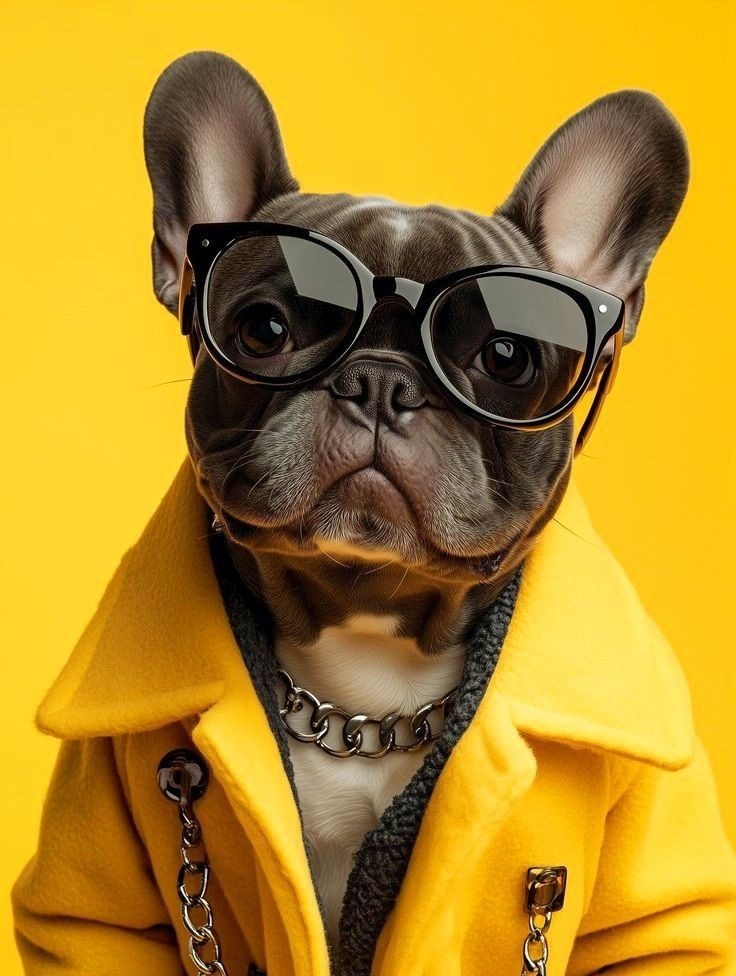 Reference Image
See a portrait become the grumpy pickup-truck driver from the private-property meme.
Tip: Use a well-lit, front-facing portrait. Exact dialogue and lip-sync depend on the chosen AI model.
Recast the familiar roadside confrontation with your own face. Set the scene inside a white pickup, with the window down and an exaggerated skeptical stare.
Capture the comic timing: a confused fisherman, a dramatic pause at “state property,” and the driver telling the visitor to leave. Use original dialogue or your own parody.
Try a grumpy cat, expressive dog, roommate, or family member in the driver’s seat. Keep recognizable facial features, fur, clothing, and believable gestures.
Create a short vertical clip for TikTok, Reels, or Shorts. Trim the funniest reaction into a looping GIF using a separate editor or converter.
Open Media.io Image to Video and upload a well-lit photo of yourself, a friend, or a pet. Choose a face-forward image with visible features for a more recognizable character.
Copy the Hit The Road Dude AI prompt below. Describe the white pickup, grassy fishing spot, camera angle, skeptical expression, and comedic gestures.
Generate your clip, check face consistency and hand movements, and retry if necessary. Add your own voiceover or audio you have permission to use, then export and share.
Use this editable prompt in Media.io Image to Video. For exact choreography or speech, use a compatible reference-video or lip-sync workflow if available.
Create a photorealistic vertical 9:16 handheld phone video inspired by the Hit The Road Dude private-property meme. The subject in the uploaded reference photo is now a grumpy, expressive pickup-truck driver sitting in an older white pickup beside a grassy fishing pond on a sunny afternoon. Driver-side window fully down; camera stands just outside the door at a natural three-quarter angle. Preserve the subject’s recognizable face, hairstyle or fur, clothing, and proportions. The driver looks suspiciously toward an off-camera visitor, raises one eyebrow, pauses in disbelief when the visitor mentions state property, points toward the road, leans toward the open window, and makes an exaggerated dismissive gesture. Authentic casual smartphone footage, realistic lip and hand motion, subtle camera shake, comedic timing, natural daylight, sharp face, believable vehicle reflections, no extra fingers, no captions, no watermark, no logos. Optional original parody dialogue: “You thought this was public land? Nope, buddy. Time to move along!” Keep the off-camera visitor out of frame. Do not clone the original speaker’s voice or reuse original audio without permission.
“Hit the road” means leave or go away. In the viral video, a pickup-truck driver confronts someone fishing on land the visitor believed was public. His incredulous reaction and insistence that it is private property became a widely remixed joke.
The viral clip is associated with a TikTok posted by @hb_rell, showing a driver in a white pickup confronting someone near a fishing spot. Search the original creator and caption before reposting; GIFs and AI remakes are not necessarily the original footage.
Upload one clear portrait to Media.io Image to Video, paste the prompt on this page, and generate the pickup-truck scene. A text prompt recreates the concept; exact shot-for-shot motion or synchronized speech may require a model with reference-video and lip-sync support.
Yes. Generate a short reaction clip, then trim the driver’s skeptical look or pointing gesture and convert it to a looping GIF in a compatible editor. A GIF typically has no sound, so emphasize facial expression and visual timing.
You can write original parody dialogue or record your own voiceover. Do not assume the original viral audio is licensed for reuse; check permissions and platform rules before adding it. Output length, audio generation, and lip-sync quality vary by selected model.



