Skin Undertone Analyzer for Fast Warm, Cool, or Neutral Results
Upload a clear selfie to check your undertone and get helpful color guidance. This skin undertone analyzer helps answer what is my skin tone, what is my undertone, and even what is my skin color tone, while showing whether you have a warm or cool skin tone through quick visual results.
Review these example directions, then tailor the prompt details to get stronger results with this Skin Undertone Analyzer on Media.io if you want a clearer way to see how to know your undertone or compare visual tone guidance from a selfie.
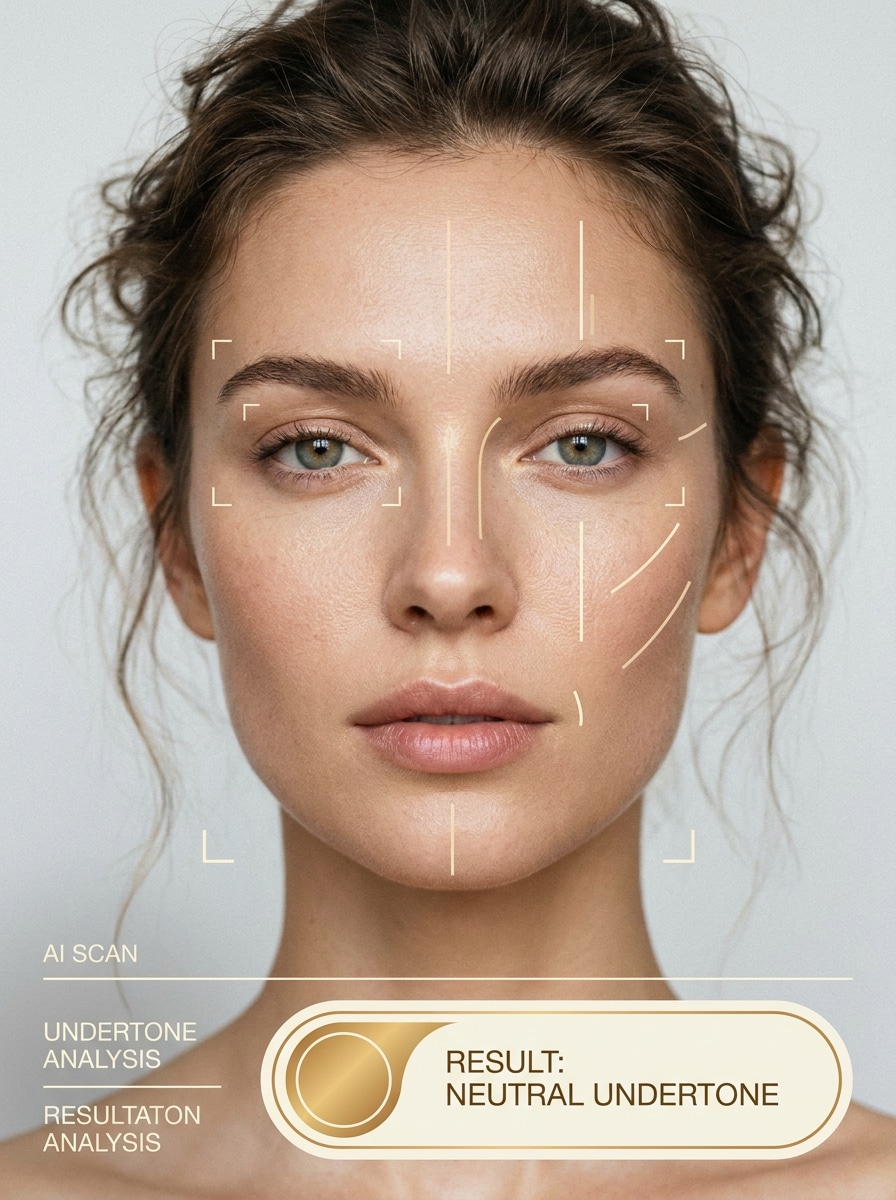
Clean Beauty Scan Overlay
Use the uploaded image as the subject and transform it into a polished beauty-tech diagnostic visual. Keep the face front-facing and realistic, add subtle facial scan markers, soft beige and cream UI accents, natural daylight skin texture, minimal interface labels, and a clear undertone result badge with a calm editorial skincare mood.
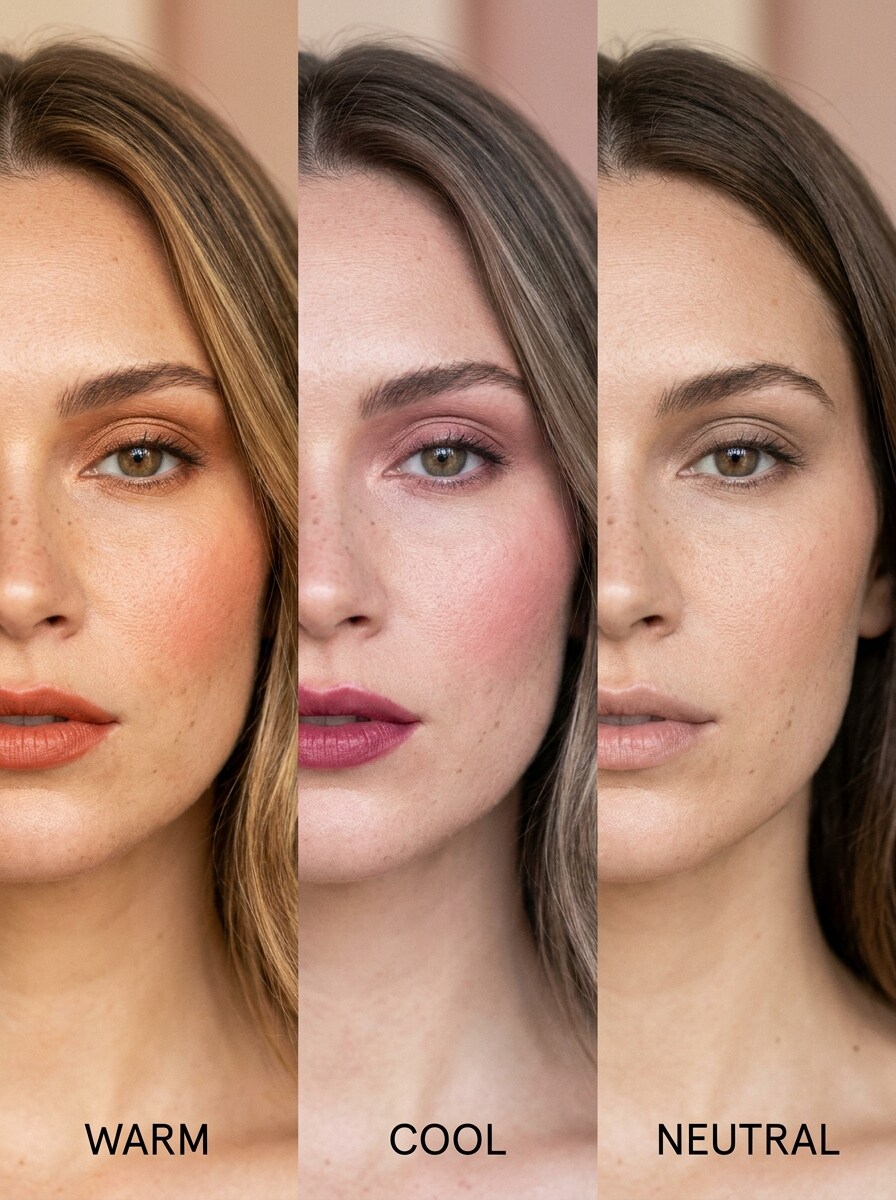
Split-Screen Undertone Comparison
Use the uploaded image as the subject and create a side-by-side beauty comparison showing warm, cool, and neutral undertone interpretations. Maintain recognizable facial features, use soft editorial lighting, natural skin detail, clean vertical panels, subtle labels, and a refined skincare aesthetic with balanced beige, blush, and muted gray tones.
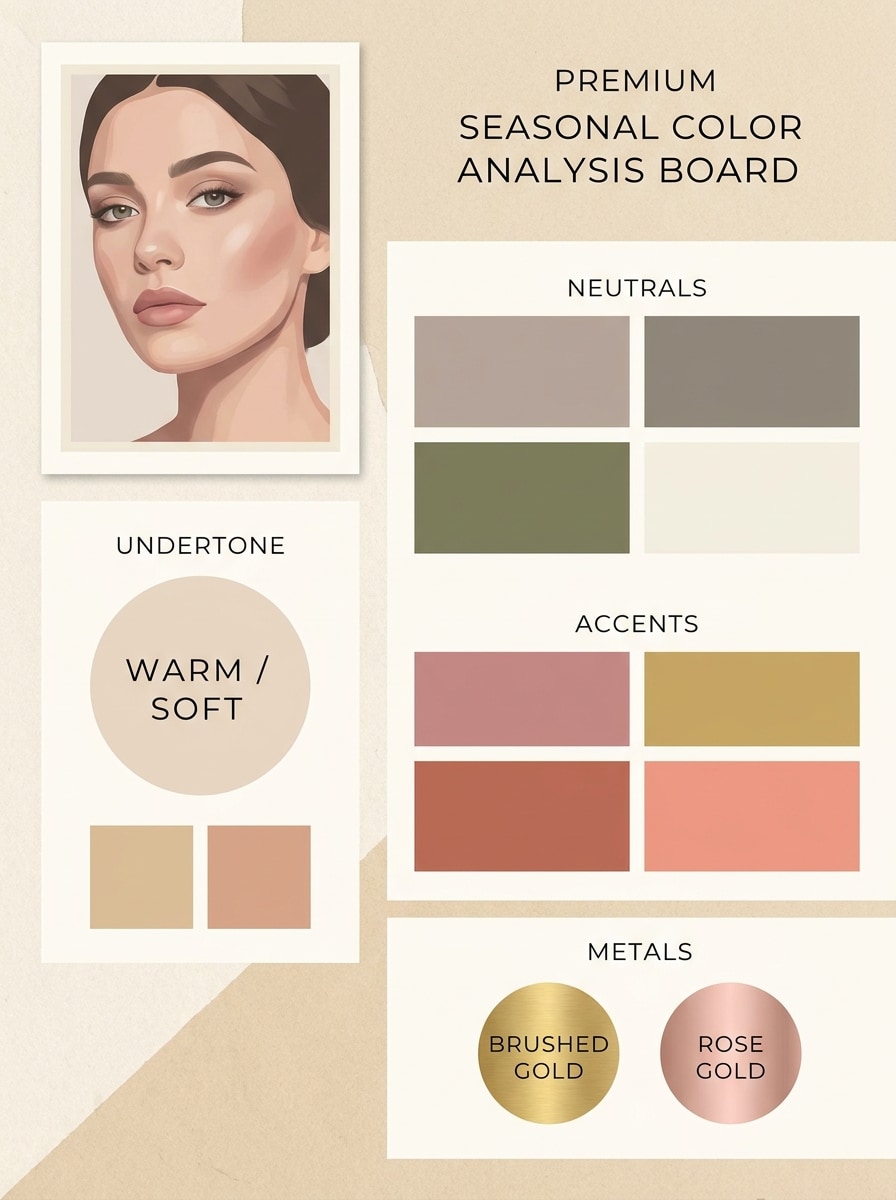
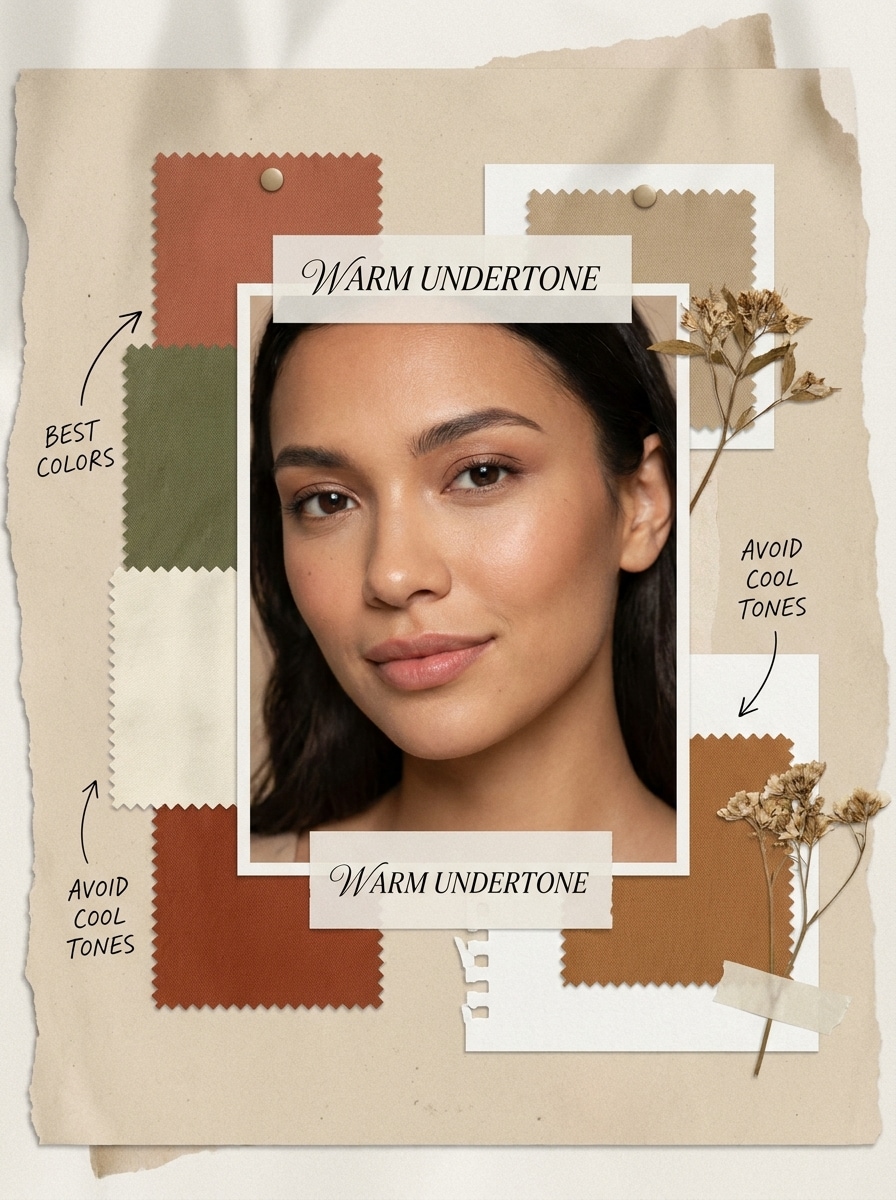
Seasonal Palette Board
Use the uploaded image as the subject and turn it into a premium seasonal color analysis board. Include a small portrait thumbnail, undertone label, curated color swatches, suggested neutrals, metallic recommendations, and accent shades. Keep the layout Pinterest-friendly, minimalist, elegant, and softly lit with cream, sand, blush, and muted palette styling.
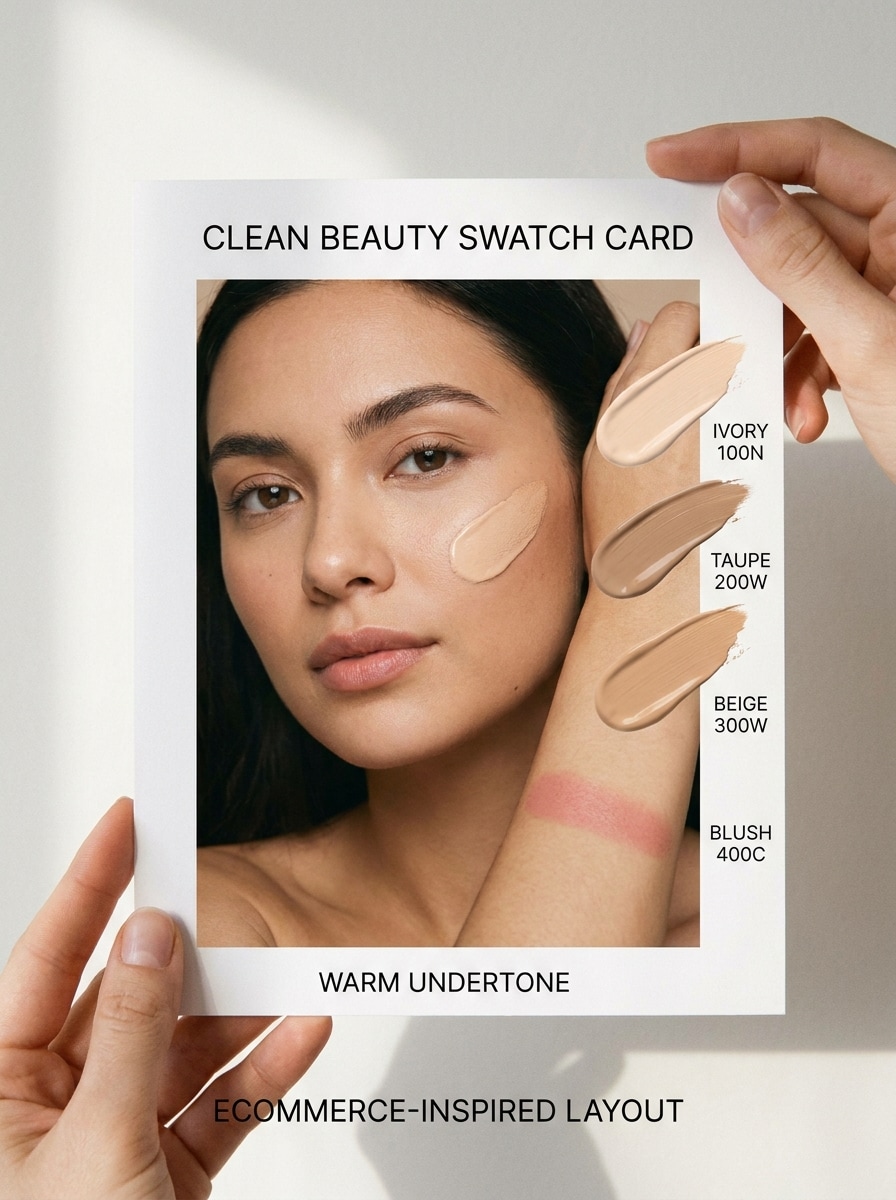
Foundation Match Swatch Card
Use the uploaded image as the subject and generate a beauty swatch card that highlights foundation shades suited to the detected undertone. Preserve realistic skin texture, add clean product-style labels, soft studio lighting, subtle arm or cheek swatches, and an ecommerce-ready composition with warm beige, taupe, ivory, and blush accents.
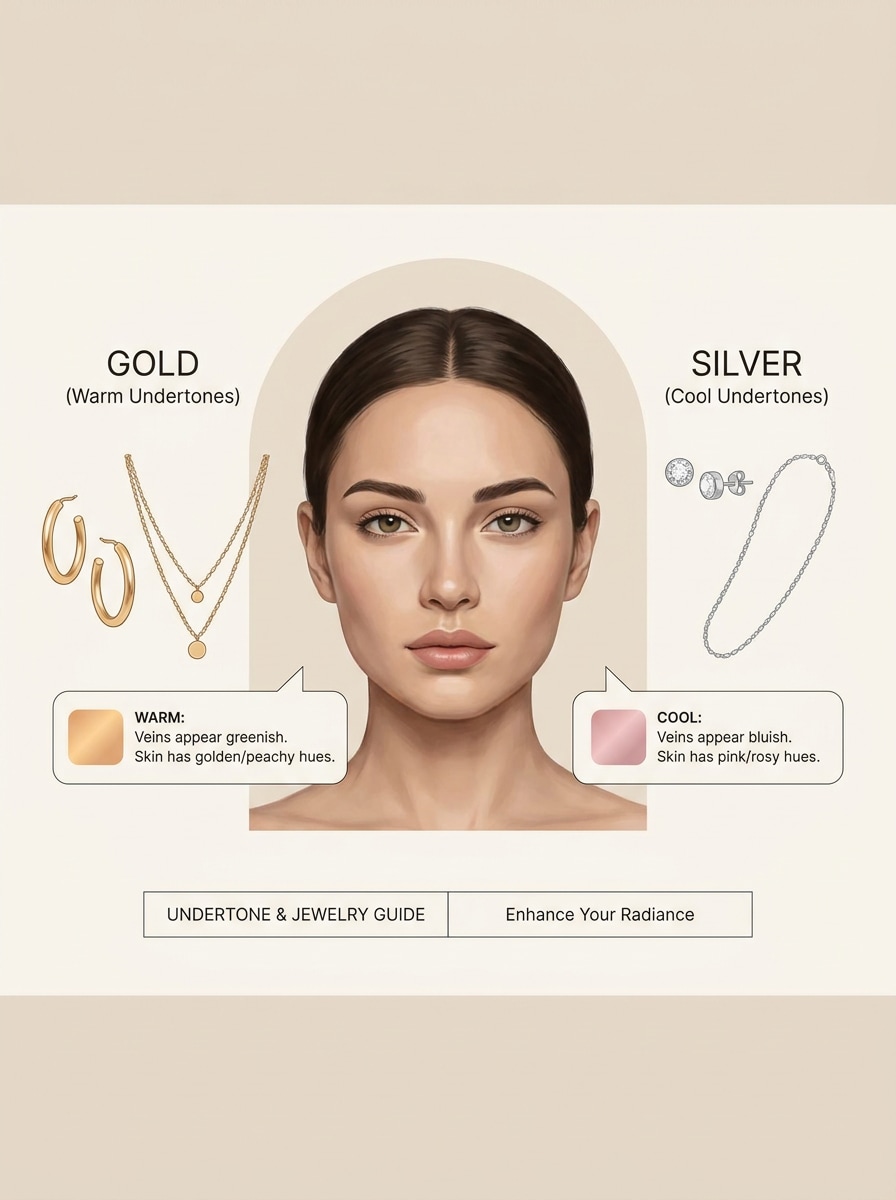
Jewelry Test Explainer
Use the uploaded image as the subject and create an educational beauty infographic comparing gold and silver jewelry against the detected undertone. Keep the face recognizable, add elegant icon-based callouts, soft neutral background, refined editorial styling, and clear visual guidance with a calm, trustworthy, beauty-advice feel.
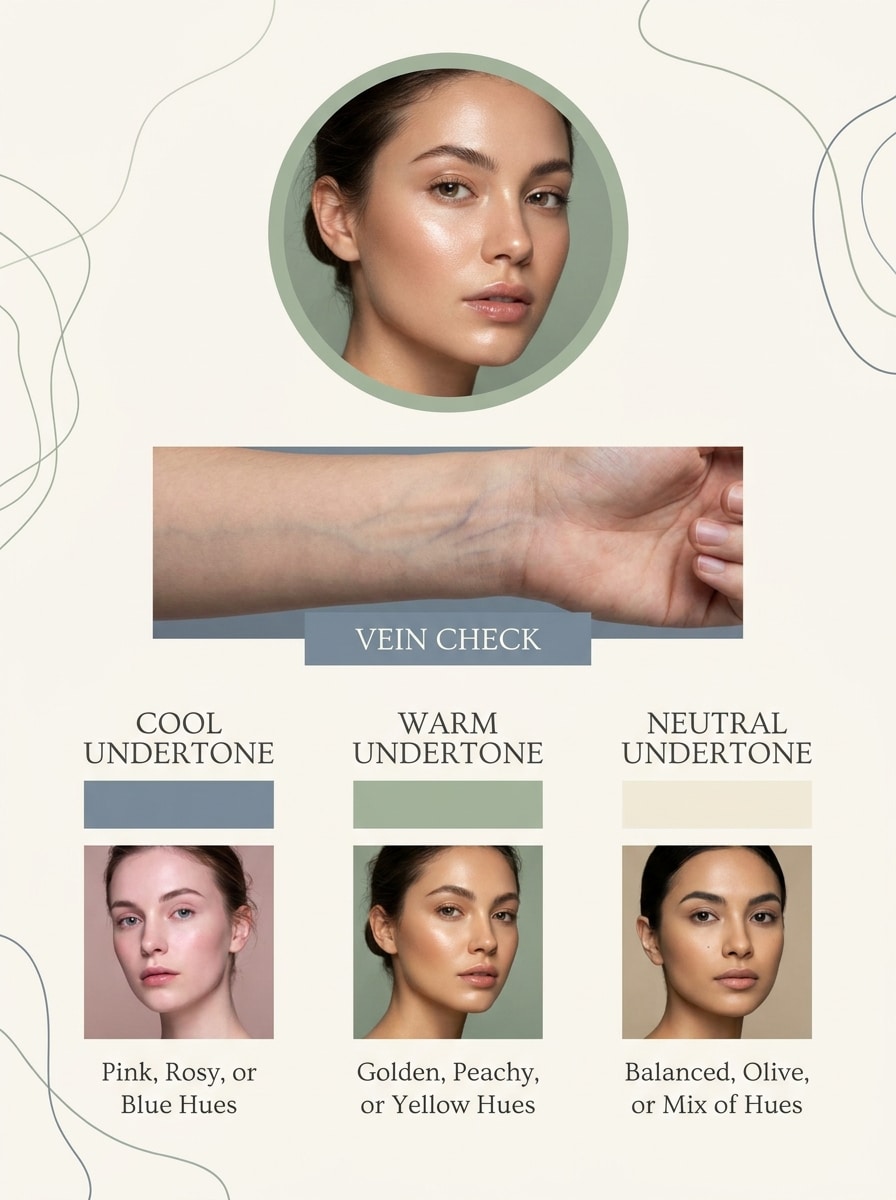
Vein Test Infographic
Use the uploaded image as the subject and transform it into a skincare-style infographic explaining the wrist vein test alongside undertone analysis. Include a clean portrait, a close crop of the wrist, labeled vein color examples, soft editorial lighting, and a minimalist layout in cream, sage, and muted blue-gray tones.
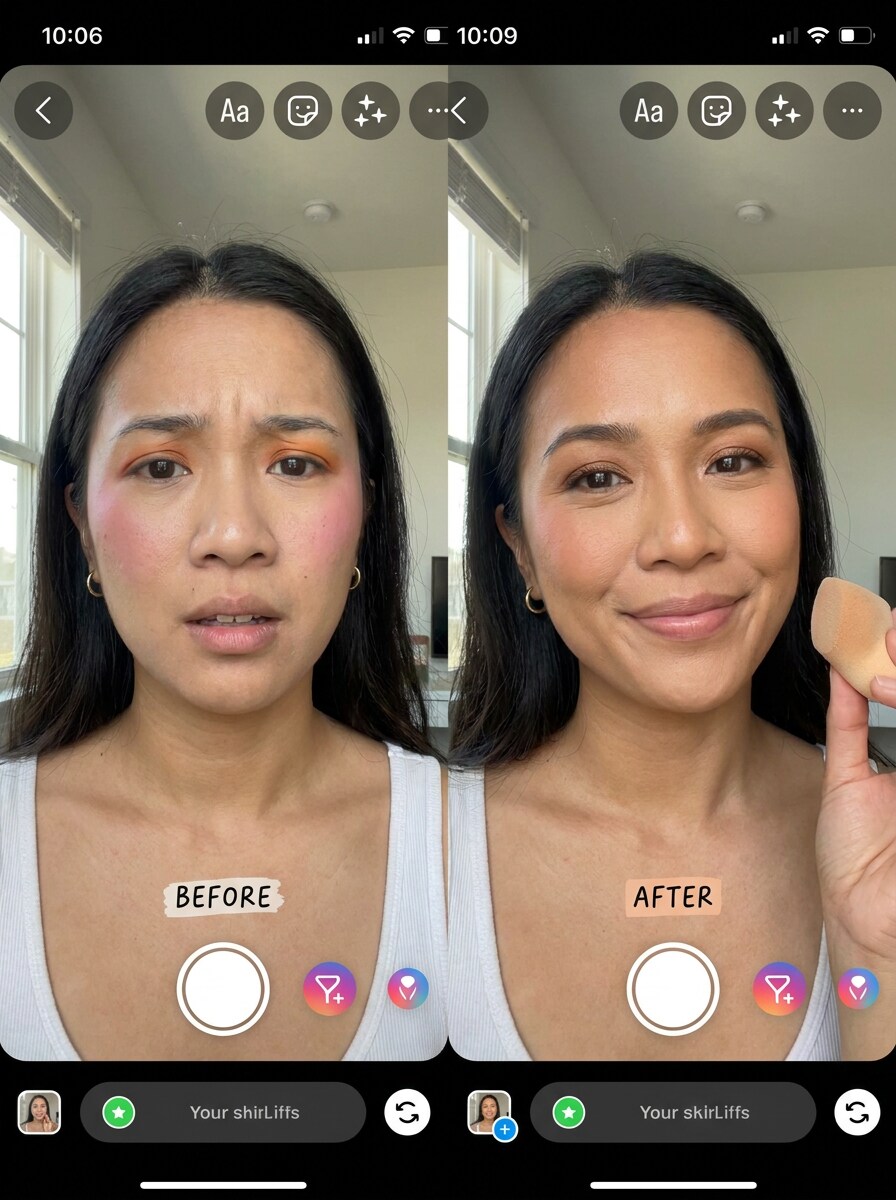
Before After Makeup Upgrade
Use the uploaded image as the subject and create a UGC-style before-and-after beauty transformation. Show one side with less flattering color choices and the other with undertone-matched makeup, preserving facial identity, realistic selfie framing, bright indoor light, soft contrast, and an authentic creator aesthetic with clean labels.
Closet Color Refresh
Use the uploaded image as the subject and generate a lifestyle fashion collage with recommended clothing colors based on the undertone result. Keep the person recognizable, add wardrobe swatches, polished editorial arrangement, soft neutrals, muted accent shades, and a stylish creator-post feel that connects beauty analysis with outfit planning.
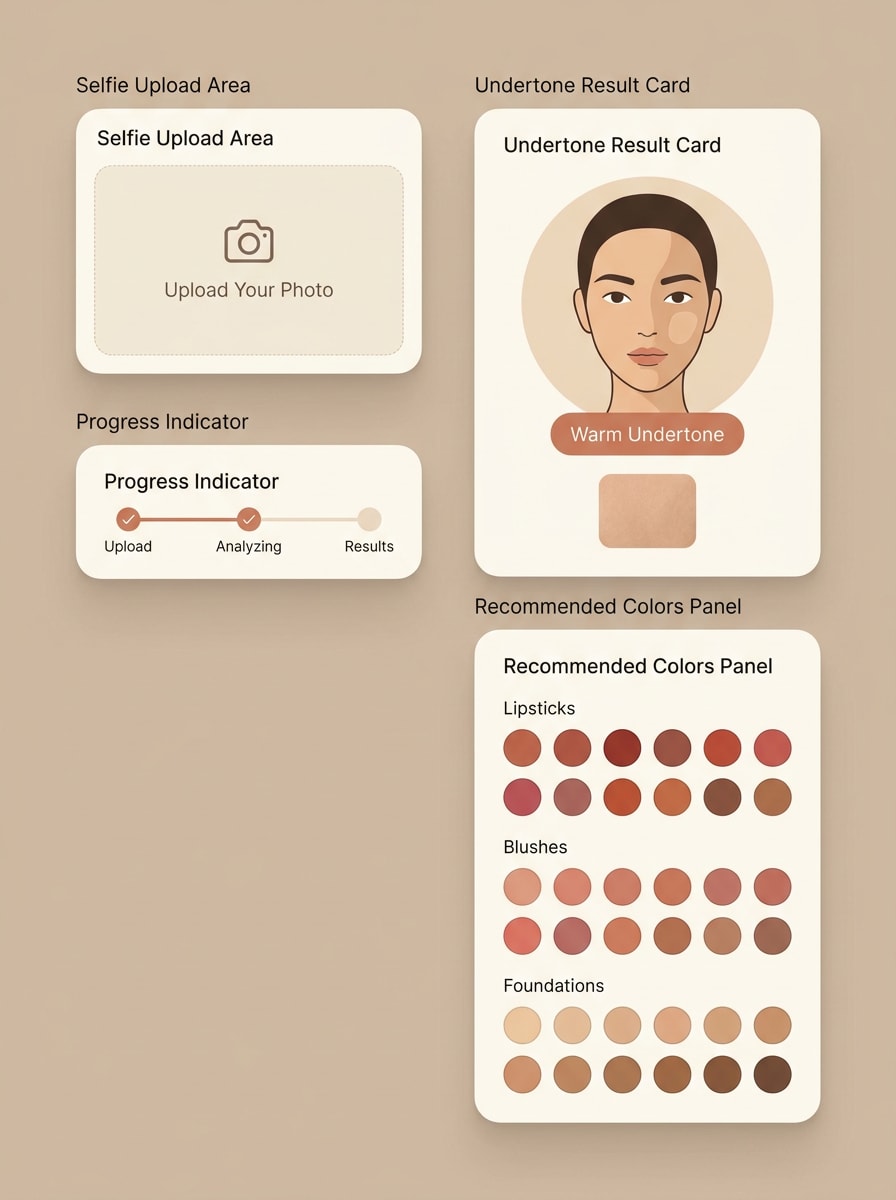
Upload-and-Analyze Interface
Use the uploaded image as the subject and place it inside a modern beauty-tech interface mockup. Show a selfie upload frame, progress indicator, undertone result card, and recommended color section. Use clean SaaS styling, rounded cards, warm neutral palette, subtle shadows, and a clear, trustworthy user-flow composition.
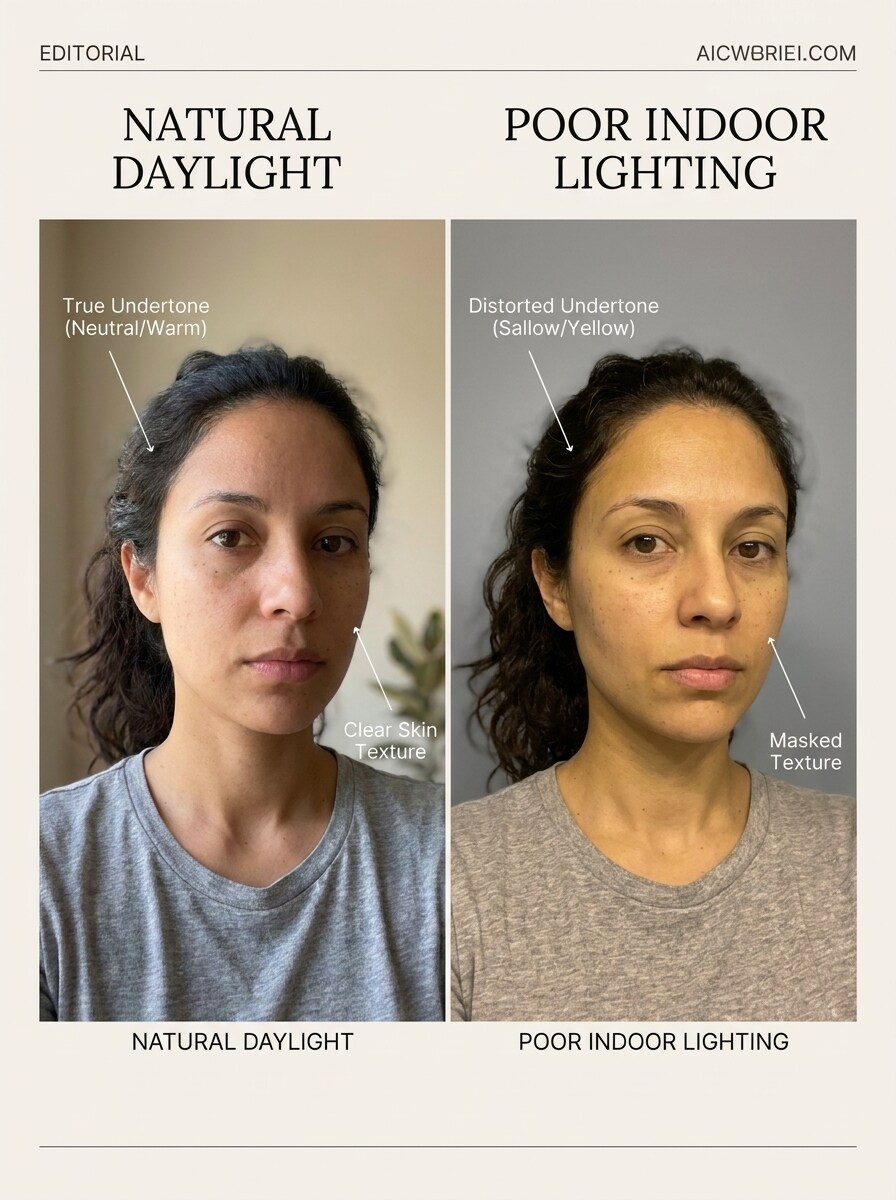
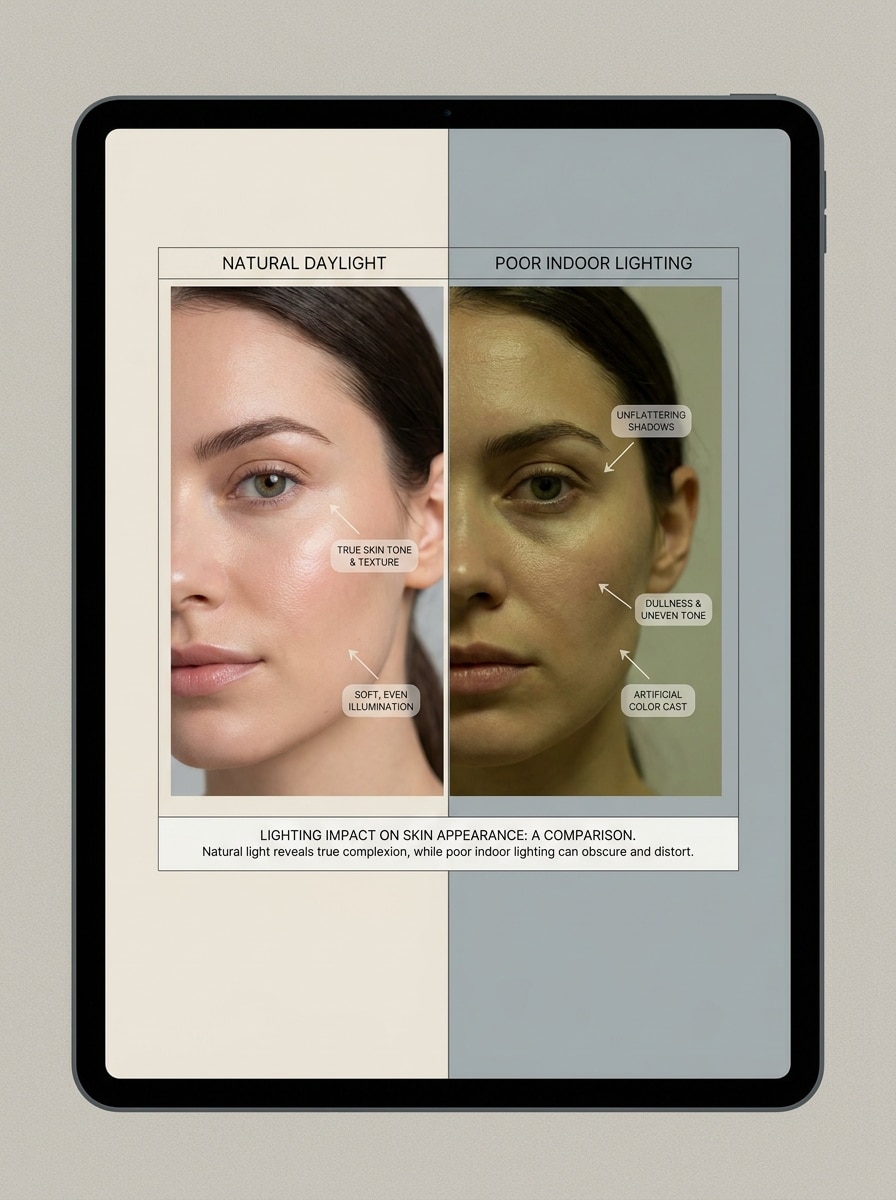
Natural Light Accuracy Demo
Use the uploaded image as the subject and create a side-by-side educational visual that compares undertone analysis in natural daylight versus poor indoor lighting. Preserve identity, show realistic skin rendering, add subtle annotations, and keep the layout clean, informative, and editorial with soft beige and cool gray contrast.
Why Use Media.io for Skin Undertone Analysis
Reference-Based Results That Stay Tied to Your Selfie
For upload-driven edits, Media.io keeps the reference subject visually consistent while shifting the skin undertone analyzer direction, so it is easier to explore how to identify your undertone through personalized visuals you can use with more confidence.
Rework One Subject Into Multiple Styles
If the subject still needs to look like itself after the transformation, Media.io helps hold onto core identity cues while updating the final skin undertone analyzer visual style for a cleaner finished result.
Keep Final Visuals Sharp for Real Projects
For visuals that need to go beyond a small preview, Media.io helps produce sharper skin undertone analyzer results up to 4K, making comparisons more dependable for practical design, client presentation, or closer review of how to know your skin complexion.
Easy to Use Across Phone and Desktop Beauty Workflows
When a skin undertone analyzer visual idea starts away from your main setup, Media.io lets you create and refine it in the browser so moving between mobile and desktop feels seamless instead of disruptive.
How to Use This Skin Undertone Analyzer
Turn your words into stunning visuals in three simple steps, then continue refining the result if you want to take it further.
Step 1
Upload Your Reference Image
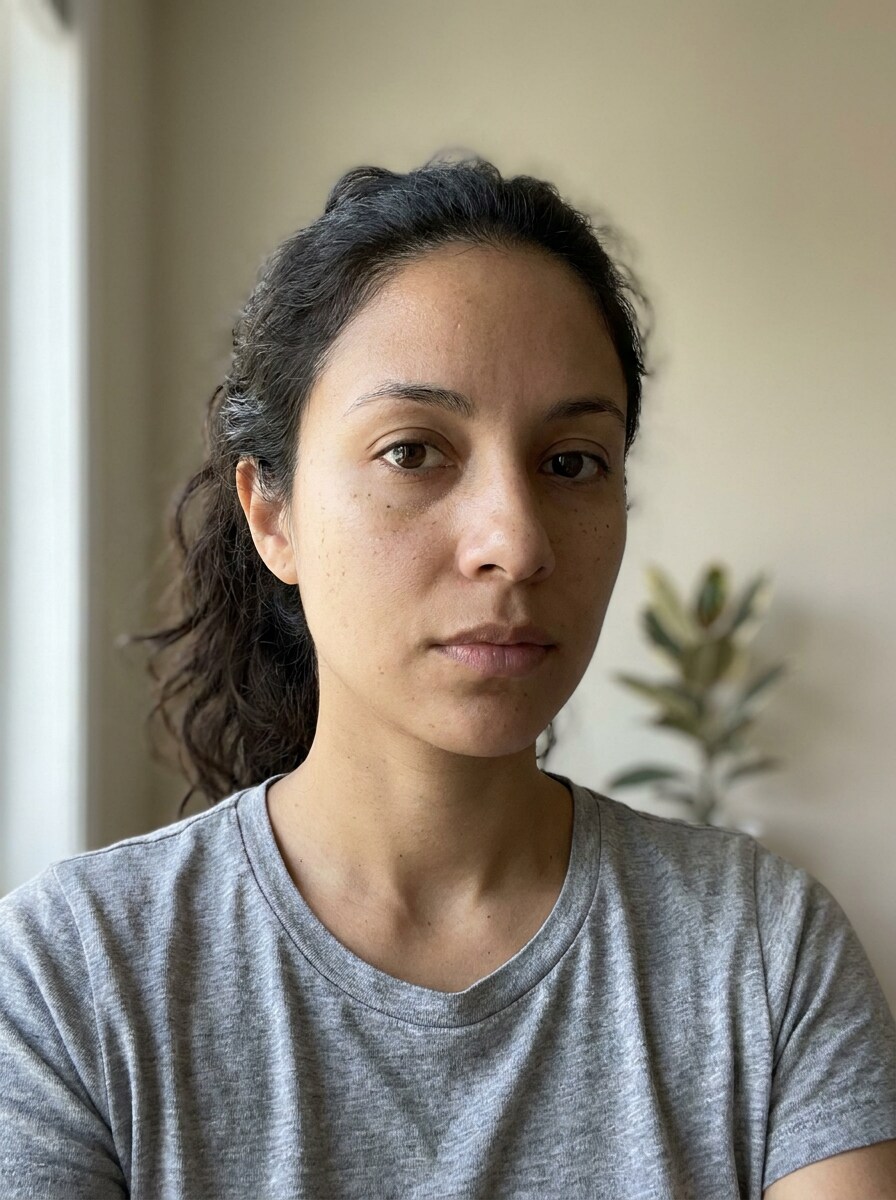
Upload a clear selfie or portrait with your face visible and minimal color cast. If you are wondering how to know your skin complexion or how to know my skin color tone, start with a well-lit image that shows natural skin clearly.
Step 2
Describe the Change and Set Options
Enter a prompt for the result you want, such as undertone detection, a warm-cool-neutral comparison, or a color palette board. Then choose your preferred model and adjust aspect ratio, quality, or the number of image variations.
Step 3
Generate, Download, and Keep Improving
Generate several results, compare the visuals, and download the clearest version. You can refine the prompt, test another selfie, or create extra cards for foundation matching, jewelry guidance, and wardrobe color recommendations.
Unlock the Potential of What Is My Skin Color Tone
See how creators use this Skin Undertone Analyzer on Media.io for content, marketing, and personal projects, then adapt each idea to fit the brief.
Choose Better Foundation Families Faster
If you keep asking how do you know your skin tone before buying base makeup, this tool helps turn a selfie into a clearer visual reference. It is useful for narrowing shade direction, spotting undertone mismatch, and creating swatch-style images you can revisit while shopping, especially if you are wondering how to know my skin tone or how to know my undertone.
Plan Jewelry and Outfit Colors with More Confidence
People often search how to figure out your skin tone, what color skin tone am i, or how to know my skin color tone when deciding between gold or silver, camel or charcoal, coral or berry. A visual undertone result makes those styling choices easier to compare without relying on guesswork alone.
Create Shareable Color Analysis Content
Beauty creators, consultants, and personal stylists can use selfie-based undertone visuals for client previews, seasonal palette boards, and before-after posts. It is a practical way to answer questions like how do i know my undertone, identify my skin tone, or how to know your undertone in a more visual format.
What Users Say About This Undertone Tool
Nina Patel
Beauty Content Creator
"Helpful for visual undertone comparisons" I liked that I could upload a selfie and generate side-by-side warm, cool, and neutral looks. It made undertone theory much easier to understand than reading a long article.
Amber Lewis
Makeup Shopper
"Great for foundation planning" I used it because I kept asking myself what is my skin color tone before buying foundation online. The swatch-style result gave me a much better starting point for choosing shades.
Sofia Ramirez
Personal Stylist
"Useful for client palette boards" The seasonal palette and jewelry visuals are especially good. I can quickly create polished reference images for clients who want a simple explanation of undertone and color harmony.
Jade Morgan
Skincare & Fashion Blogger
"Simple workflow on phone or laptop" I tested a few selfies under different lighting and the results were easy to compare. It is convenient that everything works in the browser without needing a separate app.
A skin undertone analyzer is a tool that helps you review a selfie and visualize whether your coloring looks more warm, cool, or neutral. On Media.io, you can upload a reference image and create clear undertone comparison visuals, palette boards, and beauty-style result cards that help answer questions like how to know your skin tone, what is my undertone, or how to know my skin tone.
2. How does an AI skin undertone analyzer work from a photo?
Media.io uses your uploaded selfie as a reference image and applies AI image-to-image generation to create undertone-focused outputs, such as warm versus cool comparisons, result cards, or color recommendation boards. A clear front-facing photo helps the tool produce more useful visuals for people asking how do you know your undertone, how to identify my skin tone, or how to identify your undertone from a photo.
3. Can I use a free skin undertone analyzer online?
Media.io offers free credits, so you can try the tool online before deciding whether you need more usage. If you want extra generations or higher-volume access, you can review options on the pricing page. Free exports may include a watermark, while paid plans support watermark-free high-resolution downloads.
4. How accurate is an undertone detector with selfies?
Results depend a lot on the quality of the selfie you upload. Clear lighting, a natural-looking photo, and minimal color cast make undertone visuals more dependable, while dim indoor light or heavy filters can affect how useful the comparison appears. Testing one or two clean photos is a practical way to answer how do i know my skin tone with better confidence.
5. What is the difference between skin tone and skin undertone?
Skin tone usually refers to the visible depth or surface color of your skin, while undertone describes the subtler color bias underneath it, often grouped as warm, cool, or neutral. That is why someone searching what is my skin tone may still need a separate undertone check before choosing foundation, jewelry, or clothing colors.
6. Can the tool tell if I have a warm, cool, or neutral undertone?
Yes. Media.io can help you create visuals designed around warm, cool, and neutral undertone comparisons, so you can review which result looks most harmonious and build matching color references for makeup, metals, or wardrobe planning.