
Smart Same-Font Preservation
Never worry about matching styles manually. Our advanced AI detects the original style to replace text with the same font, color, weight, texture, and size instantly.
 Nano Banana 2.1
 立即释放你的创造潜力,体验Media AI的魔力!
Change the words, keep the design. Media.io's AI image text editor lets you easily replace text in images, correct typos, and fix garbled AI-generated wording while automatically matching the original font, size, color, and style perfectly.
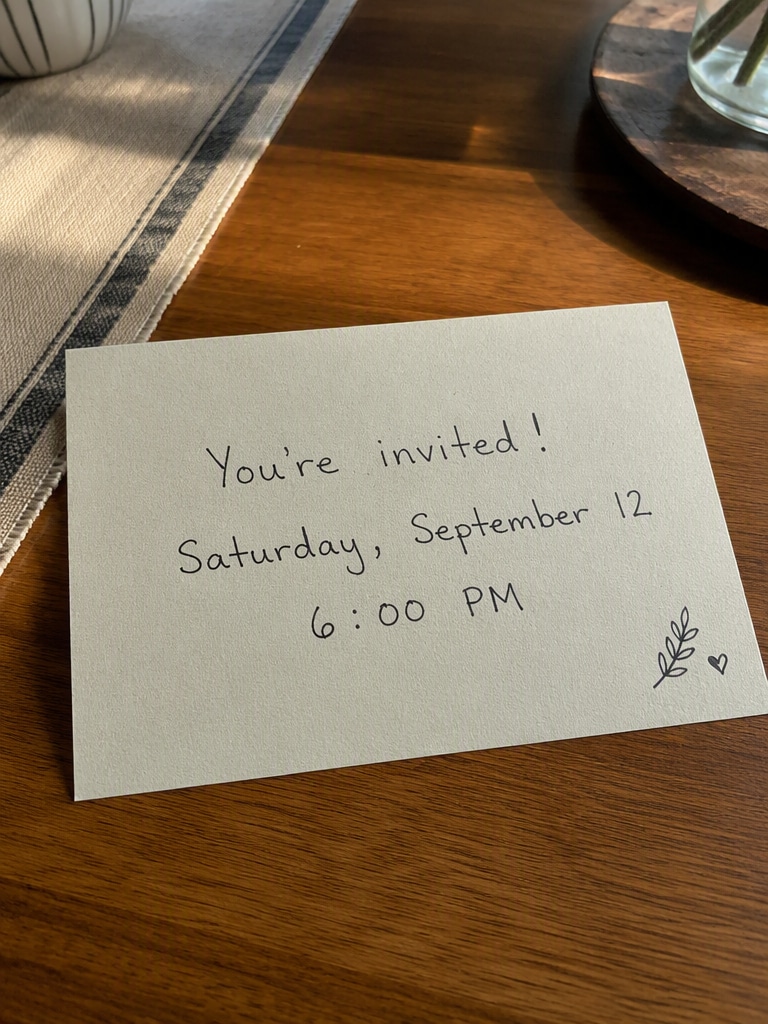 Before
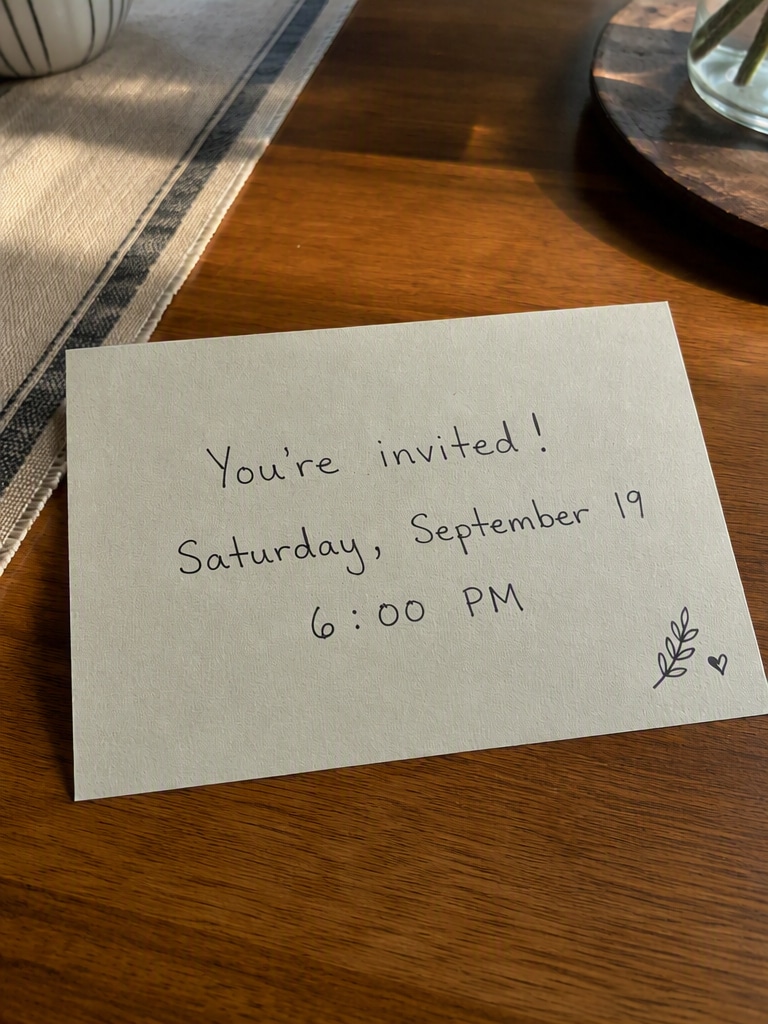 Change Date
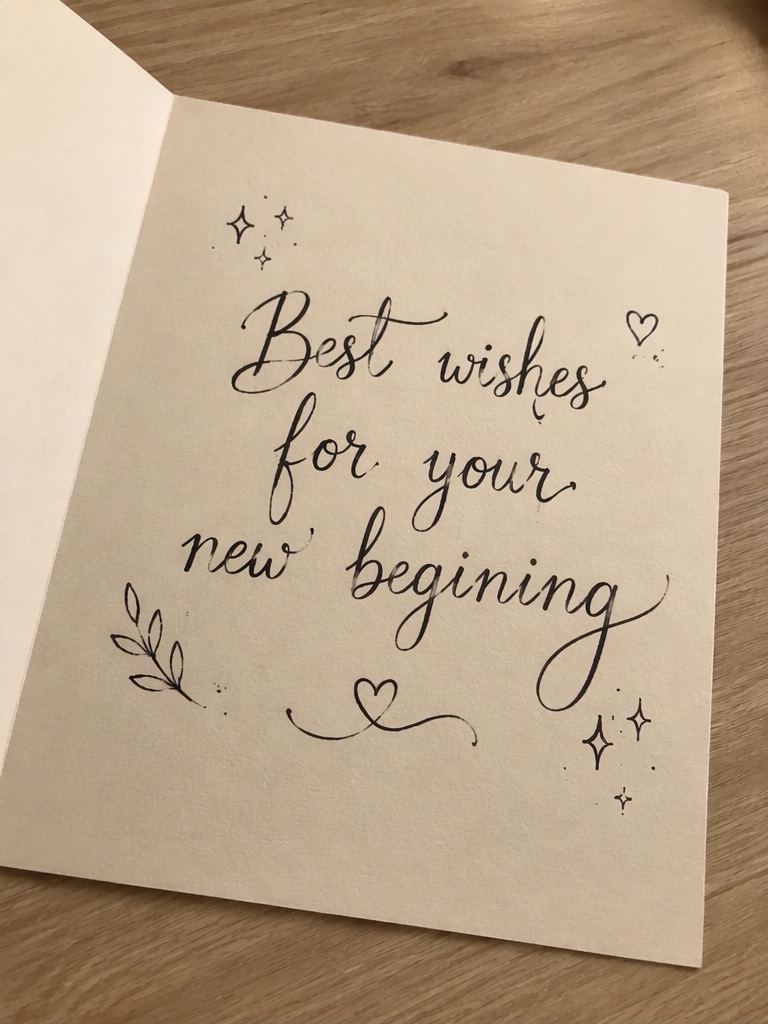 Before
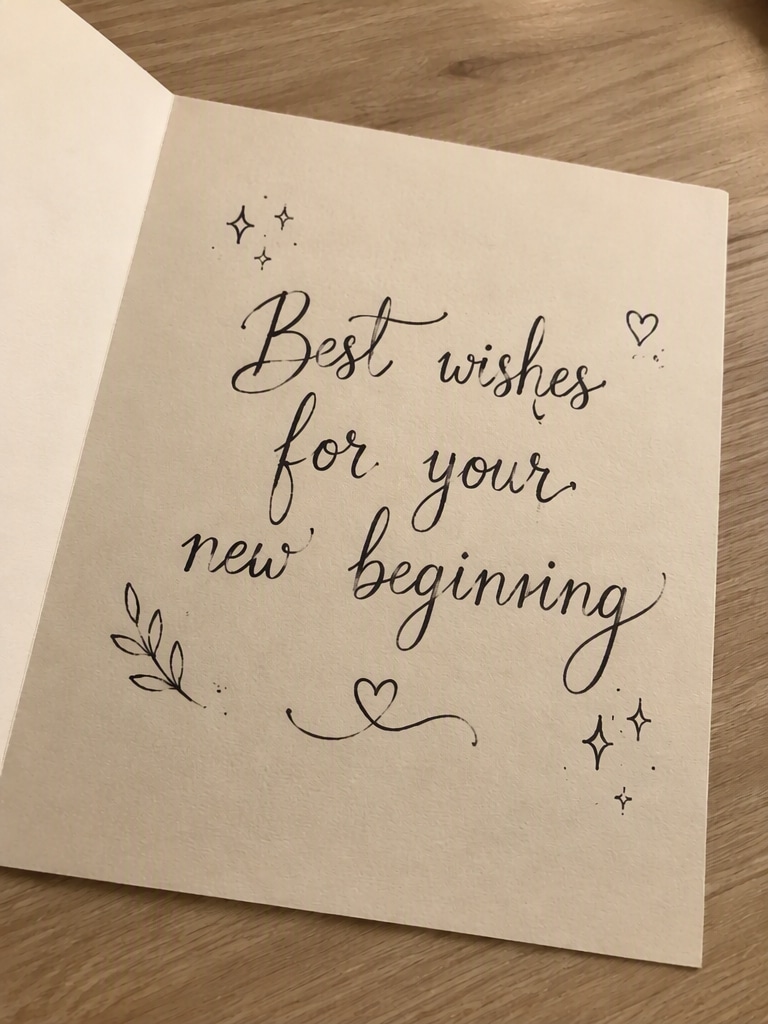 Fix Spelling
Free credits on signup. No design experience needed.
Never worry about matching styles manually. Our advanced AI detects the original style to replace text with the same font, color, weight, texture, and size instantly.
Quickly fix text errors in photos, correct misspelled graphics, or repair garbled text layouts generated by Midjourney, Stable Diffusion, and other AI image tools.
Forget complex selection tools. Simply tell the AI: "Replace 'Summer Sale' with 'Winter Sale' in the same font." The prompt-based editor handles the rest naturally.
Seamlessly edit poster text, change product label names, rewrite menus, correct screenshot text, update prices, modify signs, and localize global ads in seconds.
Upload your JPG, PNG, or WebP photo into the online AI Image Text Editor directly from your device.
Instruct the AI using natural language: for example, "Replace 'Old Price' with 'New Price' while keeping the exact same style, font, and lighting."
Click generate and watch the AI seamlessly rebuild the text region. Preview and download your updated image in high quality.

E-commerce Owner

“Updating product labels used to take hours in Photoshop!” Now, I can replace text in an image in seconds. I changed the ingredients on my packaging mockup, and the AI matched the handwriting font and perspective curve absolutely perfectly.
Graphic Designer
“The best way to fix AI-generated garbled text.” Midjourney produces gorgeous art but absolute gibberish words. I used this AI text editor to correct the text in an AI image while retaining the stylized cyberpunk aesthetic. Truly a game-changer!
Local Marketing Manager
“Incredibly easy to edit poster text on the fly.” I had to update dates and ticket prices across a dozen local music banners. I dragged them here, told the AI what to rewrite, and it completed the job flawlessly without altering the background art.
Social Media Coordinator
“Fast and seamless typo corrections.” I spotted a major spelling mistake on a published client banner. I corrected the text error in the photo using Media.io within seconds. It matched the custom retro font and neon glow style perfectly!
With Media.io's advanced AI Image Text Editor, keeping the original style is automatic. When you upload an image and specify your desired changes (e.g., "change text to 'New'"), our AI analyzes the surrounding typography to recreate the replacement text using the exact same font, weight, color, alignment, and background texture.
Yes, absolutely! Media.io is highly effective at correcting illegible or garbled text generated by image models like Midjourney or Stable Diffusion. Simply upload your image, describe the word you want to appear, and our AI will rewrite the text inside the image with clear, readable letters matching the surrounding visual design.
No design experience or software is required. Media.io's prompt-based AI lets you describe changes naturally—like "replace 'Summer' with 'Winter'"—making it incredibly simple to rewrite wording on posters, menus, packaging, signs, and screenshots directly inside your web browser.
You can edit text in JPG, PNG, and WebP image formats. Common use cases include correcting typos in promotional graphics, localizing foreign language banners, updating prices on digital restaurant menus, changing dates on party invitations, and editing captions on memes.
Yes, Media.io offers free credits upon signup so you can try out our prompt-based editor, adjust text in images, and download high-quality results online without watermarks.
 4.7 (162,357 Votes)



