
Ultra-Detailed High Resolution
Stop settling for blurry AI art. A well-crafted chatgpt high resolution prompt ensures you get sharp, lifelike textures and cinematic lighting every single time.
 GPT Image 2
Transform standard AI generations into breathtaking, high-resolution masterpieces. Use our copy-paste ChatGPT 4K prompts to instantly improve sharpness, texture, and realism, or directly enhance images to 4K quality using Media.io's advanced workflow.
Instant enhancement workflow. Supports 4K image output.
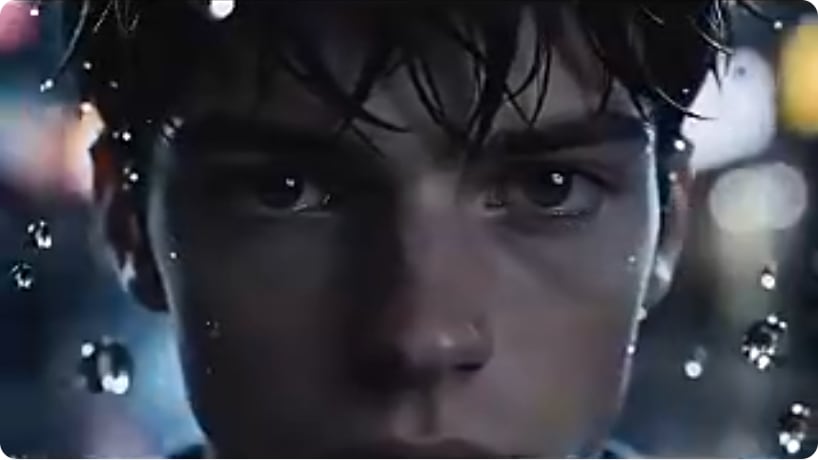 Before
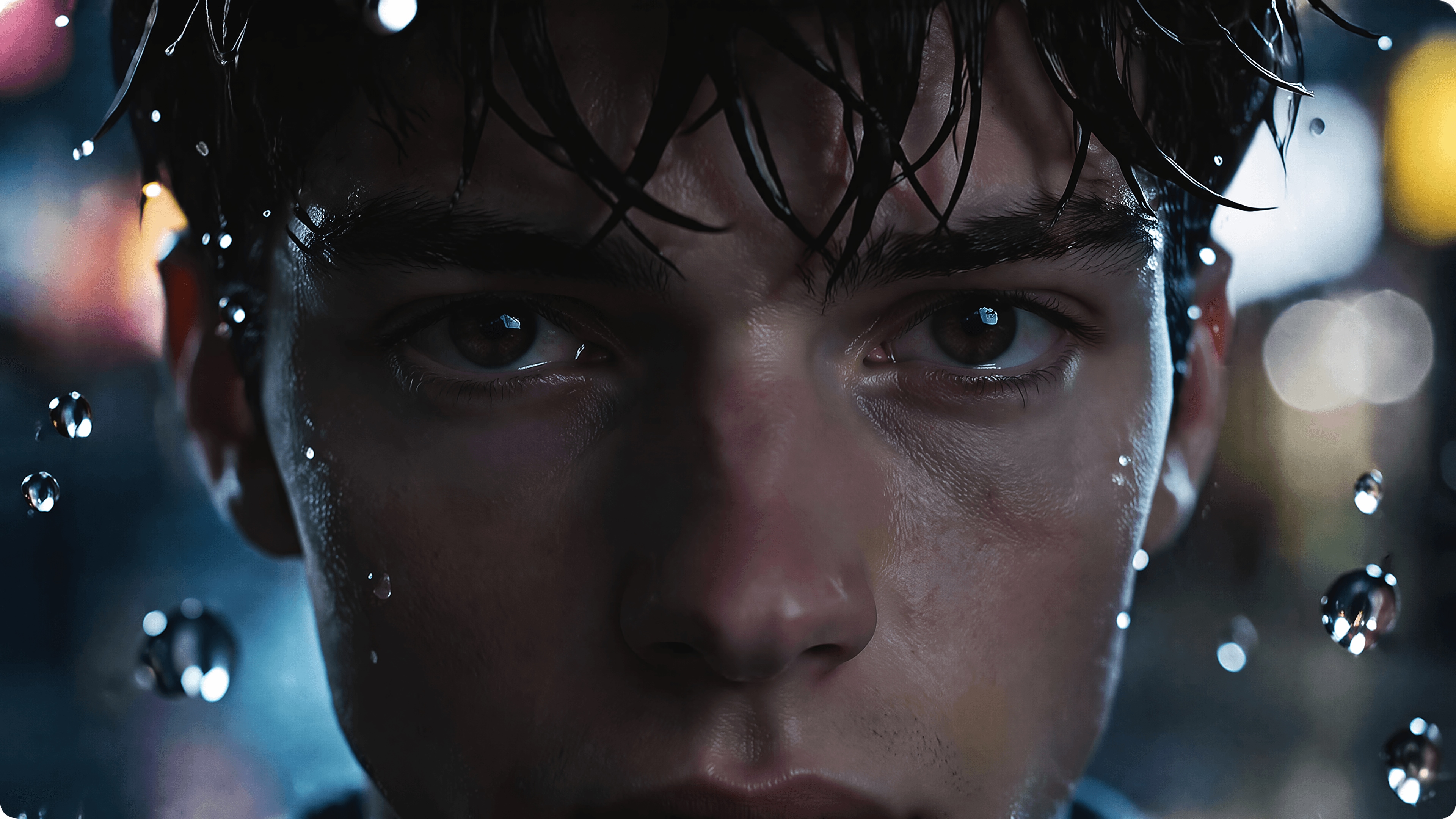 After 4K
Before vs After: Upgrade low-quality visuals into sharper, cleaner, more detailed 4K results with Media.io GPT Image 2
| Style | ChatGPT 4K Prompt | Use Case | Copy |
|---|---|---|---|
|
Exact 4K Fidelity Upscale
#4k upscale
#no change
#photorealistic
|
4K upscale from reference image with exact fidelity to face, identity, pose, camera, and composition. Keep clothing, hair, skin, and background unchanged. Enhance real details (pores, hair, fabric) with original colors, lighting, and shadows—no relight, no reshape. Remove grain, noise, and artifacts; apply sharpness without smoothing or fake gloss. No warping, no facial drift, no added/missing anatomy, no distortion, no perspective shift, no text/graphics, no hallucination, no stylization. Output must be identical to original—only sharper, clearer, higher resolution. |
Portraits, selfies, and reference-based enhancement | |
|
Natural Skin Detail Recovery
#skin texture
#beauty
#portrait
|
Enhance this image to ultra-clean 4K quality using the reference image exactly as-is. Preserve face, identity, expression, pose, hairstyle, skin tone, makeup, clothing, and background. Recover authentic skin texture, eyelashes, brows, lips, and hair strands while keeping natural pores. Keep original lighting and color unchanged. Reduce blur, compression, noise, and grain; increase clarity without airbrushing or plastic skin. No facial changes, no anatomy errors, no stylization. Final result should match the original perfectly, only in higher resolution. |
Beauty portraits & close-up faces | |
|
Product Photo 4K Upscale
#ecommerce
#product
#sharp detail
|
Upscale this product image to crisp 4K resolution while preserving exact object shape, materials, branding, label placement, camera angle, and background. Keep colors, reflections, and shadows identical. Improve edge clarity and recover micro-details like texture, stitching, and material grain. Remove blur, noise, and compression artifacts without altering proportions. No redesign, no deformation, no perspective shift, no hallucinated text. Output should be identical to the original—just sharper and higher resolution. |
Product listings & e-commerce images | |
|
Scene & Landscape Preservation
#landscape
#architecture
#travel
|
Enhance this scene to detailed 4K quality with strict preservation of composition, perspective, lighting, colors, and atmosphere. Keep all elements exactly as they are. Restore authentic textures such as stone, wood, foliage, and sky while maintaining natural contrast. Remove noise and blur; increase clarity without HDR exaggeration, oversaturation, or stylization. No object removal, no added elements, no perspective correction. Final image must look identical—only cleaner, sharper, and true 4K. |
Travel, interiors & outdoor scenes |
Stop settling for blurry AI art. A well-crafted chatgpt high resolution prompt ensures you get sharp, lifelike textures and cinematic lighting every single time.
Skip the trial and error. Grab our ai image enhancement prompt copy paste solutions to instantly improve image quality without complex technical knowledge.
Looking for a chatgpt upscale prompt? Combine powerful phrasing with Media.io's AI tools to transform low-res concepts into stunning 4K output.
Use our chatgpt prompt for realistic high detail to preserve authentic facial features, natural environments, and true-to-life lighting in your AI images.
Browse our curated library to find the perfect chatgpt 4k enhance prompt. Copy the text tailored for sharpness, realistic detail, or artistic upscaling.
Apply your chatgpt 4k image prompt directly in the AI chat or paste it into Media.io's integrated generation tools to guide the AI towards an ultra-detailed output.
Let the AI process your improve image quality chatgpt prompt. In seconds, download your ultra-sharp, realistically textured 4K masterpiece.

Digital Artist

“The ultimate chatgpt 4k prompt resource.” My AI generations used to look muddy. Using these copy-paste prompts completely transformed the sharpness and texture of my digital art!
Photographer
“Incredible chatgpt 4k image upscaling prompt!” I needed a quick way to enhance AI mockups to realistic quality. This workflow gave me the 4K-level results I needed instantly.
Marketing Director
“Best ai image enhancement prompt copy paste!” We generate dozens of ad creatives daily. Using a specific chatgpt prompt to enhance image to 4k saved us hours of post-editing.
Graphic Designer
“Perfect chatgpt prompt for realistic high detail.” The realism and high-resolution output I get now are mind-blowing. Media.io combined with these prompts is a game-changer.
A ChatGPT 4K image prompt is a specifically engineered set of text instructions designed to tell the AI generator to prioritize high-resolution, ultra-detailed, and sharp outputs. It often includes keywords related to 4K, 8K, cinematic lighting, and lifelike textures.
To use a chatgpt prompt to enhance image to 4k, simply copy one of our optimized prompts and paste it into ChatGPT (with DALL-E 3) or directly into Media.io. Describe your base image or upload a reference, and let the AI generate a high-resolution, enhanced version.
Yes! We offer a curated workflow of ai image enhancement prompt copy paste templates. Whether you need a chatgpt high resolution prompt for portraits, landscapes, or digital art, you can instantly copy and apply them to achieve 4K-level realism.
Absolutely. While standard generations may lack clarity, using a highly descriptive improve image quality chatgpt prompt—or pairing it with Media.io’s AI image generation tools—can significantly boost the sharpness, clarity, and texture of your visual outputs.
The best chatgpt prompt for realistic high detail includes specific photography terms like "macro photography," "f/1.8 aperture," "hyper-realistic," "octane render," and "4K resolution." Using a tailored chatgpt 4k enhance prompt ensures the AI focuses on lifelike realism.
 4.7 (162,357 Votes)



