Creations are stored for only 7 days. Assets created after upgrading to a Membership plan will be stored permanently.
Unlock your creative potential and experience the magic of Media AI right away!
Create a Room Colour Chart with Realistic AI Room Previews
Design a room colour chart in seconds with AI-generated room mockups, palette boards, and wall colour ideas. Explore bedrooms, living rooms, kitchens, and bathrooms with realistic layouts, side-by-side comparisons, and styles inspired by earth tone interior color schemes and modern interiors.
Review these example directions, then tailor the prompt details to get stronger results with this Room Colour Chart Generator.
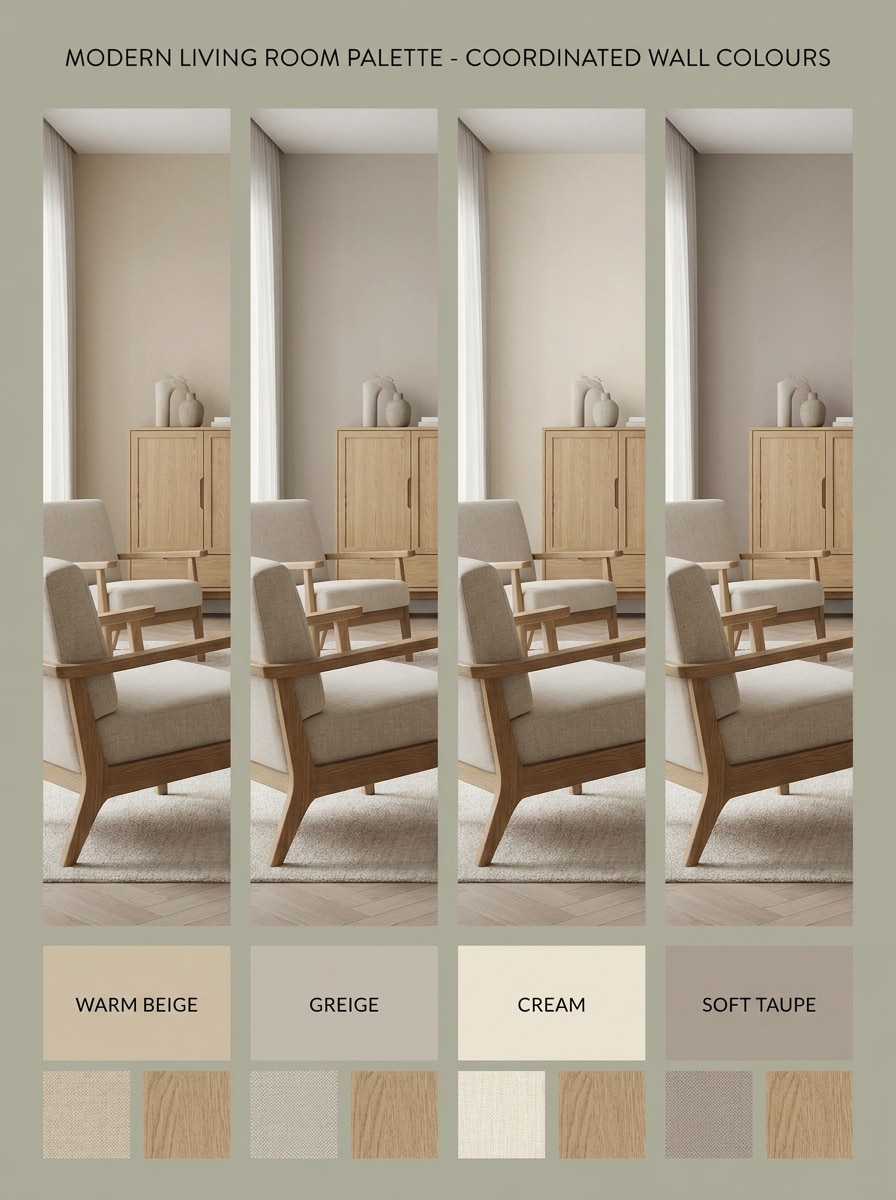
Warm Beige Modern
Photorealistic modern living room shown as a room colour chart with four coordinated wall colour variations: warm beige, greige, cream, and soft taupe. Use a clean side-by-side layout, oak and linen furniture, soft daylight, subtle shadows, labeled palette swatches, calm upscale mood, and editorial interior design board quality.
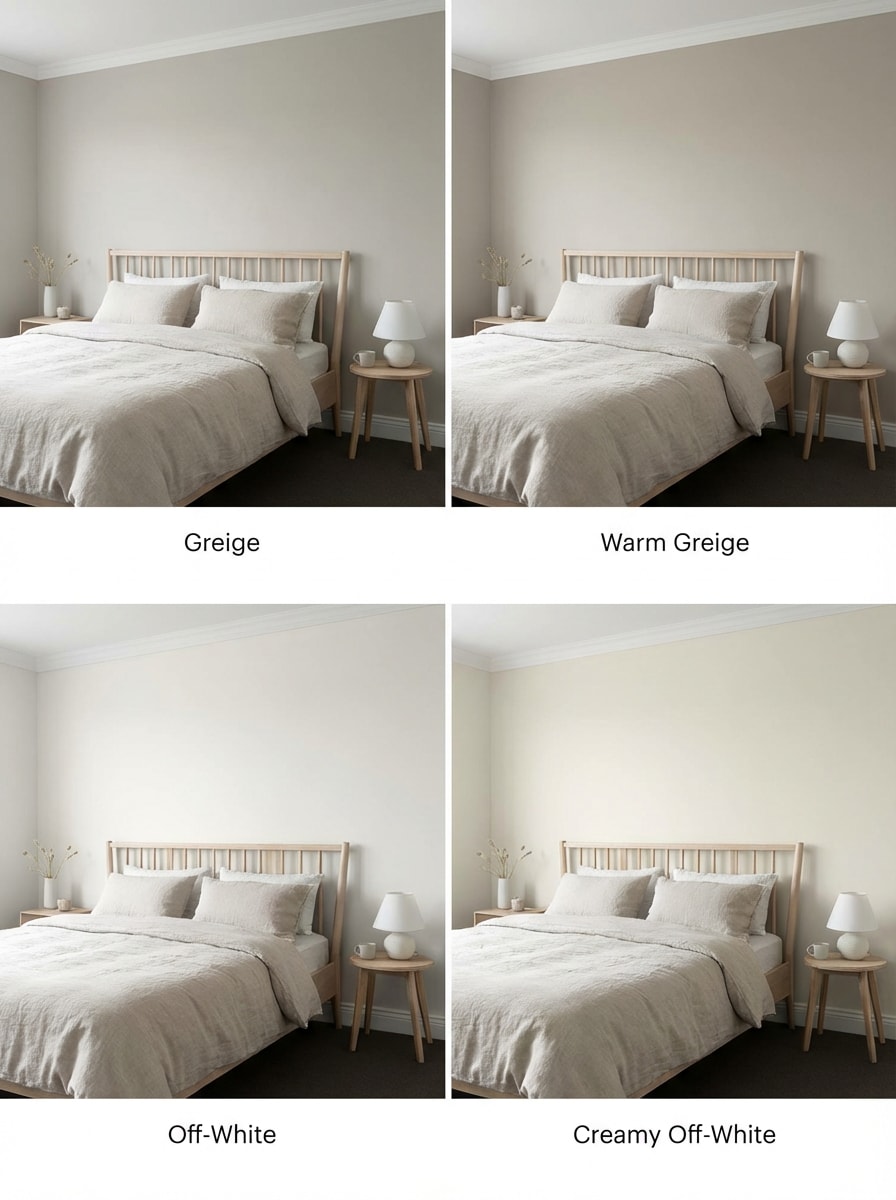
Greige Minimalist
Create a minimalist bedroom comparison board featuring multiple greige and off-white paint shades on the same room layout. Include soft Scandinavian decor, textured bedding, pale wood details, diffused morning light, crisp white trim, neat paint labels, and a serene catalog-style presentation with realistic wall finishes.
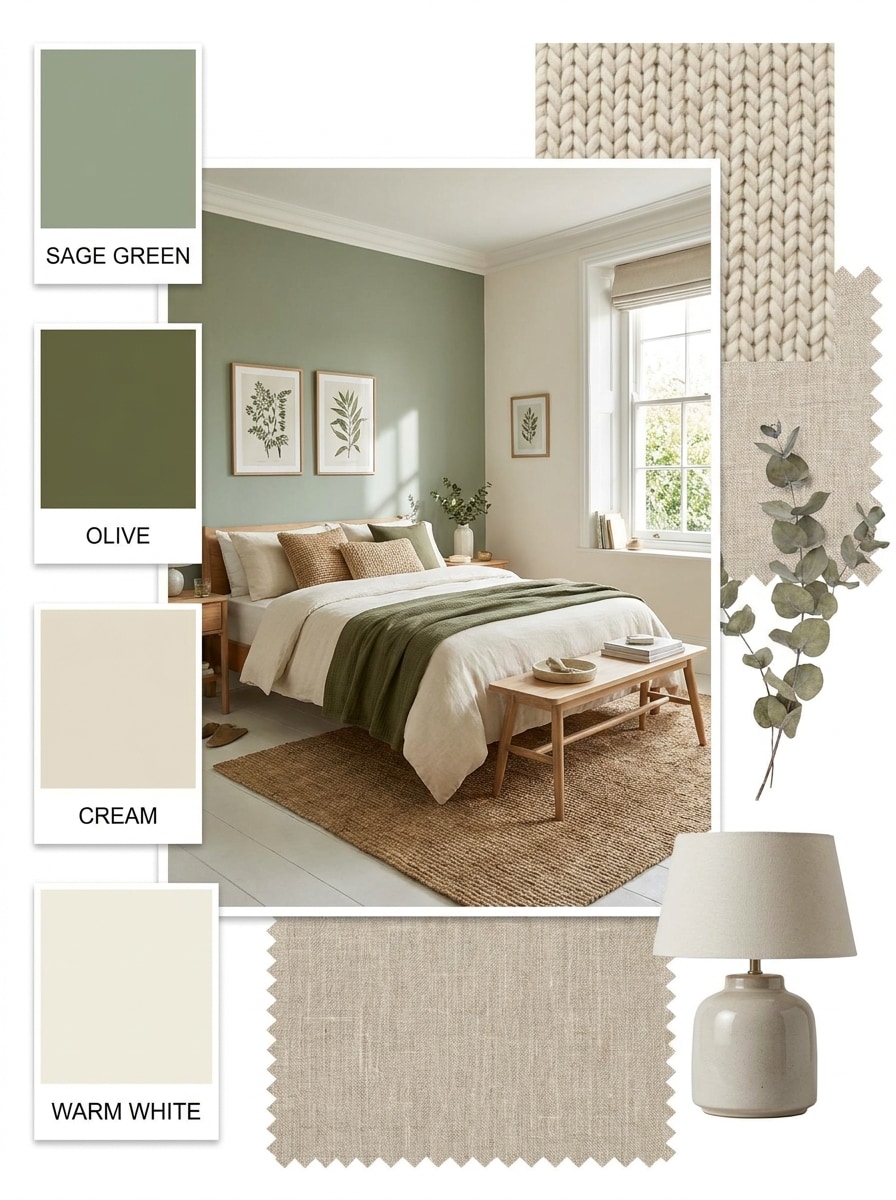
Sage Green Interior
Generate a cozy bedroom room colour chart featuring sage green, olive, cream, and warm white walls. Show botanical accents, woven textures, soft bedding, natural wood furniture, balanced daylight, and labeled colour chips in a Pinterest-style mood board. Emphasize a restful atmosphere with realistic materials and gentle contrast.
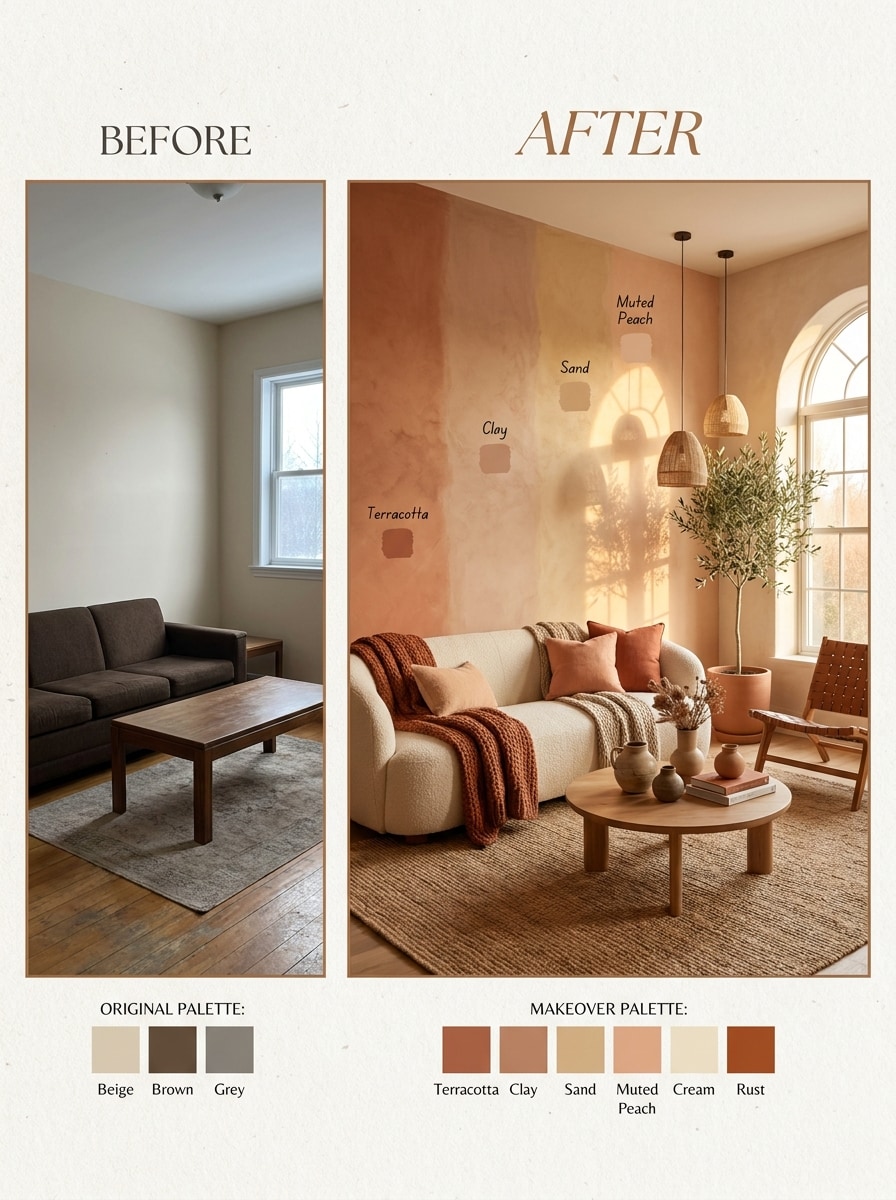
Terracotta Warmth
Visualize a living room makeover with terracotta, clay, sand, and muted peach wall colors in a before-and-after chart. Add organic modern furniture, textured plaster walls, warm sunlight, ceramic decor, soft textiles, and palette labels. Keep the tone inviting and stylish, with realistic colour transitions and magazine-quality composition.
Dusty Blue Calm
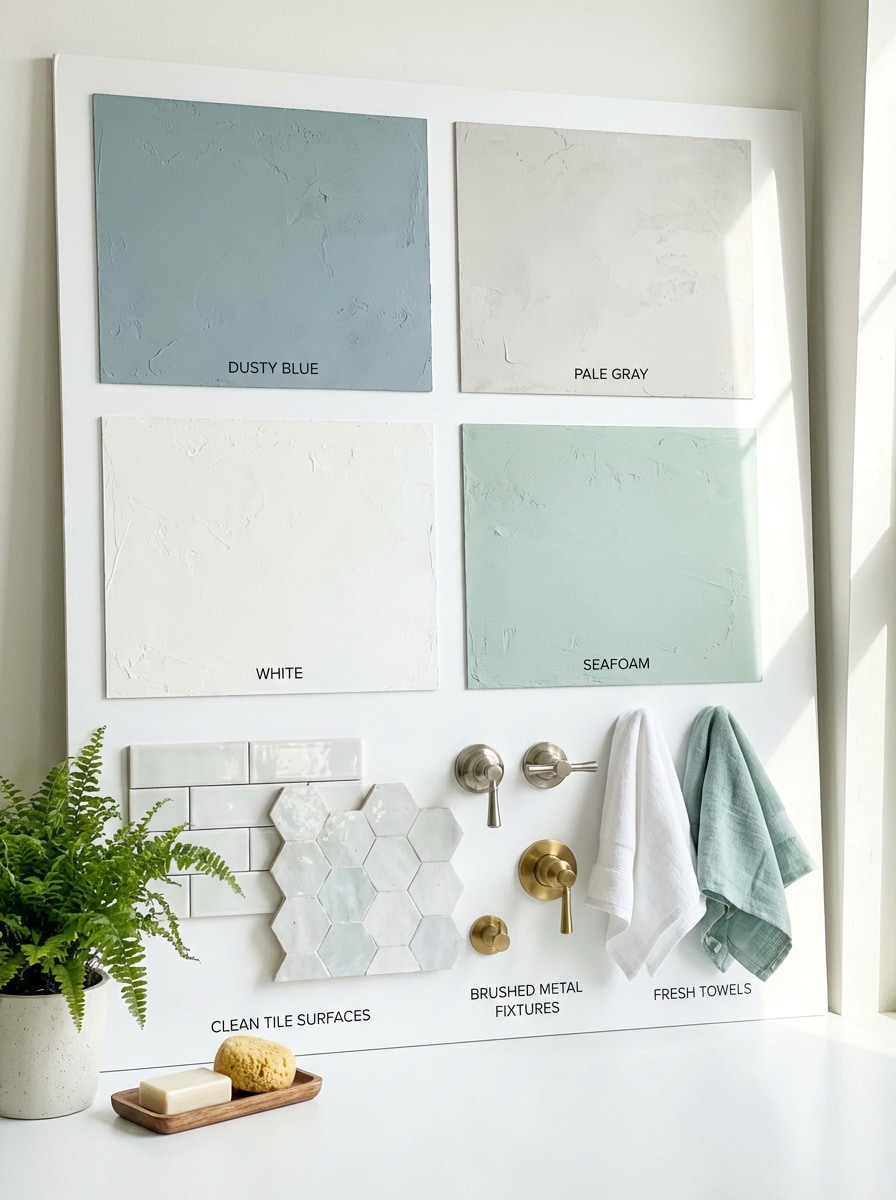
Make an airy bathroom room color chart with dusty blue, pale gray, white, and seafoam wall options. Include bright reflected light, clean tile surfaces, brushed metal fixtures, fresh towels, tidy composition, and clearly labeled swatches. Present it like a premium design board with realistic moisture-friendly finishes and tranquil mood.
Soft Gray Contemporary
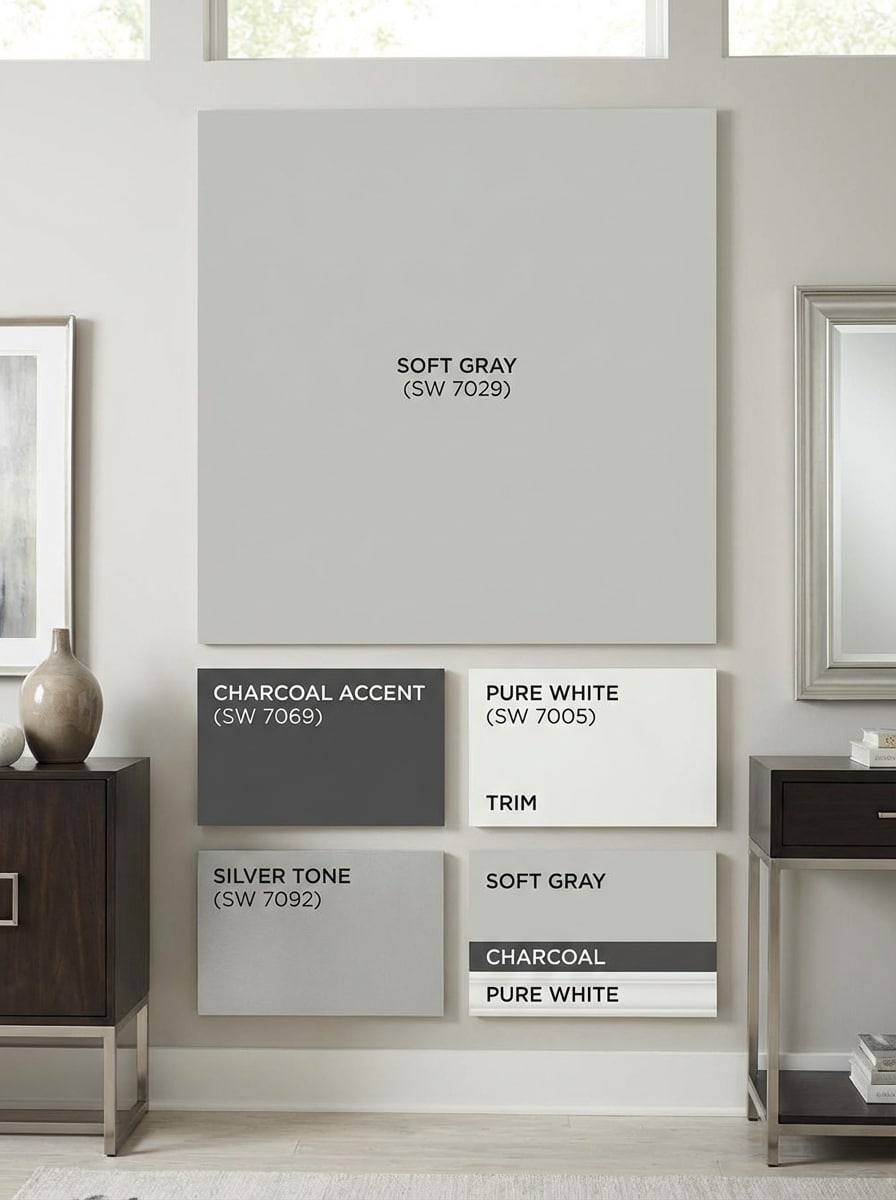
Generate a contemporary interior room paint chart with soft gray walls, charcoal accent details, white trim, and subtle silver tones. Use a realistic catalog aesthetic, balanced natural lighting, sleek furniture, smooth wall texture, neat comparison panels, and modern labels. Focus on polished contrast and practical wall color ideas for modern homes.
Bedroom Palette Grid
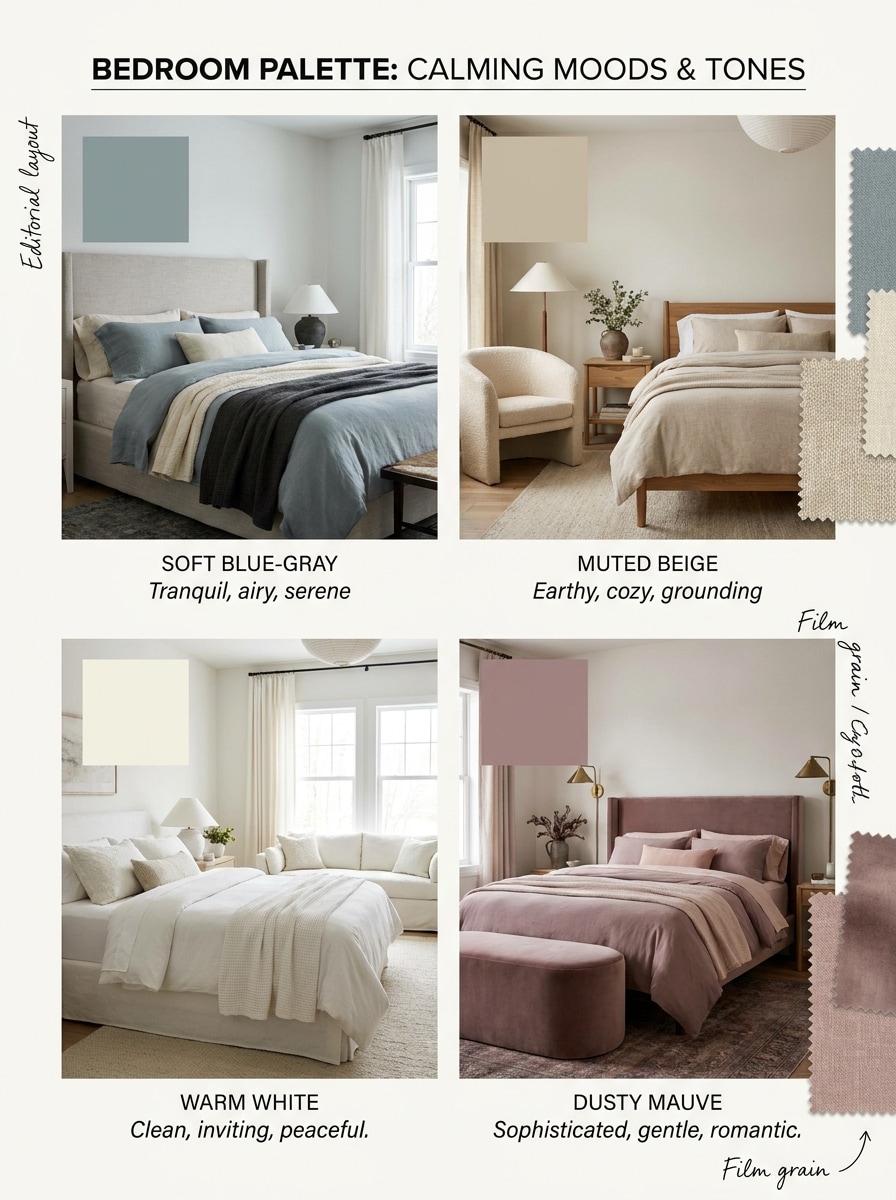
Create a bedroom palette grid with calming wall color options, arranged in a labeled multi-panel chart. Show soft blue-gray, muted beige, warm white, and dusty mauve variations with upholstered decor, layered bedding, gentle window light, and editorial layout. The result should feel realistic, refined, and useful for comparing mood and tone.
Living Room Before After
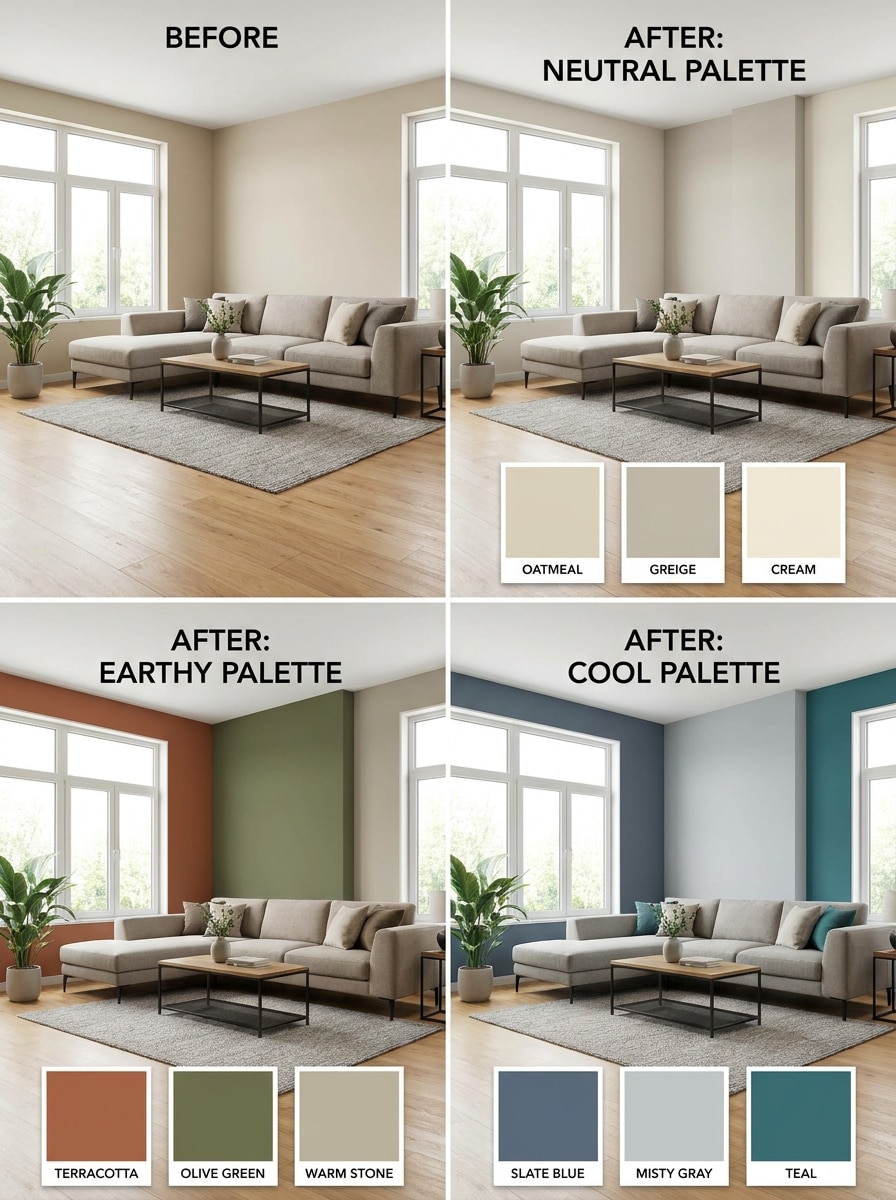
Show a photorealistic living room before-and-after comparison with three different paint palettes on the same space. Include one neutral option, one earthy palette, and one cool-toned palette, with modern furniture, daylight from large windows, clear panel divisions, and labeled paint chips for easy visual decision-making.
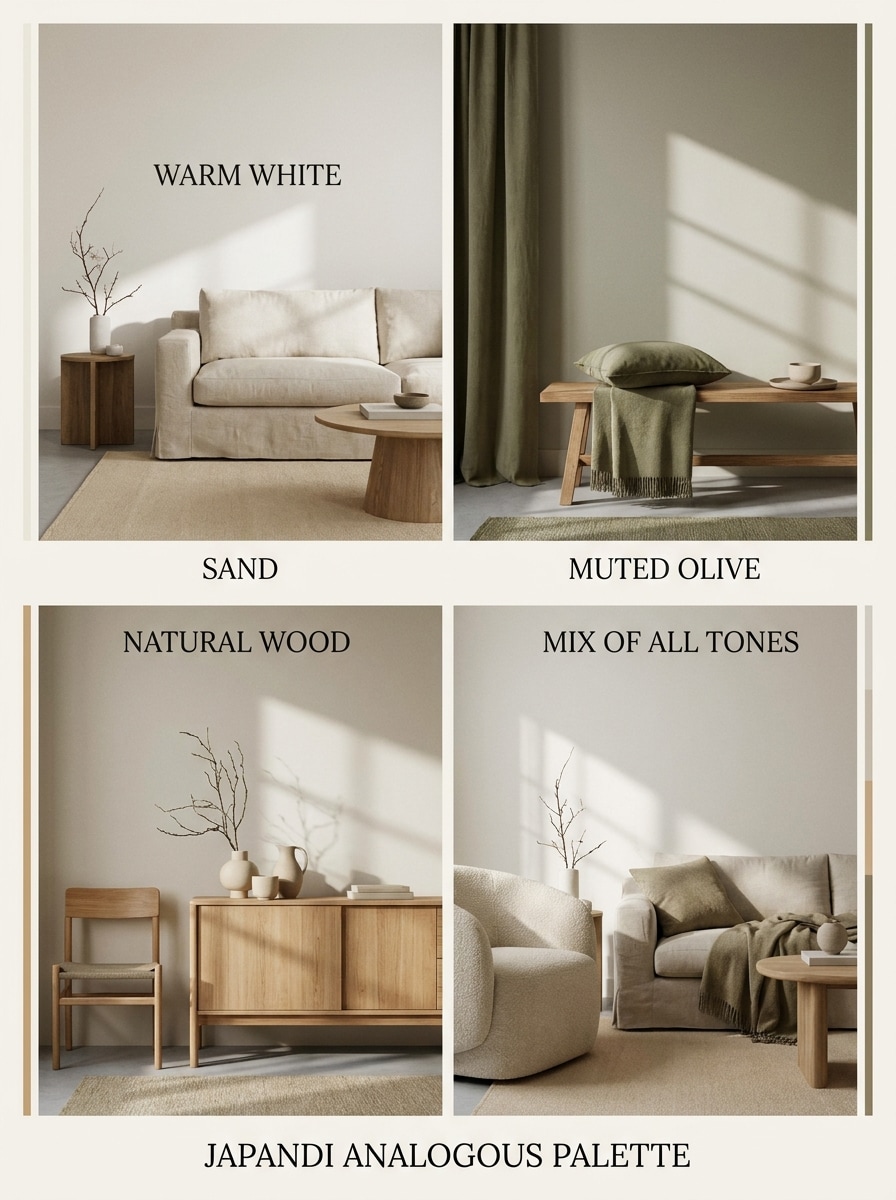
Japandi Palette
Generate a Japandi-style room colour chart with warm white, sand, muted olive, and natural wood tones. Use minimalist furniture, soft shadows, tactile fabrics, uncluttered styling, and a serene editorial mood board layout. Highlight an analogous color scheme interior feel with realistic finishes and elegant palette labels.
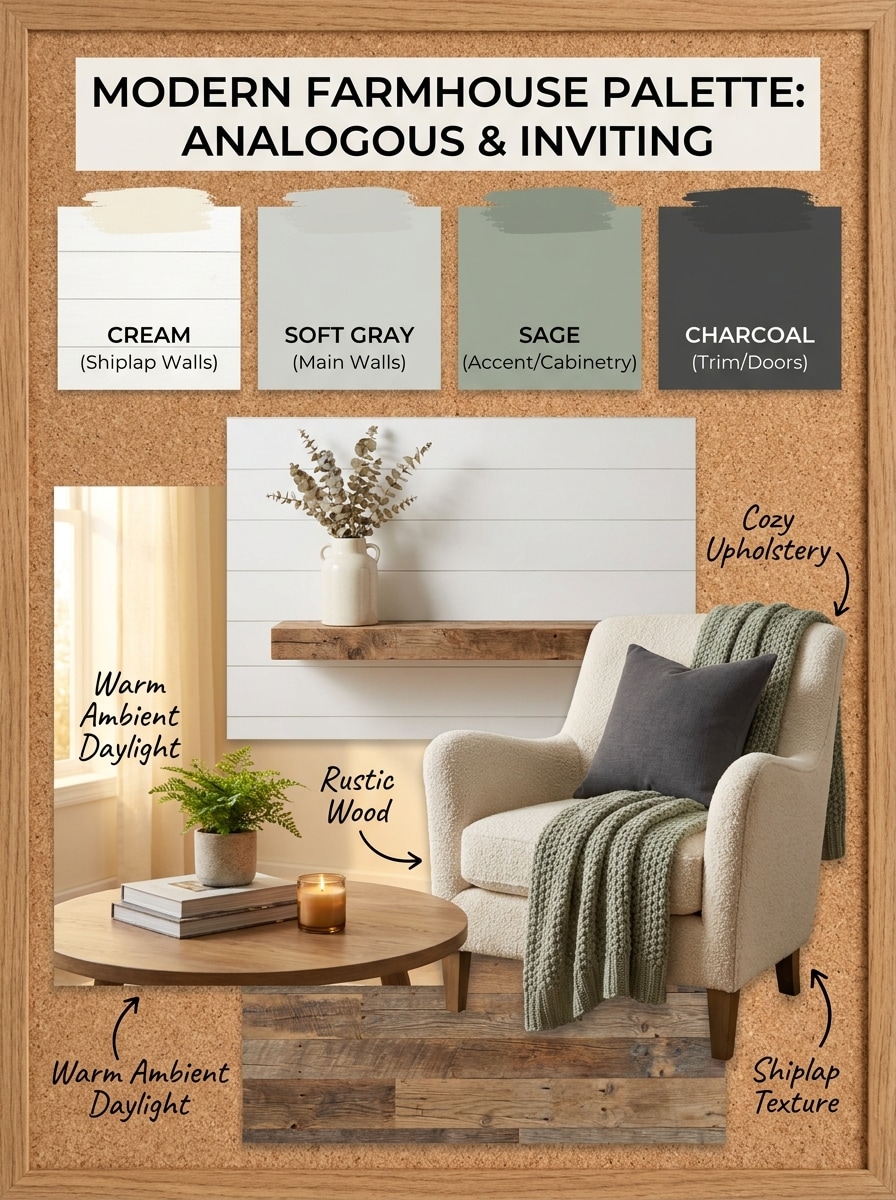
Modern Farmhouse Palette
Create a modern farmhouse room paint chart with cream, soft gray, sage, and charcoal accents. Include shiplap texture, rustic wood, cozy upholstery, warm ambient daylight, labeled swatches, and a curated decor scene. Present it as a practical inspiration board for analogous color scheme rooms and inviting family spaces.
Why Use Media.io for Room Colour Chart Design
Generate High-Resolution Room Visuals
Create room mockups and palette boards in 1K, 2K, or 4K resolution, making it easier to inspect wall tones, furniture balance, and overall mood before choosing paint directions.
Use Flexible Aspect Ratios for Design Boards
Choose from square, portrait, landscape, and editorial-friendly ratios such as 1:1, 3:4, 4:3, 16:9, and more to build room color charts, mood boards, or social-ready interior inspiration images.
Choose Models for Speed or Detail
Media.io offers Nano Banana Pro for next-generation image quality and Nano Banana 2 for faster creative generation, helping you produce anything from simple room paint concepts to polished interior-style previews.
Explore Multiple Interior Styles Easily
From realistic room previews to 3D render and artistic concepts, the tool helps you test color ideas across modern, farmhouse, Japandi, and other aesthetics without needing advanced design software.
How to Make a Room Colour Chart Online
1
2
3
1
Open Media.io Room Colour Chart Generator
Go to AI Text to Image Generator and open the Room Colour Chart Generator under AI -> Text to Image. This online tool runs in your browser, so you can start creating room paint ideas on desktop or mobile without installing software.
2
Enter a Prompt or Upload Details
Type a detailed prompt such as “modern living room room colour chart with warm beige, greige, cream, and taupe wall options, labeled swatches, soft daylight, realistic furniture.” Adjust the model, aspect ratio, and style to match your room concept.
3
Generate, Refine & Download
Click Generate to create your room color visual. Tweak the prompt if needed to test new palettes, compare layouts, or refine realism. Then download your high-resolution image for decorating plans, mood boards, or client presentations.
Unlock the Potential of Analogous Color Scheme Interior
See how creators use this Room Colour Chart for content, marketing, and personal projects, then adapt each idea to fit the brief.
Compare Wall Colours Before You Paint
Quickly preview multiple wall shades for living rooms, bedrooms, kitchens, and bathrooms without buying sample pots first. This is especially useful when you want realistic room paint ideas instead of flat swatches or a basic color chart.
Build Mood Boards for Designers and Homeowners
Create polished palette boards for renovation planning, client approvals, or personal inspiration. You can test neutrals, layered greens, and modern earth tone interior color schemes with furniture, lighting, and decor shown together for better decision-making.
Visualize Cohesive Palette Families by Style
Use AI to explore calm, coordinated interiors such as Japandi, farmhouse, minimalist, or cozy contemporary spaces. It works well for planning analogous color scheme rooms where nearby hues need to feel balanced across walls, trim, and accents.
What Users Say About This Room Color Tool
Amelia R.
Home Renovation Planner
"Much easier than browsing endless paint swatches" I used it to compare beige, sage, and greige options for my living room. Seeing the whole room instead of just tiny swatches made the decision much easier.
Daniel K.
Interior Design Freelancer
"Great for quick concept boards" I create fast client mood boards with labeled palette looks and room previews. The results are clean enough for early presentations and save me a lot of time.
Priya S.
DIY Decor Creator
"Helpful on mobile too" I tested bedroom paint colors on my phone while shopping for decor. The browser workflow was simple, and I liked being able to try several styles in one sitting.
Marcus T.
Property Stylist
"Useful for staging ideas" This helped me mock up neutral and earthy palettes for rental staging concepts. The room visualizations look realistic enough to compare moods before committing to a direction.
A room colour chart generator is an AI tool that helps you create visual room paint concepts from text prompts. Instead of viewing isolated swatches, you can generate full-room scenes, palette boards, and realistic wall color ideas for spaces like bedrooms, living rooms, kitchens, and bathrooms.
2. Can I upload a picture of my room and try paint colors?
This page focuses on text-to-image creation, so you can describe your room and preferred palette to generate a fresh visualization. If you want to upload a real room photo and test paint colors directly, Media.io
3. Is this room color visualizer free to use?
Yes, free users can try the tool with available free credits. If you need more generations or higher-volume usage, you can check Media.io’s pricing page. Free exports may include a watermark, while paid plans support watermark-free high-resolution downloads. Free users can use free credits. For more usage, users can subscribe to a plan on the pricing page. Upgrade to a paid plan on the pricing page for more credits and watermark-free high-resolution downloads.
4. How do I create a room colour chart from text?
Open the Media.io text-to-image tool, then type a detailed prompt describing the room type, wall colors, style, lighting, and layout. For example, ask for a bedroom palette board, a living room before-and-after, or a room color chart inspired by an analogous color scheme interior. The AI then generates your visual in the selected ratio and resolution.
5. Can I generate realistic wall color previews for different rooms?
Media.io supports realistic image generation styles and high-resolution output, so you can create wall color previews for many room types. It works well for living room updates, bedroom palettes, kitchen inspiration, and bathroom color comparisons with detailed prompt guidance.
6. Does the tool work on mobile and desktop?
Media.io is web-based and works in a browser on Windows, Mac, iOS, and Android devices. You can create room paint visuals from a laptop, tablet, or phone without installing design software. Media.io is a web-based tool that works on any device with a browser (Windows, Mac, iOS, Android).