AI Movie Poster Generator From Photo for Cinematic Poster Art
Upload any portrait, scene, or concept image and turn it into polished movie key art in seconds. Media.io helps you create dramatic action, sci-fi, thriller, horror, romance, and indie-style posters with fast AI image-to-image transformation.
Explore our curated collection of movie poster generator styles.
Epic Action Blockbuster
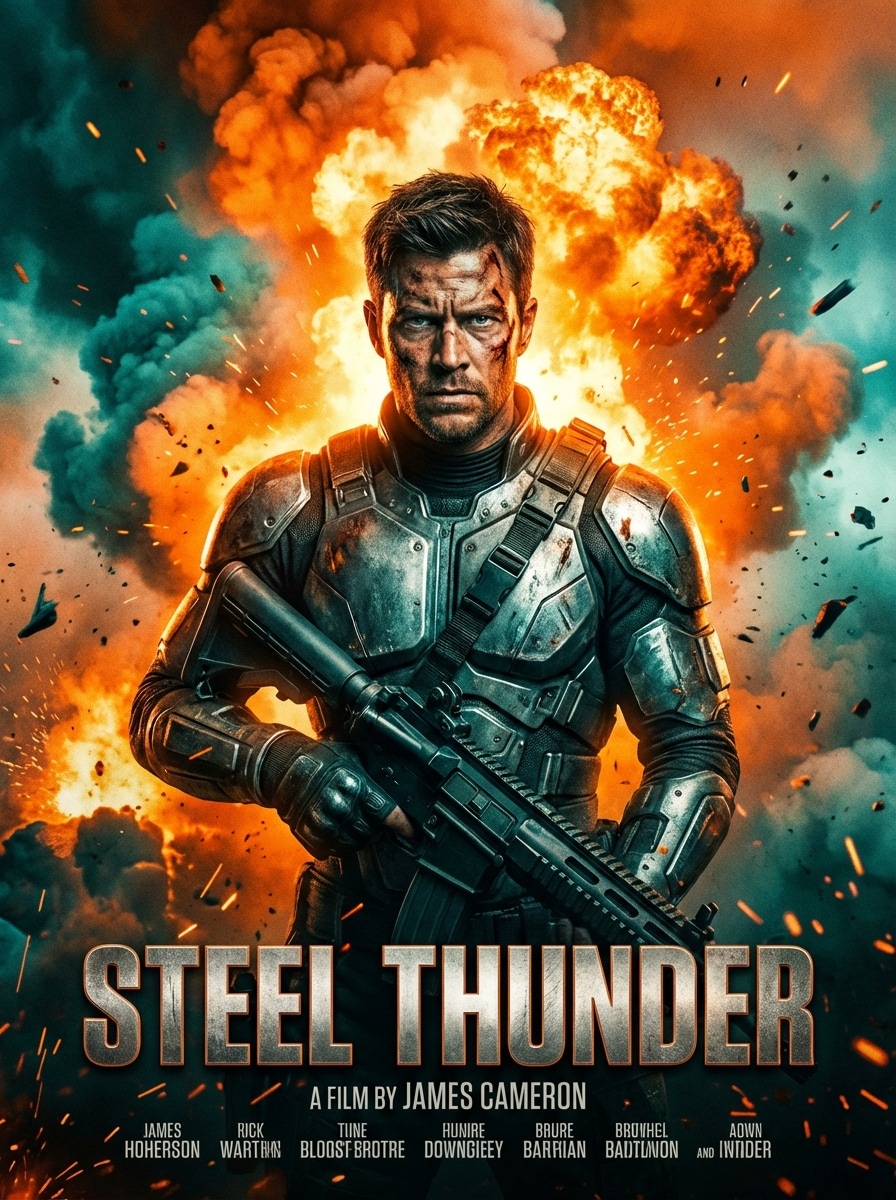
Use the uploaded image as the main hero subject and transform it into an epic Hollywood action movie poster with a centered portrait composition, explosive background, cinematic smoke, strong rim lighting, intense expression, orange and teal color grading, metallic texture details, dramatic atmosphere, and a bold theatrical title area near the bottom.
Sci-Fi Neon Futuristic
Use the uploaded photo as the featured character and restyle it into a futuristic sci-fi movie poster with a portrait poster layout, neon city lights, holographic interface effects, atmospheric haze, sleek reflective surfaces, deep blue and magenta palette, cinematic backlight, polished digital detail, and clean space for a premium title block.
Superhero Teaser Poster
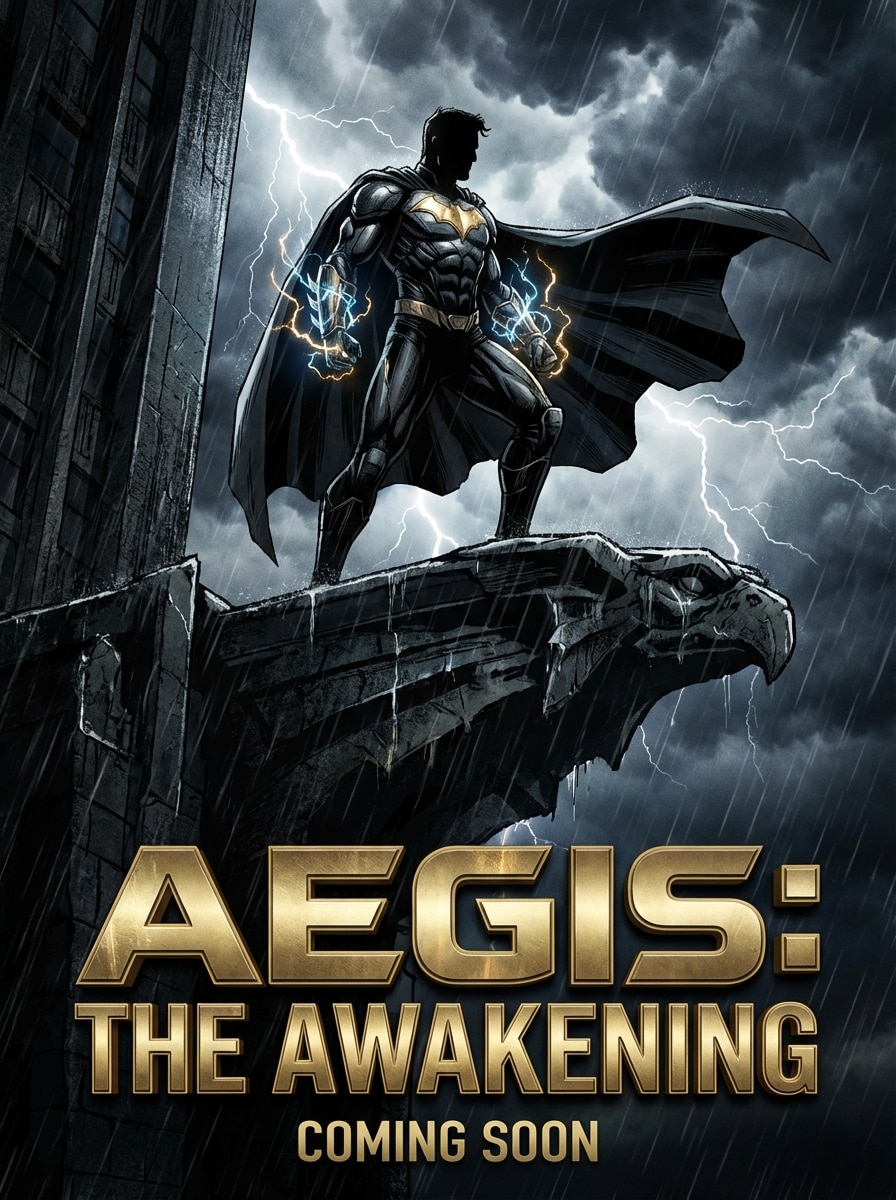
Use the uploaded image as the lead character and convert it into a superhero teaser poster with a powerful upright pose, dramatic storm clouds, glowing energy accents, high-contrast comic-cinematic realism, deep shadows, metallic textures, rich blue and gold highlights, theatrical mood, and a strong title zone for blockbuster poster styling.
Psychological Thriller
Use the uploaded image as the main subject and transform it into a dark psychological thriller poster with moody low-key lighting, ominous shadows, desaturated tones, subtle red accents, cold texture, suspenseful atmosphere, centered composition, minimal background clutter, and refined space for a stark title and credits block.
Vintage Horror
Use the uploaded photo as the focal figure and restyle it into a vintage horror movie poster with eerie dramatic lighting, distressed paper grain, retro print texture, deep black shadows, blood-red highlights, aged poster wear, illustrated realism, unsettling mood, and classic title placement inspired by 1970s and 1980s theatrical artwork.
Film Noir Detective
Use the uploaded image as the lead detective character and transform it into a film noir poster with black-and-white or muted sepia tones, hard shadows, moody alley atmosphere, drifting smoke, glossy rain reflections, sharp side lighting, elegant vintage title block, and a tense, classic cinematic composition for a detective story.
Indie Film Festival Poster
Use the uploaded image as the emotional center of an indie film festival poster with an art-house portrait composition, subtle color grading, soft natural lighting, thoughtful negative space, fine paper-like texture, restrained palette, editorial sophistication, and a clean typography area that feels modern, minimal, and festival-ready.
Romantic Drama Poster
Use the uploaded image as the main character and restyle it into a romantic drama film poster with warm golden lighting, soft cinematic glow, dreamy background blur, emotional close-up framing, delicate skin tones, elegant pastel highlights, gentle texture, heartfelt mood, and polished title placement for theatrical romance key art.
Documentary Prestige Poster
Use the uploaded image as the real-world focal subject and transform it into a prestige documentary poster with realistic cinematic portrait lighting, muted natural tones, subtle texture, clean composition, editorial sophistication, focused facial detail, calm serious mood, and a refined title area suited to award-season promotional artwork.
Retro Sci-Fi Pulp
Use the uploaded photo as the main hero and restyle it into a retro sci-fi pulp movie poster with a bold illustrated look, cosmic backdrop, vintage halftone texture, saturated reds and blues, retro-futurist shapes, dramatic glow, nostalgic theatrical composition, and strong title placement inspired by classic pulp adventure poster art.
Why Use Media.io for AI Movie Poster Generation
Turn Any Photo Into Poster-Style Key Art
Upload a JPG, PNG, or JPEG and transform portraits, scenes, or concept shots into cinematic movie poster visuals with AI image-to-image styling.
Choose Advanced AI Models
Create polished poster concepts using powerful models including Nano Banana Pro, Nano Banana 2, Media 2.0, Seedream 5.0 Lite, and Media 1.0 for flexible visual direction.
Control Size, Shape, and Variations
Generate 1 to 4 poster options at once, choose aspect ratios like 3:4 or 2:3 for poster layouts, and export in 1K, 2K, or 4K resolution.
Works Online Across Your Devices
Media.io runs in your browser on Windows, Mac, iPhone, iPad, and Android, so you can make an AI movie poster from photo without installing design software.
How to Make a Movie Poster From a Photo
1
2
3
1
Open Media.io AI Movie Poster Generator
Go to media.io/ai and open the AI image-to-image generator under AI -> Image to Image. This online tool runs in your browser, so you can create poster-style visuals on desktop or mobile without installing software.
2
Upload Your Image and Enter a Style Prompt
Upload a JPG, PNG, or JPEG, then type a detailed prompt such as: “Use the uploaded image as the subject and transform it into a dark psychological thriller movie poster with moody shadows, subtle red accents, cinematic lighting, and bold title space.” Adjust the model, aspect ratio, resolution, and image count if needed.
3
Generate, Refine & Download
Click Generate to create your poster. If needed, refine the prompt, try another genre style, or make multiple variations. Then download your final high-resolution movie poster artwork for social sharing, fan art, or indie film promotion.
"Fast way to visualize festival poster concepts" I uploaded a cast portrait and tested a few prompts for thriller and indie styles. The results looked much closer to real movie key art than generic filters, and it helped me mock up a poster direction in minutes.
Jordan Ellis
Content Creator
"Great for cinematic social posts" I wanted a dramatic poster look from a regular photo shoot. The action and sci-fi styles gave me high-contrast, theatrical images that looked polished enough for Instagram promos and YouTube thumbnails.
Sofia Ramirez
Graphic Design Student
"Helpful when you need inspiration quickly" Instead of building everything from scratch, I used Media.io to turn reference portraits into noir, horror, and romance poster concepts. It was a very efficient way to explore mood, lighting, and composition.
Ethan Brooks
Short Film Producer
"Useful for testing multiple poster directions" The aspect ratio and resolution controls made it easy to generate several versions for our film campaign. I especially liked being able to upload one image and try very different genres without a complicated workflow.
1. How can I make my own movie poster from a picture?
With Media.io, you can upload a JPG, PNG, or JPEG into the image-to-image AI tool, then add a prompt describing the movie poster style you want, such as thriller, sci-fi, horror, noir, or romance. After that, choose options like aspect ratio, resolution, and image count, then generate your poster-style result online.
2. Can AI generate a movie poster from a photo?
Yes. Media.io supports image-to-image creation, which means you can upload a reference photo and use AI to transform it into cinematic poster art. This is useful for turning portraits, character shots, or scene photos into AI movie poster concepts with different genre looks.
3. Is there a free movie poster generator?
Media.io offers 3 free credits per day, so free users can try the movie poster generator online. Free downloads may include watermarks, while paid subscribers can download watermark-free high-resolution images. If you need more generations or cleaner exports, you can compare plans here: https://www.media.io/pricing.html
4. What kind of images can I upload to turn into a movie poster?
Media.io supports JPG, PNG, and JPEG uploads. You can use a portrait, selfie, scene image, character reference, or other source visual as the base for your movie poster transformation.
5. Can I choose poster size and quality for my generated design?
Yes. Media.io provides multiple aspect ratios including Auto, 1:1, 9:16, 16:9, 4:3, 3:4, 3:2, and 2:3, which are helpful for poster-style compositions. You can also choose 1K, 2K, or 4K resolution and generate 1 to 4 images at a time.
6. Does Media.io work on mobile for making cinematic posters?
Yes. Media.io is web-based and works on devices with a browser, including Windows, Mac, iOS, and Android. You can upload your photo, enter a cinematic poster prompt, generate the result, and download it directly from your phone, tablet, or computer.