Creations are stored for only 7 days. Assets created after upgrading to a Membership plan will be stored permanently.
Unlock your creative potential and experience the magic of Media AI right away!
Фото золотого часа с ИИ: копируйте и вставляйте трендовые промпты Gemini AI для золотого часа
Присоединяйтесь к вирусному тренду фото золотого часа с ИИ в социальных сетях. Загрузите своё изображение и используйте наши промпты Gemini AI для золотого часа, чтобы мгновенно превратить обычные фотографии в кинематографические сцены заката — с тёплым золотым освещением, мягкими тенями и естественным свечением заката. На базе модели Gemini Nano Banana AI Image Model, Media.io воссоздаёт реалистичное освещение золотого часа, сохраняя ваши настоящее лицо, текстуру кожи и детали нетронутыми. Создавайте портреты в стиле инфлюенсеров, романтическую атмосферу заката или кинематографические фото золотого часа in в 3 кадра, в 2 кадра или в 1 кадр — полностью онлайн и бесплатно.
Без Photoshop. Бесплатные кредиты при регистрации.
Стили одиночного портрета
Промпты для фото золотого часа с ИИ (скопируйте и вставьте)
Предпросмотр
Копировать
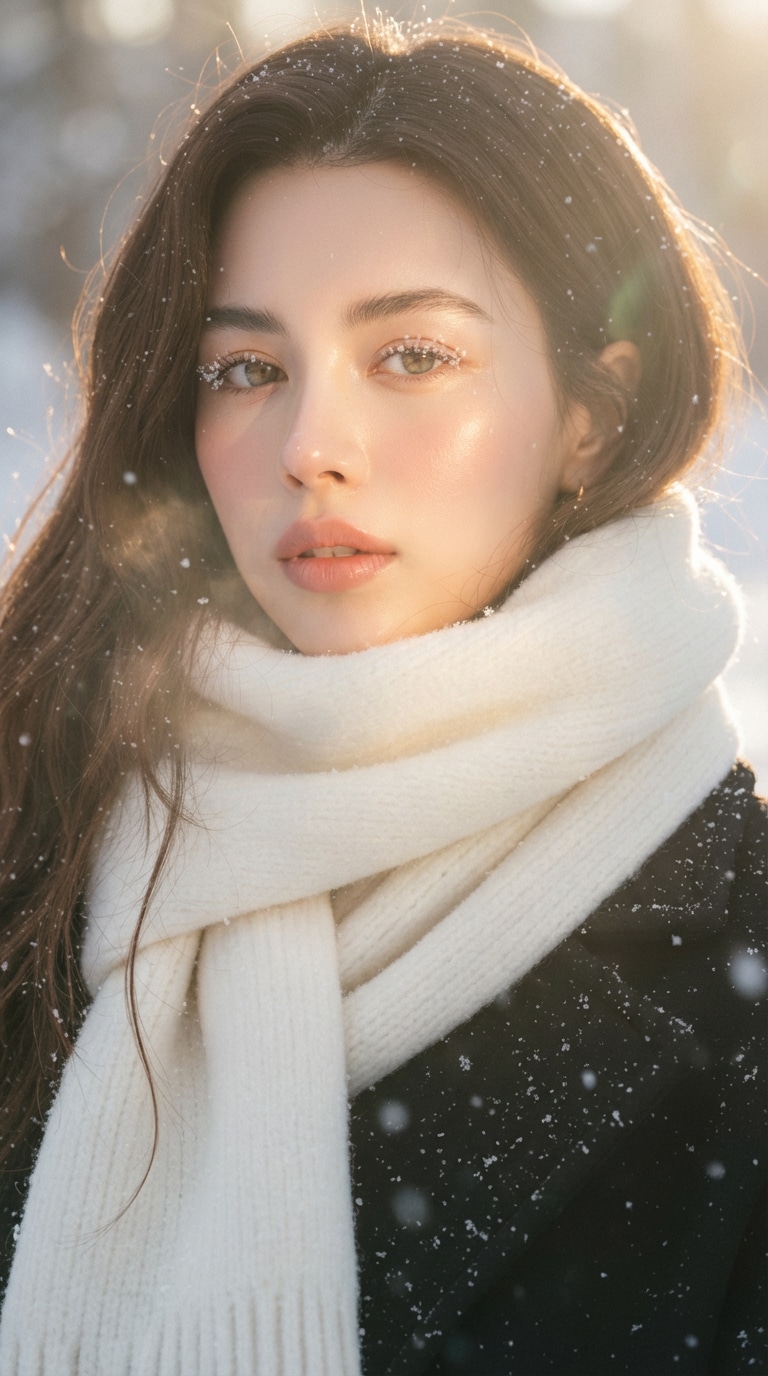
Эфирный золотой час • Мягкий мечтательный солнечный свет
#золотойчас #эфирный#кинематографический
Примените эфирный световой фильтр к загруженной фотографии, полностью сохранив исходный объект и фон. Улучшите изображение с помощью мягкого, мечтательного солнечного света, напоминающего золотой час позднего дня. Добавьте рассеянные солнечные лучи, падающие на кожу объекта, создающие светящийся блик на скулах, переносице, губах и прядях волос. Сохраняйте чёткое разделение между ярко освещёнными областями и мягкими, глубокими тенями для создания кинематографического высококонтрастного настроения. Добавьте тонкий блум объектива, лёгкую дымку и тонкий слой атмосферного свечения вокруг лица и плеч. Отобразите кожу с светящейся прозрачностью и нежными персиковыми оттенками. Усильте отдельные пряди волос, подсвеченные солнцем сзади. Выполните цветокоррекцию с немного пониженной насыщенностью и нежным плёночным зерном. Сохраните общий фон нетронутым, но позвольте солнечным бликам и мягкому боке естественно обрамить объект. Конечный результат должен выглядеть как мягкий, эфирный дневной сон — солнечный, нежный и кинематографический — при этом сохраняя все оригинальные детали фотографии без изменений, кроме освещения, свечения и цветового настроения. Жёсткое правило: не изменяйте лицо и волосы объекта.
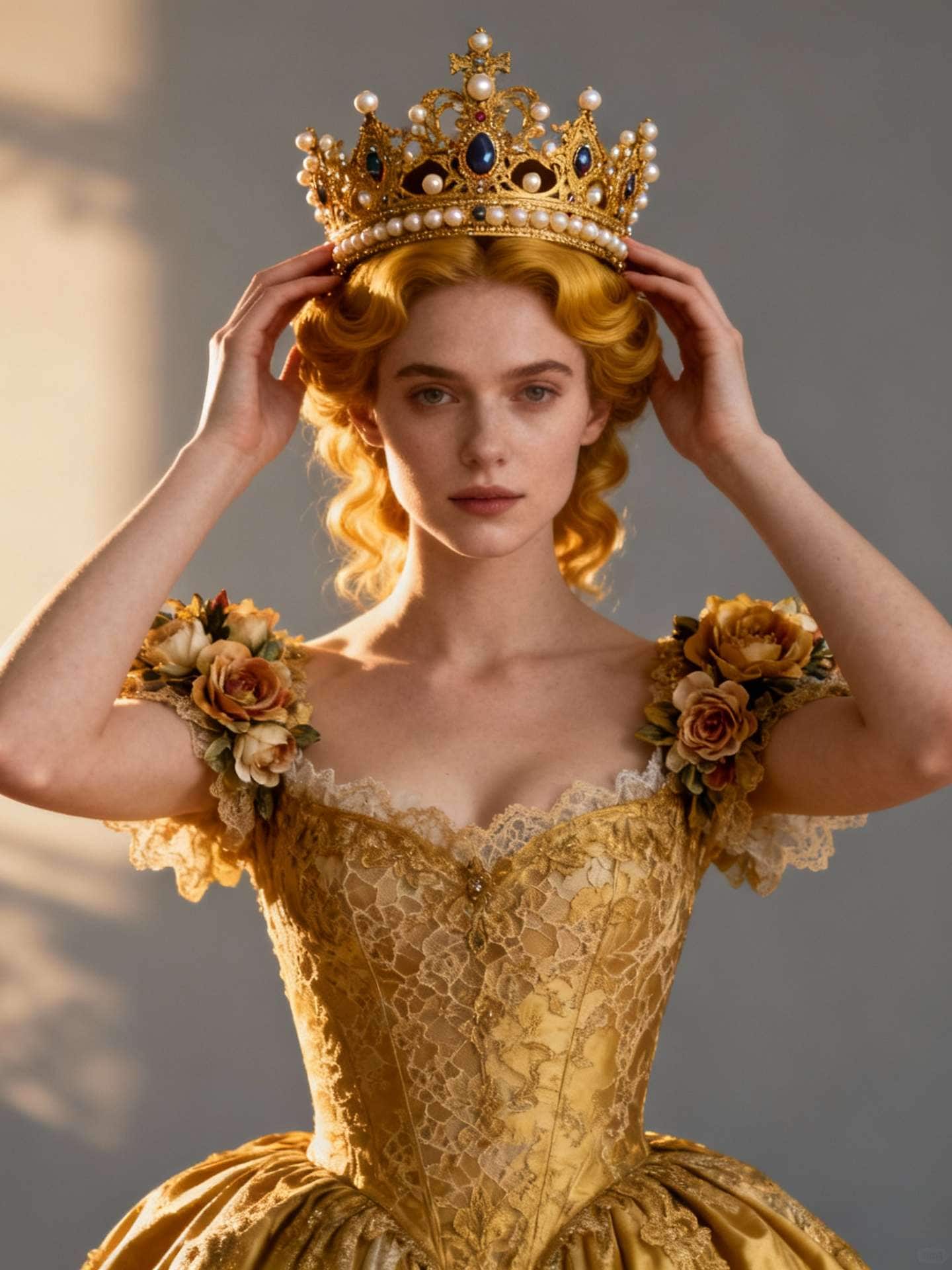
Золотое величие • Королевский портрет в стиле барокко
#королевский#барокко#8k
Превратите меня в королевскую особу в роскошной золотой короне с замысловатыми деталями из жемчуга и драгоценных камней. Поза: руки изящно удерживают корону на голове, величественная прямая осанка. Причёска: элегантные волны в тон цвету короны. Наряд: золотое кружевное платье с цветочными украшениями на плечах. Фон: мягкий серый студийный фон с тонкой виньеткой. Освещение: тёплое свечение золотого часа, мягкие тени. Выражение: безмятежное и величественное. Стиль: роскошный, вдохновлённый барокко, фотореалистичный портрет, сверхдетализированный 8K, элегантность музейного качества, достойный Instagram.
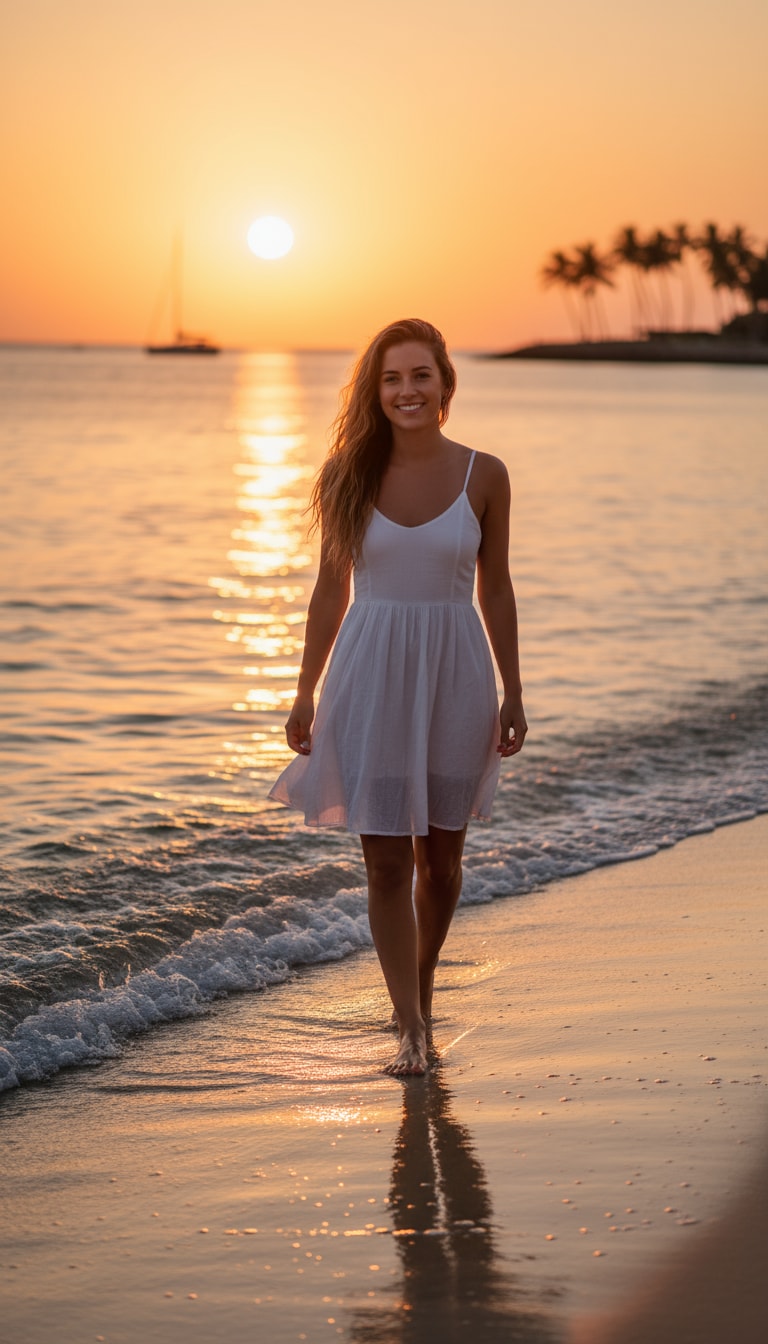
Золотой час на пляже • Тёплая прогулка в стиле лайфстайл
#пляж#лайфстайл#тёплый
Девушка на пляже идёт босиком вдоль берега в золотой час. Её волосы танцуют на морском бризе, а солнечный свет ласкает её кожу тёплым кинематографическим свечением. Нежные волны отражают оранжевые и розовые оттенки, пока она естественно улыбается в объектив.
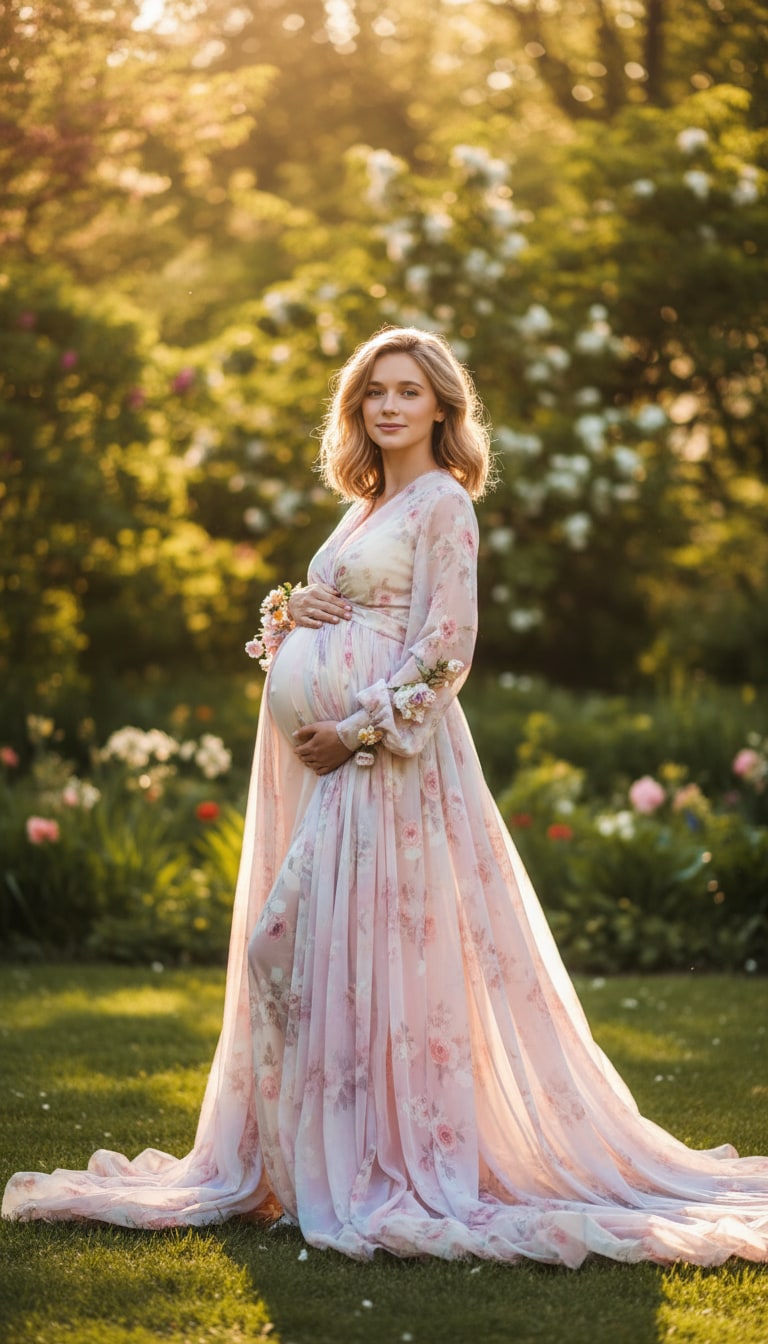
Фотосессия беременности на природе • Мечтательный сад
#беременность#природа#фотореализм
Превратите загруженную фотографию в фотореалистичный портрет беременной женщины, стоящей в пышном саду на открытом воздухе в золотой час. Сохраните естественные тона кожи и мягкое выражение лица. Оденьте её в струящееся пастельное платье, нежно подчёркивающее животик. Используйте тёплый солнечный свет, мягкие тени и тонкое боке на фоне для мечтательного, профессионального вида фотосессии. Добавьте нежные цветочные акценты и лёгкое кинематографическое свечение.
Стили для двух персон
Промпты для редактирования фото золотого часа с ИИ (скопируйте и вставьте)
Предпросмотр
Копировать
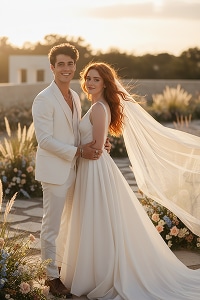
Элегантная предсвадебная • Обложка журнала с подсветкой на закате
#предсвадебный#закат#70мм
Сохраните оба лица. Подсветка заката с развевающейся фатой, лёгкий бриз, минималистичное садовое место проведения. Съёмка поясным планом на 70 мм, пастельная цветовая коррекция, кинематографический романтический стиль, как обложка журнала.
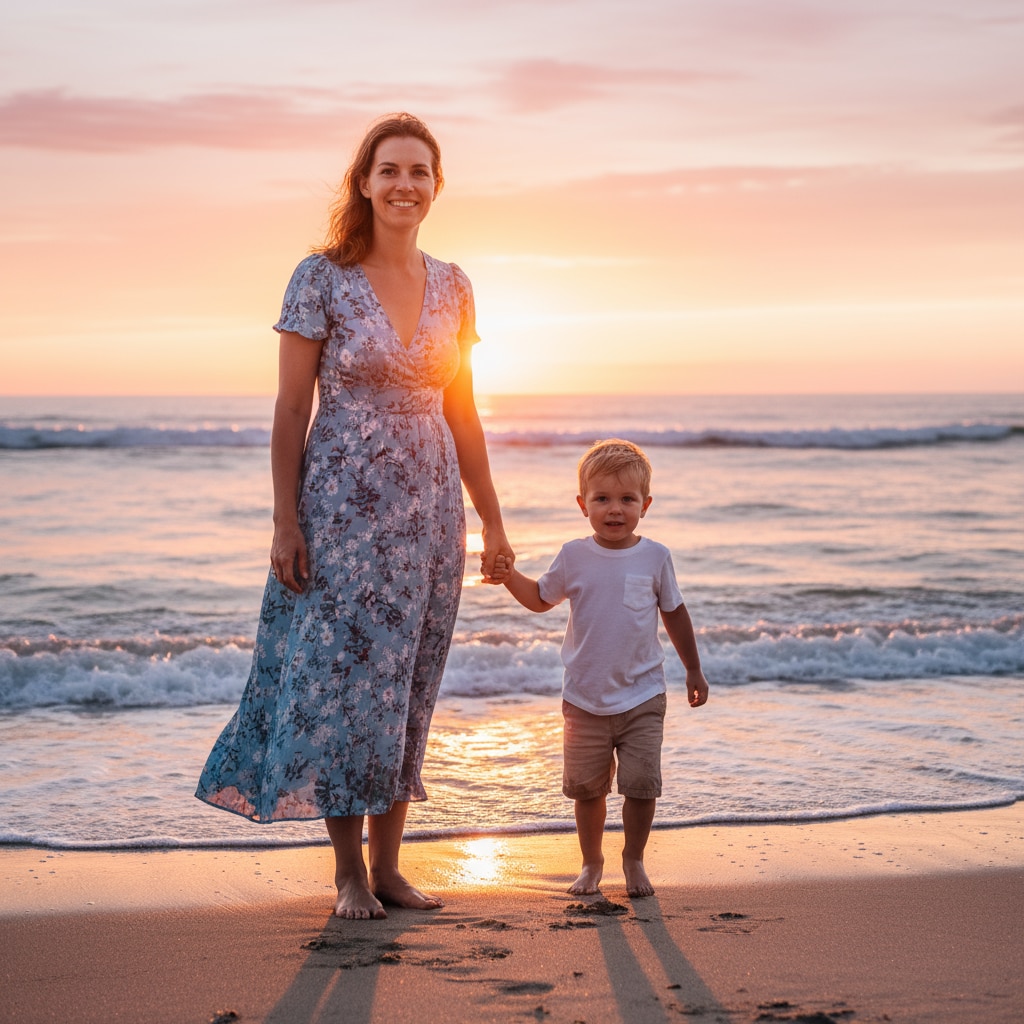
Мать и сын • Портрет на пляже на закате
#пляж#закат#естественноесвечение
Превратите загруженное изображение в фотореалистичный портрет матери и сына на пляже на закате. Сохраните их лица, телосложение и естественные выражения. Мать одета в лёгкое летнее платье, сын — в белую хлопковую рубашку и шорты цвета хаки, босиком на песке. Фон светится оранжевым светом заката и океанскими волнами. Визуализируйте в сверхдетализированном 8K с естественным тоном кожи, золотыми бликами и кинематографической атмосферой.
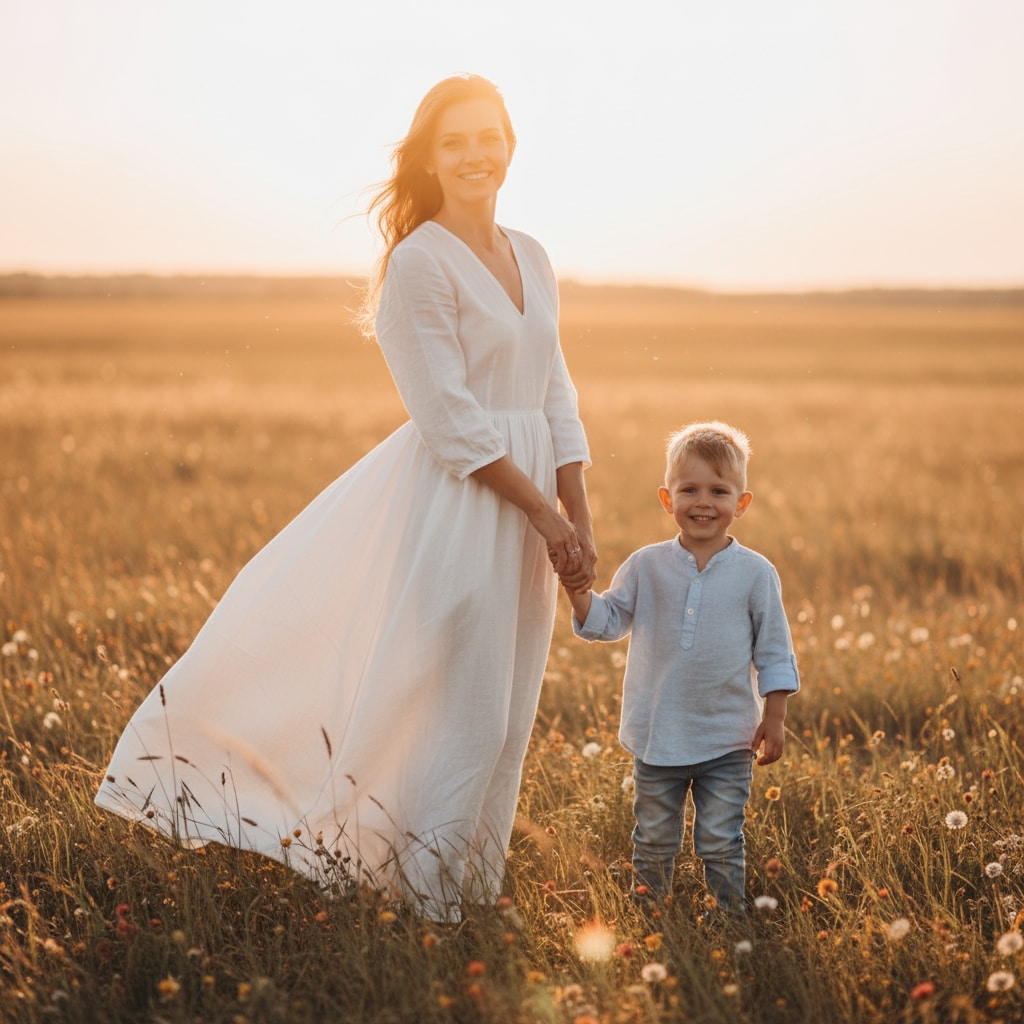
Мать и сын • Золотой час на природе в поле
#природа#золотойчас#солнечный свет
Превратите загруженное изображение в портрет матери и сына на закате на природе, сохранив точное сходство их лиц и позы. Мать одета в струящееся белое платье, сын — в лёгкую льняную рубашку и джинсы. Они стоят в поле в золотой час, солнечный свет светится сквозь их волосы. Передайте мягкую контровую подсветку, естественное свечение кожи и кинематографическую глубину, как в профессиональной лайфстайл-съёмке.
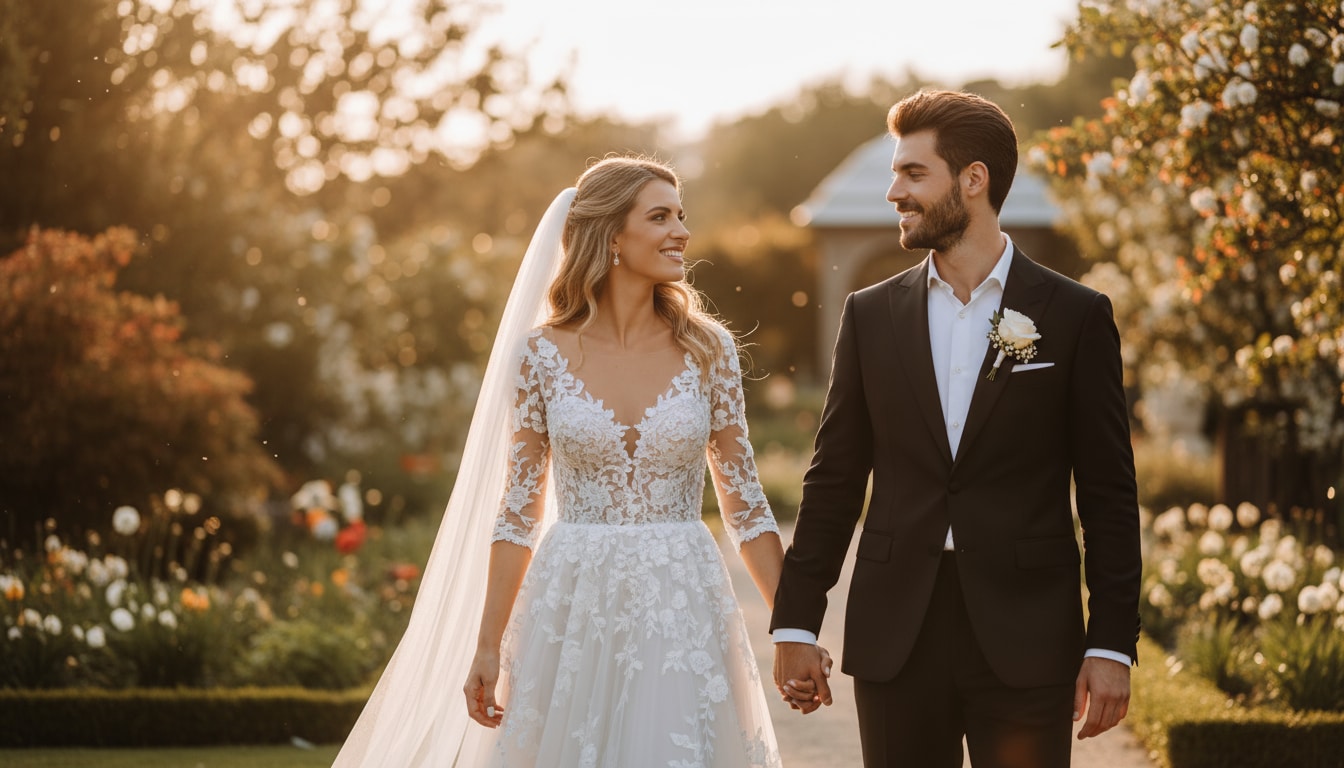
Романтическая свадьба • Золотой час в саду
#свадьба#романтика#кинематографический
Преобразуйте это фото пары в нежный кинематографический свадебный портрет, наполненный эмоциями. Сохраните наши настоящие лица, естественные тона кожи и искренние улыбки чёткими и живыми. Поместите нас в открытый сад в золотой час с мягким солнечным светом, лёгким бризом и тёплыми тонами. Оденьте мужчину в классический чёрный смокинг с бутоньеркой из белой розы. Оденьте женщину в элегантное белое кружевное платье с цветочной вышивкой и струящейся фатой. Добавьте нежные огни боке, светящиеся отражения заката и тонкие блики объектива для мечтательной романтической атмосферы. Визуализируйте в 8K с естественным цветовым балансом и качеством высококлассной свадебной фотографии.
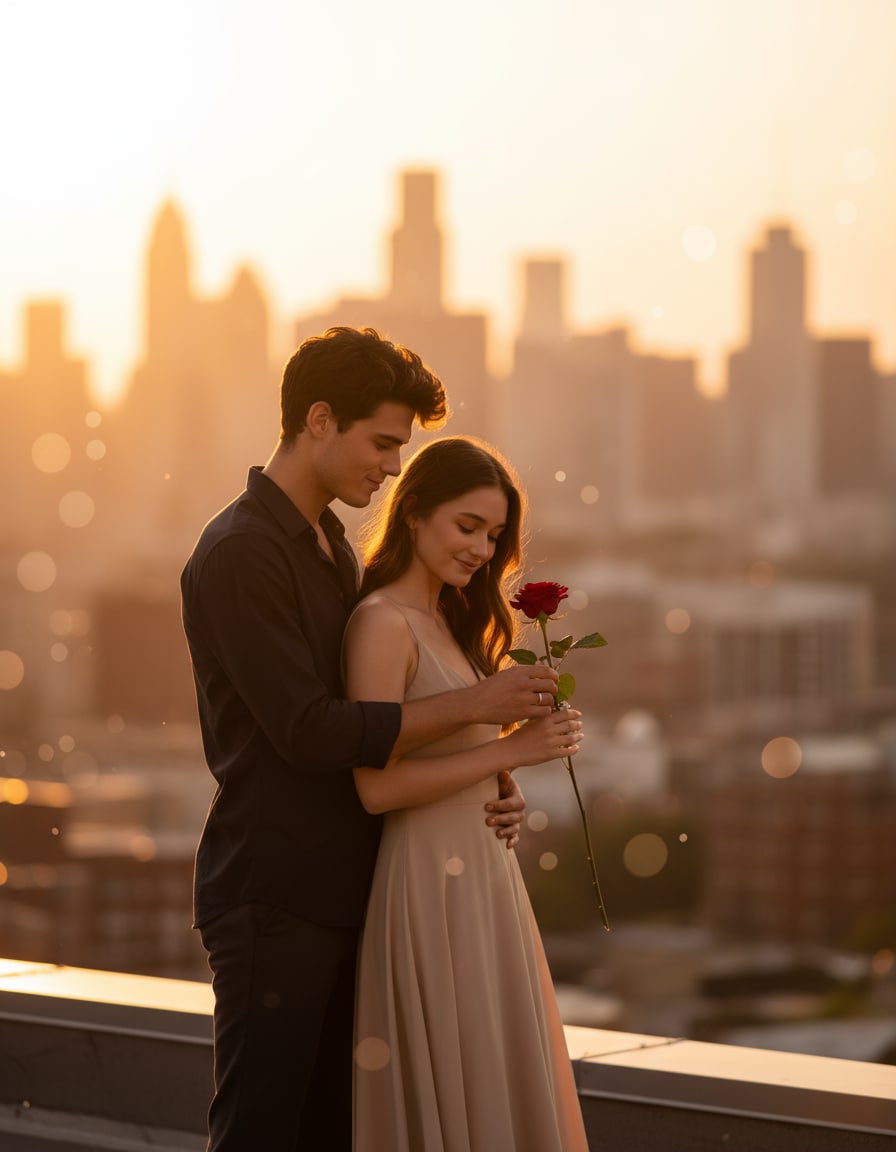
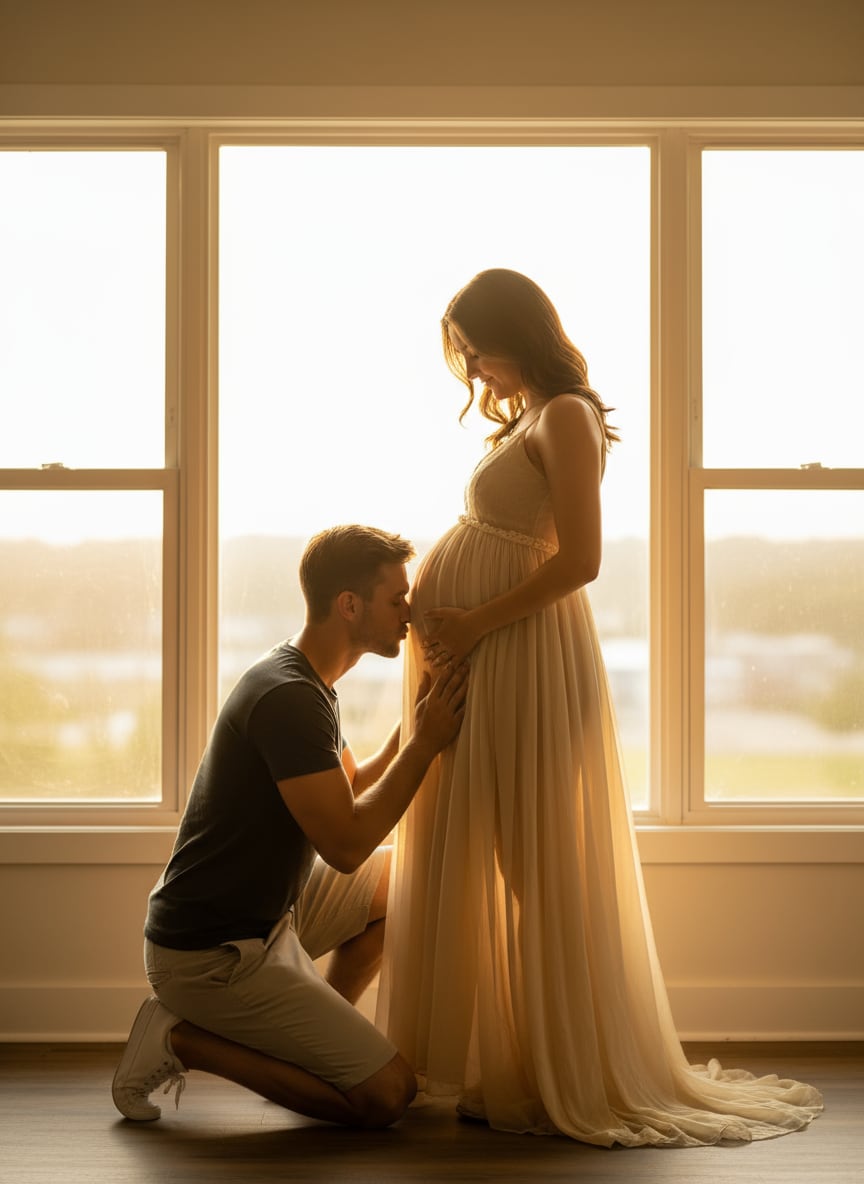
Пара и беременность • Поцелуй живота с подсветкой от окна
#беременность#пара#контровый свет
Создайте кинематографический, ультрареалистичный студийный портрет беременной женщины, стоящей перед большим окном с подсветкой сзади, в мягком струящемся прозрачном платье, подчёркивающем животик. Её муж стоит на коленях, нежно целуя живот, держа руки на её талии. Тёплый золотой свет силуэтирует их фигуры, создавая светящийся, эмоциональный момент. Сохраните реалистичные тона кожи, тонкий световой контраст и профессиональную студийную фотоэстетику.
Почему Media.io — лучший ИИ-генератор для портретов золотого часа
Вирусный эффект ИИ-фото золотого часа
Воспользуйтесь трендовым эффектом ИИ-фото золотого часа Gemini, захватывающим социальные сети. Мгновенно воссоздайте стили тёплого освещения заката и рассвета, вдохновлённые вирусными промптами ИИ, с кинематографическим свечением и мягкими тенями — навыки фотографии не требуются.
Промпты для золотого часа с ИИ для копирования и вставки
Используйте готовые промпты Gemini AI для фото золотого часа, чтобы превратить обычные изображения в кинематографические сцены золотого часа. Идеально для селфи, портретов и лайфстайл-фото — просто загрузите изображение и примените промпт.
Сохранение настоящих лиц с Nano Banana Pro
На базе модели ИИ-изображений Nano Banana Pro от Media.io, ваше оригинальное лицо, текстура кожи и мелкие детали остаются реалистичными и неизменными, пока ИИ добавляет естественное освещение золотого часа, свечение и глубину.
Без водяных знаков, 4K и бесплатно онлайн
Скачайте ИИ-фото золотого часа без водяных знаков in up to 4K. Полностью онлайн без необходимости в программном обеспечении, плюс бесплатные кредиты при регистрации, чтобы вы могли создавать и тестировать эффект без затрат.
Как создать ИИ-фото золотого часа онлайн бесплатно
01
Шаг 1 — Откройте Media.io AI Image-to-Image
Перейдите на Media.io AI Image-to-Image и выберите инструмент Image to Image. Скопируйте и вставьте трендовый промпт Gemini AI для золотого часа, вдохновлённый вирусными стилями фото заката и рассвета.
02
Шаг 2 — Загрузите фото и создайте
Загрузите своё селфи или фото, при необходимости настройте параметры, затем нажмите Создать. На базе Nano Banana Pro от Media.io ИИ-модель сохраняет реалистичность вашего настоящего лица, текстуры кожи и деталей, добавляя при этом тёплое золотое освещение золотого часа и мягкие тени.
03
Шаг 3 — Скачайте своё фото в стиле золотого часа
Просмотрите результат и скачайте фото золотого часа от ИИ без водяного знака в разрешении до 4K. Всё работает полностью онлайн, с бесплатными кредитами при регистрации, чтобы вы могли попробовать эффект бесплатно.
1. Что такое тренд ИИ-фото золотого часа от Gemini?
Это популярный тренд ИИ-изображений, при котором пользователи превращают обычные фотографии в тёплые сцены заката или рассвета с помощью ИИ. Вдохновлённый моделями изображений Gemini, эффект воссоздаёт освещение золотого часа — мягкое свечение, тёплые тона и естественные тени — без необходимости снимать в определённое время суток.
2. Как написать хороший промпт для ИИ-фото золотого часа?
Хороший промпт для золотого часа обычно сначала описывает освещение, затем настроение и стиль. Например, упомяните тёплый свет заката, мягкие тени, естественные тона кожи и кинематографический или реалистичный вид. Многие пользователи начинают с простого шаблона промпта и корректируют такие детали, как настроение, фон или время суток для получения лучших результатов.
3. Изменит ли ИИ моё настоящее лицо или черты лица?
Хороший ИИ-инструмент для золотого часа должен сохранять ваше настоящее лицо, улучшая только освещение и цвет. Media.io использует продвинутую модель изображений, которая сохраняет черты лица, текстуру кожи и детали в целости, применяя при этом реалистичное освещение золотого часа.
4. Как создать собственное ИИ-фото золотого часа?
Загрузите фото на media.io/ai/image-to-image, добавьте промпт в стиле золотого часа и сгенерируйте результат. ИИ проанализирует ваше изображение и автоматически применит освещение в стиле заката — навыки редактирования фото не требуются.
5. Можно ли бесплатно попробовать ИИ-фото золотого часа на Media.io?
Да. Media.io предлагает бесплатные кредиты при регистрации, так что вы можете генерировать и скачивать ИИ-фото золотого часа онлайн без предварительной оплаты.