Exemples de prompts prêts à copier
Commencez avec des prompts GPT Image 2.5 pratiques pour des photos de produits, portraits, modifications précises, affiches, infographies, compositions, ressources transparentes et remixes de style.
Explorez des prompts GPT Image 2.5 prêts à copier, conçus autour des flux de travail les plus puissants du modèle : fidélité aux références, modifications précises, raffinement sur plusieurs itérations, texte exact, visuels produits, portraits, infographies, ressources transparentes, esquisse vers image et composition multi-références. Copiez un prompt, remplacez les détails par les vôtres et créez sur Media.io.
Copiez un prompt, personnalisez-le et créez en ligne.
Commencez avec des prompts GPT Image 2.5 pratiques pour des photos de produits, portraits, modifications précises, affiches, infographies, compositions, ressources transparentes et remixes de style.
Utilisez des prompts pour une génération d'image fraîche ou une édition guidée par référence. Les exemples montrent à la fois ce qu'il faut créer et ce qui doit rester inchangé lorsque la fidélité est importante.
Chaque prompt fournit au modèle des décisions visuelles concrètes : sujet, composition, éclairage, matériau, texte exact, rôles des références, règles de conservation et exclusions si nécessaire.
La bibliothèque se concentre sur les flux de travail mis en avant pour ChatGPT Images 2.5, notamment la fidélité aux références, l'édition de précision, la cohérence entre plusieurs itérations, l'esquisse vers image, les modèles, les mises en page structurées et les arrière-plans transparents.
Choisissez un exemple de prompts ci-dessous. Commencez par le flux de travail qui correspond à votre objectif, puis remplacez le sujet, le produit, la scène, le texte ou les détails de référence par les vôtres.
Utilisez le texte vers image pour un nouveau visuel, ou téléchargez une ou plusieurs images de référence lorsque le prompt demande au modèle de préserver une personne, un produit, une mise en page ou une scène.
Affinez une exigence visible à la fois. Pour les prompts d'édition, répétez ce qui doit rester inchangé afin que chaque nouveau tour s'appuie sur le résultat approuvé.
Parcourez par flux de travail, copiez un prompt GPT Image 2.5 et personnalisez le sujet, l'image de référence, le texte exact, la scène, l'éclairage, le matériau ou les règles de conservation pour correspondre à votre objectif.
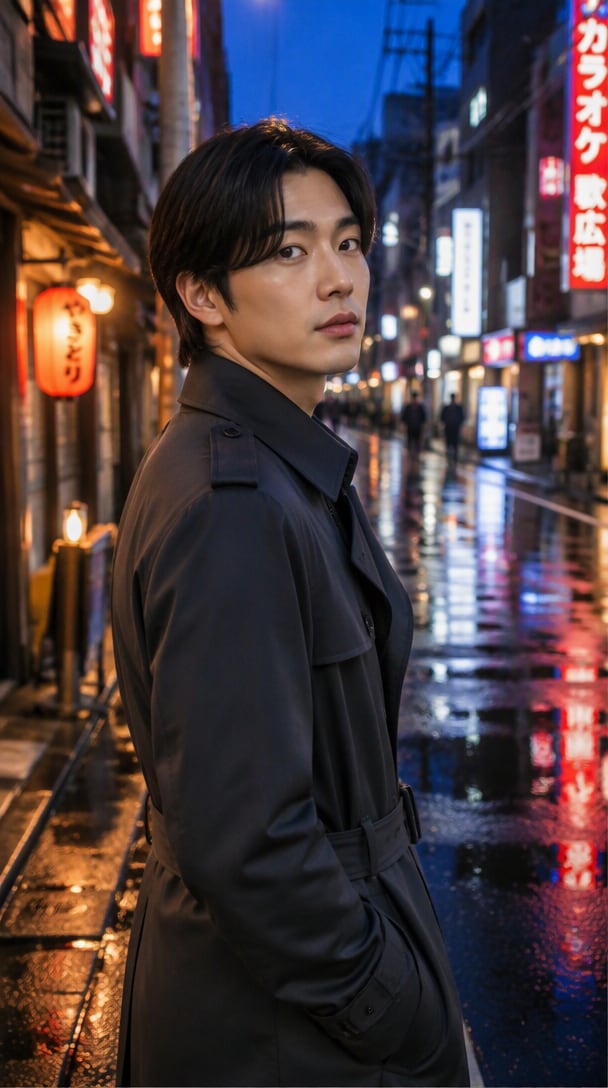
Utilisez le portrait téléchargé comme référence d'identité faisant autorité. Préservez le même visage, les proportions faciales, le teint de peau, la coiffure, l'âge, l'expression et les traits reconnaissables. Placez la personne dans une ruelle tranquille de Tokyo à l'heure bleue, vêtue d'un manteau trench anthracite. Ajoutez des reflets néon réalistes sur le pavé mouillé, un éclairage de rue cinématographique doux, une texture de peau naturelle et une faible profondeur de champ. Modifiez uniquement l'environnement et le style vestimentaire; ne modifiez pas l'identité, la forme du visage ou les proportions corporelles.
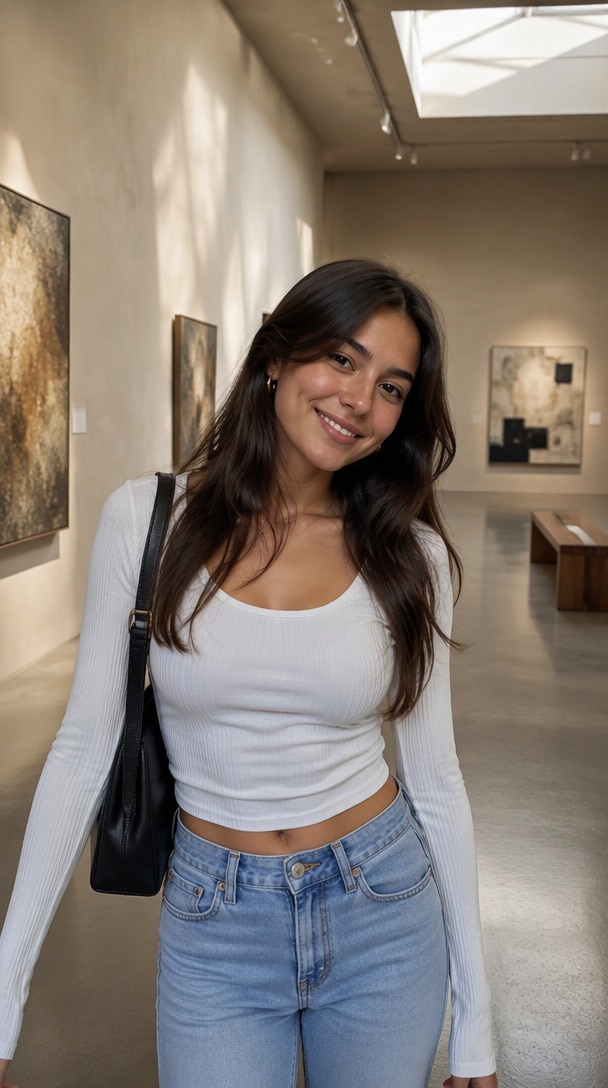
Remplacez uniquement l'arrière-plan de la photo téléchargée par une galerie d'art contemporain avec des murs en plâtre chaud, un sol en béton gris poli, une douce lumière zénithale et des ombres architecturales subtiles. Préservez la personne exactement : même identité, visage, pose, expression, vêtements, coiffure, proportions corporelles, cadrage, angle de caméra et ombres au premier plan. Faites correspondre naturellement l'éclairage du nouvel arrière-plan au sujet. Ne modifiez pas la personne ou la composition.
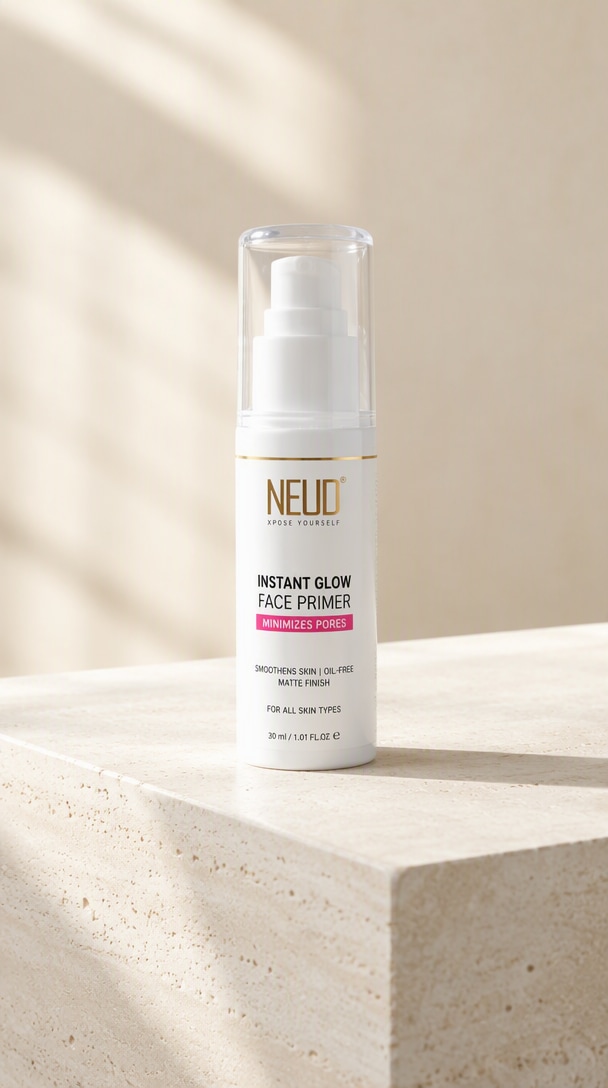
Utilisez la photo de produit téléchargée comme référence de produit faisant autorité. Préservez la silhouette exacte, les proportions, l'emballage, le placement de l'étiquette, la position du logo, les matériaux et la couleur du produit. Placez-le sur un piédestal en calcaire pâle dans un studio minimaliste avec une lumière naturelle directionnelle douce, des ombres réalistes contrôlées, des reflets subtils et un fond blanc cassé chaud. Utilisez un aspect premium de photographie de produit commercial avec un espace négatif généreux pour le texte de campagne. Ne repensez pas le produit ou n'inventez pas de nouvelle image de marque.
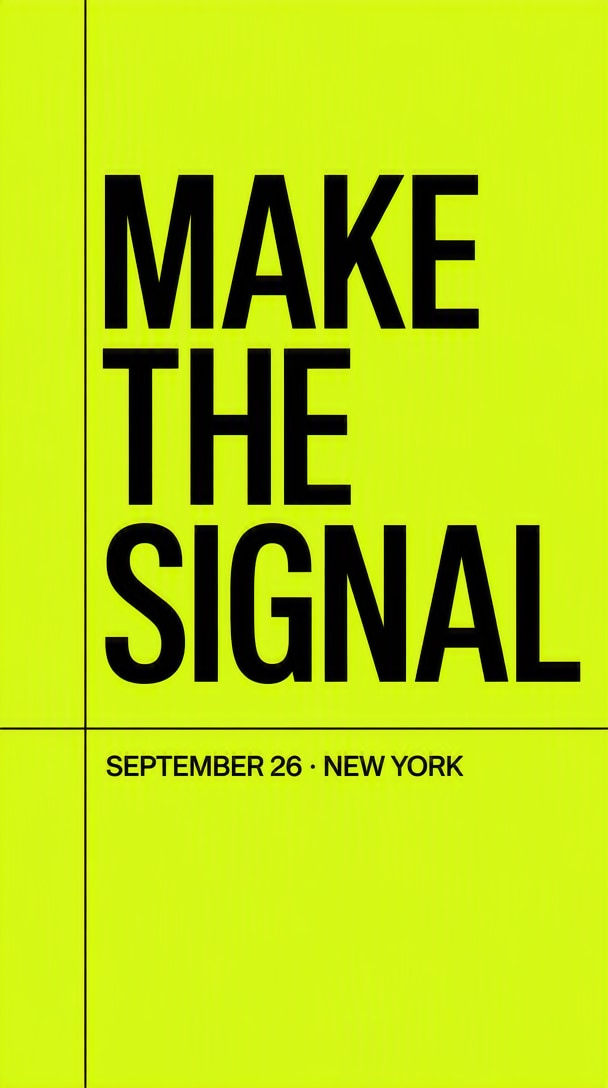
Créez une affiche de lancement moderne avec une grille stricte d'inspiration suisse, un fond vert acide, une typographie sans serif noire nette et un espace négatif généreux. Placez le titre exact "MAKE THE SIGNAL" en haut et la sous-ligne exacte "SEPTEMBER 26 · NEW YORK" près du bas. Gardez tout le texte entièrement lisible et orthographié exactement comme indiqué. Pas de mots supplémentaires, logos, filigranes ou légendes décoratives.
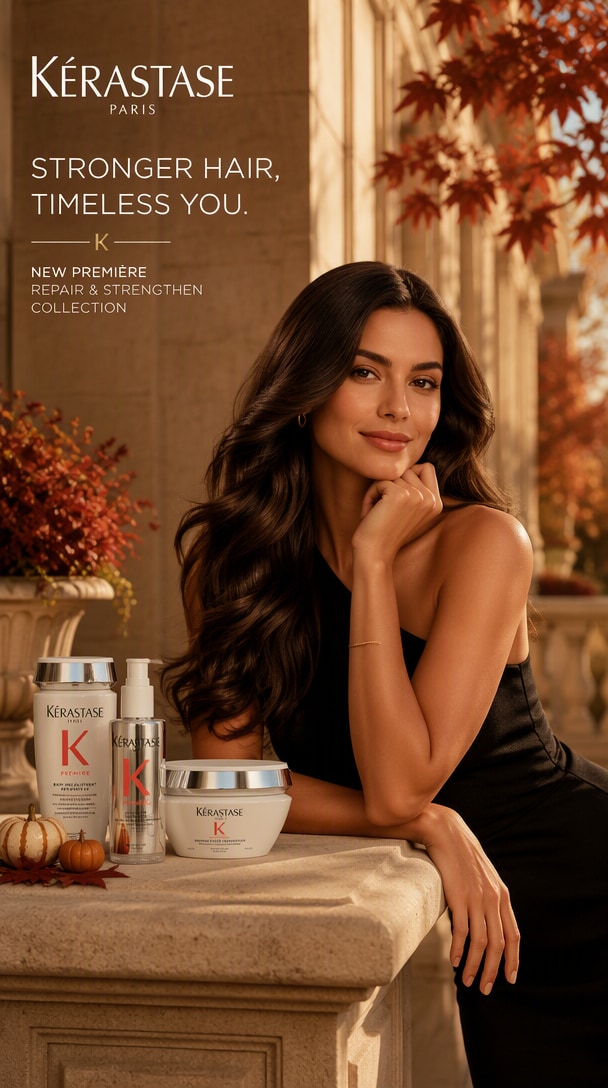
Utilisez l'image de campagne approuvée actuelle comme création principale. Préservez l'identité du produit, l'identité du sujet, la hiérarchie de mise en page, le placement du logo, les couleurs de la marque et la perspective de la caméra. Créez une variante de campagne automnale en modifiant uniquement le style environnemental : lumière solaire ambrée chaude, feuillage rouge-brun subtil, architecture en pierre premium et accents saisonniers discrets. Conservez la même composition et la zone sécurisée pour le texte. Ne recommencez pas ou ne repensez pas la ressource.
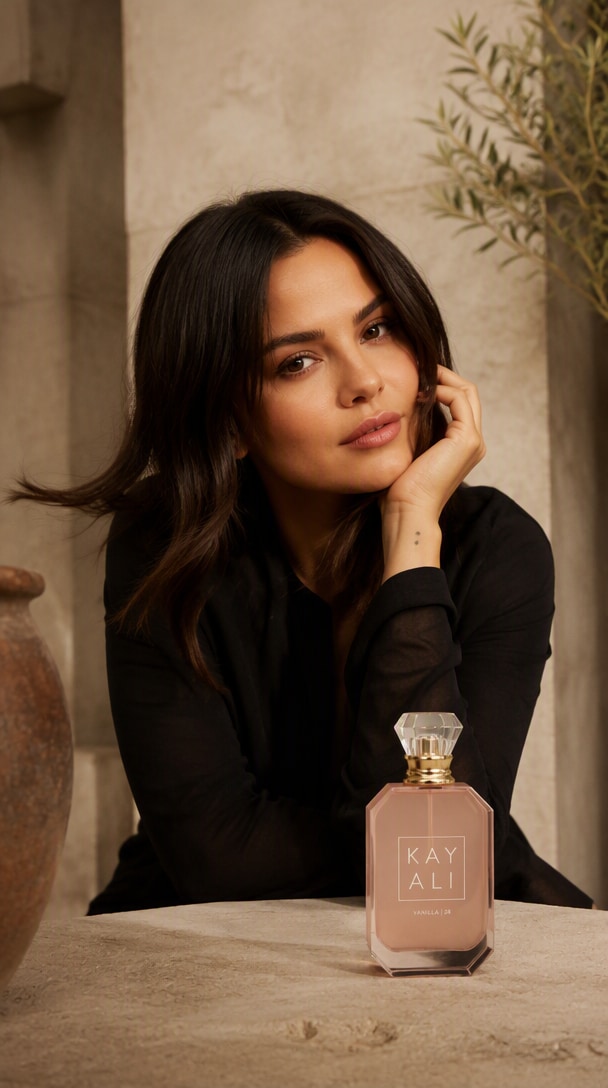
Utilisez l'image de référence 1 pour la personne, l'image de référence 2 pour le produit et l'image de référence 3 pour l'environnement. Créez une photographie de campagne éditoriale crédible. Préservez l'identité reconnaissable de la personne, la géométrie et l'image de marque du produit, et le style environnemental. Intégrez toutes les références avec une perspective cohérente, une échelle réaliste, un éclairage cohérent, des ombres de contact et une profondeur de champ. L'image finale doit ressembler à une vraie photographie, pas à un collage.
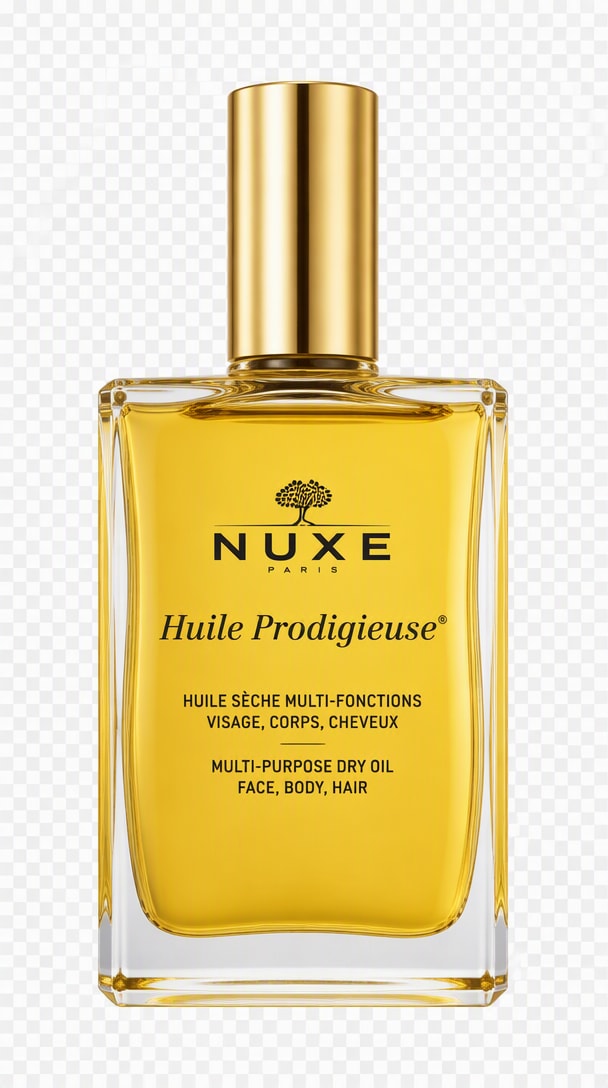
Utilisez le produit téléchargé comme seul sujet. Préservez sa géométrie exacte, sa couleur, son matériau, le placement de l'étiquette et ses proportions. Isolez-le comme une ressource e-commerce propre sur un fond entièrement transparent avec des bords naturels nets, des ombres internes et des reflets réalistes, sans halo blanc, sans sol, sans accessoires supplémentaires, sans texte et sans recadrage. Centrez le produit avec un rembourrage confortable pour une utilisation ultérieure en design.
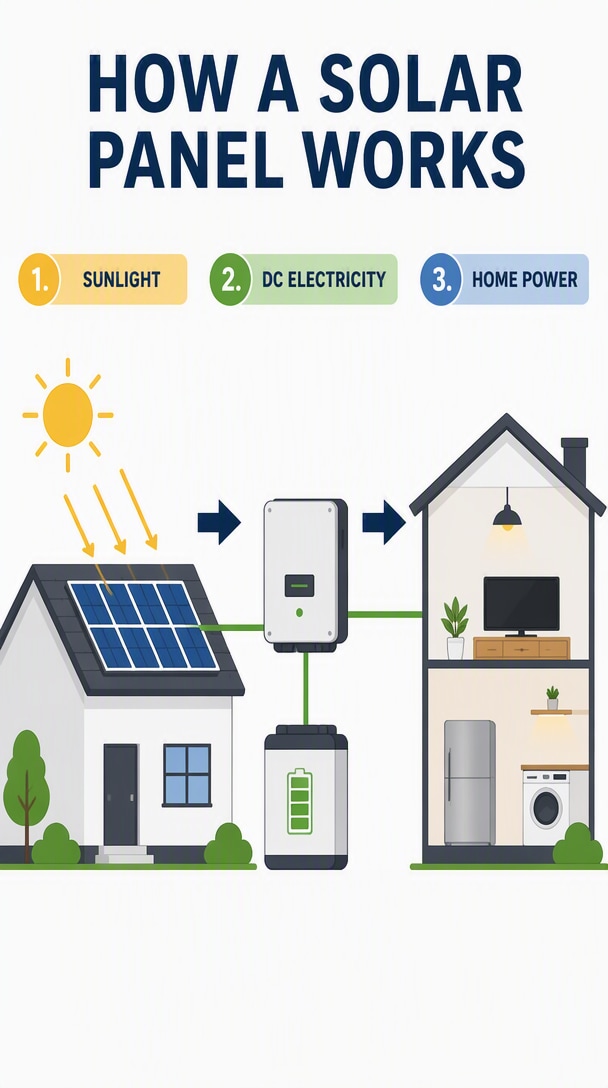
Créez une infographie éducative claire intitulée "HOW A SOLAR PANEL WORKS". Utilisez une mise en page simple en trois étapes avec des flèches directionnelles et les étiquettes exactes "1. SUNLIGHT", "2. DC ELECTRICITY" et "3. HOME POWER". Incluez une maison simplifiée, des panneaux solaires sur le toit, un onduleur et des icônes de batterie. Utilisez des couleurs sobres, un espacement cohérent, des formes nettes de type vectoriel, un texte lisible et pas d'étiquettes supplémentaires ni de flèches dupliquées.
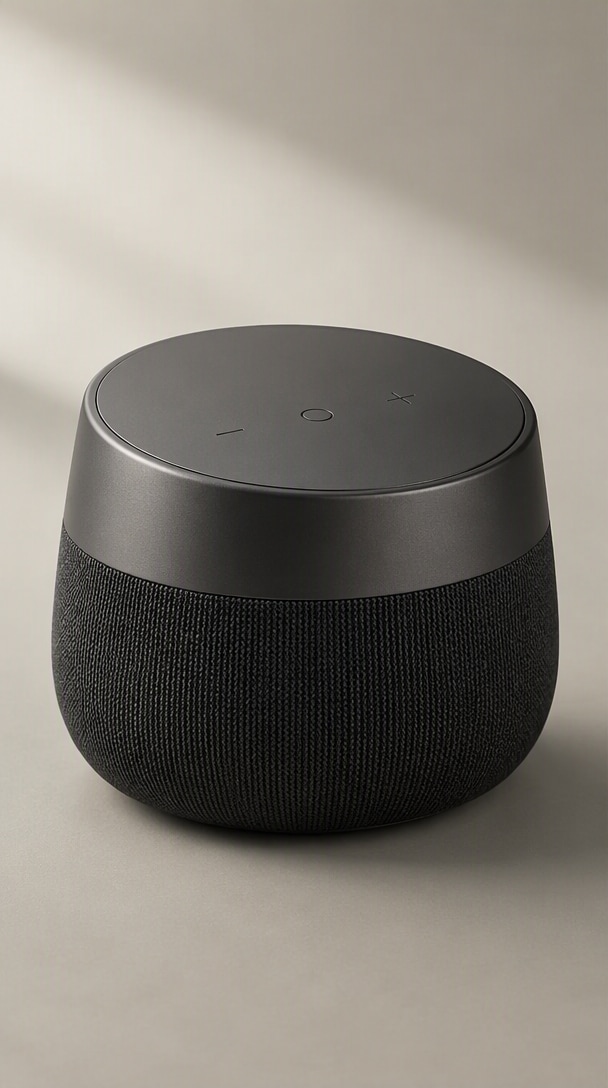
Utilisez l'esquisse grossière téléchargée comme référence de composition faisant autorité. Convertissez-la en une image de concept photoréaliste soignée d'une enceinte intelligente compacte de bureau. Conservez la silhouette esquissée, le placement des commandes, les proportions et l'angle de caméra. Rendez le corps en aluminium graphite mat avec une grille de haut-parleur tissée foncée, une lumière de studio douce, une ombre de contact subtile et un fond gris-chaud minimal. N'ajoutez pas de commandes, ports, logos ou fonctionnalités qui ne sont pas indiqués par l'esquisse.
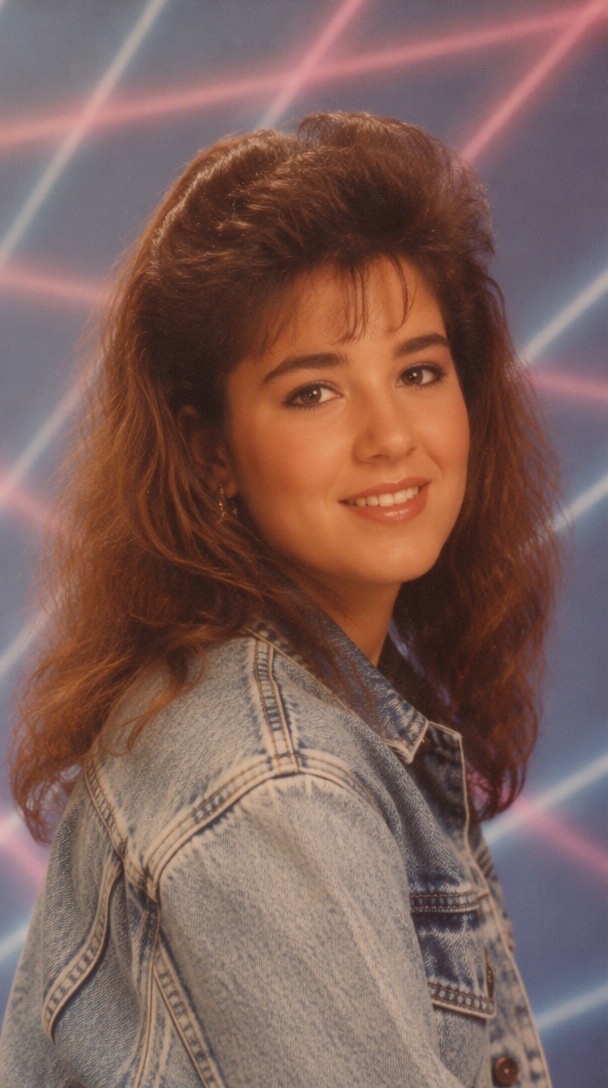
Transformez le portrait téléchargé en une photographie de studio de centre commercial des années 1980 crédible tout en préservant l'identité de la personne, les proportions faciales, le teint de peau et les traits reconnaissables. Ajoutez un fond doux à grille laser pastel, un léger grain de film, un flash diffus, une légère dominante de couleur chaude, un style denim d'époque, un volume de cheveux avec dégradé et une composition de portrait authentique de grand magasin. Gardez la personne reconnaissable et photoréaliste; évitez la caricature ou l'exagération costumée.

Utilisez le portrait téléchargé comme référence d'identité faisant autorité. Préservez le même visage, les proportions faciales, le teint de peau, la coiffure, l'âge et l'expression. Créez une photo de profil professionnelle soignée avec un fond anthracite neutre, une lumière principale douce, un remplissage subtil, des reflets dans les yeux nets, une texture de peau naturelle et un style professionnel discret. Gardez le cadrage propre et crédible. Ne transformez pas le visage en une autre personne.
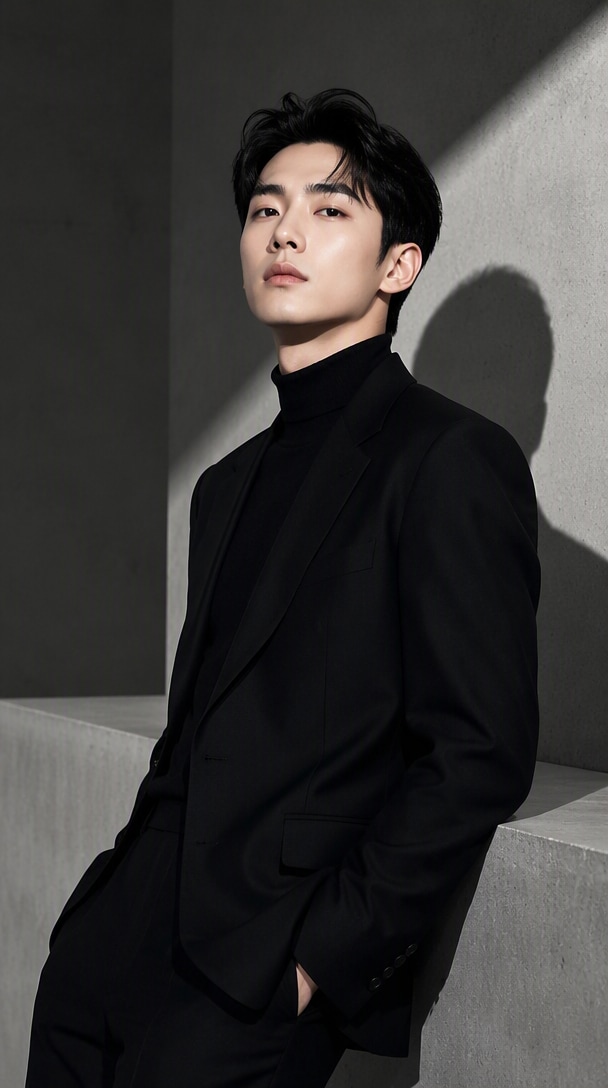
Utilisez le portrait téléchargé comme référence d'identité exacte. Préservez le visage, l'âge, la coiffure, le teint de peau et les traits reconnaissables. Restylez le sujet pour une mode éditoriale photographiée dans un studio minimaliste en béton avec des ombres sculpturales, une lumière dure directionnelle, une coupe monochrome et une composition de magazine raffinée. Gardez la personne incontestablement reconnaissable.
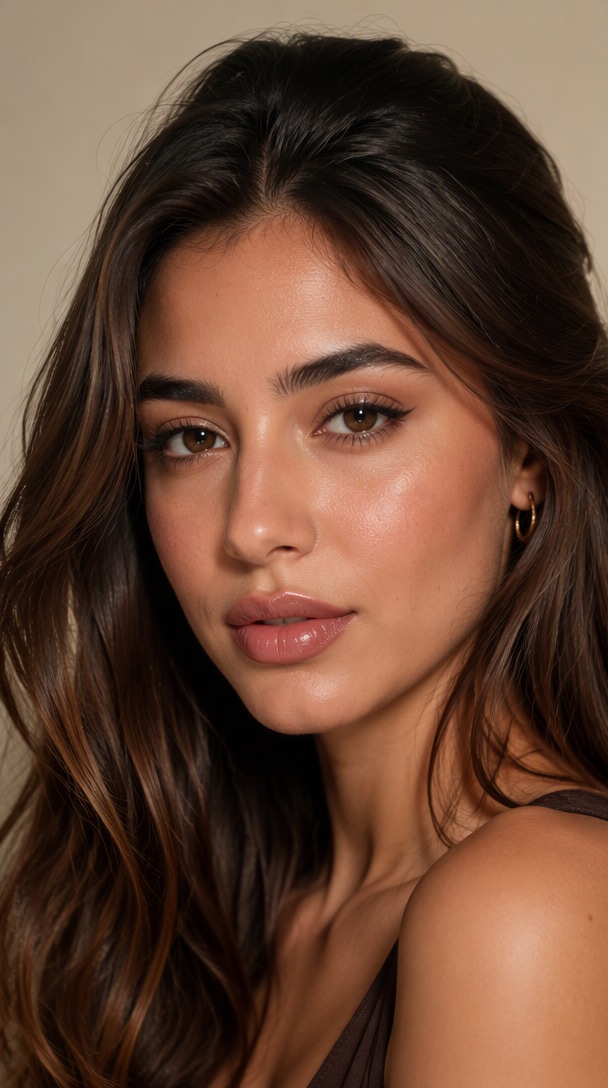
Créez un gros plan beauté premium en utilisant le portrait téléchargé comme référence d'identité. Préservez la structure faciale, le teint de peau, la forme des yeux, les lèvres et les traits reconnaissables. Ajoutez un éclairage beauté doux et diffus, un maquillage légèrement brillant subtil, des pores réalistes, des reflets contrôlés et un fond de studio neutre propre. Gardez la peau naturelle plutôt que plastique ou trop lissée.
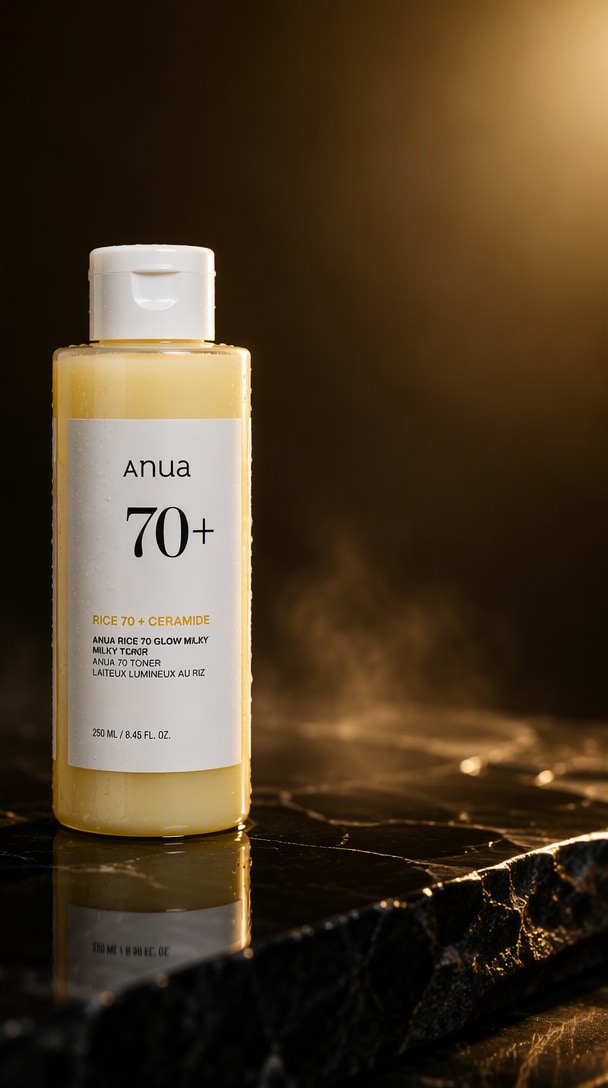
Utilisez le flacon de soin téléchargé comme référence de produit exacte. Préservez la géométrie de l'emballage, le bouchon, le placement de l'étiquette, le logo, la couleur du produit, les matériaux et les proportions. Placez-le sur une pierre sombre polie avec une lumière de contour dorée contrôlée, un remplissage frontal doux, des reflets réalistes, de délicates gouttes d'eau et une légère brume atmosphérique contenue. Laissez un espace négatif propre pour le texte publicitaire. Ne modifiez pas la conception du produit ou n'inventez pas d'image de marque.
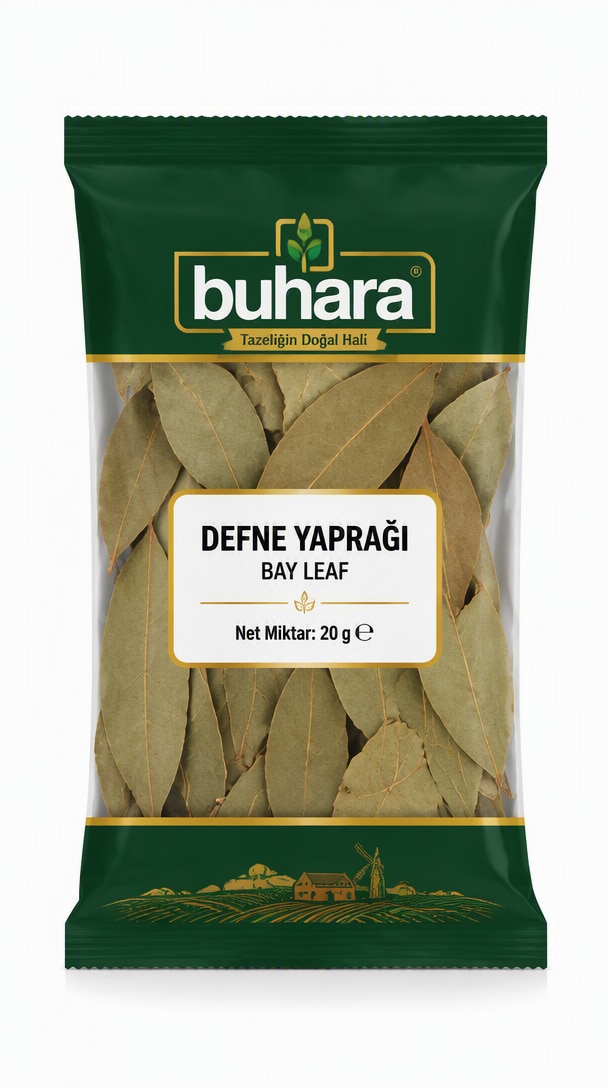
Utilisez le produit téléchargé comme référence exacte. Préservez sa géométrie, son emballage, son étiquette, son logo, sa couleur, son matériau et ses proportions. Créez une image professionnelle de marketplace e-commerce sur un fond blanc pur avec un éclairage de studio uniforme et doux, une ombre au sol subtile, des bords naturels nets, une composition centrée et un espace blanc confortable. Pas d'accessoires, d'éléments décoratifs, d'objets dupliqués ou de repensée du produit.
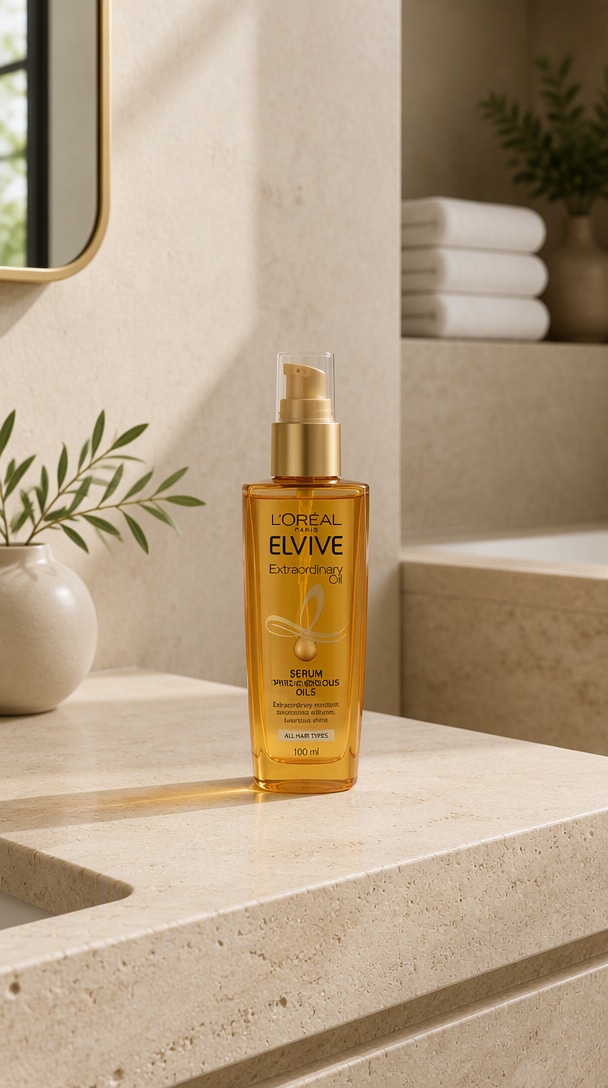
Utilisez le produit téléchargé comme référence faisant autorité. Préservez sa forme exacte, son emballage, le placement du logo, ses couleurs, ses proportions et ses détails identificatoires. Placez le produit naturellement dans une salle de bain contemporaine premium avec du travertin pâle, des murs en plâtre chaud, des serviettes blanches pliées, une petite plante verte et une douce lumière matinale. Faites correspondre naturellement l'éclairage et les ombres. Ne modifiez pas le produit ou n'ajoutez pas de produits de marques concurrentes.
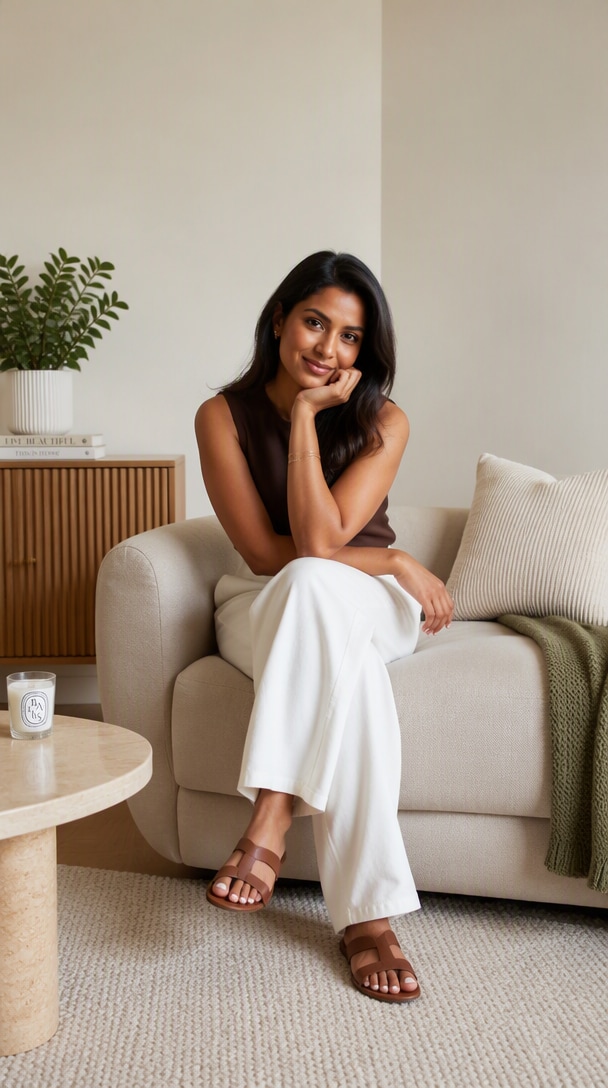
Éditez la photographie lifestyle téléchargée. Retirez uniquement le grand lampadaire positionné derrière le sujet sur le côté droit. Reconstruisez naturellement le mur, le sol, les ombres et l'arrière-plan environnant là où la lampe a été retirée. Préservez tout le reste exactement : personne, mobilier, cadrage, éclairage, perspective, couleurs et ombres. Le résultat final devrait donner l'impression que la lampe n'a jamais été présente.
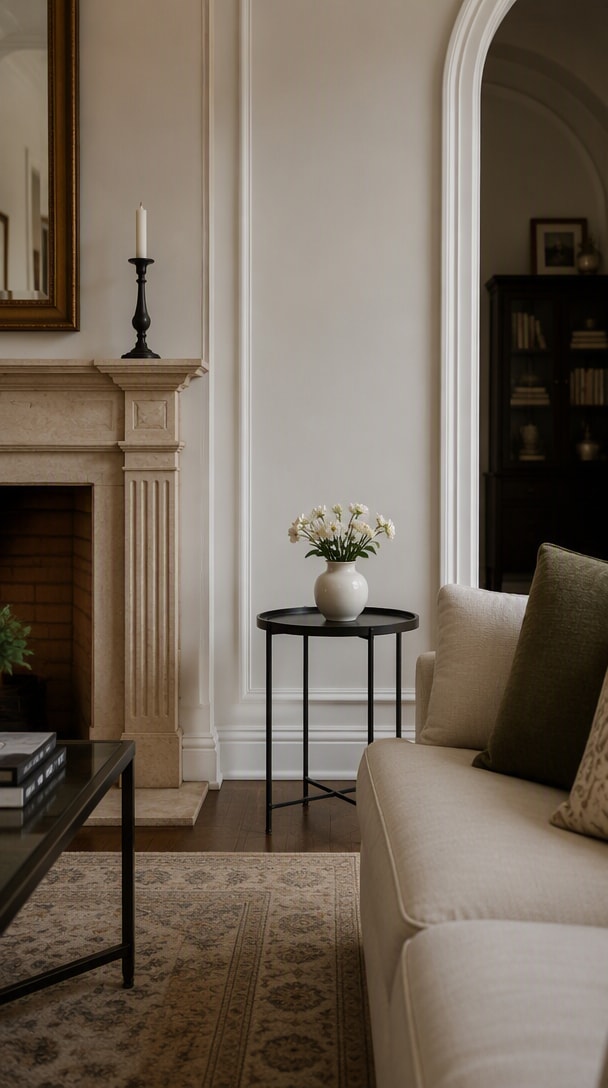
Utilisez l'image intérieure téléchargée comme référence principale. Ajoutez un petit vase en céramique avec des fleurs blanches sur la table d'appoint vide. Faites correspondre la perspective de la caméra, l'échelle de la scène, la direction de l'éclairage, les ombres de contact, la profondeur de champ et les reflets de matériaux. Préservez tous les meubles, l'architecture, les couleurs et la composition existants sans modification. Le vase devrait avoir l'air naturellement photographié dans la scène originale.
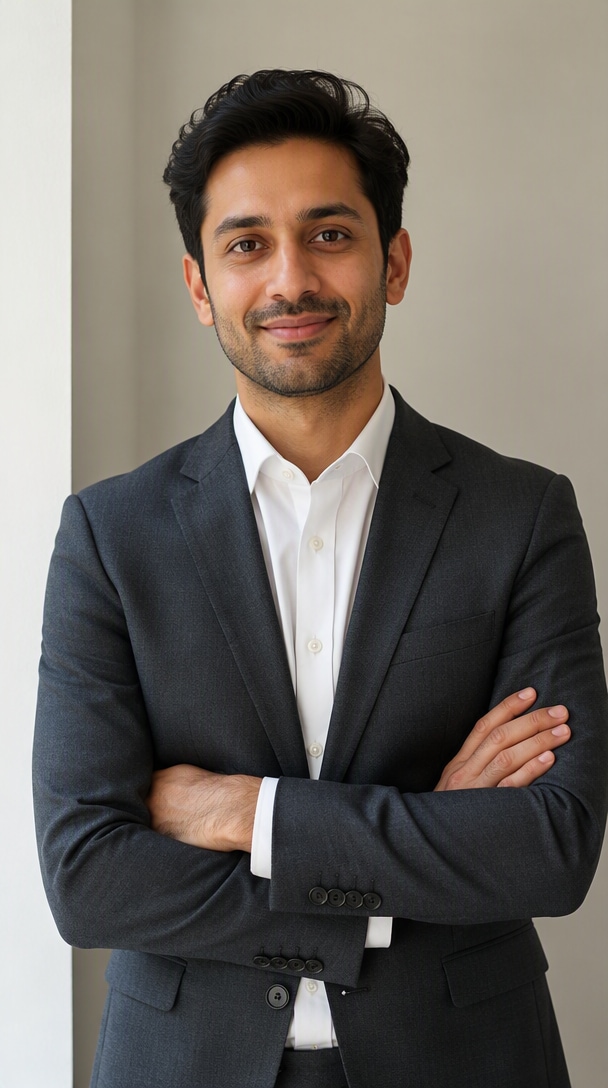
Utilisez le portrait téléchargé comme référence d'identité faisant autorité. Changez uniquement la tenue de la personne de vêtements décontractés à un costume d'affaires anthracite ajusté avec une chemise blanche. Préservez le visage, l'identité, la coiffure, le teint de peau, l'expression, la pose, les proportions corporelles, l'arrière-plan, l'angle de caméra et l'éclairage. Gardez les vêtements réalistes et naturellement ajustés. Ne modifiez pas les traits du visage ou la forme du corps.
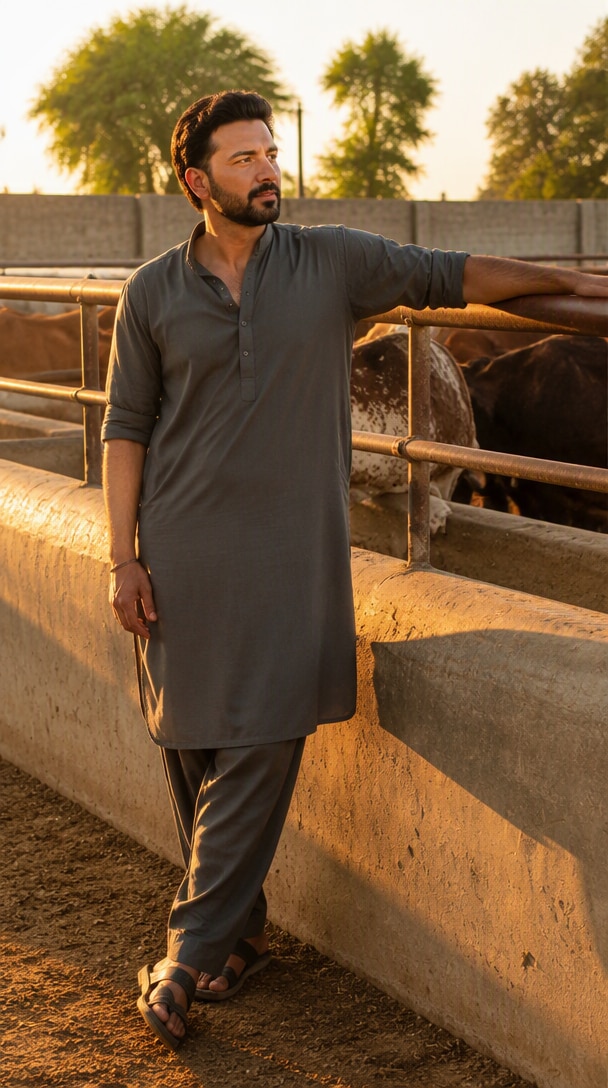
Utilisez la photographie téléchargée comme référence de scène exacte. Changez uniquement l'éclairage de la lumière du jour plate à un éclairage cinématographique d'heure dorée. Ajoutez une lumière solaire directionnelle chaude, une lumière de contour douce, des ombres longues réalistes, des reflets chauds subtils et un remplissage ambiant naturel. Préservez l'identité du sujet, la pose, les vêtements, le lieu, les objets, la composition et l'angle de caméra. Ne modifiez pas la scène elle-même.
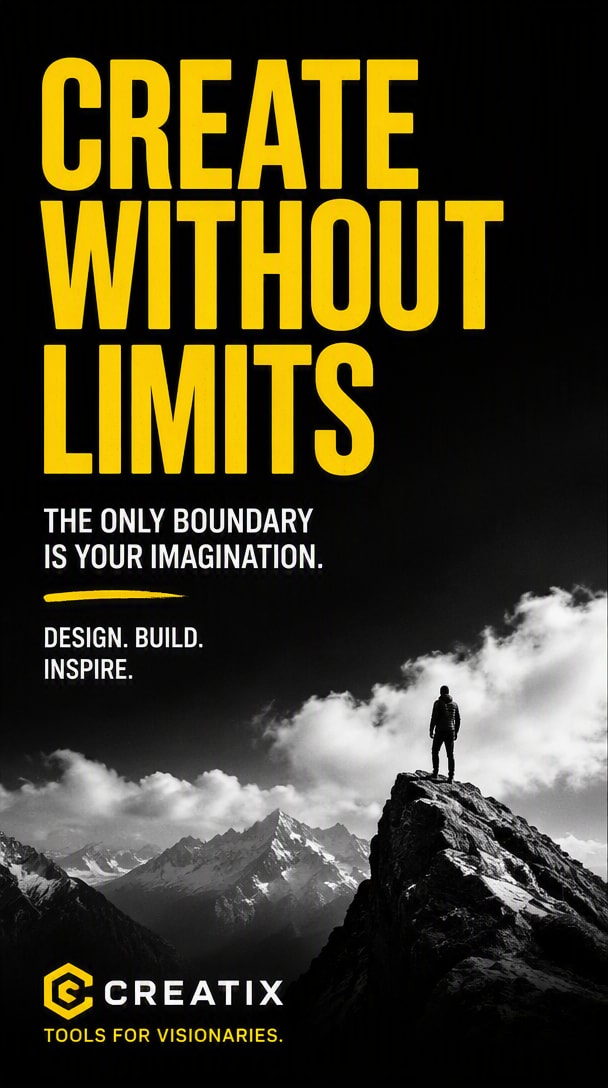
Utilisez l'affiche téléchargée comme référence visuelle et de mise en page exacte. Remplacez uniquement le titre incorrect par "CREATE WITHOUT LIMITS". Préservez le style typographique, le poids de la police, l'alignement, la taille du texte, l'espacement, les couleurs, l'arrière-plan, la composition visuelle et tout autre texte. Le nouveau titre doit être de façon cohérente lisible et orthographié exactement comme indiqué. Ne repensez pas l'affiche.

Créez un graphique de T-shirt en sérigraphie audacieux et prêt à imprimer avec une tête de tigre chromée stylisée entourée d'étoiles pointues et le texte exact "STAY WILD". Utilisez une composition centrée compacte, des couleurs limitées à fort contraste, une texture d'impression vieillie et une séparation claire entre les éléments graphiques. Gardez le texte lisible et n'ajoutez pas de mots supplémentaires ni de photographie de maquette.
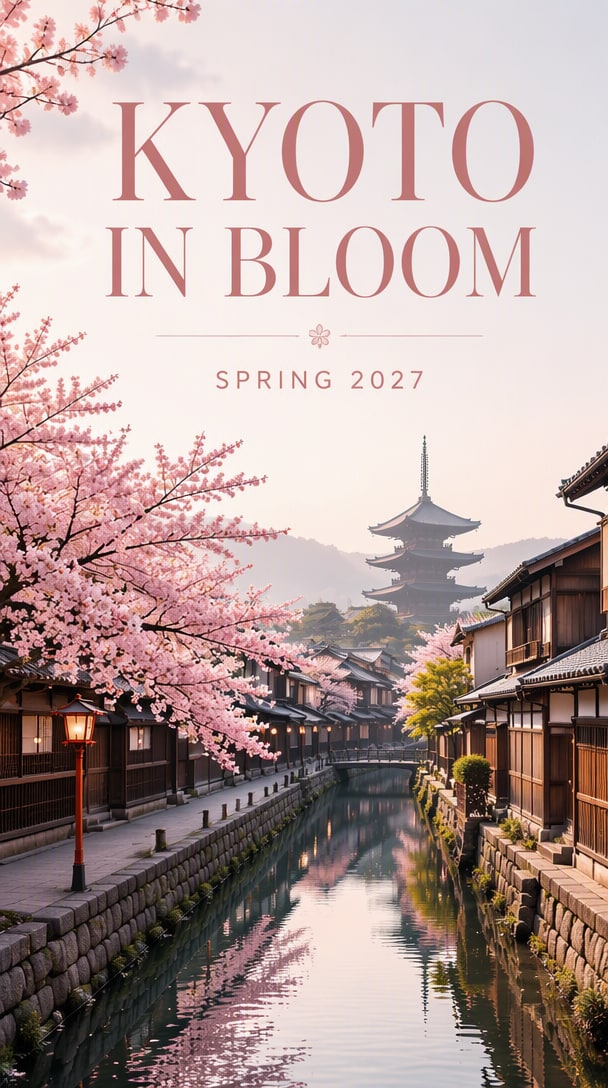
Créez une affiche de voyage soignée pour Kyoto au printemps. Montrez un canal tranquille, des fleurs de cerisier, une architecture en bois traditionnelle et une pagode lointaine dans une brume matinale douce. Utilisez une typographie éditoriale élégante avec le titre exact "KYOTO IN BLOOM" et la sous-ligne exacte "SPRING 2027". Maintenez une hiérarchie claire, un texte lisible et un espace négatif généreux. Pas de texte supplémentaire.
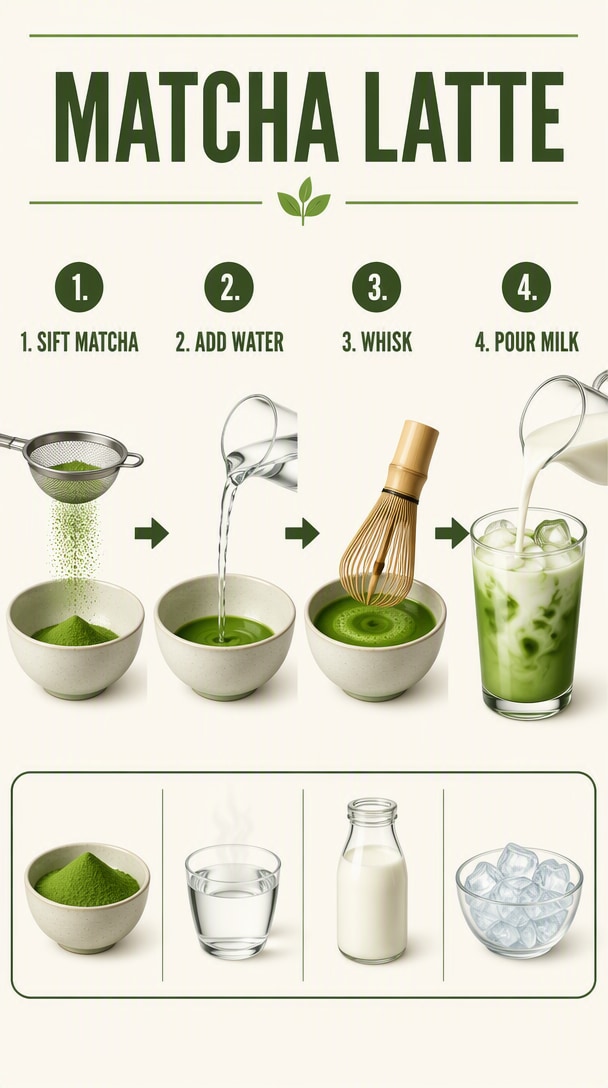
Créez une infographie de recette visuelle claire intitulée "MATCHA LATTE". Montrez quatre étapes numérotées avec des icônes simples et des étiquettes exactes : "1. SIFT MATCHA", "2. ADD WATER", "3. WHISK", "4. POUR MILK". Incluez une petite bande d'ingrédients pour le matcha, l'eau chaude, le lait et la glace. Utilisez un espacement cohérent, des flèches claires, un texte lisible et pas d'étiquettes supplémentaires.
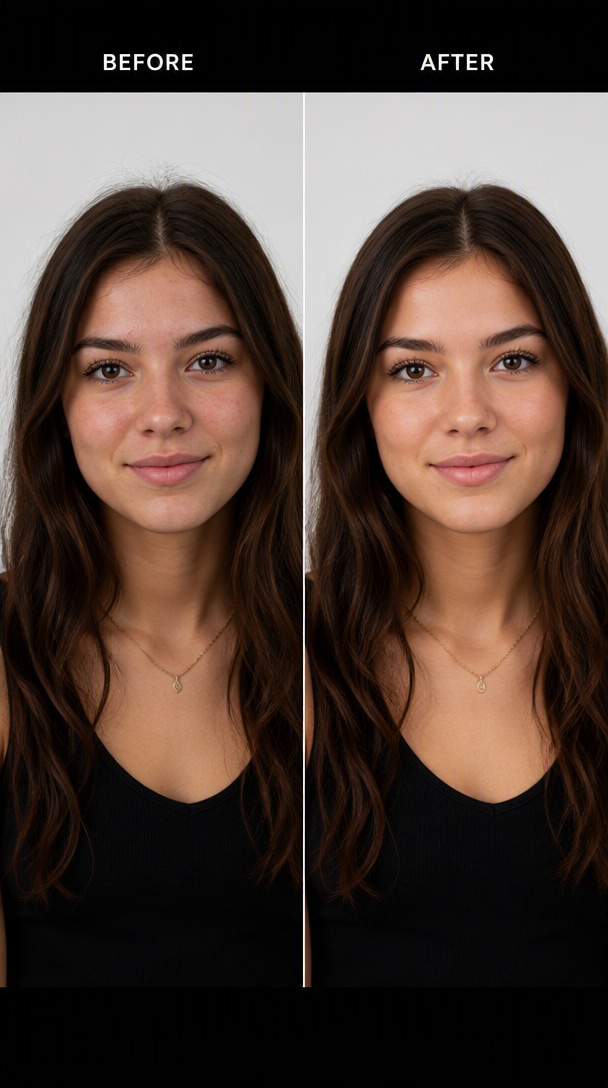
Créez une démonstration propre de retouche de portrait avant-après en utilisant la même personne des deux côtés. Gauche : le portrait original. Droite : améliorez subtilement l'exposition, la balance des blancs, les cheveux volants et les petites imperfections cutanées temporaires tout en préservant l'identité, la structure faciale, la texture de peau, l'âge, l'expression et tous les traits permanents. Gardez le résultat naturel et réaliste, sans effet aéographe.
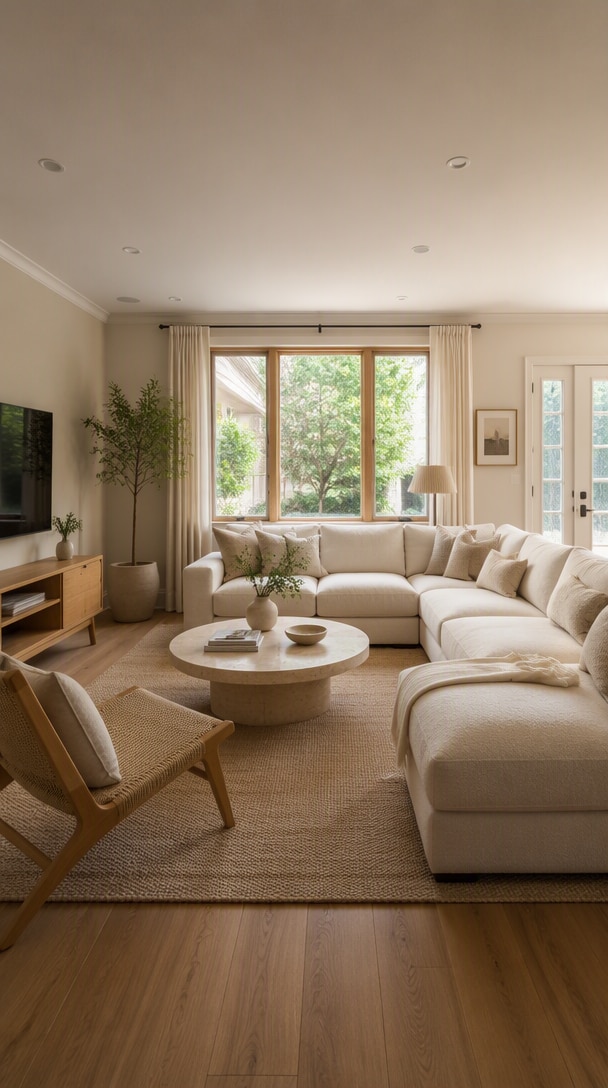
Utilisez la photo de salon téléchargée comme référence architecturale exacte. Préservez la géométrie de la pièce, les fenêtres, les portes, la position de la caméra, le plan d'étage et le placement principal des meubles. Restylez uniquement la décoration dans un style Japandi chaud : chêne clair, rembourrage en crème texturée, pierre naturelle, rideaux en lin, plantes discrètes et lumière naturelle douce. Ne modifiez pas l'architecture ou les dimensions de la pièce.
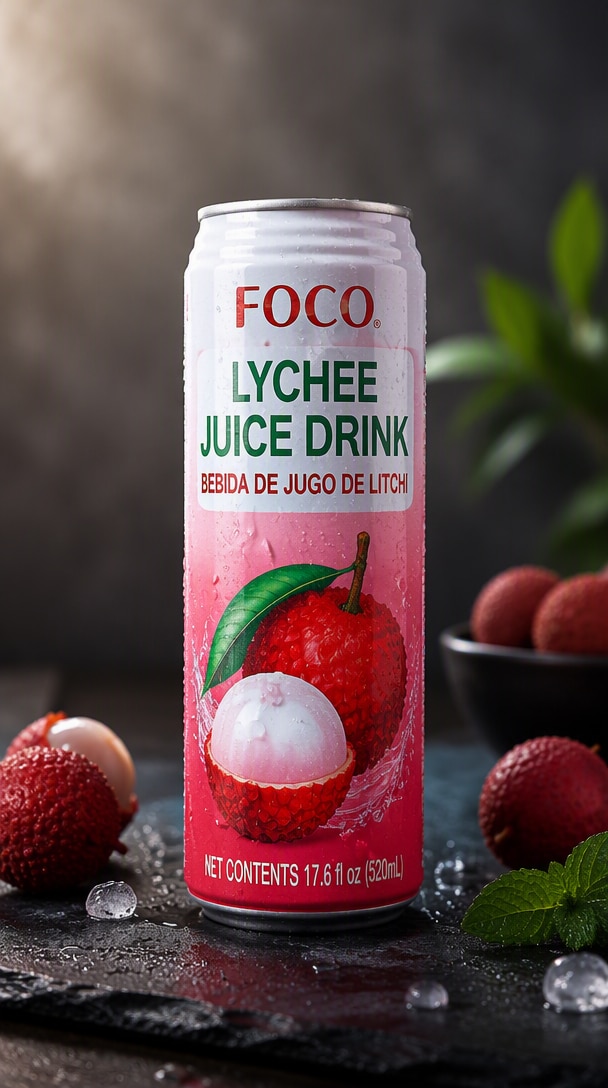
Utilisez l'emballage de boisson téléchargé comme référence de produit faisant autorité. Préservez la forme exacte de la bouteille ou de la canette, l'étiquette imprimée, le placement de la marque, la couleur de l'emballage et les proportions. Placez-le sur une surface en pierre refroidie avec une condensation subtile, un rétroéclairage doux, des reflets contrôlés et quelques ingrédients appropriés au contexte légèrement floutés en arrière-plan. Créez une photographie commerciale premium de produits alimentaires et de boissons.
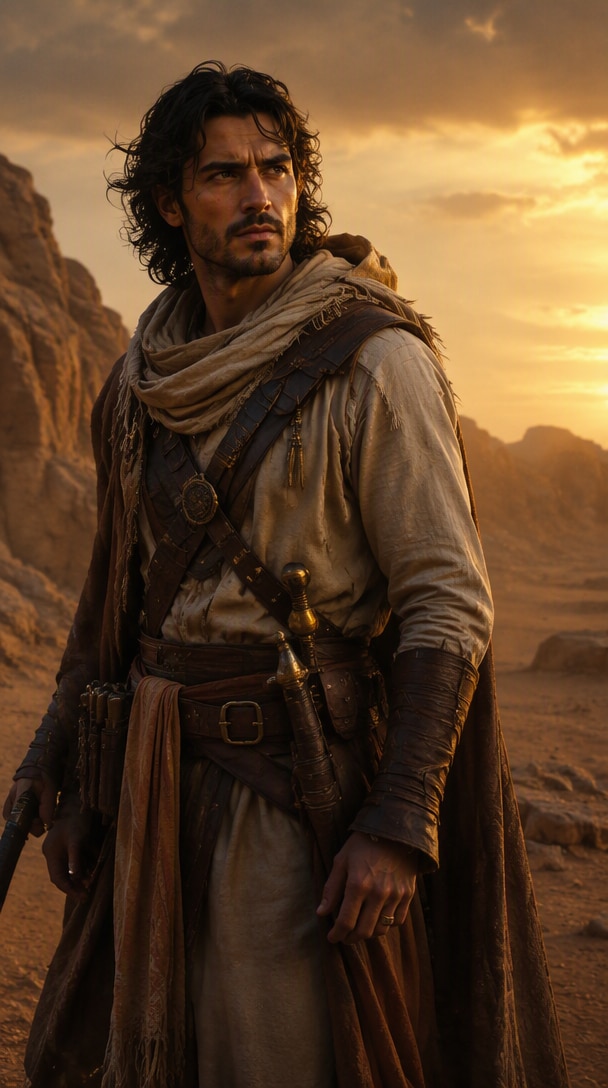
Créez un portrait cinématographique de personnage de fantasy d'un ranger du désert portant du lin superposé, du cuir patiné et des accessoires en laiton, debout dans un canyon balayé par le vent au crépuscule. Utilisez une anatomie réaliste et ancrée, une texture de peau naturelle, un tissu détaillé, une lumière de contour chaude, une poussière légère en suspension et une esthétique crédible de plan de film. Évitez les éléments génériques d'interface de jeu, les légendes ou les logos.
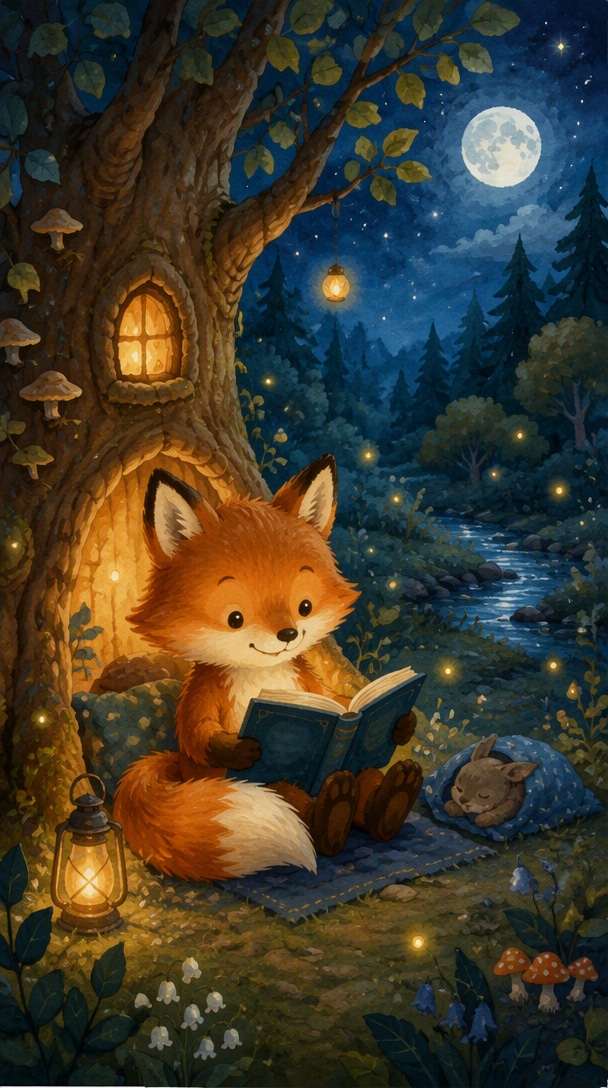
Créez une illustration chaleureuse de livre pour enfants d'un petit renard lisant près d'un arbre lumineux la nuit. Utilisez des textures douces de gouache et d'aquarelle, des formes rondes et amicales, une douce lumière lunaire, de minuscules lucioles, des détails de forêt confortables et une atmosphère calme de coucher. Gardez la scène simple, expressive et adaptée à un livre illustré. Pas de texte.
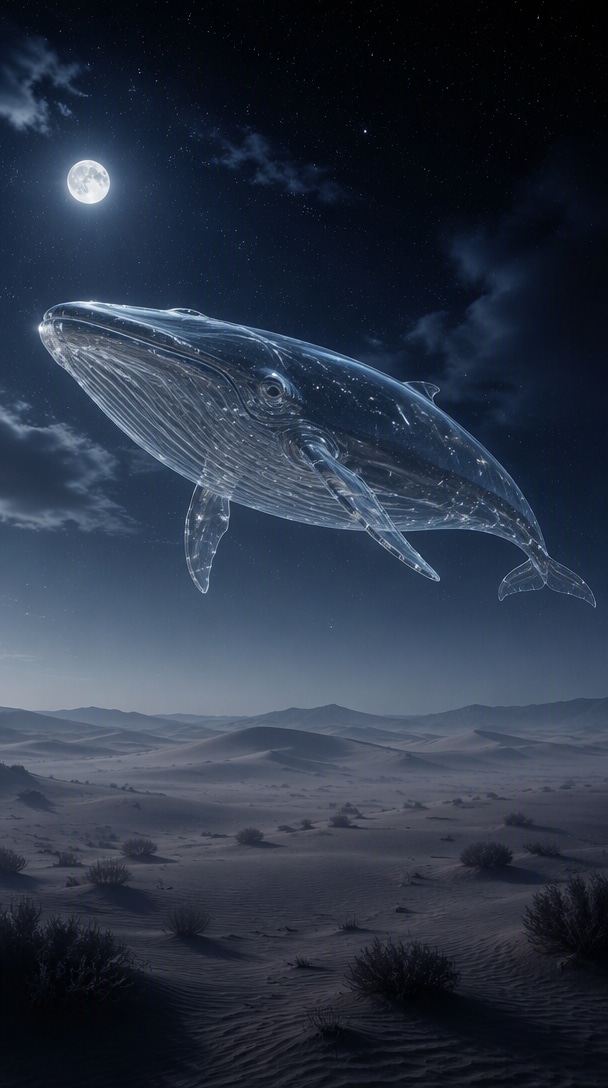
Créez une image éditoriale surréaliste d'une grande baleine de verre transparente flottant silencieusement au-dessus d'un désert tranquille la nuit. Utilisez une douce lumière lunaire, une brume pâle, des dunes lointaines, des reflets subtils à l'intérieur du corps en verre et une gradation cinématographique des couleurs contenue. L'image devrait sembler poétique et photographique plutôt que chaotique. Pas de texte ni de créatures fantastiques supplémentaires.
Pour la génération, décrivez le résultat visible. Pour l'édition, indiquez également ce qui doit rester inchangé. Utilisez cette structure réutilisable lorsque vous souhaitez plus de contrôle.
Que faites-vous : photo de produit, portrait, affiche, infographie, ressource transparente, graphique pour merchandising ou modification ciblée?
Décrivez le sujet principal et attribuez des rôles clairs à toutes les images téléchargées : identité, produit, environnement, mise en page ou esquisse.
Précisez la composition, l'angle de caméra, l'éclairage, les matériaux, l'environnement, la typographie, la palette et les autres décisions de conception visibles.
Pour les modifications, indiquez ce qui ne peut pas changer. Ajoutez des exclusions telles que pas de texte supplémentaire, pas de refonte, pas d'objets en double ou pas de changements d'identité.
LIVRABLE : [quel visuel visuel créez-vous?]SUJET / RÉFÉRENCES : [sujet principal + ce que chaque image de référence apporte].SCÈNE : [environnement, action, éléments de soutien].COMPOSITION : [point de vue, cadrage, hiérarchie, espace négatif].DIRECTION VISUELLE : [éclairage, palette, matériaux, texture, réalisme].CONSERVER : [identité, produit, mise en page, texte, caméra, etc.].EXCLURE : [ce qui ne doit pas être ajouté, modifié, dupliqué ou repensé].
Les prompts GPT Image 2.5 sont des instructions pour générer ou modifier des images. Les prompts efficaces décrivent le résultat visible, et les prompts de modification expliquent également ce qui doit rester inchangé, comme l'identité, la géométrie du produit, la composition, le texte ou la perspective de caméra.
Choisissez un exemple de prompt, copiez-le, remplacez le sujet ou les détails créatifs par les vôtres, puis collez-le dans Media.io. Téléchargez une image de référence lorsque le prompt nécessite de préserver une personne, un produit, une mise en page ou une scène existante.
Oui. Pour une édition précise, décrivez un seul changement spécifique et indiquez séparément ce qui doit rester inchangé. Cela est utile pour le remplacement d'arrière-plan, les modifications d'objets, les changements de tenue, le ré-éclairage, la correction de texte, les variations de produit et le raffinement en plusieurs étapes.
Utilisez des instructions visuelles concrètes plutôt que de longues listes de termes de qualité vagues. Définissez le livrable, le sujet, la scène, la composition, l'éclairage, les matériaux, le texte exact si nécessaire, les rôles des références, les règles de conservation et les exclusions.
Les exemples couvrent les portraits guidés par référence, les modifications précises, la photographie de produit, les publicités, les affiches, le texte exact, les infographies, les fonds transparents, les compositions multi-références, le passage de l'esquisse à l'image, la rénovation de pièces, les graphiques de marchandise et les remixes de style.
Traitez l'image téléchargée comme la référence faisant autorité, listez les détails exacts qui doivent rester stables, puis décrivez uniquement les éléments que vous souhaitez modifier. Pour les prompts multi-références, attribuez un rôle clair à chaque image d'entrée.
Oui. La bibliothèque de prompts comprend des affiches, des infographies, des graphiques de marchandise et d'autres exemples sensibles à la mise en page. Mettez le texte requis entre guillemets, précisez où il doit apparaître et demandez explicitement qu'aucun mot supplémentaire ne soit ajouté.


