















Bild zu Bild
Nano Banana Pro
Bild hochladen
0 / 9
Klicken oder ziehen, um hochzuladen, oder wählen Sie aus Meine Historie
Keine Ideen? Erstellen Sie zuerst ein Bild. >
Unterstützte Upload-Formate: jpg, png, jpeg
Tipps
0/2000
Seitenverhältnis
Auto
9:16
16:9
1:1
4:3
3:4
3:2
2:3
21:9
Auflösung
1K
2K
4K
Banana Pro Unbegrenzter Modus
Anzahl der Bilder
1
2
3
4
Öffentliche Sichtbarkeit
Alle
Bild
Video
Audio
Liste generieren
Die generierten Ergebnisse werden 7 Tage lang aufbewahrt. Bitte speichern Sie sie rechtzeitig.
ai_video_generatorEntfalten Sie Ihr kreatives Potenzial und erleben Sie jetzt die Magie der Media-KI!

Virtual Foundation Try-On From Any Photo With AI

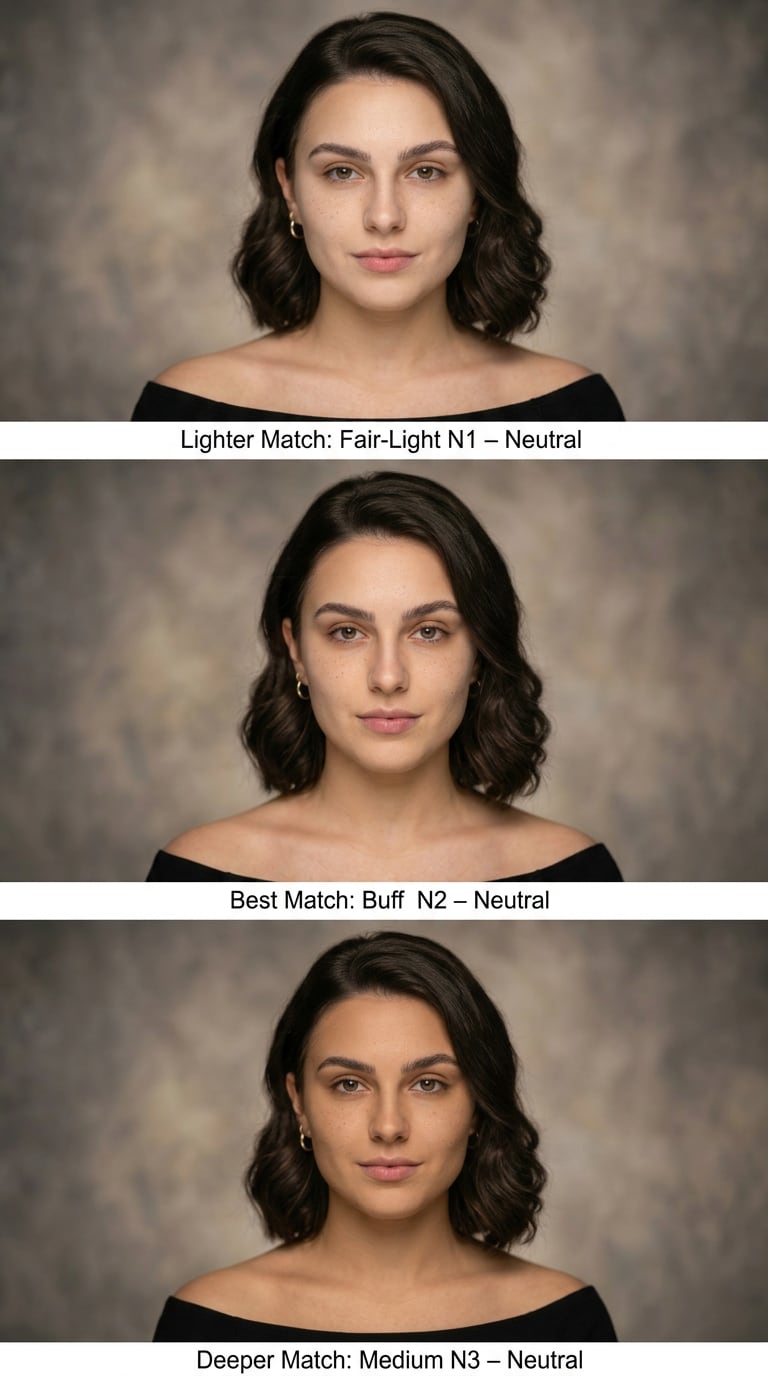
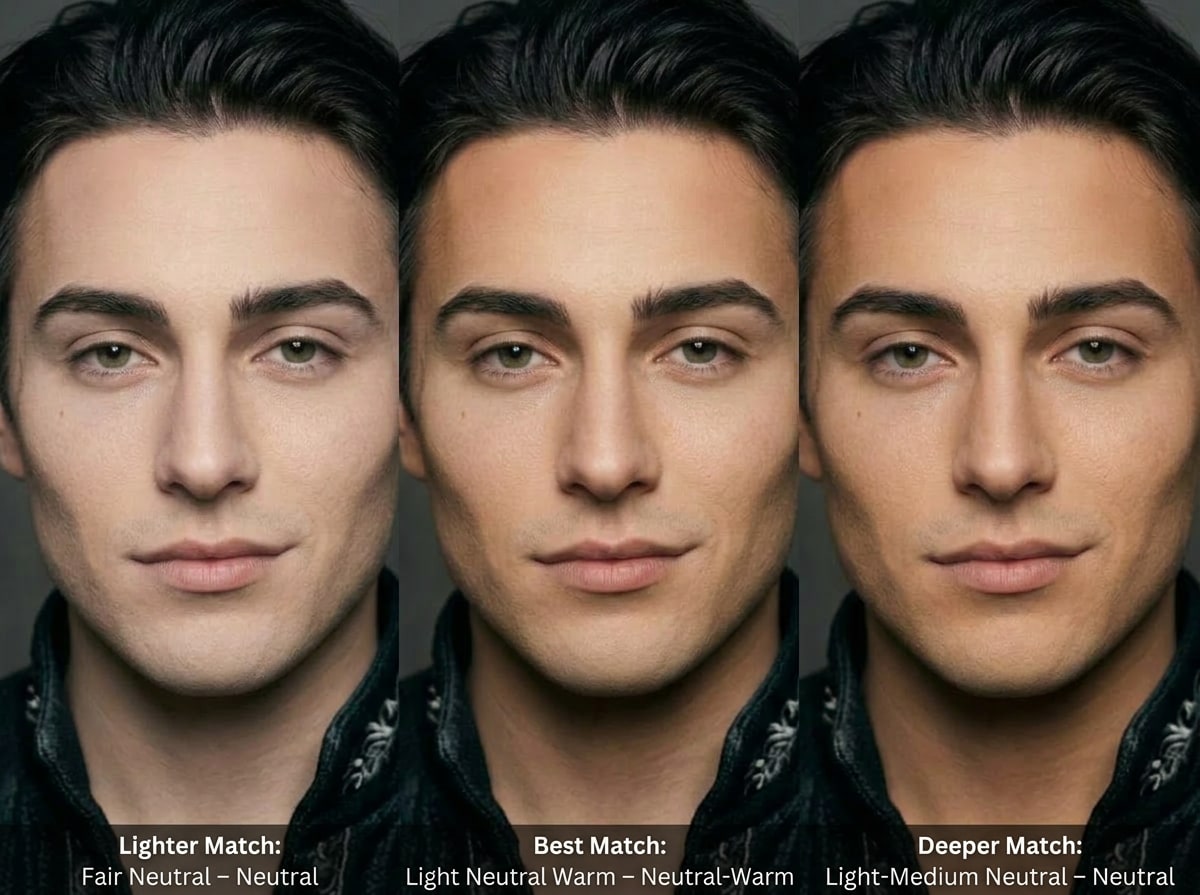
Upload a selfie or model shot and let AI analyze your skin tone and undertone to generate the most recommended foundation shades — lighter, best match, and deeper. Instantly preview realistic foundation results, compare tones and finishes, create before-and-after visuals, and export campaign-ready images for social media or ecommerce product pages.

Start Virtual Foundation Try-On

Type your idea -> AI designs it. Free to try.

✓ AI skin tone & undertone analysis ✓ 3 recommended foundation shades ✓ Realistic virtual makeup preview ✓ Online, no app required
Virtual Foundation Try-On • Woman
virtual try on foundation
Virtual foundation try on for woman
Virtual Foundation Try-On • Man
virtual shade finder
Virtual foundation try on for man

Try different foundation shades instantly with AI — perfect for finding the right skin tone match before buying makeup.

Why Use Media.io for Virtual Foundation Try-On Visuals?

Hyper-Realistic Skin & Makeup Rendering

Media.io is powered by advanced AI models like Nano Banana Pro, Nano Banana 2, and Soul Character for hyper-realistic portraits. Upload a selfie and prompt different bases to generate believable foundation looks with natural skin texture that are ideal for tutorials, ecommerce pages, or campaign mockups.


High-Resolution Images for Every Channel

Generate foundation try-on visuals in 1K, 2K, or 4K with the aspect ratio you need: 1:1 for feeds, 9:16 for Reels and TikTok, 16:9 for YouTube thumbnails, and more. One upload gives you multiple crops and sizes ready for paid ads, PDPs, and social content.

Fast, Browser-Based Workflow on Any Device

Media.io runs entirely in your browser on Windows, Mac, iOS, and Android. Open the virtual foundation try-on workflow, upload your images, and generate new looks in a few clicks—no app installation, no complex setup, and easy collaboration across teams.

Privacy-Friendly & Flexible for Any Budget

Uploaded photos are automatically deleted from Media.io servers after 7 days, helping protect client and model privacy. You get 3 free credits per day to test online foundation try on concepts, and can upgrade for more credits and watermark-free high-resolution exports anytime.

How to Create Virtual Foundation Try-On Images Online

1
2
3
1
Step 1: Open Media.io Virtual Foundation Try-On

Open Media.io Virtual Foundation Try-On. Go to media.io/ai and open the Virtual Foundation Try-On under AI -> Image Generator. This online tool runs in your browser, so you can build shade previews and before/after foundation images without installing any software.

2
Step 2: Enter a Prompt or Upload

Enter a detailed prompt (for example: "half-face selfie, natural light, soft matte foundation finish, medium warm skin tone, before-and-after split view") or upload a reference selfie or product shot. Adjust style and settings such as realism level, resolution, and aspect ratio to match your channel.

3
Step 3: Generate, Refine & Download

Click Generate to create your virtual foundation try-on images. Refine the prompt or upload a different photo until the undertone, coverage, and finish look right. Then download high-resolution images ready for ecommerce pages, social media, or client shade-matching demos.

Step 1
Step 2
Step 3

What Creators Say About Media.io’s AI Foundation Visuals

user
Elena M.

Ecommerce Brand Manager

star star star star star

"Perfect for fast foundation PDP visuals" We use Media.io to mock up foundation on diverse models before a shoot. It’s cut our product page testing time in half and lets us validate shade ranges visually across skin tones.

user
Jordan R.

Freelance Makeup Educator

star star star star star

"Great for undertone explainers and reels" Being able to upload one selfie and show multiple foundation undertones is a game changer. My virtual try-on style videos look polished without needing a full filming setup every time.

user
Priya S.

Social Media Strategist

star star star star star

"Scalable AI content for campaigns" We generated entire grids of foundation shades on different skin tones in a single afternoon. Media.io’s AI image tools handle 9:16, 1:1, and 16:9 assets so we can plan multi-channel launches quickly.

user
Lucas G.

Indie Beauty Founder

star star star star star

"Affordable way to test shade visuals" As a small brand, I can’t shoot every foundation concept. Media.io lets me preview looks, build pitch decks, and only book photo shoots once I know which shades and angles resonate.

FAQs About Virtual Foundation Try-On With Media.io

1. How can I virtually try on foundation shades online?

With Media.io you upload a selfie or model photo and use its AI image tools to generate realistic foundation looks. Because it runs in the browser on Windows, Mac, iOS, and Android, you don’t need an app. Adjust your prompt for shade depth, undertone, and finish, then download the high-resolution results.

Yes. You can upload a clear, well-lit photo and use Media.io’s AI foundation shade finder-style prompts to preview different base colors on that image. The tool focuses on visual, AI-generated previews rather than exact color calibration, so you should still confirm the final shade on your skin in real life.

Media.io uses advanced models like Nano Banana Pro, Nano Banana 2, and Soul Character to generate high-quality, realistic images across a wide range of skin tones and undertones. Results are ideal for concepts, education, and marketing visuals, but they are not a substitute for an in-person shade test under real lighting.

No. Media.io is completely web-based, so you can run your virtual foundation try-on workflow directly in Chrome, Safari, or any modern browser. Just go to media.io/ai, open the image tool, upload your photo, and generate foundation previews without installing extra software on your device.

Media.io gives free users 3 credits per day to experiment with AI-generated foundation looks. Free exports may include a watermark, while paid subscribers can generate more images and download watermark-free high-resolution files. For details, check the latest plans at https://www.media.io/pricing.html.

For privacy, uploaded images are automatically deleted from Media.io servers after 7 days. This helps keep your selfies, client photos, and campaign assets secure while still letting you revisit and refine your virtual foundation try-on projects for a short time.

Media.io Online AI Tools Quality Rating:
vote 4.7 (162,357 Votes)








