KI Bartstil-Finder
Sie sind sich nicht sicher, was passt? Nutzen Sie unserebeard style finder AIauffordert. Das system analysiert Ihre Gesichtsform, um die Top-3-Styles zu empfehlen, die als Ihre persönlicheBeratungWerkzeug.
 Nano Banana Pro
 Entfalten Sie Ihr kreatives Potenzial und erleben Sie jetzt die Magie der Media-KI!














Testen Sie neue Bartstyles auf Ihrem eigenen Foto in Sekunden mit Media.ioAI-Bart-Anprobewerkzeug. Laden Sie ein selfie hoch und generieren Sie eine3×3 Gitter of 9 Realistischer Bartstil try-onErgebnisse – Ziegenschwanz, Stoppel, Vollbart, Van Dyke, Garibaldi und mehr – während Sie IhreGesicht, Hautton, Beleuchtung, outfit und HintergrundDas gleiche. Kein Rasierer, keine app, keine Bearbeitungsfähigkeiten – nur eine schnelleVirtuelle Bart-Anprobeonline.
Keine downloads. Kostenlose credits bei der Anmeldung.
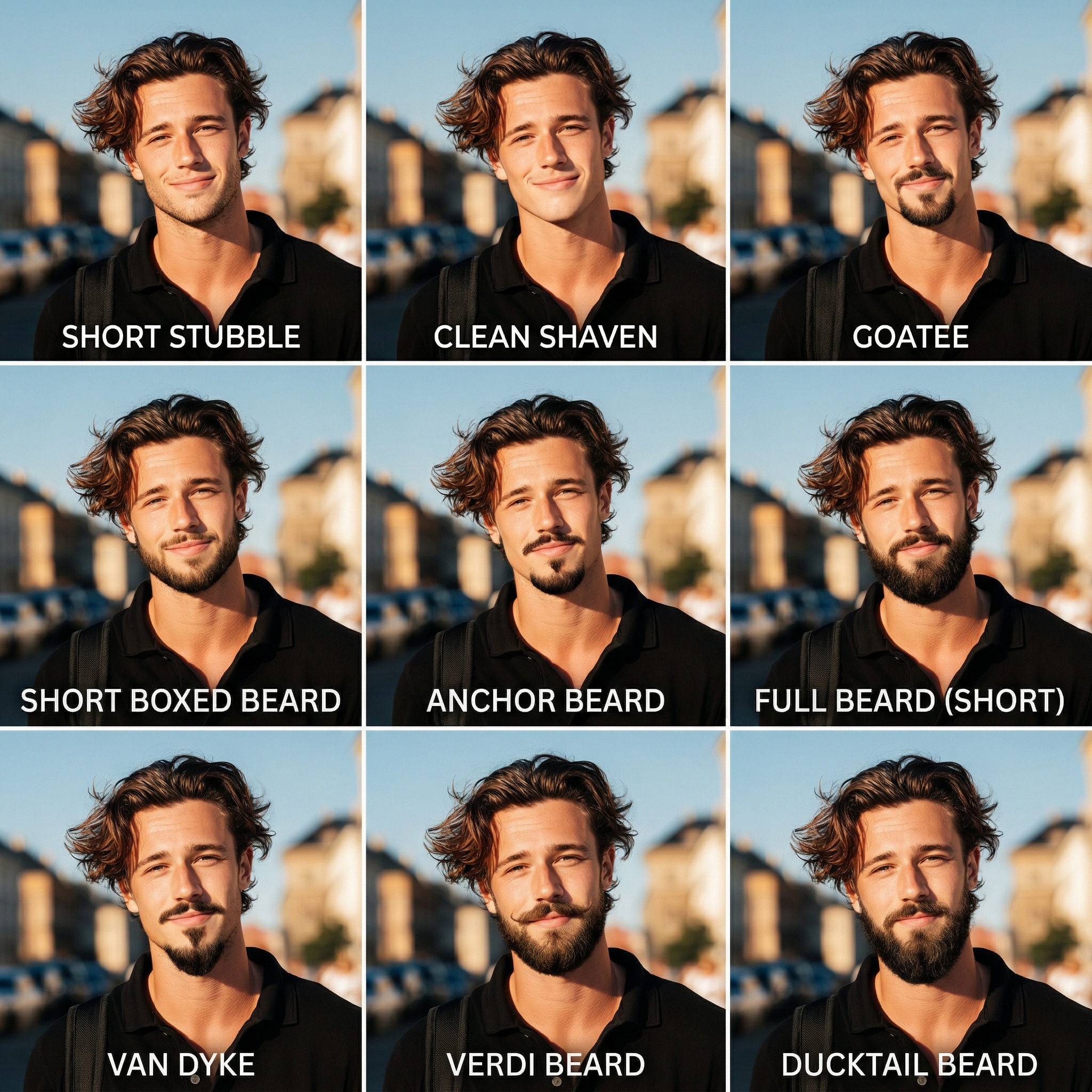
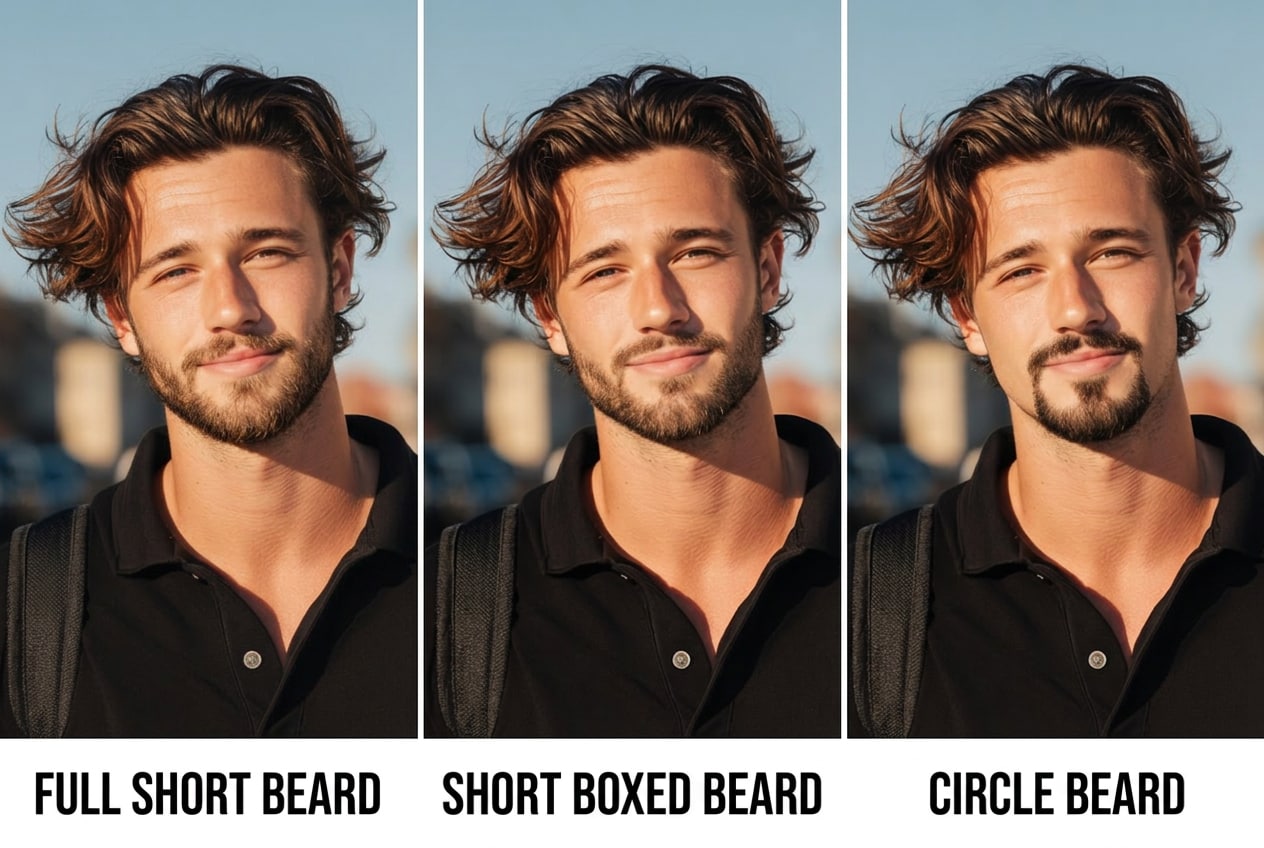
| Bartstil | KI Beard Probeaufforderungen | Vorschau | kopieren |
|---|---|---|---|
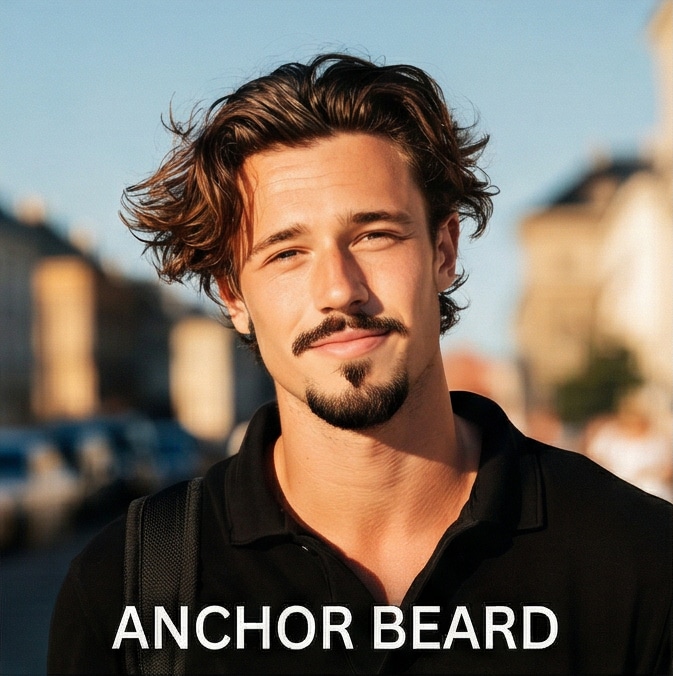
Ankerbart |
Halten Sie das genaue Gesicht, den Hautton, die Gesichtsstruktur, den Ausdruck, den Körper, das outfit und den Hintergrund der hochgeladenen person unverändert. Fügen Sie ein realistisches[Ankerbart]— Ein spitzer Kinnbart, der mit einem Schnurrbart mit rasierten Wangen verbunden ist — passend zur natürlichen Haarfarbe, verschmilzt mit der Hautstruktur, folgt den Gesichtskonturen, photorealistische Qualität. |
|
|
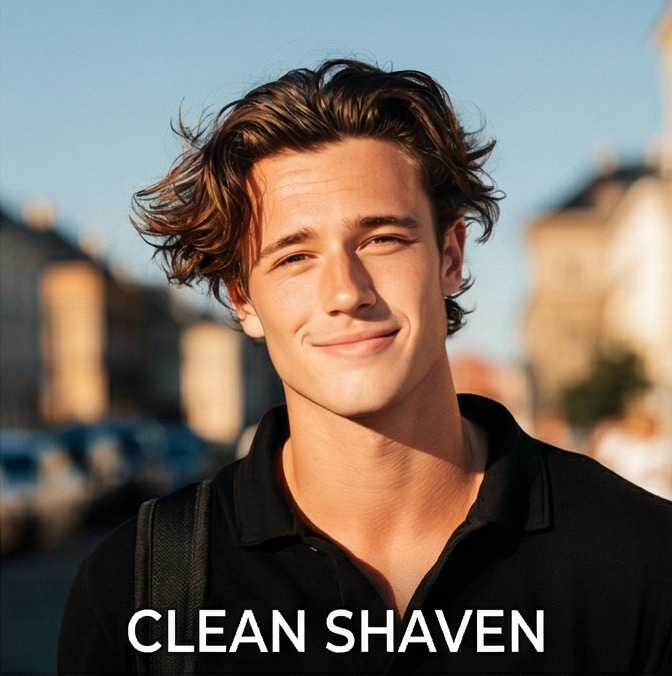
sauber rasiert |
Halten Sie das genaue Gesicht, den Hautton, die Gesichtsstruktur, den Ausdruck, den Körper, das outfit und den Hintergrund der hochgeladenen person unverändert. Entfernen Sie alle Gesichtshaare, um eine[sauber rasiert]Gesicht – glatte Haut, kein Stoppeln, kein Bart, natürliche Hautstruktur erhalten, fotorealistische Qualität. |
|
|
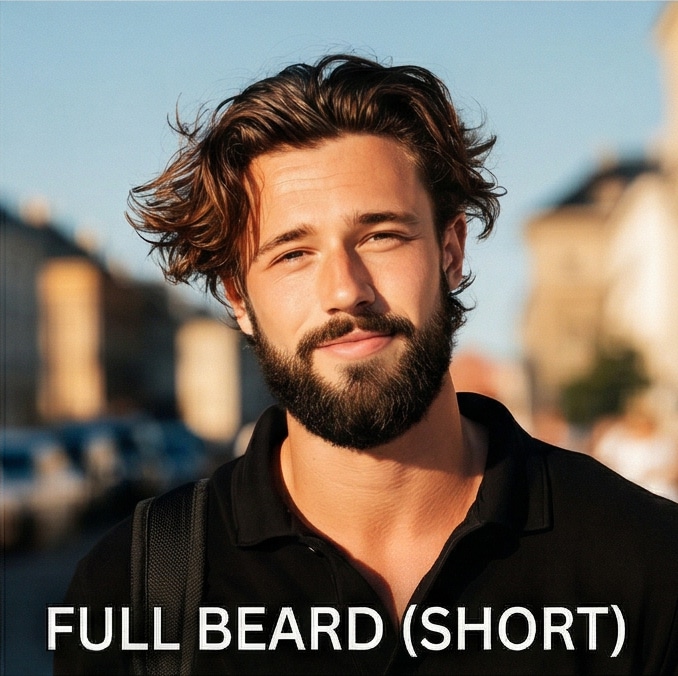
Vollbart (kurz) |
Halten Sie das genaue Gesicht, den Hautton, die Gesichtsstruktur, den Ausdruck, den Körper, das outfit und den Hintergrund der hochgeladenen person unverändert. Fügen Sie ein realistisches[Voller kurzer Bart]— Gleichmäßige, gepflegte Abdeckung über Kinn, Kieferlinie und Oberlippe, kurz geschnitten, passend zur natürlichen Haarfarbe, vermischt mit der Hautstruktur, photorealistische Qualität. |
|
|
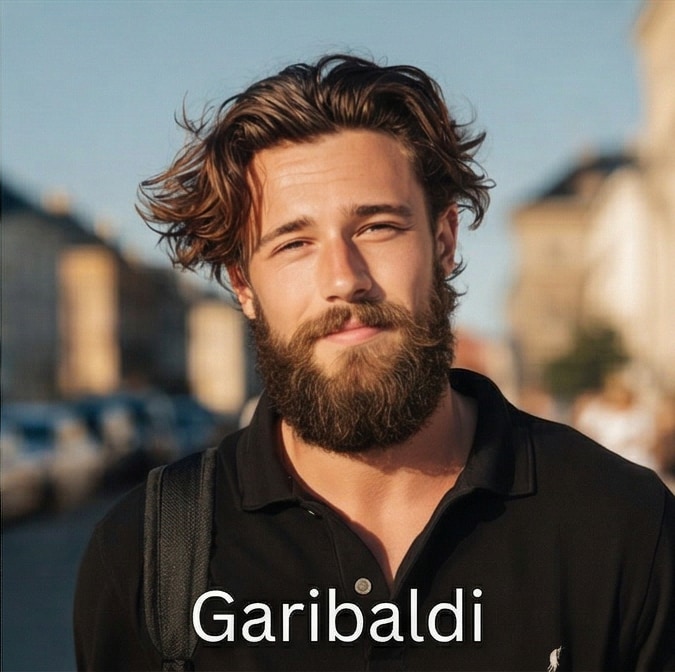
Garibaldi Bart |
Halten Sie das genaue Gesicht, den Hautton, die Gesichtsstruktur, den Ausdruck, den Körper, das outfit und den Hintergrund der hochgeladenen person unverändert. Fügen Sie ein realistisches[Garibaldi-Bart]— Breiter, voller, abgerundeter Bart mit integriertem Schnurrbart, natürlich und leicht ungezähmt, passende Haarfarbe, Mischung mit Hautstruktur, fotorealistische Qualität. |
|
|
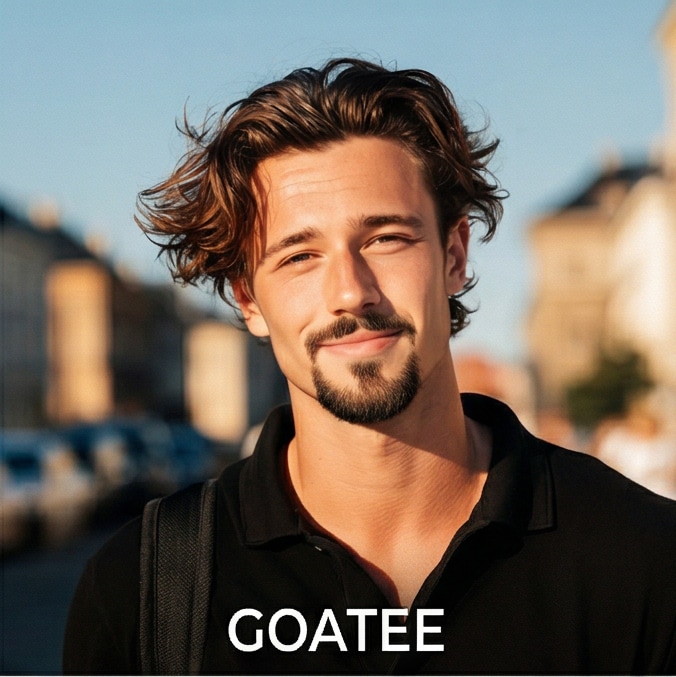
Ziegenholz |
Halten Sie das genaue Gesicht, den Hautton, die Gesichtsstruktur, den Ausdruck, den Körper, das outfit und den Hintergrund der hochgeladenen person unverändert. Fügen Sie ein realistisches[Ziegenbart]— Kinnbart nur mit sauber rasierten Wangen, mit einem Schnurrbart verbunden, ordentlich geschnitten, passend zur natürlichen Haarfarbe, vermischt mit der Hautstruktur, fotorealistische Qualität. |
|
|
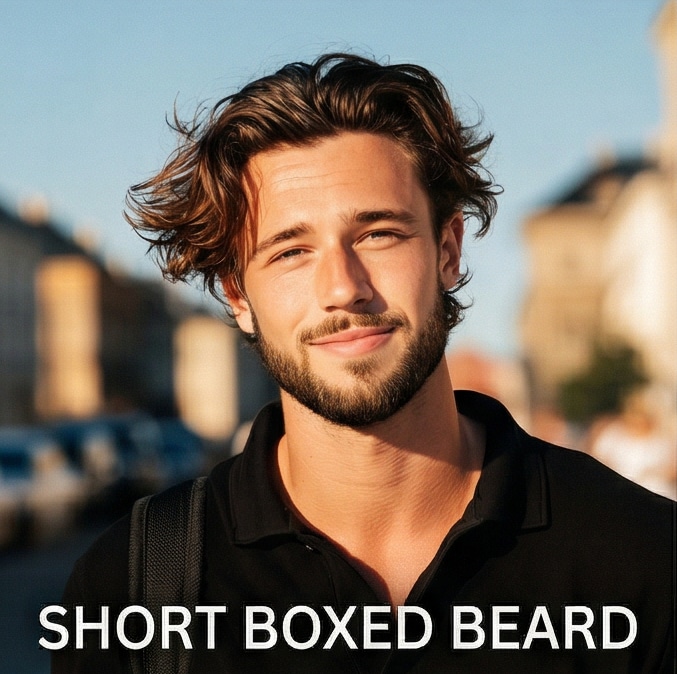
Kurzer Boxbart |
Halten Sie das genaue Gesicht, den Hautton, die Gesichtsstruktur, den Ausdruck, den Körper, das outfit und den Hintergrund der hochgeladenen person unverändert. Fügen Sie ein realistisches[Kurzer Kastenbart]— Ordentlich definierte Kanten entlang der Wangen und Ausschnitt, gleichmäßige kurze Länge, scharfe, klare Linien, passende natürliche Haarfarbe, Mischung mit der Hautstruktur, photorealistische Qualität. |
|
|
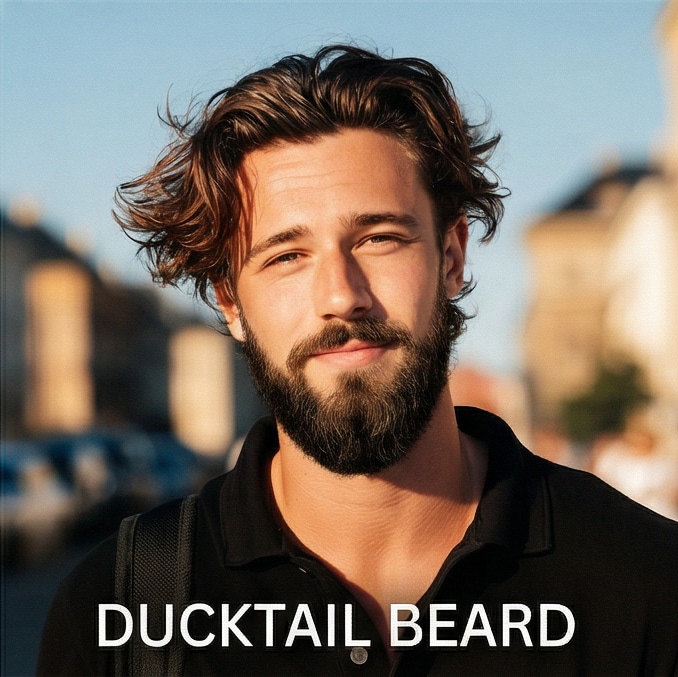
Kurzer Entenschwanzbart |
Halten Sie das genaue Gesicht, den Hautton, die Gesichtsstruktur, den Ausdruck, den Körper, das outfit und den Hintergrund der hochgeladenen person unverändert. Fügen Sie ein realistisches[Kurzer Entenschwanzbart]— Voller Bart, geschnitten bis zu einer konischen Spitze am Kinn, die einem Entenschwanz ähnelt, ordentliche Seiten, passende natürliche Haarfarbe, Mischung mit der Hautstruktur, fotorealistische Qualität. |
|
|
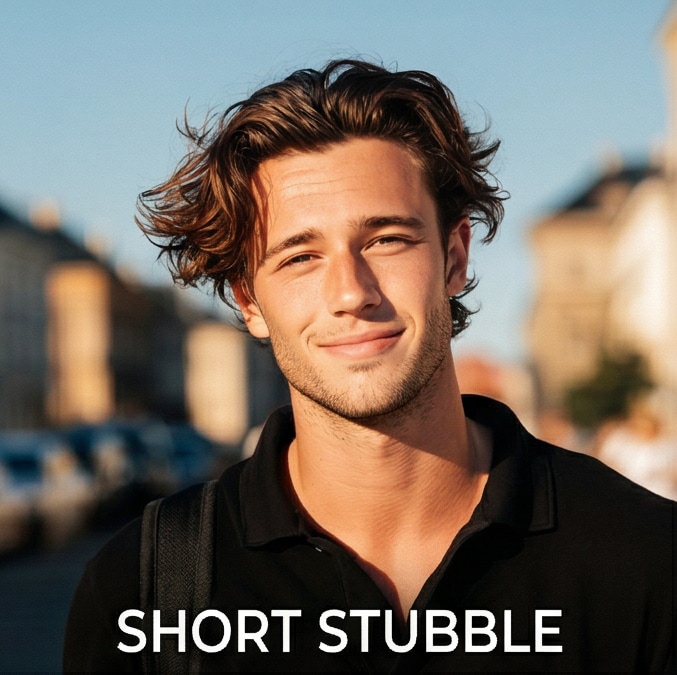
kurzer Stopfen |
Halten Sie das genaue Gesicht, den Hautton, die Gesichtsstruktur, den Ausdruck, den Körper, das outfit und den Hintergrund der hochgeladenen person unverändert. Realistisch hinzufügen[Kurzer Stopf]— Sogar 1-3 Tage Bartwachstum über Kinn, Kiefer und Oberlippe, natürliche Textur, passende Haarfarbe, nahtlose Verschmelzung mit der Haut, fotorealistische Qualität. |
|
|
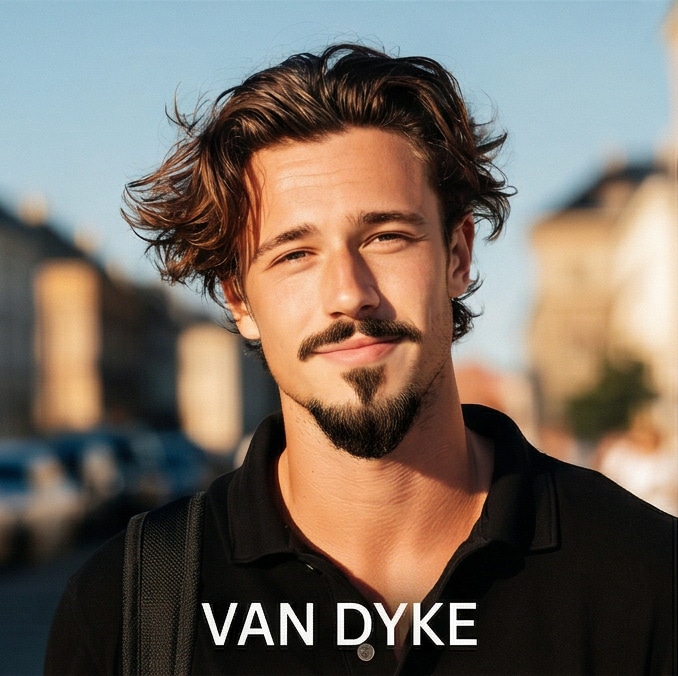
Van Dyke Bart |
Halten Sie das genaue Gesicht, den Hautton, die Gesichtsstruktur, den Ausdruck, den Körper, das outfit und den Hintergrund der hochgeladenen person unverändert. Fügen Sie ein realistisches[Van Dyke-Bart]— Eine spitze Ziegenscheibe mit einem getrennten schwimmenden Schnurrbart, sauber rasierten Wangen, scharfen Kanten, passende natürliche Haarfarbe, Mischung mit der Hautstruktur, fotorealistische Qualität. |
|
|
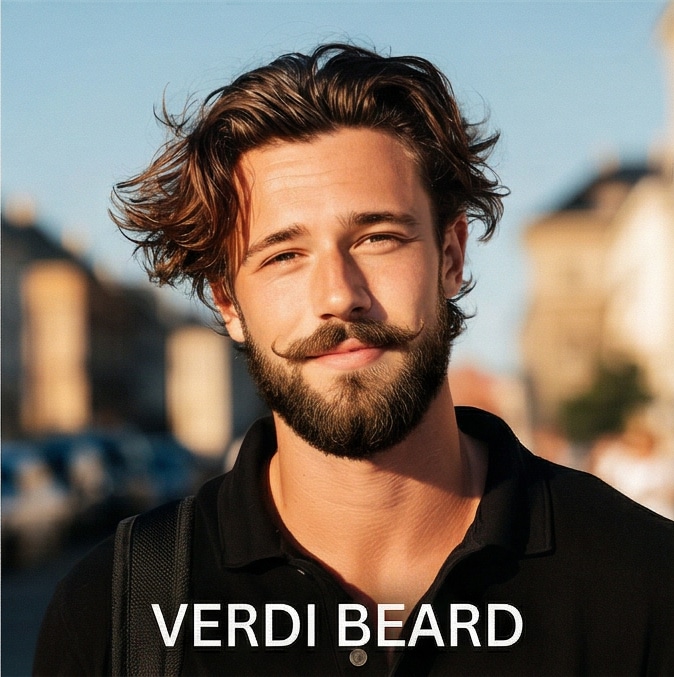
Verdi Bart |
Halten Sie das genaue Gesicht, den Hautton, die Gesichtsstruktur, den Ausdruck, den Körper, das outfit und den Hintergrund der hochgeladenen person unverändert. Fügen Sie ein realistisches[Verdi-Bart]— Ein voller abgerundeter Bart, der auf mittlere Länge geschnitten ist, mit einem prominenten separaten gestylten Schnurrbart, der an den Enden leicht gekröllt ist, der natürlichen Haarfarbe entspricht, sich mit der Hautstruktur vermischt, photorealistische Qualität. |
|
Probieren Sie outfits, Accessoires und Beauty-Looks sofort aus – alles mithilfe von Media.io.
Sie sind sich nicht sicher, was passt? Nutzen Sie unserebeard style finder AIauffordert. Das system analysiert Ihre Gesichtsform, um die Top-3-Styles zu empfehlen, die als Ihre persönlicheBeratungWerkzeug.
Vergessen Sie falsche Überlagerungen. DasBartsimulator onlineNutzt generative KI, um Textur und Beleuchtung zu vermischen und Ihnen ein realistisches Bild zu ermöglichen.Virtueller Bart anprobierenErleben Sie, bevor Sie wachsen.
Von Stoppeln bis zu vollen Wikingern, verwenden Sie dieBartstil-WechslerIndem Sie einfach die Eingaben kopieren. Testen Sie verschiedene looks oder verwenden Sie eineAI BartfilterFür lustige Transformationen.
Erleben Sie eine nahtloseBart online ausprobierenOhne die Installation einesProbieren Sie auf der app. Laden Sie Ihren neuen look sofort in Ihren browser hoch, generieren und herunterladen.
Lade dein Foto hoch. Kopieren Sie eine bestimmteBart style prompt(z. B. „Ziegenschleife "), um es auszuprobieren oder zu kopierenbeard style finder AufforderungenDamit AI 3 Stile empfehlen kann.
Fügen Sie Ihre gewählte Eingabeaufforderung ein und drücken Sie auf Generieren. DieKI-BartgeneratorAnalysiert Ihr Gesicht und wendet den Bartstil oder die Vorschläge realistisch an.
Sehen Sie sich sofort eine Vorschau Ihrer transformation an. Laden Sie Ihr herunterVirtueller Bart anprobierenErgebnis zu teilen oder als Pflegereferenz zu speichern.

Marketingleiter

"Habe mich vor einem schlechten Pflegefehler gerettet!"Ich benutzte diebeard style finder AIUm zu überprüfen, ob eine Ziegenscheibe zu meiner Gesichtsform passt. Die Empfehlung war genau richtig, und dieBartsimulatorEs sah überraschend realistisch aus.

Architekt
"Das beste try-before-you-grow tool."Ich war neugierigWie sehe ich mit einem Bart aus. DasVirtueller Bart anprobierenWerkzeug hat mir ein klares Bild gegeben. Es ist ein großartiges Beratungsinstrument für alle, die eine Veränderung möchten.

Inhaltsersteller
"So lustig und einfach zu bedienen!"Ich benutzte dieBartfilter onlineUm meinem Freund einen Streich zu machen, indem ich sah, wie er mit einem vollen Holzfällerbart aussehen würde. DieKI-BartgeneratorDie Ergebnisse waren urkomisch und von hoher Qualität.

Softwareentwickler
"Ein mächtiger Bartstil-Wechsler."Im Gegensatz zu einfachen apps,BartsimulatorErzeugt realistische Textur. Ich fand dieBester Bartstil für meine GesichtsformSofort. Sehr empfehlenswert für einen Stiltest.
Sie können Ihr zukünftiges Aussehen leicht mit unseremVirtueller Bart anprobierenWerkzeug. Laden Sie einfach Ihr Foto hoch, kopieren Sie einBart style prompt, und lassen Sie dieKI-BartgeneratorSimulieren Sie Gesichtshaaren auf Ihrem Bild realistisch. Es ist eine großartige Möglichkeit, Ihre Neugier auf "Wie sehe ich mit einem Bart aus" zu befriedigen, ohne darauf zu warten, einen zu wachsen.
Ja, Media.io bietet einebeard style finder AIMerkmal. Mithilfe unserer spezifischen Beratungsaufforderungen analysiert die KI Ihre Gesichtszüge und generiert die besten Bartstyles, die zu Ihrer Gesichtsform passen und Ihnen dabei helfen, sich für einen look zu entscheiden, bevor Sie sich verpflichten.
Absolut. Dies ist eine vollständig webbasierteBartsimulator online. Es besteht keine Notwendigkeit, eine schwereProbieren Sie auf der app. Es funktioniert reibungslos auf mobilen Browsern, tablets und desktops, sodass Sie eineBartstil-Test onlineÜberall.
Im Gegensatz zu einfachen Aufkleberüberlagerungen, unsereBartfilter onlineNutzt fortschrittliche generative KI. Es respektiert Ihre ursprüngliche Gesichtsstruktur, Beleuchtung und Hautton, um eineVirtueller BartsimulatorErgebnis, das wie ein echtes Foto aussieht, geeignet für das Teilen in sozialen Medien.
nach demBartstil-WechslerGeneriert Ihr Bild, klicken Sie einfach auf den Download-Button. Du kannst deinen neuen look von derKI Bart ausprobierenWerkzeug direkt auf Ihr Gerät, bereit, Ihren Friseur oder Freunden zu zeigen.
 4.7 (162.357 Stimmen)


